
惯性聚合 高效追踪和阅读你感兴趣的博客、新闻、科技资讯
阅读原文 在惯性聚合中打开

推荐订阅源

D
DataBreaches.Net
罗磊的独立博客
M
MIT News - Artificial intelligence
G
Google Developers Blog
V
V2EX
D
Docker
博客园_首页
The Cloudflare Blog
人人都是产品经理
人人都是产品经理
Y
Y Combinator Blog
WordPress大学
WordPress大学
T
Tailwind CSS Blog
博客园 - 司徒正美
J
Java Code Geeks
L
LangChain Blog
博客园 - 三生石上(FineUI控件)
B
Blog RSS Feed
博客园 - 【当耐特】
小众软件
小众软件
Apple Machine Learning Research
大猫的无限游戏
大猫的无限游戏
P
Proofpoint News Feed
freeCodeCamp Programming Tutorials: Python, JavaScript, Git & More
博客园 - Franky

PetaPixel

Polaroid Go Generation 3 Is the World’s Smallest Instant Analog Camera China Lucky’s New Color C200 Film Has Arrived in the US and Looks Great Chinese Private Equity Firm HSG Emerges as Leading Bidder to Buy Stake in Leica Camera Leica Cine Compact 1 Projector Promises a Plug-and-Play Home Theater Experience There Are No Photos Allowed at the Studio Ghibli Amusement Park Xiaomi 17T Pro Review: High-End Photography Without the Flagship Price Photographer Builds the iPhone Camera App He Always Wanted New $50 Y2K-Inspired Compact Camera Looks Thin In Form and Function Save Big on Macro Photography Essentials Nvidia’s New Chip Aims to Upend the Creative Laptop Market Japanese Zoo Considering Photo Ban After US Tourists Invade Punch the Monkey’s Enclosure Years in the Making, Glass Imaging Is Delivering on its Promise to Transform Smartphone Photography Gen Z are Five Times More Likely to Have a Plan for Photos After Death Long Island Beach Where Marilyn Monroe Posed for Iconic Photos Honored With Plaque Camera Trap Captures One-Armed Gorilla Raising Newborn in the Wild Photographer’s Camera Gear Gets Jet Washed by 20-Foot Wave in Tahiti Photojournalists Say ICE Agents Targeted Them and Their Cameras at Delaney Hall Protests Model Sues Fashion Brand After it AI-Generated Pictures of Her Easy Macro Photography Tips for Incredible Close-Up Photos The Myth of Intent in Photography Samsung’s Competitors Have a Better Samsung Camera Than Samsung Does Thypoch Simera 50mm f/1.4 Review: Crisp and Clean The AI Film ‘Dreams of Violets’ Is How You Get Me to Hate Movies Photographer Documents the Vanishing Wildlife of the ‘American Amazon’ Press Photographer Releases 30-Year Archive of Iconic Celebrity Images Photographer Granted Rare Access to Cambridge’s May Balls for 40 Years Atmos Is a Weather App By Photographers, for Photographers A Feature-Length AI-Generated ‘Live Action’ Movie Is Premiering at Tribeca for Some Reason Despite Being a Member, YoloLiv Isn’t Complying with the Micro Four Thirds Standard ArcBlue C42 Is the World’s First Smart Full-Frame Astrophotography System
VSCO Launches Studio Pro, a Mobile Photo Editor High-Volu...
Jeremy Gray · 2026-06-18 · via PetaPixel

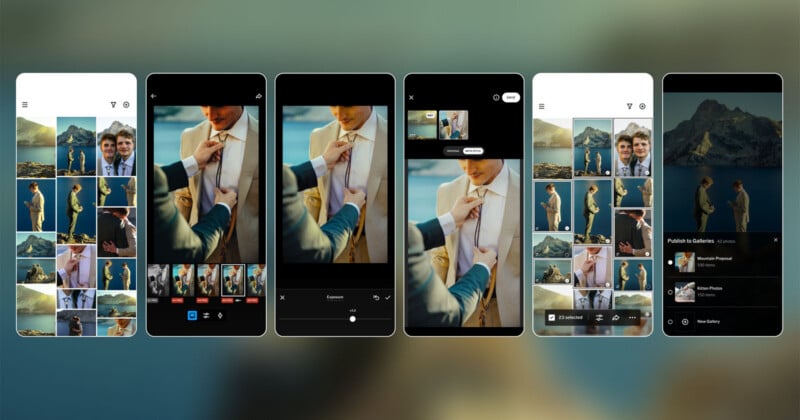
A sequence of smartphones displays photo editing steps, from selecting and adjusting a wedding photo of a couple outdoors, to cropping, modifying, and preparing the image for sharing, with mountain scenery in the background.

VSCO has launched Studio Pro, its next-generation professional editing experience, on iOS. The company promises a macOS version later this year.

The initial Studio Pro release on iPhone is designed with high-volume photographers in mind, including those working across weddings, portraits, events, sports, school photography, and other large-scale photo shoots. Studio Pro aims to help photographers maintain a consistent, repeatable editing style across large batches of selects.

At launch, photographers can edit up to 100 photos with a single tap, including 200-plus VSCO presets and professional-grade manual controls. Manual editing sliders include exposure, contrast, film grain, white balance, tone, sharpening, and more.
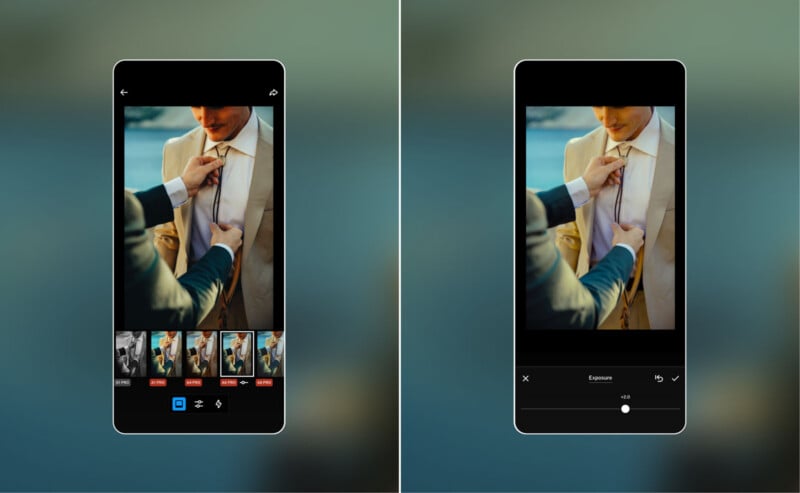
Two smartphone screens show a photo editing app. Both display an image of one person adjusting another person’s tie. The left screen shows filter options; the right shows an exposure adjustment slider.

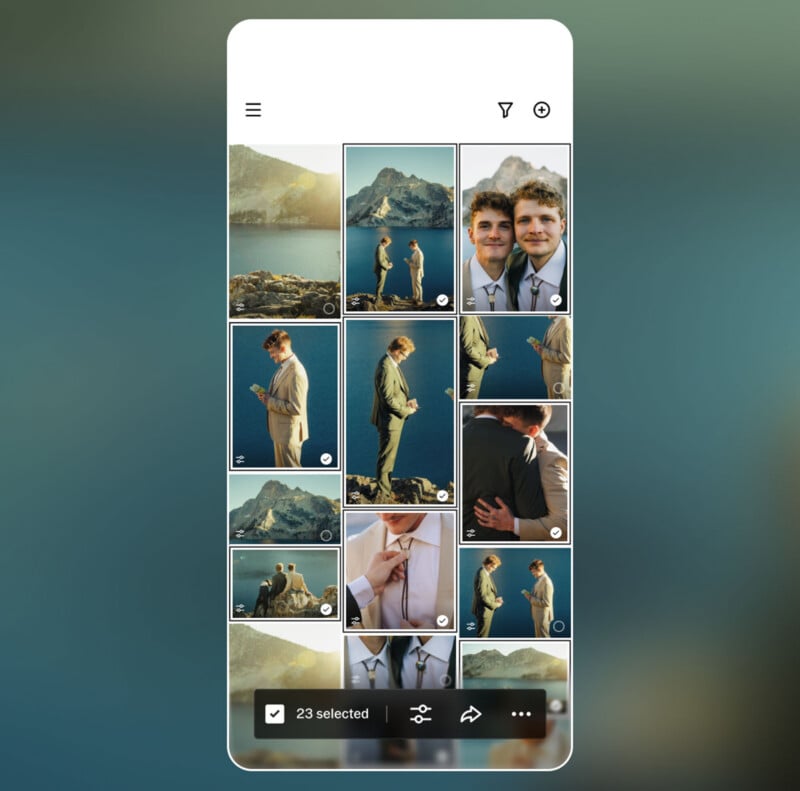
A smartphone screen shows a photo gallery with images of two men in suits by a lake and mountains, embracing, smiling, and standing together; 23 photos are selected at the bottom.

“Professional photographers often spend hours managing repetitive edits across hundreds or thousands of images after a shoot. Traditional editing workflows require photographers to manually adjust images one by one, creating significant time spent behind a screen instead of behind a camera,” VSCO says. “Studio Pro was built to address this challenge.”

As of right now, VSCO Studio Pro on iOS supports batch editing for high-volume workloads, the ability to match a batch of selects with a reference image, and the option to share finished work with clients via VSCO Galleries. Some professional-grade features are missing, including support for importing from memory cards, editing RAW files, and more.

The AI-powered Style Match is a big feature for Studio Pro at launch. As VSCO explains, photographers can take an image they have already edited or a photo they’re inspired by, and the app’s AI will match the color, tone, and “mood” of a selected set of images to the reference.

However, VSCO says it has many features in development, including a macOS version of Studio Pro. Future versions of Studio Pro will enable VSCO profile integration and instant publication, additional editing features such as auto-leveling and curve adjustments, advanced export options, RAW image support, organization tools, manual culling and star ratings, and importing from attached media and cards.
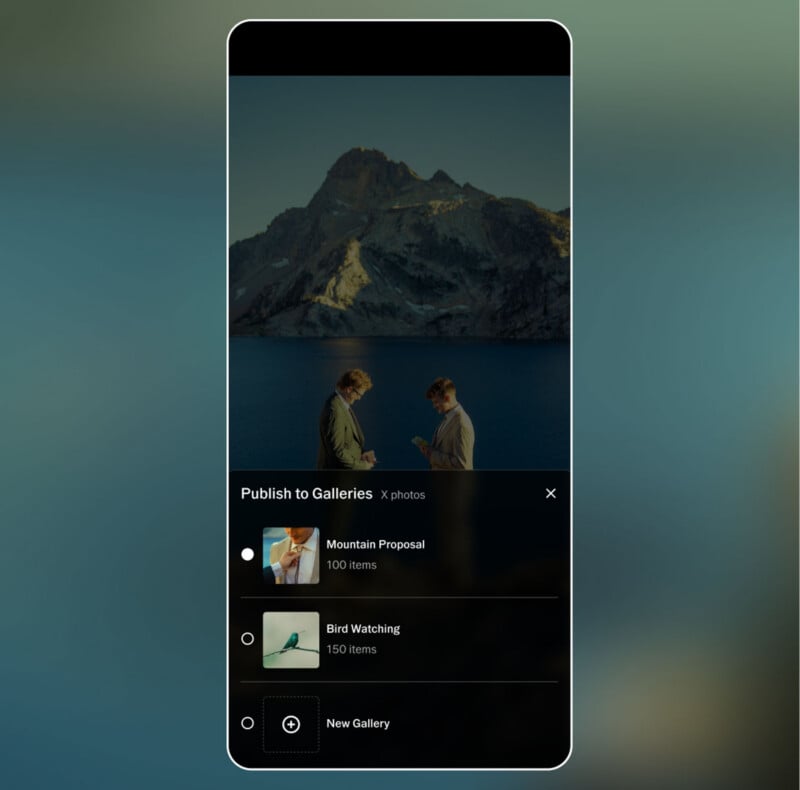
Two people stand facing each other by a lake with mountains in the background. A gallery interface overlays the image, showing album options: "Mountain Proposal," "Bird Watching," and "New Gallery.

VSCO says most photo-editing apps on the market force photographers to choose between speed and quality. Mobile image-editing apps, in particular, lack the workflow features that professional photographers require, VSCO says, and it believes that Studio Pro fills a void in the market.

“Studio Pro combines professional quality, full manual controls, and batch editing in a workflow fast enough to keep up with your ambition,” says VSCO.

VSCO Studio Pro is available on iOS for free right now, although full feature access requires a premium VSCO subscription. For example, the full suite of presets requires a subscription.


Image credits: VSCO