



This post is a continuation of Roll your own JavaScript runtime and Roll your own JavaScript runtime, pt. 2.
Update 2024-09-26: updated the code samples to the latest version of
deno_core
We’ve been delighted by the positive response to this series on rolling your own custom JavaScript runtime. One area that some expressed interest in is how to use snapshots to get faster startup times. Snapshots can provide improved performance at a (typically) negligible increase in filesize.
In this blog post, we’ll build on the
first and
second part by creating a snapshot
of runtime.js in a build script, then loading that snapshot in main.rs to
speed up start time for our custom runtime.
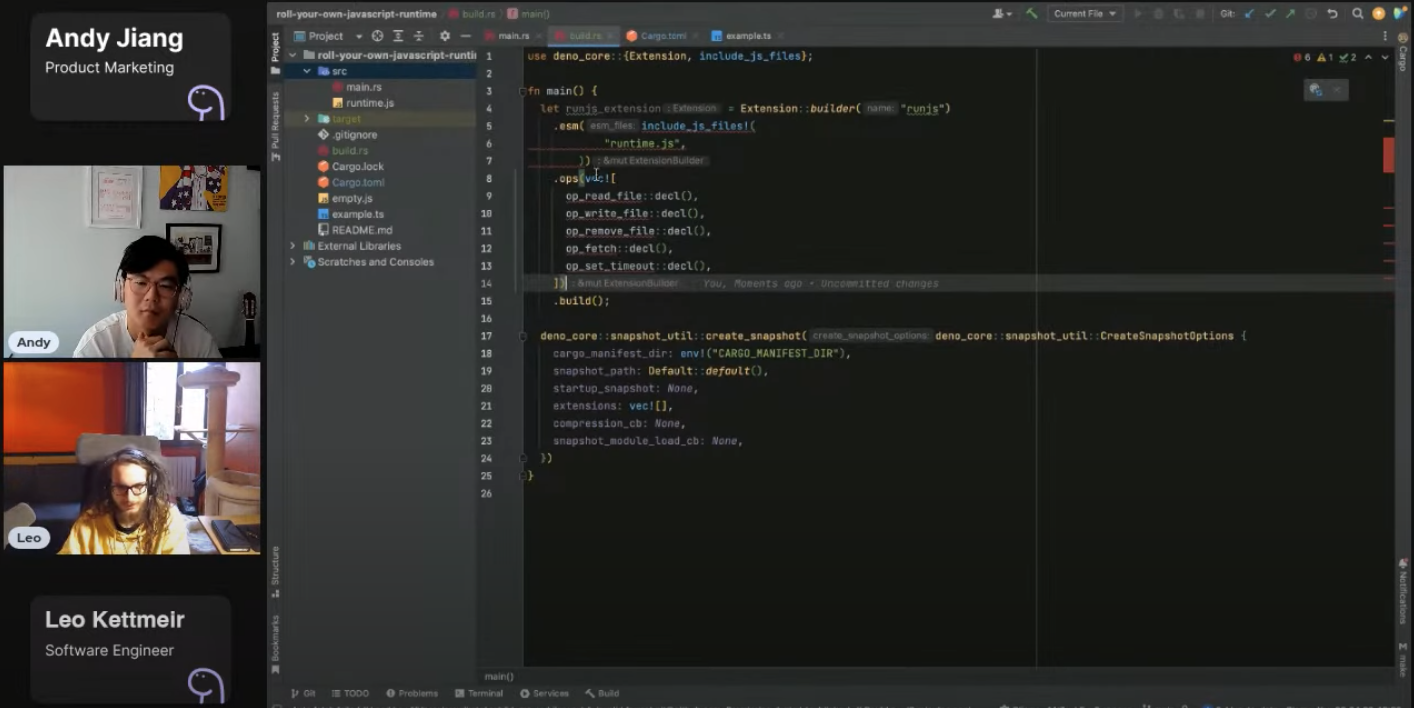
Watch the video demo or view source code here.
If you followed the first and second blog post, your project should have three files:
example.ts: the JavaScript file we intend to execute with the custom runtimesrc/main.rs: the asynchronous Rust function that creates an instance of
JsRuntime,
which is responsible for JavaScript executionsrc/runtime.js: the runtime interface that defines and provides the API that
will interop with the JsRuntime from main.rsLet’s write a build.rs file that will create a snapshot of the custom runtime,
runjs.
build.rsBefore create a build.rs file, let’s first add deno_core as a build
dependency in Cargo.toml:
[package]
name = "runjs"
version = "0.1.0"
edition = "2021"

# See more keys and their definitions at https://doc.rust-lang.org/cargo/reference/manifest.html

[dependencies]
deno_ast = { version = "0.42", features = ["transpiling"] }
deno_core = "0.311"
reqwest = "0.12"
tokio = { version = "1.40", features = ["full"] }

+ [build-dependencies]
+ deno_core = "0.311"
Next, let’s create a build.rs file in the root of your project. In this file,
we’ll have to do the following steps:
src/runtime.jsPutting the above steps into code, your build.rs script should look like:
use deno_core::extension;
use std::env;
use std::path::PathBuf;

fn main() {
  extension!(

    runjs,

    esm_entry_point = "ext:runjs/src/runtime.js",

    esm = ["src/runtime.js"]
  );

  let out_dir = PathBuf::from(env::var_os("OUT_DIR").unwrap());
  let snapshot_path = out_dir.join("RUNJS_SNAPSHOT.bin");

  let snapshot = deno_core::snapshot::create_snapshot(
    deno_core::snapshot::CreateSnapshotOptions {
      cargo_manifest_dir: env!("CARGO_MANIFEST_DIR"),
      startup_snapshot: None,
      skip_op_registration: false,
      extensions: vec![runjs::init_ops_and_esm()],
      with_runtime_cb: None,
      extension_transpiler: None,
    },
    None,
  )
    .unwrap();

  std::fs::write(snapshot_path, snapshot.output).unwrap();
}
The main function is create_snapshot, which accepts several options. Let’s go
over them in the next section.
CreateSnapshotOptionsThe create_snapshot function is a nice abstraction layer that uses an options
struct to determine how the snapshot is created. We will use the following
options to configure it:
cargo_manifest_dir: the directory in which Cargo will be compiling
everything into. We define the snapshot path by resolving OUT_DIR and
RUNJS_SNAPSHOT.bin.extensions: extensions to include within the generated snapshot. we pass the
runjs extension, which is built from src/runtime.js.main.rsCurrently, the main.rs file’s run_js function loads the runjs extension.
We’ll modify this function to instead load the snapshot we created in
build.rs:
+ use deno_core::Snapshot;

// Other stuff…

+ static RUNTIME_SNAPSHOT: &[u8] = include_bytes!(concat!(env!("OUT_DIR"), "/RUNJS_SNAPSHOT.bin"));

extension!(
  runjs,
  ops = [
    op_read_file,
    op_write_file,
    op_remove_file,
    op_fetch,
  ],
-  esm_entry_point = "ext:runjs/runtime.js",
-  esm = [dir "src", "runtime.js"],
)

async fn run_js(file_path: &str) -> Result<(), AnyError> {
  let main_module = deno_core::resolve_path(file_path)?;
  let mut js_runtime = deno_core::JsRuntime::new(deno_core::RuntimeOptions {
    module_loader: Some(Rc::new(TsModuleLoader)),
+    startup_snapshot: Some(Snapshot::Static(RUNTIME_SNAPSHOT)),
-    extensions: vec![runjs::init_ops_and_esm()],
+    extensions: vec![runjs::init_ops()],
    ..Default::default()
  });

  let mod_id = js_runtime.load_main_module(&main_module, None).await?;
  let result = js_runtime.mod_evaluate(mod_id);
  js_runtime
    .run_event_loop(Default::default())
    .await?;
  result.await
}
We’ll remove the esm and esm_entry_point declarations, since that was moved
to build.rs script. Then, we’ll add a line to load the snapshot.
Finally, to load the snapshot, we’ll add startup_snapshot in RuntimeOptions
that points to the RUNTIME_SNAPSHOT, which is defined above run_js as a
static slice of bytes of the snapshot we created in build.rs.
And that’s it! Let’s try running with:
cargo run -- example.tsIt should work!
Snapshotting is an excellent tool to help improve startup speeds for a custom runtime. This is an extremely simple example, but we hope that it sheds some light into how Deno uses snapshots to optimize performance.
Through this series, we’ve shown how to build your own custom JavaScript
runtime, add APIs like fetch, and now speed up startup times via snapshotting.
We love hearing from you so if there’s anything you want us to cover, please let
us know on Twitter,
YouTube, or
Discord.
Don’t miss any updates — follow us on Twitter.
此内容由惯性聚合(RSS阅读器)自动聚合整理,仅供阅读参考。 原文来自 — 版权归原作者所有。