Discord’s Powerful Cross-Platform Chat: Ready for Your Game
Sally Huang·2025-08-22·via Discord Blog
We’re thrilled to announce that the Discord Social SDK communication features are coming out of closed beta! Now, developers can take full advantage of Discord voice and text chat, connecting players for longer playtimes, and enhancing multiplayer experiences.
Launched during GDC this year, the Discord Social SDK enables you to integrate Discord-powered social features directly in your game to maximize player connections and extend play times through more meaningful multiplayer interactions. Even without a Discord account, players can easily connect with friends, make new ones, and jump into your game.
Why Use the Discord Social SDK In Your Game?
Games leveraging the Discord Social SDK unlock features that uplevel in-game social and communication, resulting in improved player retention. Discord’s data has shown that players who link their Discord account to games through the Social SDK integration come back more often for increased session and game days. With the ability to unify their friends list, players can access their Discord friends from within the game, as well as access friends they made in the game from Discord. This provides freedom to play with who they want, when they want, without their game time getting bogged down by hunting for teammates.
Through the Rich Presence capability, linked players can also spread the word about your game just by playing it. Now supported across desktop, console, and mobile platforms, Rich Presence allows a linked player to surface their gaming activity in Discord while they are playing and can be configured to enable one-click game joins from player profiles. This leads to more discovery and exposure for the game, helping you to expand your player base and even drive retention of veteran players.
Through Game Invites, players can quickly kickstart multiplayer sessions by sending invites that can show up in-game and on Discord. This helps get players in faster, so they can launch the game and land in the right party or lobby with the click of a button.
Of course, effortless communication with friends is where the Discord Social SDK shines — enabling players to kickstart that nightly gaming session by inviting the friends they want to play with or stay connected with game friends, even while they’re not in the game.
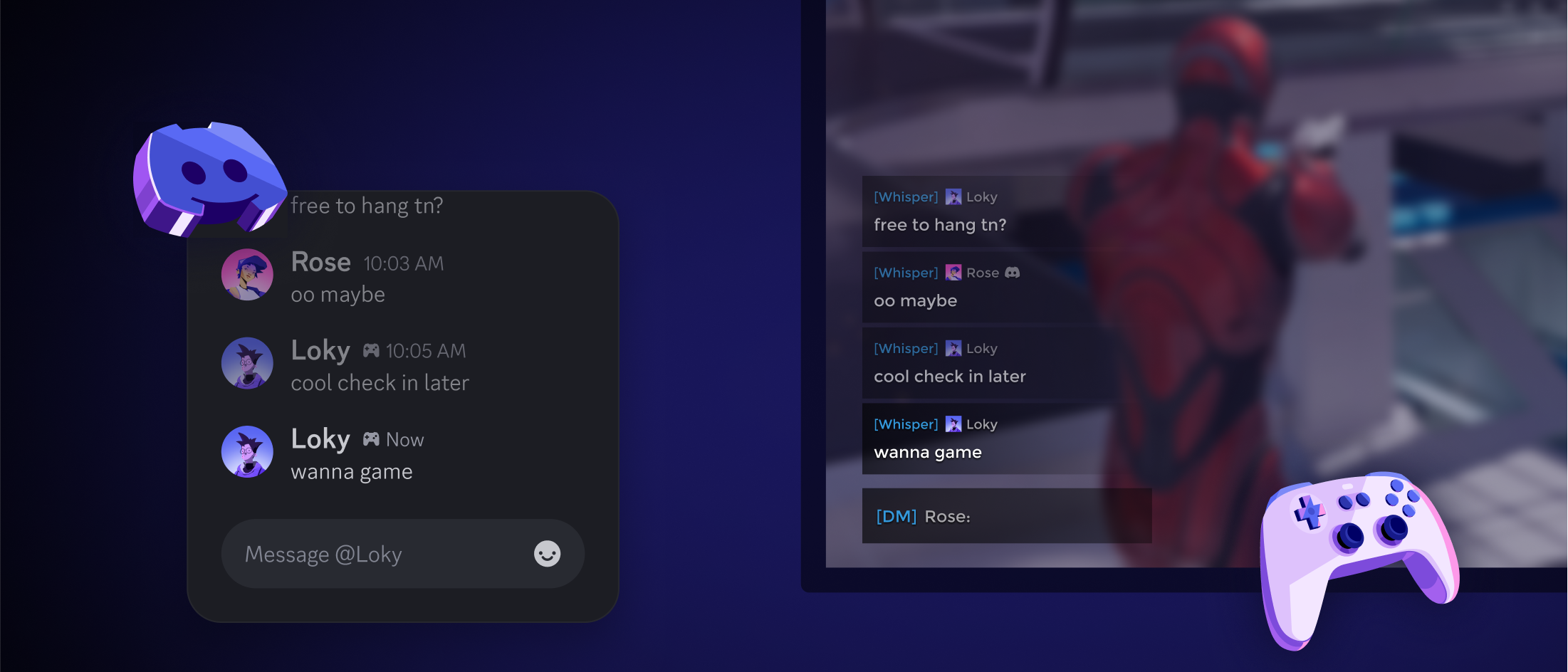
Cross-Platform Chat allows players to communicate seamlessly across desktop, mobile, and consoles, even for players without a Discord account. In-game direct messages between players can show up in Discord for players who link their account, so players can talk to their friends without leaving the game, and convince them to come join the game.
Discord Voice Chat brings the same voice tools that power the platform’s high-quality audio chat directly into your game. Real-time conversations for your players’ guilds, matches, and in-game lobbies all benefit from the same voice chat that has made Discord a gold standard for video game comms for over a decade.
Linked Channels allow players who connect their Discord account to link their in-game text lobbies to specific Discord text channels of their choosing, providing a space for guilds, groups, and squads of all sizes to talk effortlessly in-game and on Discord.
But Wait — We Made it EVEN BETTER!
After extensive updates and testing, we’ve introduced key improvements and upgrades that will help make Discord’s chat features feel like they are tailor-made for your game (because they are!)
We’ve added chat history for active lobbies and chat history for direct messages will be coming soon. Conversations will now continue between play sessions, so players can get up to speed the minute they join in.
Audio Designers, we heard you — even through a dark cave! By adding custom effect processing, you can now run Discord’s pristine voice audio through your favorite sound middleware, such as fmod or Wwise, providing an even deeper immersion into your game world while maintaining that enhanced audio experience from Discord that players have come to love.
Lastly, we’ve added audio diagnostic info for debugging, ensuring your engineers can gain greater visibility into common audio concerns such as echo cancellation and noise reduction.
Plus, further refinements to our mobile audio experience have improved audio fidelity and connectivity, helping to keep your player’s mobile voice sessions connected for longer.
To help guide your integration, we’ve updated our Social SDK documentation to cover key subjects related to Discord cross-platform chat, including:
In your new application, select Enable Discord Social SDK.
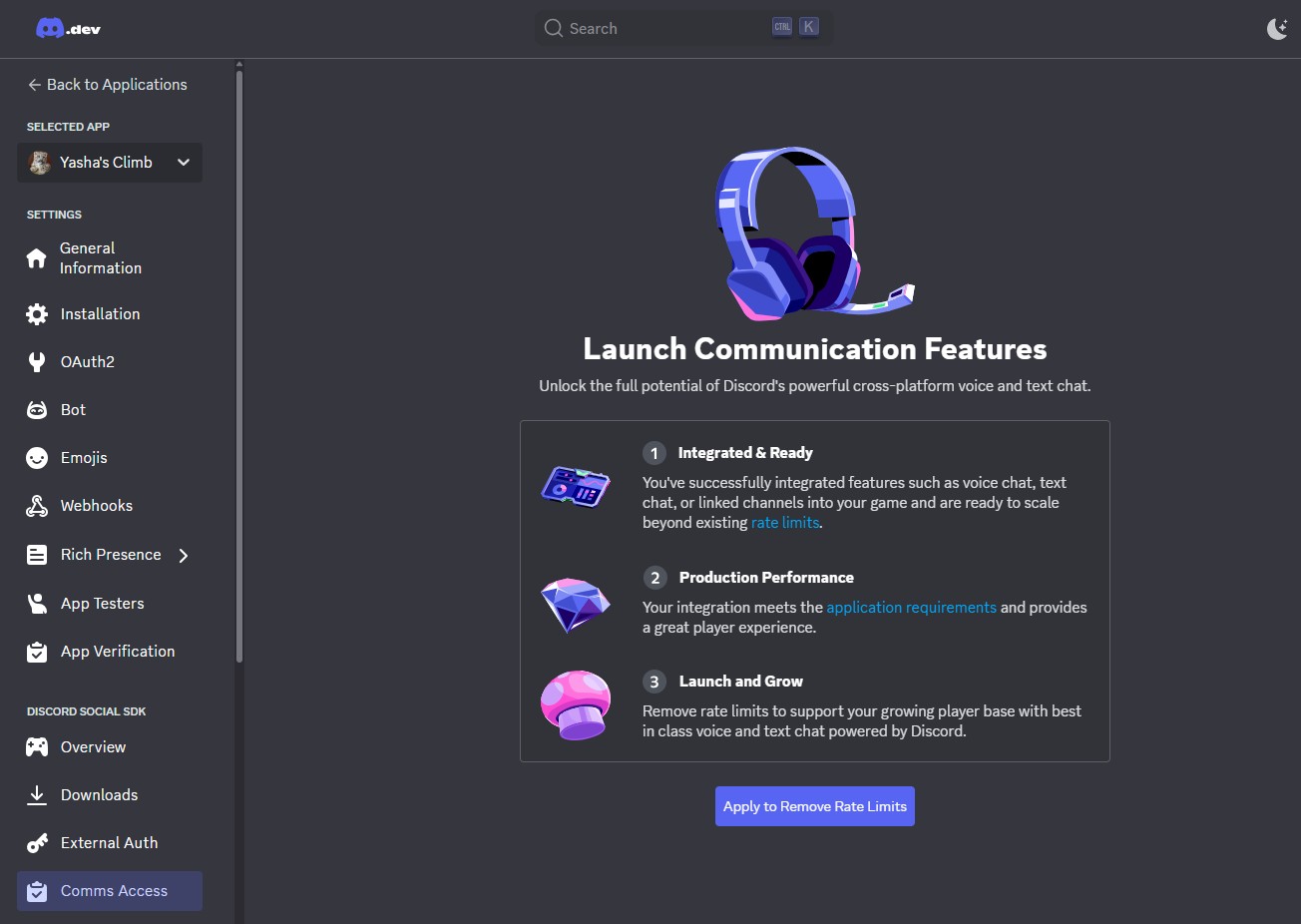
The chat features are included in your initial SDK package download. Their usage is capped with a rate limit, but you’ll be able to implement chat features in order to test them for your game. (What the heck is a “rate limit”? Check out our rate limit documentation to learn more!)
Now that we’re taking all these communication features out of beta, here’s a quick overview of the requirements you’ll need to meet before submitting your game for approval:
Minimum required feature set: Your game must have integrated core Discord Social SDK features, such as Discord Account Linking, Rich Presence with Discord Joins, and full access to Discord Friends.
Feature functionality: The Discord Social SDK features you choose to integrate in your game must have end-to-end functionality, meaning that all your user interactions can be completed, work as intended across both game and Discord clients, and resolve negative options (such as user denial of options and failure states) correctly.
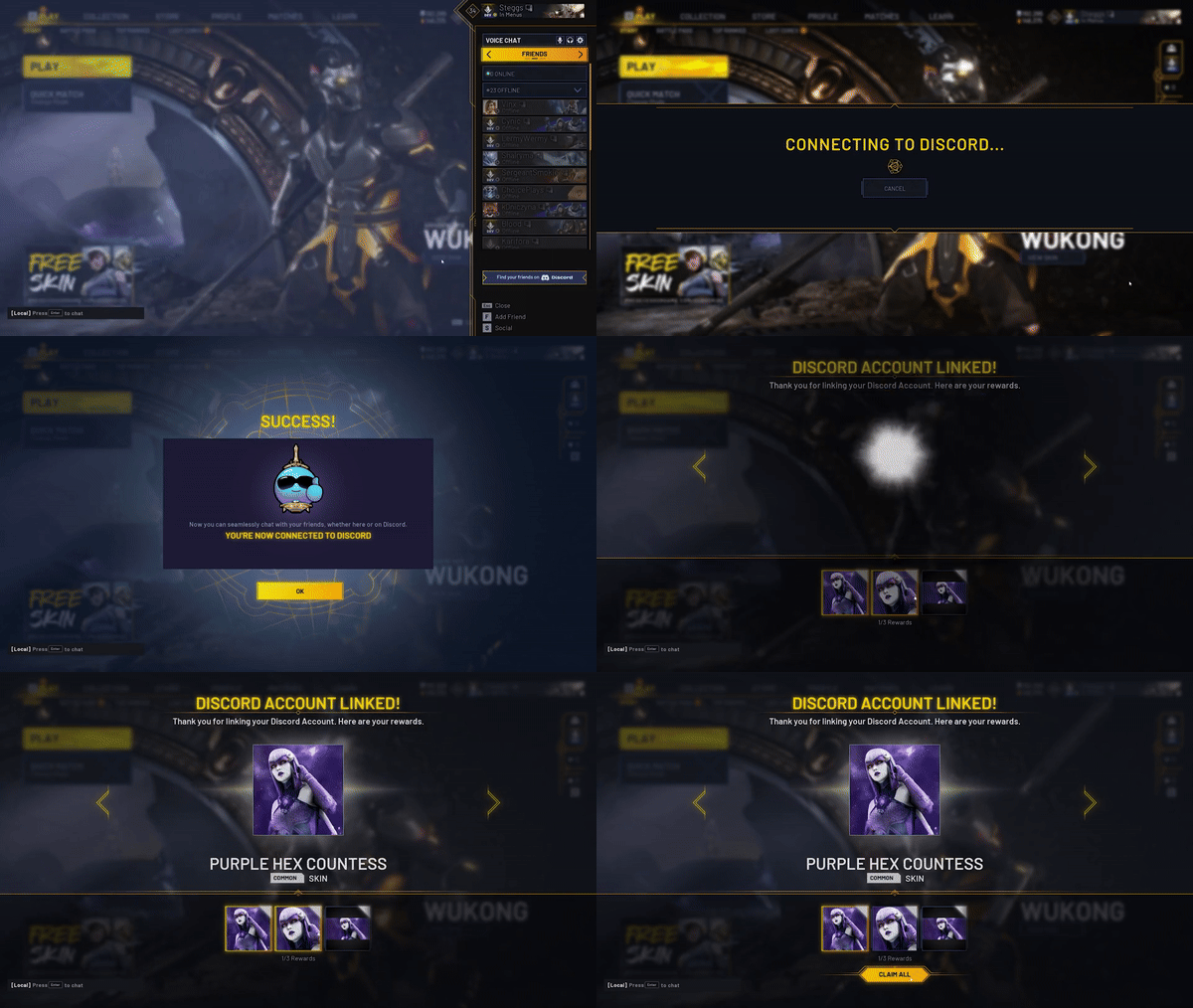
Feature access and conveyance: Discord Social SDK integrations must include the option for users to link their Discord account, and make it accessible and easily understandable for players to activate.
Supporting materials: You’ll be required to provide specific documentation of your game for review, such as a capture of integration and a development timeline.
Age-restricted user protection: You’ll need to confirm that you have appropriate measures in place for players’ access to the SDK features in your game, depending on their age.
Check out the documentation for more information on the requirements and terms. Think your game already hits the mark? Show us! Head on over to the Developer Portal to get started and submit your game. If approved by Discord, you’ll be able to fully unleash Discord’s cross-platform chat features in your game!
See the Latest Social SDK Features in Action
Thanks to our work with early partners, we’ve been able to ensure the integration is smooth and the player experience feels seamless. Now that cross-platform chat, Discord voice chat, and linked channels are out of closed beta, we’re excited to share stories of how some of these partners have already seen success with their integrations.
Marvel Rivals team | Marvel Rivals
The Marvel Rivals team wanted to explore new ways to enhance their players’ gaming experience and help them stay connected with their Discord friends.
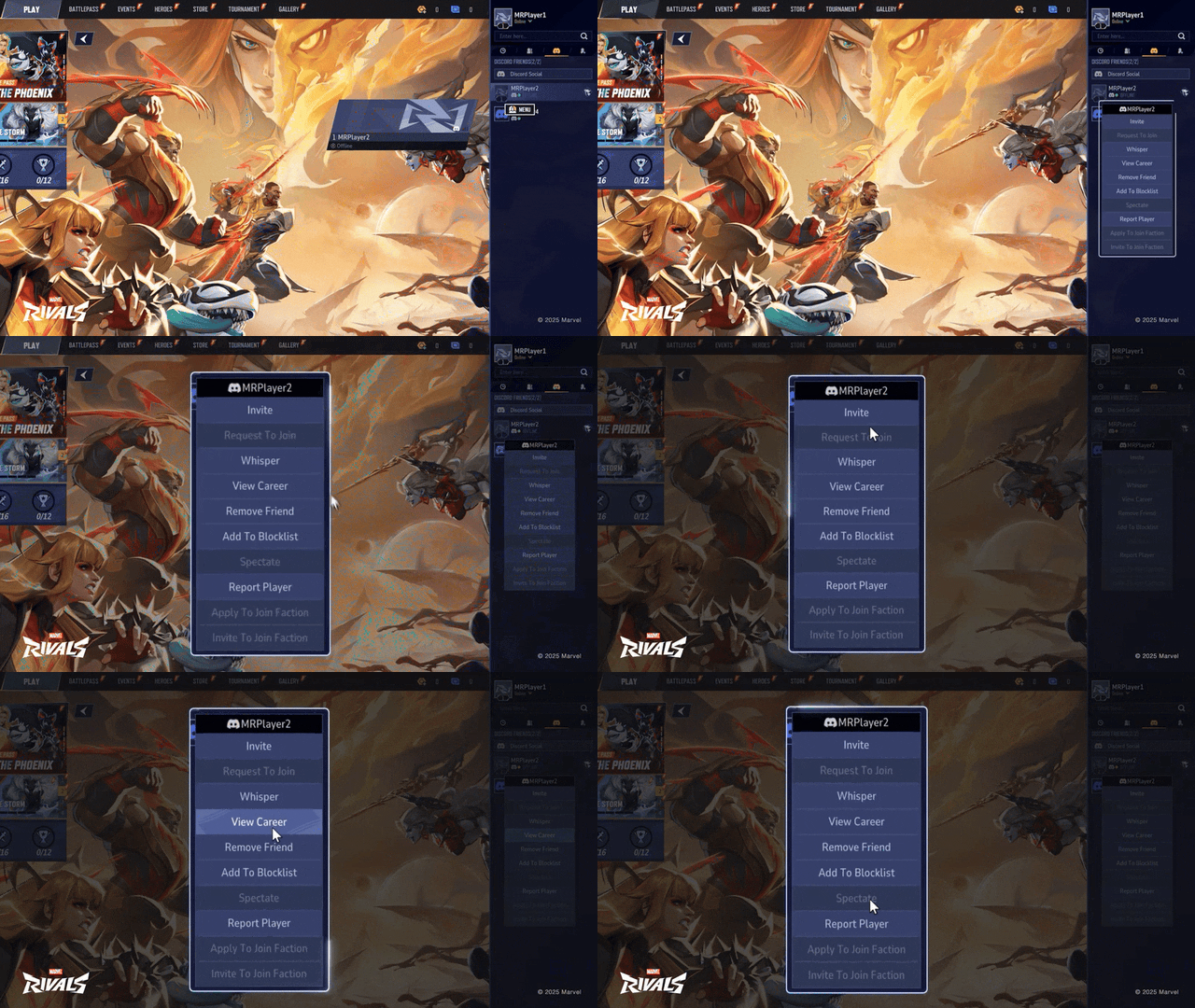
In Marvel Rivals, easily finding friends and communicating after matches is essential for success in the teamwork-focused hero shooter. The Marvel Rivals team took advantage of multiple SDK features to make this easier for players. For PC players, they updated account linking to be faster than ever so players could connect their Discord account in one step, enabling them to quickly view Discord friends and message them straight from the game. The team also customized their Discord Rich Presence to show more detail about player status, clearly letting players know if their friends are available to play.
“The Discord Social SDK has made it easier than ever for our players to connect with their squads. Discord is an essential platform for many of our players, so it was a clear decision for us to integrate the SDK so we could enhance their Marvel Rivals experience in and out of the game. We’ve been excited to see the initial positive reception from our players about the integration, and are thrilled about the seamless social experience it creates for both new and returning Marvel Rivals players.”
Marvel Rivals Team
Omeda Studios | Predecessor
Predecessor is a free-to-play multiplayer online battle arena (MOBA) game developed and published by Omeda Studios. Discord worked closely with Omeda to ensure that Discord’s voice chat would work hand-in-hand with the game’s fast-paced and competitive gameplay. As a multiplatform title available on PC, Xbox Series X|S, and PlayStation®5, Omeda needed to ensure their voice chat solution would operate consistently and performantly across multiple platforms. The Discord Social SDK provides the same voice chat utilized by millions of players every day by the multiplatform Discord client, which offered Omeda Studios the solution they needed for their game.
“Having worked on a fair few games over the years, including other MOBAs, I can tell you that solid voice integration is a proper game-changer. Integrating Discord's Social SDK into Predecessor has absolutely delivered on that front. The ability for players to communicate in real-time has fundamentally enhanced the team play and coordination. It's not just about calling out targets; it's about those split-second decisions, the seamless execution of strategies, and that immediate feedback that text chat just can't replicate.
Beyond the strategic advantages, the voice chat has also fostered a real sense of camaraderie. There's nothing quite like celebrating a well-executed play or a hard-fought victory together in the moment. That shared elation, that immediate connection with your teammates – it adds a whole new dimension to the experience. For Predecessor, Discord's voice tech has not only improved the competitive edge but also amplified those moments of pure gaming joy that keep players coming back for more.”
Ben Noskeau, Head of Brand Marketing at Omeda Studios
Tencent Games | Arena Breakout
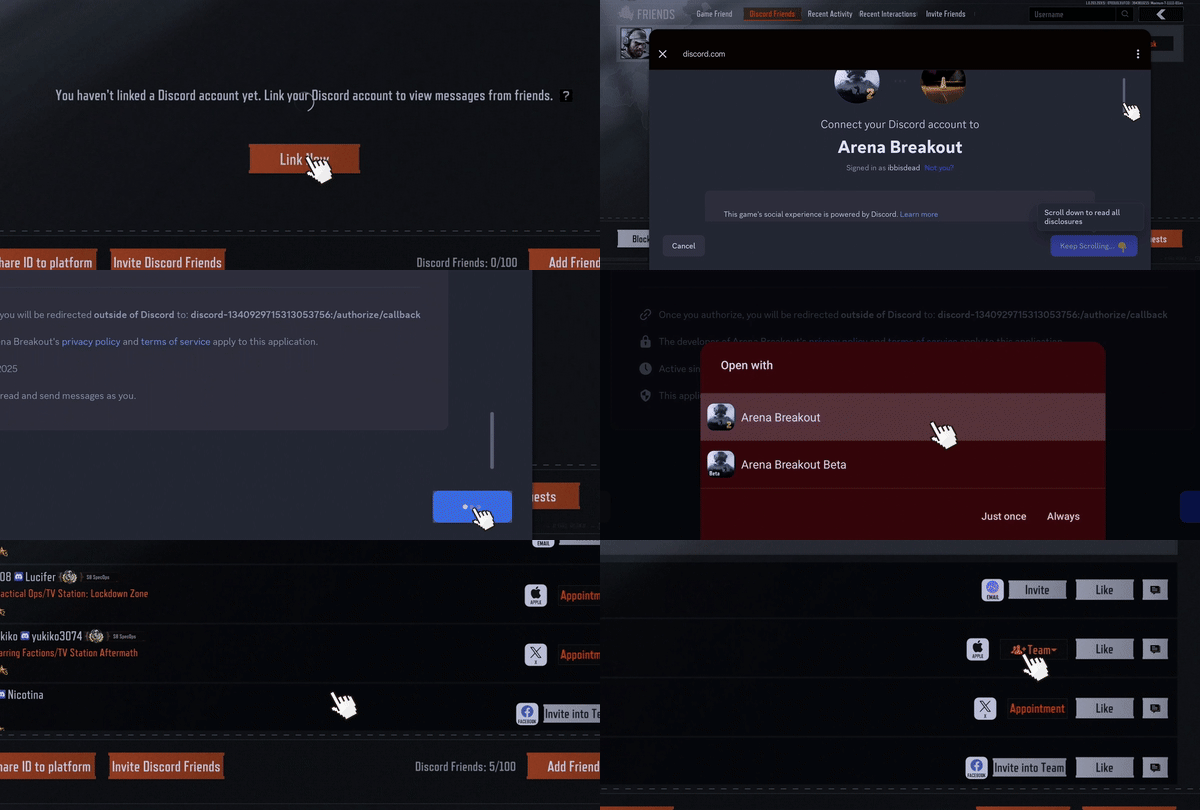
Arena Breakout is a tactical extraction shooter, built for mobile and developed by Tencent Games. It immerses players in high-stakes, realistic combat scenarios where strategy, stealth, and precision are critical. The emphasis on team coordination in high-risk, high-reward scenarios makes the features of Discord's Social SDK crucial to the player for successful extraction.
In Arena Breakout's high-stakes environment, players need reliable communication to coordinate tactical maneuvers. Thanks to the Social SDK’s Unified Friends List, they’ll have quick access to their trusted gaming friends and the ability to easily invite them to their squad with Deeplink Game Invites.
The Social SDK's cross-platform chat helps ensure that planning and post-match banter can persist seamlessly across mobile and desktop, while Rich Presence allows them to show off what they’re playing on their Discord profile. Sharing what you’re playing as your Discord status message can encourage others to join you, or to check out the game for themselves and see if it’s something they’d be interested in playing.
When split-second decisions can mean the difference between extracting successfully or being left in the dust, Discord's Social SDK transforms Arena Breakout to a connected, community-driven tactical shooter that leverages players' existing Discord social networks to enhance both engagement and retention.
“Collaborating with Discord was smooth and productive. Their team demonstrated remarkable agility in both understanding our requirements and translating our feedback into actionable improvements. Specifically regarding the cross-platform real-time comms features, their willingness to refine functionality during this in-development phase allowed us to co-create a tailored integration that perfectly serves our player community.”
Anny Lin, Project Manager at Arena Breakout
Embark Studios | THE FINALS and ARC Raiders
Embark Studios wanted to explore ways to make it easier to expand discovery organically, enhance the social infrastructure for their players, and make it easier for players to find their friends.
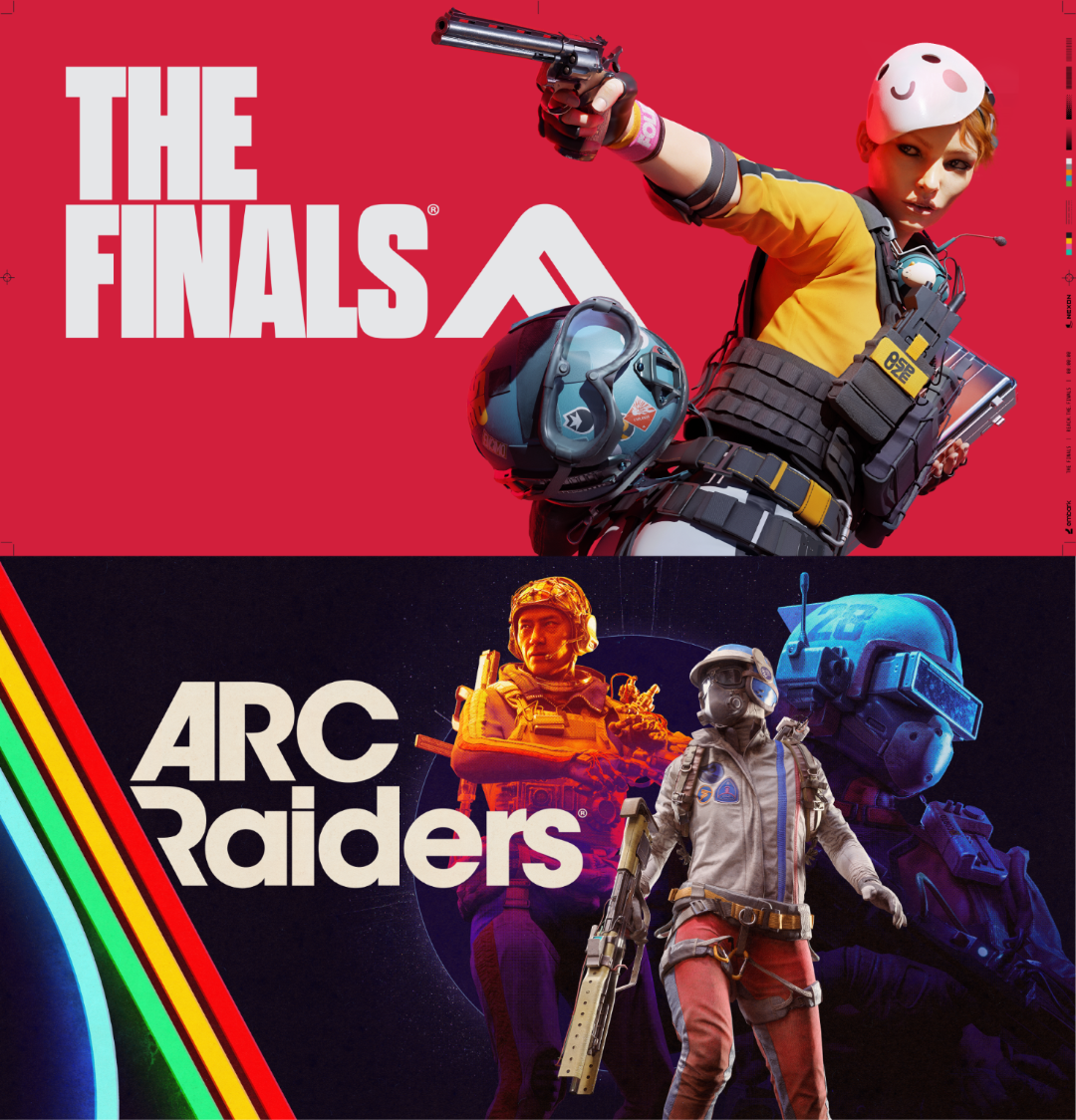
Starting with THE FINALS, already available on PC, Xbox Series X|S, PlayStation®4 and PlayStation®5, Embark Studios will soon be integrating the Discord Social SDK to augment the game’s current social functionality with powerful Discord features. This includes integration of Rich Presence, which helps drive discovery by sharing player status within the Discord client, as well as one-click invites, so that players can bring their friends back to play for more. Players can also look forward to these features coming to the highly-anticipated ARC Raiders coming later this year.
“Integrating with the Discord SDK has been a smooth and intuitive experience. The library offers a C++-friendly interface that works seamlessly within Unreal’s C++ environment. While we chose to work directly with the SDK for tighter control, the official Unreal plugin integrates well with Unreal Engine standards. The documentation is clear and thorough—both in-code and on the web—making it easy to get started quickly. Local development, especially around authentication, is well supported and helps accelerate iteration. Discord’s fast response to developer requests and strong multiplatform support make the experience feel polished and developer-focused. We’re excited to continue building on this solid foundation with deeper integrations.”
Timon Post, Software Engineer, Social at Embark
And we’re not slowing down! Additional partners integrating the Discord Social SDK into their games include Halfbrick Studios, Dreamhaven, and Digital Bandidos… and by utilizing the Social SDK, your team could be next.
Get chatting!
The Discord Social SDK is now even more powerful with cross-platform chat coming out of beta and ready to implement into your own game. If your game already has the minimum feature set integrated, with full functionality and access, along with supporting materials and proof of age restrictions, you’re ready to submit your game for approval!
Head on over to the Developer Portal, follow the submission steps, and help get your players talkin’!