惯性聚合 高效追踪和阅读你感兴趣的博客、新闻、科技资讯
阅读原文 在惯性聚合中打开

推荐订阅源

Cisco Talos Blog
Cisco Talos Blog
K
Kaspersky official blog
T
The Exploit Database - CXSecurity.com
NISL@THU
NISL@THU
AWS News Blog
AWS News Blog
V2EX - 技术
V2EX - 技术
Google DeepMind News
OSCHINA 社区最新新闻
OSCHINA 社区最新新闻
S
Security @ Cisco Blogs
让小产品的独立变现更简单 - ezindie.com
Recent Commits to openclaw:main
J
Java Code Geeks
Microsoft Azure Blog
Attack and Defense Labs
Jina AI
Jina AI
The Last Watchdog
The Last Watchdog
W
WeLiveSecurity
H
Help Net Security
V
Visual Studio Blog
宝玉的分享
宝玉的分享
C
Cybersecurity and Infrastructure Security Agency CISA
T
Threat Research - Cisco Blogs
IT之家
IT之家
Hugging Face - Blog
Hugging Face - Blog
Latest news
Latest news
T
Tor Project blog
I
Intezer
美团技术团队
GbyAI
GbyAI
T
Tailwind CSS Blog
Last Week in AI
Last Week in AI
博客园 - 三生石上(FineUI控件)
Google DeepMind News
Scott Helme
Scott Helme
Y
Y Combinator Blog
博客园 - 司徒正美
T
Tenable Blog
O
OpenAI News
N
News and Events Feed by Topic
cs.CL updates on arXiv.org
V
Vulnerabilities – Threatpost
P
Palo Alto Networks Blog
博客园 - 聂微东
酷 壳 – CoolShell
酷 壳 – CoolShell
D
Darknet – Hacking Tools, Hacker News & Cyber Security
T
Threatpost
Google Online Security Blog
Apple Machine Learning Research
云风的 BLOG
云风的 BLOG
Help Net Security
Help Net Security

Discord Blog

Making It Easier Than Ever to Connect with Friends in League & VAL! Every Voice and Video Call on Discord Is Now End-to-End Encrypted How to Link Discord to Battlefield 6, Marvel Rivals & More Official Discord Integrations for Steal a Brainrot, Grow a Garden, Brookhaven RP, and more Celebrate Discord’s 11th Birthday with an Exclusive Set of Emoji and Wallpapers Nitro Now Comes with Xbox Game Pass and New Benefits. Welcome to Nitro Rewards. How to Use Nitro: A Beginner’s Guide to Discord’s Premium Subscription Stock Up in the New Rust Shop! Enjoy a Discord-Only 20% Sale on Most Items until 5/21 How Discord Automates ScyllaDB Clusters at Scale Discord Patch Notes: May 4, 2026 You’ve Got (Too Much) Mail: Behind the Scenes of the 3/25/26 Voice Outage Measure Less to Learn More: Using Fewer, Higher-quality Metrics to Capture What Matters Discord Patch Notes: April 6, 2026 MULTIPLAYER SEQUEL TO ACCLAIMED AAAA GAME “THE LAST MEADOW” ANNOUNCED: PLAYABLE NOW Making Discord on Desktop Look Just Right: Display Settings to Ease the Eyes Discord Patch Notes: December 8, 2025 Building on the Social Layer of Games: What’s New from GDC 2026 Gift Ideas for the Dedicated Discord User in Your Life Discord Update: November 6, 2025 Changelog During October, Treat a Friend to Nitro and Trick Out Your Profile for Halloween 🎃 Discord Social SDK Updates & Integrations Go Beyond, Plus Ultra! with the My Hero Academia Collection STAR WARS™ Makes Its Way to Discord Worthy of a Plaque: Nameplates Land in the Shop Announcing Discord’s Social SDK, Helping Power Your Game’s Social Experiences A Cornucopia of Updates Make Discord on Desktop Fresher Than a Crisp Fall Breeze Starting Your First Discord Server Transforming Game Discovery with Instant Play Experiences on Discord Introducing the Discord for Business Newsletter, Vol. 1 Discord Update: March 24, 2026 Changelog Discord Update: December 19, 2024 Changelog How Multi-Factor Authentication Helps Keep Your Discord Account Safe How ROOST is Advancing Online Safety You’re Now Discord Official: Developers, Claim Your Game and Verify Your Server Discord Patch Notes: March 6, 2026 Tracing Discord's Elixir Systems (Without Melting Everything) Getting Global Age Assurance Right: What We Got Wrong and What's Changing Discord Patch Notes: February 4, 2026 Osprey: Open Sourcing our Rule Engine Your Discord Checkpoint is Rolling Out! Celebrate What You Did in 2025 How to Customize Your Discord Profile How to Make and Use Custom Emoji on Discord Save and Display Your Faves: Add Discord Shop & Marvel Rivals Items to Your Profile’s Wishlist Discord Patch Notes: November 4, 2025 Bringing In-Game Commerce to Discord Communities Reward Your Play: Complete Quests. Earn Orbs. Get Sweet Stuff. How to Share What You’re Playing, Listening to, or Watching as Your Status on Discord Staff Picks, September 2025: Welcome to Our Video Game Museum From Single-Node to Multi-GPU Clusters: How Discord Made Distributed Compute Easy for ML Engineers Discord Patch Notes: October 7, 2025 Discord Update: September 25, 2025 Changelog New Looks for Nitro, New Looks for You. Get Yourself a Nitro-exclusive Profile Bundle! Discord Patch Notes: September 3, 2025 Bringing DAVE to All Discord Platforms Discord’s Powerful Cross-Platform Chat: Ready for Your Game Introducing the Community Server Cleanup Report for August 2025 Discord for Business Vol. 2: Cannes-worthy ad product updates Discord Patch Notes: August 4, 2025 ROOST Announces “Coop” and “Osprey”: Free, Open-Source Trust and Safety Infrastructure for the AI Era *FLAILS AROUND* SUMMER SPECIAL! JOIN NITRO, GET AN EXTRA MONTH OF NITRO ON US! Get More From Your Boosts With New Server Perks Discord Patch Notes: July 7, 2025 Discord Update: June 30, 2025 Changelog Authenticity Matters: Discord's Pride Month 2025 Staff Picks, June 2025: Summer of Showcases How to Set Up Your Server’s Roles for Members, Mods & Admins Gift Nitro and Earn A Flavorful Splash for your Avatar Discord Patch Notes: June 3, 2025 How to Use the Discord Soundboard & Add More Sounds Checkpoint 3: Leveling Up Discord Quests with Orbs and Advanced Measurement Thank You for Ten Years Staff Picks, May 2025: The Games That Brought Us to Discord Discord Patch Notes: May 1, 2025 How Discord Indexes Trillions of Messages Passing the Torch Discord Appoints Humam Sakhnini as Chief Executive Officer Staff Picks, April 2025: All The Adaptations Make More Closet Space! Nitro Members Can Now Keep Avatar Decoration Quest Rewards for Longer How to Use Discord’s In-Game Overlay to Talk While Playing on PC The Game Developer Playbook, Part One: Getting Started on Discord The Game Developer Playbook, Part Two: Early Access and Pre-Launch MAJOR NEWS: DISCORD ANNOUNCES ITS FIRST IN-HOUSE AAAA VIDEO GAME, “THE LAST MEADOW” Overclocking dbt: Discord's Custom Solution in Processing Petabytes of Data Wicked Saints Turns Players into IRL Superheroes with the Help of e.l.f. Beauty and Discord Discord Update: March 25, 2025 Changelog How to Stream Games and Applications to Discord from Desktop or Mobile Discord Patch Notes: April 3, 2025 Checkpoint 2: Our First Year With Discord Quests How to Create & Upload Your Own Stickers on Discord Revamped Overlay & Refreshed Desktop Give Game Time a Boost Discord Announces First Mobile Ad Format, Broadening Advertising Opportunities Announcing Discord’s Social SDK, Helping Power Your Game’s Social Experiences The Game Developer Playbook: Three Incredible Game-Focused Communities Modern Image Formats at Discord: Supporting WebP and AVIF Discord Patch Notes: March 11, 2025 Supercharging Discord Mobile: Our Journey to a Faster App December Staff Picks: It’s Giving Games Discord Patch Notes: February 3, 2025 Leveling Up Black Voices in Gaming How Discord Seamlessly Upgraded Millions of Users to 64-Bit Architecture
How to Change Your Theme to Bring Your Vibe to Discord
Clyde · 2026-02-19 · via Discord Blog

A collage of Discord’s frog mascot, Phibi, in different moods and expressions.

Themes help you bring your own vibe to the app's look and feel on both desktop and mobile! Everyone can pick between four default themes, while Nitro members have access to 28 additional color themes and can even make their own custom theme. 

Read on to learn how to pick your new favorite theme — it’s as easy as changing from Light to Dark theme. If you’ve never left the boundaries of Light or Dark theme in your life, you can also read below for a quick refresher. We won’t judge.

How to Change Your Discord Theme on Desktop

Changing your theme on the desktop app is really quick. Honestly, by the time you finish reading this, you could’ve already changed it. 

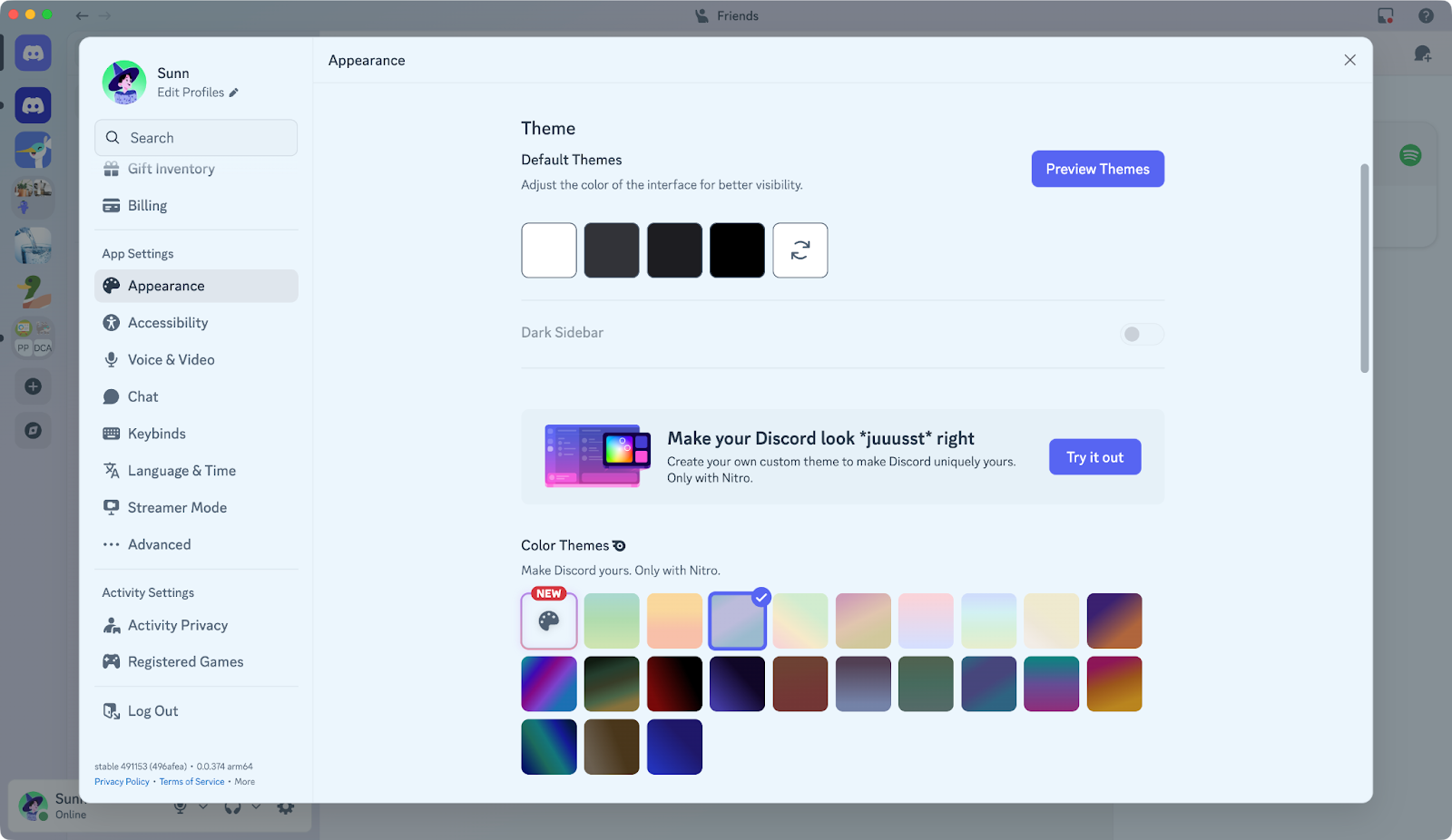
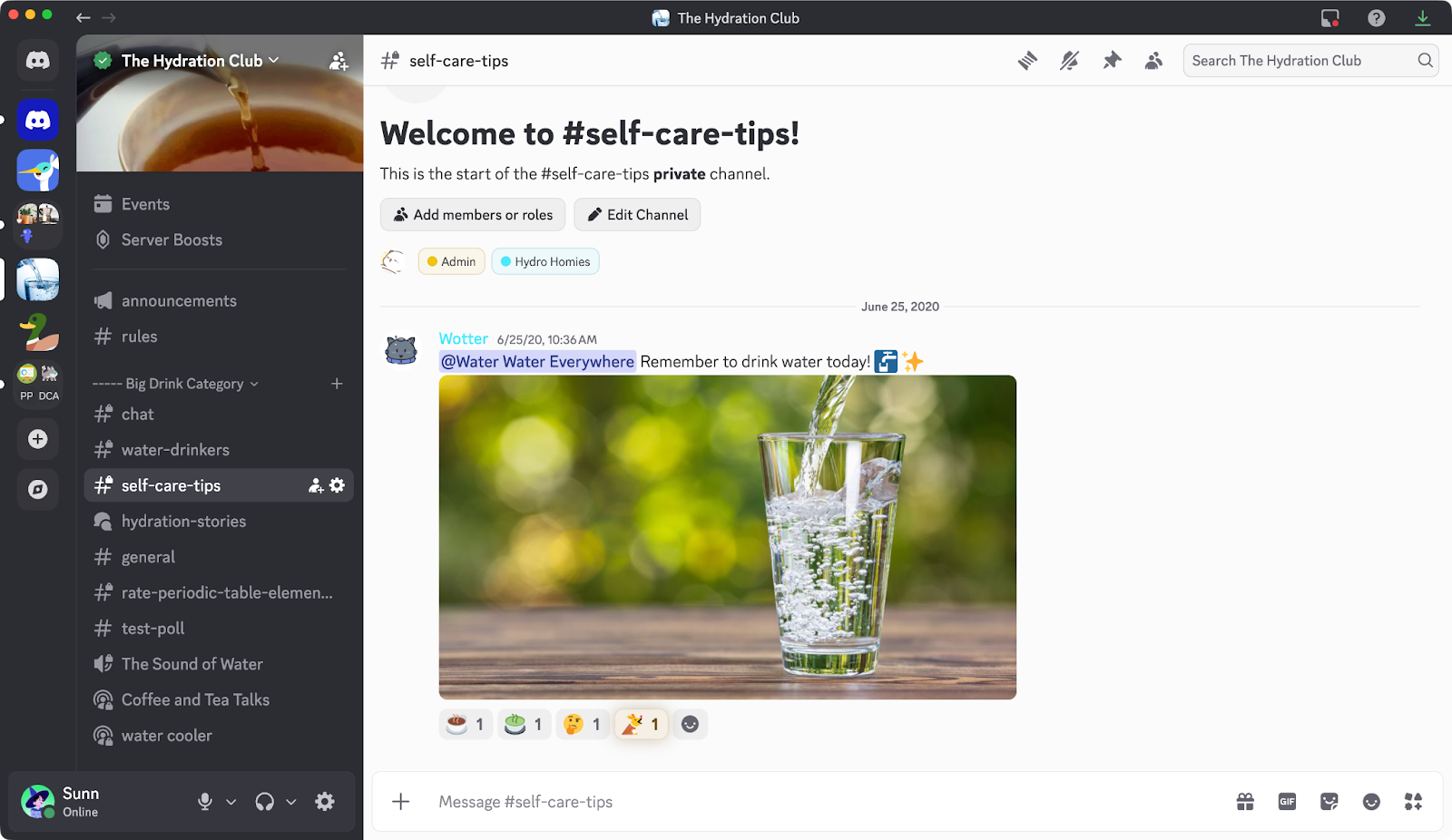
To change the desktop app’s theme, head to User Settings > Appearance. You’ll see a Themes section, with categories for both “Default Themes” that anyone can use, and “Color Themes” that Nitro members can use! Simply pick a theme, and it will instantly take effect in the app!

A screenshot of the User Settings > Appearance menu on desktop.

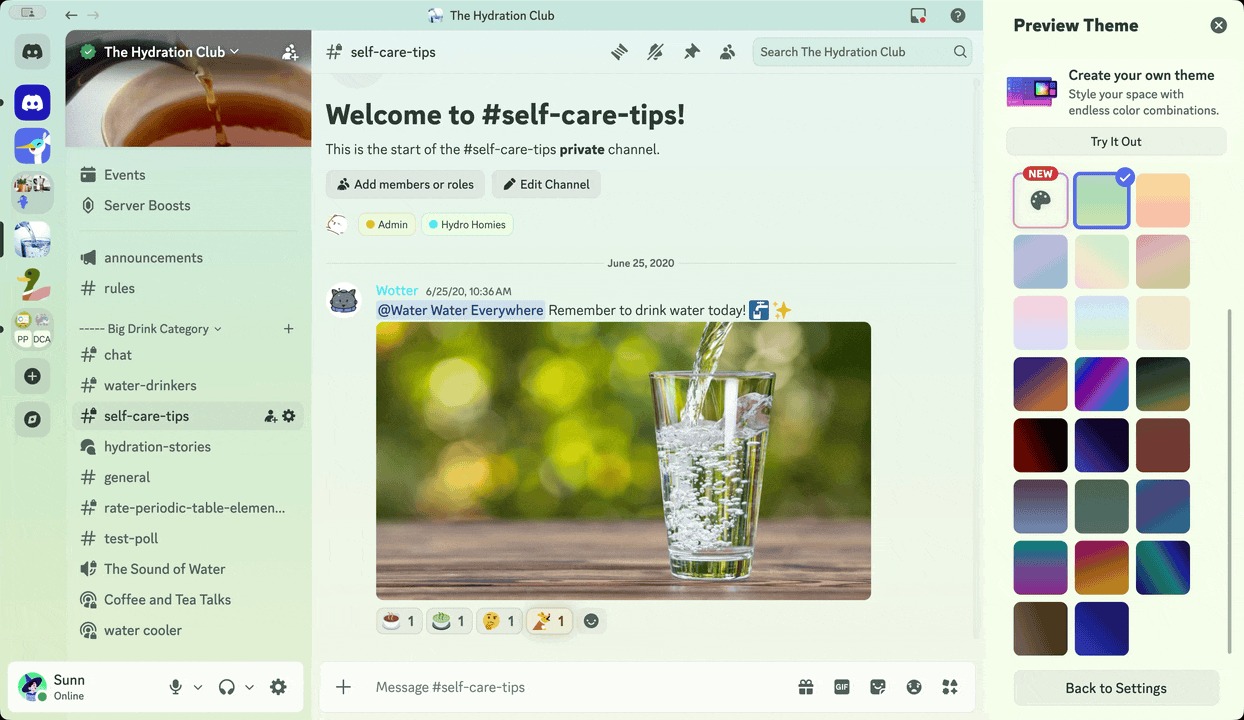
If you wanna see what a specific theme will look like, use the Preview Themes button. You can even preview the Nitro-exclusive color themes, whether or not you’re currently subscribed to Nitro! 

A screenshot of the Theme Preview option, allowing users to see what a particular theme looks like. 

How to Change Your Discord Theme on Mobile

Changing your theme makes Discord feel more like you. Or it matches your phone case better. Or your actual phone if you’re brave and go caseless like a monster. 

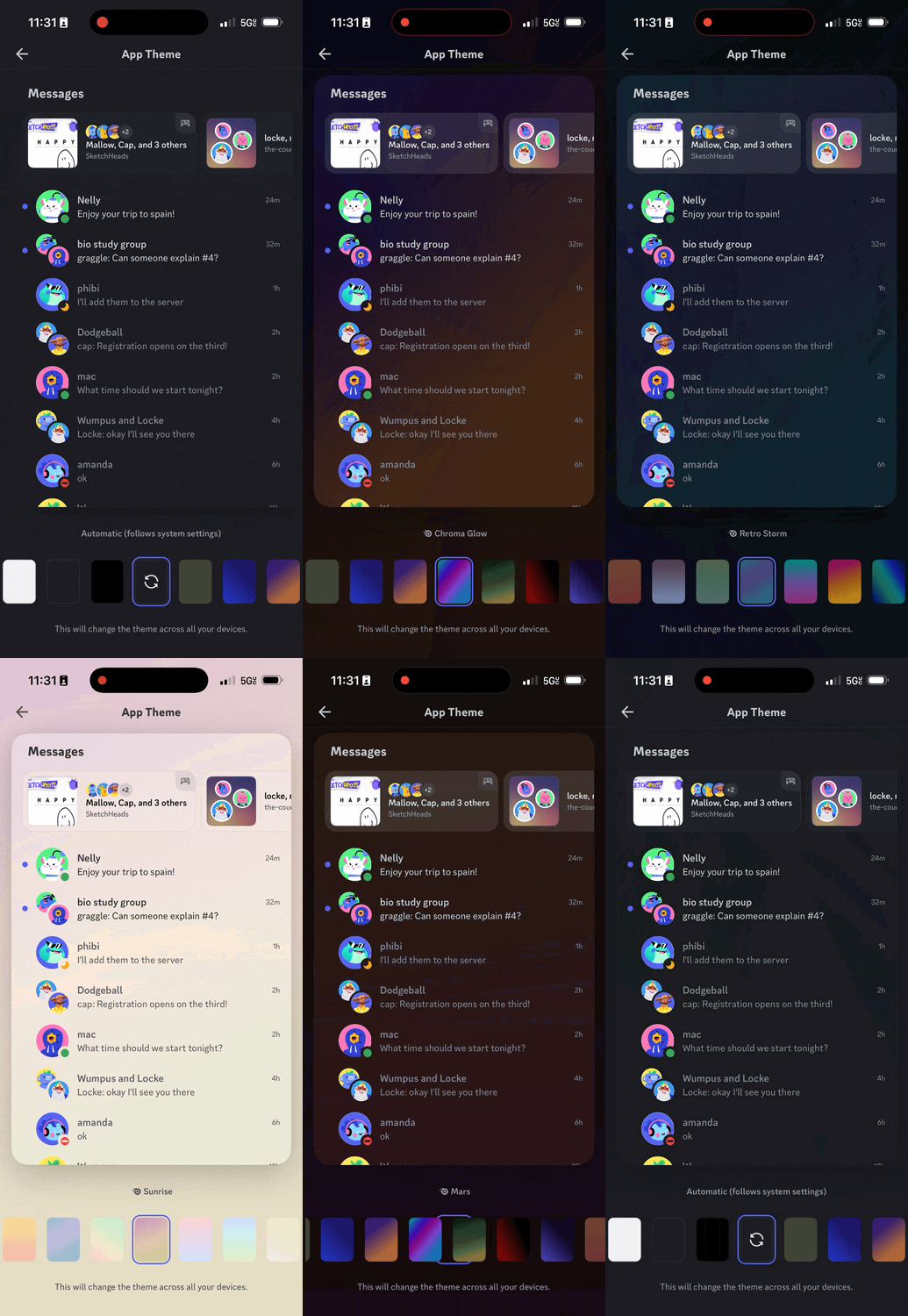
So naturally, the option to change your theme is in the You tab. Go ahead and tap “You,” then press the ⚙︎ logo on the top-right. Scroll down to “Appearance,” then “Theme.” 

Here, you’ll choose a theme by scrolling left or right! Land on a color of your choosing, and it’ll be set up!

By default, any theme you pick will be synced across desktop and mobile. Use the “Sync Across Clients” toggle in the mobile app’s Appearance settings if you’d like to use different themes on desktop and mobile. 

Which Discord Themes are Available for Everyone?

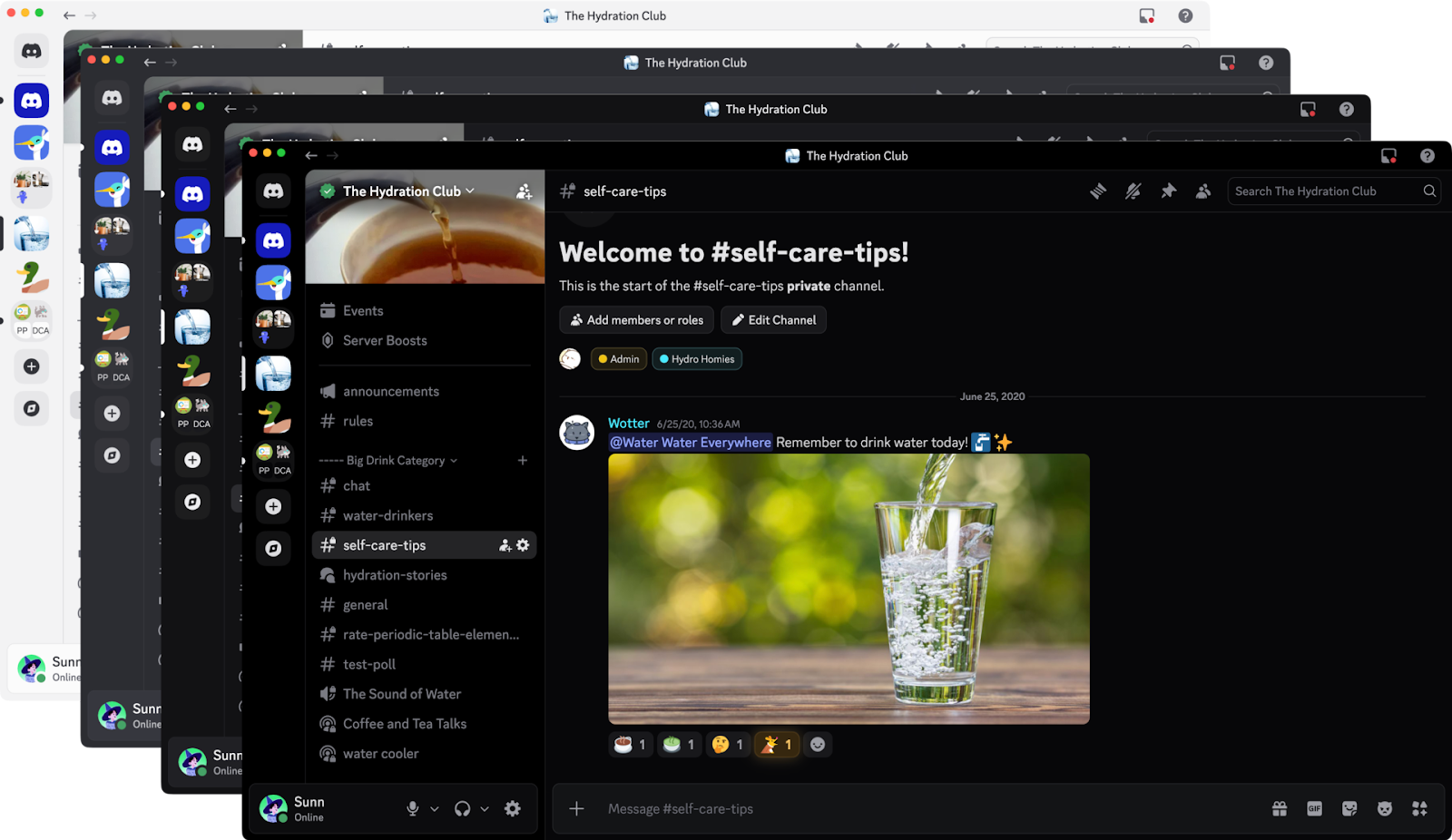
The four default themes.

Everyone can pick between four default themes: Light, Ash, Dark, and Onyx. 

If you like changing your entire computer’s theme between Light and Dark often, you can also use the “Sync with computer/device” to automatically switch between the two! Everyone knows Light theme is for outdoors ☀️ and Dark theme is for indoors. 🌕 (And if they don’t, I’m starting this trend right now.)  

When you’re using Light theme, a special “Dark Sidebar” option will pop up in Appearance settings. This will show your servers, DMs, and channel lists are in Dark Mode, while your conversations are in Light mode. Kind of like a [legally-distinctive black-and-white sandwich] cookie! 

Light theme with a Dark Sidebar. 

What Discord themes are Available for Nitro Members?

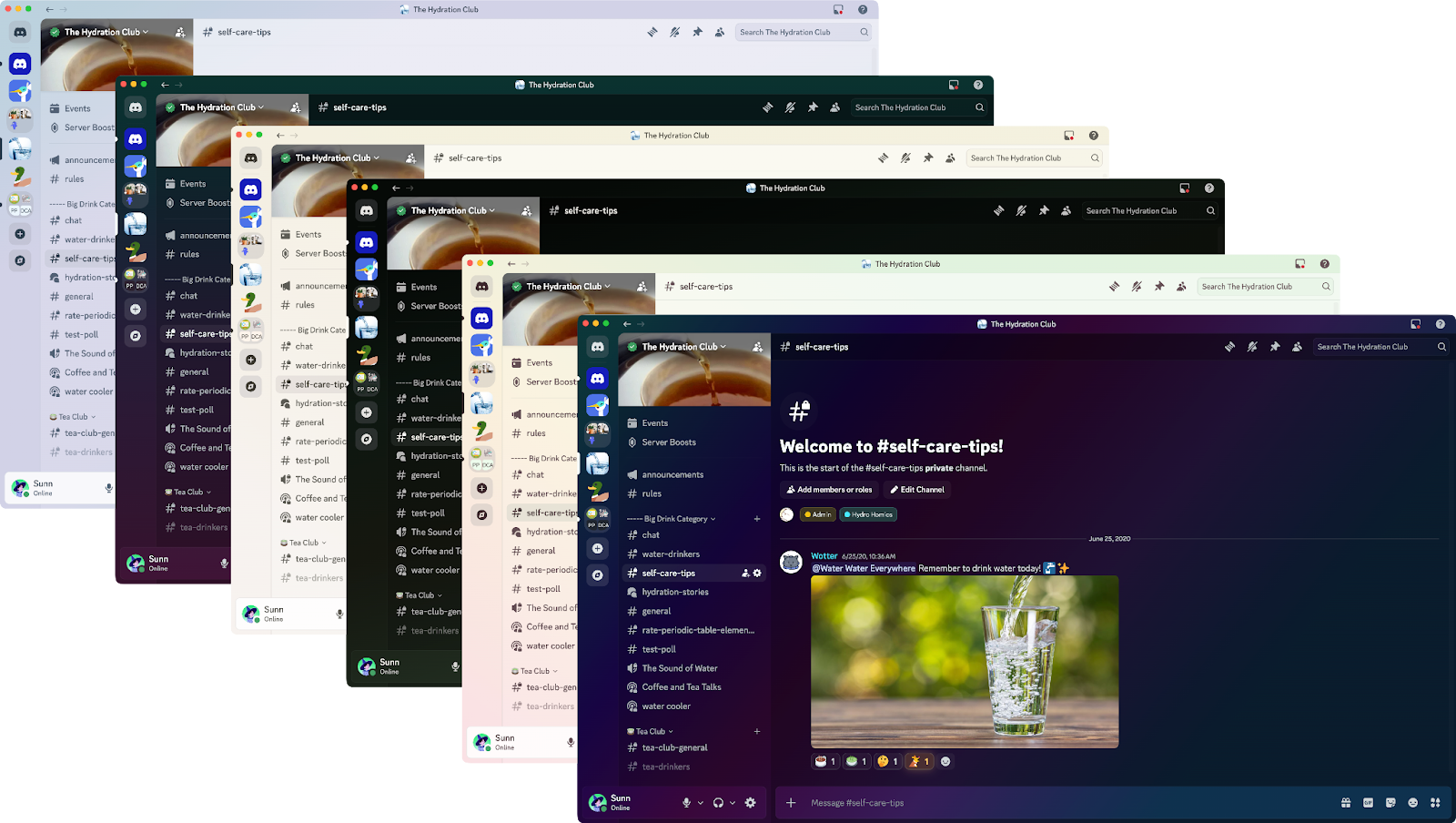
Alongside the four default themes, Nitro members can take their pick from 28 additional color themes, including Chroma Glow, Citrus Sherbert, Midnight Blurple, and Retro Raincloud. As you can tell, our Copywriting team had a lot of fun naming them — we had to stop them from using “Wumpus Cassarole” though. 

A collage of six theme colors on the Discord desktop app. 

You likely noticed ‘em all when you went to find the rest of the themes, but you’ll find these in the “Color Themes” category in Appearance settings. With so many options, there’s a pretty good chance you’ll find something that matches your vibe. 

With Nitro, Make Your Own Custom Color Theme

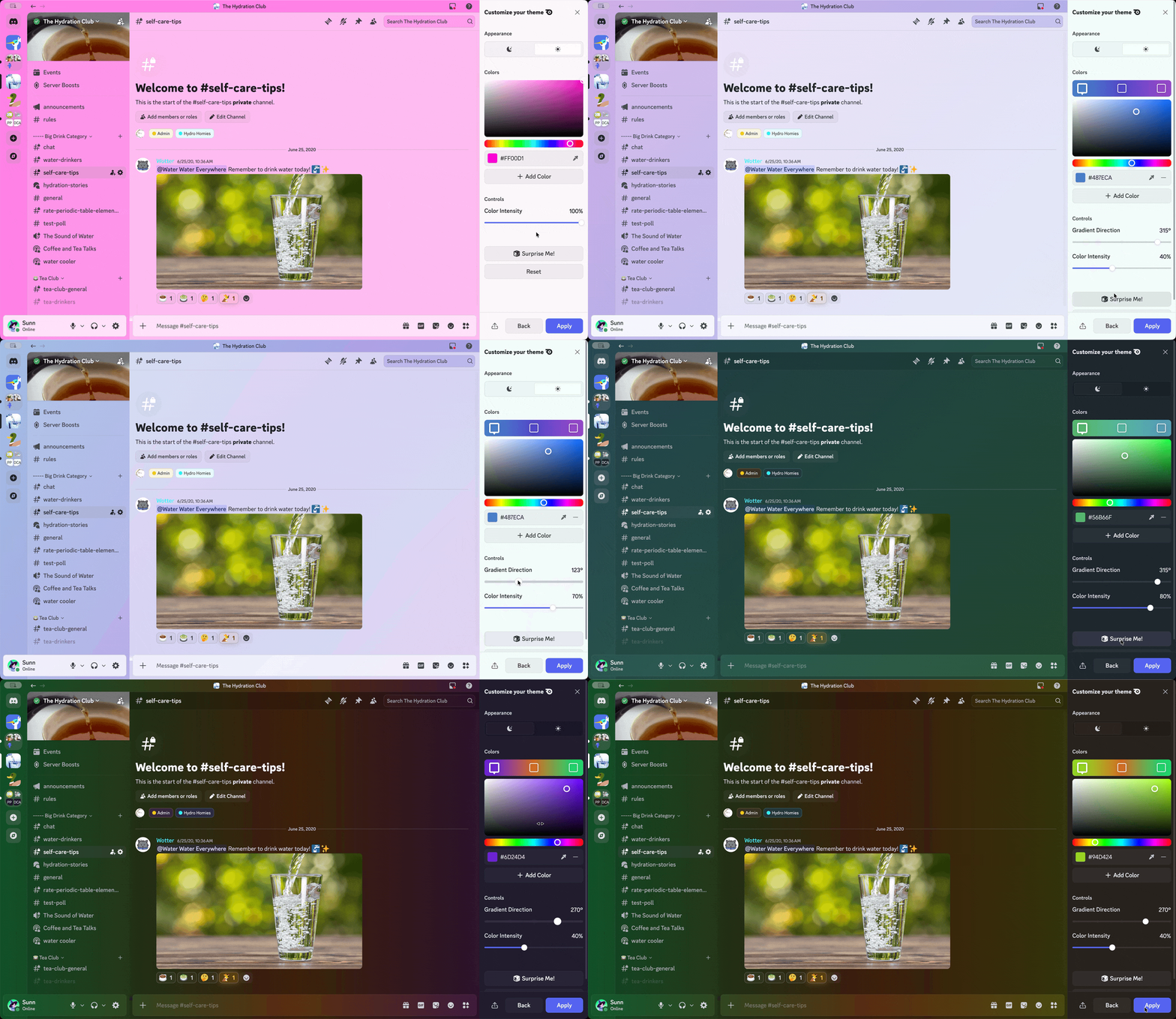
Not feelin’ any of the 28 built-in themes? Do you desperately need a hot pink Discord theme to go with your pink keyboard, pink headphones, and pink RGB lights coming out of your gaming rig? 

You can mix up to FIVE colors in one theme — enough colors to prove the five color theorem if you’re an absolute nerd. Or you watch a lot of math videos online. 

Demonstration of making a custom theme on the desktop app. 

While you can’t make a custom theme on mobile at the time of writing, the custom theme you make on desktop will sync over to mobile, too! 

Cherry on Top: Change Your Discord Theme’s Icon with Nitro

Now that you’ve got the perfect theme set up, there’s oooone last thing you can do to tie it all together like a big ol’ present bow: the app icon! It’s not just an option for the mobile app… you can change it on desktop, too!

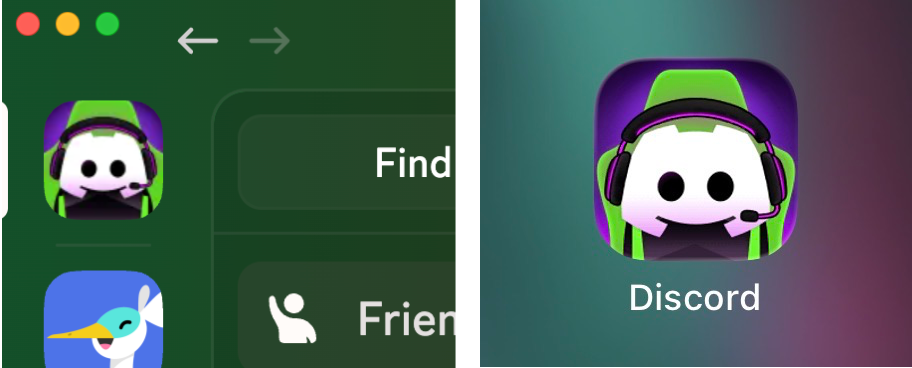
Right under the themes is an “In-App Icon” option. There are about 23 options total, including vaporwave, space, and gaming-themed app icons. Picking one on the desktop app will have it appear at the top-left of the app, while picking one on mobile will change the icon on your device’s homescreen! 

Desktop on the left, mobile on the right!

This setting is per-device, so you can choose a particular icon on your desktop and a different one for your phone or tablet. 

And that’s it! It’s sweet, simple, and great-looking — just like you! If you need some additional guidance, we’ve got a Themes-themed support article available for you to peruse. 

We'd love to see how these themes complement your desk setup, whether you vibe with Mint Apple or Crimson Moon. Or give us a shout on Twitter, TikTok, or Instagram and show off your app’s new look. 

Clyde

Your personal guide to all things Discord, Clyde is here to support you throughout your experience in the app. Got questions? Pressed the wrong button? Clyde's got your back.

related articles