惯性聚合 高效追踪和阅读你感兴趣的博客、新闻、科技资讯
阅读原文 在惯性聚合中打开

推荐订阅源

P
Proofpoint News Feed
U
Unit 42
V
Visual Studio Blog
D
DataBreaches.Net
F
Fortinet All Blogs
让小产品的独立变现更简单 - ezindie.com
The GitHub Blog
The GitHub Blog
Y
Y Combinator Blog
月光博客
月光博客
大猫的无限游戏
大猫的无限游戏
T
The Blog of Author Tim Ferriss
GbyAI
GbyAI
博客园 - 叶小钗
Blog — PlanetScale
Blog — PlanetScale
OSCHINA 社区最新新闻
OSCHINA 社区最新新闻
MongoDB | Blog
MongoDB | Blog
The Cloudflare Blog
云风的 BLOG
云风的 BLOG
D
Docker
G
Google Developers Blog
罗磊的独立博客
博客园 - 三生石上(FineUI控件)
小众软件
小众软件
S
SegmentFault 最新的问题

Lobsters

CIFSwitch: a non-universal Linux local root vulnerability RIPE NCC session fixation: poaching logins with an Atlas probe GNOME 2.20 but its Web Components Agentic Search for Context Engineering – Leonie Monigatti Garnix is shutting down [not OC] akashina.tngl.sh/jjc Concerning Emacs (and Jazz) Nitpicking the shell history scene in ‘Tron: Legacy’ What's cooking on SourceHut? Q2 2026 The tenth OpenPGP email summit Package managers that package package managers Clojure on Fennel part three: parsing WordPress at 23 Finding Miscompiles for Fun, Not Profit GitHub - creusot-rs/creusot: Creusot helps you prove your Rust code is correct. Announcing Rust 1.96.0 | Rust Blog A Love Letter to Neovim sqlite AGENTS.md Am I a Bad Friend? CSS vs. JavaScript • Josh W. Comeau Erlang Ecosystem Foundation - Supporting the BEAM community A brief note about slot access cost in Common Lisp Keyboard latency probe Rethinking the GNOME clipboard issues Back to the Building Blocks’ Building Blocks Tech Notes: Theseus: translating win32 to wasm Fast is better than slow Content-addressed Rust builds (or, what kache actually caches) Intent to Prototype: Embedding API Canada’s Bill C-22 and the security cost of collecting more data
I Hate (Most) Keyboard ‘Fn’ Keys
danq.me via · 2026-06-09 · via Lobsters

Hi, HackerNews! Please be kind/friendly! I’d love to hear your experiences of these (IMHO horrible) keyboard features, whether good or bad. Drop me a comment or join in on the thread over there.

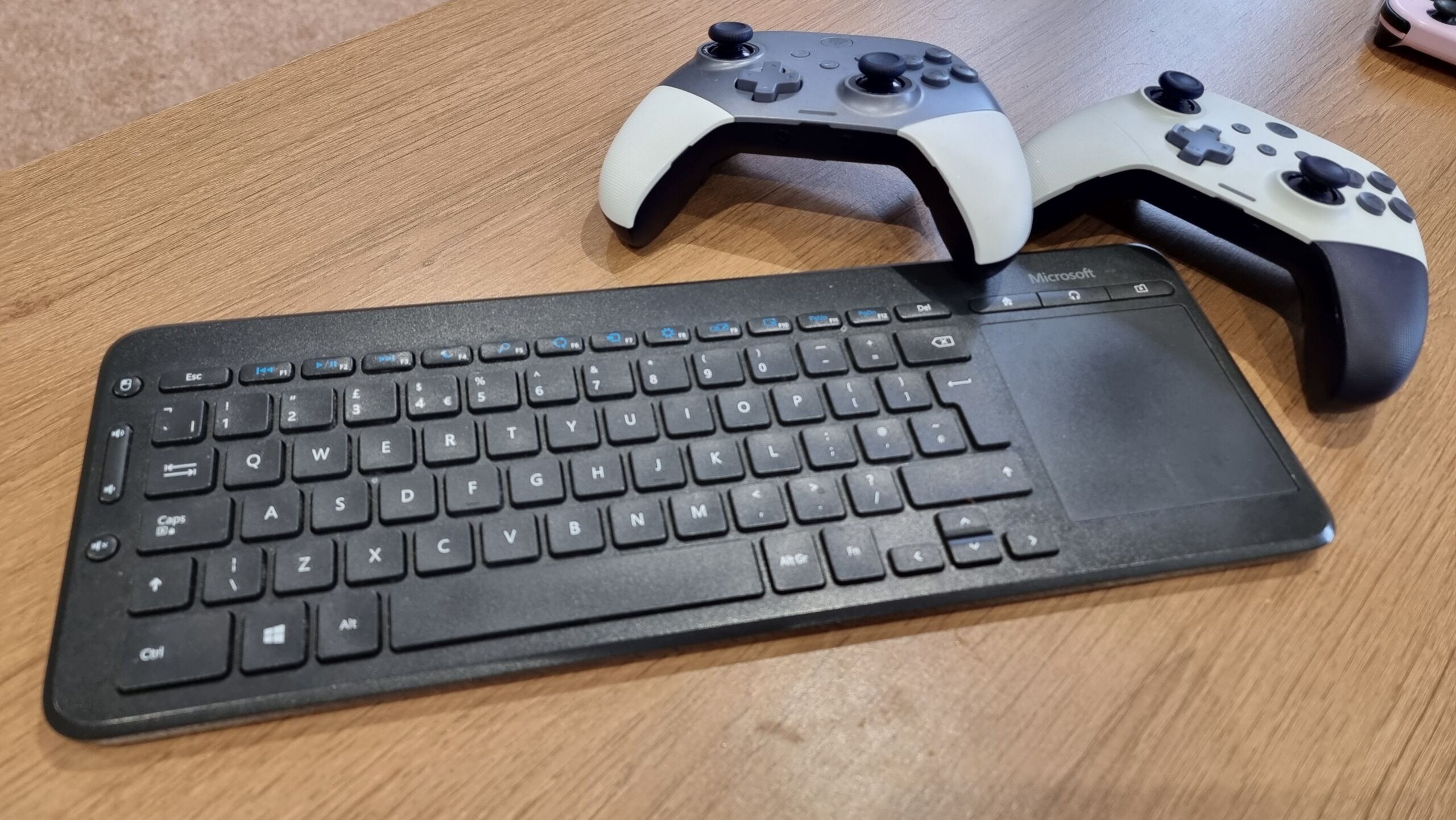
In my living room1 is an ageing Windows media centre PC, which is connected to the TV and principally used for Jellyfin, Netflix, Nebula, Steam, and the like. For convenient sofa use, I’ve equipped it with a wireless keyboard/trackpad combo.
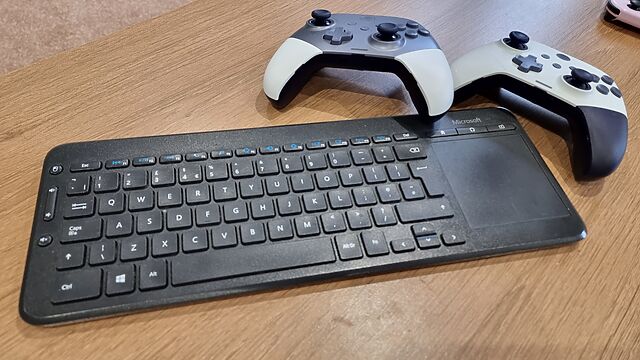
A slim Microsoft all-in-one keyboard and touchpad, in British layout, alongside two game controllers.
The keyboard is, for the most part, fine. You wouldn’t want to type an essay on it, but if you’re searching for a YouTube video it does the job.

Unfortunately, the manufacturers of this keyboard decided that it needed a dozen extra functions, and repurposed the F-keys F1 through F12 for these purposes.

It was nice that they gave dedicated keys to volume control/toggling muting – we use those all the time. And there are three other dedicated keys in the top right which we never use… so there was clearly capacity for a little extra. And they still they felt the need to do… this:

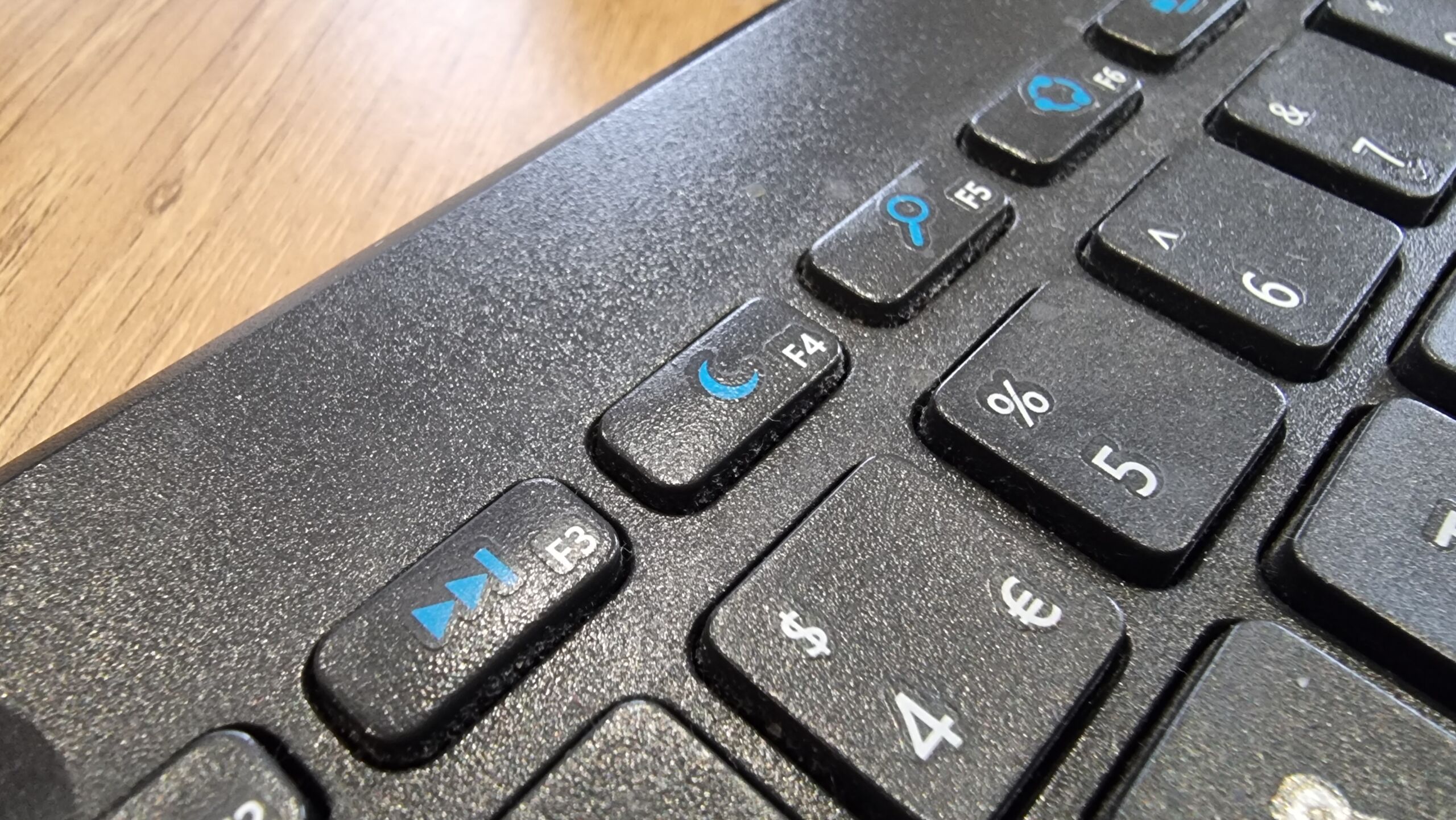
Close-up of the F4 key, showing a 'moon' icon. Of the other visible function keys, F3 shows 'fast forward', F5 shows 'hourglass', F6 shows what appears to be an illustration of a supercollider spinning up, and so on.
That F4 key has been repurposed as a “sleep” button. This poses a problem.

I don’t want any of these “special function keys. Occasionally, I suppose, I might need one2, but mostly I’d just like F1 through F12 to remain the multi-purpose, context-dependent keys that they have been since they first appeared in 1965.

And so, because I don’t want to hold Fn every time I want to press an F-key for its intended purpose, I used the arcane shortcut Fn+Caps to “lock” the keyboard into “standard” mode, where multipurpose F-keys remain multipurpose F-keys unless I hold down the special magic button that transforms them into rarely-used single-purpose special function keys.

But here’s where the problem occurs. If the batteries get changed, or if the keyboard gets turned-off for an extended period, or sometimes – seemingly – just randomly… that function-lock gets switched off.

And I’ll grab the keyboard and, to quickly quit Steam Big Picture or a Jellyfin Client or something, I’ll press Alt+F4. Which will send the “sleep” command. And because this computer’s a bit older, it’ll hibernate.

Instead of closing one application, which is what I intended, I now have to wait upwards of a minute for the old box to finish copying all of its RAM into a file, and shutting down, and then booting up again (in response to my repeated and frustrated hammering of the space bar), and then loading everything back into RAM… just to put me back where I started3.

What’s most-frustrating is at F4 is the only key with such a time-consuming and annoying function. If I accidentally paused some music or opened the system settings or did whatever-the-hell the icon on the F6 key is supposed to mean, that wouldn’t be so bad. But man; the three or four times a year that this catches me out are just aggravating enough to piss me off without being quite bad enough for me to do something about it4.
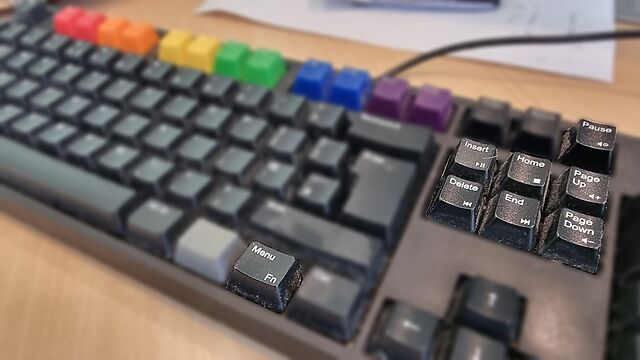
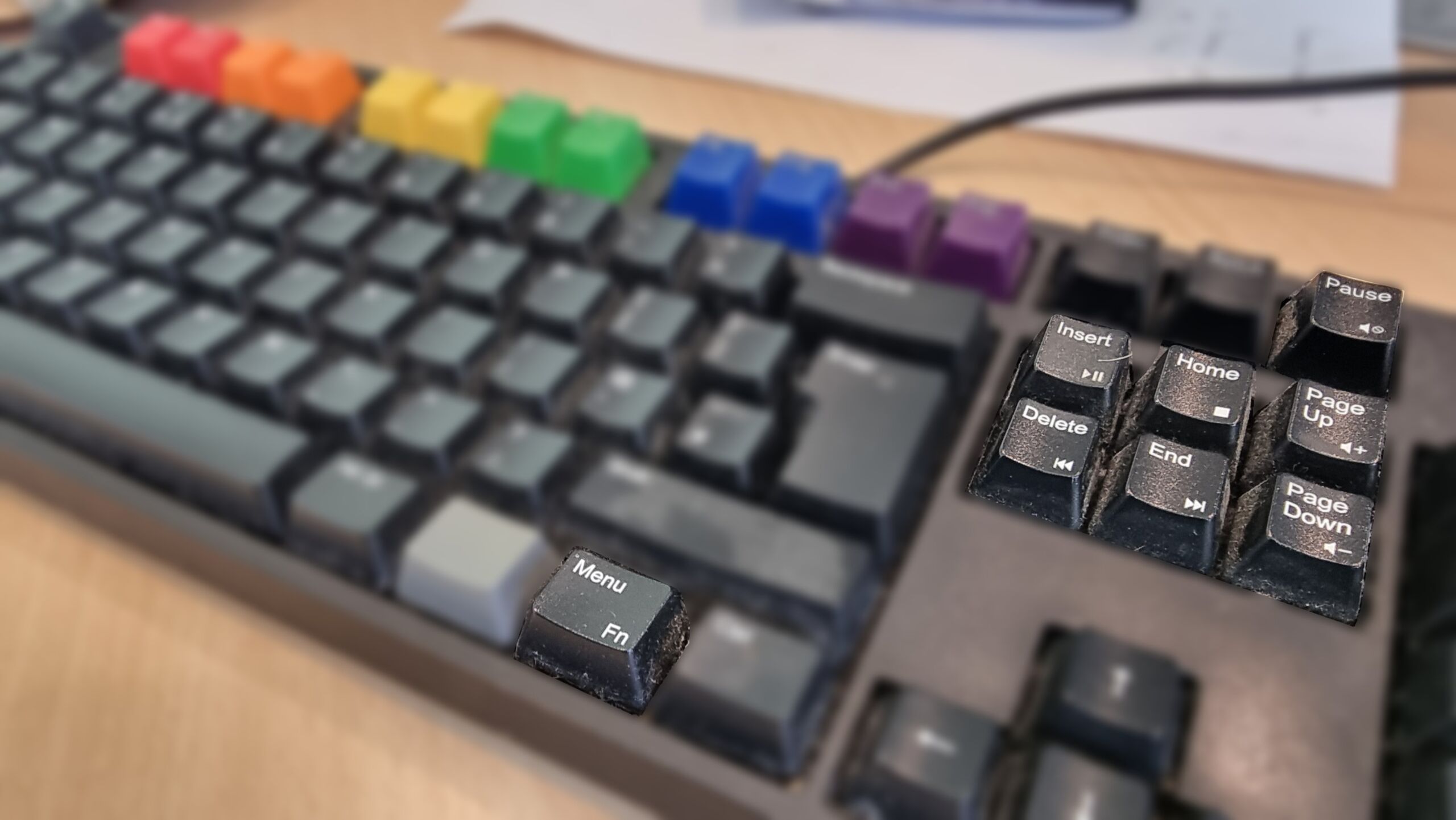
Close-up of a WASD keyboard with Pride rainbow keycaps, focussing on its Menu/Fn key and the handful of media keys it supports (which are primarily the Pause, Insert, Home, Delete, End, Page Up and Page Down keys).
This is the WASD Code keyboard on another of my computers5, showing how a Fn key can be done right.

It doesn’t have to be this way.

My WASD Code gets it right by resigning the effects of all double-duty keys to minor conveniences only, and making them the secondary functions of the keys to which they’re attached. I use these volume control buttons and they’re fine6

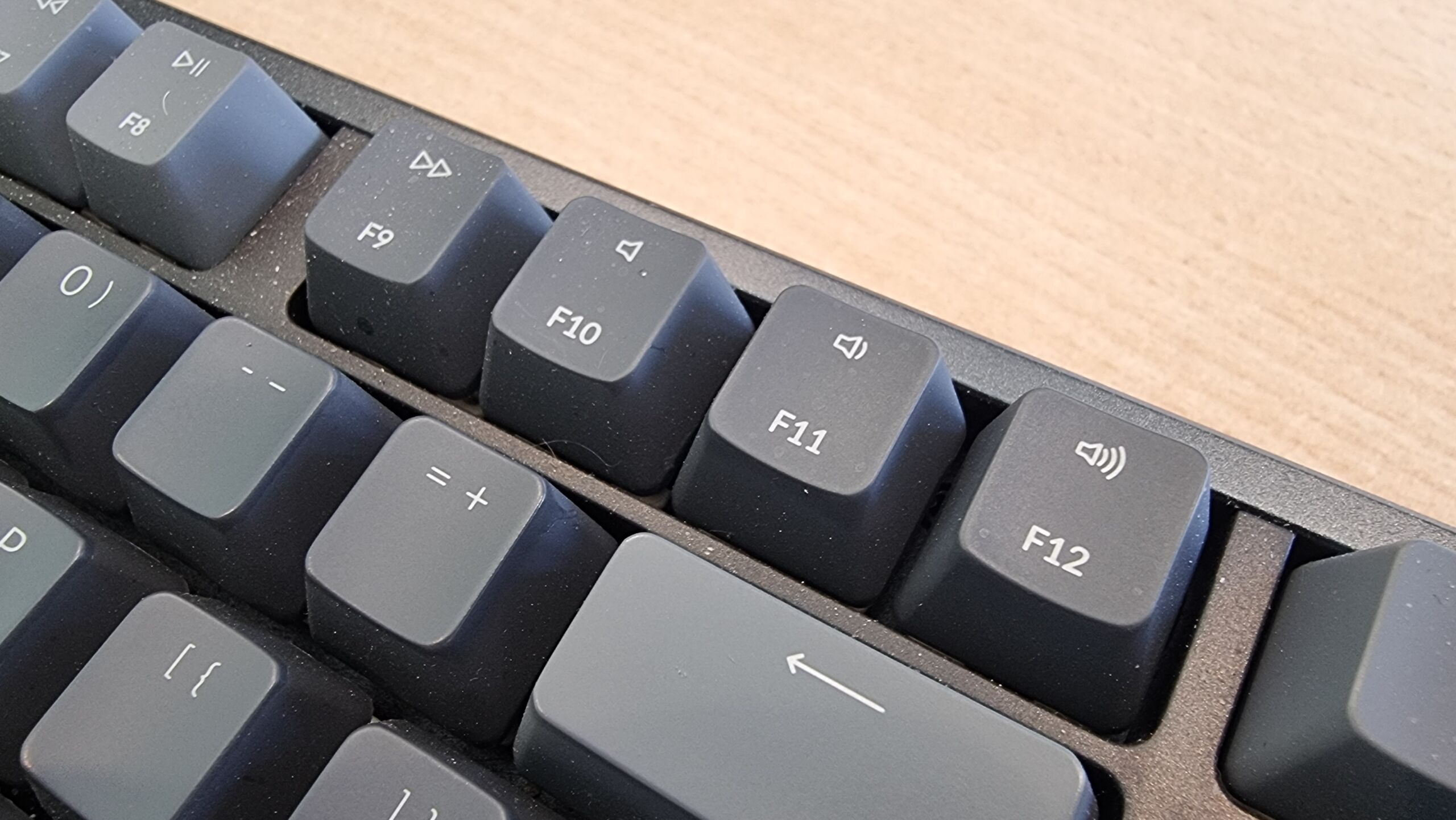
My Keychron K10 gets it right by having the double-duty keys mirror those of the Mac it attaches to7: again, all minor, low-impact functions that are easily and quickly un-done. Also, when you lock it to traditional F-key mode it stays that way, even if it’s disconnected and left unpowered for an extended period.
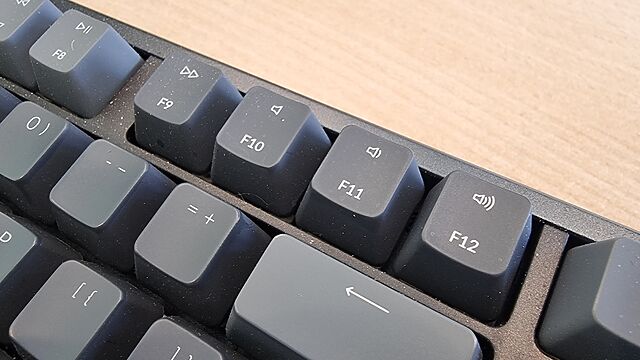
Close-up of Mac-style double-duty function keys F9 through F12, for fast-forward, mute, volume-down and volume-up respectively.
I had one of those Macbooks with the stupid LCD screen in place of keys, once, and I hated that “feature” and was glad to see it disappear (although occasionally I still see it on other hardware): who the hell wants a hardware keyboard that they can only use by looking at it? This is a much saner design, and I appreciate how easy it is to switch it to “normal” mode8.

These keyboards – which are my daily drivers – show that an Fn key can be done right.

Here’s what “doing Fn right” looks like, to me –

  1. Where keys do double-duty, it’s a low-impact and quickly reversible operation, so there’s little cognitive load or delay in correcting any mistakes.
  2. The default state is the traditional key function, or if that’s not the case, switching mode is easy (doesn’t involve looking up an underdocumented shortcut or installing a proprietary driver).
  3. When you switch the default state, it stays switched and doesn’t swap back to factory defaults just because of a loss of power or other arbitrary and unrelated trigger.

Sadly, a great number of keyboards get their Fn key implementations wrong. And I hate them for it.
× × × ×