









Dhruv Bhutani / Android Authority
It’s safe to say Apple has taken its sweet time bringing its AI ambitions to fruition. After debuting Apple Intelligence two years ago, Apple unveiled a whole new Siri at WWDC 2026 last week. Dubbed Siri AI, the completely rebuilt virtual assistant is a complete overhaul of the much-maligned, on-device voice assistant with Apple Intelligence underpinnings.
Obviously, I couldn’t wait to get my hands on it, so I rushed to install the iOS 27 developer beta and signed up for the Siri AI waitlist. Since then, I’ve spent the last 48 hours or so testing out the newfangled AI assistant and comparing it with Google Gemini.
The results have been interesting. Suffice it to say that Siri has come a long way.
0 votes

Dhruv Bhutani / Android Authority
Before we get into the deep dive, it’s important to note some context. Apple has made some bold promises to alter how we interact with our smartphones by turning the often-criticized voice prompt into a deeply integrated system orchestrator. In simple terms, Siri now indexes a significant amount of local information — including your text messages, emails, calendar entries, and more — locally. For simpler requests, all data handling happens on your device without sending it to the cloud.
For tasks that cannot be handled on-device, a subset of this locally processed information without widespread identifiers is then sent up to a cloud model for processing when needed. This cloud LLM runs on Google Gemini’s technology stack, but contrary to popular opinion is not the same as Gemini.
Compared to the Gemini models on our phones today, this hybrid local and cloud approach is somewhat different and likely to be more secure and less computationally intensive for Apple. It also allows deep hooks into your personal data.
Likewise, it’s also worth noting that because I am testing this software in its absolute infancy as a developer preview, performance can be unpredictable, and the feature set is likely to change or evolve by the time the final public release hits iPhones.
Siri AI and Gemini aren’t competing to be the same thing. They’re competing to define what an AI assistant should be.
With that said, to find out if Apple has finally closed the massive gap between its native offering and the reigning king of mobile intelligence, I put the iOS 27 Siri AI beta through a grueling series of simultaneous, real-world tests against Google Gemini. Rather than relying on abstract synthetic benchmarks, my focus remained entirely on practical, everyday experiments designed to push both digital assistants to their absolute limits.
The results reveal a massive philosophical divide regarding how these two tech giants view the future of artificial intelligence in your pocket. Interestingly, I think I already have a preference. Read on to find out.
Dhruv Bhutani / Android Authority
My first practical experiment focused entirely on testing what, in my opinion, is the coolest feature of Siri AI — local context. I tasked both Siri AI and Gemini with tracking down a highly specific restaurant recommendation sent by an acquaintance via text message, verifying whether that establishment would be open during the upcoming weekend, and then drafting a calendar invitation for lunch. This test requires an assistant to seamlessly bridge the gap between private communication logs from Messages, Mail, and real-time world knowledge.
Since Siri AI relies on Apple’s systemwide search indexing engine, when processing the query, iOS 27 digs through an index of your messages and email databases to match the name to the communication and retrieve the restaurant name. Given the private nature of this communication, it makes sense that Apple is opting for a local-first approach.
What took Siri AI one request took Gemini five minutes of frustrating back-and-forth.
Once the restaurant name was identified, Siri AI queried the live web for the specific opening hours and informed me that the restaurant was indeed open the next day. I followed it up with a prompt to draft an email response to my contact and schedule lunch at the restaurant. Surprise, surprise: Siri executed the task flawlessly on the first try.
Google Gemini approached this exact same task through its interconnected web of Google Workspace extensions, but the results weren’t quite what I expected. What was a three-step process in Siri AI became a five-minute, frustrating, back-and-forth conversation with Gemini. Here’s how it went.
To start with, despite having the Messages extension enabled, Gemini failed to retrieve the lunch invitation message, whereas Siri AI had no trouble parsing it. As a backup task, I also asked it to check my emails for a test invitation I’d sent for lunch. Once again, Gemini failed to find the email despite multiple attempts. The next step, figuring out opening hours, was, however, accomplished flawlessly, and I was able to get it to draft an email response.
The difference, however, is in the approach. While Siri AI gave me a draft email ready to hit send, Gemini gave me an in-line response instead. That’s not particularly useful while on the go.

Dhruv Bhutani / Android Authority
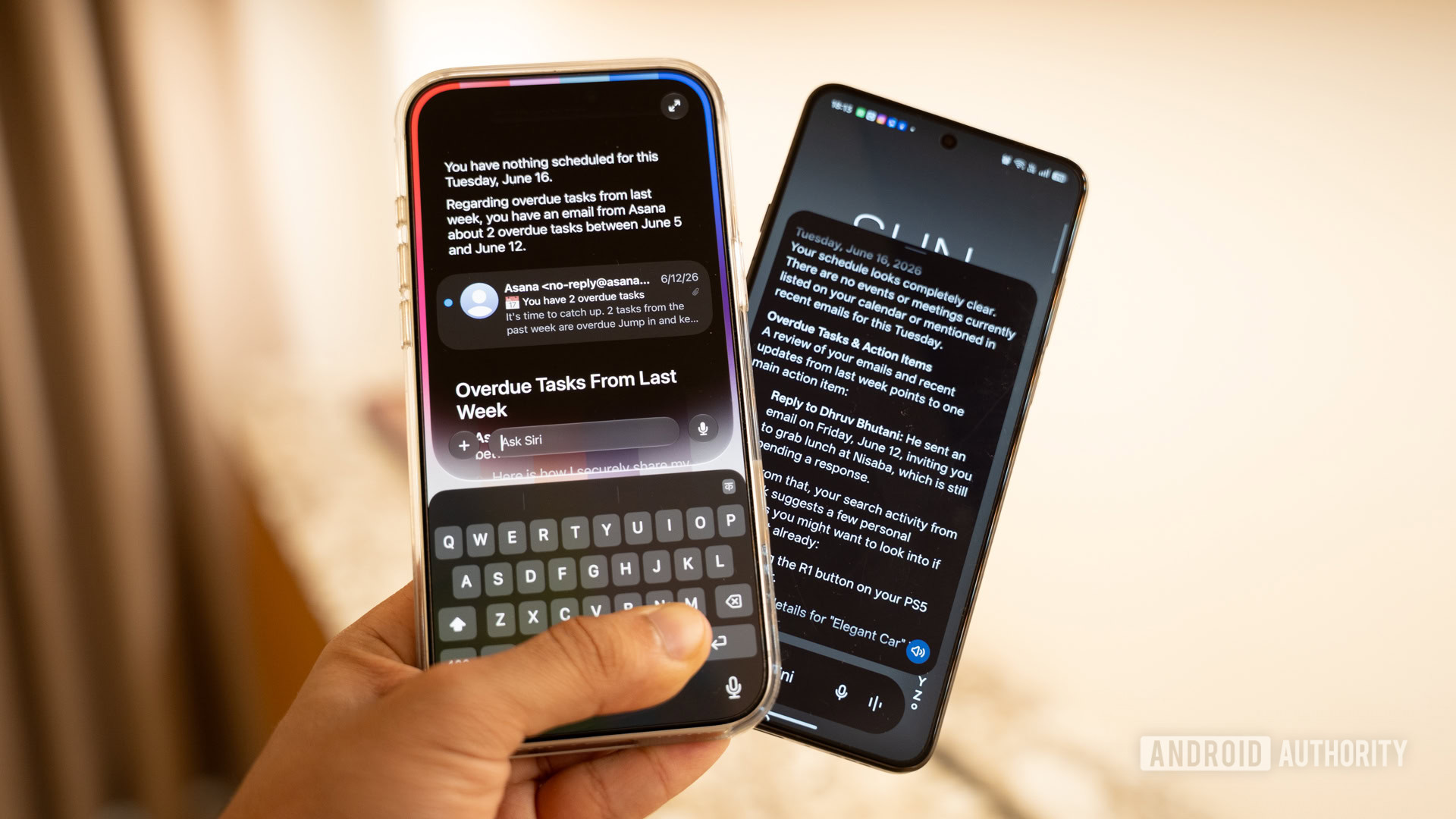
For my next experiment with local context, I decided to replicate Joanna Stern’s ingenious daily workflow experiment. I simply asked both AI models to use the information they have on me and help me plan my day. Siri AI pulled up contextual information from my emails, the earlier conversation about grabbing lunch, and also retrieved information from my email about an upcoming watch meet-up. But what really caught my attention was the, ahem, attention to detail.
Siri didn’t just read my emails. It understood what I needed to do next.
Siri AI didn’t just parse my emails; it also extracted context from them. So, for example, it saw an Asana updates email, pulled out the tasks I was running behind on, and suggested I complete them. Next, since I was in the midst of lunch planning and, well, it was almost the lunch hour, it suggested I could also head out for a quick lunch. Finally, since I’d received an email about an upcoming watch meet-up, I was advised to RSVP or get my watches ready to bring along. Absolutely brilliant, more so when you consider that all this data is gathered locally.
Gemini, on the other hand, utterly failed to give me usable results. Despite multiple attempts, it pulled nothing from my connected inbox and had no idea that I had an event coming up. Score one for Siri AI.
Dhruv Bhutani / Android Authority
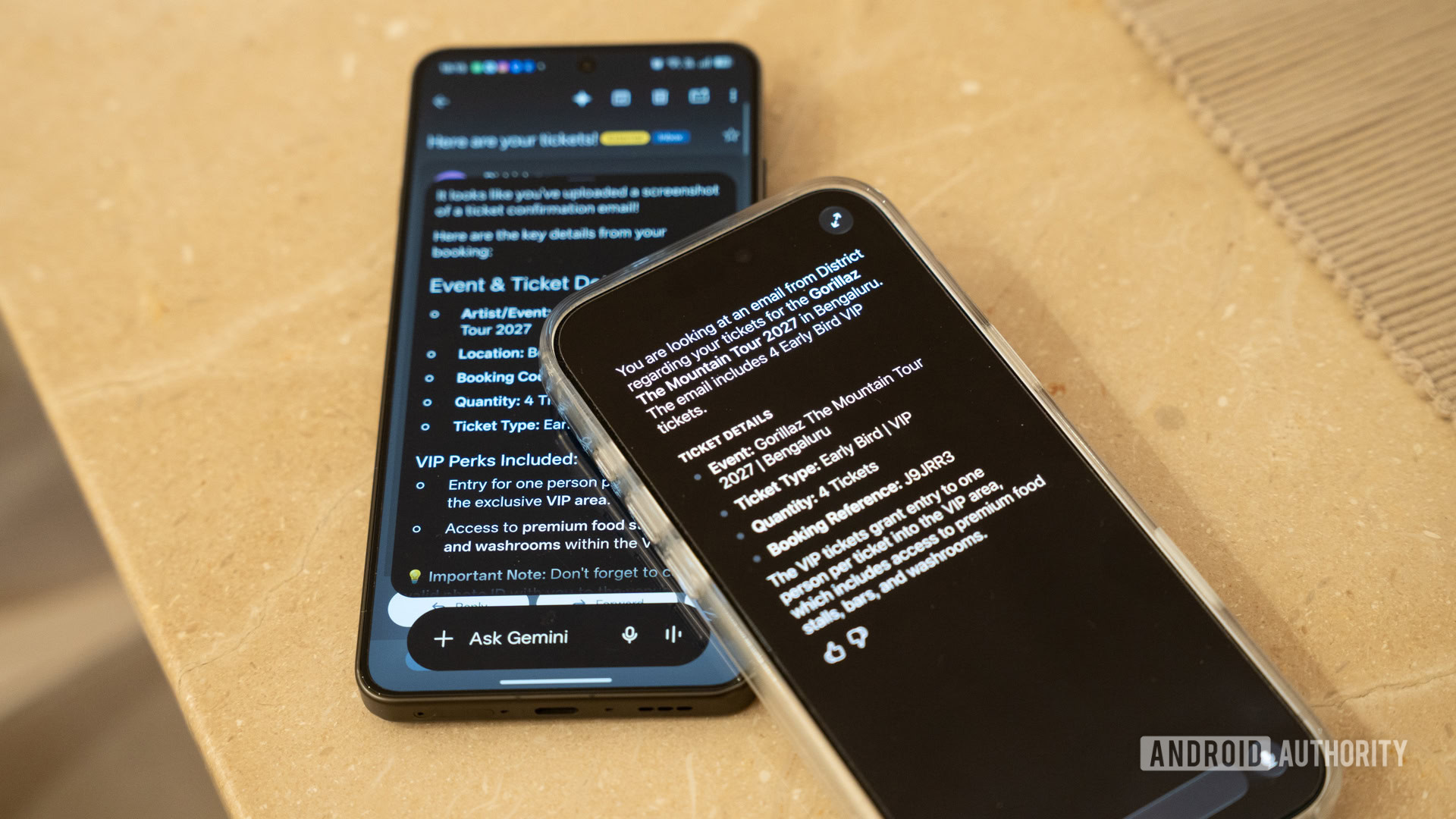
For my second experiment, I evaluated how effectively each assistant interprets what I am actively viewing on my smartphone display. I opened an email thread containing an image of a confirmation ticket and a dense block of emails and asked both Siri AI and Gemini to tell me what was on screen.
The difference in approach that I mentioned above is equally visible here. Siri AI gave me a succinct summary of the email’s contents. Gemini, while a bit more verbose, gave me much the same results. Additionally, you can ask follow-up questions to both AI models to create calendar entries or send out responses.
Siri AI and Gemini, both, can do the job just fine. Siri just takes a softer visual approach.
While both AI models let me interact with the information and set up calendar entries, the differences lie in the aesthetics and system-level integration. It might not matter much to you, but Siri AI simply took a much more subdued approach to executing tasks, without throwing needless text and clutter on the screen, unlike Gemini. That said, this is more of a personal preference towards the approach, and both Siri AI and Gemini finished neck and neck in this test.
Dhruv Bhutani / Android Authority
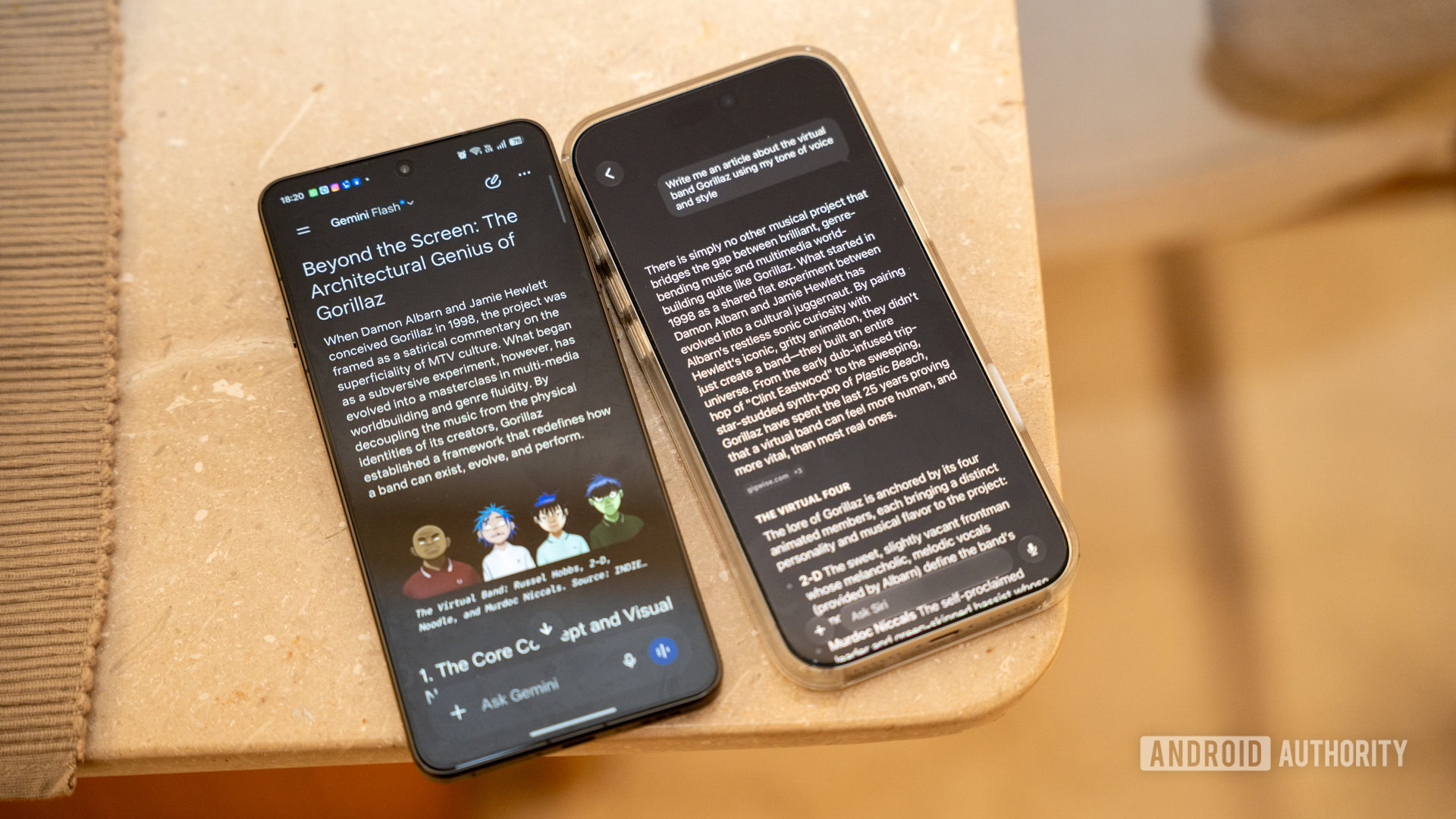
For my third test, I moved away from personal data and screen reading entirely and threw both assistants something more creative. Since Siri now has its own app, it should be able to perform longer, more conventional LLM tasks similar to ChatGPT, Gemini, or Claude. I wanted both AI models to write an article about the virtual band Gorillaz, but in my tone of voice. I wanted something that read as if I’d actually written it.
Because Siri indexes your Messages and Mail locally on-device, it has access to a broad picture of how I actually communicate day-to-day, including casual shorthand, references, and the rhythm of how I put sentences together when I’m not trying to sound professional. The resulting article was decent. It captured some of my cadence and did a good job of assembling the band’s lore, but the language was far too clinical and not really anywhere close to what I write like.
Gemini does a notably better job. However, unlike Siri, it has years of data to learn from.
Gemini’s output got closer to how I’d write this myself. Gemini’s personal intelligence pulls from Gmail and Google Drive, and given that I’ve spent years producing written work through Google’s ecosystem, it simply had more material to work with. The piece it generated had more personality and took a few more creative swings, but still didn’t come anywhere close to how I or, for that matter, any human writes.
I’d call this test a tie with a slight edge for Gemini, but there’s a caveat. The test isn’t really fair. Gemini was by default at an advantage because it knows me better, not necessarily because it’s a better writer. Give Siri AI the same volume of source material, and the gap might close considerably. As both platforms accumulate more of your personal data over time, this kind of test will get more interesting. For now, Gemini edges it — but with an asterisk.
Dhruv Bhutani / Android Authority
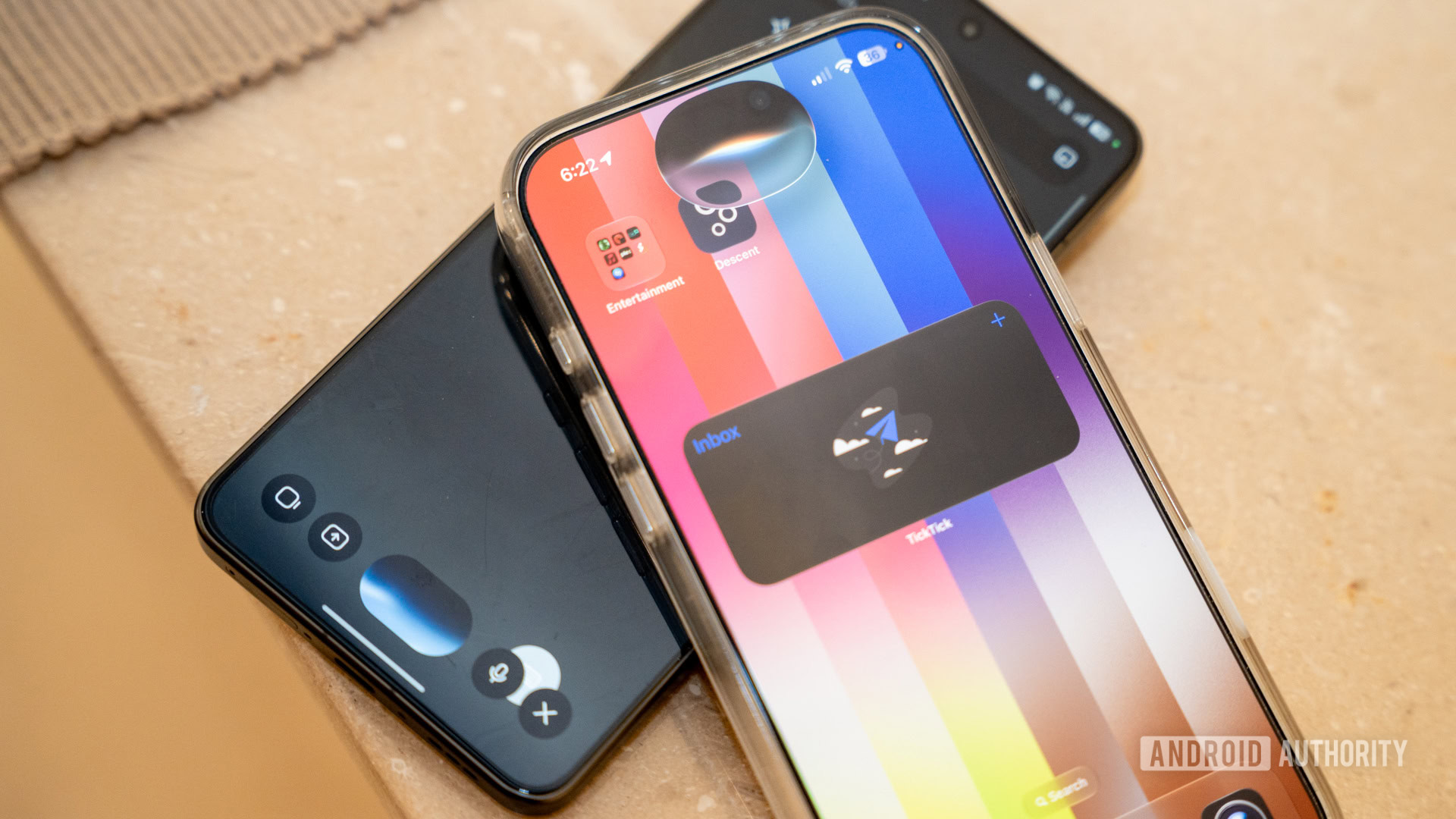
My fourth experiment focused entirely on natural language processing, voice expressiveness, and rapid conversational shifts. I asked both assistants a set of rapid, multi-turn voice conversations, changing my mind mid-sentence, correcting my parameters on the fly, and abruptly shifting the topic from weekend weather forecasts to historical trivia before the assistant could finish speaking. The entire goal here was to gauge context switching and conversational memory.
For the first time in years, talking to Siri didn’t feel robotic. Meanwhile, Apple is giving you to personalize the voice further.
As for the results, both Siri AI and Gemini had no trouble following my meandering conversation and could provide accurate responses. The difference is, once again, in the form of expression. Siri’s responses are brief and to the point, which I personally prefer.
Moreover, Siri’s voice sounds much more natural to me than Gemini’s. I’m signed up for the new Expressive Voices beta that takes advantage of that 20-billion-parameter model on the iPhone 17 Pro, so it shows that the voice model would have been improved. On my iPad Air, which can’t run the high-end voice model, the difference is less dramatic. Apple says you’ll also be able to adjust the voice’s expressiveness to your liking. However, as of Beta 1, the sliders don’t do anything.
By and large, though, both AI models are completely capable of holding a stable conversation as you shift through topics. That’s an important feature for on-the-fly conversations with an assistant.
Dhruv Bhutani / Android Authority
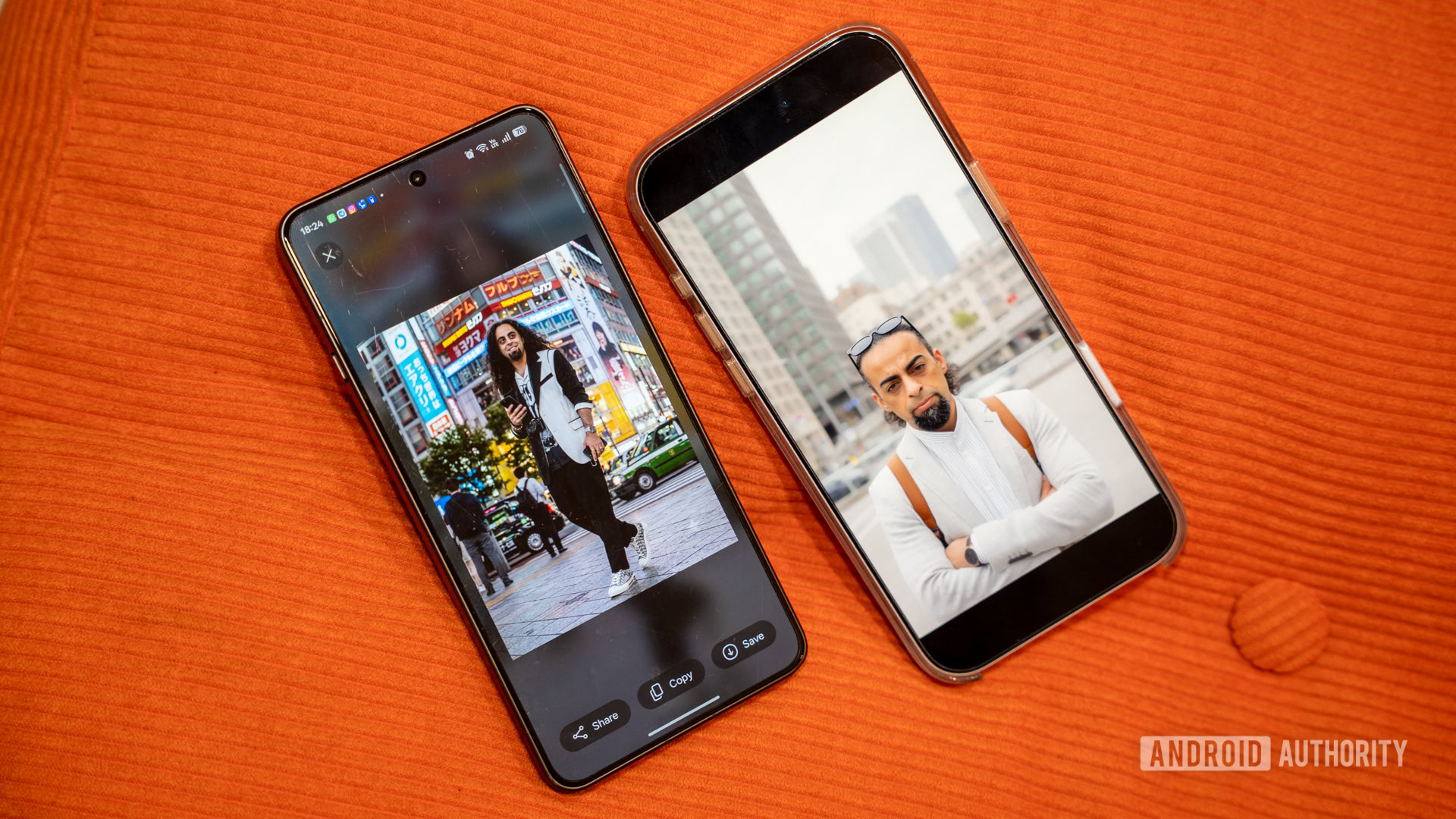
For this test, I wanted to go beyond text and see how each assistant handled something more visually creative: generating an image using a face from an existing photo as a reference. Image generation isn’t new on either platform, but Apple has completely overhauled its Image Playground app in iOS 27. For the first time, it can generate photorealistic images rather than being limited to the illustrated and stylized output it was known for. These image generation capabilities also power the new reframe and expand features in the Photos app, but we’ll skip past that for now.
With both Siri AI and Gemini, I gave them a base image to work from to learn the facial parameters needed to maintain consistency across their generations. My prompt was exactly the same for both models: “Make me look like I’m in Tokyo.” The results, however, were wildly different.
Apple’s image generation is improving, but Google still has a significant head start.
Image Playground still feels like it’s finding its feet with photorealism. The face reference generation worked, but the results were inconsistent. Even the stylistic choices were odd. Any image-generation model would pick Tokyo’s iconic cyberpunk skyline as its backdrop. Siri AI, however, decided to place me in front of an office block. To be fair, I could’ve been more specific with my request, and the results weren’t terrible, but it’s still clearly version one of something. It is a clear step forward from where Apple was, but this is no Nano Banana.
Gemini, powered by Google’s Nano Banana model, achieved much better results on the same task. If you upload a clear reference photo and describe what you want, it produces something that actually resembles the person. Facial structure, lighting, and general likeness all came through better than Apple’s equivalent. Even Nano Banana isn’t quite perfect, and the generated likeness resembled me at best, but broadly speaking, the results pulled ahead of Siri AI.
Gemini wins this one, and it isn’t particularly close. Apple’s Image Playground is improving, but Google has a significant head start in this space, and it shows.

Brady Snyder / Android Authority
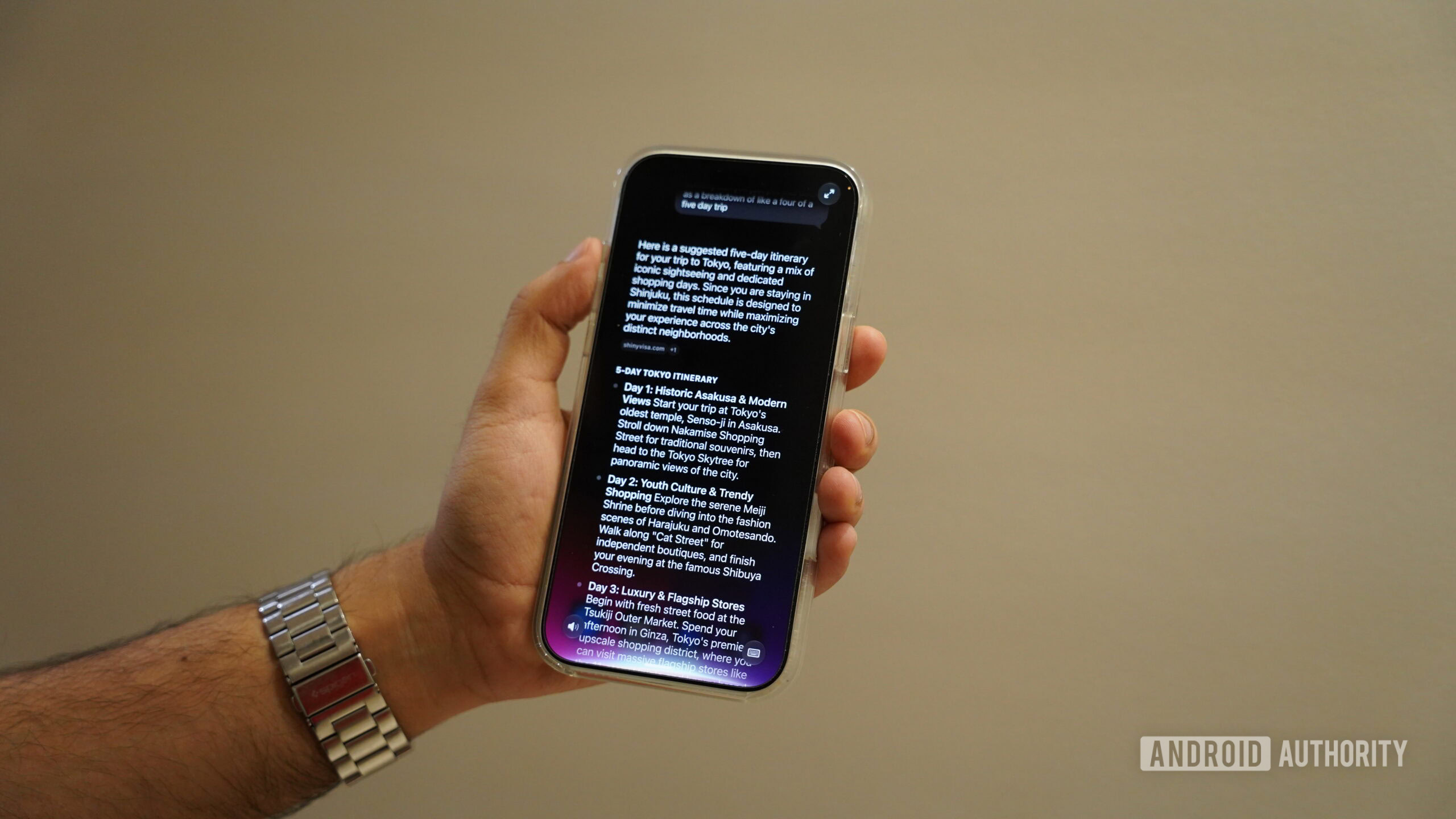
My final test looked at something deceptively simple. Apple prides itself on its deep ecosystem integration. So, I wanted to see if I could start a conversation on my iPhone and pick it up on another device without having to repeat myself.
Apple’s answer is the dedicated Siri app, and it largely delivers. Your full conversation history syncs privately across iPhone, iPad, Mac, Apple Watch, and Vision Pro via iCloud. I started a travel research thread on my iPhone 17 Pro, picked up my iPad Air, and after a brief moment for the sync to catch up, the conversation was there, exactly where I’d left it.
While my MacBook isn’t on the latest beta yet, I’d imagine it would work the same there. It’s the nearly transparent handoff that Apple has always been good at. Assuming, of course, you’re all-in on Apple hardware. That last part is the catch. This continuity works only within Apple’s walled garden. If you pair your iPhone with a Windows laptop, there’s basically no chance you’ll be able to access your Siri AI conversations on it.
Siri follows you across Apple devices. Gemini follows you everywhere.
Gemini takes the opposite approach and makes no apologies for it. Because it lives in Google’s cloud and is tied to your account rather than your devices, it works on any device with a browser. I started the same research workflow on my phone and found my complete history waiting in a browser tab on my MacBook within seconds — no ecosystem required. You could do the same on a Windows laptop, a Chromebook, or someone else’s phone entirely.
On paper, this is a clear win for Gemini. However, I’m a bit unsure of how to score this, as the two companies have very different philosophies towards AI. While Google’s Gemini is an AI tool available on a range of devices, Siri on Apple products is a feature, not the product. Which approach wins depends entirely on how you live your life with technology.
Dhruv Bhutani / Android Authority
Evaluating the early iOS 27 Siri AI beta against Google Gemini highlights two fundamentally opposed philosophies regarding the future of personal computing. From what I’ve experienced, Apple is attempting to construct a secure, deeply integrated system orchestrator that treats your local device as a private sanctuary. The AI is a tool, a rather good one, but not the product.
Google, on the other hand, is perfecting a hyper-intelligent, universally accessible cloud LLM designed to work on every screen imaginable, prioritizing raw power and the ability to synthesize massive amounts of data on its own servers. Local system orchestration isn’t a priority — for now.
All that said, the personal context features of Siri AI genuinely impressed me. This is the AI assistant that I’ve always wanted on my phone. I want an assistant that can make meaningful sense of the data on my phone, and that’s one area where Siri AI is meaningfully better. Meanwhile, the visual presentation and the voice experience on the iPhone 17 Pro are among the best I’ve heard from any on-device assistant. These things matter to me, but might not matter to you. Regardless, in many ways, this is the Siri Apple promised us two years ago, and it’s finally worth getting excited about.
Siri AI finally feels like the assistant Apple promised two years ago.
However, there’s also no escaping the fact that, right now, Gemini pulls ahead in a couple of tasks that might make all the difference to you. It generates better images and works everywhere, regardless of the hardware you’re carrying. It doesn’t ask you to buy into a specific device tier or live within a specific ecosystem to get the best of it. For most people, that universality might matter more than the elegance of Apple’s ecosystem-first approach.
The more interesting question, however, is where this goes from here. Apple’s local-first architecture gives it a structural privacy advantage that no cloud-first competitor can easily replicate, and as Siri AI accumulates more personal context over time, the gap will naturally narrow. Apple is playing a long game, and it knows it.
Fantastic cameras • Large 120Hz OLED display • Great update support
The ultimate Apple experience
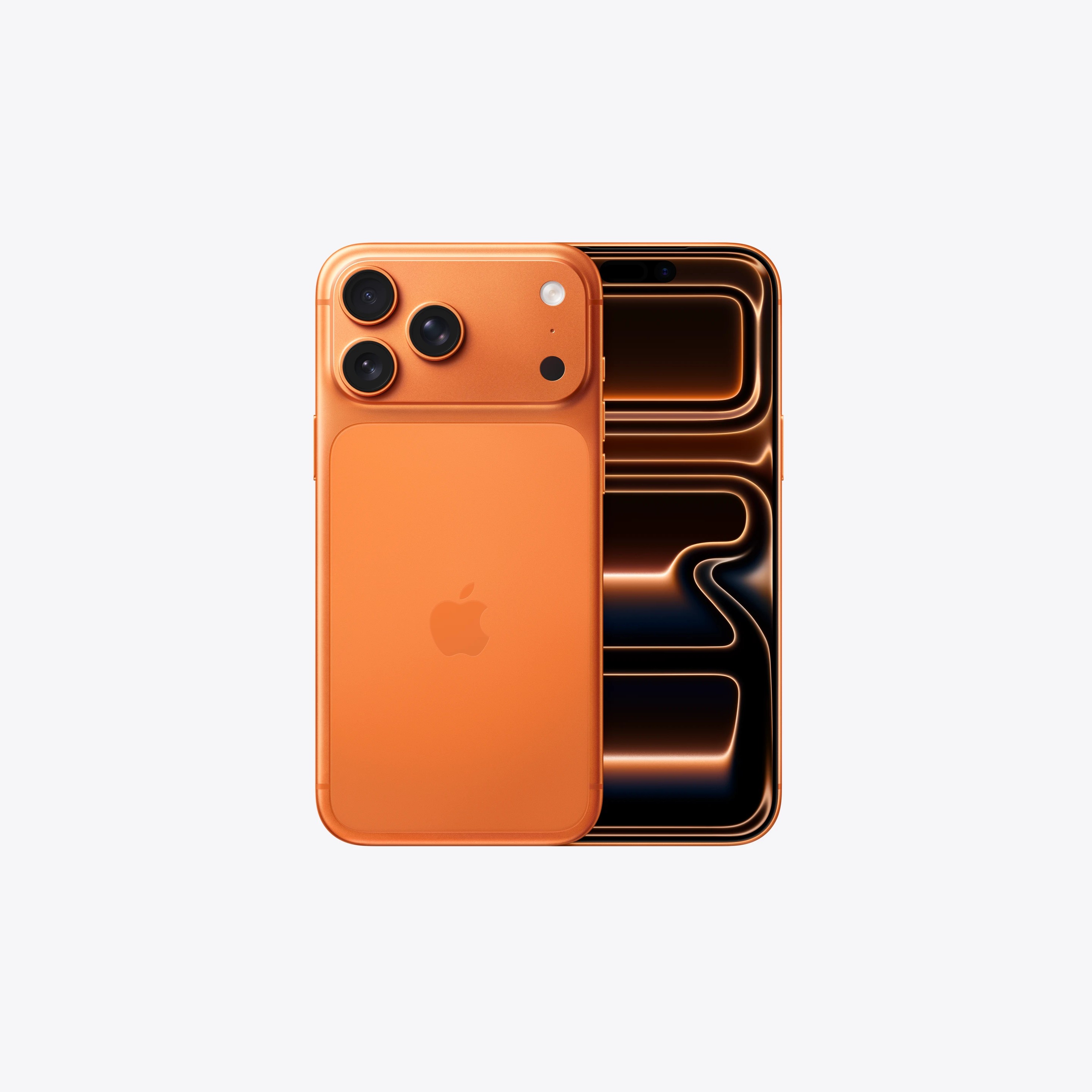
The Apple iPhone 17 Pro Max delivers a 6.9-inch Super Retina XDR OLED display and is powered by the A19 Pro chip. It features a triple 48 MP rear camera setup (wide, ultrawide, and telephoto) with up to 8× optical-quality zoom, as well as an 18 MP Center Stage front camera.
Thank you for being part of our community. Read our Comment Policy before posting.
此内容由惯性聚合(RSS阅读器)自动聚合整理,仅供阅读参考。 原文来自 — 版权归原作者所有。