









在本文中,我将进入通过 SSH 进入 UniFi Dream Machine 的命令行界面,看一下是否有新的发现。
UniFi Dream Machine 默认打开了 SSH 功能,使用 root 用户和管理员密码就能登录:
$ ssh root@192.168.3.1                                               [13:32:35]
Welcome to UbiOS

By logging in, accessing, or using the Ubiquiti product, you
acknowledge that you have read and understood the Ubiquiti
License Agreement and agree to be bound by its terms.

root@192.168.3.1's password:
  ___ ___      .__________.__
 |   |   |____ |__\_  ____/__|
 |   |   /    \|  ||  __) |  |   (c) 2010-2019
 |   |  |   |  \  ||  \   |  |   Ubiquiti Networks, Inc.
 |______|___|  /__||__/   |__|
            |_/                  http://www.ui.com

      Welcome to UniFi Dream Machine!
#
在登录后的界面中,可以看到 Welcome to UbiOS 这一行欢迎信息。而 UbiOS 这一操作系统名称,之前并没有在 Ubiquiti 的其他网络设备上出现过。这说明 UniFi Dream Machine 采用了一个全新的操作系统。
而上一代产品 UniFi Security Gateway 是基于 EdgeOS 的,EdgeOS 基于 Vyatta,Vyatta 又是基于 Debian。也就是说,在 UniFi Security Gateway 上,可以使用 EdgeOS 特有的命令,也可以添加 Debian 软件源之后,安装 Debian 软件包。
在 UniFi Dream Machine 上,我尝试了 EdgeOS 的命令,以及通过 apt-get 等命令安装软件包,都不能成功。这进一步证明了 UniOS 是一个全新打造的操作系统:
# show interface
-sh: show: not found
# apt
-sh: apt: not found
# apt-get
-sh: apt-get: not found
# dpkg
-sh: dpkg: not found
通过 uname -a 命令和 dmesg 中的日志信息,可以看到 UbiOS 基于 aarch64 架构的 GNU/Linux:
# uname -a
Linux UDM 4.1.37-v1.5.0.1974-51146f0 #1 SMP Tue Oct 29 15:11:07 MDT 2019 aarch64 GNU/Linux

# dmesg
...
[    0.000000] Linux version 4.1.37-v1.5.0.1974-51146f0 (builder@link-xenial-builder) (gcc version 6.4.0 (Buildroot 0.9.0.0) ) #1 SMP Tue Oct 29 15:11:07 MDT 2019
...
更多信息可参考 Ubiquiti 官方论坛中的讨论:
虽然 UniFi Dream Machine 没有基于 Debian,失去了能够安装 .deb软件包的优势(具体请参考下一篇文章),但是,UDM 中内置了 Docker 命令,从而可以通过 Docker 来运行第三方容器,例如 Pi-hole 这样的广告过滤工具。
默认情况下,Docker 服务没有启动,无法运行 Docker 命令:
# docker ps
Cannot connect to the Docker daemon at unix:///var/run/docker.sock. Is the docker daemon running?
在 /etc/init.d/ 中,能够找到 Docker 服务的启动脚本 S60dockerd,在脚本中发现了这样一行注释:
# UBNT: We don't want to run any Docker services in UDM base at the moment
BOARD_NAME=$(cut -d' ' -f2 /sys/firmware/devicetree/base/soc/board-cfg/id | sed 's/-/_/')
[ "${BOARD_NAME}" = "udm" ] && exit 0
可以看出,UniFi Dream Machine Pro 由于需要支持 UniFi Protect,所以默认运行 Docker 服务。而标准版本的 UDM 目前是屏蔽 Docker 服务的。
将 /etc/init.d/S60dockerd 复制到 /mnt/data 中,并注释掉上面几行代码,即可正常启动 Docker。
# /mnt/data/S60dockerd start
Starting dockerd: OK

# docker run hello-world
Unable to find image 'hello-world:latest' locally
latest: Pulling from library/hello-world
256ab8fe8778: Pull complete
Digest: sha256:d1668a9a1f5b42ed3f46b70b9cb7c88fd8bdc8a2d73509bb0041cf436018fbf5
Status: Downloaded newer image for hello-world:latest

Hello from Docker!
This message shows that your installation appears to be working correctly.

To generate this message, Docker took the following steps:
 1. The Docker client contacted the Docker daemon.
 2. The Docker daemon pulled the "hello-world" image from the Docker Hub.
    (arm64v8)
 3. The Docker daemon created a new container from that image which runs the
    executable that produces the output you are currently reading.
 4. The Docker daemon streamed that output to the Docker client, which sent it
    to your terminal.

To try something more ambitious, you can run an Ubuntu container with:
 $ docker run -it ubuntu bash

Share images, automate workflows, and more with a free Docker ID:
 https://hub.docker.com/

For more examples and ideas, visit:
 https://docs.docker.com/get-started/
相关链接:
iptables 是 Linux 上一个工具,用于控制网络报文的处理和转发,通过 iptables -L 列出所有的 iptables 规则
# iptables -L
Chain INPUT (policy ACCEPT)
target     prot opt source               destination
ALIEN      all  --  anywhere             anywhere
TOR        all  --  anywhere             anywhere
UBIOS_INPUT_JUMP  all  --  anywhere             anywhere

Chain FORWARD (policy ACCEPT)
target     prot opt source               destination
DOCKER-USER  all  --  anywhere             anywhere
ALIEN      all  --  anywhere             anywhere
TOR        all  --  anywhere             anywhere
IPS        all  --  anywhere             anywhere
UBIOS_FORWARD_JUMP  all  --  anywhere             anywhere

Chain OUTPUT (policy ACCEPT)
target     prot opt source               destination
UBIOS_OUTPUT_JUMP  all  --  anywhere             anywhere

Chain ALIEN (2 references)
target     prot opt source               destination
ALIENLOGNDROP  all  --  anywhere             anywhere             match-set ALIEN src

Chain ALIENLOGNDROP (1 references)
target     prot opt source               destination
DROP       all  --  anywhere             anywhere

Chain DOCKER-USER (1 references)
target     prot opt source               destination
RETURN     all  --  anywhere             anywhere

Chain IPS (1 references)
target     prot opt source               destination
IPSLOGNDROP  all  --  anywhere             anywhere             match-set ips dst,dst,src
IPSLOGNDROP  all  --  anywhere             anywhere             match-set ips src,src,dst

Chain IPSLOGNDROP (2 references)
target     prot opt source               destination
DROP       all  --  anywhere             anywhere

Chain MINIUPNPD (1 references)
target     prot opt source               destination
# 此处省略通过 UPnP 自动创建的端口转发规则

Chain TOR (2 references)
target     prot opt source               destination
TORLOGNDROP  all  --  anywhere             anywhere             match-set TOR src

Chain TORLOGNDROP (1 references)
target     prot opt source               destination
DROP       all  --  anywhere             anywhere

Chain UBIOS_FORWARD_IN_USER (1 references)
target     prot opt source               destination
UBIOS_WAN_IN_USER  all  --  anywhere             anywhere
UBIOS_LAN_IN_USER  all  --  anywhere             anywhere

Chain UBIOS_FORWARD_JUMP (1 references)
target     prot opt source               destination
MINIUPNPD  all  --  anywhere             anywhere
UBIOS_FORWARD_USER_HOOK  all  --  anywhere             anywhere

Chain UBIOS_FORWARD_OUT_USER (1 references)
target     prot opt source               destination
UBIOS_WAN_OUT_USER  all  --  anywhere             anywhere
UBIOS_LAN_OUT_USER  all  --  anywhere             anywhere

Chain UBIOS_FORWARD_USER_HOOK (1 references)
target     prot opt source               destination
UBIOS_FORWARD_IN_USER  all  --  anywhere             anywhere
UBIOS_FORWARD_OUT_USER  all  --  anywhere             anywhere

Chain UBIOS_INPUT_JUMP (1 references)
target     prot opt source               destination
UBIOS_INPUT_USER_HOOK  all  --  anywhere             anywhere

Chain UBIOS_INPUT_USER_HOOK (1 references)
target     prot opt source               destination
UBIOS_WAN_LOCAL_USER  all  --  anywhere             anywhere
UBIOS_LAN_LOCAL_USER  all  --  anywhere             anywhere

Chain UBIOS_LAN_IN_USER (1 references)
target     prot opt source               destination
RETURN     all  --  192.168.3.0/24       anywhere
RETURN     all  --  anywhere             anywhere

Chain UBIOS_LAN_LOCAL_USER (1 references)
target     prot opt source               destination
RETURN     all  --  anywhere             anywhere

Chain UBIOS_LAN_OUT_USER (1 references)
target     prot opt source               destination
RETURN     all  --  anywhere             192.168.3.0/24
RETURN     all  --  anywhere             anywhere

Chain UBIOS_OUTPUT_JUMP (1 references)
target     prot opt source               destination

Chain UBIOS_OUTPUT_USER_HOOK (0 references)
target     prot opt source               destination

Chain UBIOS_WAN_IN_USER (1 references)
target     prot opt source               destination
# 此处省略用户自定义的端口转发规则
RETURN     all  --  anywhere             anywhere             ctstate RELATED,ESTABLISHED
DROP       all  --  anywhere             anywhere             ctstate INVALID
DROP       all  --  anywhere             anywhere

Chain UBIOS_WAN_LOCAL_USER (1 references)
target     prot opt source               destination
DROP       tcp  --  anywhere             anywhere             match-set UBIOS_5df3bff9973f4a052bf959ea dst
DROP       udp  --  anywhere             anywhere             match-set UBIOS_5df3bff9973f4a052bf959ea dst
RETURN     all  --  anywhere             anywhere             ctstate RELATED,ESTABLISHED
DROP       all  --  anywhere             anywhere             ctstate INVALID
RETURN     udp  --  anywhere             anywhere             match-set UBIOS_vpn_ports dst
RETURN     esp  --  anywhere             anywhere
DROP       all  --  anywhere             anywhere

Chain UBIOS_WAN_OUT_USER (1 references)
target     prot opt source               destination
RETURN     all  --  anywhere             anywhere
DROP       all  --  192.168.3.6          anywhere
如果 UniFi Controller 的 Web 界面中的防火墙规则无法满足要求,则可以使用 iptables 配置更复杂的规则,但是无法持久保存,重启后失效。(具体请参考下一篇文章)
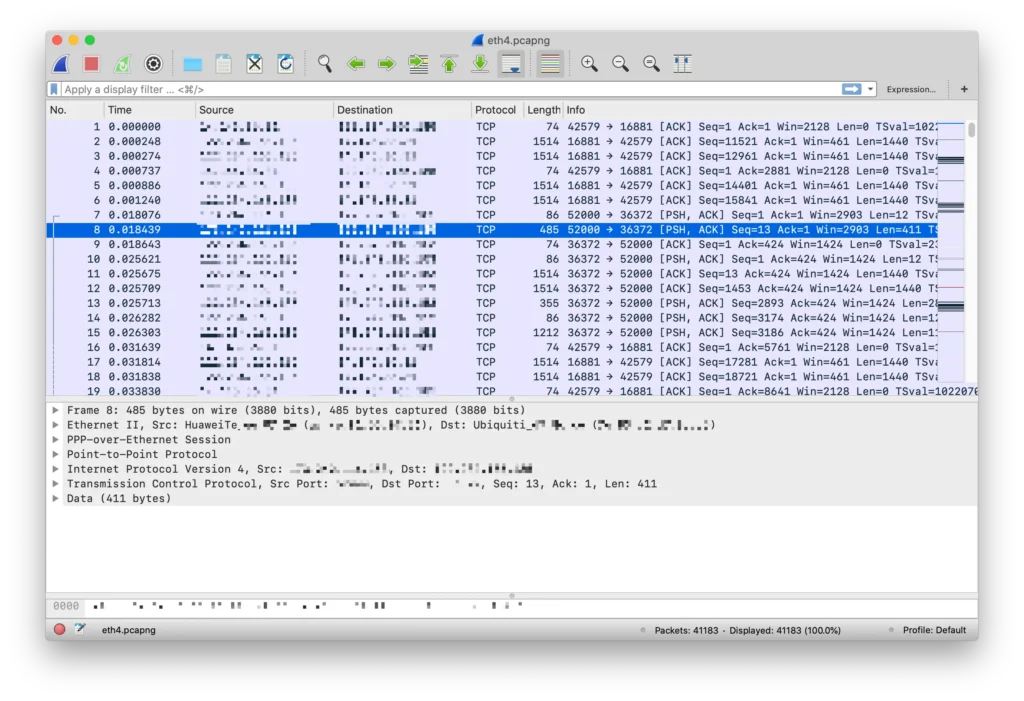
UniFi Dream Machine 内置的交换机不支持端口镜像,所以不方便通过镜像的形式抓包。但是 UDM 中自带 tcpdump 命令,可以通过 tcpdump 工具抓包,一定程度上弥补了不能进行端口镜像的不足:
# tcpdump -npi eth4 -w /mnt/data/eth4.pcapng
tcpdump: listening on eth4, link-type EN10MB (Ethernet), capture size 262144 bytes
^C41183 packets captured
41269 packets received by filter
0 packets dropped by kernel
通过 Wireshark 打开,能正常看到抓包结果:
相关链接:
通过 ps 命令列出 UDM 运行的所有进程,可以看到 UniFi 基于不少开源软件来实现其功能。例如通过 syslogd 实现日志记录;使用 node 和 nginx 实现 web 服务;使用 https://www.avahi.org 实现 mDNS/Bonjour 协议;使用 Suricata 实现 IPS/IDS;通过 FreeRADIUS 实现 RADIUS 服务器;通过 Dnsmasq 实现 DNS/DHCP 等功能;通过 MiniUPnP 实现 UPnP 服务…… 希望后续能通过配置文件等方式,使用户对这些软件进行更高级的设置。
另外看到了 ubnt-ble-http-transport,应该是通过蓝牙 BLE 来传输数据用的,以及 ubnt-fan-speed 用来控制风扇速度。
# ps
PID   USER     COMMAND
    1 root     init
  (此处省略前面的基础进程)
  270 root     /sbin/syslogd -n -s 5120 -b 3 -O /mnt/data/log/messages
  273 root     /sbin/klogd -n
  295 root     {S04ubnt-fan-spe} /bin/sh /etc/init.d/S04ubnt-fan-speed start
  296 root     /usr/sbin/ubnt-fan-speed
  300 root     watchdog -t 5 /dev/watchdog
  308 root     /usr/sbin/haveged -w 1024 -r 0
  340 dbus     dbus-daemon --system
  368 root     [kworker/2:2]
  544 root     [kworker/u9:0]
  545 root     [hci0]
  546 root     [hci0]
  547 root     hciattach -s 115200 /dev/ttyS1 bcsp 115200
  548 root     [kworker/u9:1]
  671 root     ubnt-systemhub
  672 root     logger -t ubnt-systemhub
 1501 root     /usr/bin/node /usr/share/unifi-management-portal/app/be/ump.js
 1502 root     logger -t UMP
 1560 root     /usr/bin/ubios-udapi-server -c /config/ubios-udapi-server/ubios-udapi-server.state
 1561 root     {S45ubios-udapi-} /bin/sh /etc/init.d/S45ubios-udapi-server start
 1566 root     nginx: master process /usr/sbin/nginx
 1567 www-data nginx: worker process
 1568 www-data nginx: worker process
 1569 www-data nginx: worker process
 1570 www-data nginx: worker process
 1578 root     /usr/bin/udapi-bridge --watchdog --rest-api-port 1080 --rest-api-interface lo
 1648 root     {exe} /usr/bin/udapi-bridge --watchdog --rest-api-port 1080 --rest-api-interface lo
 1689 root     {S95unifi} /bin/sh /etc/init.d/S95unifi start
 1794 root     sudo -u unifi /usr/lib/jvm/java-8-openjdk-arm64/bin/java -Djava.awt.headless=true -Dfile.encoding=UTF-8 -Xmx768M -Xss256K -XX:
 1797 unifi    /usr/lib/jvm/java-8-openjdk-arm64/bin/java -Djava.awt.headless=true -Dfile.encoding=UTF-8 -Xmx768M -Xss256K -XX:MinHeapFreeRat
 1951 root     /usr/sbin/pppd call ppp0 nodetach
 2195 root     [dns_thread]
 2248 root     /usr/sbin/dpi-flow-stats
 2374 root     /usr/sbin/crond -f -c /etc/crontabs
 2381 avahi    avahi-daemon: running [UDM.localdomain]
 2382 root     /usr/sbin/ntpd -n -p 0.ubnt.pool.ntp.org -p 1.ubnt.pool.ntp.org -p 2.ubnt.pool.ntp.org -p 3.ubnt.pool.ntp.org
 2383 root     /usr/sbin/radiusd -f
 2384 root     /usr/sbin/dropbear -R -F -b /etc/issue -p 22 -P
 2487 root     /usr/sbin/minissdpd -s /run/minissdpd.sock -p /run/minissdpd.pid -F -i br0
 2488 root     /usr/sbin/miniupnpd -f /run/miniupnpd.conf -F
 2489 root     /sbin/utmdaemon -C 1 -s 1 -o 1
 2565 root     /usr/sbin/odhcp6c -e -v -s /usr/share/ubios-udapi-server/ubios-odhcp6c-script -P 60 ppp0
 2567 nobody   /usr/sbin/dnsmasq --conf-dir=/run/dnsmasq.conf.d/
 2568 root     /usr/libexec/ipsec/starter --daemon charon --nofork
 2570 root     /usr/sbin/dnsmasq --conf-dir=/run/dnsmasq.conf.d/
 2587 root     /usr/libexec/ipsec/charon --debug-ike 2 --debug-knl 2 --debug-cfg 2 --debug-net 2
 2752 root     /usr/sbin/xl2tpd -D -l -c  /run/xl2tpd/xl2tpd.conf
 2801 root     {Suricata-Main} /sbin/suricata --pcap --pidfile /run/suricata.pid -c /usr/share/ubios-udapi-server/ips/config/suricata_ubios_h
 2829 unifi    bin/mongod --dbpath /usr/lib/unifi/data/db --port 27117 --unixSocketPrefix /usr/lib/unifi/run --logappend --logpath /usr/lib/u
 2972 root     {S95unifi} /bin/sh /etc/init.d/S95unifi start
 2990 root     /sbin/getty -L console 0 vt100
 2991 root     /usr/bin/reset-handler
 3006 root     /usr/bin/mcad
 3007 root     /usr/bin/mca-monitor
 3012 root     /bin/stamgr -i 1 -c 30 -K
 3014 root     /usr/bin/mesh-monitor -i ra1
 3016 root     /usr/bin/mesh-monitor -i rai1
 3018 root     /sbin/wevent
 3025 root     /sbin/stahtd
 3032 root     /usr/sbin/hostapd /etc/aaa1.cfg
 3037 root     /usr/sbin/hostapd /etc/aaa2.cfg
 3038 root     /usr/sbin/hostapd /etc/aaa3.cfg
 3039 root     /usr/sbin/hostapd /etc/aaa4.cfg
 3071 root     [RtmpCmdQTask]
 3072 root     [RtmpWscTask]
 3073 root     [HwCtrlTask]
 3074 root     [ser_task]
 3078 root     [RtmpMlmeTask]
 3081 root     [RtmpCmdQTask]
 3082 root     [RtmpWscTask]
 3083 root     [RtmpMlmeTask]
 3406 root     /usr/bin/ubnt-ble-http-transport --adapter hci0 --service-uuid xxxxx --advertise-name UDM --adv
 4703 root     /usr/sbin/dropbear -R -F -b /etc/issue -p 22 -P
 4795 root     -sh
10278 root     /usr/bin/linkcheck
12003 root     /usr/bin/ble-scanner
15449 root     [kworker/u8:1]
16906 root     [kworker/u8:2]
18754 root     [kworker/0:2]
18966 root     [kworker/u8:0]
19893 root     sleep 10
19895 root     sleep 5
19904 root     ps

# /usr/sbin/ubnt-fan-speed --help
^C
前文中提到,UDM 支持智能队列,能够提升网络使用体验。通过 tc 命令,可以看到 UDM 的智能队列是基于 fq_codel 实现的,而不是更新的 Cake。也可以在该命令中看到 fq_codel 的具体参数。
# tc qdisc show dev eth4
qdisc htb 1: root refcnt 5 r2q 10 default 10 direct_packets_stat 0 direct_qlen 1000
qdisc fq_codel 10: parent 1:10 limit 1000p flows 1024 quantum 1514 target 5.0ms interval 100.0ms
查看 /proc/cpuinfo 中的 CPU 信息:
# cat /proc/cpuinfo
processor	: 0
BogoMIPS	: 100.00
Features	: fp asimd evtstrm aes pmull sha1 sha2 crc32
CPU implementer	: 0x41
CPU architecture: 8
CPU variant	: 0x1
CPU part	: 0xd07
CPU revision	: 3

processor	: 1
BogoMIPS	: 100.00
Features	: fp asimd evtstrm aes pmull sha1 sha2 crc32
CPU implementer	: 0x41
CPU architecture: 8
CPU variant	: 0x1
CPU part	: 0xd07
CPU revision	: 3

processor	: 2
BogoMIPS	: 100.00
Features	: fp asimd evtstrm aes pmull sha1 sha2 crc32
CPU implementer	: 0x41
CPU architecture: 8
CPU variant	: 0x1
CPU part	: 0xd07
CPU revision	: 3

processor	: 3
BogoMIPS	: 100.00
Features	: fp asimd evtstrm aes pmull sha1 sha2 crc32
CPU implementer	: 0x41
CPU architecture: 8
CPU variant	: 0x1
CPU part	: 0xd07
CPU revision	: 3
内存为 2GB:
# free -m
             total       used       free     shared    buffers     cached
Mem:          1874       1183        690         41        114        336
-/+ buffers/cache:        732       1141
Swap:         3280         53       3227
文件系统相关信息:
# df -h
Filesystem                Size      Used Available Use% Mounted on
/dev/root               290.0M    290.0M         0 100% /overlay/root_ro
devtmpfs                937.1M         0    937.1M   0% /dev
tmpfs                   937.3M     15.2M    922.1M   2% /overlay/rw
ram-overlay             937.3M     15.2M    922.1M   2% /
tmpfs                   937.3M         0    937.3M   0% /dev/shm
tmpfs                   937.3M    128.0K    937.2M   0% /tmp
tmpfs                   937.3M     26.1M    911.1M   3% /run
/dev/sda6                12.2G    826.0M     10.8G   7% /mnt/data
/dev/sda4               120.0M      1.5M    109.5M   1% /mnt/persistent
cgroup                  937.3M         0    937.3M   0% /sys/fs/cgroup
/dev/sda6                12.2G    826.0M     10.8G   7% /mnt/data/docker
本文主要通过命令行界面,来探索了 UniFi Dream Machine 系统的一些内部信息。如果有其他感兴趣的信息需要查看,欢迎在评论区留言,我会查看后补充在这篇文章中。
如果想要对 UDM 的系统有更多了解,例如 rootfs 目录结构、内部配置文件等,推荐观看如下视频:
如果对 UDM 的硬件感兴趣,可以参考 fccid.io 上的拆机图:
此内容由惯性聚合(RSS阅读器)自动聚合整理,仅供阅读参考。 原文来自 — 版权归原作者所有。