
惯性聚合 高效追踪和阅读你感兴趣的博客、新闻、科技资讯
阅读原文 在惯性聚合中打开

推荐订阅源

M
MIT News - Artificial intelligence
罗磊的独立博客
Hugging Face - Blog
Hugging Face - Blog
Apple Machine Learning Research
Last Week in AI
Last Week in AI
S
SegmentFault 最新的问题
让小产品的独立变现更简单 - ezindie.com
美团技术团队
人人都是产品经理
人人都是产品经理
WordPress大学
WordPress大学
The Cloudflare Blog
IT之家
IT之家
雷峰网
雷峰网
小众软件
小众软件
博客园 - 叶小钗
博客园 - 聂微东
爱范儿
爱范儿
博客园 - 司徒正美
博客园 - 三生石上(FineUI控件)
V
Visual Studio Blog
博客园 - 【当耐特】
V
V2EX
博客园_首页
T
Tailwind CSS Blog

Crazyrouter Blog (English)

Ideogram AI Guide 2026: Product Mockups, Text Rendering, and API Automation Akool AI Voice Generator Review 2026: API Alternatives for Developers GLM 4.6 API Guide 2026: Build Chinese-English Agents with Tool Calling Google Veo3 API Guide 2026: Batch Video Generation, QA, and Fallbacks AI Lip Sync Tools Comparison 2026: Developer Guide for Localization Pipelines Claude Opus 4.8 vs Opus 4.7: Real API Benchmark Results for Developers Opus 4.8 vs Opus 4.7 Coding Test: What Changed for Developers? Opus 4.8 vs Opus 4.7 for Agents: JSON, Tool Use, and Structured Output Gemini 2.5 Flash-Lite for RAG, Agent Routing, and Cost per Successful Task Gemini 2.5 Flash-Lite for Support Automation and Ticket Triage Gemini 2.5 Flash-Lite Use Cases: The Practical Automation Tier for Developers Claude Jupiter v1-p vs GPT-5.5 Benchmark: Real API Test on Reasoning and Coding Claude Jupiter v1-p vs Claude Opus 4.7 vs Sonnet 4.6: Live API Test Claude Jupiter v1-p vs Claude Opus 4.7 vs Sonnet 4.6: Live API Test Claude Code Pricing 2026: Pro vs Max vs Team vs API Costs Claude Opus 4.7 vs DeepSeek V4 Pro: Real API Compatibility and Coding Benchmark Gemini CLI Complete Guide 2026: Repo Automation, CI Agents, and Multi-Model Routing Ideogram AI Guide 2026: Brand Design Automation, API Workflows, and Alternatives GLM 4.6 API Guide 2026: Agents, RAG, Tool Calling, and Bilingual Apps WAN 2.2 Animate Tutorial 2026: Character Consistency, Shot Control, and API Workflows Google Veo3 API Guide 2026: Production Video Pipelines, Prompts, Pricing, and Fallbacks AI API Pricing Comparison 2026: Text, Image, Video, Caching, and Router Costs Codex CLI Installation Guide 2026: Windows, macOS, Linux, Proxies, and CI Setup How to Get a Claude API Key in 2026: Secure Setup for Teams, CI, and Alternatives Gemini Advanced Review 2026: Is It Worth It for Coding, Research, and API Teams? Claude Code Pricing Guide 2026: Team Agent Budgets, API Fallbacks, and Cost Control Seedance 2.0 Pricing: Convert 46 CNY per Million Tokens to Cost per Second Qwen2.5-Omni Guide 2026: Real-Time Voice, Vision, and Multimodal Agents Kimi K2 Thinking Guide 2026: Reasoning Workflows, Evals, and Cost Control Google Veo3 API Guide 2026: Batch Video Pipelines, Pricing, and Fallbacks
Hermes Agent + Crazyrouter: One-Click Setup for 627+ AI M...
Crazyrouter Team · 2026-05-05 · via Crazyrouter Blog (English)

What is Hermes Agent?#

Hermes Agent is an open-source AI coding assistant that runs in your terminal. Think of it as a local, privacy-friendly alternative to cloud-based coding copilots — it connects to any OpenAI-compatible API and gives you an interactive chat or autonomous coding workflow right from the command line.

The problem? You still need an inference provider. That's where Crazyrouter comes in.
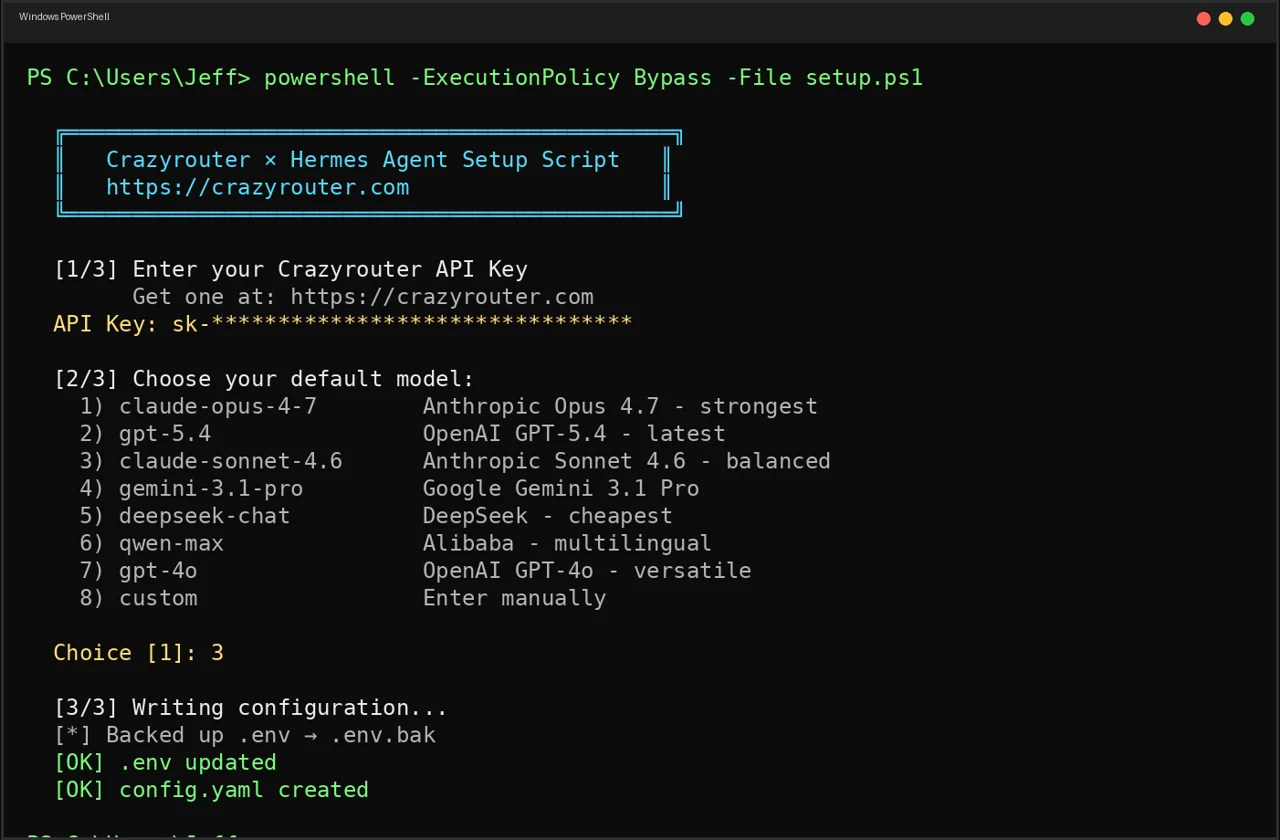
PowerShell setup flow for Hermes Agent with Crazyrouter API key entry and model selection

Why Crazyrouter + Hermes?#

Instead of juggling multiple API keys and endpoints for different model providers, Crazyrouter gives you:

  • One API key for 627+ models (OpenAI, Anthropic, Google, DeepSeek, Qwen, Meta, and more)
  • One endpoint — fully OpenAI-compatible: https://crazyrouter.com/v1
  • Pay-as-you-go — no subscriptions, no minimums
  • Switch models instantly — no config changes needed

Hermes Agent speaks the OpenAI protocol natively, so the integration is seamless.

Quick Start#

Linux / macOS / WSL2#

Windows (PowerShell)#

Windows (CMD)#

The script will:

  1. Check that Hermes Agent is installed
  2. Ask for your Crazyrouter API key
  3. Let you pick a default model
  4. Write the config to ~/.hermes/
  5. Optionally test the connection

That's it. The whole process takes about 30 seconds.

What the Setup Does Under the Hood#

The script writes two files in ~/.hermes/:

.env — stores your credentials:

config.yaml — sets the default model:

Existing configs are backed up automatically (.env.bak, config.yaml.bak).
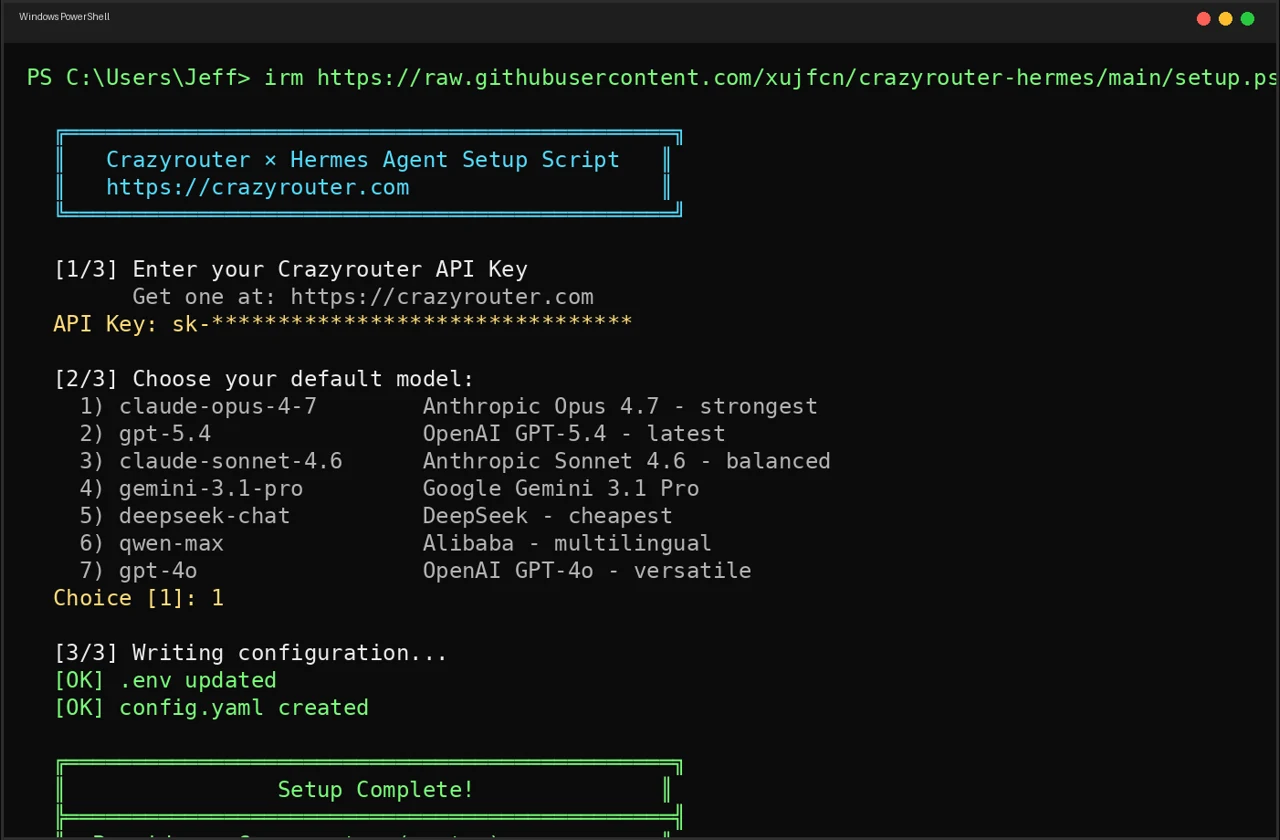
Completed PowerShell setup screen showing Hermes Agent connected to Crazyrouter

Available Models#

During setup you can choose from popular defaults:

#ModelBest For
1claude-opus-4-7Complex reasoning, coding
2gpt-5.4General tasks, fast
3claude-sonnet-4.6Balanced speed & quality
4gemini-3.1-proMultimodal, long context
5deepseek-chatBudget-friendly reasoning
6qwen-maxChinese + English
7gpt-4oMultimodal

Or enter any model name from the full catalog — all 627+ are available.

Switching Models After Setup#

Once configured, switch models anytime:

Or just edit ~/.hermes/config.yaml and change the default field. No restart needed.

Prerequisites#

  • Hermes Agent installed
  • A Crazyrouter API key — get one free (includes starter credit)
  • curl (Linux/macOS) or PowerShell 5+ (Windows)

Troubleshooting#

"Hermes Agent not found" — Install Hermes first:

Connection test fails — Double-check your API key at crazyrouter.com/dashboard. Make sure you have credit on your account.

Want to reset? — Run the setup script again. It backs up your old config and writes fresh files.

Source Code#

The setup scripts are fully open-source (MIT):

👉 github.com/xujfcn/crazyrouter-hermes

Supports Linux, macOS, WSL2, Windows PowerShell, and Windows CMD.

Get Started#

  1. Get your API key at crazyrouter.com
  2. Run the one-liner for your platform
  3. Start coding with hermes

One key. 627+ models. Zero friction.