








If you are evaluating AI image generation for a product, the fastest way to make a good decision is not to read another generic comparison table. It is to test the same prompt across multiple models, with one API key, and compare the output side by side.
That is exactly what image.crazyrouter.com is for.
You can use it to compare GPT Image, FLUX, Imagen, Qwen Image, and other supported workflows without wiring a separate integration for every provider. That cuts setup time, makes benchmarking fairer, and helps you choose the model that actually fits your use case.
Most teams hit the same problems:
A unified playground fixes that by giving you one prompt, one key, and one place to compare results.
The playground is designed as a developer test bench, not just a consumer toy.
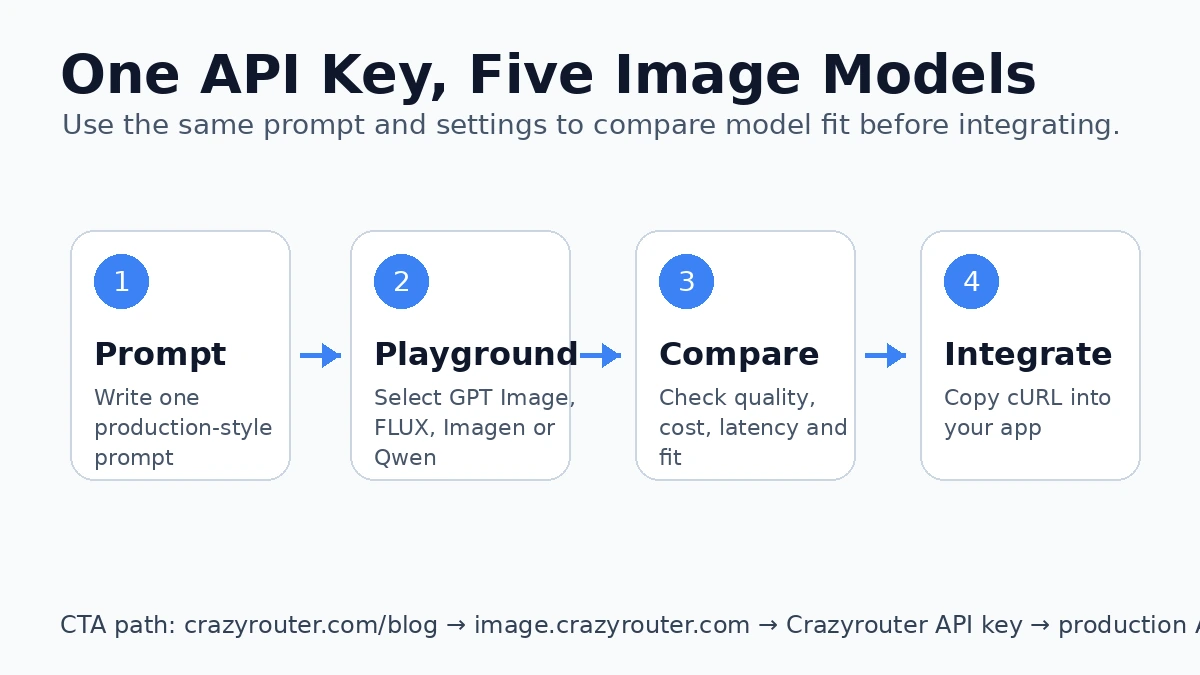
That is enough to decide whether a model belongs in your stack.
Use the same prompt across every model. Do not change wording between tests.
Use a checklist, not vibes.
| Metric | What to watch |
|---|---|
| Prompt adherence | Did the model actually follow the request? |
| Text rendering | Are labels and words readable? |
| Visual quality | Does the output look production-ready? |
| Consistency | Are repeated generations stable? |
| Cost | Is the result worth the spend? |
| Workflow fit | Is it better for product images, posters, or portraits? |
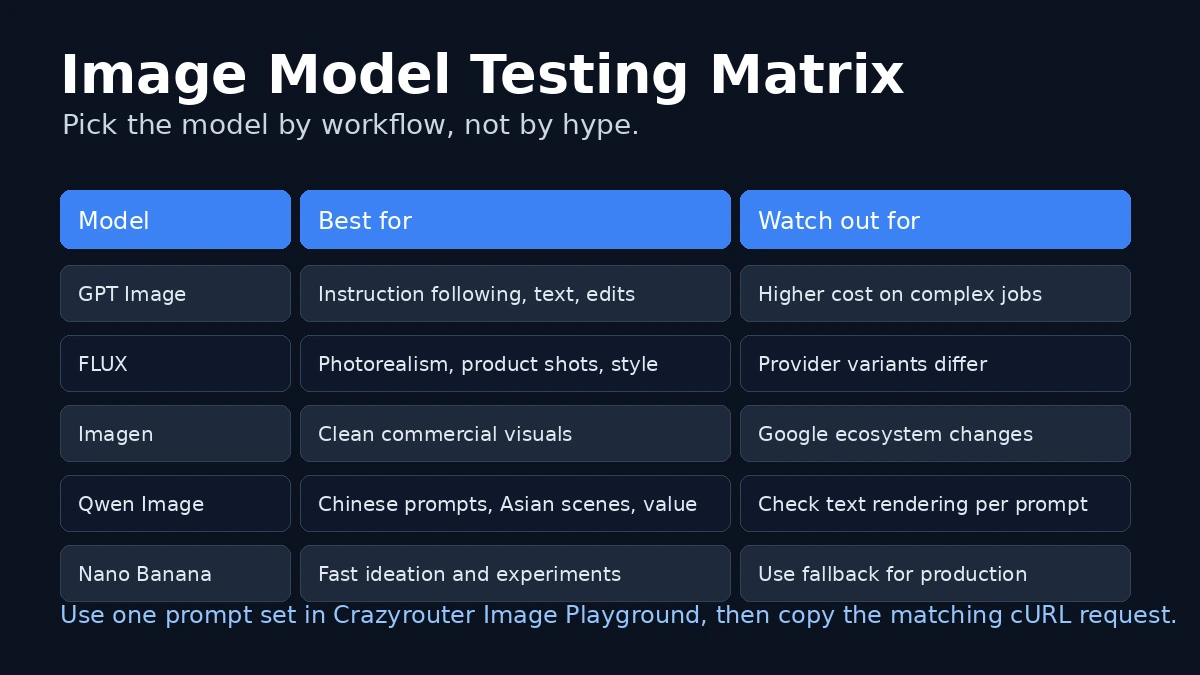
| Model | Best use case | Watch out for |
|---|---|---|
| GPT Image | Instruction-heavy prompts, edits, text-in-image tasks | Can be pricier in complex workflows |
| FLUX | Photorealistic product shots and stylish imagery | Provider variants can differ |
| Imagen | Clean commercial visuals | Check current model availability |
| Qwen Image | Asian scenes, Chinese prompts, value-focused testing | Verify text rendering on your prompt |
| Nano Banana | Fast ideation and broad experiments | Use fallback models in production |
Once you know the model you want, the same playground workflow maps cleanly to code.
A comparison post can tell you what might be good.
A playground lets you verify what is actually good for your prompt.
That matters because image models behave differently across product shots, posters, portraits, and text-heavy scenes. One prompt can completely change the ranking.
Yes. That is the point of the unified playground workflow.
No. The playground stores your key in the browser only.
Primarily developers and product teams, because the output is API-ready.
Yes. You should compare both before production rollout.
Move the same prompt into your app using the cURL or SDK example, then monitor cost and output quality in real usage.
If you are still deciding between GPT Image, FLUX, Imagen, and Qwen Image, do not guess. Test the same prompt in image.crazyrouter.com, compare the output, then keep the model that wins for your actual workflow.
Start here: image.crazyrouter.com
此内容由惯性聚合(RSS阅读器)自动聚合整理,仅供阅读参考。 原文来自 — 版权归原作者所有。