




惯性聚合 高效追踪和阅读你感兴趣的博客、新闻、科技资讯
阅读原文 在惯性聚合中打开

推荐订阅源

P
Privacy International News Feed
cs.AI updates on arXiv.org
W
WeLiveSecurity
www.infosecurity-magazine.com
Google DeepMind News
Hacker News - Newest:
Hacker News - Newest: "LLM"
Google Online Security Blog
N
News and Events Feed by Topic
TaoSecurity Blog
TaoSecurity Blog
云风的 BLOG
云风的 BLOG
Exploit-DB.com RSS Feed
Recent Announcements
Threat Intelligence Blog | Flashpoint
L
LangChain Blog
The GitHub Blog
The GitHub Blog
aimingoo的专栏
aimingoo的专栏
Scott Helme
Scott Helme
腾讯CDC
T
Threat Research - Cisco Blogs
P
Palo Alto Networks Blog
Cloudbric
Cloudbric
K
Kaspersky official blog
B
Blog RSS Feed
博客园_首页
MongoDB | Blog
MongoDB | Blog
Stack Overflow Blog
Stack Overflow Blog
G
Google Developers Blog
Jina AI
Jina AI
Hugging Face - Blog
Hugging Face - Blog
Vercel News
Vercel News
The Last Watchdog
The Last Watchdog
S
Schneier on Security
T
Tor Project blog
雷峰网
雷峰网
博客园 - 司徒正美
H
Hacker News: Front Page
I
Intezer
K
KPMG report finds enterprise disconnect between AI and its ROI | CIO
Martin Fowler
Martin Fowler
Y
Y Combinator Blog
T
The Blog of Author Tim Ferriss
Help Net Security
Help Net Security
WordPress大学
WordPress大学
T
The Exploit Database - CXSecurity.com
H
Hackread – Cybersecurity News, Data Breaches, AI and More
量子位
V
Vulnerabilities – Threatpost
Forbes - Security
Forbes - Security
Google DeepMind News
T
Threatpost

地球人

Charged App - 使用说明和隐私权政策 kas 使用说明 kas 用户协议 groupultra telegram-search 部署教程 CSUBOT 机器人程序部署说明书 CSUBOT 机器人使用说明书 Windows 设备开启 BBR 拥塞控制算法 2026年最新:Apple iOS 上免费的代理客户端 如何在 Linux 设备上安装 Manticore Search (2025年3月)Linux 编译安装 PostgreSQL 17.4 MariaDB服务器报错unauthenticated?可能是MySQL-connector-python的问题 Raspberry Pi OS 全球软件源镜像站点列表 如何在树莓派上安装 Raspberry Pi OS(2025年) 怎样删除 Archive.today 上已经存档的网页? 我测试了全部的中国AI应用 hexo-submit-urls-to-search-engine 插件说明文档 查找iOS应用可通过哪些地区的Apple App Store下载的方法 东亚地区国际客运轮渡航线地图 TikTok 和 RedNote 的区别 跨境转账汇款-电汇费用分析 低成本保号香港电话卡 ClubSIM ( 支持 VoWiFi ) 解决 MX Player 报错: this audio format eac3 is not supported 使用 Kiwix 下载并阅读离线维基百科 隐私权政策
CSUBOT 机器人 Discord 版使用说明书
地球人 · 2025-12-01 · via 地球人

CSUBOT 是一个超级管理员机器人。

目前可以通过验证码验证新成员,自动防止群聊中的垃圾机器人。未来会增加更多功能。

这是 Discord 的版本,另外还有更成熟的 Telegram 的版本

您可以点击这里,加入 Discord 服务器,来测试 CSUBOT 机器人的入群审核功能: 加入 CSUBOT 的讨论群组
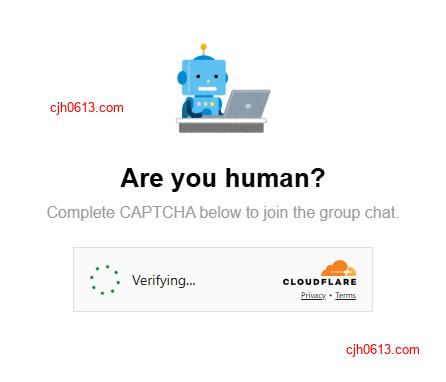
在 CSUBOT 的网页进行人机验证

推荐: 查询本机访问不同网站的公网 IP ,用于检查当前网络环境。

您可以点击这里,来加入 telegram 交流群,测试 CSUBOT Telegram 版机器人的入群审核功能: 加入 CSUBOT 的讨论群组

打开 Telegram 机器人: @CSUBOT

作为用户如何加入群组?

您点击加群(Discord服务器)的邀请链接之后,机器人会私信您一条消息,点击这条消息,然后机器人就会给您发送一个验证码,完成验证之后,您就可以在群组里聊天了。

作为群管理员如何开始使用机器人

使用前提

进行此操作,您需要是以下身份之一:

  • 群主(Owner)
  • 群管理员(Administrator),且拥有足够的权限

操作步骤

首先添加加机器人为群组管理员,然后在服务器的设置中配置身份组

添加机器人为管理员

打开 https://discord.com/oauth2/authorize?client_id=1443890893655642263&permissions=8&integration_type=0&scope=bot+applications.commands ,选择要添加机器人的 Discord 服务器,确认给予权限

配置身份组

把 everyone ,默认的这个身份组的所有权限取消。当然您也可以给予浏览历史记录等不重要的权限

使用其他的账号加入这个服务器,当机器人通过审核之后,会创建一个已验证: verified 的身份组。以后用户通过机器人的验证之后,都会加入这个身份独立,然后您给这个身份组配置合适的权限即可

常见问题

我可以自己部署一个 csubot 吗?

discord 版的 csubot 正在开发中,还不能够开放给大家进行部署。但是您可以尝试部署 telegram 版的, 点击这里查看部署文档: telegram 版 csubot 部署文档

为何会提示,请求我给予 csubot 个人数据?

您可能会在我们的网页中看到如下消息:

请求您同意我们将您的个人数据用于以下目的 (Asks for your consent to use your personal data to):

  • 个性化广告和内容,广告和内容效果衡量,受众调研和以及服务开发 (Personalised advertising and content, advertising and content measurement, audience research and services development)
  • 存储和访问设备上的信息 (Store and access information on a device)

为确保能满足欧洲经济区 (EEA)、英国和瑞士法规的要求,我们对上述地区的用户显示这个提示。由 Google, Cloudflare 提供的服务,可能会收集这些数据。

部分美国的州也有类似的法规要求,所以也会显示类似的提示。

致谢

Github, Google, ChatGPT, Cloudflare