









甲骨文的注册与实例申请阶段暂时不表,进入端口开放配置。
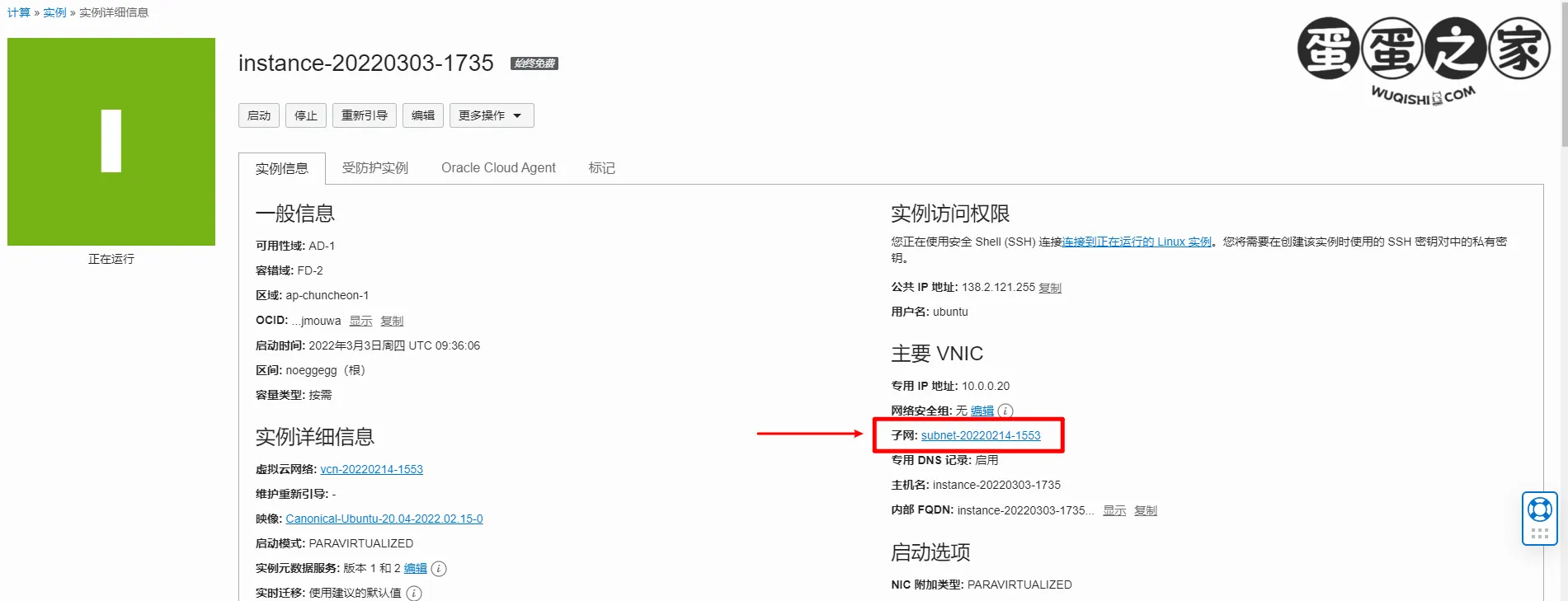
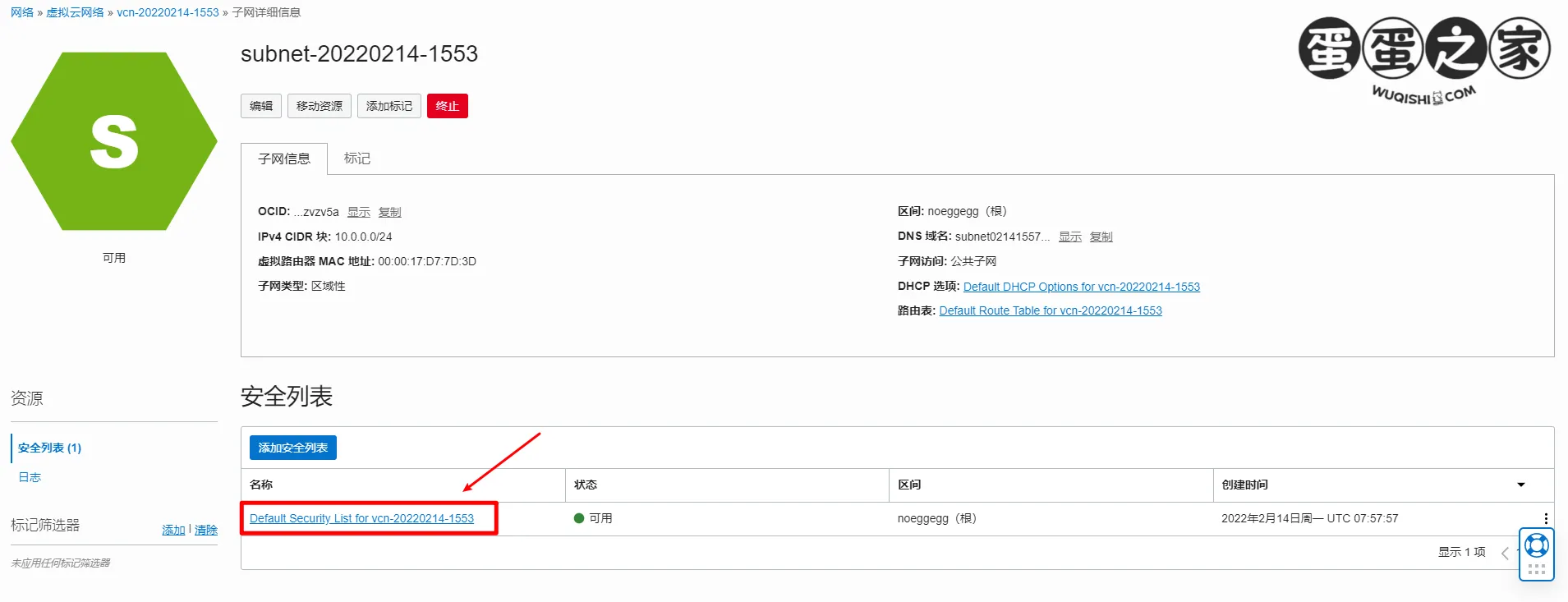
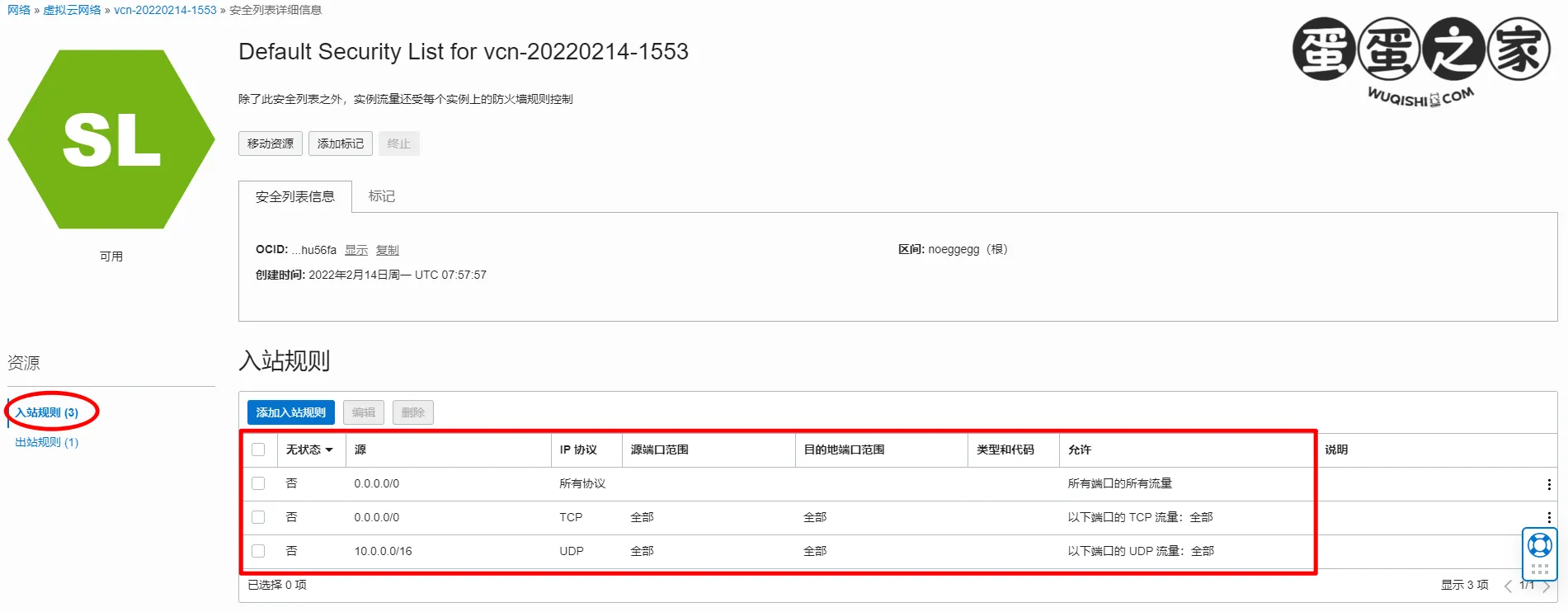
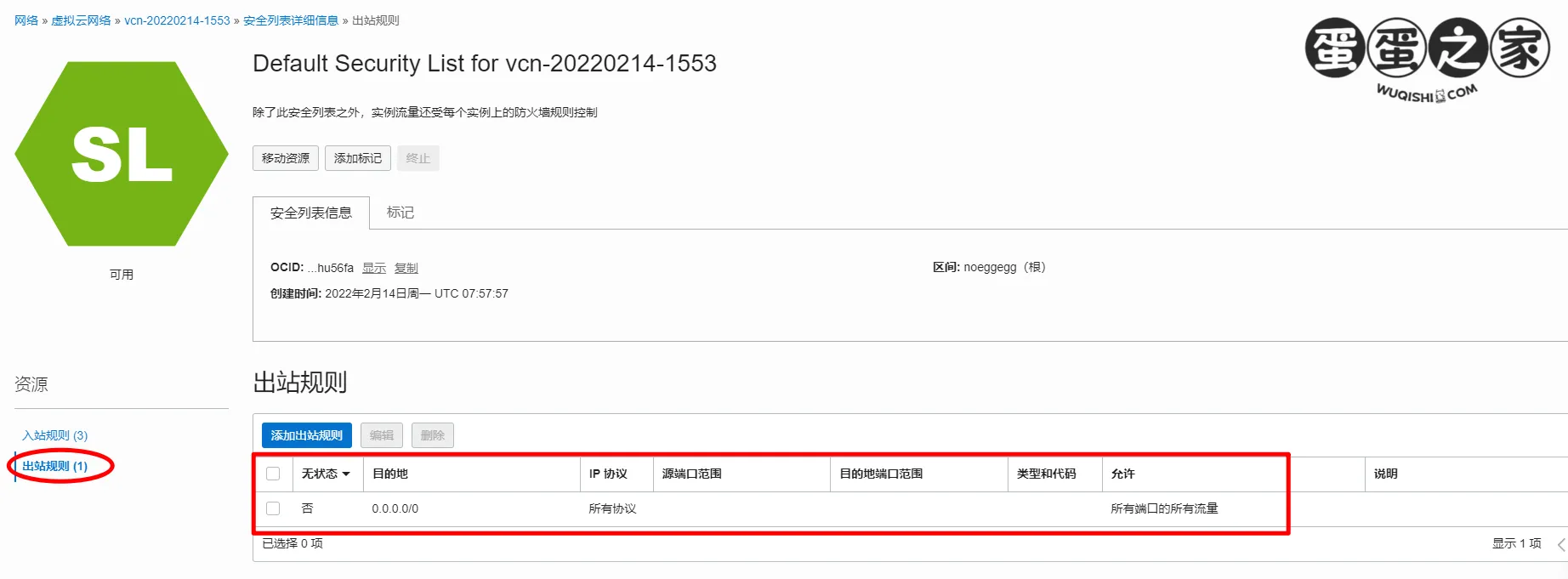
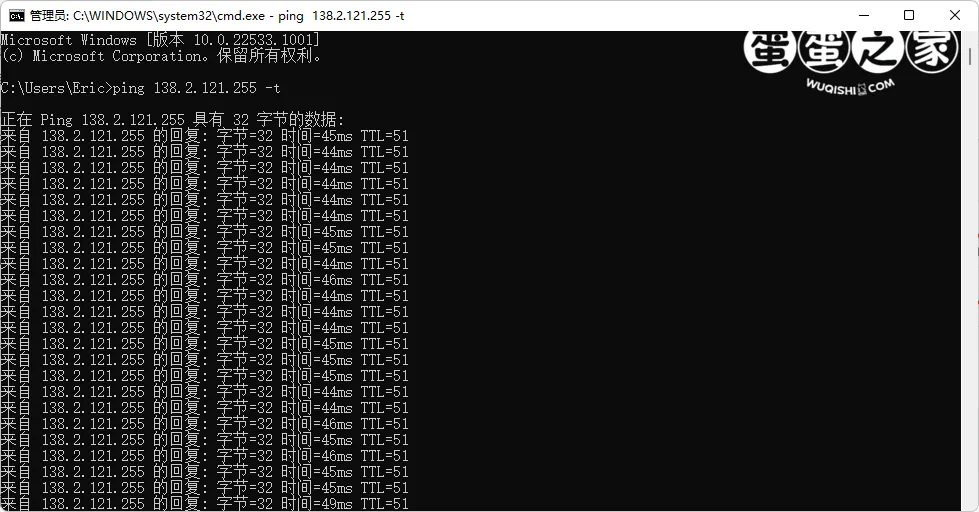
ping 138.2.121.255 -t
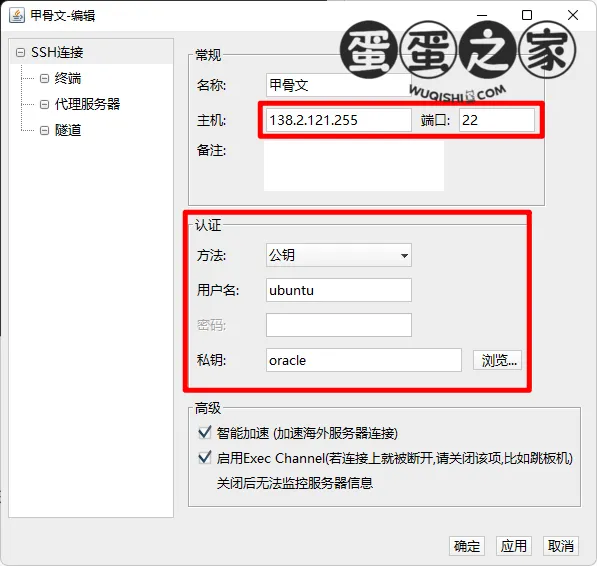
名称随意;主机填写公共 IP 地址,端口默认 22;认证方式选择公钥;用户名 ubuntu;
私钥 - 浏览 - 导入 - 导入私钥,名称自定义,浏览选择私钥 key,私钥密码默认,导入后选择该私钥,最终结果如图:
sudo su
cd /root
vi .ssh/authorized_keys
找到并把 ssh-rsa 之前的文字都删除掉。
nano /etc/ssh/sshd_config
找到 PermitRootLogin, 把前面的井号去掉,并修改为:
PermitRootLogin yes
ctrl+x 保存退出 选择 y 然后回车。
reboot重启服务器。依次输入以下代码:
iptables -P INPUT ACCEPT
iptables -P FORWARD ACCEPT
iptables -P OUTPUT ACCEPT
iptables -F
apt-get purge netfilter-persistent
reboot
可以用一个域名的子域名,解析到该实例上。
使用 root 登陆该实例。
apt update -y
apt install -y curl
apt install -y socat
curl https://get.acme.sh | sh
~/.acme.sh/acme.sh --register-account -m [email protected]
[email protected] 更换为真实邮箱成功率更高。
~/.acme.sh/acme.sh --issue -d xxxx.xxxx.xxx --standalone
xxxx.xxxx.xxx 更换为你的解析域名。
~/.acme.sh/acme.sh --installcert -d xxxx.xxxx.xxx --key-file /root/private.key --fullchain-file /root/cert.crt
此步完成后会在 VPS root 目录下看到证书公钥 /root/cert.crt 及 密钥文件 /root/private.key
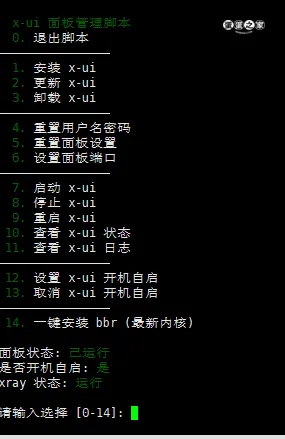
bash <(curl -Ls https://raw.githubusercontent.com/vaxilu/x-ui/master/install.sh)
私钥路径:/root/private.key
公钥路径:/root/cert.crt
echo "net.core.default_qdisc=fq" >> /etc/sysctl.conf
echo "net.ipv4.tcp_congestion_control=bbr" >> /etc/sysctl.conf
sysctl -p
lsmod | grep bbr
看到 20480 或 16384 说明 BBR 开启成功。
此內容由慣性聚合(RSS閱讀器)自動聚合整理,僅供閱讀參考。 原文來自 — 版權歸原作者所有。