


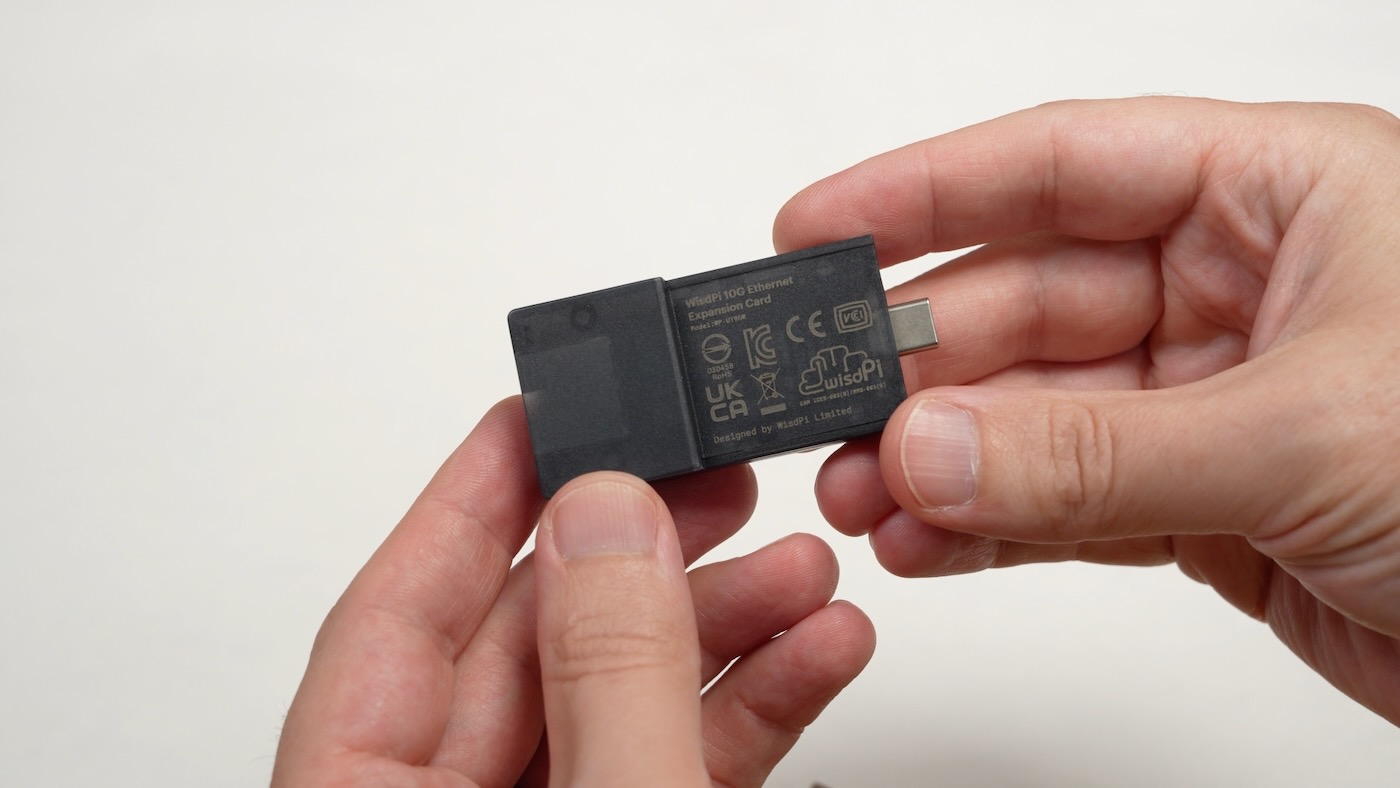
I've been following WisdPi's development of various 5 Gbps and 10 Gbps Ethernet adapters for the past couple years.
They use newer Realtek Ethernet chips, which sometimes have performance quirks—most frequently encountered under Linux.
In today's video, I tested the new WisdPi 10G Ethernet Expansion Card for Framework computers. It fits in any available Framework Expansion slot—even on the Framework Desktop.
But Expansion Cards use USB-C for their connection to the mainboard—and therein lies the rub...
The main problem is USB-C's bandwidth complexity—especially when paired with the Realtek RTL8159 Ethernet controller, which requires USB 3.2 Gen 2x2 (20 Gbps) to get the full rated 10 Gbps speeds.
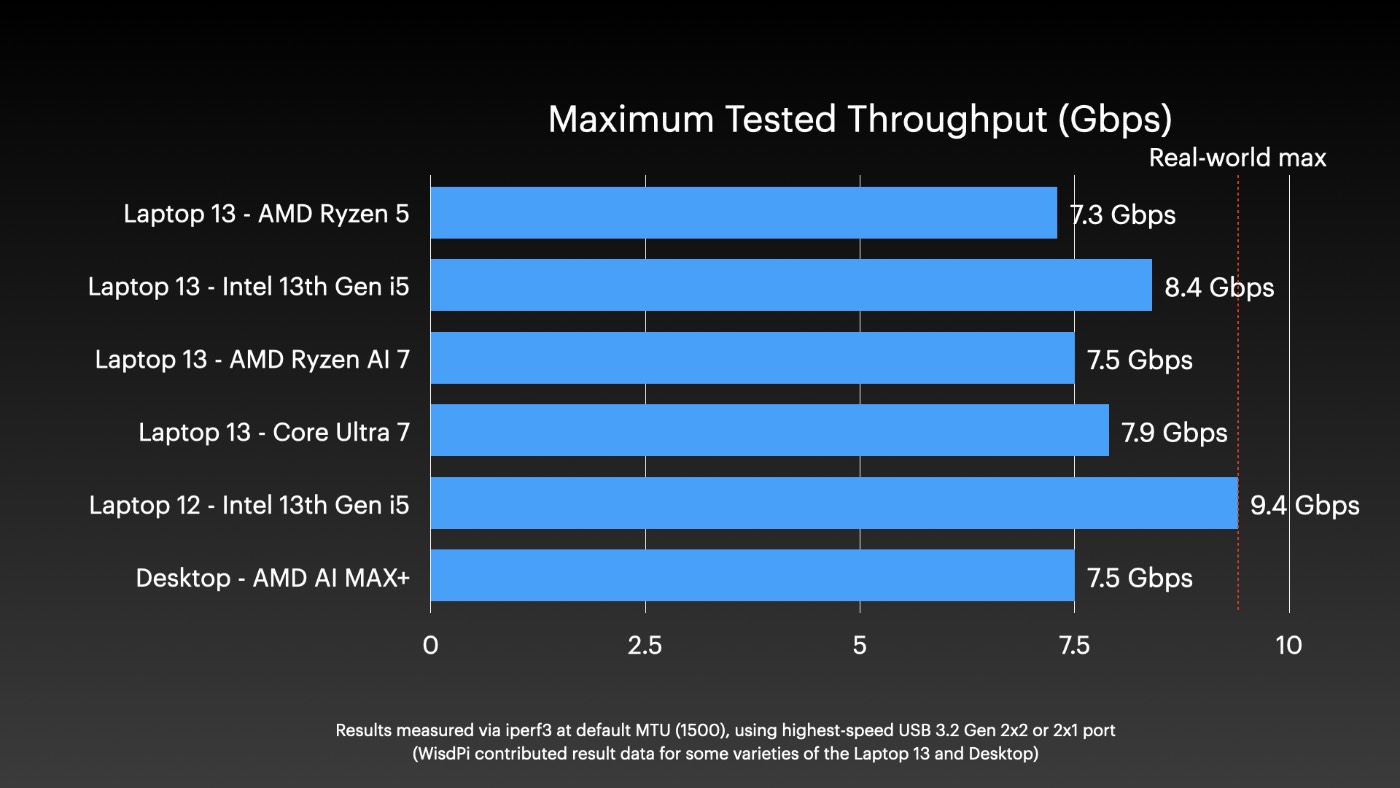
On many Framework laptops, you'll wind up getting considerably less than 10 Gbps (9.4 Gbps real-world max):
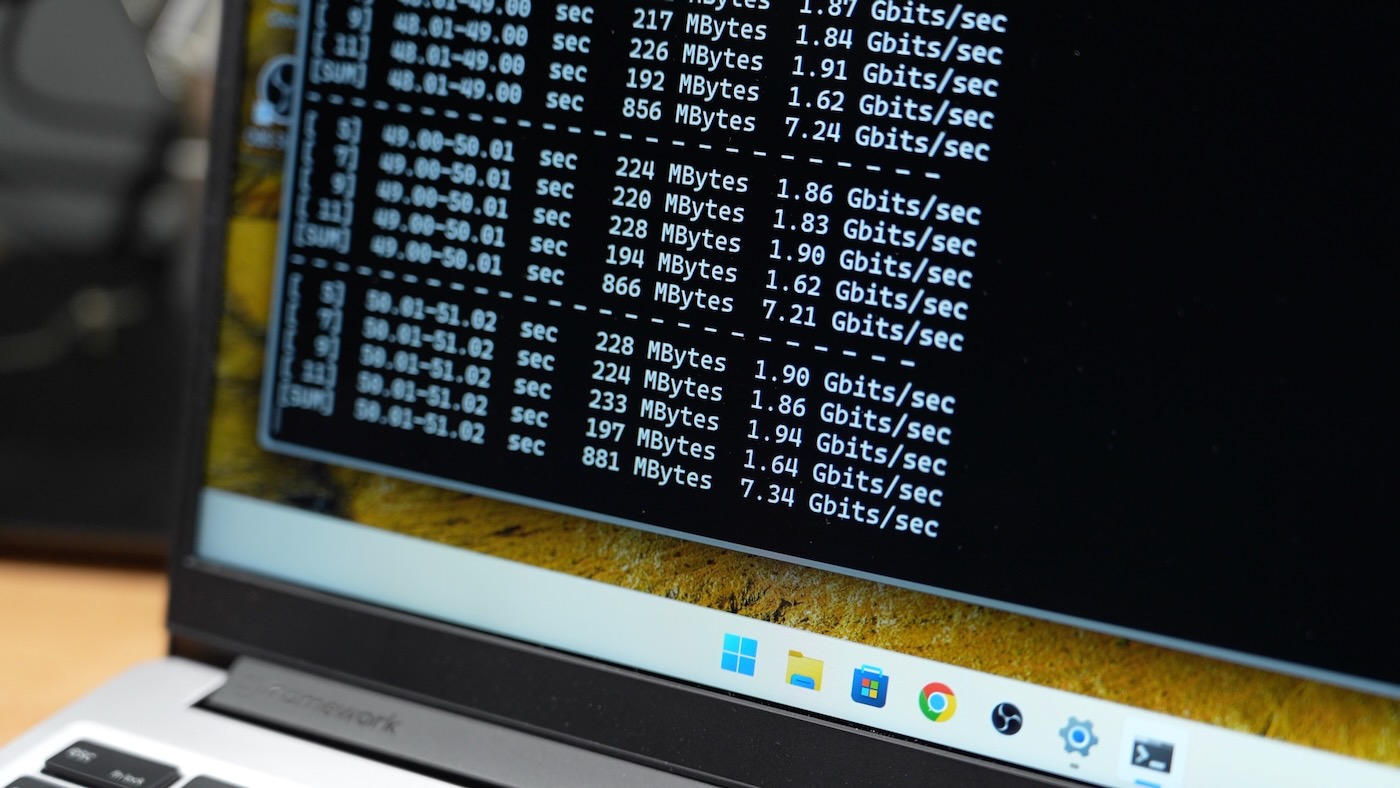
The above image shows the average bandwidth I get on Windows 11 on a Framework 13 with AMD's Ryzen AI 5 340. Linux fares slightly worse on that laptop, but it surprised me because Framework's own port documentation for my laptop says it should support USB 3.2 Gen 2x2—at least on ports 1 and 3!
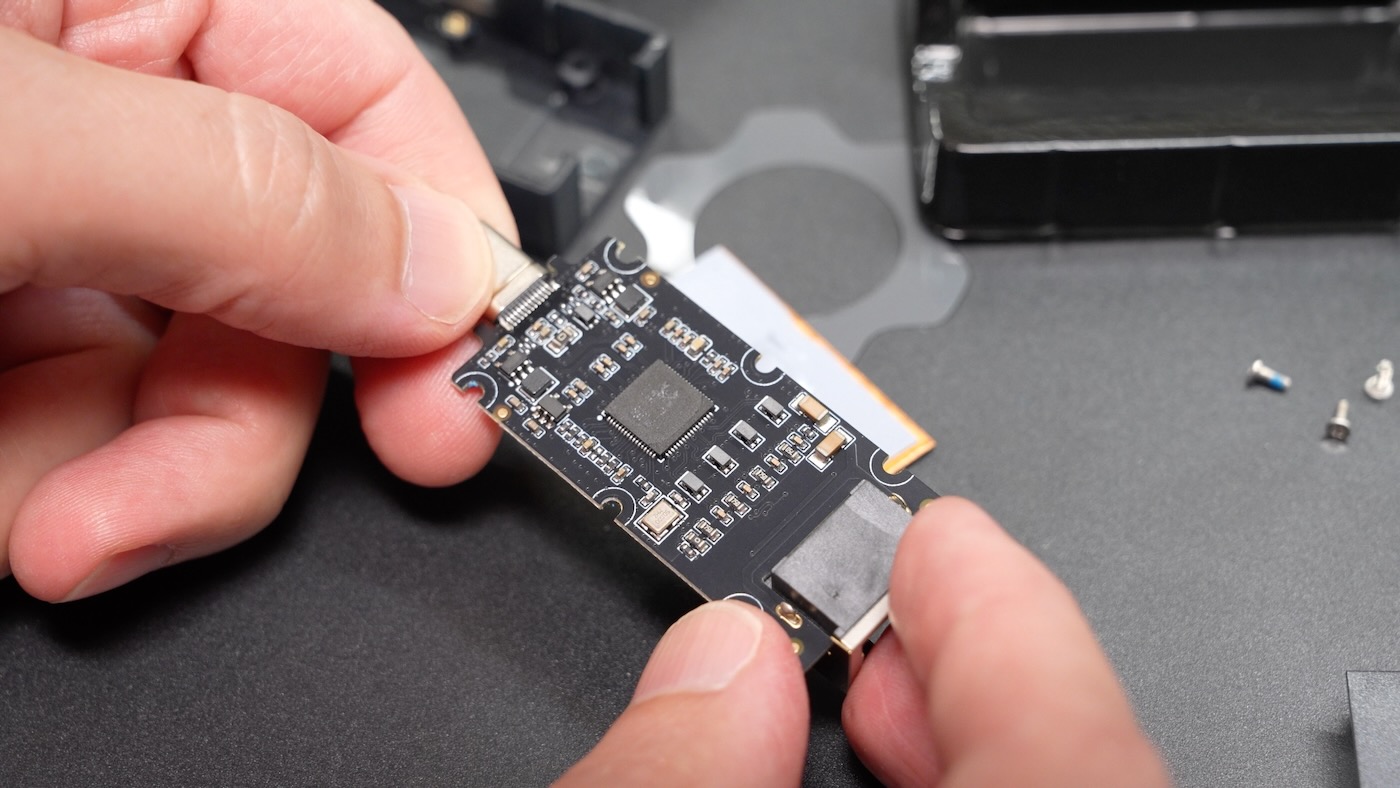
The RTL8159 is bottlenecked on a many USB4 and all USB 3.2 Gen 2x1 connections. Unfortunately, that caps the bandwidth well under 8 Gbps.
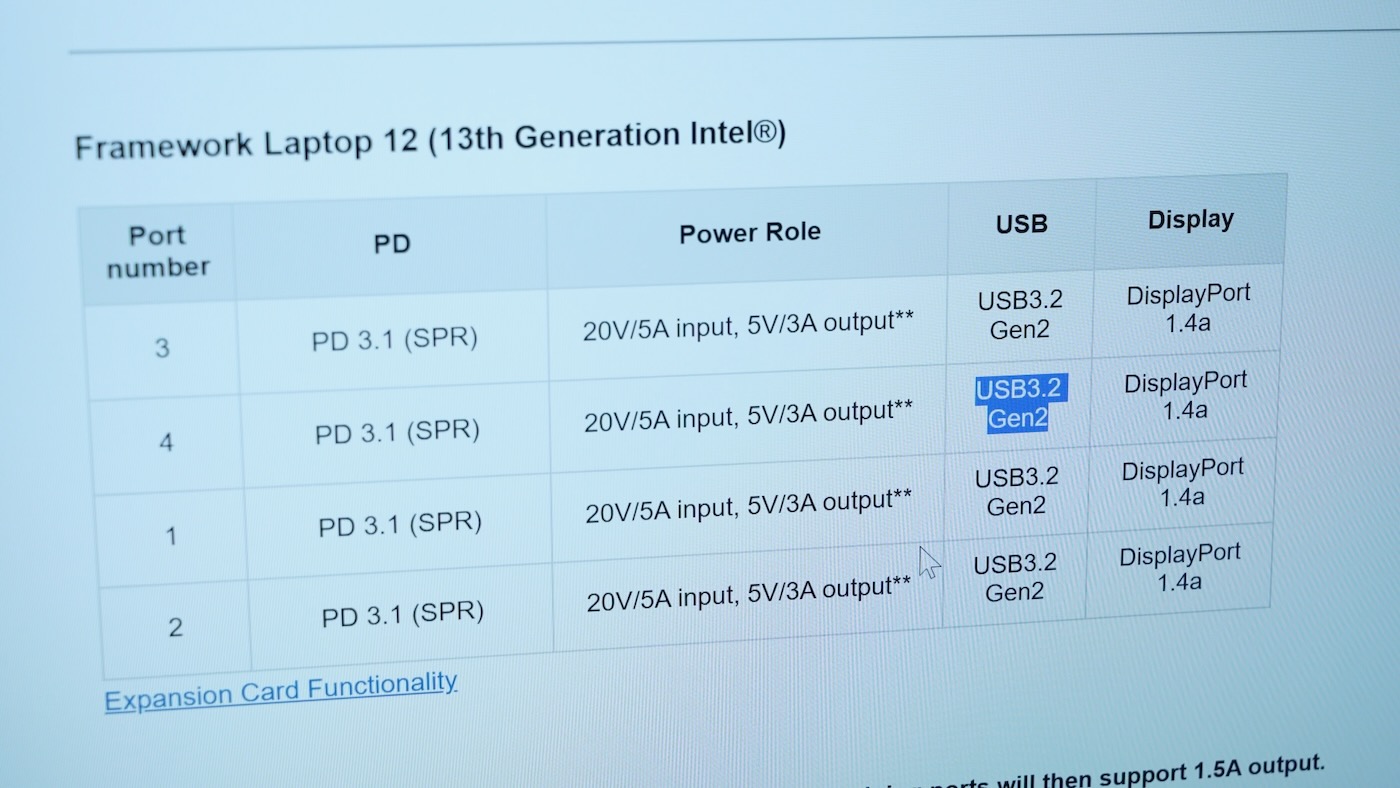
I tested on my Framework 12—with a slower Intel 13th Gen mobile CPU—and I found it does support USB 3.2 Gen 2x2 speeds as documented, and I should get closer to 10 Gbps.
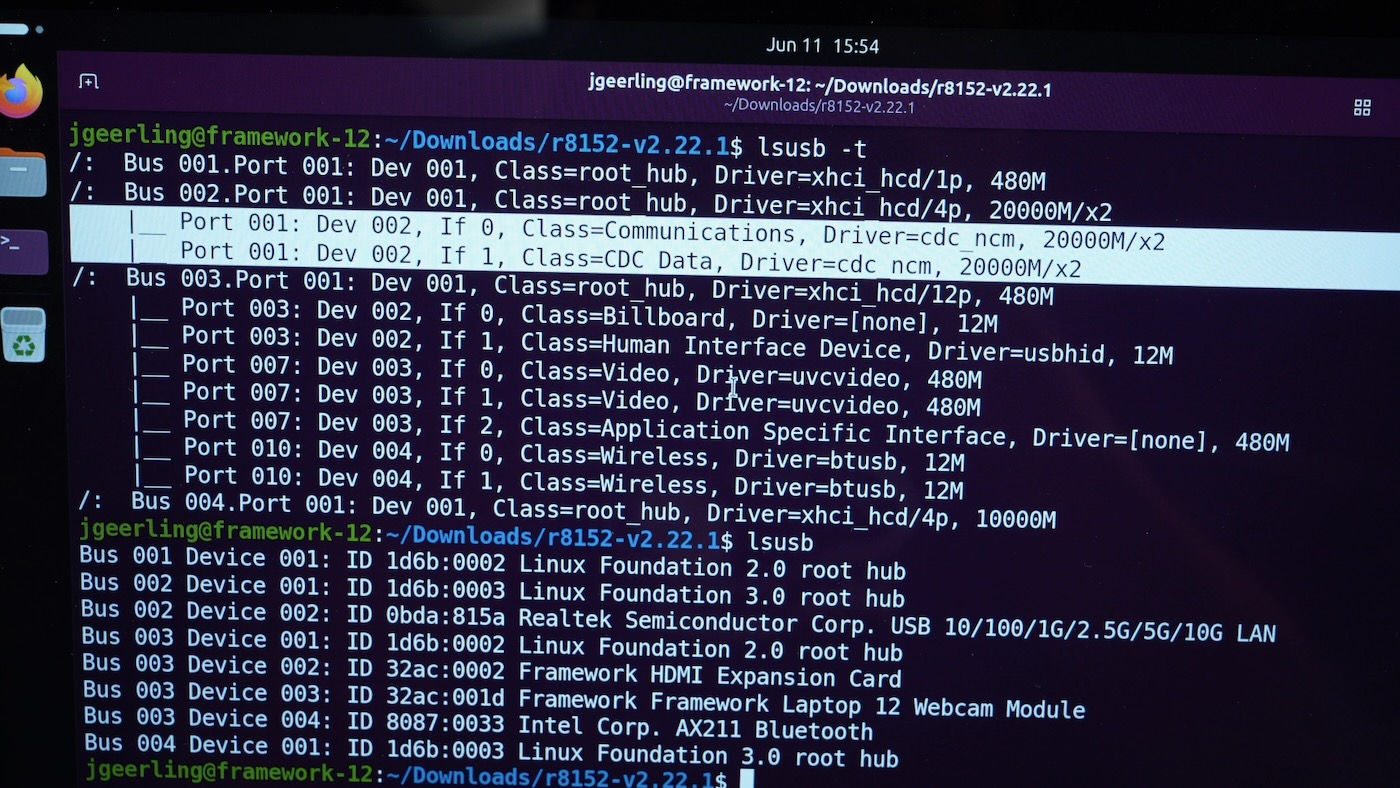
Except—at least in Linux—it didn't. The port showed up as 20000 Mbps (20 Gbps) via lsusb, but iperf3 only got me 7 Gbps. I tried to download and compile the Realtek driver, but it errored out on Ubuntu 26.04, presumably because the Linux kernel in that distro (7.x) is too new.
So I switched to Windows 11, and after confirming the port showed up as Gen 2x2 with USB Tree Viewer, I got the same iperf3 performance as in Linux—at least with the built-in driver.
On Windows, though, the Realtek driver installed without a problem, and I finally got the 9.4+ Gbps I was looking for:
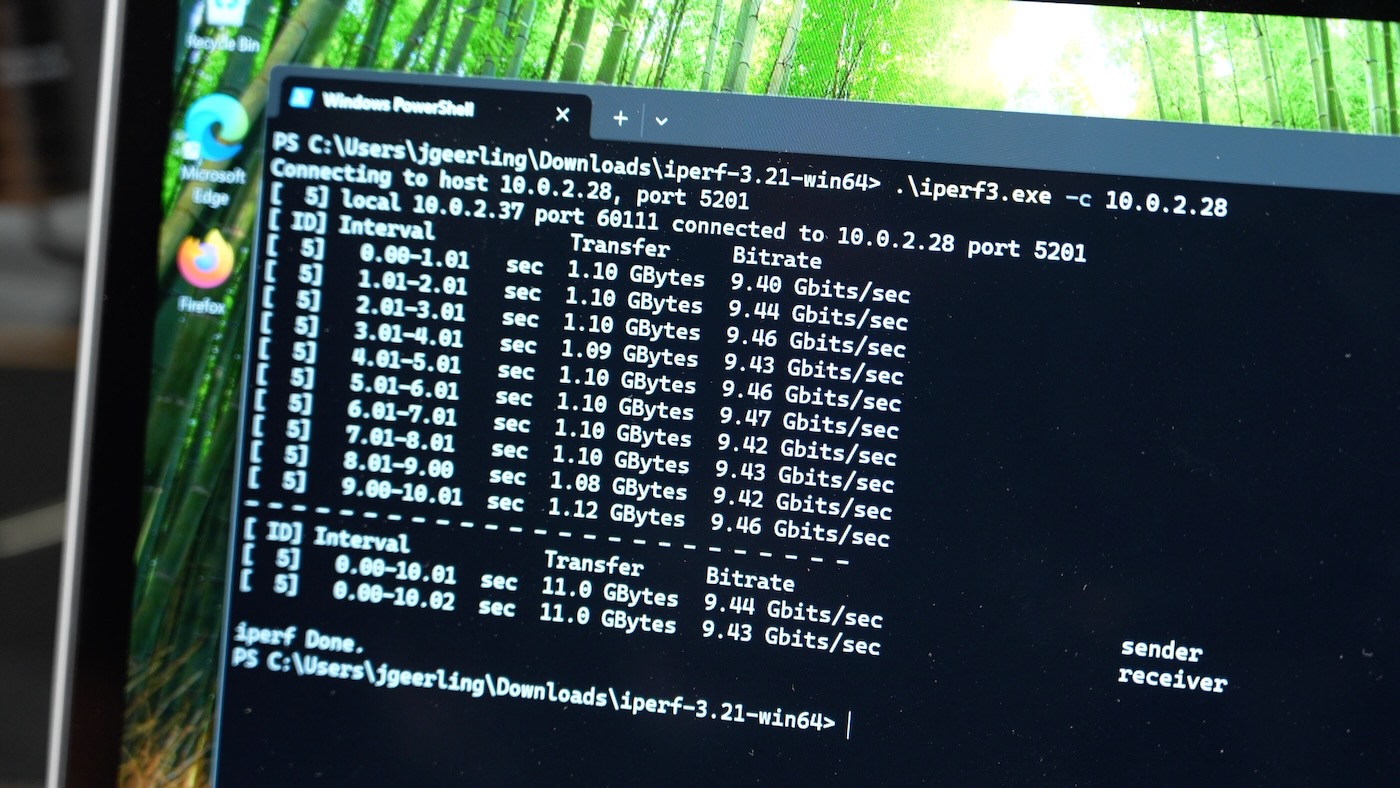
Doing a bidirectional test, I could get around 9 Gbps up, and 4-5 Gbps down, but after running these tests for a while, I ran into a new issue. The module was getting very hot. Enough that I pulled out my thermal camera to check on it:
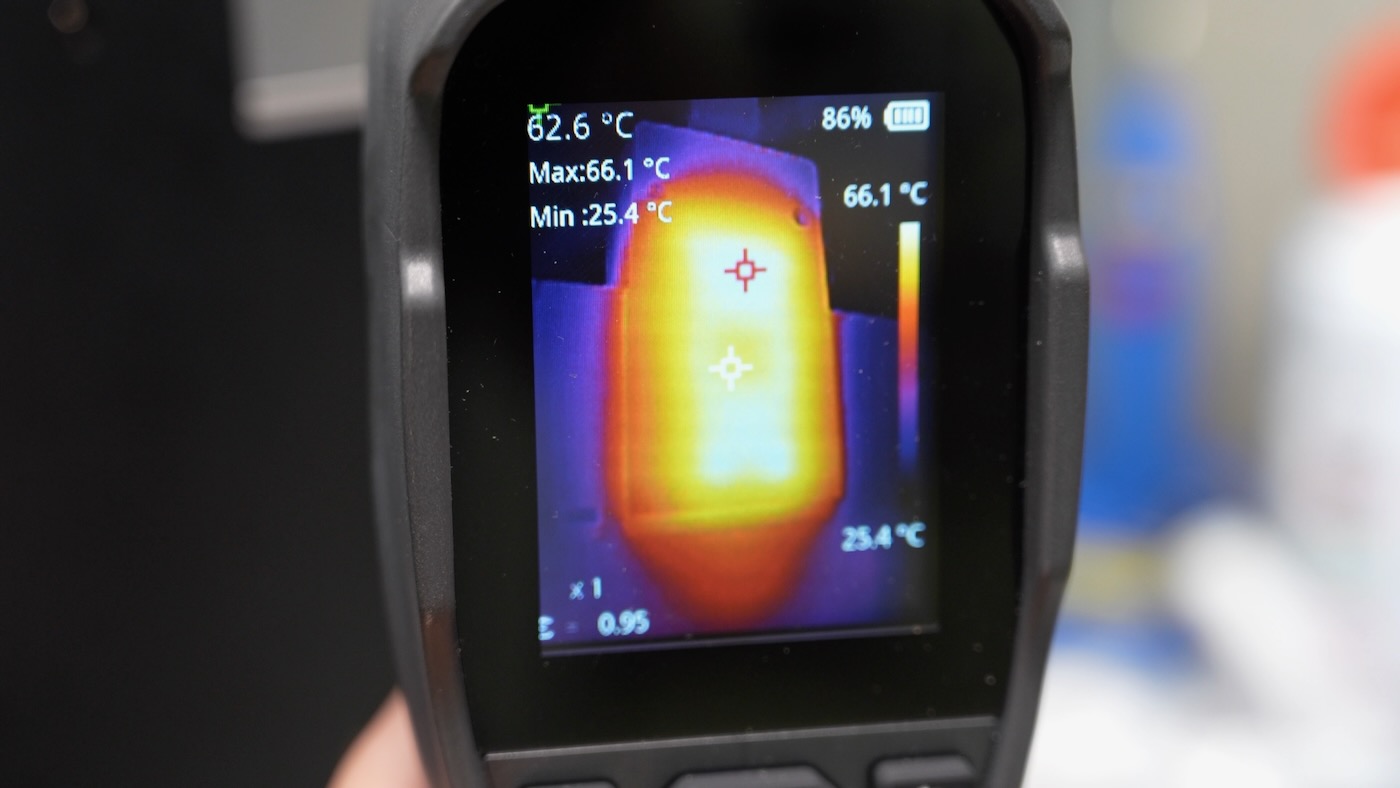
That's getting close to 70°C on the bottom plastic surface, and while it won't give you an immediate contact burn, it would certainly give you Toasted Skin Syndrome—something I remember hearing about back when MacBook Pros would leave marks on users' legs!
I asked WisdPi about this, and they said the plastic surface temperatures is in compliance with IEC 62368-1 temperature safety limits. As long as you don't keep skin in contact with the surface for more than 10 seconds, you're good to go.
But this is a laptop. And I use it on my lap frequently! In fact, I'm writing this blog post on it from my couch...
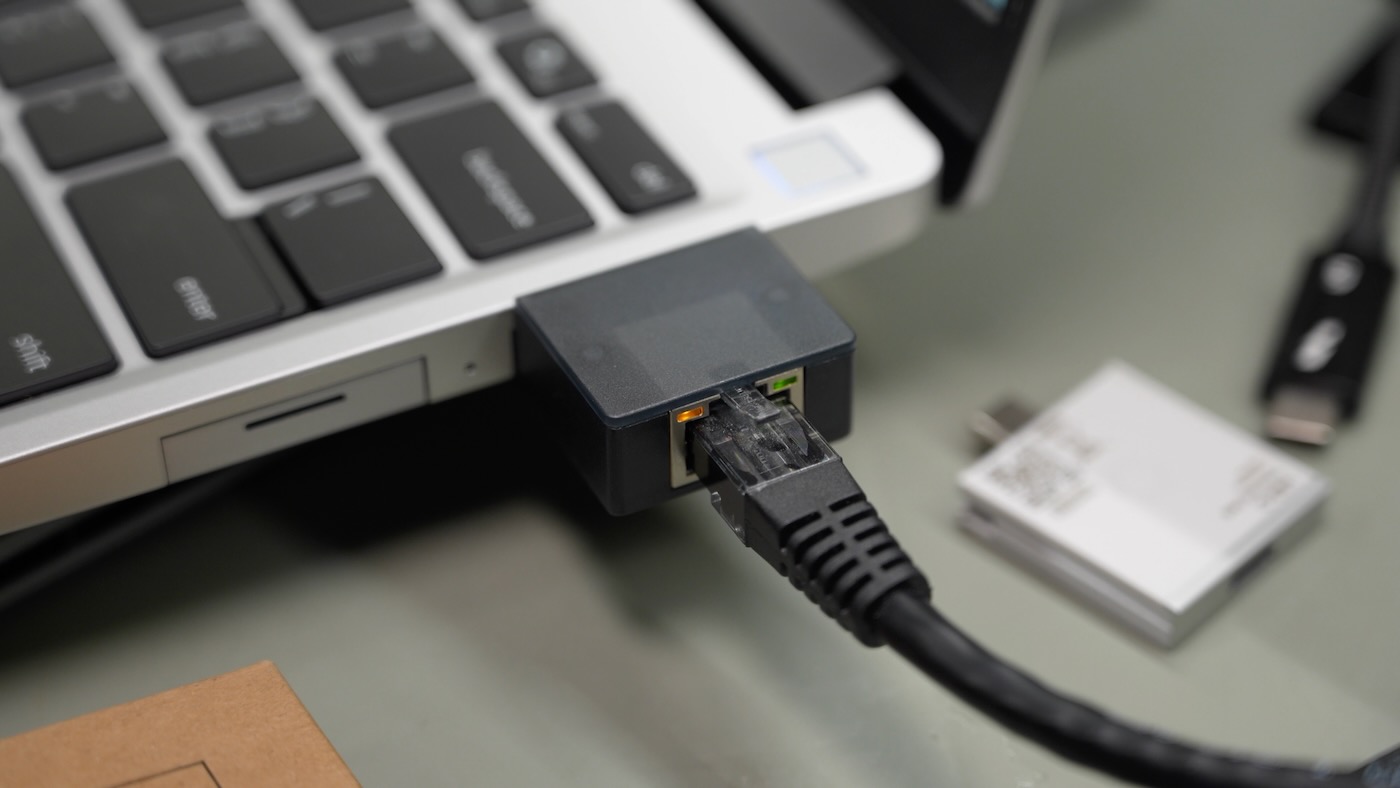
Of course, 99% of the time I have it in my lap, I'm on WiFi. Also, the module itself extends a couple cm out from the laptop, so you have to remove it if you're using a laptop sleeve or have a snug-fitting bag.
So in terms of heat, my recommendation is to only use this module in scenarios where you won't be using it on your lap.
And in terms of getting the best performance, I've compiled the following chart, with bandwidth results from WisdPi's and my own tests, showing the best case scenario for different Framework computers:
My recommendation for most people, then, is to consider the regular ol' Ethernet Expansion Card, which is good for 2.5 Gbps and costs about $40.
If you need something faster, and don't want an external USB-C dongle, then and only then should you consider the $99 WisdPi 10G Card. As of this writing, the card was out of stock.
The unit I tested was sent to me by WisdPi for testing and review.