
惯性聚合 高效追踪和阅读你感兴趣的博客、新闻、科技资讯
阅读原文 在惯性聚合中打开

推荐订阅源

人人都是产品经理
人人都是产品经理
MongoDB | Blog
MongoDB | Blog
Google DeepMind News
L
LangChain Blog
J
Java Code Geeks
MyScale Blog
MyScale Blog
Cyber Security Advisories - MS-ISAC
WordPress大学
WordPress大学
小众软件
小众软件
Microsoft Security Blog
OSCHINA 社区最新新闻
OSCHINA 社区最新新闻
月光博客
月光博客
aimingoo的专栏
aimingoo的专栏
F
Fortinet All Blogs
I
InfoQ
博客园 - 聂微东
量子位
A
About on SuperTechFans
S
SegmentFault 最新的问题
钛媒体:引领未来商业与生活新知
钛媒体:引领未来商业与生活新知
Apple Machine Learning Research
Hugging Face - Blog
Hugging Face - Blog
云风的 BLOG
云风的 BLOG
H
Help Net Security

Hacker News: Front Page

SPICE simulation → oscilloscope → verification with Claude Code — Lucas Gerads Introducing Claude Opus 4.7 Qwen Studio The Future of Everything is Lies, I Guess: Where Do We Go From Here? GitHub - SeanFDZ/macmind: Single-layer transformer in HyperTalk for the classic Macintosh Show HN: Agent-cache – Multi-tier LLM/tool/session caching for Valkey and Redis Ancient DNA reveals pervasive directional selection across West Eurasia [pdf] AI cybersecurity is not proof of work Moving a large-scale metrics pipeline from StatsD to OpenTelemetry / Prometheus GitHub - Nightmare-Eclipse/RedSun: The Red Sun vulnerability repository GitHub - SethPyle376/hiraeth: Local AWS emulator focused on fast integration testing, with SQS support, SQLite-backed state, and a debug-friendly web UI. A Better Ludum Dare; Or, How to Ruin a Legacy GitHub - macOS26/Agent: Any AI, replaces Claude Code, Cursor, OpenClaw. Over 18 LLM providers (Claude, OpenAI, Gemini, Ollama, Zai, HF, Qwen) wired into a native Mac app that writes code, builds Xcode projects, bumps versions, manages git, automates Safari, use AppleScript, JS or Accessibility, extend Agent! w/ MCP Servers, run tasks from your iPhone via Messages. YouTube now lets you turn off Shorts I Made a Terminal Pager Burgers | マクドナルド公式 Commands — HackerNews CLI documentation ChatGPT for Excel PiCore - Raspberry Pi Port of Tiny Core Linux Live Nation illegally monopolized ticketing market, jury finds Google Broke Its Promise to Me. Now ICE Has My Data. Founding Engineer at Adaptional | Y Combinator CRISPR takes important step toward silencing Down syndrome’s extra chromosome GitHub - saffron-health/libretto: The AI toolkit for building reliable browser automations US v. Heppner (S.D.N.Y. 2026) no attorney-client privilege for AI chats [pdf] Unexpected €54k billing spike in 13 hours: Firebase browser key without API restrictions used for Gemini requests Fragments: April 14 Cal.com Goes Closed Source: Why AI Security Is Forcing Our Decision | Cal.com - Scheduling Software for Online Bookings Laravel raised money and now injects ads directly into your agent Codex Hacked a Samsung TV
More Tailscale tricks for your jailbroken Kindle
Kevin Purdy · 2026-06-12 · via Hacker News: Front Page

If you managed to put Tailscale on a jailbroken Kindle before it updated too far ahead, you got something pretty great, even if it wasn't the full Tailscale experience. But good things come to those who wait (or dig around on GitHub).

Open-source developers have improved the Tailscale experience on one of the weakest computers you own. If your Kindle is jailbroken, an updated version of Mitanshu Sukhwani's Tailscale implementation offers a few new things:

  • Tailscale SSH enabled by default, so you don't have to enable USBnetworking SSH and its very obvious default user/password
  • A proxy mode that lets apps like KOReader to reach other nodes on your tailnet, like a Calibre/OPDS or Wallabag server
  • A full TUN mode that, on some Kindles, can make Tailscale networking work at the device level

Let’s dig into each one and how to set them up. As before, this is community code working on a very unofficial device state; bring your patience along.
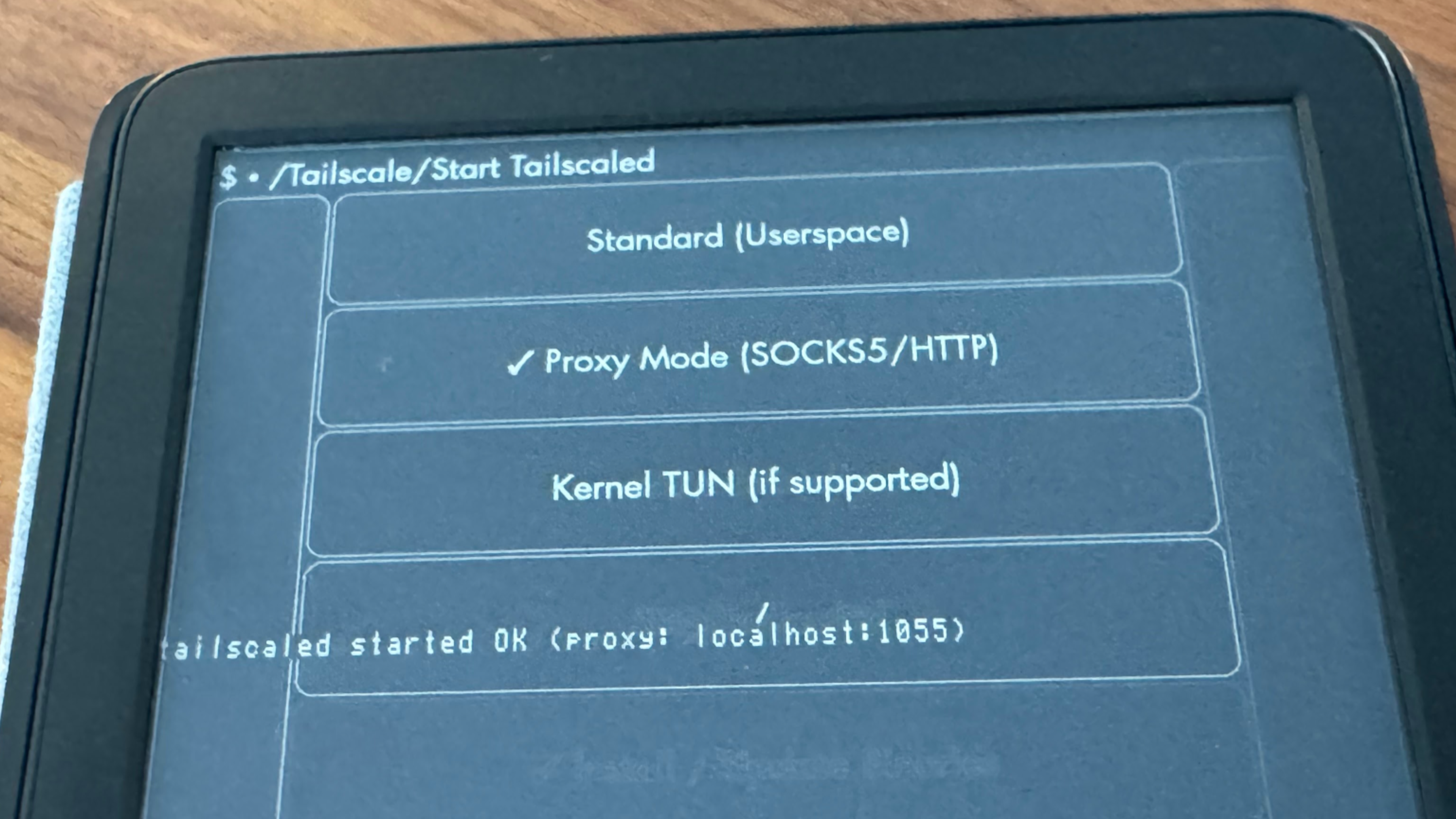
An Amazon Kindle, open to the Tailscale KUAL plug-in, showing three modes: "Standard (Userspace)," "Proxy Mode (SOCKS5/HTTP)," and "Kernel TUN (if supported)". Proxy mode is selected; inlaid text on the screen shows "Tailscaled started OK (proxy: localhost:1055)"

Tailscale on a Kindle, now with proxies

The last time we wrote about Tailscale on a Kindle, the client was basic, but it worked. The Kindle showed up on your tailnet, complete with a green dot in the web admin console. You could reach the Kindle by its Tailscale IP address. You could even SSH into the Kindle over Tailscale, which was handy for further tinkering.

But “reachable via Tailscale” is not the same as “routing all incoming and outgoing traffic across your tailnet,” it turns out. Tailscale on a jailbroken Kindle is typically forced to run in userspace mode, which means it cannot use the device's own network routing layer, known as TUN mode. You could start Tailscale, and then start an app like KOReader, but when you tried to connect to another Tailscale device, like your Calibre server at 100.x.y.z, it would go like this:

  • KOReader (or any app) asks the Kindle’s root OS how to reach 100.x.y.z
  • The Kindle, lacking Tailscale routing, cannot reach that Tailscale IP address
  • KOReader drops the connection

An update to the Kindle KUAL app by greywolf1499 provides different modes that work around this. Now, when you try to reach another Tailscale IP address on your Kindle, it can go like this:

  • You start Tailscale in proxy mode
  • You set up KOReader or another app's proxy settings to connect to 127.0.0.1:1055
  • KOReader tells the proxy it wants to reach 100.x.y.z
  • Tailscale’s daemon tailscaled, listening on port 1055, routes the connection through Tailscale
  • E-books, articles, and other data flows between your Tailscale-running Kindle and other Tailscale devices

This Tailscale proxy offers two modes, SOCKS5 and HTTP CONNECT, for apps that may prefer one or the other. This opens up a good bit more utility for your more-connected Kindle.
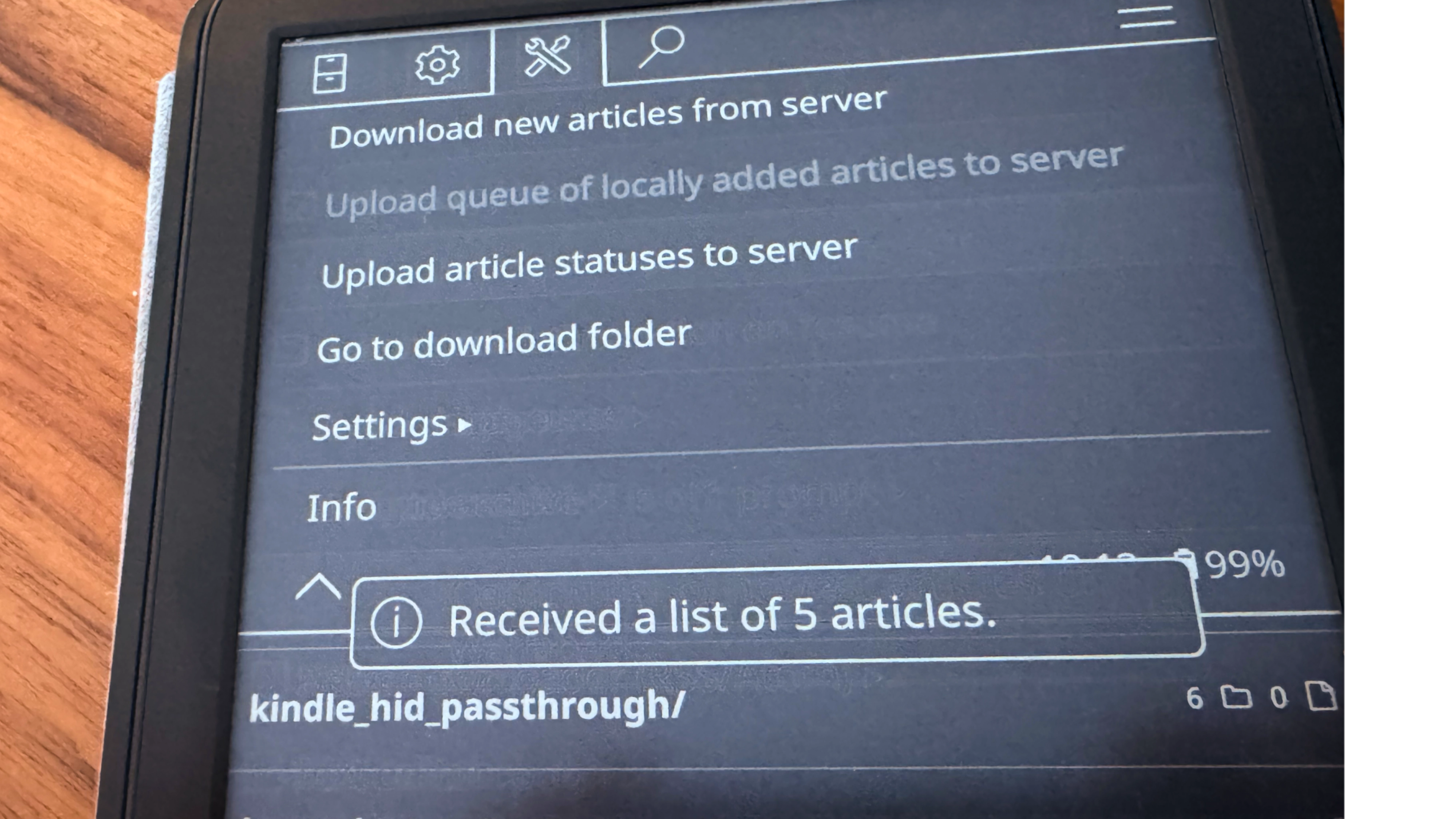
A Kindle, opened to KOReader, with the "Tools" menu selected. On the screen, a toast message reads "Received a list of 5 articles."

What you can do with a proxied Kindle

A few wild ideas, depending on how dug in you want to get:

Is that last one all that practical? Not really. But is there a pleasant warmth, knowing that you've added the least likely thin client to your what-if kit? For some types, types I know quite well: yes.

The Tailscale plugin for KOReader (with Kobo and PocketBook support)

If you don’t really need any Tailscale powers outside the highly capable KOReader app, check out this Tailscale KOReader plugin. It doesn’t make your Kindle accessible over your tailnet, like the KUAL-based app. But it does automatically create the proxy interfaces that are needed for reaching your content servers from your KOReader-running Kindle—or your Kobo device, or your PocketBook.

I haven't been able to really try this extension out myself; my 11th-generation standard Kindle doesn't play well with it at the moment. It's been "Tested on Kindle PW5/PW6, Kobo, and PocketBook"—it's nice to see Tailscale come to some other KOReader-friendly devices, too.

Installation is not too hard, at least if you made it this far into jailbreaking already. You copy the plugin into KOReader’s plugins directory, trigger an “Install/Update Tailscale” from KOReader’s menu, copy a Tailscale key into a directory, then toggle Tailscale on in the KOReader menu. From there, you configure KOReader with one of its proxy addresses (127.0.0.1:1055 for SOCKS5, :1056 for HTTP CONNECT), then give other plugins the Tailscale IP addresses you need to reach.

Victoria Riley Barnett’s repository notes that the plugin works great with a SyncThing plugin for KOReader. KOReader is like its own separate OS for jailbroken Kindles at this point,

So now you’ve got a lot more options and weird projects available to you, through this already quite-strange little slab. If you’ve worked up a weirdly useful Tailscale setup on your Kindle, Kobo, or other e-paper device, we’d love to hear about it. Let us know on RedditDiscordBlueskyX, Mastodon, or LinkedIn.