




Terminal User Interfaces (TUIs) are making a comeback. DHH’s Omarchy is made of three types of user interfaces: TUIs, for immediate feedback and bonus geek points, webapps because 37signals (his company) sells SAAS web applications and the unavoidable gnome-style native applications that really do not fit well in the style of the distro.
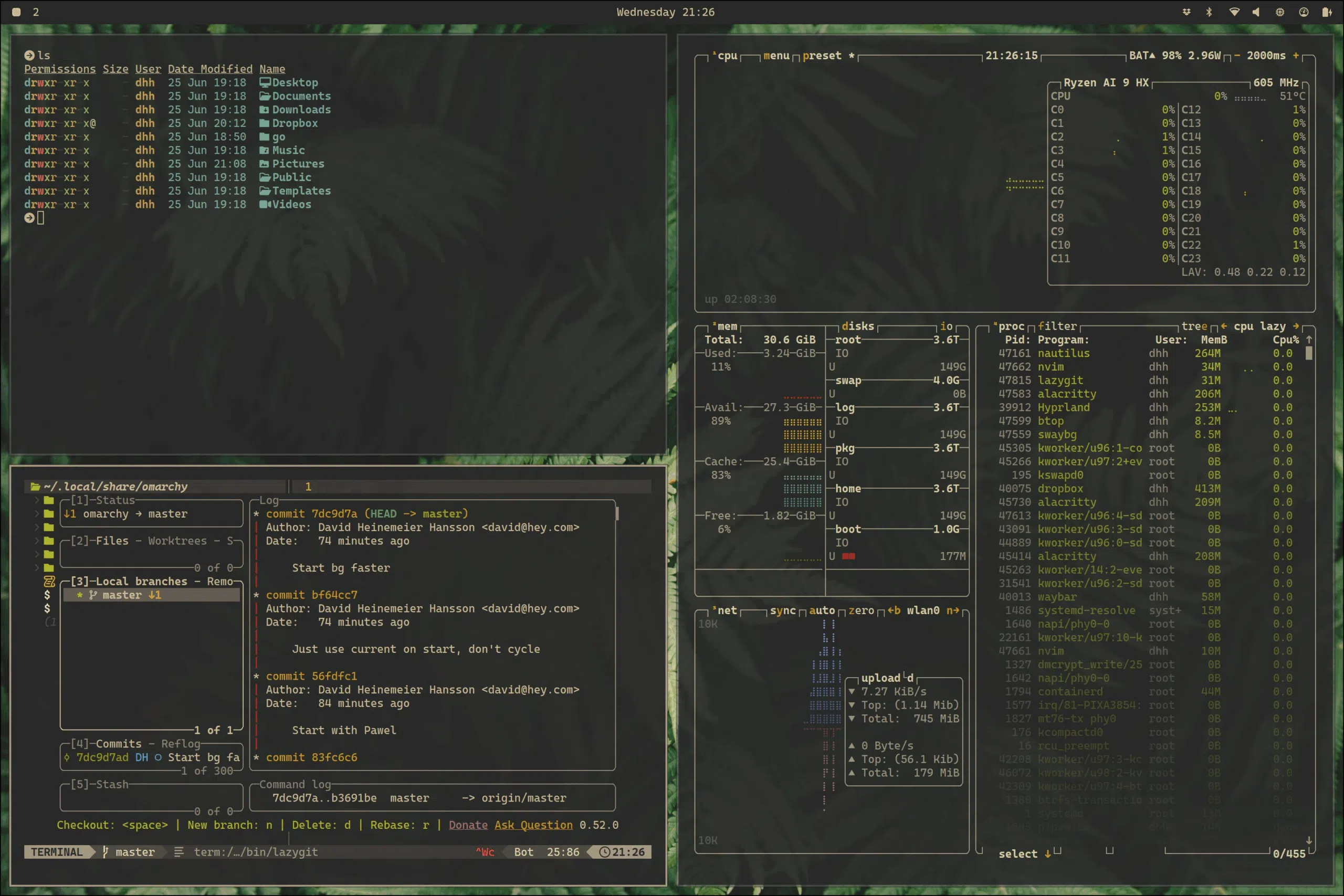
The same pattern occurred around 10 years ago in code editors. We came from the native editors of BBEdit, Textmate (also promoted by DHH), Notedpad++ and Sublime to Electro-powered apps like Atom, VSCode and all its forks. The hardcore, moved to vim or emacs, trading immediate feedback and higher usability for the steepest learning curve I’ve seen.
The lesson is clear: Native applications are loosing. Windows is doing the GUI library standard joke. Because one API does not have success, they make up another one, just for that one to fail within the sea of alternatives that exist.
MFC (1992) wrapped Win32 in C++. If Win32 was inelegant, MFC was Win32 wearing a tuxedo made of other tuxedos. Then came OLE. COM. ActiveX. None of these were really GUI frameworks – they were component architectures – but they infected every corner of Windows development and introduced a level of cognitive complexity that makes Kierkegaard read like Hemingway.
— Jeffrey Snover, in Microsoft hasn’t had a coherent GUI strategy since Petzold
Since then, Microsoft has gone through Winforms, WPF, Silverlight, WinUIs, MAUI without success. Many enterprise and personal desktop application still rely on Electron Apps, and the last memory of coherent visual integration of the whole OS I have is of Windows 98 or 2000.
It turns out that it’s a lot of work to recreate one’s OS and UI APIs every few years. Coupled with the intermittent attempts at sandboxing and deprecating “too powerful” functionality, the result is that each new layer has gaps, where you can’t do certain things which were possible in the previous framework.
— Domenic Denicola, in Windows Native App Development Is a Mess
The UI inconsistency in Linux was created by design. Different teams wanted different outcomes and they had the freedom to do it. GTK and Qt became the two reigning frameworks. While Qt is most known for it, both aimed to support cross-platform native development (once upon a time, I successfully compiled gedit on Windows, learning a lot about C compilation, make files and environment variables in the process) but are only widely used in Linux land. Luckily, applications made in the different toolkits can look okay-ish next to each other, something that the different frameworks on Windows fail to achieve. How many engineer-hours does it take to redo the windows Control Panel?
Given the difficulty in testing the million different combinations of distros, desktop environments and hardware in general, most companies do not bother with a native Linux application — they either address it using electron (minting the lock-down), or they let the open-source community solve it self (when they have open APIs).
Apple used to be a one-book religion. Apple’s Human Interface Guidelines used to be cited by every User Interface course over the world. Xerox Park and Apple were the two institutions that studied what it means to have a good human interface. Fast forward a few decades, and Apple is doing the best worst it can to break all the guidelines and consistency it was known for.
Now, Apple has been ignoring Fitts’ law, making resizing windows near-impossible (even after trying to fix it) and adding icons to every single menu. MacOS is no longer the safe heaven where designers can work peacefully.
Everyone knows that the user experience of electron apps sucks. The most popular claim is the memory consumption, which to be fair has been decreasing over the last decade, but my main complaint (as I usually drive a 64GB RAM MacBook Pro) is the lack of visual consistency and lack of keyboard-driven workflows. Looking at my dock, I have 8 native apps (text mate and macOS system utilities) and 6 electron apps (Slack, Discord, Mattermost, VScode, Cursor, Plexampp). And that’s from someone who really wishes he could avoid having any electron app at all.
Let us take the example of Cursor (but would be true for VSCode as well). If you are in the agent panel, requesting your next feature, can you move to the agent list on the side panel with just the keyboard? Can you archive it? These are actions that should be the same across every macOS application, and even if there are shortcuts, they are not announced in the menus. And over the last decade, developers have been forgetting to add menus to do the same things that are available in their application (mostly because the application is HTML within its sandbox). For the record, Slack does this better than the others, but it’s not perfect.
Together with Dart, Google wanted to design a new operating system, without all the legacy of Android, for new devices. It wanted a fresh UI toolkit (Flutter UI) but Google gave up on the project before a real product was launched. It’s one of those situations where having a monopoly (or a large enough slice of the market) is required to succeed.
Meanwhile, Zed did the same thing in Rust: they designed their own GPU-renderer library (wgpu) which is cross-platform. Despite the high-speed, it lacks integration with the host OS on itself, requiring the developers to add the right bindings. Personally, I would rather have a slow renderer that integrated with my OS than the extra speed.
TUIs are fast, easy to automate (RIP Automator) and work reasonably well in different operating systems. You can even run them remotely without any headache-inducing X forwarding. When the native UI toolkits fail, we go back to basics. Claude and Codex have been very successful on the command-line: you focus on the interaction and forget about the operating system around you. You can even drive code and apps on cloud machines, or remote into your GPU-powered machine from your iPad. TUIs are filling the void left by Apple and Microsoft in the post-apocalyptic world where every application looks different. Which is good if you are doing art (including computer games), but not if your goal is to get out of the way of letting the user do their job.
A checkbox is also part of an interface. You’re using it to interact with a system by inputting data. Interfaces are better the less thinking they require: whether the interface is a steering wheel or an online form, if you have to spend any amount of time figuring out how to use it, that’s bad. As you interact with many things, you want homogeneous interfaces that give you consistent experiences. If you learn that Command + C is the keyboard shortcut for copy, you want that to work everywhere. You don’t want to have to remember to use CTRL + Shift + C in certain circumstances or right-click → copy in others, that’d be annoying.
— John Loeber in Bring Back Idiomatic Design
We need to go back to the basics. Every developer should learn the theory of what makes a good User Interface (software or not!), like Nielsen, Norman or Johnson, and stop treating User Design as a soft skill that does not matter in the Software Engineering Curriculum. In any course, if the UI does not make any sense, the project should be failed. And in the HCI course, we should aim for perfect UIs. It takes work, but that work is mostly about understanding what we need. The programming is already being automated.
此内容由惯性聚合(RSS阅读器)自动聚合整理,仅供阅读参考。 原文来自 — 版权归原作者所有。
