





Securely scan your entire email history to locate every photo attachment you’ve ever received. Mail Memories runs 100% locally on your computer to rescue your memories, neatly organized and ready to share.
Rescue your oldest 50 photos free — No credit card required.
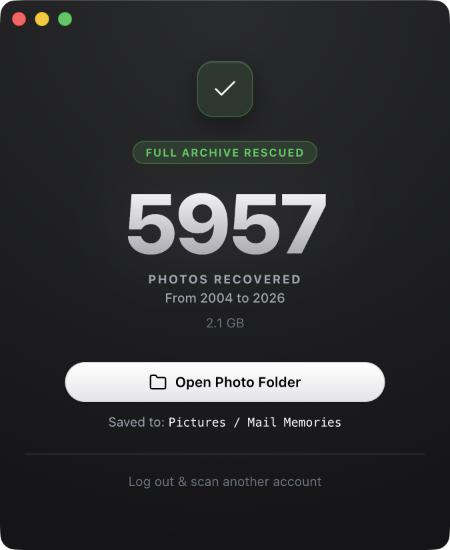
Technically, your photos are in your inbox. But practically? They’re gone. A cherished memory buried under decades of newsletters, receipts, and spam isn’t something you have—it’s just data.
If you can’t find it, view it, or share it, it might as well not exist. Mail Memories was built to bridge that gap.
Take ownership with Mail Memories, a powerful utility that does one thing incredibly well: It scans your entire email history, finds every single photo attachment, and saves them to a neat, organized folder on your computer. Your memories back in your hands.
First memories. The photo of your first pet, your first car, or from your first job.
“I remember them!” Photos of old friends and colleagues you haven’t seen in decades.
“I found photos of my niece I thought were lost forever. Thank you so much!”
Details
Mail Memories securely brings your photos home to your hard drive.
Your computer connects directly to Gmail via a single-purpose access code. No password is ever shared or sent to us.
Mail Memories scans your inbox for images. It’s read-only, meaning your original emails are never modified or deleted.
Photos are saved to your computer, neatly sorted into folders by year (e.g., 2004, 2005, 2006).
Launch Special
Mail Memories is free to download. Scan your inbox and rescue your oldest 50 photos completely for free. Only pay when you’re ready to bring your entire multi-year archive home.
No subscriptions.
One payment. No subscriptions. Thousands of memories home for good.
100% Local
Mail Memories is a standalone desktop app, not a cloud service. We cannot see your photos or touch your inbox. A secure, single-purpose access code connects your machine directly to Google’s secure servers, and is completely cleared from memory the moment you close the app.
No. Mail Memories is a local desktop application, not a cloud service. When it scans your inbox, your computer talks directly to Google’s servers. Your emails, passwords, and photos never pass through our servers, and we have zero access to them.
Yes! The initial download and scan are completely free. Mail Memories will connect to your account and download the first 50 oldest photos for free. You only pay when you’re ready to download the rest.
Mail Memories uses Google’s official App Passwords protocol. Your computer connects privately and directly to Google’s mail servers—no third-party servers ever touch your data. You never enter your primary Google password into the app. Instead, you generate a dedicated, single-purpose 16-character code inside your Google account settings. This code is stored in memory on your computer and is instantly wiped when you close the app. You remain in total control and can revoke this access at any time with one click inside Google.
No. Mail Memories is read-only. It scans your email to find photos, copies them to your computer, and leaves the original email exactly where it was. It cannot delete or modify your inbox.
Each $29 license is tied to a single, verified Gmail address. However, during checkout, you can add additional licenses for your own secondary accounts—or as a gift token for friends and family—for just $14 each (50% off). Note: Mail Memories only supports @gmail.com addresses.
Don’t worry. Mail Memories is built for massive archives. If your connection drops or your laptop lid closes, simply reopen the app. It will automatically resume exactly where it left off without downloading duplicate photos or wasting bandwidth.
The app creates a folder called “Mail Memories” in your Pictures folder. Inside, it organizes everything by year (e.g., 2004, 2005, 2006) so you can easily import them into Apple Photos, Windows Photos, or keep them neatly archived as files.

Found a wonderful memory?
Hi, I’m Carlos.
I created Mail Memories out of a simple curiosity: What was I doing 20 years ago? When I ran the first scan, I found photos of my late grandmother, pictures of old friends, and moments I’d completely forgotten about. I was really surprised by what I found, and I think you will be too.
Download the desktop app and rescue your oldest 50 photos completely for free.
此内容由惯性聚合(RSS阅读器)自动聚合整理,仅供阅读参考。 原文来自 — 版权归原作者所有。