To monitor our baby from other rooms, we purchased a Nanit Baby Monitor. Using image recognition, Nanit provides insights into our baby’s nighttime sleep patterns through its app. Each state transition point includes a video for review.
However, the display isn’t very intuitive — the chart doesn’t show the exact timestamps for each transition. For example, the start and end times of the two longer sleep sessions are not clearly marked.
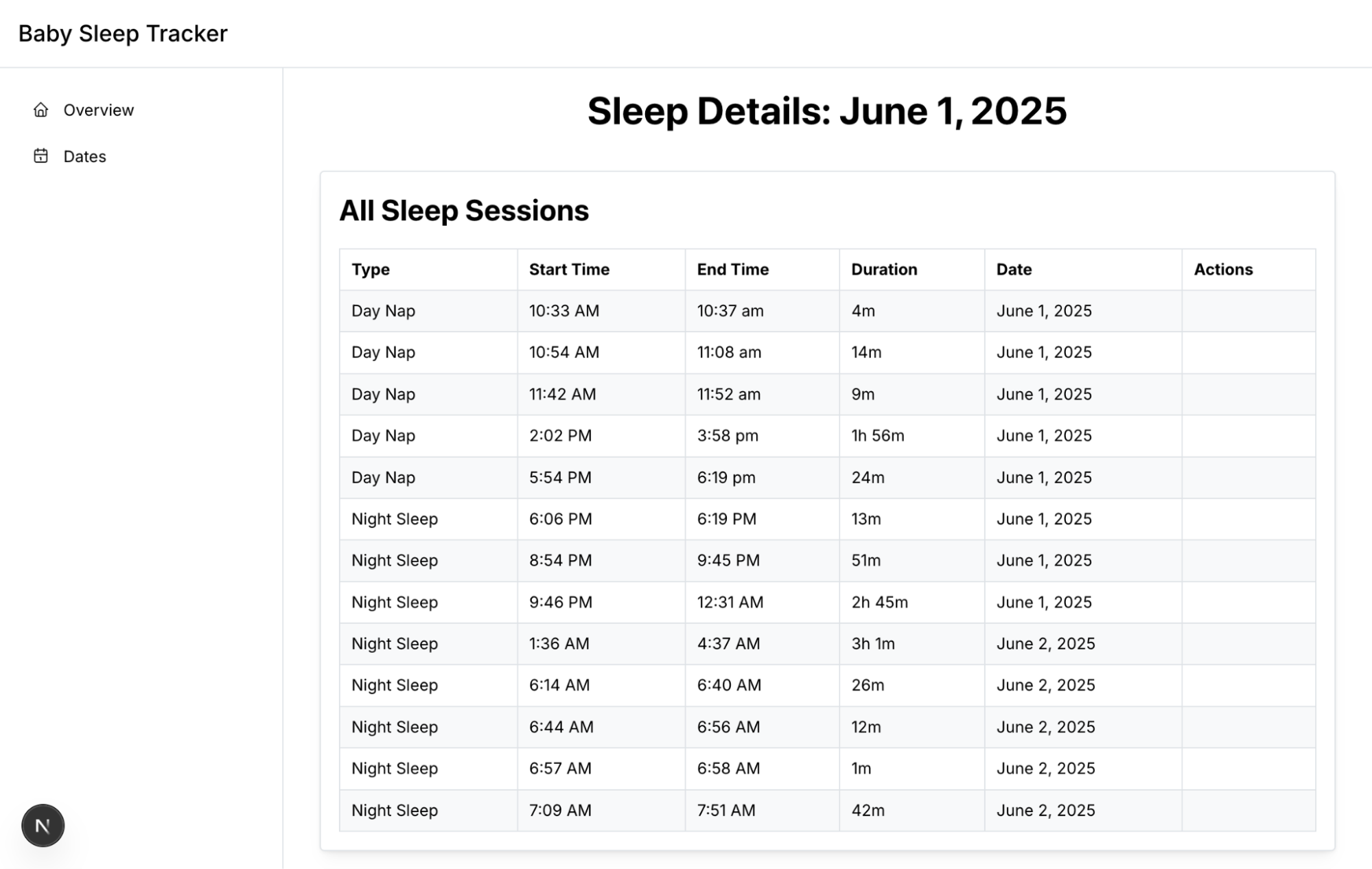
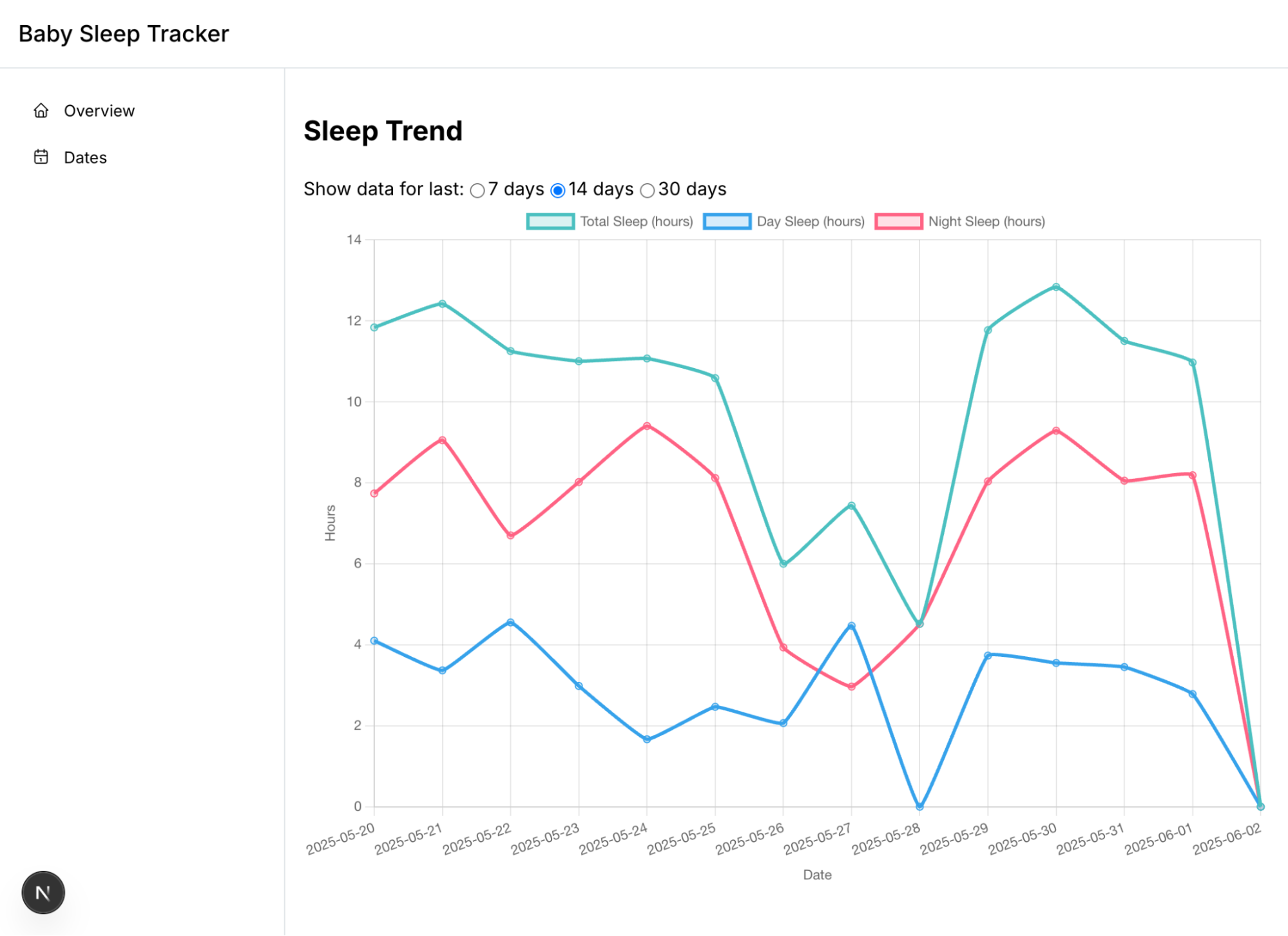
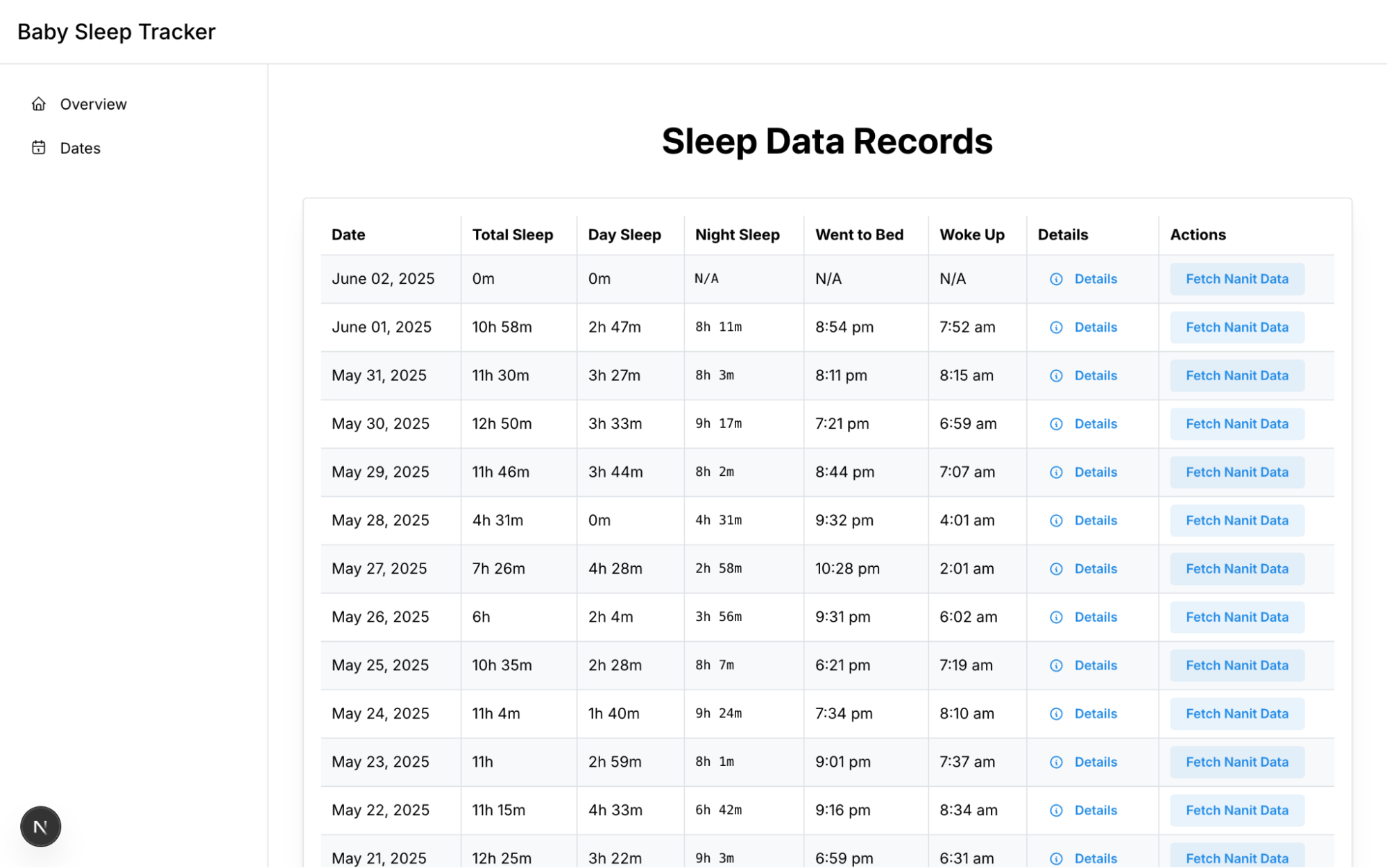
To more intuitively view this information and more flexibly display the baby’s sleep duration and time periods throughout the night, I used Cursor and video-coding to build a Web App:
- Fetch data from Nanit API for any given date
- Render sleep sessions throughout the day
- Plot sleeping trend of most recent dates
Lessons learnt:
- Think through the main features and their designs you want before code generation with Cursor.
- Although LLM can generate code for you. You would still need to think through what are the features you have in mind, and what things would look like (the design).
- This reminds me how Firebase Studio is trying to help build a PRD (Product Requirements Document) before beginning to generate code.
- Remind me apps like https://stitch.withgoogle.com/
- Think about testing if you would like to have some code maintainability.
- Fully AI generated code without any review and test is not maintainable.
- As a weekend project to meet myself’s requirements, I didn’t put much effort into how to make it maintainable.
- I feel the joy of vibe coding goes down slowly when I put more features to it as new changes could break existing features.
- I probably should add some end-to-end tests to make sure that new changes won’t break existing features. However, I didn’t figure out how to put tests in the iteration loop in Cursor yet.
- Tighter development loop and more agentic behaviors are needed.
- Cursor stops itself frequently even with agent mode to ask for all kinds of inputs:
- human input (confirmation, or opinion on design choices)
- app console output
- For the human input, I found myself becoming the bottleneck for it to do more useful things. When it’s waiting for some input, I wish it would begin working on other parts which don’t require human input.
- For the app console output, I wish it has a tighter loop so that I don’t need to copy console output from Chrome DevTools back to Cursor. (Maybe Chrome could provide something to close the loop here?)
- Analyzing images through AI generated code doesn’t work.
- As Nanit doesn’t provide a way to export data, I was trying to use app screenshots to parse the sleep information (which is challenging for me to code manually), and it turns out that the current AI models cannot do that as well even with dozens of prompts back and forth.
- I ended up using Proxyman to capture HTTPs requests and responses from the Nanit app to understand the API, and calling that directly from Python.