惯性聚合 高效追踪和阅读你感兴趣的博客、新闻、科技资讯
阅读原文 在惯性聚合中打开

推荐订阅源

大猫的无限游戏
大猫的无限游戏
H
Help Net Security
The Cloudflare Blog
Y
Y Combinator Blog
A
Arctic Wolf
Cyberwarzone
Cyberwarzone
G
Google Developers Blog
Recent Announcements
S
SegmentFault 最新的问题
Microsoft Security Blog
WordPress大学
WordPress大学
博客园 - Franky
罗磊的独立博客
Martin Fowler
Martin Fowler
Threat Intelligence Blog | Flashpoint
博客园 - 三生石上(FineUI控件)
N
News and Events Feed by Topic
F
Fortinet All Blogs
N
News | PayPal Newsroom
J
Java Code Geeks
www.infosecurity-magazine.com
博客园 - 【当耐特】
M
MIT News - Artificial intelligence
Google Online Security Blog
Recorded Future
Recorded Future
博客园 - 聂微东
S
Securelist
C
CERT Recently Published Vulnerability Notes
小众软件
小众软件
Cisco Talos Blog
Cisco Talos Blog
S
Security Affairs
NISL@THU
NISL@THU
A
About on SuperTechFans
PCI Perspectives
PCI Perspectives
N
News and Events Feed by Topic
cs.AI updates on arXiv.org
Jina AI
Jina AI
Microsoft Azure Blog
AWS News Blog
AWS News Blog
GbyAI
GbyAI
C
Cyber Attacks, Cyber Crime and Cyber Security
V
Vulnerabilities – Threatpost
D
Docker
P
Proofpoint News Feed
W
WeLiveSecurity
Help Net Security
Help Net Security
The GitHub Blog
The GitHub Blog
The Last Watchdog
The Last Watchdog
The Hacker News
The Hacker News
博客园 - 叶小钗

Jartto's blog

好久不见,我想和你聊聊! 用 Tauri+Rust+Yew 来构建你的跨端桌面应用 Docker 新书上市一周年 30s 就可以掌握的 Nginx 片段 了不起的 Istio 一文了解 Kubernetes Docker 边学边用 将博客搬至 CSDN WebP 方案分析与实践 Web「性能测试」知多少? 网站性能指标 - FMP 聚焦 Web 性能指标 TTI 破局:技术视野与规划 极简弹幕方案 系统负载看不懂? 人工智能时代,Web 前端能做什么? CSS 渲染原理以及优化策略 网站优化,这些工具你一定用得着 程序员如何减少开发中的 Bug?
GitBook 和它有趣的插件
Jartto · 2020-02-02 · via Jartto's blog

发布在 技术博文 123 次阅读

相信很多童鞋在日常开发中都会有「说明文档」、「学习笔记」和「个人博客」的需求,那么最经济简洁的方式莫过于 GitBook 方案了,10 分钟学习,永久使用。

本文将简单介绍 GitBook 的使用方式以及最佳插件搭配方案,快来运行一个与众不同而且免费托管的个人站点吧!

一、安装与使用

1.安装 GitBook 插件

1
npm install gitbook-cli -g

2.查看安装版本

1
gitbook -V

控制台会输出如下信息:

1
2
3

CLI version: 2.3.2
GitBook version: 3.2.3

3.初始化

1
2
3
4
5
6

mkdir jartto-gitbook-demo

cd jartto-gitbook-demo

gitbook init

此时,jartto-gitbook-demo 目录下会自动生成如下文件:

1
2
3
4
5
.
├── README.md
└── SUMMARY.md

0 directories, 2 files

4.启动

1
gitbook serve

5.访问站点http://localhost:4000
网站预览

恭喜你,到这一步我们已经完成了基本版本。

更详细的操作,请查看如下文档:

二、重点说明

1.目录结构
当我们运行 gitbook serve 后,jartto-gitbook-demo 目录下会生成一个 _book 文件夹:

1
2
3
4
5
6
7
8
9
.
├── README.md
├── SUMMARY.md
└── _book
├── gitbook
├── index.html
└── search_index.json

2 directories, 4 files

2.关于 README.md

1
# Introduction

说明文档,大家应该都不陌生,就不赘述了。

3.关于 SUMMARY.md

1
2
# Summary
* [Introduction](README.md)

SUMMARY.md 其实就是书的章节目录,我们不妨稍作修改:

1
2
3
4
5
6
7
8
9
# Jartto-GitBook-Demo

* [一、概要](README.md)
* [1.示例](README.md)
* [2.说明](README.md)
* [3.文档](README.md)
* [二、高级](README.md)
* [1.配置](README.md)
* [2.插件](README.md)

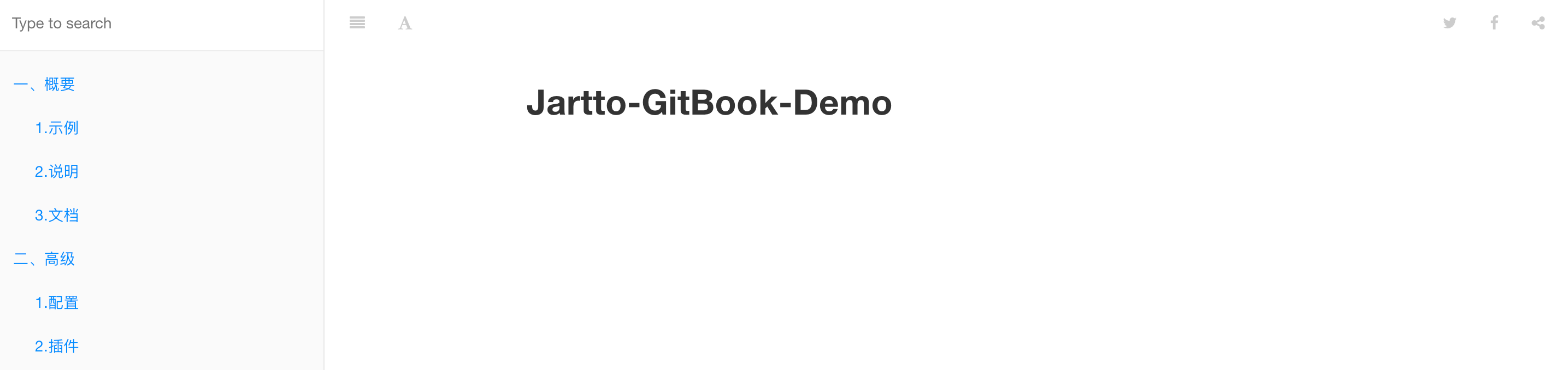
效果如下:
演示目录

三、补充文档

当然,GitBook 的远比我们想象的强大,我们还可以通过 gitbook help 来查看:

1
2
3
4
5
6
7
8
9
10
11
12
13
14
15
16
17
18
19
20
21
22
23
24
25
26
27
28
29
30
31
32
build [book] [output]       build a book
--log Minimum log level to display (Default is info; Values are debug, info, warn, error, disabled)

--format Format to build to (Default is website; Values are website, json, ebook)
--[no-]timing Print timing debug information (Default is false)

serve [book] [output] serve the book as a website for testing
--port Port for server to listen on (Default is 4000)
--lrport Port for livereload server to listen on (Default is 35729)
--[no-]watch Enable file watcher and live reloading (Default is true)
--[no-]live Enable live reloading (Default is true)
--[no-]open Enable opening book in browser (Default is false)
--browser Specify browser for opening book (Default is )
--log Minimum log level to display (Default is info; Values are debug, info, warn, error, disabled)

--format Format to build to (Default is website; Values are website, json, ebook)

install [book] install all plugins dependencies
--log Minimum log level to display (Default is info; Values are debug, info, warn, error, disabled)

parse [book] parse and print debug information about a book
--log Minimum log level to display (Default is info; Values are debug, info, warn, error, disabled)

init [book] setup and create files for chapters
--log Minimum log level to display (Default is info; Values are debug, info, warn, error, disabled)

pdf [book] [output] build a book into an ebook file
--log Minimum log level to display (Default is info; Values are debug, info, warn, error, disabled)

epub [book] [output] build a book into an ebook file
--log Minimum log level to display (Default is info; Values are debug, info, warn, error, disabled)

mobi [book] [output] build a book into an ebook file
--log Minimum log level to display (Default is info; Values are debug, info, warn, error, disabled)

四、有趣插件

了解上面的操作,使用 GitBook 已经没有任何障碍了。

如果你还想做一些个性化的操作,不妨继续深入。

要安装插架,需要我们有配置文件 book.json,我们可以在根目录下创建:

1
touch book.json

写入基本配置:

1
2
3
4
5
6
7
8
9
10
11
12
13
14
15
16
17
18
19
20
21
22
23
24
25
26
27
28
29
30
31
32
33
34
35
{
"title": "Jartto-GitBook-Demo",
"description": "Jartto-GitBook-Demo",
"author": "sphard",
"language": "zh-hans",
"root": ".",

"plugins": [
"donate",
"github-buttons@2.1.0",
"edit-link"
],

"pluginsConfig": {
"donate": {
"wechat": "http://jartto.wang/images/wechatpay.jpg",
"alipay": "http://jartto.wang/images/alipay.jpg",
"title": "",
"button": "打赏",
"alipayText": "支付宝打赏",
"wechatText": "微信打赏"
},
"github-buttons": {
"repo": "jartto/gitbook",
"types": [
"star"
],
"size": "small"
},
"edit-link": {
"base": "https://github.com/jartto/gitbook/master",
"label": "Edit This Page"
}
}
}

插件安装通用命令:

1
npm install gitbook-plugin-[插件名]

例如:我们要安装 flexible-alerts 信息框插件:

1
npm install gitbook-plugin-flexible-alerts

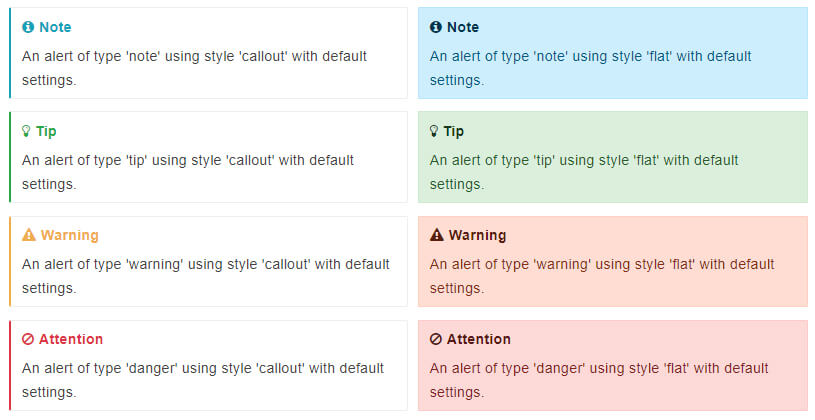
效果如下:
信息框插件

还有很多可用插件,具体如下:

  1. 信息框(flexible-alerts)
  2. 阅读统计(pageview-count
  3. 侧边栏宽度可调节(splitter
  4. 页脚版权(page-copyright
  5. 打赏功能(donate
  6. 分享当前页面(sharing-plus
  7. 修改标题栏图标(custom-favicon
  8. 复选框(todo
  9. 显示图片名称(image-captions
  10. 目录折叠(toggle-chapters
  11. 分章节展示(multipart
  12. 插入 Logoinsert-logo
  13. Google 分析(ga
  14. 返回顶部(back-to-top-button
  15. 代码添加行号和复制按钮(code
  16. 高级搜索,支持中文(search-pro
  17. 添加 Github 图标(github

需要注意的是:
GitBook 默认带有 5 个插件:

  • highlight
  • search
  • sharing
  • fontsettings
  • livereload

如果要去除自带的插件,可以在插件名称前面加 -,例如:

1
2
3
"plugins":[
"-search"
]

小技巧:NPM 中搜索关键字 GitBook-Plugin,发现更多插件。

五、效果展示

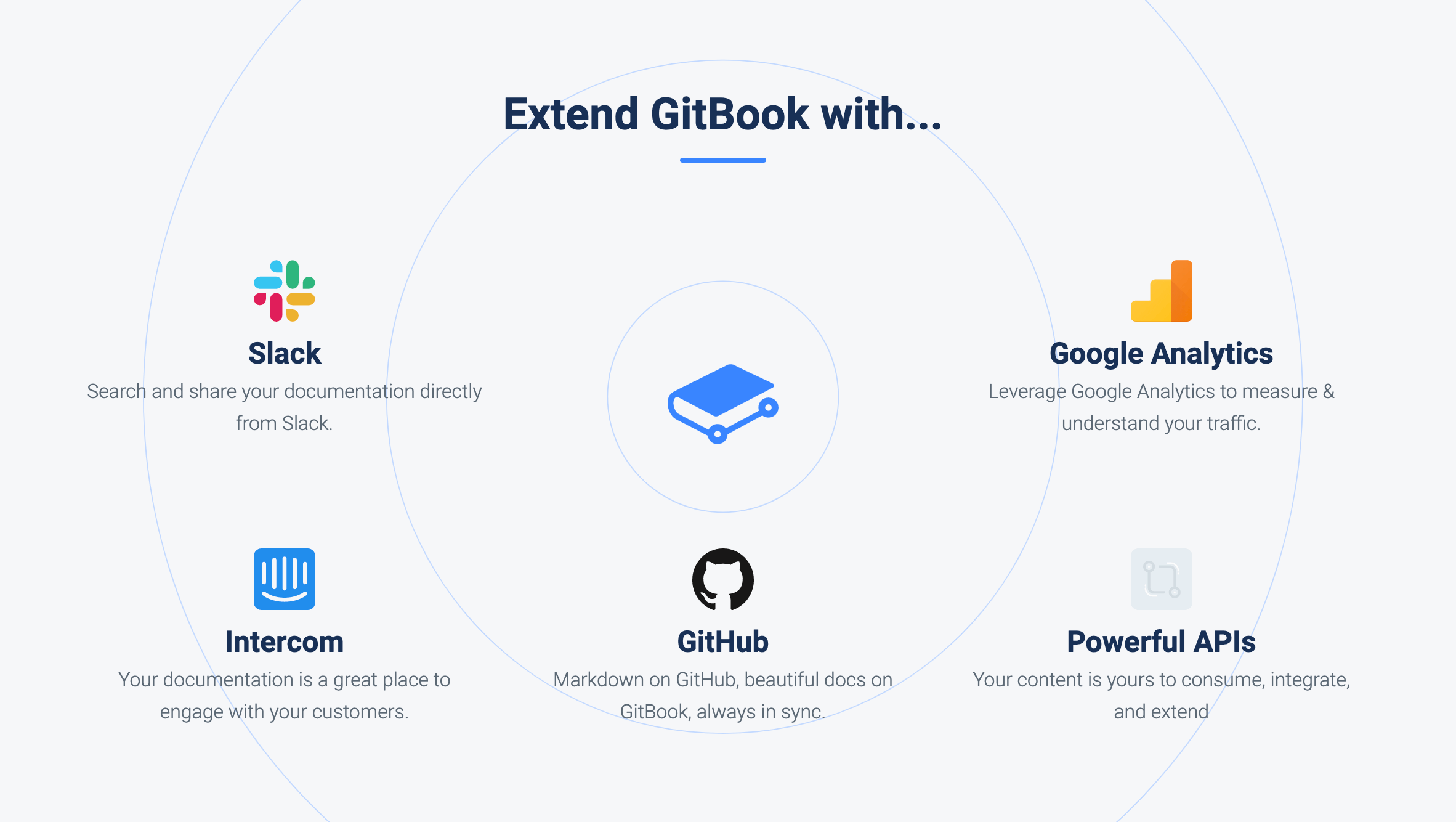
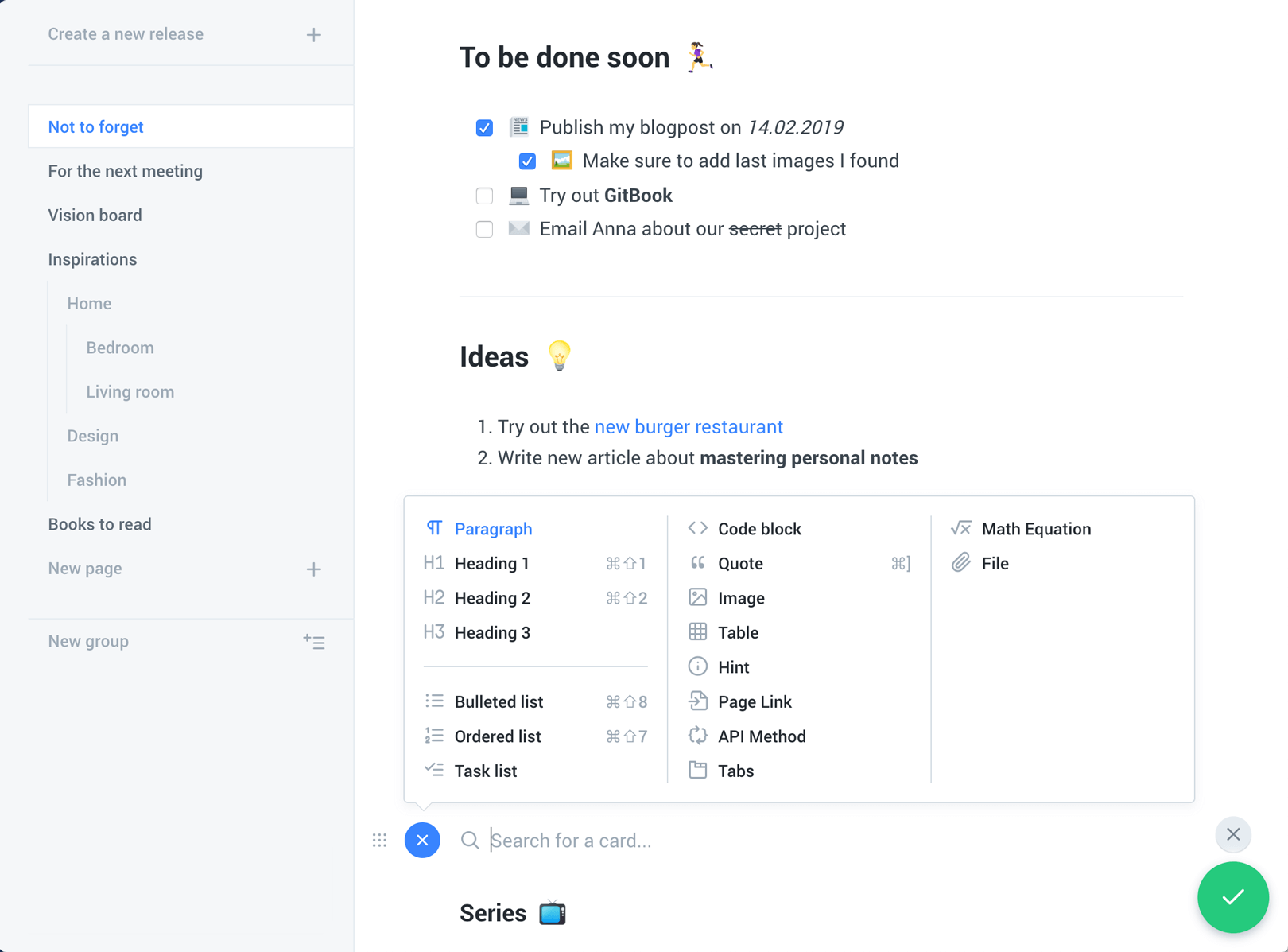
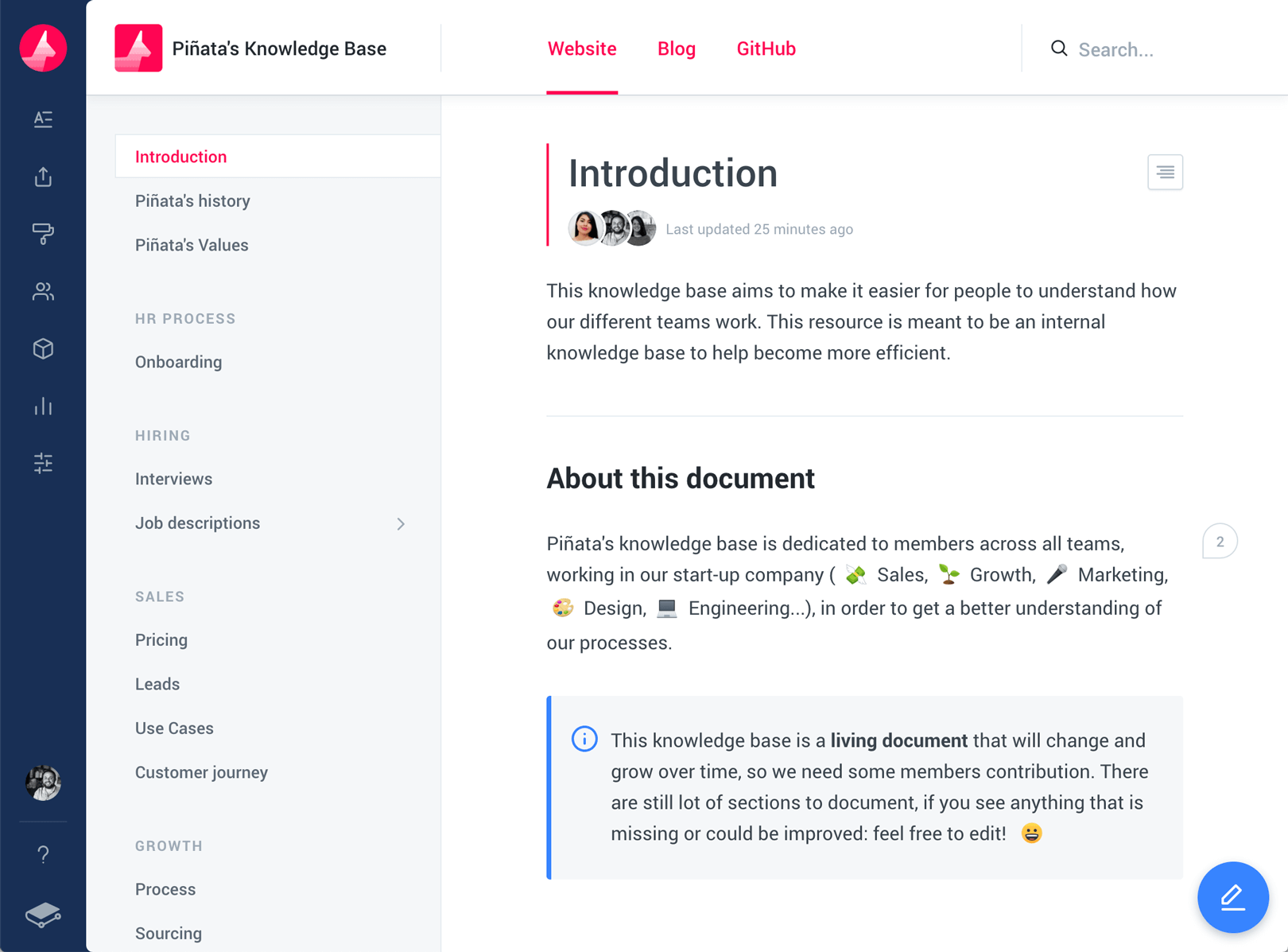
1.GitBook 扩展:
扩展 GitBook

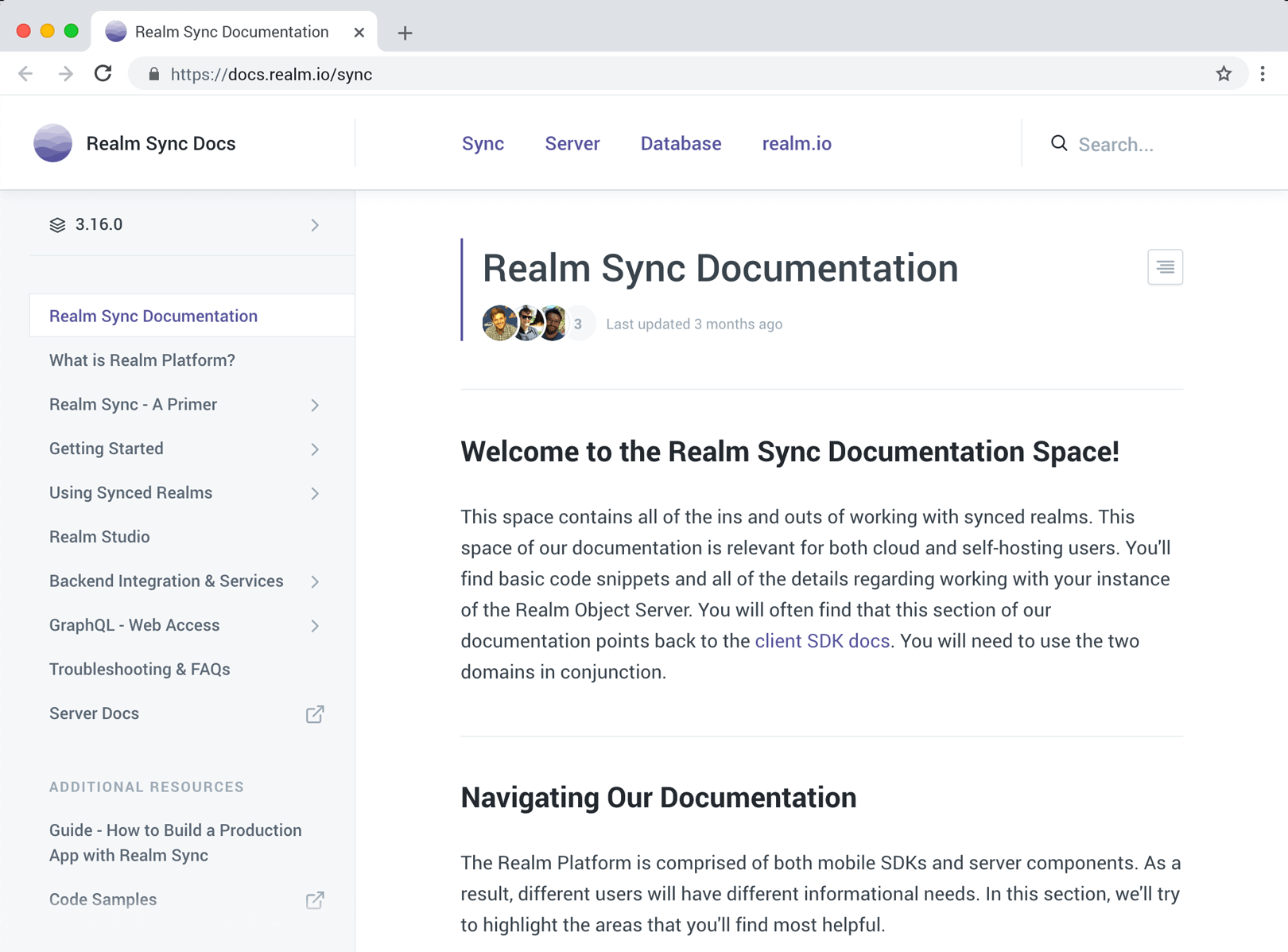
2.示例一:
示例一

3.示例二:
示例二

4.示例三:
示例三

六、总结

上文介绍了 GitBook 的基本使用和一些实用插件,构建在线文档变得轻而易举。加上 Github 免费的托管平台,我们就可以干更多有趣的事情了。快输出你的 HTMLPDFeBook 技术文档吧~