


本文最后更新于天前,内容可能已不再适用!
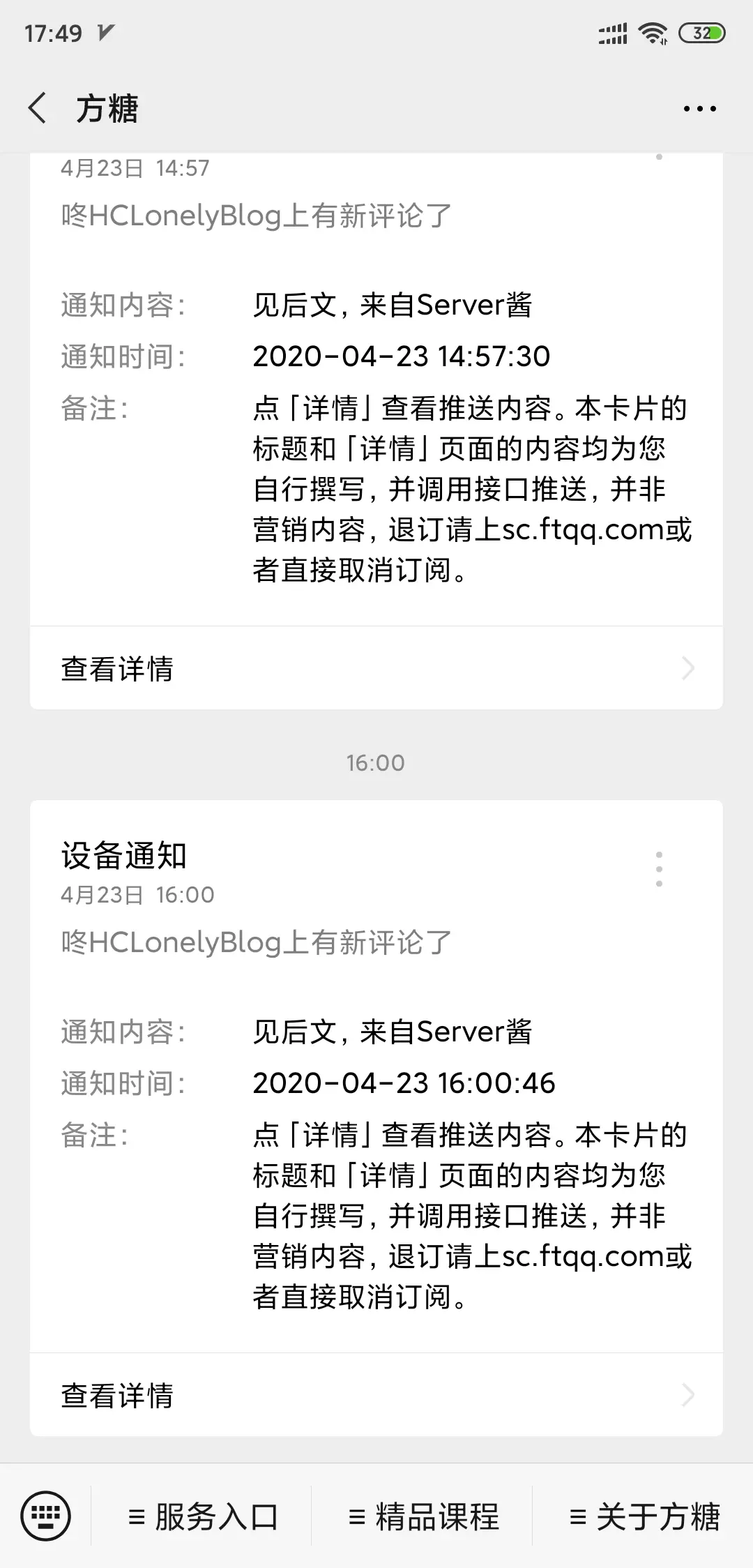
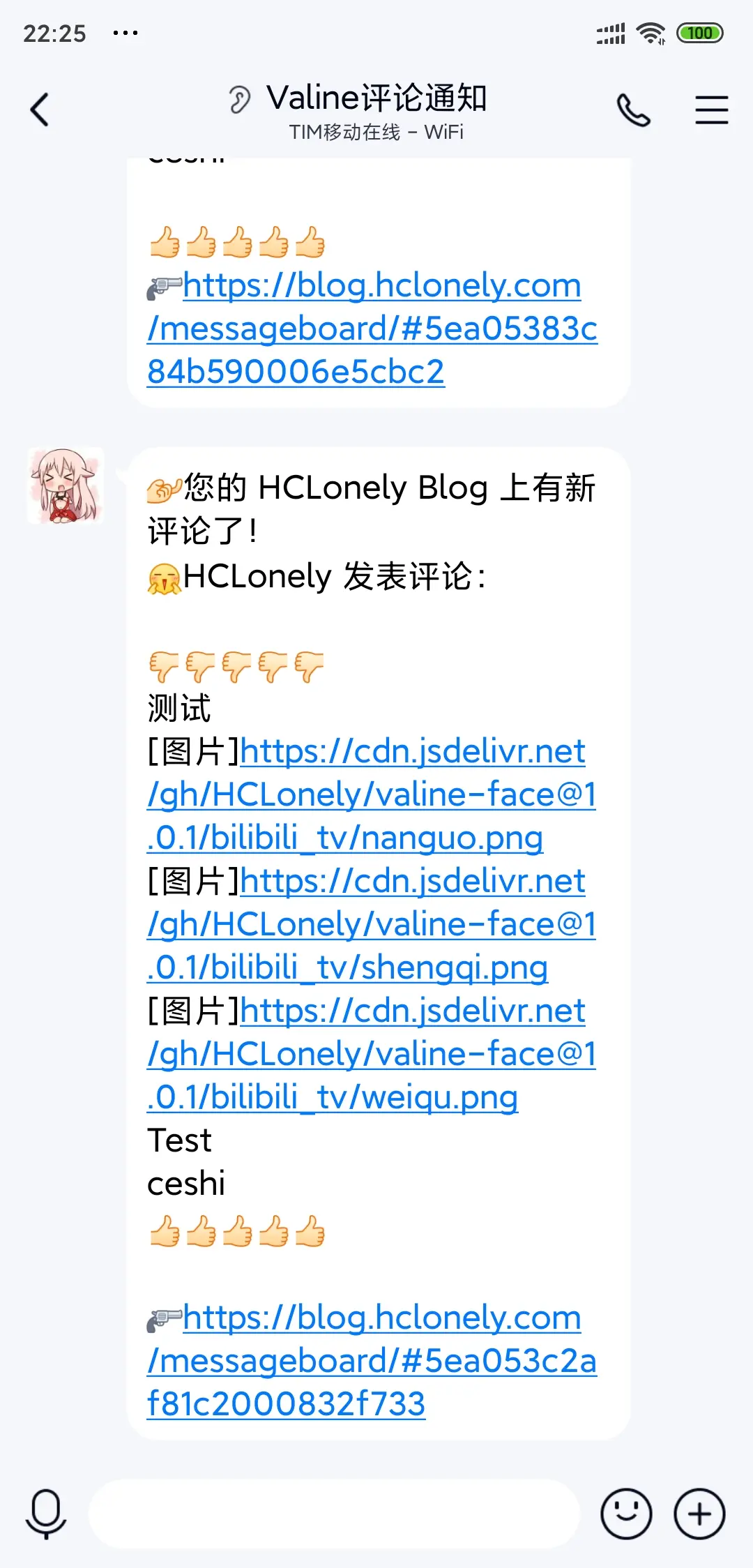
本教程介绍了如何给 Valine 评论系统添加博主、小伙伴、访客标签,添加浏览器及操作系统图标,以及评论微信及QQ通知。
建议有一定 JS 基础的用户根据本教程进行自定义修改,至少能够自己找到为什么会报错,否则不建议修改!
https://cdn.jsdelivr.net/gh/HCLonely/Valine@latest/dist/Valine.min.js
博主,小伙伴,访客标签浏览器和操作系统图标,需fontawesomeV5支持meta placeholder可自定义本版比原版多了以下参数:
| 参数 | 类型 | 说明 | 默认 | 示例 |
|---|---|---|---|---|
| tagMeta | Array | 标签要显示的文字 | [“博主”,“小伙伴”,“访客”] | [“博主”,“小伙伴”,“访客”] |
| master | Array/String | md5 加密后的博主邮箱 | [] | [“fe01ce2a7fbac8fafaed7c982a04e229”] |
| friends | Array | md5 加密后的小伙伴邮箱 | [] | [“fe01ce2a7fbac8fafaed7c982a04e229”] |
| metaPlaceholder | Object | meta placeholder 内容 | {} | {“nick”:“昵称/QQ 号”,“mail”:“邮箱(必填)”} |



https://github.com/HCLonely/Valine-Admin.git
基本方法同原版相同,请先查看原版使用文档并配置好。
本版比原版多了以下参数:
| 变量 | 示例 | 说明 |
|---|---|---|
| SERVER_KEY | SCUxxxxxxxx | [可选]Server酱SCKEY 用于微信通知 |
| SERVER_TURBO_KEY | SCTxxxxxxxx | [可选]Server酱·Turbo版SendKey 用于微信通知 |
| SERVER_TURBO_MD | true | [可选]使用Server酱·Turbo版通知时是否使用 MD 模板,默认为false |
| QMSG_KEY | xxxxxxxx | [可选]Qmsgkey 用于 QQ 通知 |
| QQ_SHAKE(已失效) | true | [可选]QQ 通知时发送戳一戳 |
| DISABLE_EMAIL | true | [可选]禁止邮件通知博主,@仍然会提醒 |
| TEMPLATE_NAME | rainbow | [可选]rainbow或default邮件通知模板 |
邮件通知模板在云引擎环境变量中设定,可自定义通知邮件标题及内容模板。
| 环境变量 | 示例 | 说明 |
|---|---|---|
| MAIL_SUBJECT | ${PARENT_NICK},您在${SITE_NAME}上的评论收到了回复 | [可选]@通知邮件主题(标题)模板 |
| MAIL_TEMPLATE | 见下文 | [可选]@通知邮件内容模板 |
| MAIL_SUBJECT_ADMIN | ${SITE_NAME}上有新评论了 | [可选]博主邮件通知主题模板 |
| MAIL_TEMPLATE_ADMIN | 见下文 | [可选]博主邮件通知内容模板 |
邮件通知包含两种,分别是被@通知和博主通知,这两种模板都可以完全自定义。默认使用经典的蓝色风格模板(样式来源未知)。
默认被@通知邮件内容模板如下:
<html> <head></head> <body> <table style="width: 99.8%;height:99.8% "> <tbody> <tr> <td> <div style="border-radius: 10px 10px 10px 10px;font-size:13px; color: #555555;width: 666px;font-family:'Century Gothic','Trebuchet MS','Hiragino Sans GB',微软雅黑,'Microsoft Yahei',Tahoma,Helvetica,Arial,'SimSun',sans-serif;margin:50px auto;border:1px solid #eee;max-width:100%;background: #ffffff repeating-linear-gradient(-45deg,#fff,#fff 1.125rem,transparent 1.125rem,transparent 2.25rem);box-shadow: 0 1px 5px rgba(0, 0, 0, 0.15);"> <div style="width:100%;background:#49BDAD;color:#ffffff;border-radius: 10px 10px 0 0;background-image: -moz-linear-gradient(0deg, rgb(67, 198, 184), rgb(255, 209, 244));background-image: -webkit-linear-gradient(0deg, rgb(67, 198, 184), rgb(255, 209, 244));height: 66px;"> <p style="font-size:15px;word-break:break-all;padding: 23px 32px;margin:0;background-color: hsla(0,0%,100%,.4);border-radius: 10px 10px 0 0;">您在<a style="text-decoration:none;color: #ffffff;" href="<%=siteUrl%>"> <%=siteName%> </a>上的留言有新回复啦! </p> </div> <div style="margin:40px auto;width:90%"> <p><%=pname%> 同学,您曾在文章上发表评论:</p> <div style="background: #fafafa repeating-linear-gradient(-45deg,#fff,#fff 1.125rem,transparent 1.125rem,transparent 2.25rem);box-shadow: 0 2px 5px rgba(0, 0, 0, 0.15);margin:20px 0px;padding:15px;border-radius:5px;font-size:14px;color:#555555;"><%-ptext%></div> <p><%=name%> 给您的回复如下:</p> <div style="background: #fafafa repeating-linear-gradient(-45deg,#fff,#fff 1.125rem,transparent 1.125rem,transparent 2.25rem);box-shadow: 0 2px 5px rgba(0, 0, 0, 0.15);margin:20px 0px;padding:15px;border-radius:5px;font-size:14px;color:#555555;"><%-text%></div> <p>您可以点击 <a style="text-decoration:none; color:#12addb" href="<%=url%>">查看回复的完整內容 </a>,欢迎再次光临 <a style="text-decoration:none; color:#12addb" href="<%=siteUrl%>"> <%=siteName%> </a>。</p> <style type="text/css">a:link{text-decoration:none}a:visited{text-decoration:none}a:hover{text-decoration:none}a:active{text-decoration:none}</style> </div> </div> </td> </tr> </tbody> </table> </body> </html>
@通知模板中的可用变量如下(注,这是邮件模板变量,请勿与云引擎环境变量混淆):
| 模板变量 | 说明 |
|---|---|
| <%=siteName%> | 博客名称 |
| <%=siteUrl%> | 博客首页地址 |
| <%=url%> | 文章地址(完整路径) |
| <%=pname%> | 收件人昵称(被@者,父级评论人) |
| <%-ptext%> | 父级评论内容 |
| <%=name%> | 新评论者昵称 |
| <%-text%> | 新评论内容 |
默认博主通知邮件内容模板如下:
<html> <head> <style> .wrap span { display: inline-block; } .w260{ width: 260px;} .w20{ width: 20px;} .wauto{ width: auto;} </style> </head> <body> <table style="width: 99.8%;height:99.8% "> <tbody> <tr> <td> <div style="border-radius: 10px 10px 10px 10px;font-size:13px; color: #555555;width: 666px;font-family:'Century Gothic','Trebuchet MS','Hiragino Sans GB',微软雅黑,'Microsoft Yahei',Tahoma,Helvetica,Arial,'SimSun',sans-serif;margin:50px auto;border:1px solid #eee;max-width:100%;background: #ffffff repeating-linear-gradient(-45deg,#fff,#fff 1.125rem,transparent 1.125rem,transparent 2.25rem);box-shadow: 0 1px 5px rgba(0, 0, 0, 0.15);"> <div style="width:100%;background:#49BDAD;color:#ffffff;border-radius: 10px 10px 0 0;background-image: -moz-linear-gradient(0deg, rgb(67, 198, 184), rgb(255, 209, 244));background-image: -webkit-linear-gradient(0deg, rgb(67, 198, 184), rgb(255, 209, 244));height: 66px;"> <p style="font-size:15px;word-break:break-all;padding: 23px 32px;margin:0;background-color: hsla(0,0%,100%,.4);border-radius: 10px 10px 0 0;">您的<a style="text-decoration:none;color: #ffffff;" href="<%=siteUrl%>"> <%=siteName%> </a>上有新的评论啦! </p> </div> <div style="margin:40px auto;width:90%"> <p><%=name%> 发表评论:</p> <div style="background: #fafafa repeating-linear-gradient(-45deg,#fff,#fff 1.125rem,transparent 1.125rem,transparent 2.25rem);box-shadow: 0 2px 5px rgba(0, 0, 0, 0.15);margin:20px 0px;padding:15px;border-radius:5px;font-size:14px;color:#555555;"><%-text%></div> <p><a style="text-decoration:none; color:#12addb" href="<%=url%>" target="_blank">[查看评论]</a></p> <style type="text/css">a:link{text-decoration:none}a:visited{text-decoration:none}a:hover{text-decoration:none}a:active{text-decoration:none}</style> </div> </div> </td> </tr> </tbody> </table> </body> </html>
博主通知邮件模板中的可用变量与@通知中的基本一致,<%=pname%>和<%-ptext%>变量不再可用。
此内容由惯性聚合(RSS阅读器)自动聚合整理,仅供阅读参考。 原文来自 — 版权归原作者所有。