
惯性聚合 高效追踪和阅读你感兴趣的博客、新闻、科技资讯
阅读原文 在惯性聚合中打开

推荐订阅源

P
Palo Alto Networks Blog
P
Proofpoint News Feed
GbyAI
GbyAI
Microsoft Azure Blog
B
Blog
Google DeepMind News
N
Netflix TechBlog - Medium
Recorded Future
Recorded Future
M
MIT News - Artificial intelligence
罗磊的独立博客
J
Java Code Geeks
月光博客
月光博客
F
Full Disclosure
博客园 - 聂微东
人人都是产品经理
人人都是产品经理
U
Unit 42
WordPress大学
WordPress大学
A
About on SuperTechFans
C
Cyber Attacks, Cyber Crime and Cyber Security
SecWiki News
SecWiki News
Security Latest
Security Latest
C
Check Point Blog
C
CERT Recently Published Vulnerability Notes
小众软件
小众软件
I
InfoQ
钛媒体:引领未来商业与生活新知
钛媒体:引领未来商业与生活新知
B
Blog RSS Feed
V
Visual Studio Blog
博客园_首页
NISL@THU
NISL@THU
I
Intezer
Spread Privacy
Spread Privacy
AWS News Blog
AWS News Blog
The Register - Security
D
Darknet – Hacking Tools, Hacker News & Cyber Security
Latest news
Latest news
Project Zero
Project Zero
博客园 - 叶小钗
C
Cybersecurity and Infrastructure Security Agency CISA
Threat Intelligence Blog | Flashpoint
P
Privacy International News Feed
博客园 - 【当耐特】
cs.CL updates on arXiv.org
T
Threat Research - Cisco Blogs
Simon Willison's Weblog
T
Tor Project blog
V
Vulnerabilities – Threatpost
博客园 - 司徒正美
freeCodeCamp Programming Tutorials: Python, JavaScript, Git & More
雷峰网
雷峰网

码志

如何在 IT 运维中节省开支 借助 Let's Encrypt 节省 SSL 证书费用 解决访问 https 网站时,后端重定向或获取 URL 变成 http 的问题 Java|FreeMarker 复用 layout DIY|Mac 搭建 ESP-IDF 开发环境及编译小智 AI Mac mini 外接三方键盘如何微调音量 Java|小数据量场景的模糊搜索体验优化 家里老人迷信医疗广告?我可能找到办法了 iOS|解决 setBrightness 调节屏幕亮度不生效的问题
清除 GitHub 上的幽灵通知
Zhuang Ma · 2025-10-15 · via 码志

最近我的 GitHub 页面右上角一直有个小蓝点,就像这样:
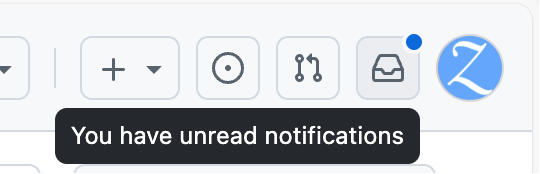
这是有未读通知的指示,但点进去却什么也看不到。
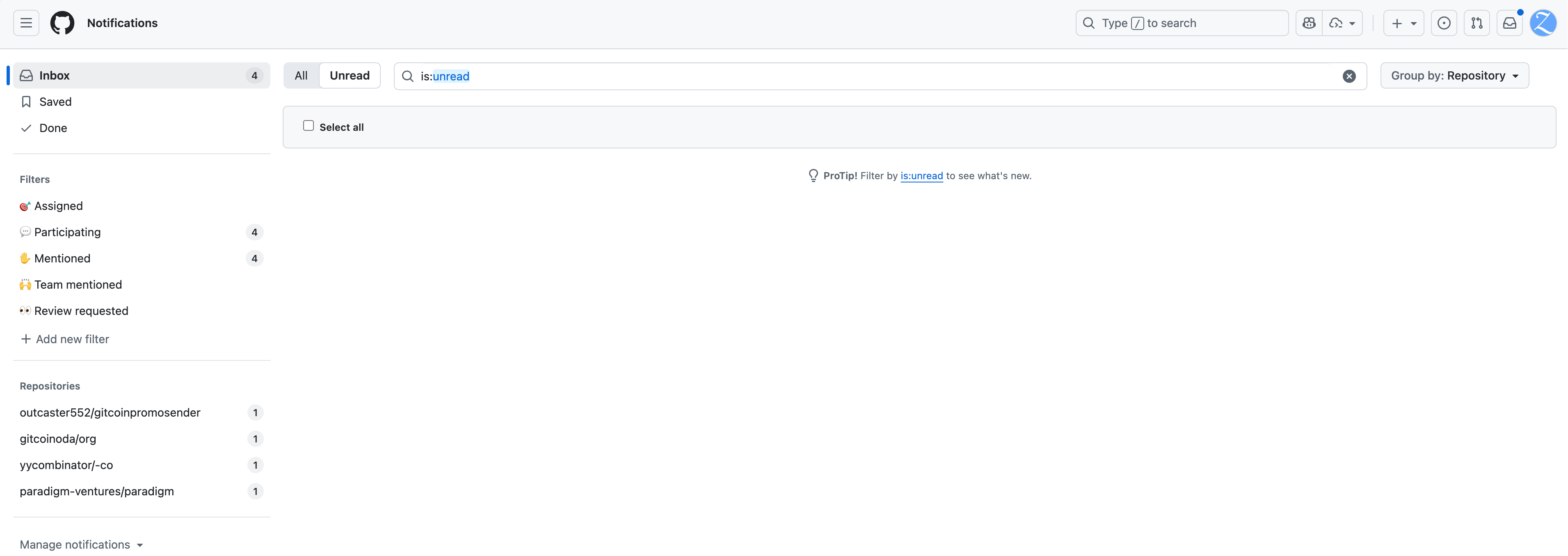
这种「幽灵通知」已经干扰了我的正常使用体验。这天实在忍无可忍,正打算给 GitHub 提交一个工单时,在官方开设的讨论区里发现了一个讨论贴,我在里面找到了有效的临时解决办法,特此记录下来以备后用。

讨论贴链接:https://github.com/orgs/community/discussions/6874

方案一

我使用的是讨论里提到的 利用浏览器开发者工具的解决方案

  1. 在浏览器打开通知列表页面,点击左侧标记有数字的 Filters 或者 Repositories,比如我上文贴的图里的 ParticipatingMentioned,或者 outcaster552/gitcoinpromosendergitcionoda/orgyycombinator/-coparadigm-ventures/paradigm 等等。

  2. 打开浏览器的开发者工具(F12),切换到 Console 标签页,粘贴以下代码并回车执行:

     document.querySelector('.js-notifications-mark-all-actions').removeAttribute('hidden');
     document.querySelector('.js-notifications-mark-all-actions form[action="/notifications/beta/archive"] button').removeAttribute('disabled');
    
  3. 这时页面上会出现一个 Done 按钮,点击它即可清除对应的通知。

方案二

如果以上办法没有解决问题,还可以试一下贴子里 被标记为答案的回复 是一个借助 curl 命令的解决方案。

curl -X PUT
    -H "Accept: application/vnd.github.v3+json" \
    -H "Authorization: token $TOKEN" \
     https://api.github.com/notifications \
    -d '{"last_read_at":"2025-10-15T10:00:00Z"}'

其中 $TOKEN 需要替换成你自己的 GitHub 个人访问令牌(Personal Access Token),可以在 https://github.com/settings/tokens/new 创建,注意 Select scopes 里需要勾选 notifications。命令里的 last_read_at 字段的值可以按需修改为当前时间。

结语

这种幽灵通知,看情况应该来自于某些居心不良的开发者,在他们的仓库里恶意 at 大量的用户来引流,然后这些用户就会收到通知。但如果这些仓库后来因为违规被删除,那么这些通知就会变成幽灵通知,无法被正常清除。

看讨论的时间线,这个问题已经存在至少四年了,GitHub 官方似乎并没有打算修复它。希望本文能帮到和我有同样困扰的朋友。

文档信息