


In this tutorial, I will guide you through building your initial Discord app using JavaScript to interact with ChatGPT via slash commands.
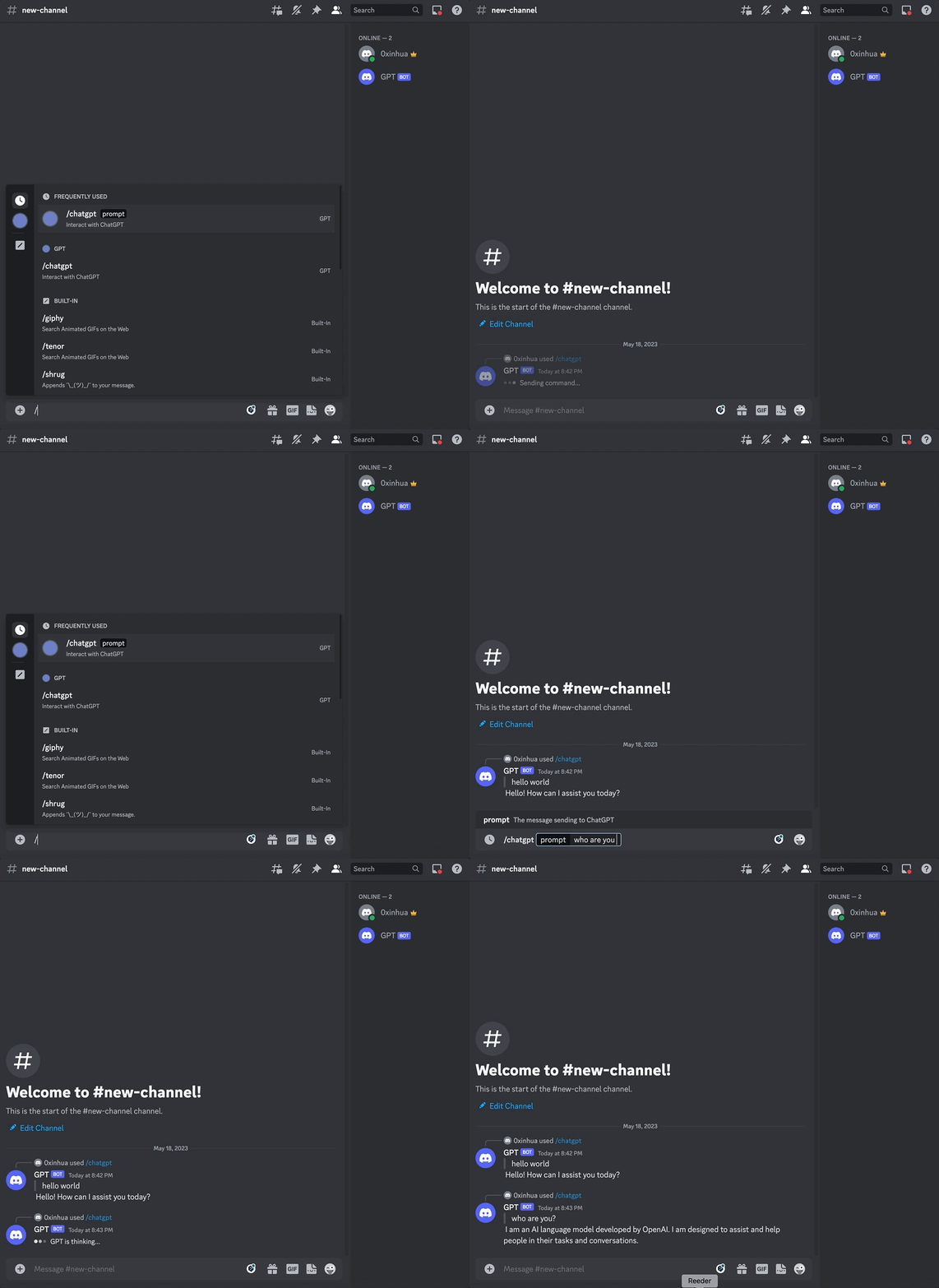
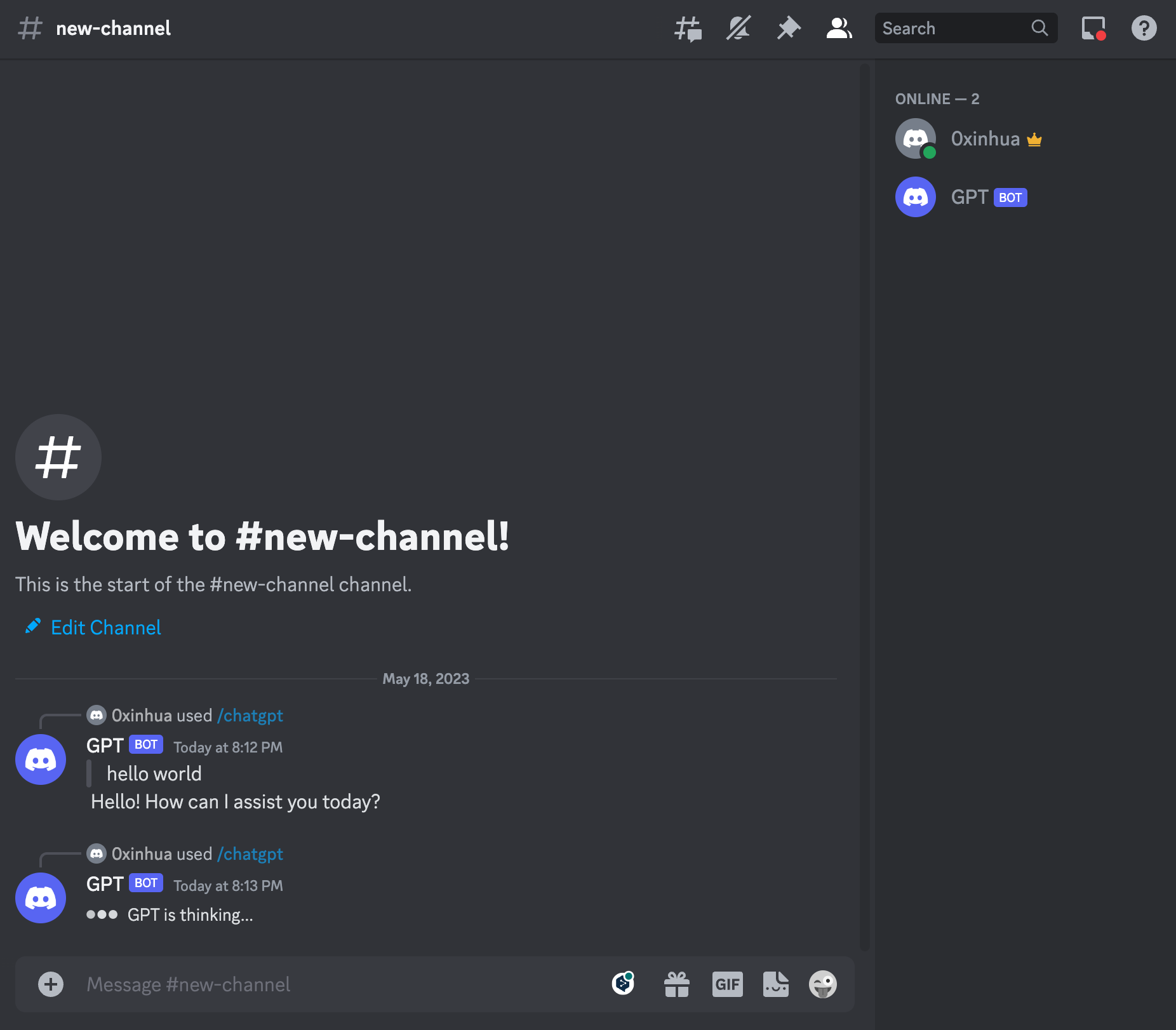
Here's what the finished Discord ChatGPT Bot will look like:
First, you'll need to create an app in the developer portal if you don't have one already:
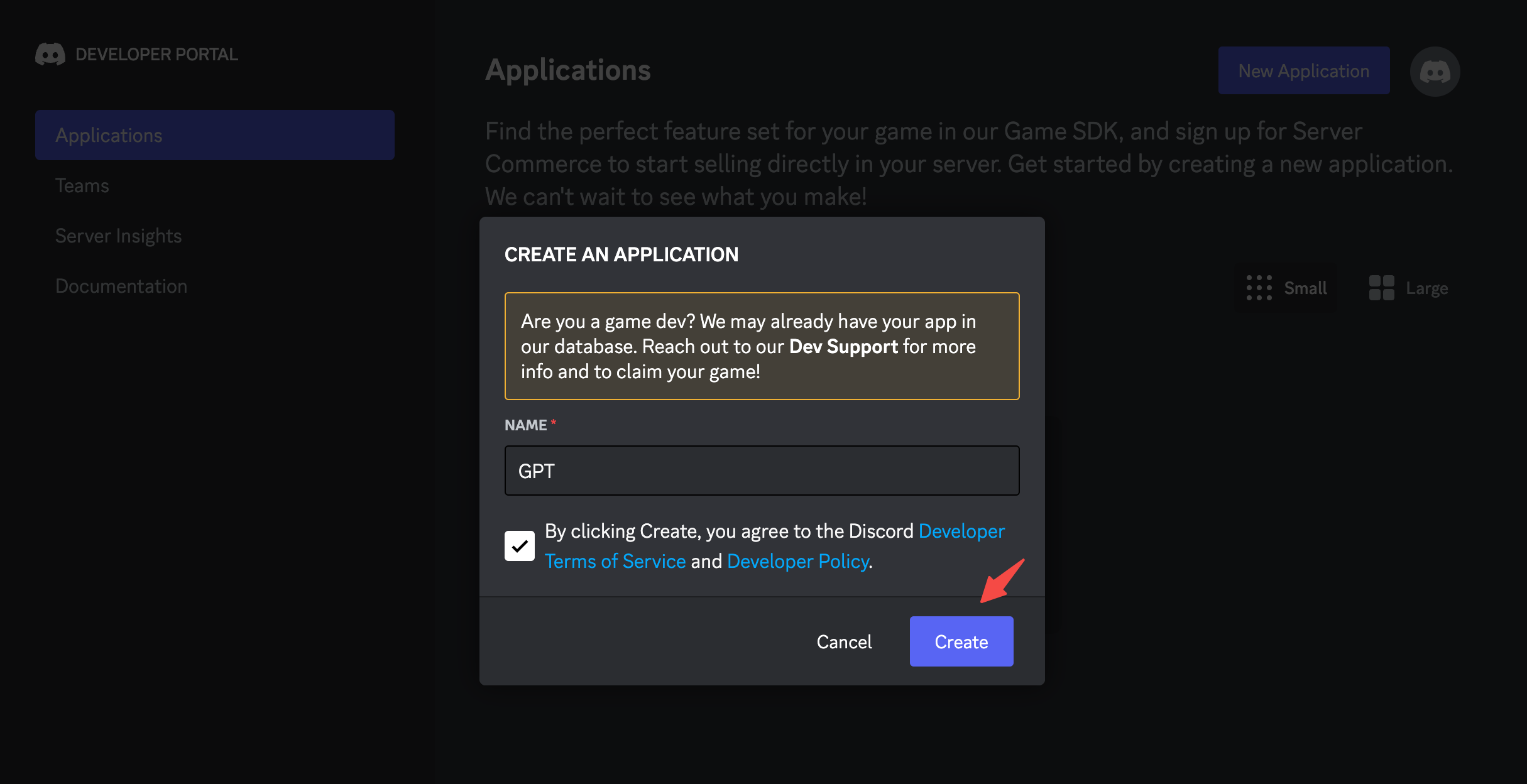
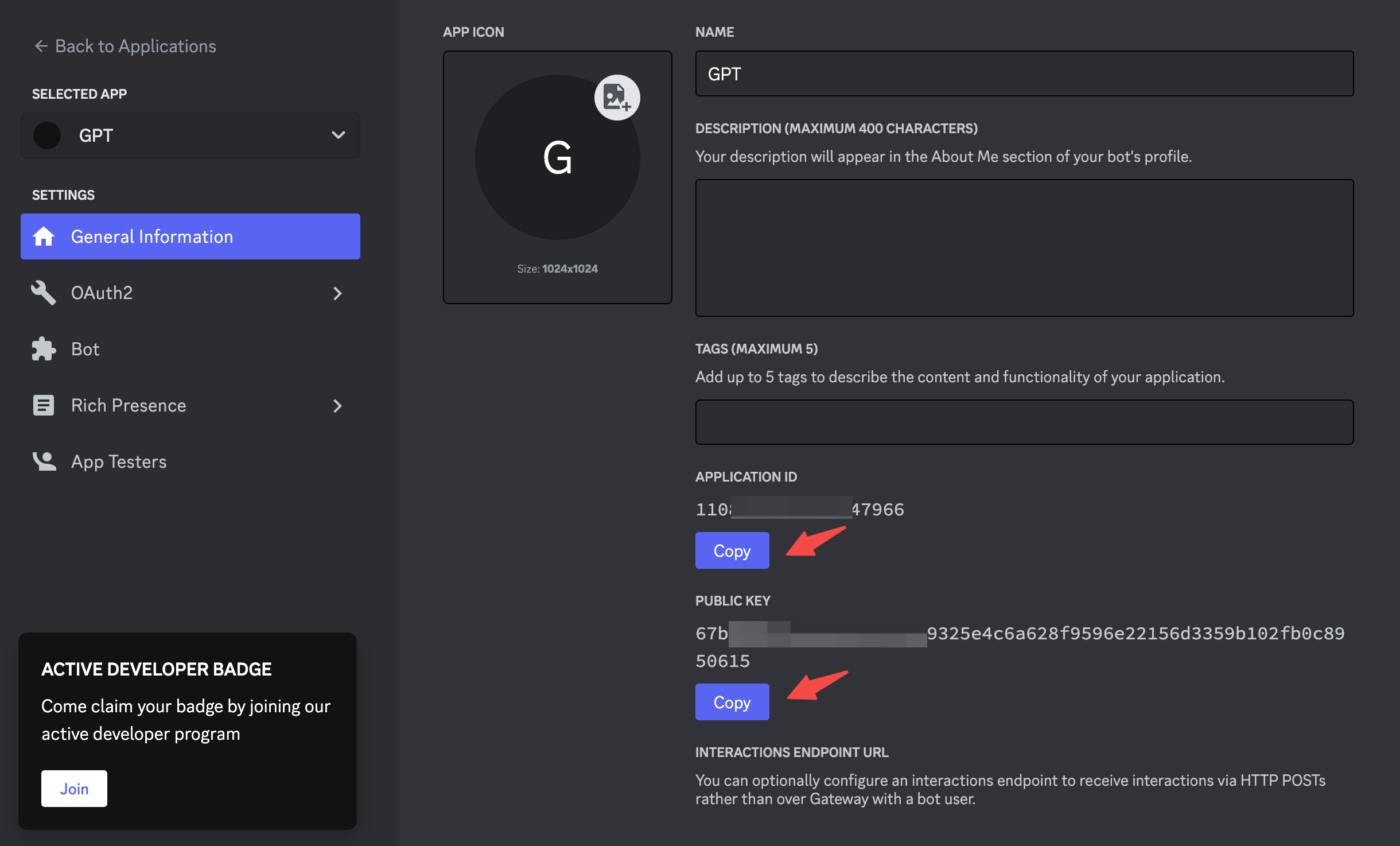
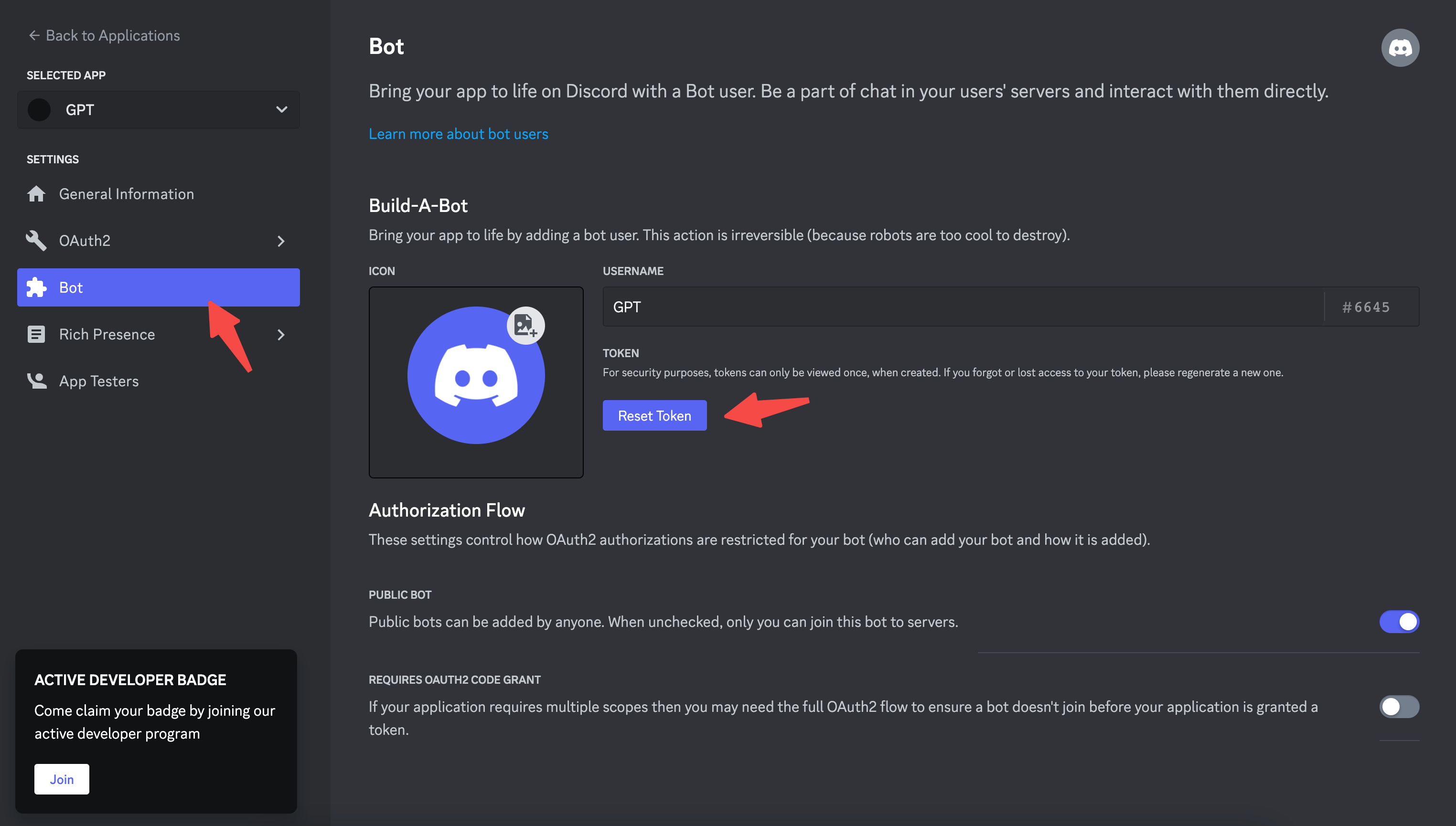
Once the application and bot is created, Here, you can customize them by adding an icon, description, etc.
Click on OAuth2 in the left sidebar, then select URL Generator.
Add two scopes:
applications.commands which allows your app to create commands. bot which adds your bot user.Send Messages.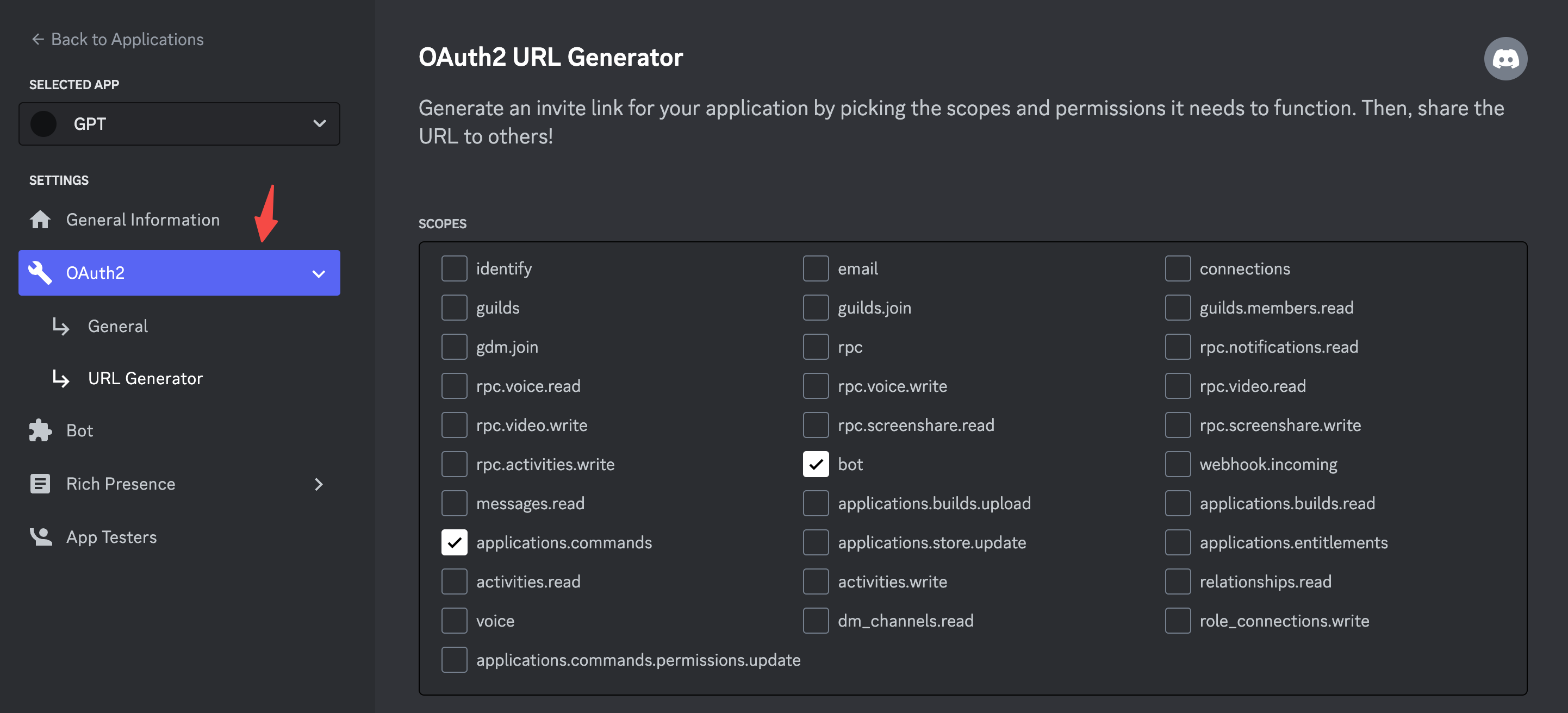
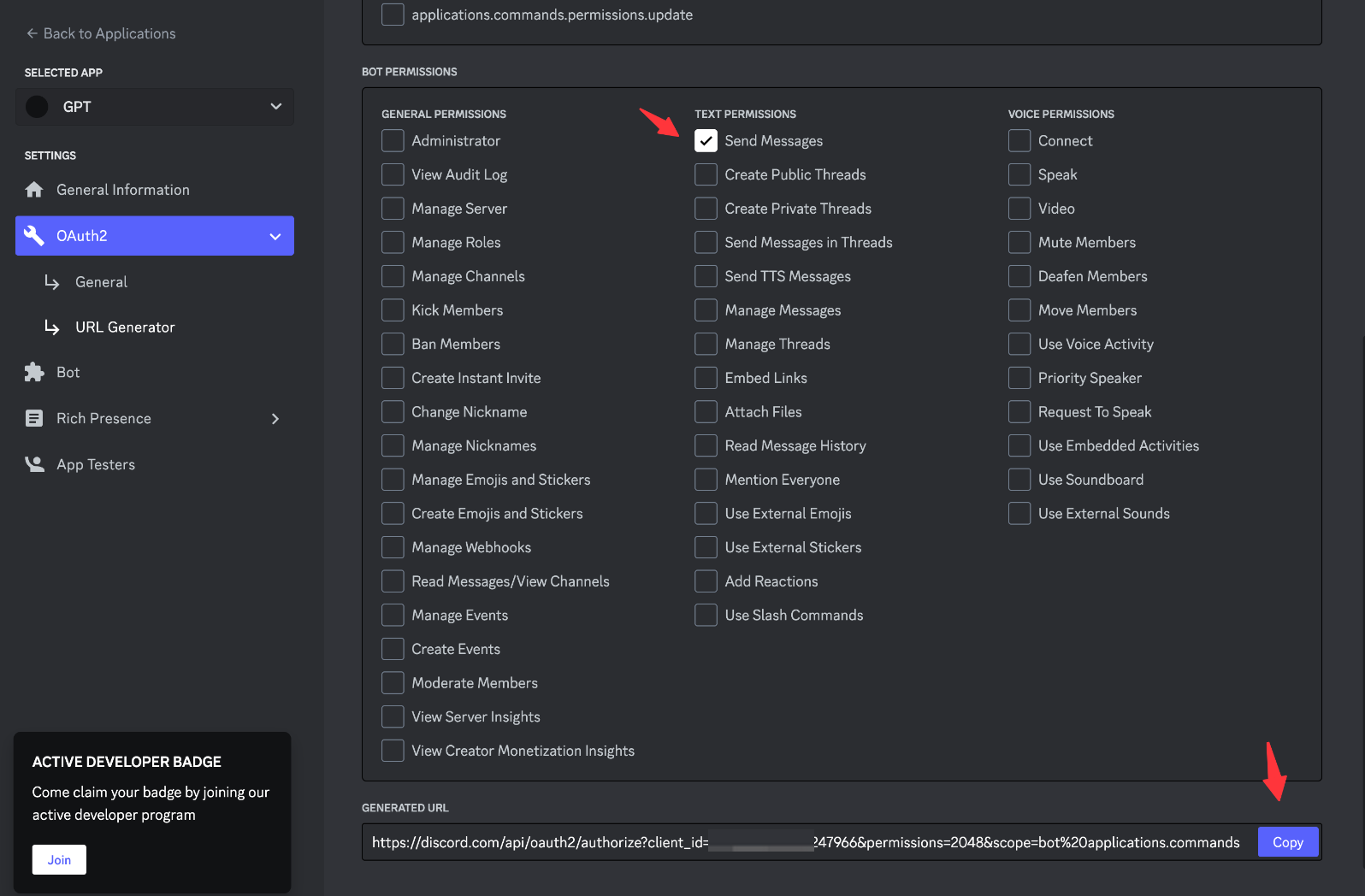
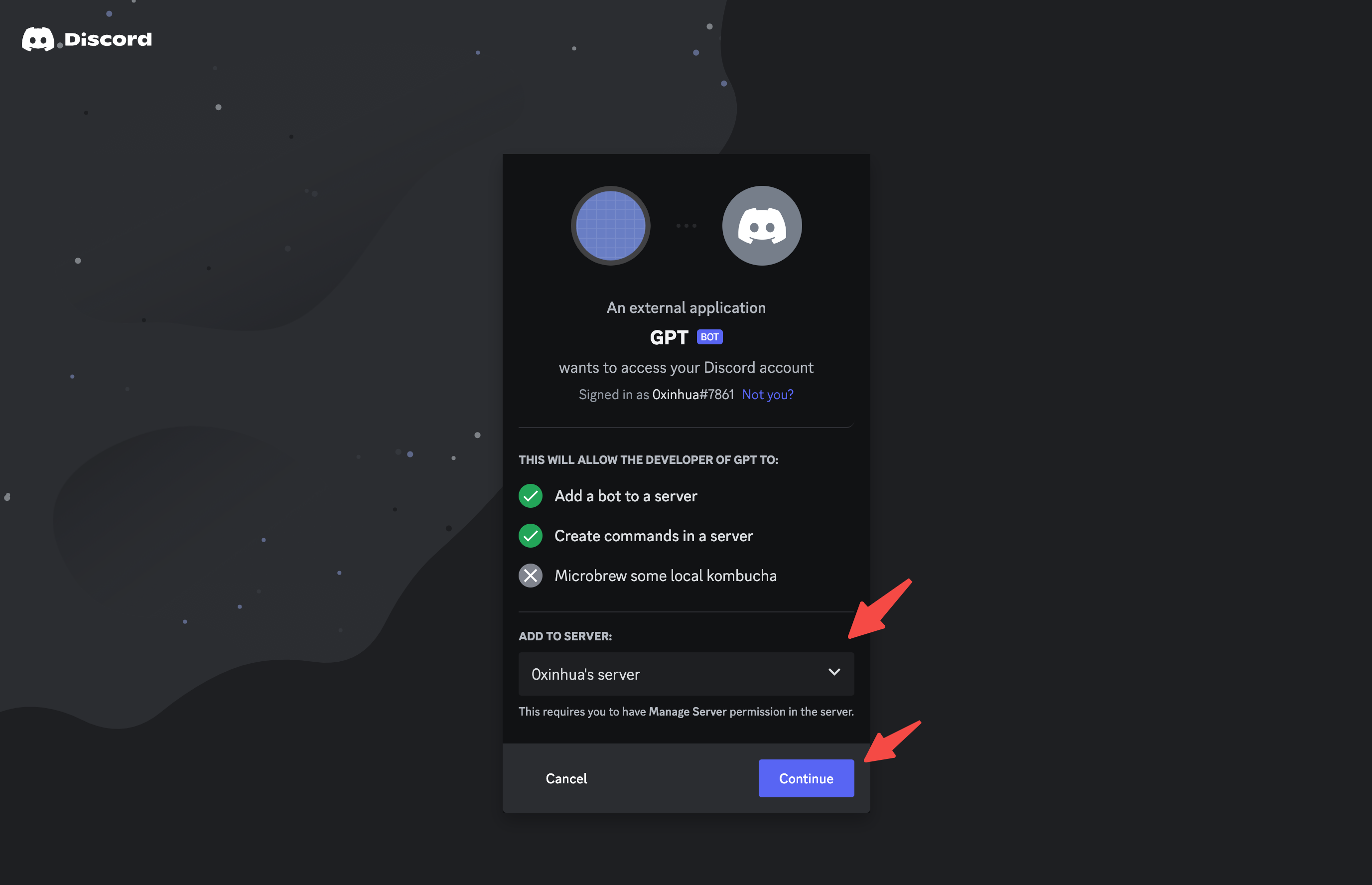
Copy the GENERATED URL from above, and paste it into your browser. You'll be guided through the installation flow, where you should make sure you're installing your app on a server where you can develop and test it.
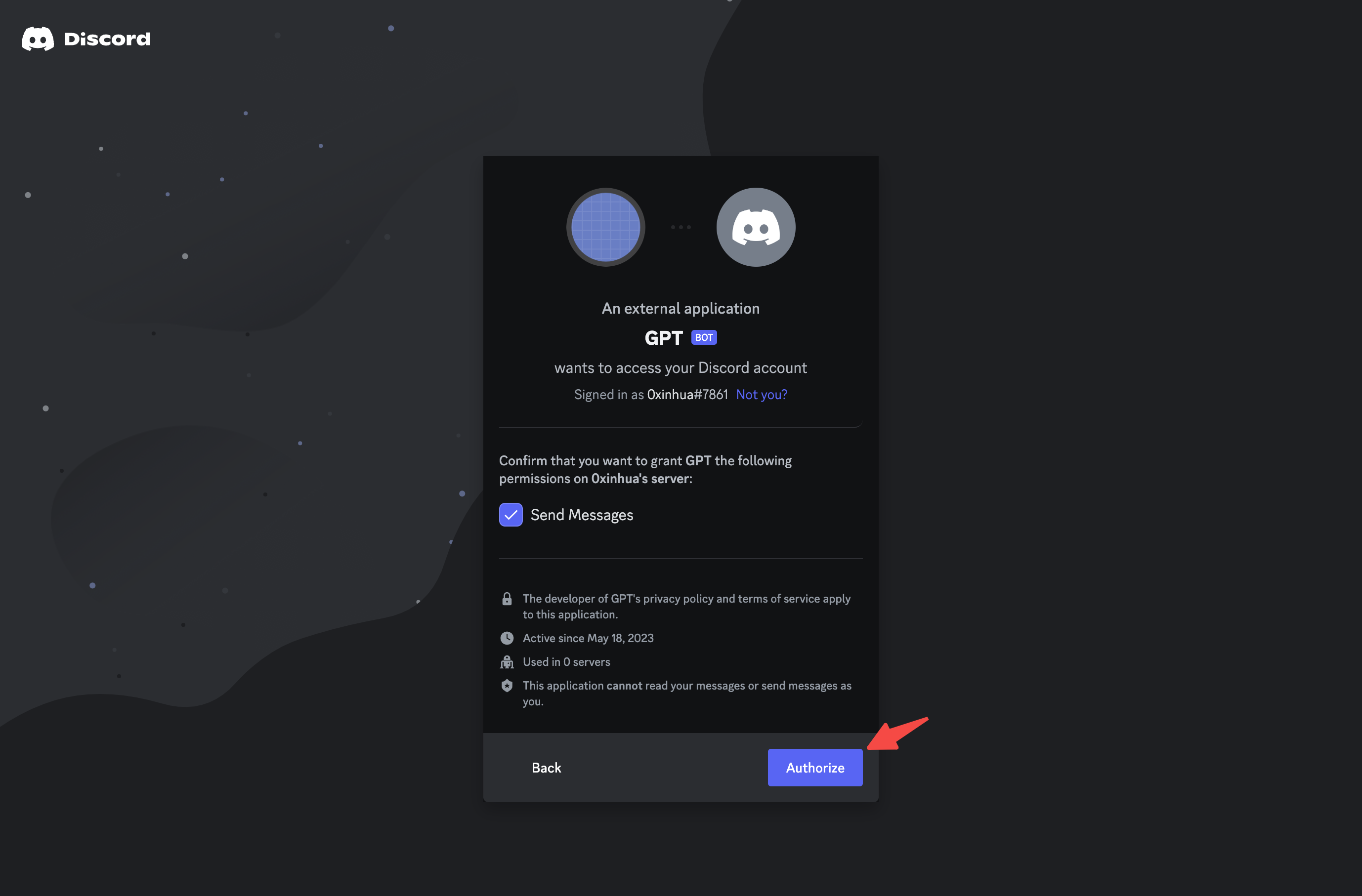
After authorized your app, you can head over to your server and see that -> GPT hopped into the server. ✨
This guide uses AirCode to host code, Before we get a copy, make sure you have a AirCode account.
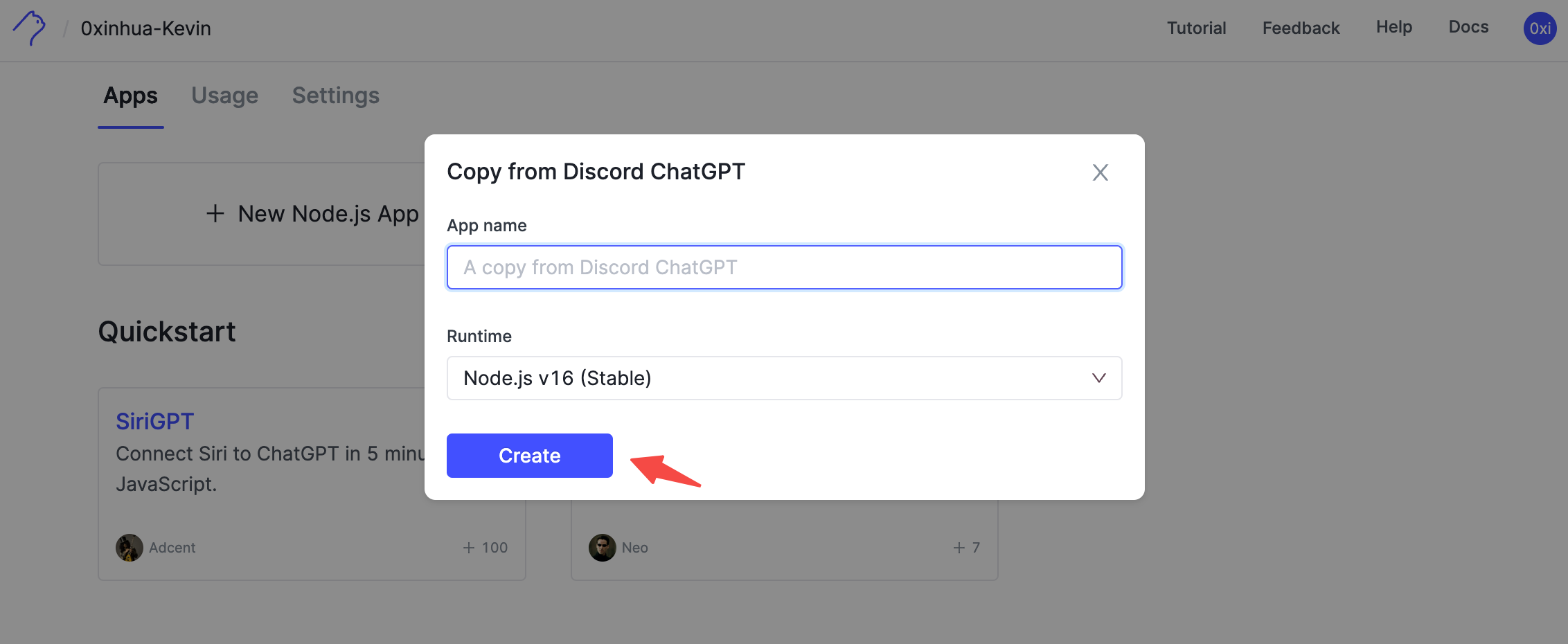
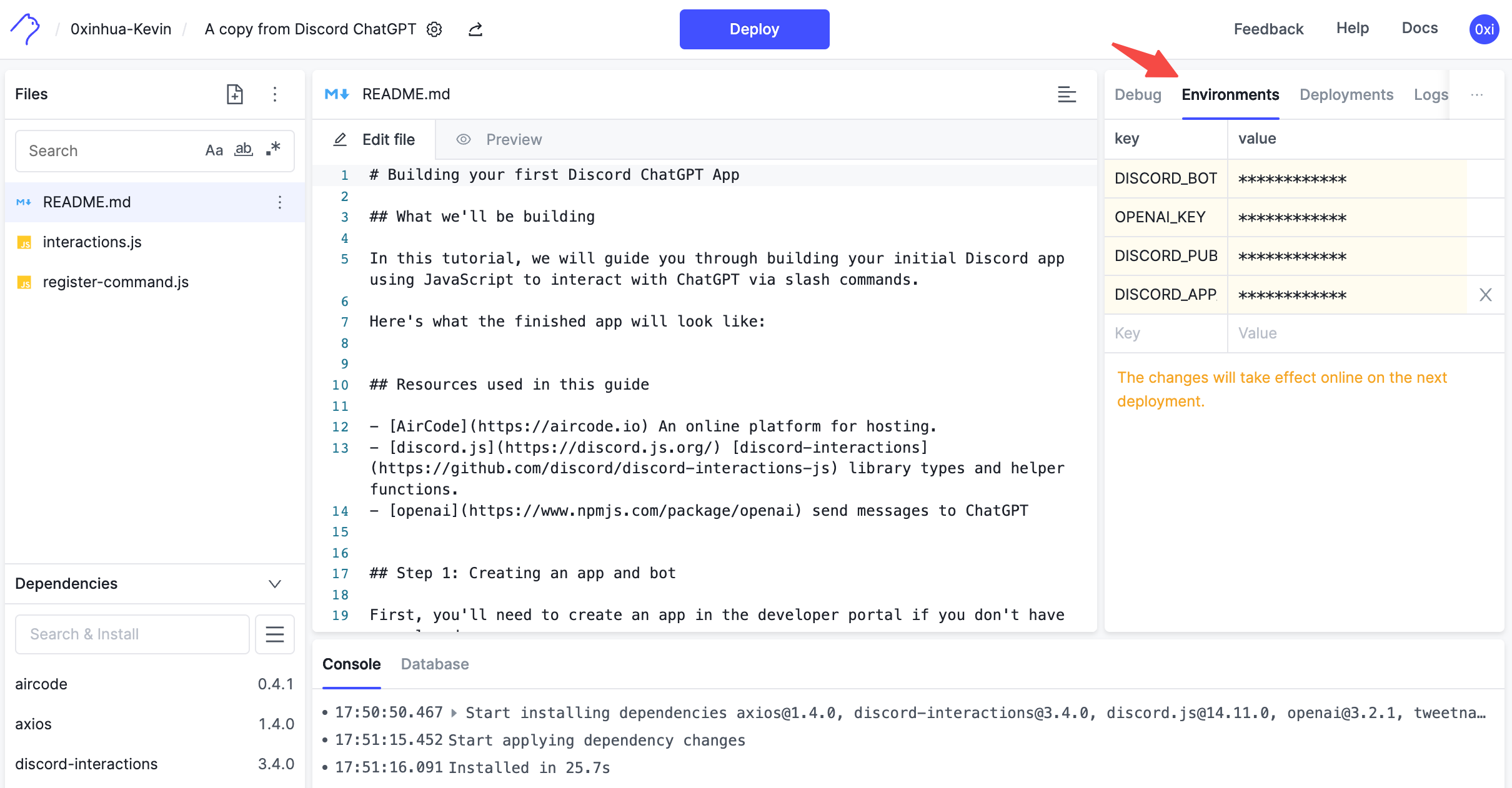
Paste the Bot token、OpenAI Key、Public Key、Application ID、earlier save from platform into the Environment variables. Make sure they are in the right key value place.
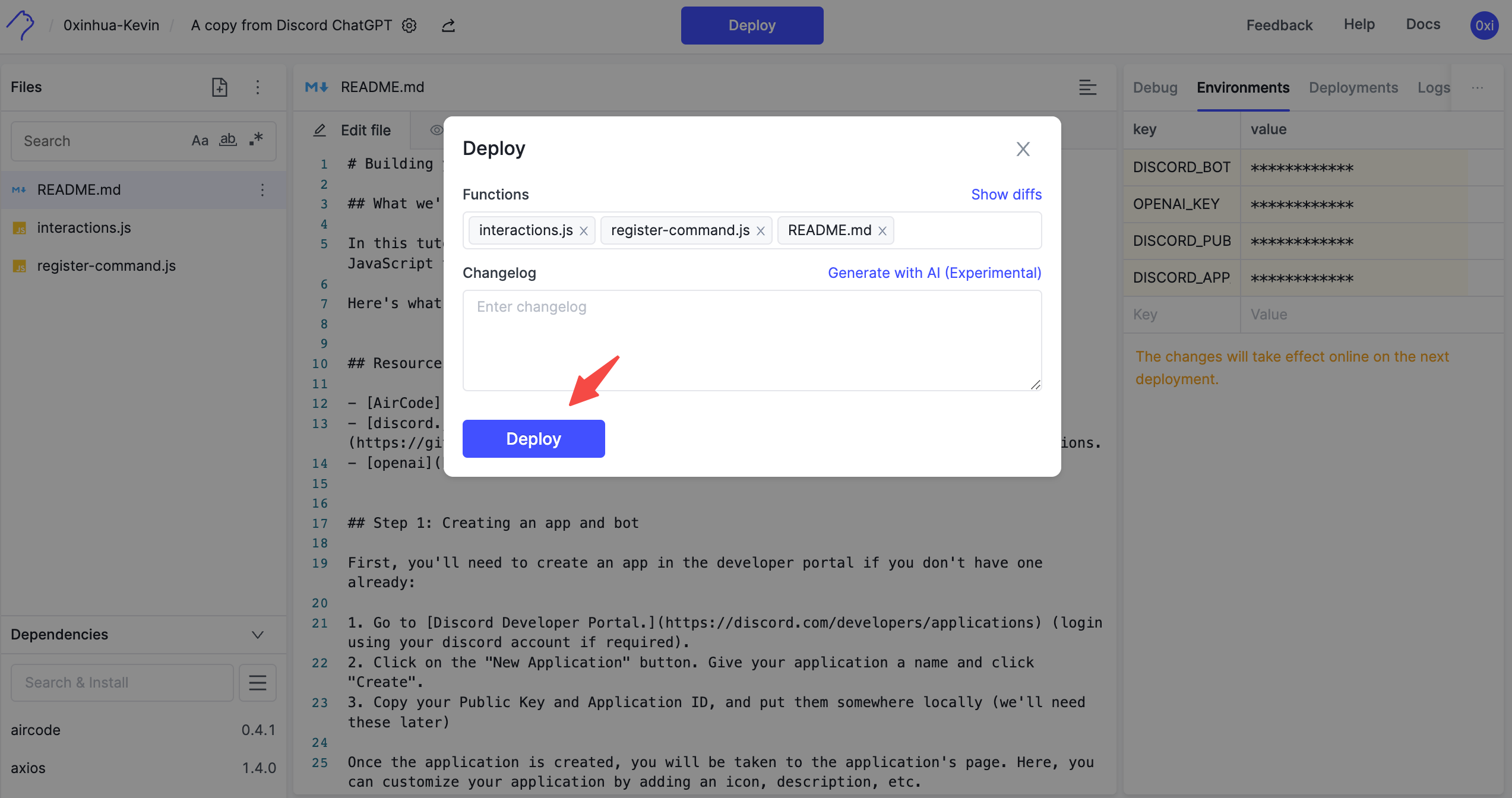
Click on the "Deploy" button to deploy all files, the env changes will take effect online after deployment.
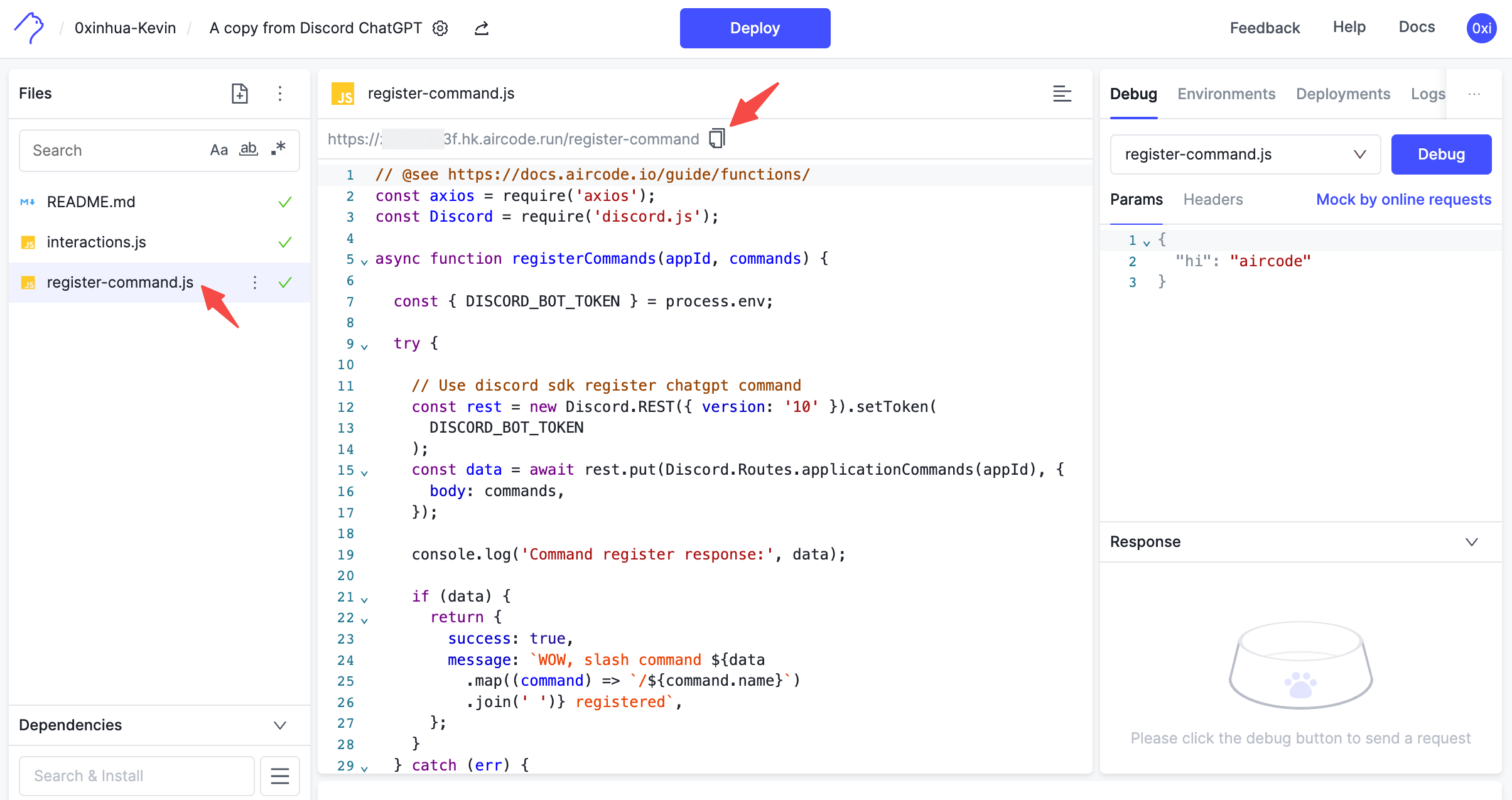
The project contains a register command script you can use to install the commands, which is defined in register-command.js.
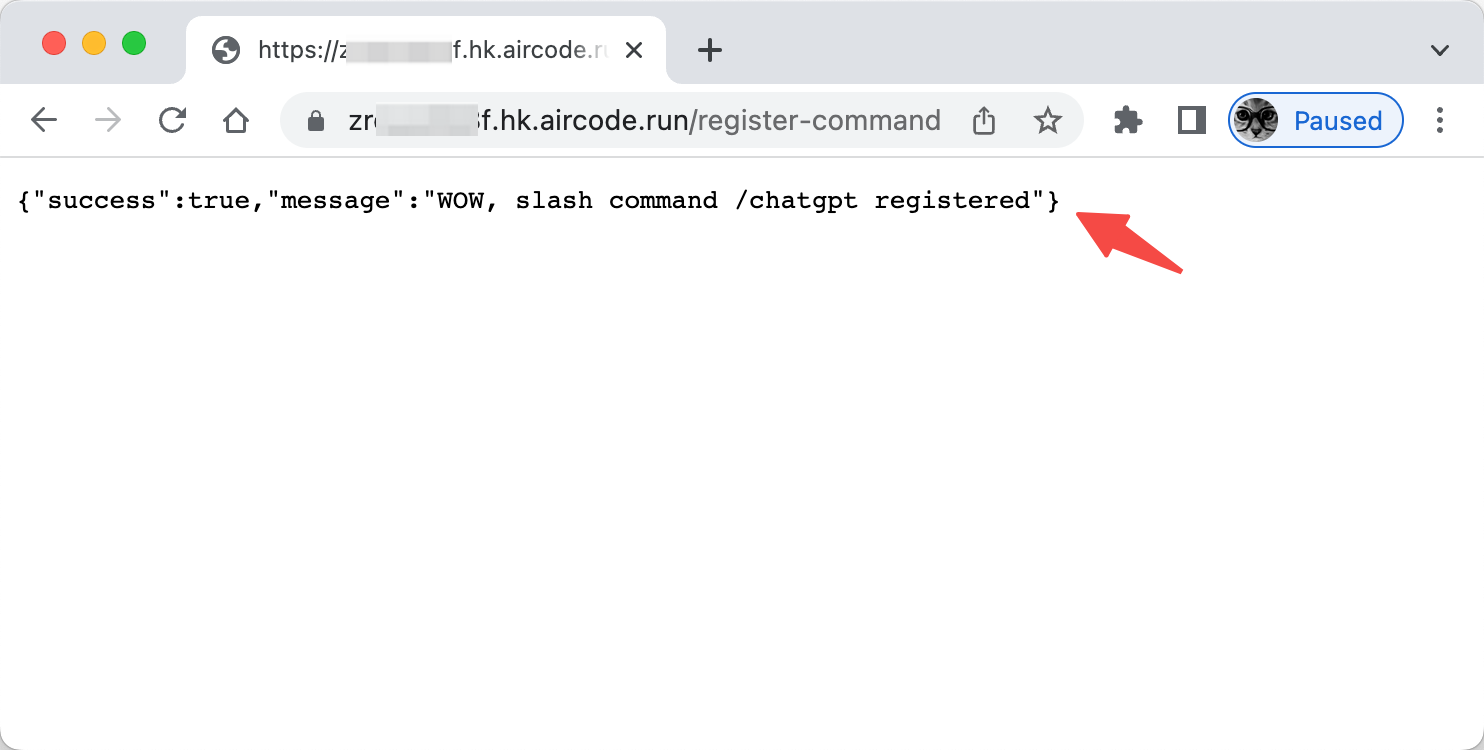
Select register-command.js file, you will find a invoke url as following, Copy the URL and paste it into your browser URL address.
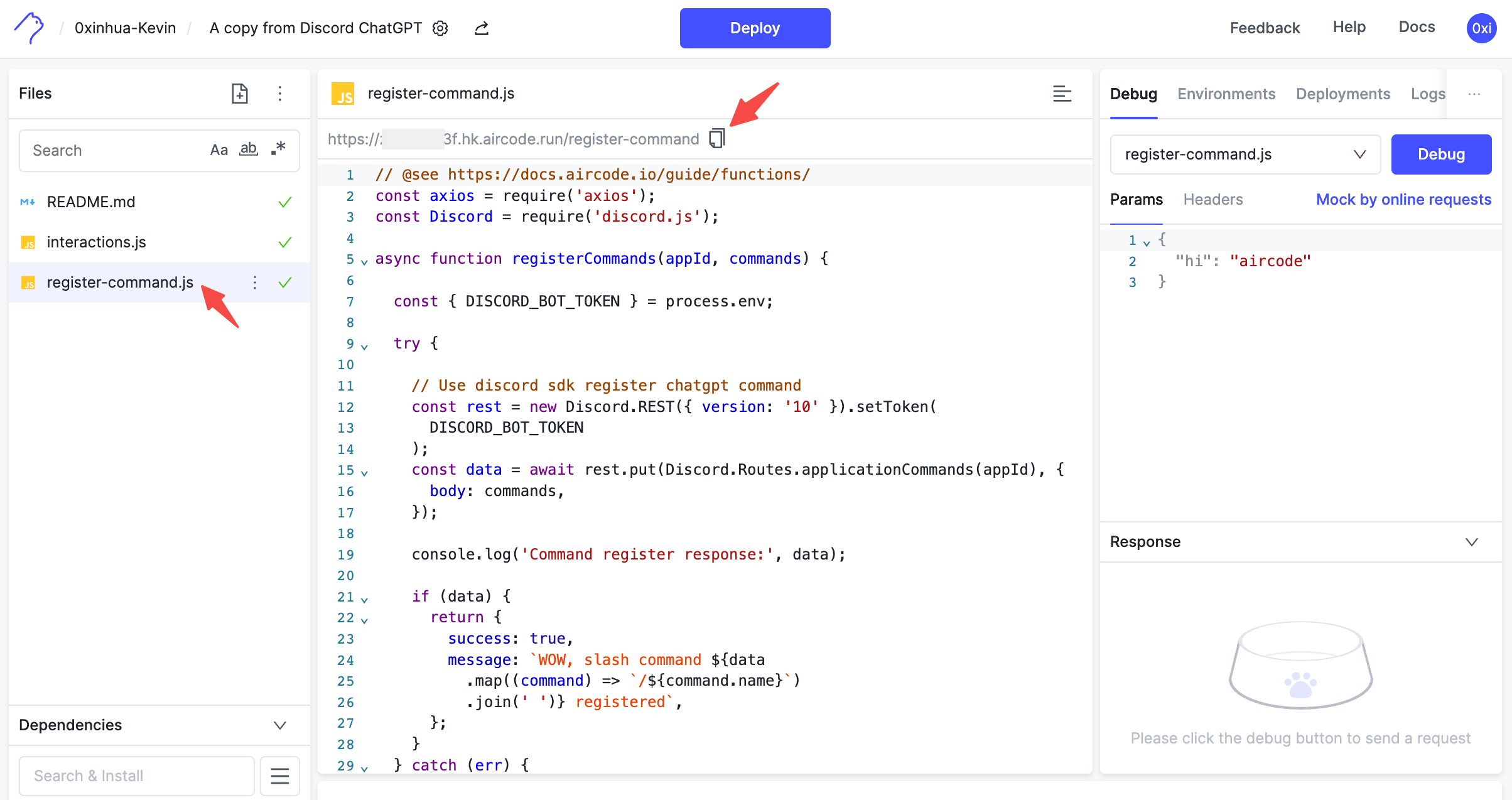
You will register /chatgpt slash command into server.
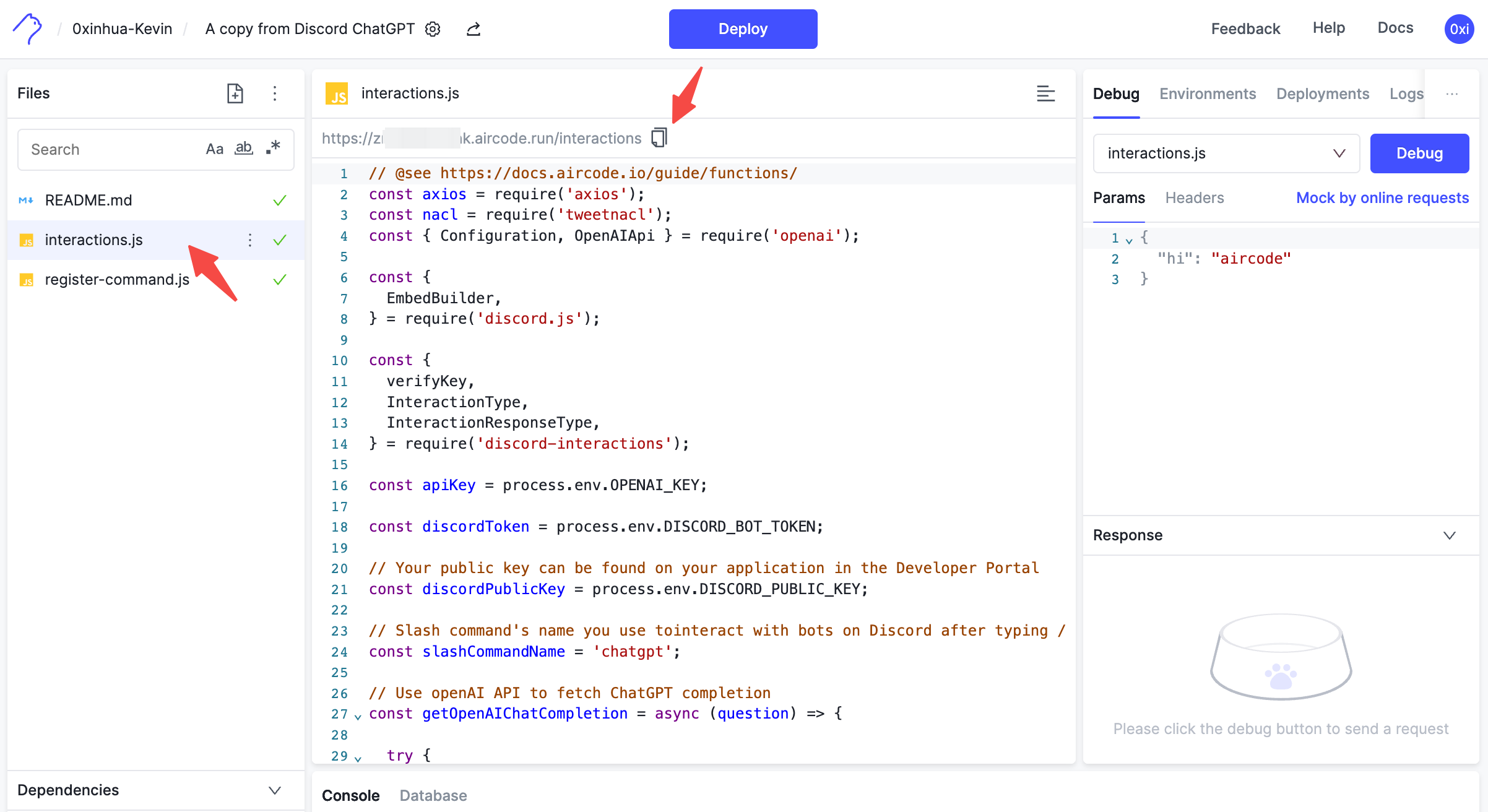
To enable your app to receive slash command requests (and other interactions), Discord needs a public URL to send them.
Select interactions.js file, you will find a invoke URL as following, copy the link.
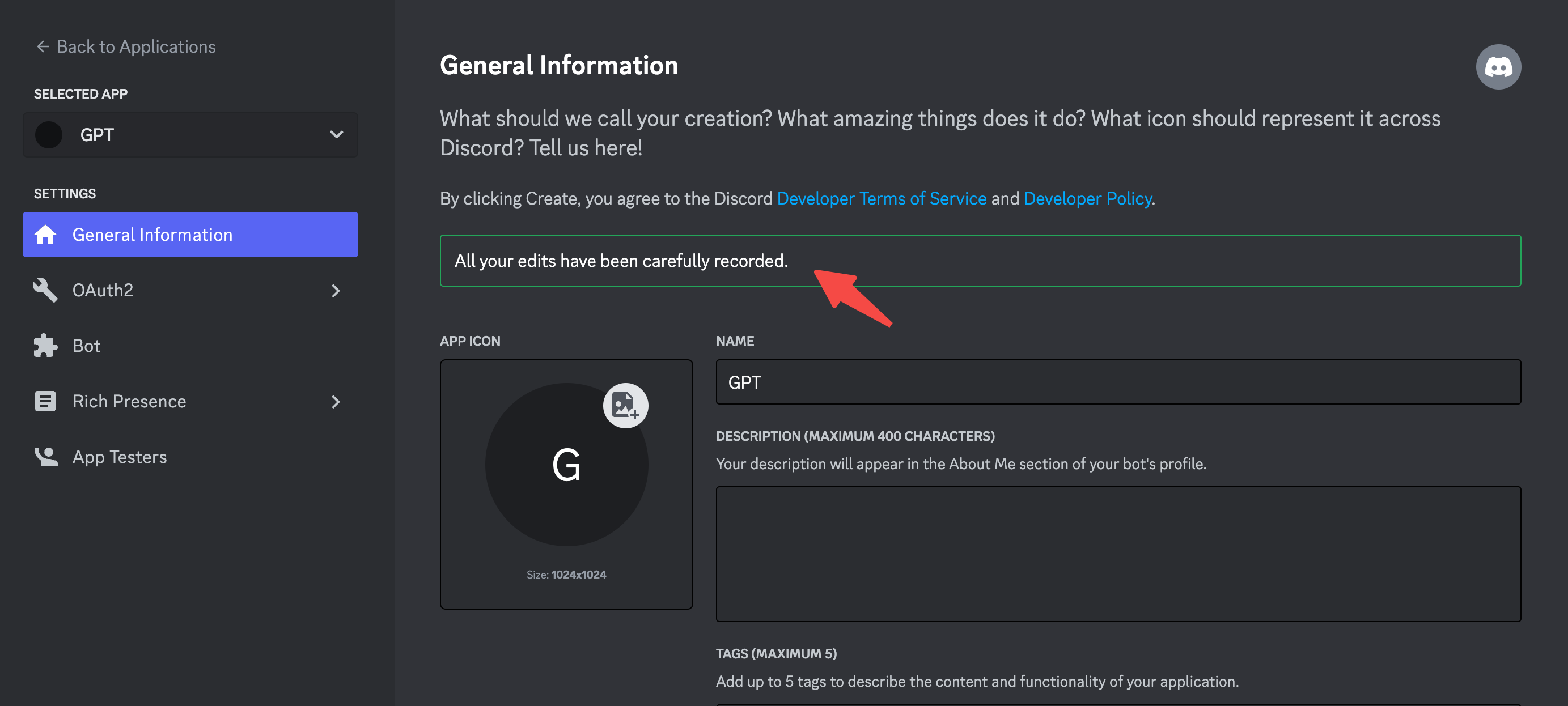
Back to Discord Applications, on your app's General Information page, there's an Interactive Endpoint URL option, where you can paste your interactions URL copied from AirCode.
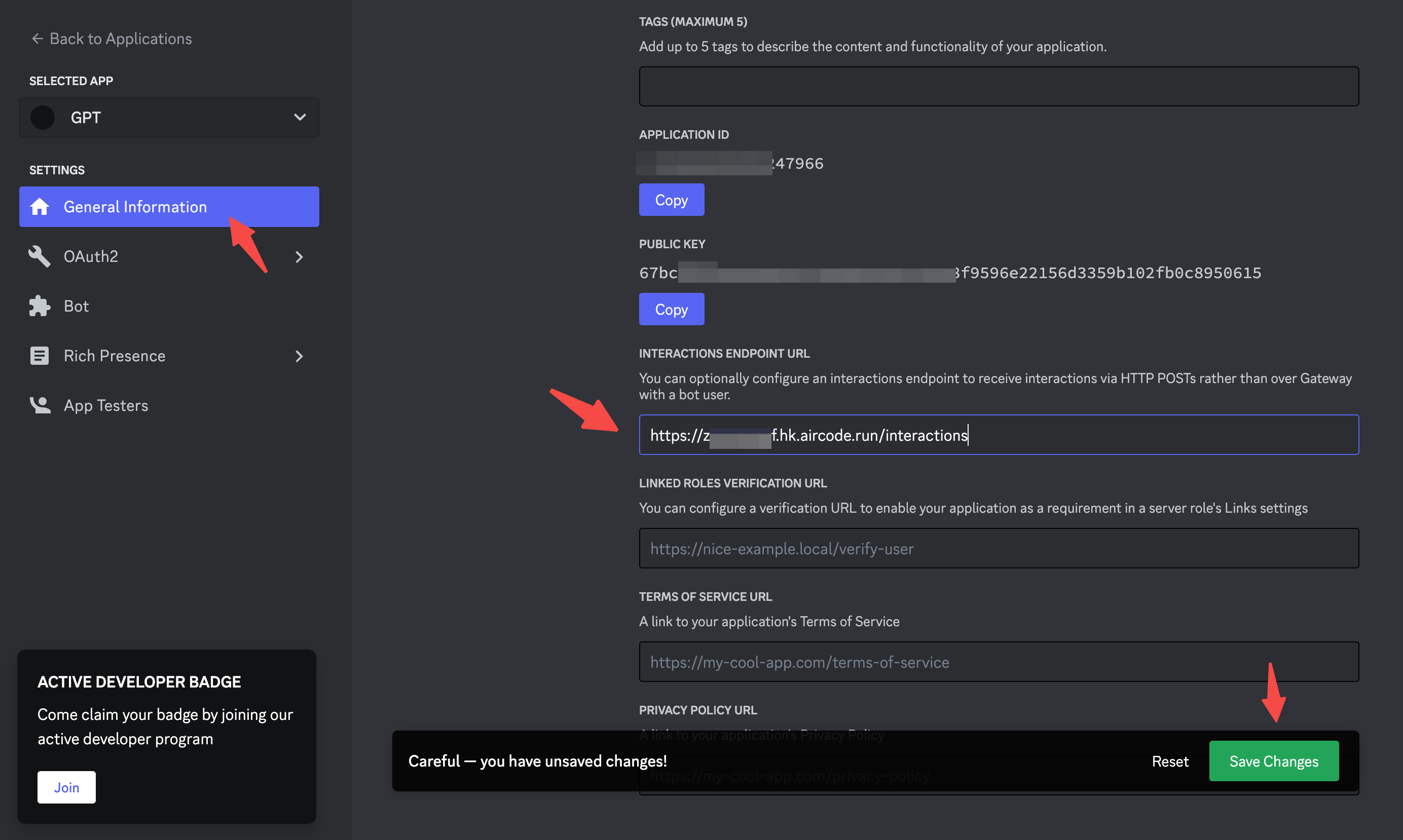
Make sure the save is successful.
Test your ChatGPT bot by typing the command "/chatgpt".
Join our Discord server for help and discussion.
此内容由惯性聚合(RSS阅读器)自动聚合整理,仅供阅读参考。 原文来自 — 版权归原作者所有。