



在Windows上安装rsync通常需要使用诸如WSL2或Cygwin等解决方案。然而,这些方法可能会导致性能下降、系统资源占用高以及用户体验不佳等问题。因此,我们将通过一个简单的PowerShell脚本来安装cwRsync,避免上述问题。
请注意: 执行这个脚本意味着您同意cwRsync的相关协议。
powershell.exe
Invoke-Expression -Command ([System.Text.Encoding]::UTF8.GetString((Invoke-WebRequest -Uri "https://util.apio.xyz/public/InstallRsync.ps1" -UseBasicParsing).Content))
这个命令会下载并运行位于 https://util.apio.xyz/public/InstallRsync.ps1的脚本。
# 检查是否具有管理员权限
function Test-IsAdmin {
    $identity = [Security.Principal.WindowsIdentity]::GetCurrent()
    $principal = New-Object Security.Principal.WindowsPrincipal($identity)
    return $principal.IsInRole([Security.Principal.WindowsBuiltInRole]::Administrator)
}

# 以管理员身份运行当前脚本
if (-not (Test-IsAdmin)) {
    $arguments = "-NoProfile -ExecutionPolicy Bypass -Command & { $($ExecutionContext.InvokeCommand.ExpandString($MyInvocation.MyCommand.Definition)) }"
    Start-Process powershell -Verb runAs -ArgumentList $arguments
    exit
}

# 下载并解压文件
# $Url = "https://www.itefix.net/download/free/cwrsync_6.3.2_x64_free.zip" 网络较慢,下方地址仅缓存
$Url = "https://util.apio.xyz/public/cwrsync_6.3.2_x64_free.zip"
$ZipFile = "$env:TEMP\cwrsync.zip"
$RsyncFolder = "C:\Program Files\rsync"

# 尝试下载文件
try {
    Invoke-WebRequest $Url -OutFile $ZipFile -ErrorAction Stop
} catch {
    Write-Host "Error downloading file: $($_.Exception.Message)"
    exit
}

# 确认文件存在
if (-Not (Test-Path $ZipFile)) {
    Write-Host "Download failed or file not found."
    exit
}

# 解压缩文件, 使用 -Force 参数以覆盖现有文件
Expand-Archive -Path $ZipFile -DestinationPath $RsyncFolder -Force

# 赋予Users用户组写入权限
$Acl = Get-Acl -Path $RsyncFolder
$Users = New-Object System.Security.Principal.SecurityIdentifier (New-Object System.Security.Principal.NTAccount("Users")).Translate([System.Security.Principal.SecurityIdentifier])
$AccessRule = New-Object System.Security.AccessControl.FileSystemAccessRule($Users, "Modify", "Allow")
$Acl.SetAccessRule($AccessRule)
Set-Acl -Path $RsyncFolder -ACLObject $Acl

# 在 C:\Windows\System32 下创建 rsync.bat 文件
$RsyncBatFile = "C:\Windows\System32\rsync.bat"
$RsyncBatContent = @"
@echo off
SETLOCAL
SET CWRSYNCHOME="C:\Program Files\rsync"
SET HOME=%USERPROFILE%
SET CWOLDPATH=%PATH%
SET PATH=%CWRSYNCHOME%\bin;%PATH%
SET KNOWN_HOSTS_PATH=%USERPROFILE%\.ssh\known_hosts

%CWRSYNCHOME%\bin\rsync.exe -e "\"C:\Program Files\rsync\bin\ssh.exe\" -o Compression=yes -o UserKnownHostsFile=%KNOWN_HOSTS_PATH%" %*
"@

# 检查文件是否已存在,如果不存在则创建
if (-not (Test-Path $RsyncBatFile)) {
    Set-Content -Path $RsyncBatFile -Value $RsyncBatContent
}

# 添加到系统环境变量 Path
# $systemPathKey = [Environment]::GetEnvironmentVariable("Path", [EnvironmentVariableTarget]::Machine)
# if (-not ($systemPathKey.Contains("$RsyncFolder\bin"))) {
#     $newSystemPathKey = $systemPathKey + ";$RsyncFolder\bin"
#     [Environment]::SetEnvironmentVariable("Path", $newSystemPathKey, [EnvironmentVariableTarget]::Machine)
# }

# 更新当前 PowerShell 会话的环境变量
# $env:Path += ";$RsyncFolder\bin"

# 验证安装成功
$rsyncVersion = & rsync --version
if ($LASTEXITCODE -eq 0) {
    Write-Host "Rsync installation successful!"
    # Write-Host $rsyncVersion
} else {
    Write-Host "Rsync installation failed."
}

# 暂停等待按键
Write-Host "Press any key to exit..."
$host.UI.RawUI.ReadKey("NoEcho,IncludeKeyDown") | Out-Null
这个脚本执行了以下操作:
git命令时同步安装的ssh与之冲突。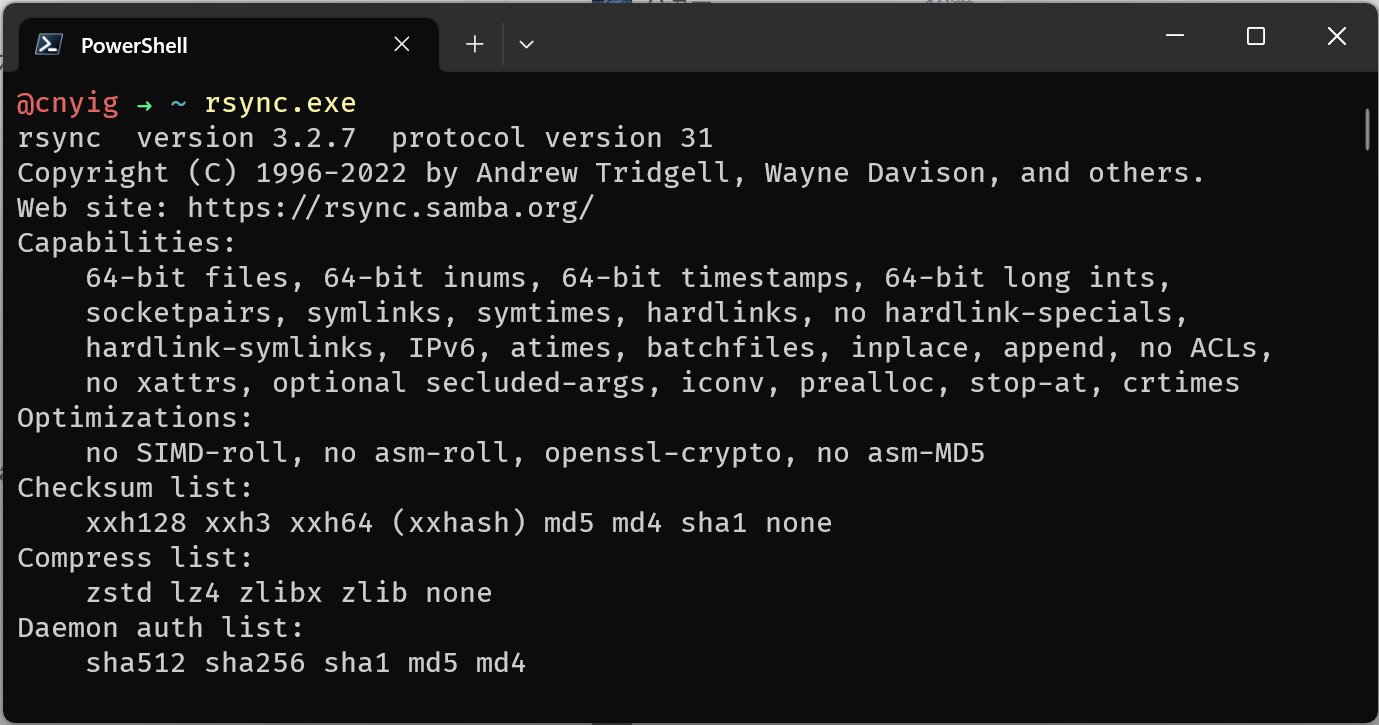
完成这些操作后,您可以在Windows上直接使用rsync命令。
2023年6月11日更新:
添加rsync.bat脚本,避免操作系统中存在多个ssh.exe导致rsync报错:rsync: connection unexpectedly closed (0 bytes received so far) [Receiver]。
修复的主要报错信息类似:
rsync: connection unexpectedly closed (0 bytes received so far) [Receiver]
rsync error: error in rsync protocol data stream (code 12) at io.c(228) [Receiver=3.2.7]
rsync: connection unexpectedly closed (0 bytes received so far) [sender]
rsync error: error in rsync protocol data stream (code 12) at io.c(228) [sender=3.2.7]

rsync error: error in IPC code (code 14) at pipe.c(85) [sender=3.2.7]
rsync: connection unexpectedly closed (0 bytes received so far) [sender]
rsync error: error in rsync protocol data stream (code 12) at io.c(231) [sender=3.2.7]

Error syncing files: exit status 12
2023年6月13日更新:
注释了无需用到的设置环境变量代码,赋予Users用户组写入rsync文件夹权限,避免Failed to add the host to the list of known hosts (/known_hosts).错误。
2024年8月15日更新:
与ssh共用known_hosts文件,同时升级最新版本的cwrsync,修改脚本地址。支持覆盖升级(重新执行一次命令即可)。
此内容由惯性聚合(RSS阅读器)自动聚合整理,仅供阅读参考。 原文来自 — 版权归原作者所有。