


惯性聚合 高效追踪和阅读你感兴趣的博客、新闻、科技资讯
阅读原文 在惯性聚合中打开

推荐订阅源

Google DeepMind News
V
Visual Studio Blog
博客园 - Franky
N
Netflix TechBlog - Medium
WordPress大学
WordPress大学
小众软件
小众软件
Jina AI
Jina AI
L
Lohrmann on Cybersecurity
罗磊的独立博客
I
Intezer
W
WeLiveSecurity
T
Tenable Blog
Cyberwarzone
Cyberwarzone
P
Privacy & Cybersecurity Law Blog
D
Darknet – Hacking Tools, Hacker News & Cyber Security
S
Securelist
Recent Announcements
cs.CV updates on arXiv.org
Engineering at Meta
Engineering at Meta
Hacker News: Ask HN
Hacker News: Ask HN
F
Full Disclosure
S
SegmentFault 最新的问题
S
Security Affairs
L
LINUX DO - 热门话题
C
CERT Recently Published Vulnerability Notes
博客园 - 叶小钗
Stack Overflow Blog
Stack Overflow Blog
OSCHINA 社区最新新闻
OSCHINA 社区最新新闻
S
Secure Thoughts
C
CXSECURITY Database RSS Feed - CXSecurity.com
The Register - Security
月光博客
月光博客
Microsoft Azure Blog
Last Week in AI
Last Week in AI
PCI Perspectives
PCI Perspectives
N
News | PayPal Newsroom
Schneier on Security
T
Threat Research - Cisco Blogs
B
Blog RSS Feed
L
LINUX DO - 最新话题
F
Fortinet All Blogs
雷峰网
雷峰网
Security Latest
Security Latest
大猫的无限游戏
大猫的无限游戏
P
Palo Alto Networks Blog
C
Cyber Attacks, Cyber Crime and Cyber Security
V
V2EX
人人都是产品经理
人人都是产品经理
酷 壳 – CoolShell
酷 壳 – CoolShell
博客园 - 【当耐特】

轶哥博客

blog blog blog blog blog blog blog blog blog blog blog blog blog blog blog blog blog blog blog blog blog blog blog blog blog blog blog blog blog blog blog blog blog blog blog blog blog blog blog blog blog blog blog blog blog blog blog blog blog blog blog blog blog blog blog blog blog blog blog blog blog blog blog blog blog blog blog blog blog blog blog blog blog blog blog blog blog blog blog blog blog blog blog blog blog blog blog blog blog blog blog blog blog blog blog blog blog blog blog blog
blog
2016-04-13 · via 轶哥博客

  如果在安装Bash on Ubuntu on Windows的时候没有以管理员方式运行“bash”命令,那么可能导致安装报“Failed to create shortcut to bash.exe”的错误。出现这个错误,说明Bash on Ubuntu on Windows的快捷方式没有被正确安装。此时会导致“开始->bash”无法正常找到如下图标:
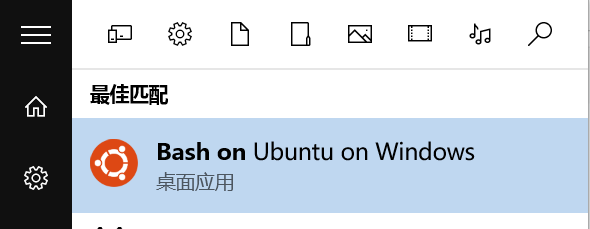
Bash on Ubuntu on Windows

  如果没有这个快捷方式, 最大的影响是每次通过“bash.exe”运行Bash on Ubuntu on Windows需要增加“cd ~”命令。出现这个问题,如果通过“启用或关闭Windows功能”来重装是没有用的。

  解决方案如下:

  在左下角开始图标处右键,选择“命令提示符(管理员)”。运行lxrun /uninstall来卸载Bash on Ubuntu on Windows。卸载完毕后运行bashlxrun /instal来安装Bash on Ubuntu on Windows。第一条命令执行的时候,会判断Bash on Ubuntu on Windows是否已经安装,没有安装则自动执行“lxrun /install”。所以本质上是一样的。

  在管理员权限下重新安装后,则不会再出现“Failed to create shortcut to bash.exe”的报错,快捷方式也可以正常运行。把它拖动到桌面将会非常方便。