惯性聚合 高效追踪和阅读你感兴趣的博客、新闻、科技资讯
阅读原文 在惯性聚合中打开

推荐订阅源

S
Securelist
有赞技术团队
有赞技术团队
WordPress大学
WordPress大学
V
V2EX
Google DeepMind News
B
Blog RSS Feed
The Register - Security
Recorded Future
Recorded Future
Y
Y Combinator Blog
小众软件
小众软件
Jina AI
Jina AI
V2EX - 技术
V2EX - 技术
钛媒体:引领未来商业与生活新知
钛媒体:引领未来商业与生活新知
P
Proofpoint News Feed
Engineering at Meta
Engineering at Meta
宝玉的分享
宝玉的分享
The Hacker News
The Hacker News
C
Cybersecurity and Infrastructure Security Agency CISA
K
Kaspersky official blog
博客园 - 三生石上(FineUI控件)
T
Threatpost
博客园 - 聂微东
Scott Helme
Scott Helme
IT之家
IT之家
N
Netflix TechBlog - Medium
T
The Exploit Database - CXSecurity.com
S
Schneier on Security
MongoDB | Blog
MongoDB | Blog
T
Tor Project blog
C
CXSECURITY Database RSS Feed - CXSecurity.com
A
About on SuperTechFans
酷 壳 – CoolShell
酷 壳 – CoolShell
C
CERT Recently Published Vulnerability Notes
P
Palo Alto Networks Blog
Spread Privacy
Spread Privacy
C
Check Point Blog
L
LINUX DO - 最新话题
D
Darknet – Hacking Tools, Hacker News & Cyber Security
Last Week in AI
Last Week in AI
Attack and Defense Labs
T
Tailwind CSS Blog
罗磊的独立博客
让小产品的独立变现更简单 - ezindie.com
Webroot Blog
Webroot Blog
Help Net Security
Help Net Security
cs.AI updates on arXiv.org
OSCHINA 社区最新新闻
OSCHINA 社区最新新闻
爱范儿
爱范儿
PCI Perspectives
PCI Perspectives
Security Latest
Security Latest

轶哥博客

blog blog blog blog blog blog blog blog blog blog blog blog blog blog blog blog blog blog blog blog blog blog blog blog blog blog blog blog blog blog blog blog blog blog blog blog blog blog blog blog blog blog blog blog blog blog blog blog blog blog blog blog blog blog blog blog blog blog blog blog blog blog blog blog blog blog blog blog blog blog blog blog blog blog blog blog blog blog blog blog blog blog blog blog blog blog blog blog blog blog blog blog blog blog blog blog blog blog blog blog
blog
2022-04-06 · via 轶哥博客

修改$Profile文件(notepad.exe $Profile),添加

$OutputEncoding = [console]::InputEncoding = [console]::OutputEncoding = New-Object System.Text.UTF8Encoding

说明:上述操作修改了输出编码为UTF-8,兼容了大部分的程序输出的中文。

需要注意的是,PowerShell7仅修改chcp 65001无法实现对程序输出中文的支持。另外,修改控制面板-区域-管理-更改系统区域设置里面的设置,启用Beta版:使用Unicode UTF-8提供全球语言支持,也可以达到同样的效果,但是很多中文应用程序,包括操作系统自带的应用程序,将会出现中文显示异常。不推荐此方案!
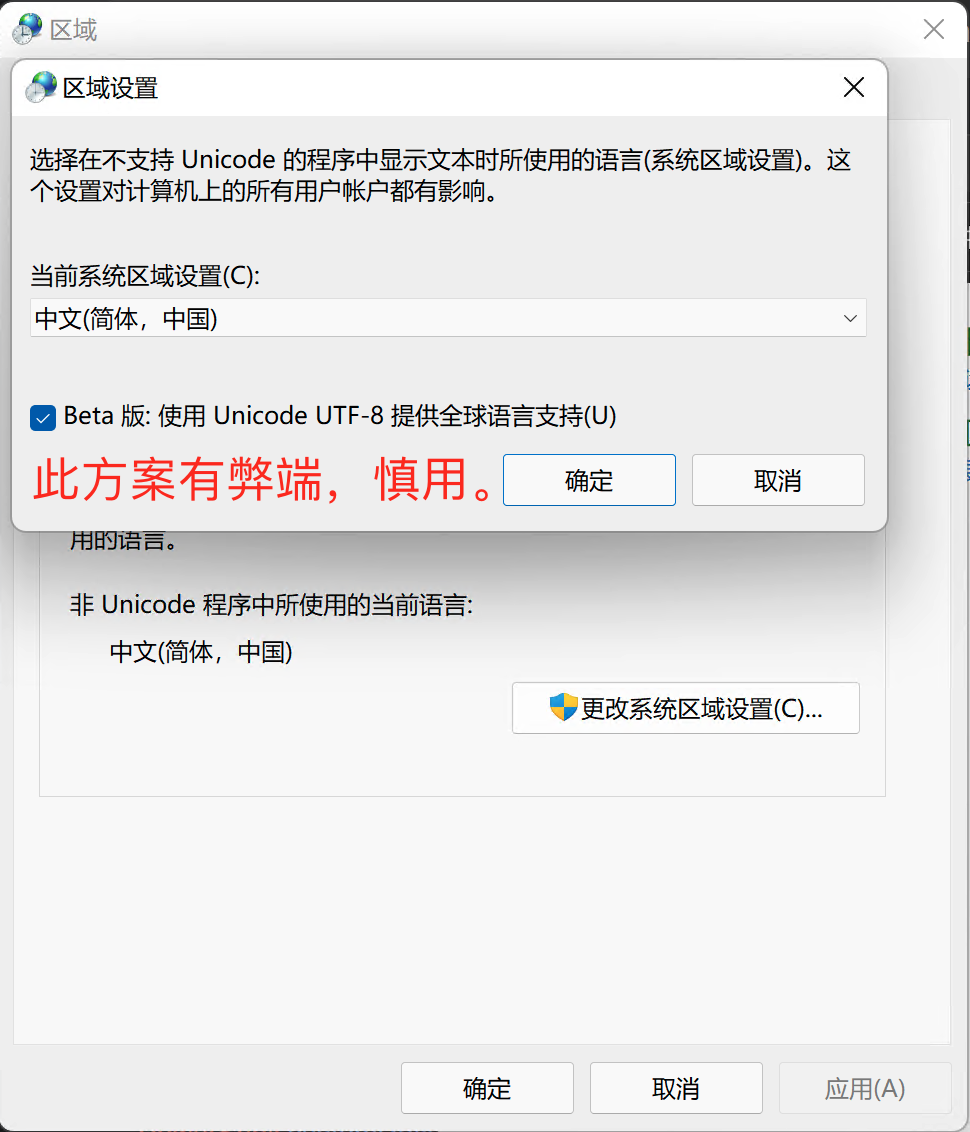
区域设置.png

以上方法在win10、win11系统安装的Powershell 7.2.2版本测试通过。

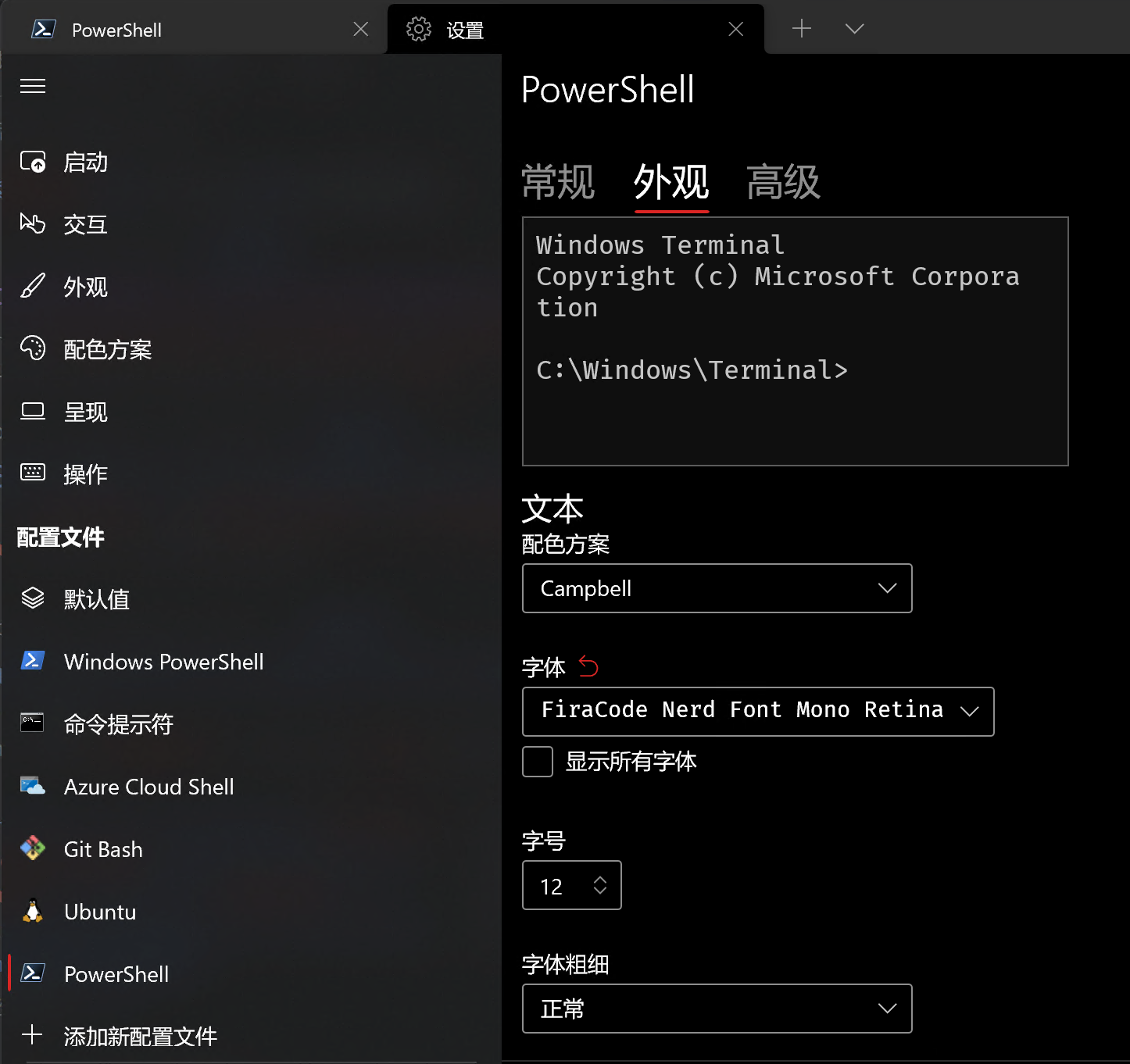
如果上述操作后仍然无法正常显示中文,应该是没有正确配置中文字体。推荐安装windows terminal,设置等宽且支持中文的字体。推荐支持Retina的等宽字体FiraCode Nerd Font Mono Retina

terminal.png

如果在VSCode中无法正常显示,参考以下配置:

{
  "terminal.external.windowsExec": "C:\\Program Files\\PowerShell\\7\\pwsh.exe --nologo",
  "editor.fontFamily": "'FiraCode Nerd Font Mono Retina', 'Microsoft YaHei Mono', Consolas, 'Courier New', monospace",
  "terminal.integrated.minimumContrastRatio": 1,
  "terminal.integrated.defaultProfile.windows": "PowerShell",
  "terminal.integrated.profiles.windows": {
    "PowerShell": {
      "path": "C:\\Program Files\\PowerShell\\7\\pwsh.exe",
      "args": [
        "--nologo"
      ],
      "source": "PowerShell",
      "icon": "terminal-powershell"
    }
  }
}
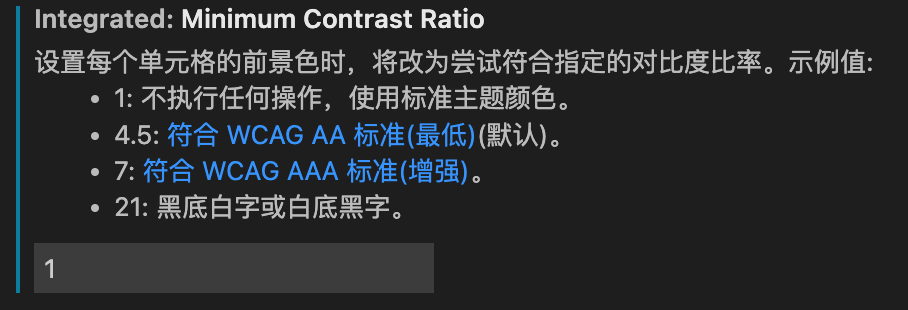
vscode.png

其中minimumContrastRatio是终端无法正常显示文字背景色的配置方法。