









访客徽章通常用于Github个人主页或者开源项目Markdown中统计访客数量。
借助于ChatGPT强大的语义理解能力,编写PHP单文件实现完整badge功能非常容易。甚至就是一句话的事。
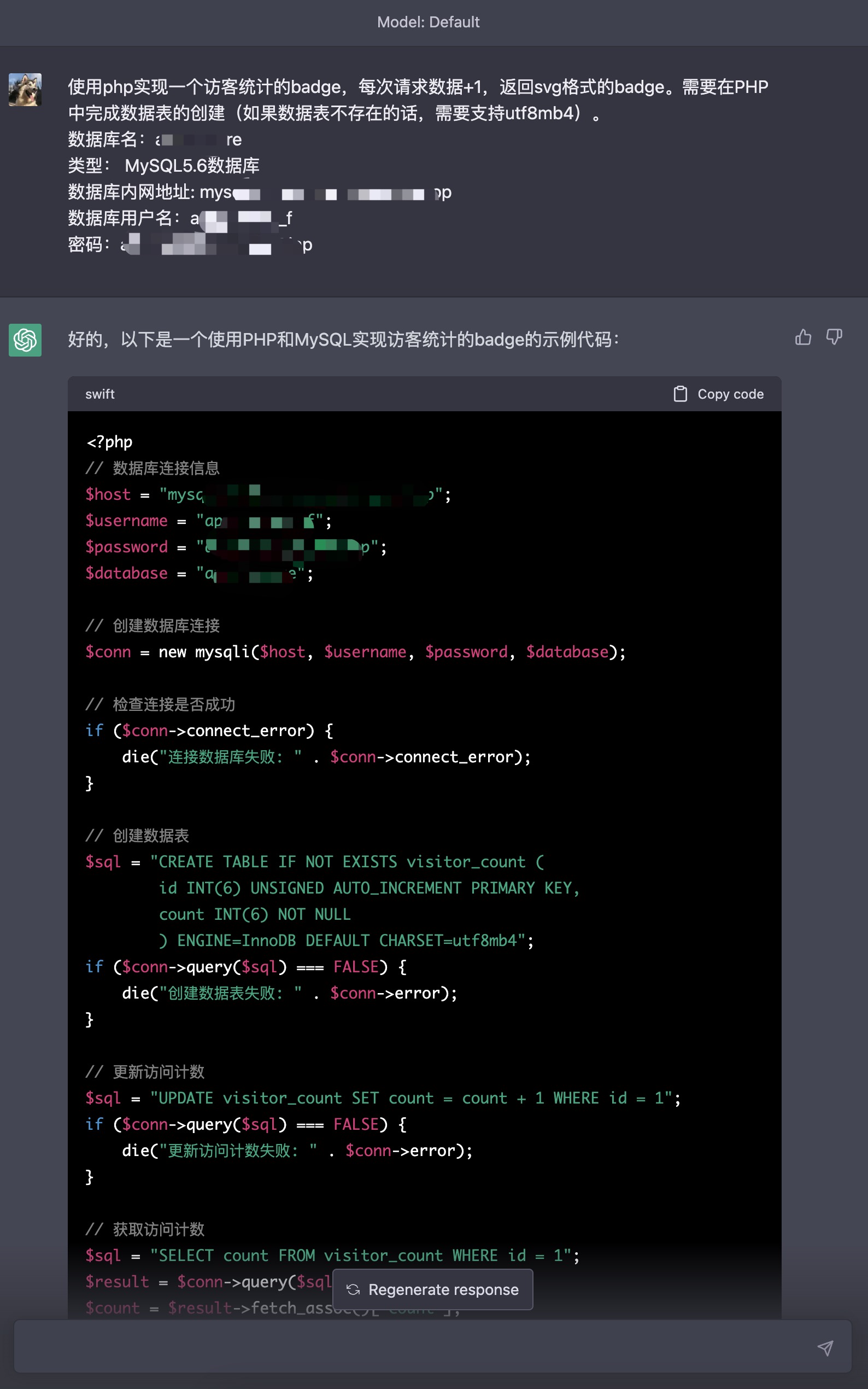
如果对样式不满意还可以让ChatGPT做出修改:
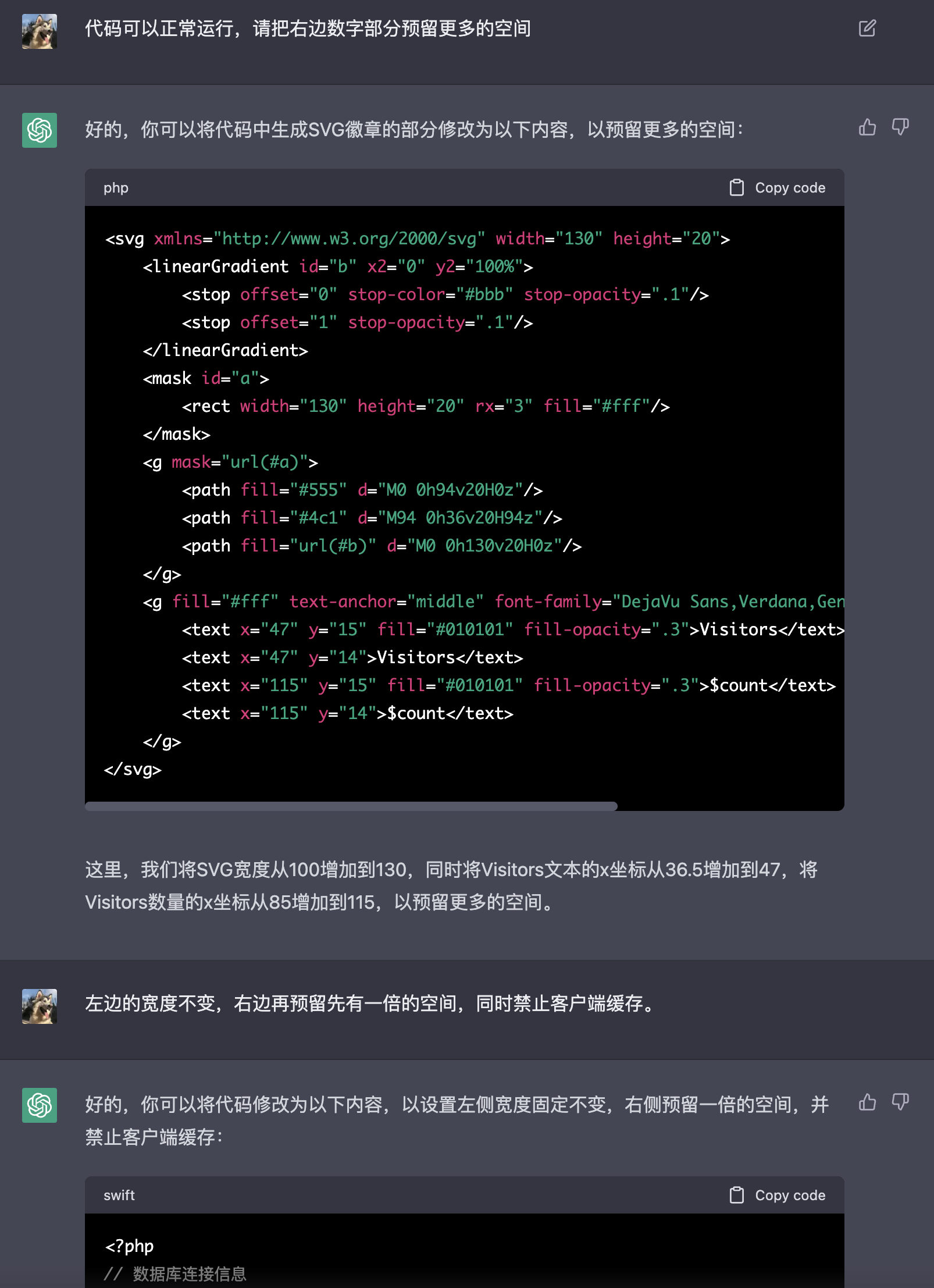
最后再让ChatGPT生成这篇文章:
在网站开发过程中,为了统计网站的流量和访客数量,通常需要添加一些访客统计的功能。为了让网站的访客数量可以更直观地展现出来,我们可以创建一个访客统计徽章,用于在网站页面上显示当前的访客数量。
在本文中,我们将演示如何使用PHP和MySQL创建一个访客统计徽章。我们将使用一个MySQL数据库来存储访客数量,并使用PHP来生成SVG格式的徽章,用于在网站上显示访客数量。
首先,我们需要创建一个MySQL数据库来存储访客数量。我们可以使用以下代码创建一个名为 badge 的数据库,并在其中创建一个名为 visitor_count 的数据表:
<?
// 数据库连接信息
$host = "xxxxx";
$username = "xxxxx";
$password = "xxxxx";
$database = "xxxxx";

// 创建数据库连接
$conn = new mysqli($host, $username, $password);

// 检查连接是否成功
if ($conn->connect_error) {
    die("连接数据库失败: " . $conn->connect_error);
}

// 创建数据库
$sql = "CREATE DATABASE IF NOT EXISTS $database CHARACTER SET utf8mb4 COLLATE utf8mb4_general_ci";
if ($conn->query($sql) === FALSE) {
    die("创建数据库失败: " . $conn->error);
}

// 选择数据库
$conn->select_db($database);

// 创建数据表
$sql = "CREATE TABLE IF NOT EXISTS visitor_count (
        id INT(6) UNSIGNED AUTO_INCREMENT PRIMARY KEY,
        count INT(6) NOT NULL
        ) ENGINE=InnoDB DEFAULT CHARSET=utf8mb4";
if ($conn->query($sql) === FALSE) {
    die("创建数据表失败: " . $conn->error);
}

// 关闭数据库连接
$conn->close();
在这个代码中,我们首先创建一个名为 badge 的数据库,并在其中创建一个名为 visitor_count 的数据表。数据表包含两个字段,一个自增的 id 字段和一个 count 字段,用于存储访客数量。我们还设置了数据表的字符集为 utf8mb4,以支持存储各种语言的字符。
接下来,我们需要编写PHP代码来更新和显示访客数量徽章。以下是一个示例代码:
// 更新访问计数
$sql = "UPDATE visitor_count SET count = count + 1 WHERE id = 1";
if ($conn->query($sql) === FALSE) {
    die("更新访问计数失败: " . $conn->error);
}

// 获取访问计数
$sql = "SELECT count FROM visitor_count WHERE id = 1";
$result = $conn->query($sql);
$count = $result->fetch_assoc()["count"];

// 生成SVG徽章
header("Content-type: image/svg+xml");
header("Cache-Control: no-cache, no-store, must-revalidate");
header("Pragma: no-cache");
header("Expires: 0");
echo <<<EOT
<svg xmlns="http://www.w3.org/2000/svg" width="130" height="20">
<linearGradient id="b" x2="0" y2="100%">
<stop offset="0" stop-color="#bbb" stop-opacity=".1"/>
<stop offset="1" stop-opacity=".1"/>
</linearGradient>
<mask id="a">
<rect width="130" height="20" rx="3" fill="#fff"/>
</mask>
<g mask="url(#a)">
<path fill="#555" d="M0 0h74v20H0z"/>
<path fill="#4c1" d="M74 0h56v20H74z"/>
<path fill="url(#b)" d="M0 0h130v20H0z"/>
</g>
<g fill="#fff" text-anchor="middle" font-family="DejaVu Sans,Verdana,Geneva,sans-serif" font-size="11">
<text x="37" y="15" fill="#010101" fill-opacity=".3">Visitors</text>
<text x="37" y="14">Visitors</text>
<text x="105" y="15" fill="#010101" fill-opacity=".3">$count</text>
<text x="105" y="14">$count</text>
</g>
</svg>
EOT;

// 关闭数据库连接
$conn->close();
这段代码会更新数据库中的访客计数,然后生成一个SVG格式的徽章,用于在网站页面上显示当前的访客数量。徽章的样式可以根据需要进行修改。
最后,我们需要在网站的页面中引用这个PHP文件,以显示访客数量徽章。例如,在 HTML 文件中,可以添加以下代码:
<img src="visitor_count.php" alt="Visitors" />
在这个代码中,我们使用一个 img 标签来引用 visitor_count.php 文件,该文件会生成访客数量徽章。当网页被访问时,将会显示当前的访客数量。
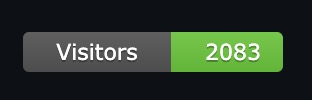
总之,通过上述步骤,我们可以轻松地创建一个访客统计徽章,并将其添加到我们的网站页面中,以展示网站的流量和访客数量。
人工补充: 在Markdown中这样统计:

完整代码:
<?php
// 数据库连接信息
$host = "";
$username = "";
$password = "";
$database = "";

// 创建数据库连接
$conn = new mysqli($host, $username, $password, $database);

// 检查连接是否成功
if ($conn->connect_error) {
    die("连接数据库失败: " . $conn->connect_error);
}

// 创建数据表
$sql = "CREATE TABLE IF NOT EXISTS visitor_count (
        id INT(6) UNSIGNED AUTO_INCREMENT PRIMARY KEY,
        count INT(6) NOT NULL
        ) ENGINE=InnoDB DEFAULT CHARSET=utf8mb4";
if ($conn->query($sql) === FALSE) {
    die("创建数据表失败: " . $conn->error);
}

// 更新访问计数
$sql = "UPDATE visitor_count SET count = count + 1 WHERE id = 1";
if ($conn->query($sql) === FALSE) {
    die("更新访问计数失败: " . $conn->error);
}

// 获取访问计数
$sql = "SELECT count FROM visitor_count WHERE id = 1";
$result = $conn->query($sql);
$count = $result->fetch_assoc()["count"];

// 生成SVG徽章
header("Content-type: image/svg+xml");
header("Cache-Control: no-cache, no-store, must-revalidate");
header("Pragma: no-cache");
header("Expires: 0");
echo <<<EOT
<svg xmlns="http://www.w3.org/2000/svg" width="130" height="20">
    <linearGradient id="b" x2="0" y2="100%">
        <stop offset="0" stop-color="#bbb" stop-opacity=".1"/>
        <stop offset="1" stop-opacity=".1"/>
    </linearGradient>
    <mask id="a">
        <rect width="130" height="20" rx="3" fill="#fff"/>
    </mask>
    <g mask="url(#a)">
        <path fill="#555" d="M0 0h74v20H0z"/>
        <path fill="#4c1" d="M74 0h56v20H74z"/>
        <path fill="url(#b)" d="M0 0h130v20H0z"/>
    </g>
    <g fill="#fff" text-anchor="middle" font-family="DejaVu Sans,Verdana,Geneva,sans-serif" font-size="11">
        <text x="37" y="15" fill="#010101" fill-opacity=".3">Visitors</text>
        <text x="37" y="14">Visitors</text>
        <text x="105" y="15" fill="#010101" fill-opacity=".3">$count</text>
        <text x="105" y="14">$count</text>
    </g>
</svg>
EOT;

// 关闭数据库连接
$conn->close();
?>
此内容由惯性聚合(RSS阅读器)自动聚合整理,仅供阅读参考。 原文来自 — 版权归原作者所有。