


今天遇到IP地址冲突的问题,就百度了一下在线IP扫描一类的代码,整理了一下分享给大家。
这是个非常实用的小程序,可以用于多媒体教室查询在线机子数量、公司内网在线用户管理。当然,查询机房在线IP也可以实现。
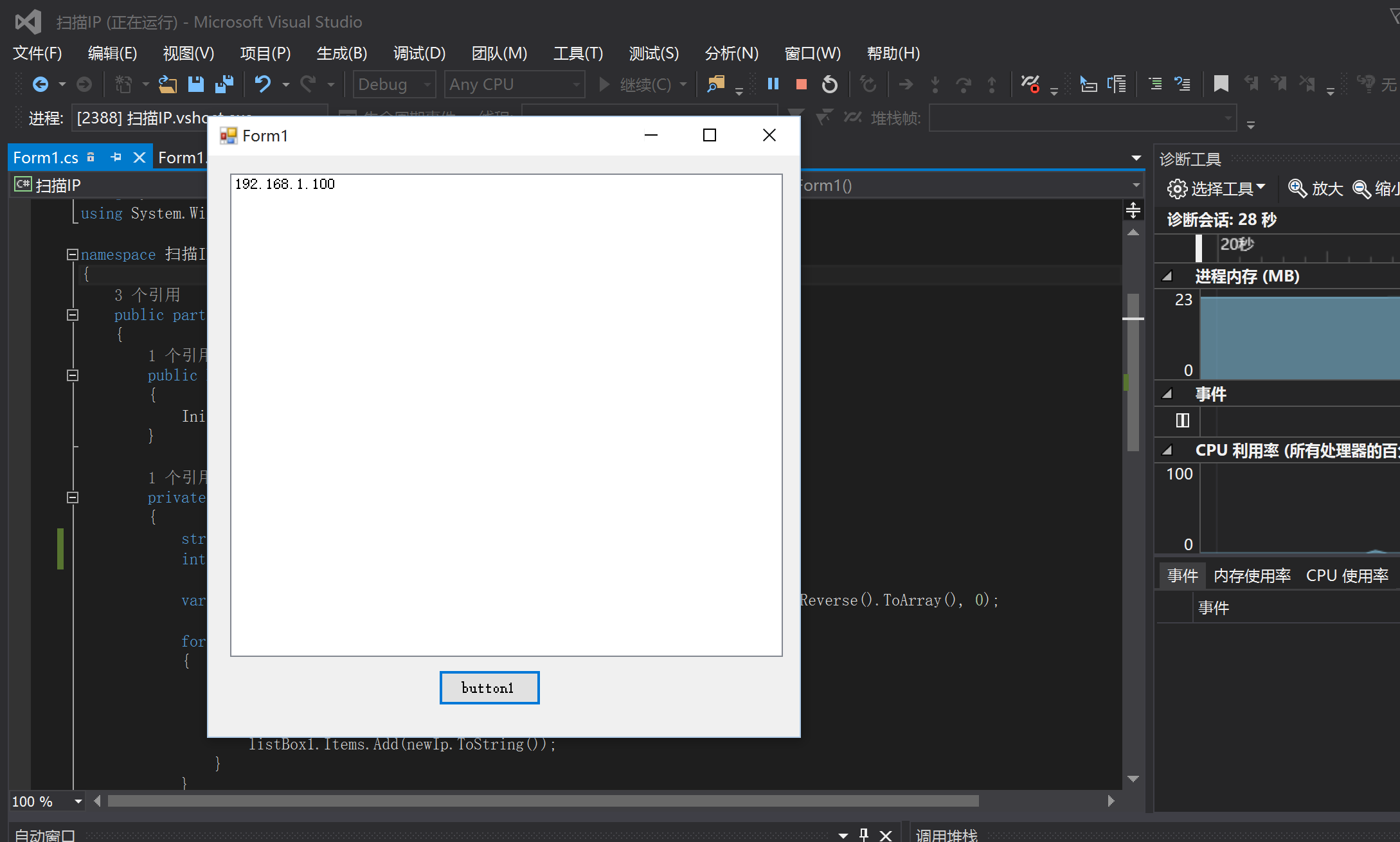
程序很简单,界面上一个Button+一个listBox。源码:
using System;
using System.Linq;
using System.Net;
using System.Text;
using System.Windows.Forms;
namespace 扫描IP
{
public partial class Form1 : Form
{
public Form1()
{
InitializeComponent();
}
private void button1_Click(object sender, EventArgs e)
{
string ip = "192.168.1.100";//起始IP
int count = 10;//要计算连续IP的个数
var ipValue = BitConverter.ToUInt32(IPAddress.Parse(ip).GetAddressBytes().Reverse().ToArray(), 0);
for (uint i = 0; i < count; i++)
{
IPAddress newIp = IPAddress.Parse((ipValue + i).ToString());
if (Ping(newIp.ToString()))
{
listBox1.Items.Add(newIp.ToString());
}
}
}
/// <summary>;
/// 是否能 Ping 通指定的主机
/// </summary>
/// <param name="ip">ip 地址或主机名或域名</param>
/// <returns>true 通,false 不通</returns>
public bool Ping(string ip)
{
System.Net.NetworkInformation.Ping p = new System.Net.NetworkInformation.Ping();
System.Net.NetworkInformation.PingOptions options = new System.Net.NetworkInformation.PingOptions();
options.DontFragment = true;
string data = "Test Data!";
byte[] buffer = Encoding.ASCII.GetBytes(data);
int timeout = 1000; // Timeout 时间,单位:毫秒
System.Net.NetworkInformation.PingReply reply = p.Send(ip, timeout, buffer, options);
if (reply.Status == System.Net.NetworkInformation.IPStatus.Success)
return true;
else
return false;
}
}
}
以上代码在Microsoft Visual Studio 2015中编译通过,项目源码:https://github.com/yi-ge/scanIP
2017年05月03日17:59:47提示:nmap也可以解决这个问题。
此内容由惯性聚合(RSS阅读器)自动聚合整理,仅供阅读参考。 原文来自 — 版权归原作者所有。