





April 10, 2026
OpenAI Academy
Upload and work with files to analyze, edit, and generate content.
ChatGPT allows you to upload and work with files directly in your conversations. This means you can analyze spreadsheets, edit documents, summarize PDFs, or work with images without leaving your chat.
How to work with files
- Start a chat with ChatGPT.
- Upload your file by opening the tools menu and selecting “Add photos or files” (supported formats include CSV, XLSX, PDF, DOCX, JPEG, PNG, TXT, and more).
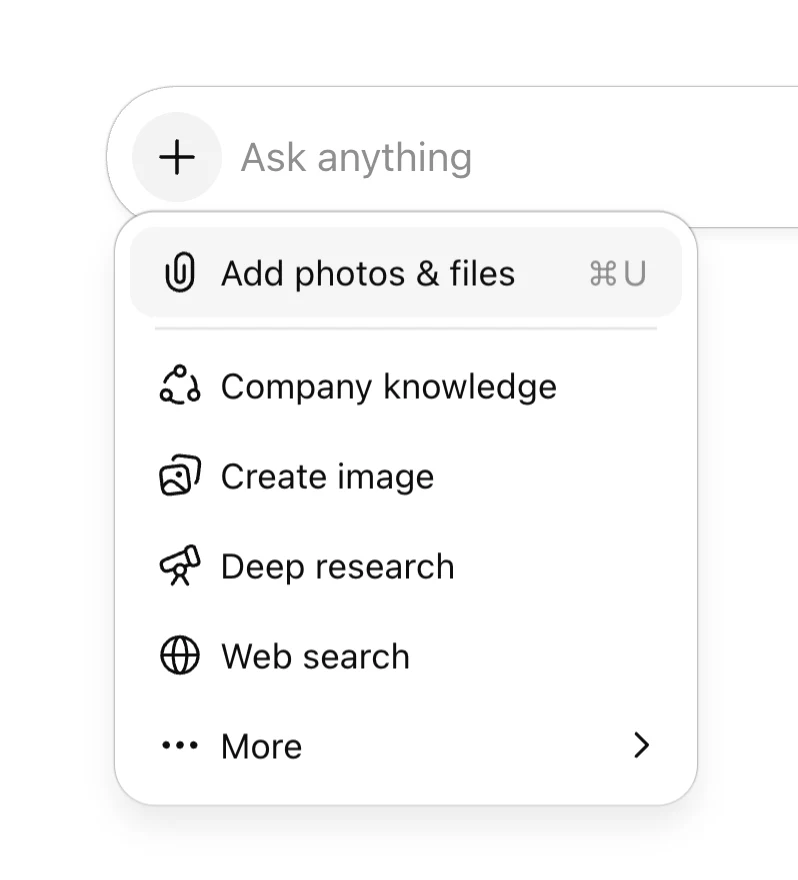
3. Ask a question or give a task, for example:
- “Summarize the main findings in this report and call out any risks or open questions.”
- “Visualize this sales data by region and highlight the biggest changes month over month.”
- “Rewrite this document to be clearer and more concise, while keeping the same tone.”
- “Extract the key dates and owners from this PDF into a simple table.”
4. Experiment in chat by requesting specific views (like tables or charts), or downloading ChatGPT‑generated outputs (like updated spreadsheets or PDFs).
Some versions of ChatGPT allow you to use apps, which let ChatGPT access third-party tools so you can bring external context into the conversation. Check out available apps here.(opens in a new window)
- Go to Settings → Apps(opens in a new window) to find an app to connect to.
- Complete the authentication and permissions flow.
- Apps will appear in Tools during chats, or you can use @ or / to bring one up.
See more about using apps for work(opens in a new window).Note: For Enterprise workspaces, your organization’s admin controls which apps are available to you. If you don’t see the option to connect an app, check with your admin. As with all business data on your ChatGPT Enterprise or ChatGPT Business workspace, data accessed through apps is not used to train OpenAI models by default.