





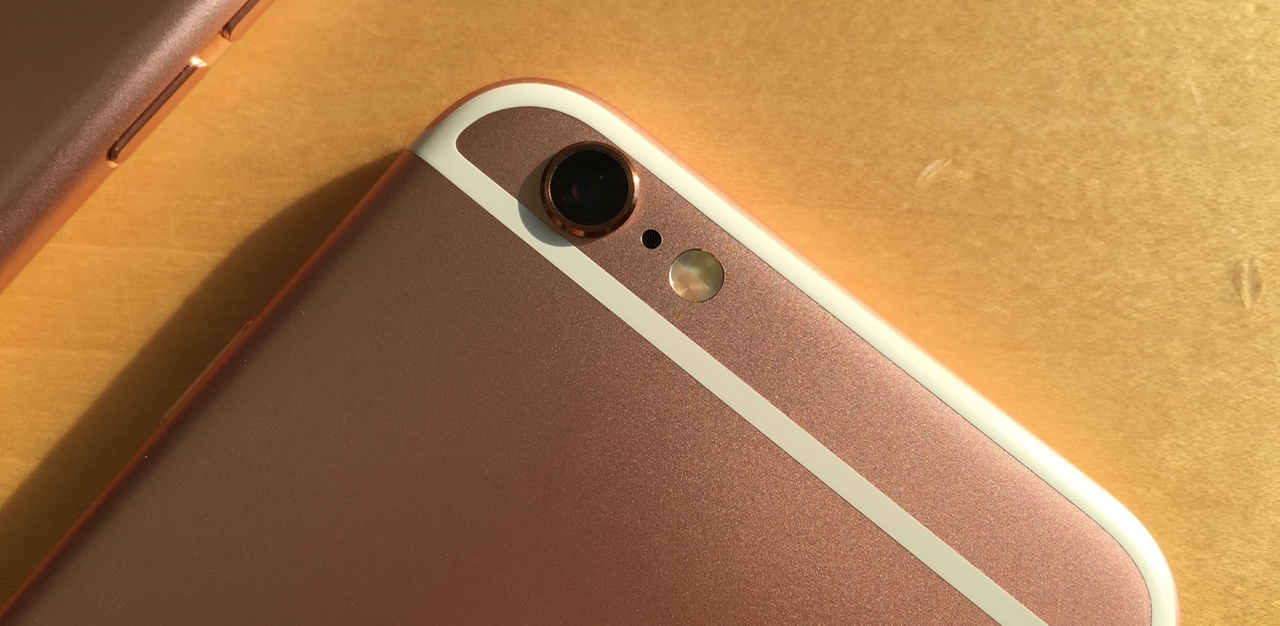
前几天,我们编译了一篇著名的图片畸变畸变矫正应用 SKRWT 对 iPhone 历代相机的对比评测文。让我们更加直观的了解 iPhone 4s 到 6s+ 拍摄效果的变化。普通人也能很容易的看出来到底谁更胜一筹。由于测试者认为上一次的评测环境不能足够客观地反应已有结论,决定重新补充评测一次。当然,这并不代表对上一次得出结论的完全否定,仅相当于对已有结论的完善。
全文采用中英对照编译,部分内容为更好理解进行了适当演绎。
After posting "The Big iPhone Camera Comparison" I didn't felt like I gave the 6s and 6s+ the right playground to prove themselves. This time I've used a tripod and went to Rotterdam, NL with all devices for a more realistic shooting surrounding.
在上一篇文章发布之后,我的内心是纠结的。因为我感觉拍摄时并没有找到能足够客观反映出 6s 和 6s+ 相机实力的环境。于是,我带上了所有的 iPhone 及三脚架,跑到了荷兰的鹿特丹来测试,就是为了找一个更加客观合理的拍摄场景。
注:这篇文章中你看到的所有照片均由 iPhone 拍摄,文末提供了所有原片(ZIP 压缩包)用于下载。
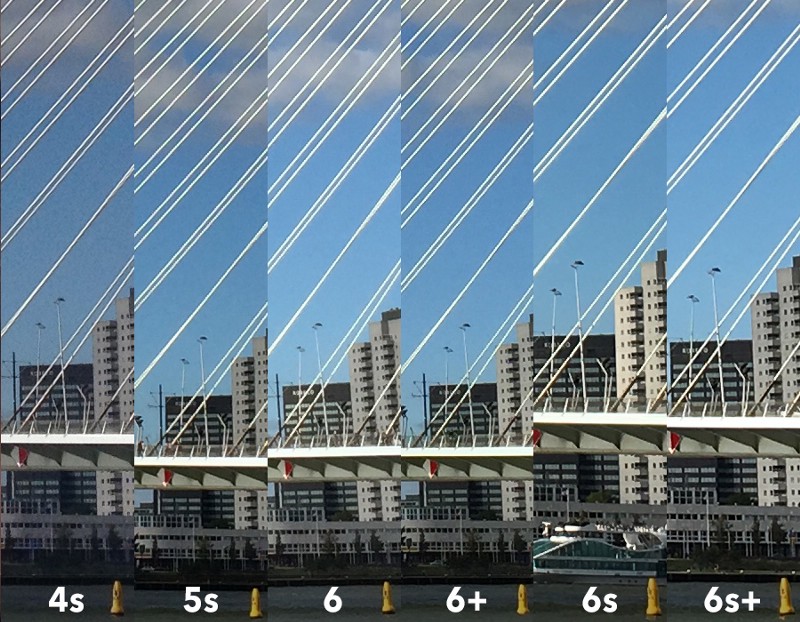
1, High contrast - 100% and unedited - shot using a tripod
This shot has been a tricky one. The bright white bridge and a partly cloudy sky were a good challenge to show the phones' dynamic range capabilities. The 4s image came out pretty grainy, the 5s did a decent job and starting with the 6 the images started looking better. 6+ a bit sharper than the 6 - the 6s and 6s+ winning this comparison due to the megapixel advantage and as already mentioned in the previous comparison: the new iPhones' pictures are warmer right out of the box.
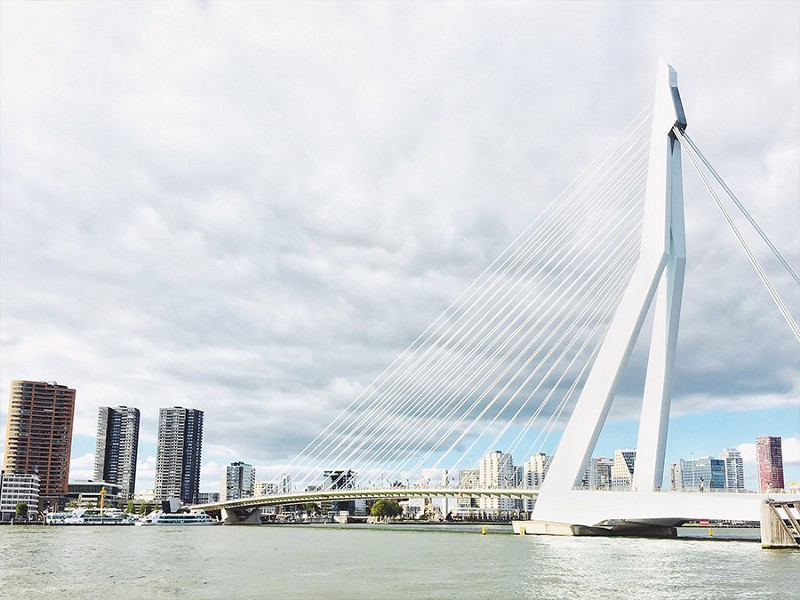
第一组:高对比度 - 放大到 100% 显示,使用三脚架拍摄但未进行后期编辑
这个场景其实不怎么好拍。斜拉桥是白色的,而其身后又有一大片白色的云层,所以对手机相机的动态范围表现是极大的考验。4s 拍出来的照片看起来噪点比较明显,5s 的表现还行。从 6 系列开始就明显好了很多,6+ 拍出来的效果比 6 要锐利一些。至于 6s 和 6s+,由于像素方面的提升,顺理成章的获得了这一轮对比测试的冠军。看完这一组照片,也印证了之前的结论,那就是 6s 和 6s+ 拍出来的照片更偏暖色调。
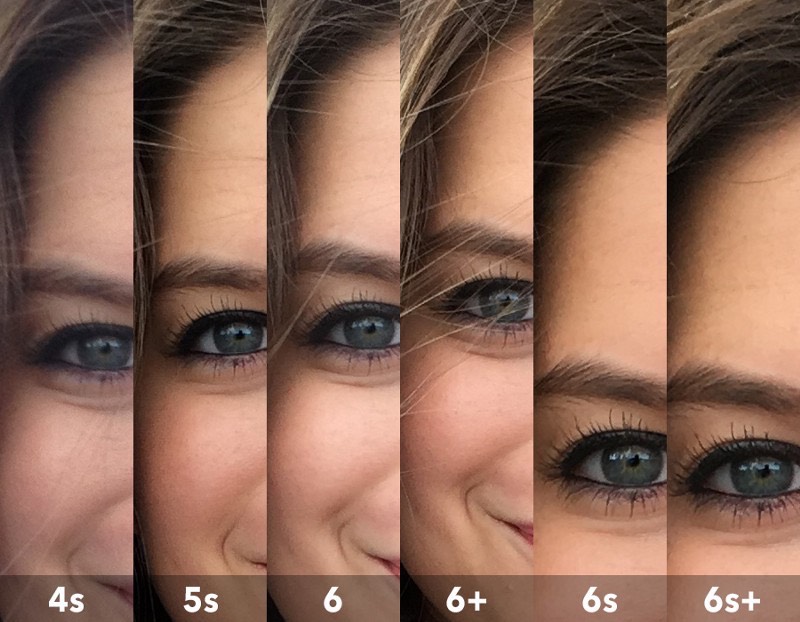
2, Skin - 100% and unedited - shot using a tripod
This may be every smartphones masterclass - portraits and skin-tones. We found a good spot with nice soft light and the 6s and especially the 6s+ did the best job. Better contrast and more detailed, but the 6+ kept up very well. I don't know what happened with the 6 though, the images I shot at this spot were not on point - the 5s had no problems and lets not talk about the 4s anymore.
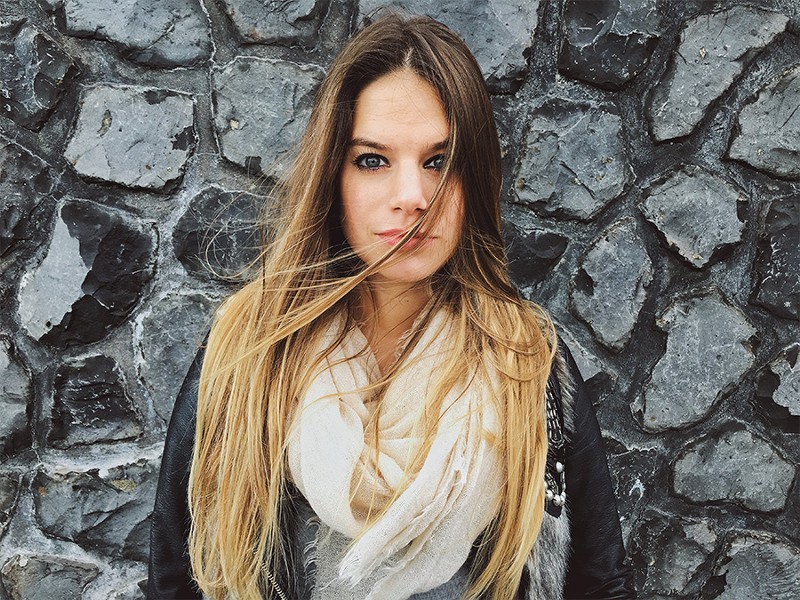
第二轮:人像皮肤 - 放大到 100% 显示,使用三脚架拍摄但未进行后期编辑
对于每一款智能手机而言,肖像摄影及还原出真实完美的肤色是必须好好解决的大问题。为此,我们精心寻找到一个光线温和的拍摄场所。整个拍摄下来,6s 和 6s+ 果然不负众望,表现出了更加出色的对比度且呈现出更为完美的细节。6+ 在这一轮的拍摄中的表现也不赖。我不太明白在 6 身上发生了什么,没有达到我的预期效果。5s 表现只能算勉强,至于 4s 已经没继续谈论的必要了。
3, Underground - 100% and unedited - shot using a tripod
Rotterdam does have a nice underground system which was perfect for our third test. The 5s has an overall decent noise handling, but couldn't keep up with the other phones. Beginning with the 6 everything started looking crisper. It's a head to head race between the 6s+ and the 6+ at the end - the 6s can't quite match their level of detail.
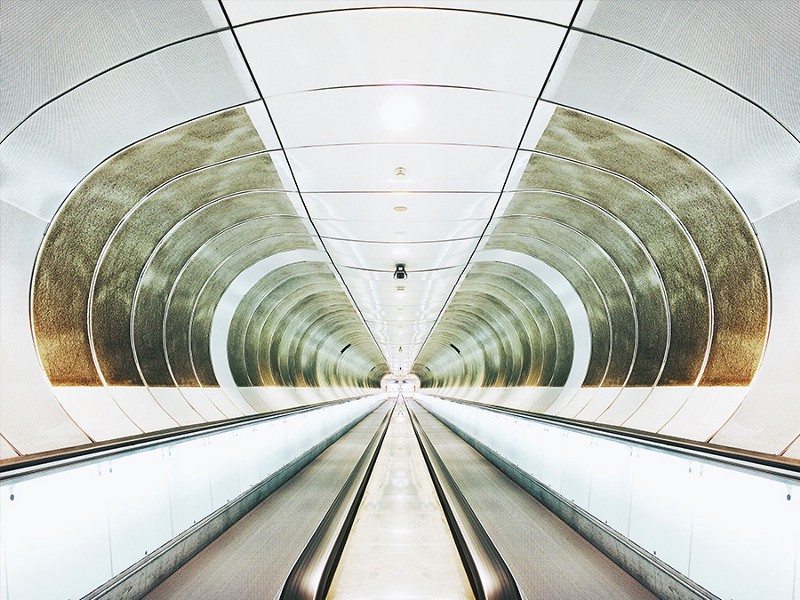
第三轮:地下摄影 - 放大到 100% 显示,使用三脚架拍摄但未进行后期编辑
鹿特丹出众的地下运输系统为我们的第三轮测试提供了合适的场地。5s 在噪点控制方面总体良好,但是和其他的对比来看还是有差距的。从 6 开始,一切表现的都较为满意了。从 6+ 到 6s+,整体水平稳步上升。但是在我看来,6s 并没有达到它应有的水平。
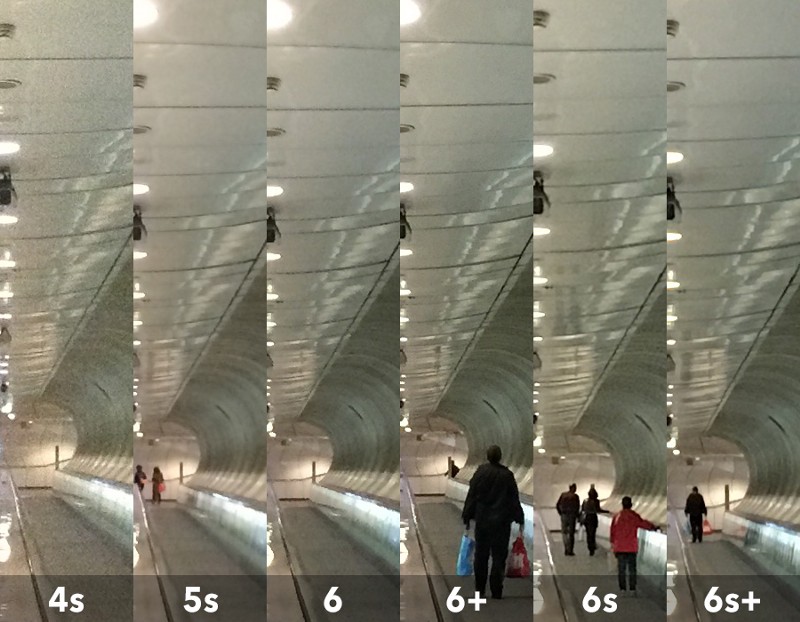
4, Underground - 100% and unedited - handheld but stabilized
Hands and pants down- the 6s+ smashed everything in this shot - it took an image so much brighter and gave me a little "wow" moment. The 6s could not catch me as much as the 6+ and the 6 got the least good noise handling of the 6-series, but managed to snap a crips image.
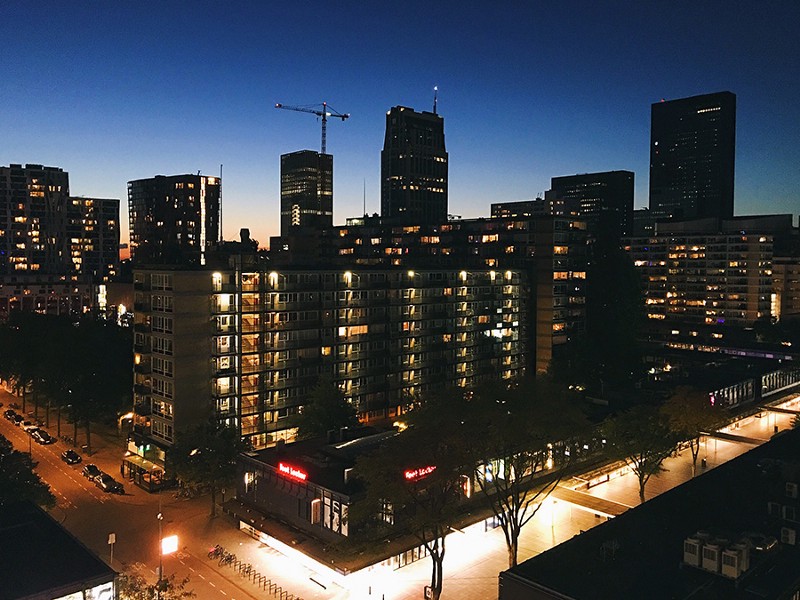
第四轮:地下摄影 - 放大到 100% 显示,手持拍摄但未进行后期编辑
6s+ 在这一轮的拍摄中让我惊讶,照片看起来更好也更为明亮。6 及 6+ 在夜间噪点控制方面落后于 6s 及 6s+,但看起来仍然不错。
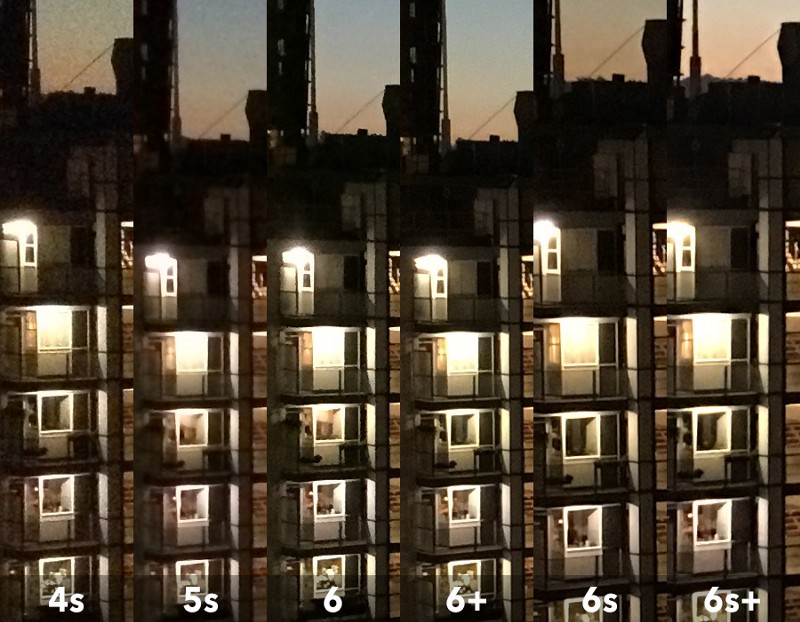
iPhone 4s: outdated.
iPhone 5s: still working with a decent camera - reaches it's limit pretty fast when it gets a couple f-stops darker. BUT it's way smaller than the 6-series and that's a tremendous plus for me!
iPhone 6: least good one of the 6-series but still a decent choice - you'll get better images than with it's predecessors, especially in darker situations.
iPhone 6s: I really wanted you to do awesome, because the camera is the only thing that would make me switch from the 5s to a bigger phone. I have to say that 12mpx are very tempting and the better processor is helping a lot with crisp hdr images and noise reduction. I think the level of detail could be just a software thing - it will keep up with the 6+ and 6+s' sharpness with some very simple editing steps.
iPhone 6+: you really did surprise me in both tests. Clear images, good noise reduction/handling and always on point! Another thing I really liked about you has been the big screen for taking pictures - it's huge!
iPhone 6s+: the best in terms of image quality. Superb low-light and great overall performance - not to mention the extremely better image stabilization (compared to the 6s) while shooting video.
iPhone 4s:已经过时了。
iPhone 5s:看起来勉强还可以。
iPhone 6:不及预期,但仍然是不赖的选择。比起之前的系列当然要好得多,尤其是在暗光环境中拍摄。
iPhone 6s:真的很棒,我想说相机的改善是唯一促使我从 5s 换成更大号手机的原因。不得不说,1200 万像素以及更好的传感器是非常诱人的。当然,这也使得 HDR 模式更为出色,噪点改善也非常明显。我一直认为细节修饰很多时候是能通过软件(应用)后期完善的,正如 6+ 在某些时候表现的过于锐利可以简单的几步后期就能搞定。
iPhone 6+:在两次的测试中真的表现的非常棒。清晰的照片,良好的噪点控制以及没有跑焦的情况发生。另外,我真的喜欢用大屏幕的手机拍照片,爽爆了。
iPhone 6s+:照片质量非常棒。低光照环境下拍摄表现出色。不得不说,和 6s 比起来防抖性能更好,尤其是在拍摄视频的时候。
Now here is the thing: I did the test zooming into every image of each device while sticking my head into a 27" cinema-display. 999 out of 1000 people won't ever do the same and won't see any difference either. When I am saying that a camera is "better" it's like a photo-finish between the whole 6-series with a "s" advantage.
补充:我在完成这次测试的过程中,是将照片放到一个 27 寸的液晶显示器上并放大到 100% 查看。我想,绝大部分普通人都不会做同样的事情,也不会明显感觉到不同设备之间拍出的照片有什么不同。当我在文章中谈论某一个设备拍出的照片「更好」时,这里的「更好」不代表天壤之别,可能仅仅类似于 iPhone 多一个 s 而已。
You will get a good camera with the 6 and especially the 6+, but the +4mpx (more cropping freedom), way better front-camera (hello Snapchat), very good HDR mode (even with harsh backlight) and 4k video capability is a clear deal-maker if you are into photography and social media in general.
从 6 开始,相机的成像明显好了许多,尤其是 6+。6s 及 6s+ 多出的 400 万像素使照片的可编辑尺寸更大了。升级后的前置摄像头让你玩 Snapchat 的时候更畅快了。更好的夜间成像效果以及 4K 视频录制都成了摄影师和社交控们的福音。
此内容由惯性聚合(RSS阅读器)自动聚合整理,仅供阅读参考。 原文来自 — 版权归原作者所有。