惯性聚合 高效追踪和阅读你感兴趣的博客、新闻、科技资讯
阅读原文 在惯性聚合中打开

推荐订阅源

P
Privacy & Cybersecurity Law Blog
Vercel News
Vercel News
Cyber Security Advisories - MS-ISAC
N
Netflix TechBlog - Medium
罗磊的独立博客
F
Fortinet All Blogs
T
Threatpost
Y
Y Combinator Blog
博客园_首页
美团技术团队
Security Latest
Security Latest
博客园 - 三生石上(FineUI控件)
T
Tailwind CSS Blog
V
V2EX - 技术
The Cloudflare Blog
L
LINUX DO - 热门话题
博客园 - 司徒正美
Jina AI
Jina AI
P
Proofpoint News Feed
宝玉的分享
宝玉的分享
C
CXSECURITY Database RSS Feed - CXSecurity.com
C
Cybersecurity and Infrastructure Security Agency CISA
钛媒体:引领未来商业与生活新知
钛媒体:引领未来商业与生活新知
WordPress大学
WordPress大学
The Hacker News
The Hacker News
P
Privacy International News Feed
T
The Exploit Database - CXSecurity.com
Scott Helme
Scott Helme
有赞技术团队
有赞技术团队
V
V2EX
Stack Overflow Blog
Stack Overflow Blog
M
MIT News - Artificial intelligence
Latest news
Latest news
NISL@THU
NISL@THU
Google DeepMind News
cs.CL updates on arXiv.org
C
Cisco Blogs
雷峰网
雷峰网
Application and Cybersecurity Blog
B
Blog RSS Feed
W
WeLiveSecurity
D
DataBreaches.Net
G
Google Developers Blog
奇客Solidot–传递最新科技情报
奇客Solidot–传递最新科技情报
G
GRAHAM CLULEY
Spread Privacy
Spread Privacy
Know Your Adversary
Know Your Adversary
TaoSecurity Blog
TaoSecurity Blog
S
Securelist
Help Net Security
Help Net Security

博客园 - 蕭慶蘋

pymssql调用sqlserver存储过程带output 参数 数据库锁 oracle instr,substr 截取字符串 循环读取写入表 Oracle For 循环,字符串拼接,查找 Putty PSCP iis,webservice 打印 Oracle查询包,同义词 sqlserver 游标 Oracle 截取字符串,取系统时间 - 蕭慶蘋 Sqlserver连接Oracle数据库 Java 连oracle 12C 起步_PreparedStatement Java 连oracle 12C 起步 powershell excel 导入 sqlserver 更改存储过程的所有者 - 蕭慶蘋 jquery-autocomplete 参数说明 - 蕭慶蘋 了解SQL Server触发器及触发器中的事务 经典SQL语句大全 - 蕭慶蘋 事务使用 - 蕭慶蘋
iis,webservice 启用 acrobat.exe 打印
蕭慶蘋 · 2017-08-08 · via 博客园 - 蕭慶蘋

1、打印代码如下图

public void printPDF(string pdfPath)
        {
            PrintDocument printDoc = new PrintDocument();
            printDoc.PrinterSettings.PrinterName = PrinterName;
            printDoc.PrintController = new System.Drawing.Printing.StandardPrintController();
            if (!printDoc.PrinterSettings.IsValid)
            {
                throw new Exception("错误:找不到打印机");
            }

            //System.Drawing.Printing.PrintDocument pd = new System.Drawing.Printing.PrintDocument();
            Process processInstance = new Process();
            ProcessStartInfo startInfo = new ProcessStartInfo();
            startInfo.UseShellExecute = true;
            startInfo.Verb = "Print";
            startInfo.CreateNoWindow = true;
            startInfo.WindowStyle = ProcessWindowStyle.Hidden;

            startInfo.Arguments = @"/p /h /" + pdfPath + @"/" + PrinterName + "/";
            startInfo.FileName = pdfPath;
            try
            {
                processInstance.StartInfo = startInfo;
                processInstance.Start();
            }
            catch (Exception ex)
            {
                throw new Exception(ex.ToString());
            }
            finally
            {
                processInstance.Dispose();
                processInstance.Close();
            }
        }

2、部署到IIS

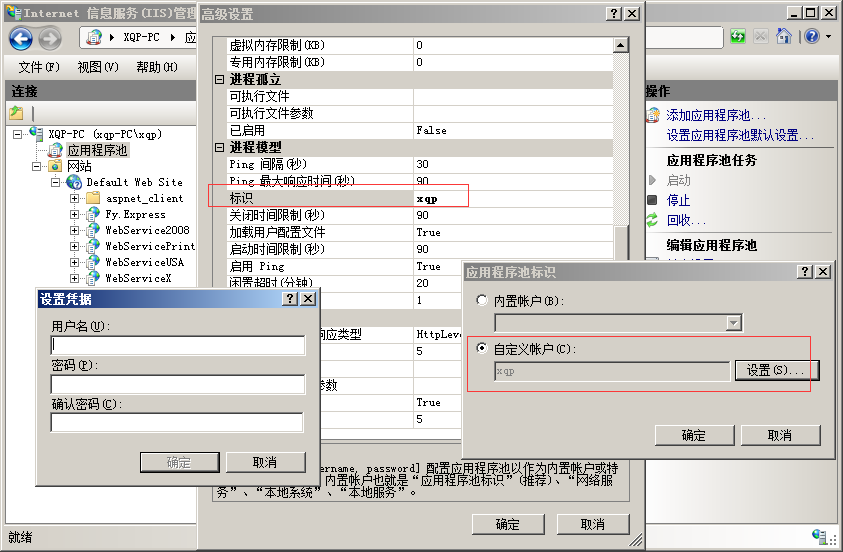
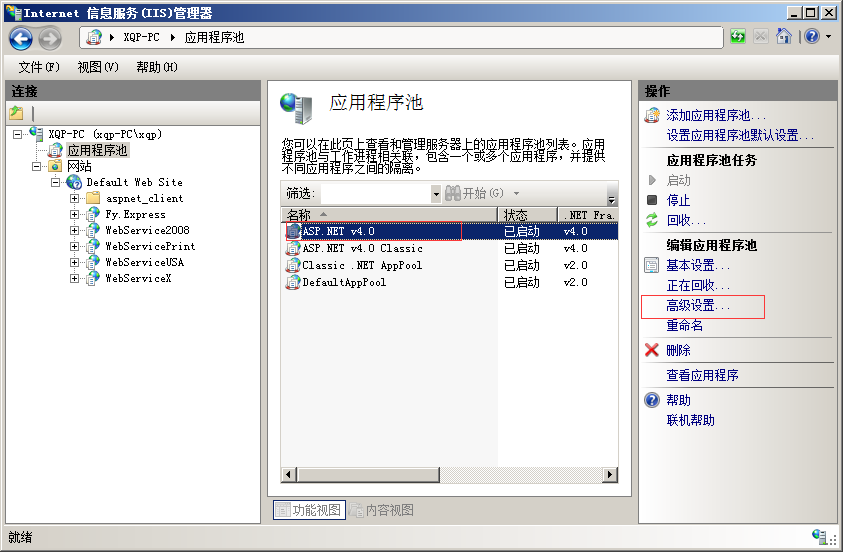
3、设置IIS连接池,启动用户截图如下:
posted @ 2017-08-08 04:28  蕭慶蘋  阅读(360)  评论()    收藏  举报