惯性聚合 高效追踪和阅读你感兴趣的博客、新闻、科技资讯
阅读原文 在惯性聚合中打开

推荐订阅源

TaoSecurity Blog
TaoSecurity Blog
L
LINUX DO - 最新话题
Help Net Security
Help Net Security
N
News | PayPal Newsroom
www.infosecurity-magazine.com
cs.AI updates on arXiv.org
The Last Watchdog
The Last Watchdog
S
Security @ Cisco Blogs
W
WeLiveSecurity
C
CXSECURITY Database RSS Feed - CXSecurity.com
Webroot Blog
Webroot Blog
T
Troy Hunt's Blog
V
Vulnerabilities – Threatpost
Google Online Security Blog
N
News and Events Feed by Topic
T
Threat Research - Cisco Blogs
Security Archives - TechRepublic
钛媒体:引领未来商业与生活新知
钛媒体:引领未来商业与生活新知
T
Tor Project blog
freeCodeCamp Programming Tutorials: Python, JavaScript, Git & More
D
Darknet – Hacking Tools, Hacker News & Cyber Security
PCI Perspectives
PCI Perspectives
Google DeepMind News
T
Tailwind CSS Blog
让小产品的独立变现更简单 - ezindie.com
Apple Machine Learning Research
IT之家
IT之家
S
SegmentFault 最新的问题
J
Java Code Geeks
P
Privacy & Cybersecurity Law Blog
Threat Intelligence Blog | Flashpoint
博客园 - 【当耐特】
博客园_首页
H
Hacker News: Front Page
T
Threatpost
Jina AI
Jina AI
博客园 - Franky
月光博客
月光博客
L
LINUX DO - 热门话题
The Cloudflare Blog
H
Heimdal Security Blog
博客园 - 司徒正美
酷 壳 – CoolShell
酷 壳 – CoolShell
Cloudbric
Cloudbric
雷峰网
雷峰网
Hugging Face - Blog
Hugging Face - Blog
S
Secure Thoughts
T
Tenable Blog
I
Intezer
OSCHINA 社区最新新闻
OSCHINA 社区最新新闻

博客园 - 一碗豆芽汤(OneV)

C#一些基础知识回顾 2021年立个Flag,回顾十多年来的IT职业之路-----没事瞎BB log4net将日志进行分类,保存到不同的目录当中 .net 使用PowerShell获取电脑中的UUID .Net MVC中访问PC网页时,自动切换到移动端对应页面 C# 全角符号转半角 微信开发第二篇:工具篇 微信开发第一篇:问题篇 [转载]ODAC (odp.net) 开发到部署 【项目开发】LigerUI+MVC的应用 VS中两个常用辅助工具 sqlite中常见的问题总结 第1次做面试官的随谈(二) 第1次做面试官的随谈(一) 转,有用 [转载收录]ASP.NET 2.0加密Web.config - 一碗豆芽汤(OneV) - 博客园 关于重构之Switch的处理【二】 - 一碗豆芽汤(OneV) - 博客园 重构的例子 关于重构之Switch的处理【一】如果是有序的话,如何处理
使用 Visual Studio 创建 .NET 5 控制台应用程序
一碗豆芽汤(OneV) · 2021-01-05 · via 博客园 - 一碗豆芽汤(OneV)

来源微软官网

先决条件

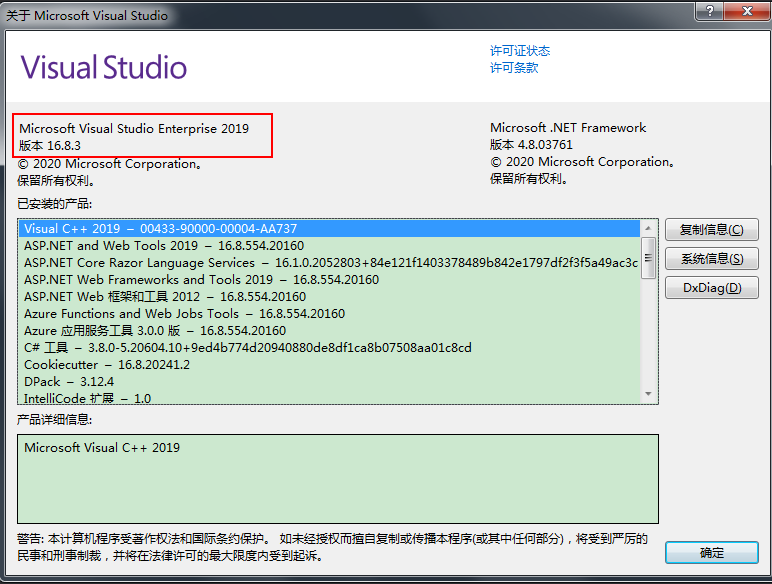
请先安装 Visual Studio 2019 版本 16.8 或更高版本。
创建应用

创建一个名为“DotNet5.ConsoleApp”的 .NET 控制台应用项目

  1. 启动 Visual Studio 2019。

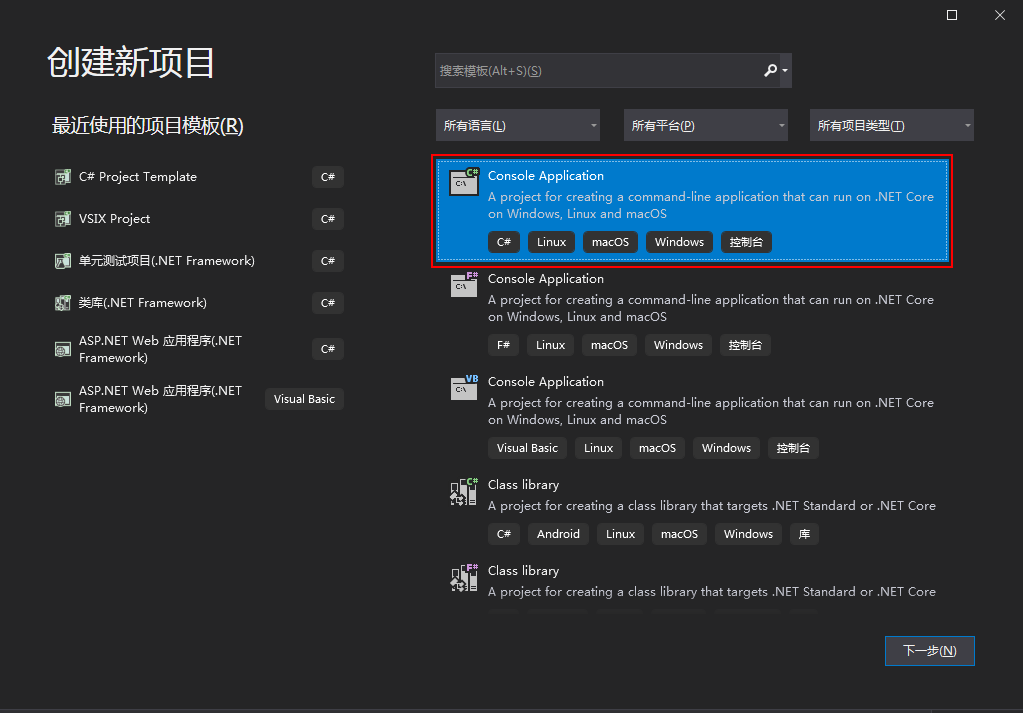
  2. 选择“工具” > “选项” > “环境” > “预览功能”,然后选择“在‘新建项目’中显示所有 .NET Core 模板(需重启)” 。

  3. 关闭并重新打开 Visual Studio。

  4. 在“开始”页上,选择“创建新项目”。

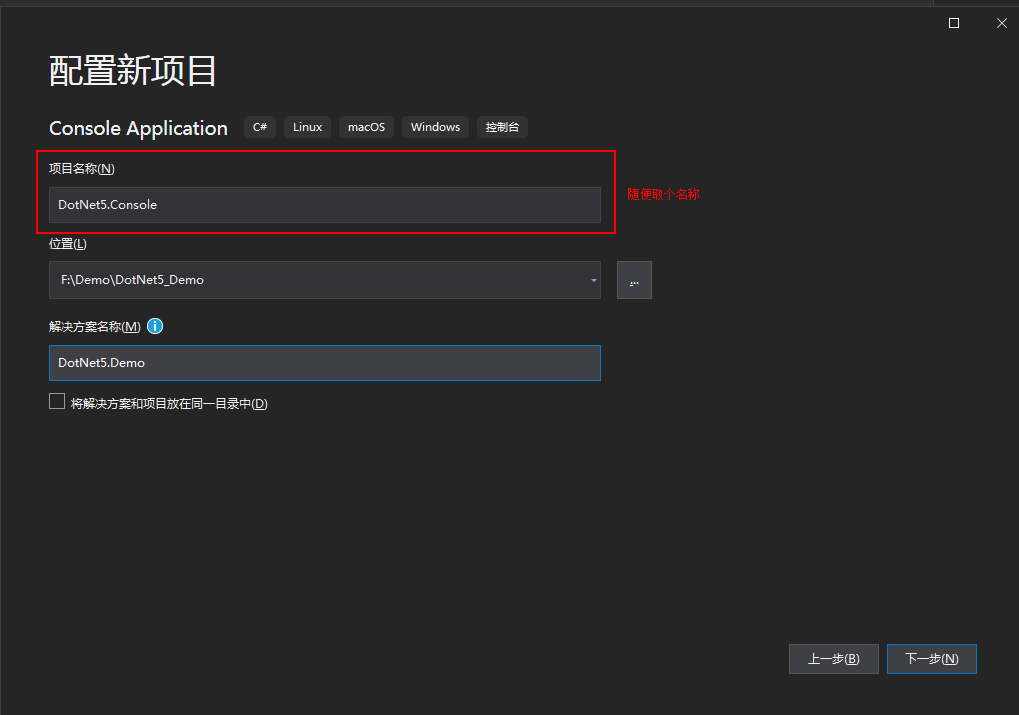
  5. 在“配置新项目”对话框中,在“项目名称”框中输入“DotNet5.ConsoleApp”。 然后选择“下一步”
    下图实际创建的时候改一下名字(最开始建成了DotNet5.Console,发现与System.Console的引用会冲突,就会报错)
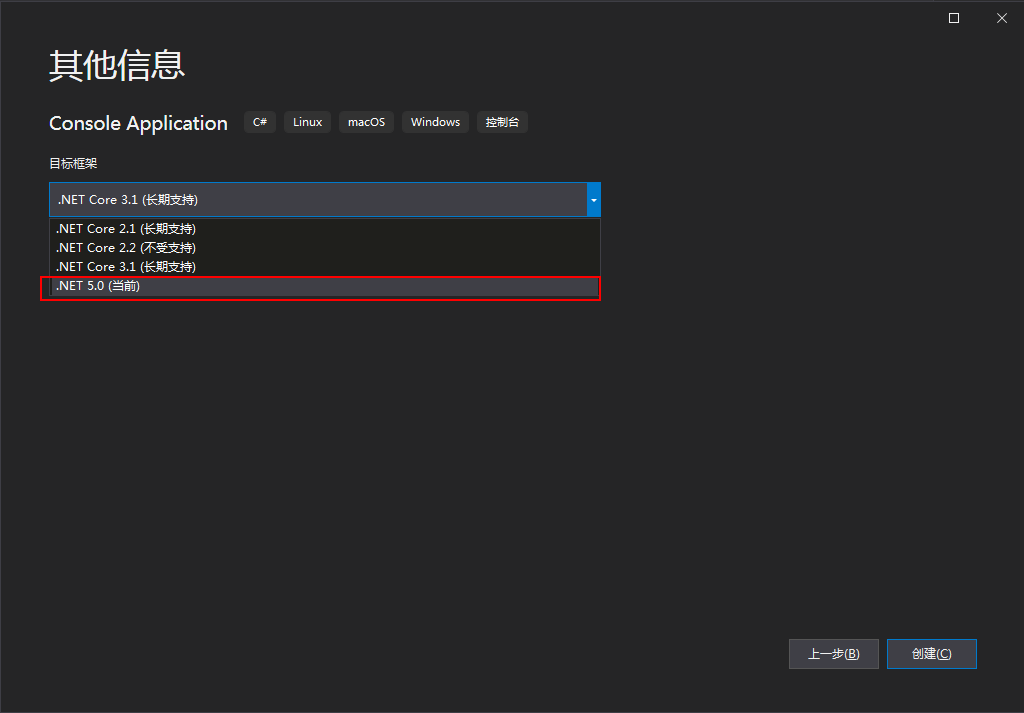
  6. 在“其他信息”对话框中,选择“.NET 5.0 (当前)”,然后选择“创建”
  7. 按 F5 运行程序进行调试

Demo代码

https://gitee.com/onev1986/dot-net5

posted @ 2021-01-05 23:33  一碗豆芽汤(OneV)  阅读(1106)  评论(2)    收藏  举报