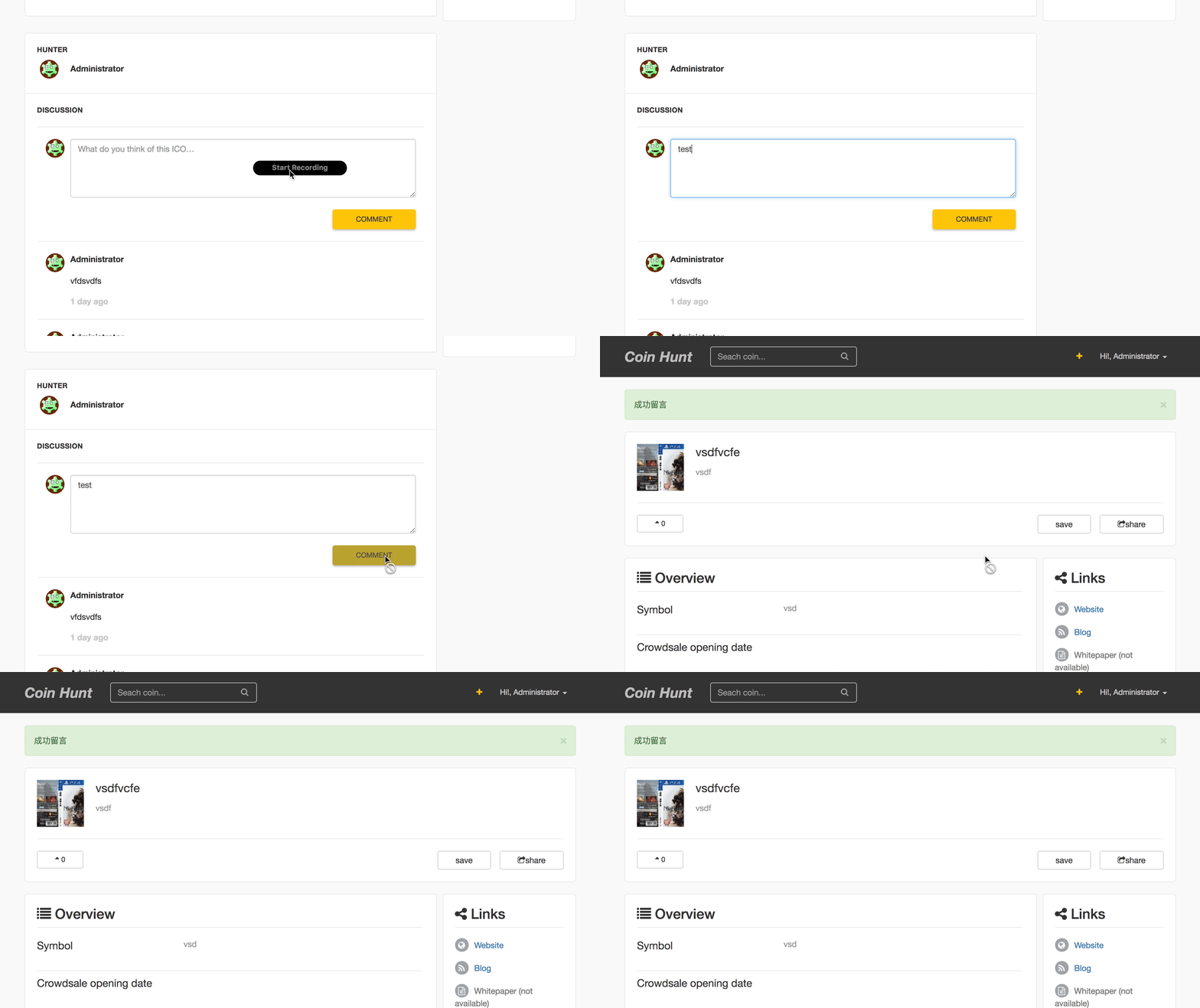
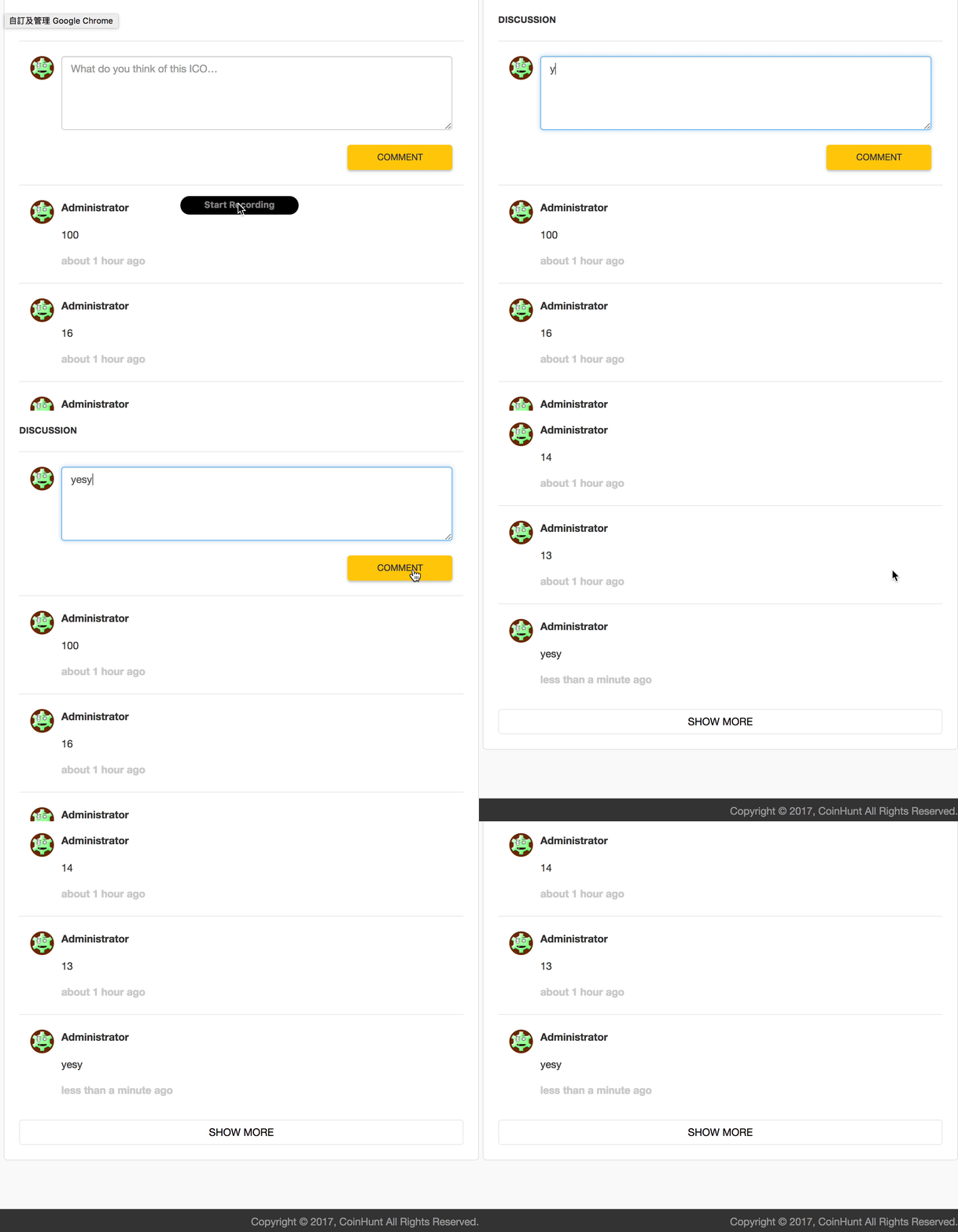
Implement background animation colors for comments(like stack over flow share answer link)
Rails version 5.1.3 Ruby version 2.3.2
原本如果實作一個 Post has_many Comments 的 CRUD
最陽春的版本就是在留言之後,跳出一個 flash 顯示
「你已留言成功」
不過因為是用 http post,所以在 controller action 就會 redirect_to 一個 path 回來,
在這裡我們可以用
redirect_to :backredirect_back(fallback_location: root_path)來做到留言後返回同一頁。
不過看似沒有導去任何的頁面,但是頁面卻彈到最頂部了。
因為這其實是在重新 load 當前頁面。
所以當留言越來越長,我們每次留言完就會又彈回頂部。這樣實在太糟糕了
秉持著現代流行的 SPA 精神,我們用 ajax 來完成吧
目標讓留言系統有
對於漸層從亮色到底色這種標記區塊的方法,是從 StackOverFlow 分享 answer 裡面看到的,所以就思考了一下並實作,你可以點看看這個在 stackoverflow 經典的答案分享體驗一下。
gem 'jquery-rails'
gem 'will_paginate', '~> 3.1'
//= require rails-ujs
//= require jquery
CRUD 這邊就略過不贅述了 XD
在 post#show 顯示留言,直接先分頁
def show
    @comments = @post.comments.paginate(page: params[:page], per_page: 5).order('created_at DESC')

    respond_to do |format|
      format.html
      format.js
    end
end
先寫 helper
  def render_ajax_more_comments_link(post, comments)
    link_to("SHOW MORE", post_path(post, page: comments.next_page), remote: true, class: 'btn coin-comment__load-more-btn', id: "js-load-more-comments" )
  end
再 show 頁面使用這個 load more 按鈕,並且在 form 的地方補上 remote: true
// 留言表單獨立出來做 partial
<%= render "comment_form"%>

// Load more 按鈕
<% if @comments.next_page %>
  <div class="coin-comment__load-more">
     <%= render_ajax_more_comments_link(@post, @comments) %>
  </div>
<% end %>
comment form 的 partial
<%= simple_form_for [@post, Comment.new], remote: true, html: { id: 'js-comment-form' } do |f| %>

    <%= f.input :message %>

    <%= f.submit "COMMENT", class: "btn btn-sm", data: { disable_with: "COMMENT..." } %>
<% end %>
設定 js.erb
$('#js-comments-list').append("<%= j render @comments %>");

<% if @comments.next_page %>
  $('#js-load-more-comments').replaceWith('<%= j render_ajax_more_comments_link(@post, @comments) %>');
<% else %>
  $(window).off('scroll');
  $('#js-load-more-comments').remove();
<% end %>
Load more button 示範
controller 在 create 留言時會紀錄哪位使用者留言的
  def create
    @post = Post.friendly.find(params[:post_id])
    @comment = @post.comments.build(comment_params)
    @comment.user = current_user

    respond_to do |format|
      if @comment.save
        format.html { redirect_to(post_path(@post)) }
        format.js
      else
        format.html { redirect_back(fallback_location: root_path) }
        format.js
      end
    end
  end
因為 create 行為沒有 html.erb ,不過要有 js 行為,所以
$('#js-comments-list').append("<%= j render @comment %>");

// clear form input 留言後能夠把 form 上面的 input 欄位清掉
$('#js-comment-form')[0].reset();

// scroll to bottom 依照當前網頁高度,去計算拉到底部的高度,這邊採用 jquery 裡面的 animate 實作
height = $('#js-comments-list').offset().top;
$('html, body').animate({scrollTop : height+ $('#js-comments-list').height()},500);

// comment moment height light 先給予顏色,之後再用 animate 將顏色動畫漸變回底色
$('#js-comments-<%= @comment.id %>').css("backgroundColor", "rgba(255, 210, 46, 0.39)");
$('#js-comments-<%= @comment.id %>').animate({backgroundColor: "#fff"}, 800);
由於原本的 jquery 是沒有加入 backgroundColor 的功能,這是額外的擴充,所以請在 layout 裡面加入
一定要在 javascript 載入之後再載入 jquery.color-animation ,因為他是依賴在 jquery 之下
    <%= javascript_include_tag 'application', 'data-turbolinks-track': 'reload' %>
    <script src="//cdn.jsdelivr.net/jquery.color-animation/1/mainfile"></script>
記得做一塊 partial ,裡面是每一個 comment
<div id="js-comments-<%= comment.id %>">
  <%= comment.user.name %>
  <%= comment.message %>
</div>
這邊的 js-comments-<%= comment.id %> 用意是為了能夠辨別每一個唯一的 comment 加上的標籤,這樣一來,我們就可以做到留言後自動標記了
到這邊,應該可以實現如下圖的功能了
此内容由惯性聚合(RSS阅读器)自动聚合整理,仅供阅读参考。 原文来自 — 版权归原作者所有。