


上一篇文章中不知道是怎么一会事,图片上在上传时失真了,这次把上一次的重新修改后与大家分享。
在本篇文章中也将介绍自己写的两个非常简单的小工具。
小工具一、QQ在线查询
我想大家对于QQ的了解,就不用多说了,可以查询到QQ隐身的好友,在线的好友就不用说了。在QQ本身是没有这个功能的,所以写这个实用的
功能与大家。
运行结果如下:
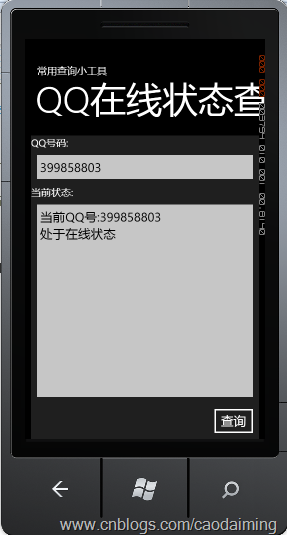
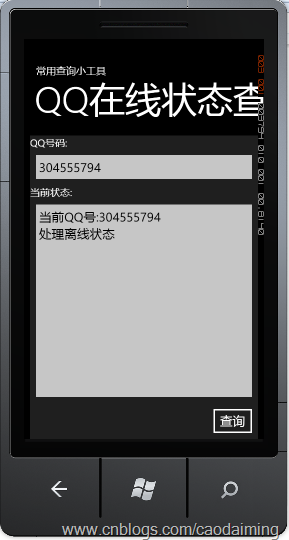
代码:
private QQ.qqOnlineWebServiceSoapClient client = null;
        public QQuery()
        {
            InitializeComponent();
            client = new QQ.qqOnlineWebServiceSoapClient();
            InitServer();
            Loaded += (a, b) =>
            {
                txtQQ.Text = "399858803";
            };
        }

        private void InitServer()
        {
            client.qqCheckOnlineCompleted += (a, re) =>
            {
                if (re.Error == null)
                {
                    txtQQResult.Text = string.Format("当前QQ号:{0}\r\n{1}", txtQQ.Text, re.Result == "Y" ? "处于在线状态" : "处理离线状态");
                }
            };
        }

        private void btnQuery_Click(object sender, System.Windows.RoutedEventArgs e)
        {
            if (!string.IsNullOrEmpty(txtQQ.Text))
            {
                client.qqCheckOnlineAsync(txtQQ.Text);
            }
        }
说明:代码是相当简单的,就是利用第三方提供的webServer服务。调用服务就可以就查询,并返回结果值。
小工具二、列车时刻查询
运行结果如下:
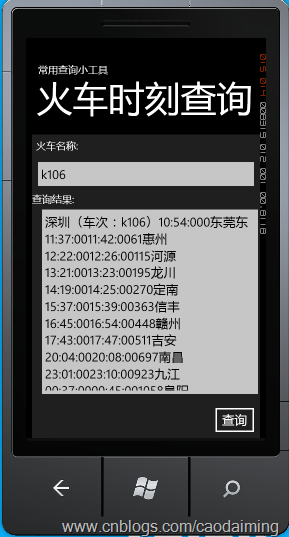
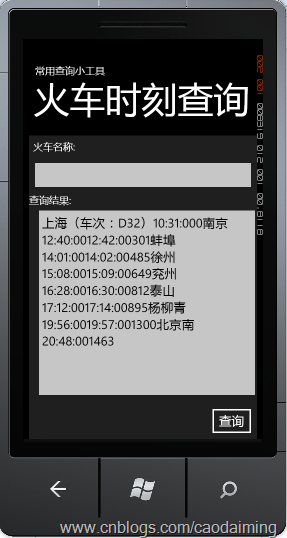
运行代码:
private Train.TrainTimeWebServiceSoapClient clinet = null;
        public TrainQuery()
        {
            InitializeComponent();
            clinet = new Train.TrainTimeWebServiceSoapClient();
            InitServer();
            //txtTrain.Text = "2334";
        }

        private void InitServer()
        {
            clinet.getDetailInfoByTrainCodeCompleted += (a, re) =>
            {

                if (re.Error == null)
                {
                    txtResult.Text = re.Result.Nodes[0].Value;
                }
            };
        }

        private void btnQuery_Click(object sender, System.Windows.RoutedEventArgs e)
        {
            // TODO: Add event handler implementation here.
            if (!string.IsNullOrEmpty(txtTrain.Text))
            {
                clinet.getDetailInfoByTrainCodeAsync(txtTrain.Text, "");
            }
            else
                clinet.getDetailInfoByTrainCodeAsync("", "");
        }
小工具三、IP地址查询工具
运行结果如下:
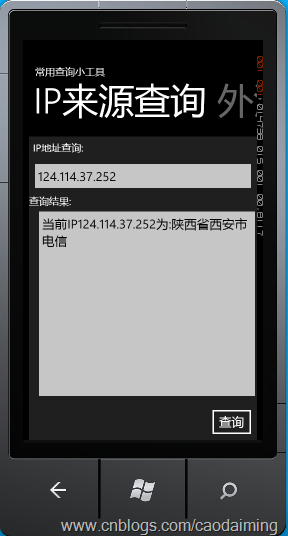
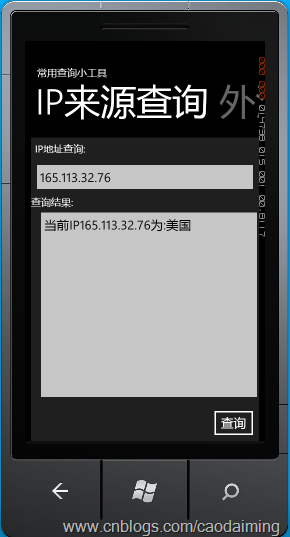
运行代码如下:
private IP.IpAddressSearchWebServiceSoapClient client = null;
        public IPQuery()
        {
            InitializeComponent();
            client = new IP.IpAddressSearchWebServiceSoapClient();
            InitServer();
        }

        private void InitServer()
        {
            client.getCountryCityByIpCompleted += (a, Re) =>
            {
                if (Re.Error == null)
                {
                    txtResult.Text = string.Format("当前IP{0}为:{1}", txtIPaddress.Text, Re.Result[1].ToString());
                }
            };
        }

        private void btnQuery_Click(object sender, System.Windows.RoutedEventArgs e)
        {
            // TODO: Add event handler implementation here.
            if (!string.IsNullOrEmpty(txtIPaddress.Text))
            {
                client.getCountryCityByIpAsync(txtIPaddress.Text);
            }
        }
小工具四、邮政编码查询工具
运行结果如下:
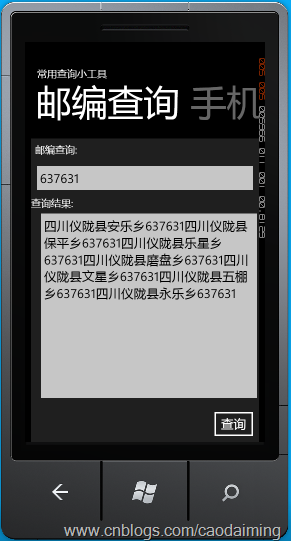
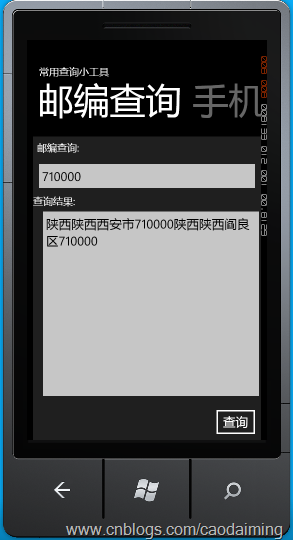
运行代码如下:
private Zip.ChinaZipSearchWebServiceSoapClient client = null;
       public PostCodeQuery()
       {
           InitializeComponent();
           client = new Zip.ChinaZipSearchWebServiceSoapClient();
           InitServer();
       }

       private void InitServer()
       {
           client.getAddressByZipCodeCompleted += (a, re) =>
           {
               if (re.Error == null)
               {
                   txtResult.Text = re.Result.Nodes[0].Value;
               }
           };
       }

       private void btnQuery_Click(object sender, System.Windows.RoutedEventArgs e)
       {
           // TODO: Add event handler implementation here.
           if (!string.IsNullOrEmpty(txtPostCode.Text))
           {
               client.getAddressByZipCodeAsync(txtPostCode.Text, "");
           }
       }
上面的程序代码都很简间,只要用到了WP7 的Piovt进行左右进行滑动。功能简单但在生活中很实用。其中全都是用到了第三方提供的webserver服务。每一个服务中都提供了很多的方面,供我们使用。关于服务中的方法与使用请参见http://www.webxml.com.cn/zh_cn/web_services.aspxp 这里提供了更加详细的说明。
在项目中还有几个没有实现的小工具,有兴趣的朋友可以下载源码,进行完善。在小工具中,没有进行页面的美化,以实现为原则,如果你的美术功底深厚,这就是你展示你才华的地方。
本程序是学习过程中的学习笔记,在程序中难免有不足的地方希望大家正一起交流学习。
源代码:http://cid-904fa9b9fc4c059f.office.live.com/self.aspx/Windows%20Phone%207/WP7Demo.zip
此内容由惯性聚合(RSS阅读器)自动聚合整理,仅供阅读参考。 原文来自 — 版权归原作者所有。