惯性聚合 高效追踪和阅读你感兴趣的博客、新闻、科技资讯
阅读原文 在惯性聚合中打开

推荐订阅源

Threat Intelligence Blog | Flashpoint
量子位
M
MIT News - Artificial intelligence
Y
Y Combinator Blog
钛媒体:引领未来商业与生活新知
钛媒体:引领未来商业与生活新知
Google DeepMind News
Hugging Face - Blog
Hugging Face - Blog
博客园_首页
雷峰网
雷峰网
I
InfoQ
罗磊的独立博客
博客园 - 聂微东
酷 壳 – CoolShell
酷 壳 – CoolShell
大猫的无限游戏
大猫的无限游戏
D
Docker
H
Hackread – Cybersecurity News, Data Breaches, AI and More
腾讯CDC
博客园 - 三生石上(FineUI控件)
The GitHub Blog
The GitHub Blog
K
Kaspersky official blog
P
Privacy & Cybersecurity Law Blog
S
SegmentFault 最新的问题
T
Threat Research - Cisco Blogs
H
Help Net Security
小众软件
小众软件
Cyber Security Advisories - MS-ISAC
C
CERT Recently Published Vulnerability Notes
WordPress大学
WordPress大学
T
Tenable Blog
T
The Blog of Author Tim Ferriss
C
Cisco Blogs
Simon Willison's Weblog
博客园 - Franky
A
Arctic Wolf
T
Threatpost
Scott Helme
Scott Helme
C
Cybersecurity and Infrastructure Security Agency CISA
D
Darknet – Hacking Tools, Hacker News & Cyber Security
T
The Exploit Database - CXSecurity.com
G
GRAHAM CLULEY
Security Latest
Security Latest
Spread Privacy
Spread Privacy
L
LINUX DO - 热门话题
V
Vulnerabilities – Threatpost
P
Privacy International News Feed
S
Schneier on Security
Latest news
Latest news
cs.CL updates on arXiv.org
C
Cyber Attacks, Cyber Crime and Cyber Security
C
CXSECURITY Database RSS Feed - CXSecurity.com

阁子

小工具(三) 相机小述 四元数与旋转矩阵 私有办公服务搭建 小工具(一) 图床搭建 Git基本用法 Telegram接管聊天消息 Hashcat密码破解 Docker博客环境封装及自动化部署 小聊乐理 LXD搭设服务器 Time Machine 不满就折腾小记 GStreamer笔记五: Media Formats and Pad Capabilities GSreamer笔记四: GUI Toolkit Integration GStreamer笔记三: Time Management GStreamer笔记二: Dynamic Pipeline GStreamer笔记一: GStreamer Concepts
小工具(二)
本文作者: dfine · 2019-12-16 · via 阁子

小工具(二)

发表于 | 分类于 Share | 阅读次数

竟然真的有后续!!!

选中区和剪贴板工具XClip

XClip工具可以非常方便的操作,清空剪贴板,高效的复制粘贴等,直接从apt商店就可以直接安装(测试所用Ubuntu环境)。

输出选中区和剪贴板内容

选中区是指用鼠标选中区域的内容,在Ubuntu下有个快捷的复制粘贴方式就是利用选中区,通常鼠标中键是粘贴选中区内容。用xclip输出选中区内容命令:

1

xclip -o

如果要读取系统剪贴板的内容,可以加个参数:

1

xclip -selection clipboard -o

或者简写为:

1

xclip -sel c -o

输出到文件

1

2

xclip -o > file

xclip -sel c -o >file

读入到选中区和剪贴板

平时用鼠标和Ctrl C\V或者Ctrl Shift C\V即可完成一般的复制粘贴,但有大量文字时,满满的移动鼠标就显得比较繁琐,利用xlip可以不借助鼠标比较方便的实现。

1

2

xclip -i file

xclip -sel -c -i file

其他几种形式:

1

2

3

4

5

6

echo "Hello Dog" | xclip

echo "Hello Dog" | xclip -sel c

xclip < file

xclip -sel c < file

xclip file

xclip -sel c file

图像转LaTeX工具Mathpix

可以将包含公式的图像直接转化为LaTeX语法。

1

sudo snap install mathpix-snipping-tool

可以使用键盘快捷键 Ctrl+Alt+M 开始使用 Mathpix 截图,它会立即将图中公式转换为 LaTeX 语法并保存在剪贴板中。
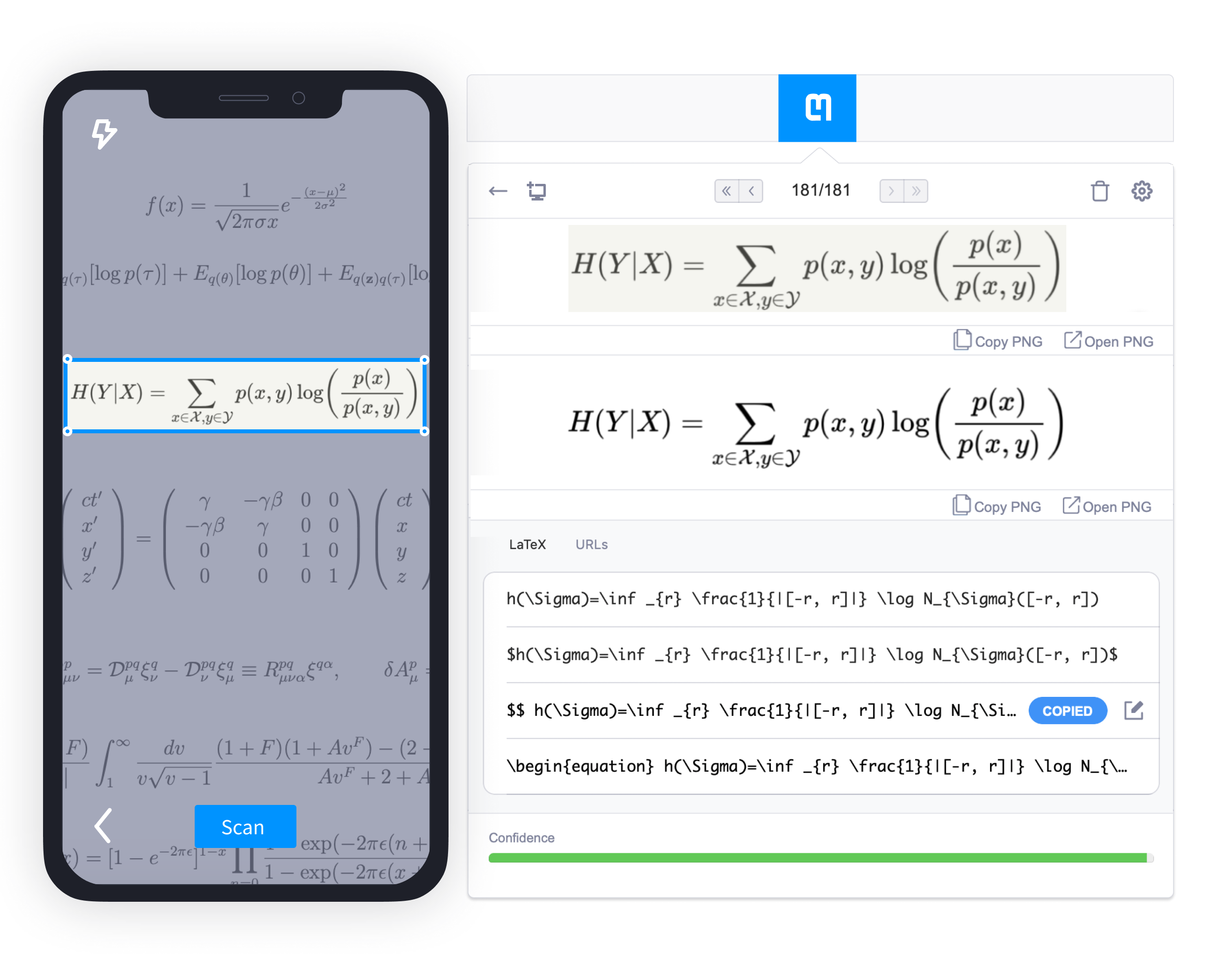
snip_sync_new.png

然而现在开始收费了,免费版的一个月只能用50次。

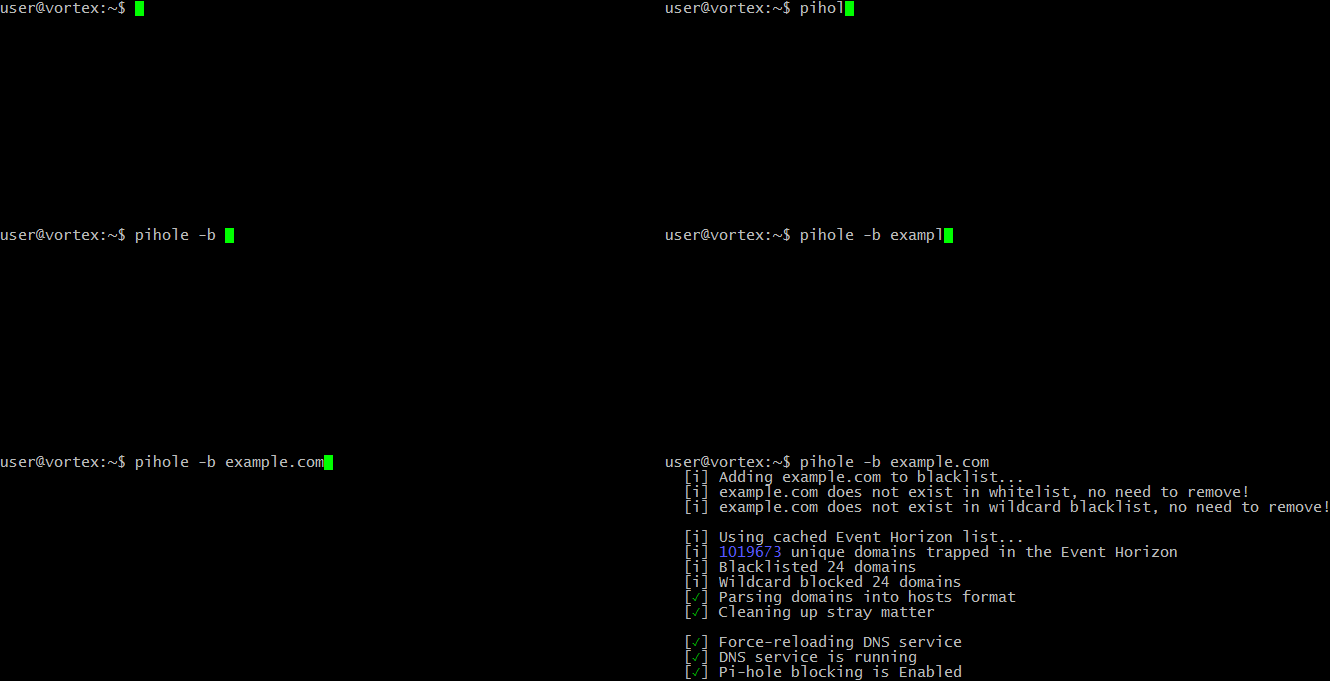
广告拦截工具Pi-hole

与传统的浏览器广告拦截插件不同,声称是通过个人Linux硬件进行全网广告拦截,通过DNS污染实现,具体仓库在此

安装方式很多,最直接就是curl直接拉脚本运行:

1

curl -sSL https://install.pi-hole.net | bash

安装完成后可以配置路由器来使所有的经过动态主机分配协议(DHCP)的主机使用Pi-hole作为其DNS服务器,来确保该网络所有的主机都可以进行广告拦截。配制方法在此

如果路由器不支持DNS设置,可以禁用DHCP后,使用Pi-hole的内置DHCP服务器。