


原本以为是很容易的事情,因为在本机以及安装好了一个,下载上传都没什么问题,没想到服务器上是 IIS 6,这玩意问题一大堆,折腾了一个晚上。
NuGetServer 网站编译打包就不多说了,Google一下有很多教程,实际上就是从 NuGet Gally 下载 Nuget.Server 包编译一下就可以了。
但是问题也就在这里出现了,部署到 IIS 6 上以后,可以浏览到服务器上的包,但是 …… 下载和上传包都报 404 或者 501 等错误,参考这个文章 http://www.398588.com/Article/T5/98.aspx 配置MIME ,再参考这个文章 http://blogs.thesitedoctor.co.uk/tim/2011/09/02/Nuget+Server+On+IIS6+Returns+404+When+Downloading+Package+After+Upgrade.aspx 配置ISAPI都没有用,折腾了个把小时,几乎绝望了。
幸亏灵机一动,既然那哥们说问题是在升级 NuGetServer 后发生的,那么是不是改用较低的版本就可以了呢?从 NuGet Galley下载 NuGet.Server 1.5.20902.9026,再做一个站点,发布到服务器上,配置ISAPI,居然真的就OK了,下载,上传都搞定。泪牛满面啊。
摘录一下这哥们配置 ISAPI的方法,以备后用 (不过估计也没多少用了)
2011年9月2日 8:03:30 (GMT Daylight Time, UTC+01:00)
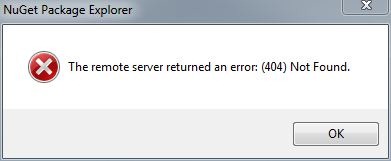
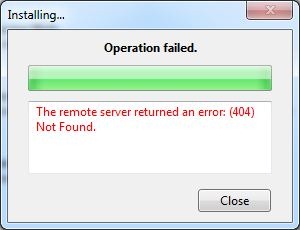 We updated our nuget server today and ran into a problem where regardless of package selected or whether it's through the nuget package manager or the nuget package explorer, the server returns 404 (File Not Found).
What was odd about this was that the packages exist and the feed was valid:

There are a couple of comments about this online e.g.: Codeplex Discussion 246387 but nothing helped. It took a while to work out that it was caused by a slight change to the way the nuget server makes it's calls. Comparing the IIS logs between the old and new version of nuget server, the previous version of nuget server would redirect the user directly to the nupkg file:
2011-04-21 08:47:46 W3SVC1759424837 192.168.1.1 GET /Packages/TheSiteDoctor.2.0.235.68.nupkg - 80 - 192.168.1.2 Package-Installer/1.2.20325.9034+(Microsoft+Windows+NT+6.1.7601+Service+Pack+1) 200 0 0
On the new one however, it passes the various requests through a new MVC route "download":
2011-09-01 11:31:16 W3SVC1759424837 192.168.1.1 GET /download/TheSiteDoctor/2.0.235.68 - 80 - 192.168.1.2 Package-Installer/1.2.20325.9034+(Microsoft+Windows+NT+6.1.7601+Service+Pack+1) 404 0 3
This is fine if your nuget server is running on IIS7, it will "just work". However if you're running IIS6 you'll need to make one additional change which is mapping all request through the aspnet_isapi.dll (a wildcard mapping). This is easy enough:


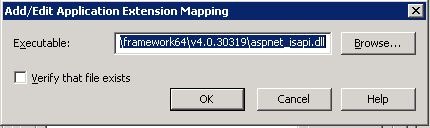
Et voila your packages should all be working again.
此内容由惯性聚合(RSS阅读器)自动聚合整理,仅供阅读参考。 原文来自 — 版权归原作者所有。