这部分会作为下周去北京参加Beijing Open edX Meetup的分享之一,有兴趣的小伙伴可以到现场围观
我将分享的另一个topic是《Open edX Architecture》
缘起
由于斯坦福跳票的缘故,edx迟迟没有内置的chat功能,几年前斯坦福大学团队准备实现这个功能,也加入到feature里了,最终没有实现,今年年初整个特性移除了。
所以同学们只能自食其力了,所幸IM是个常用的功能,github里与许多很好的实现
选型时权衡的因素主要包括社区热度,项目成熟程度,技术架构,拓展性
对比了一番,我决定使用Rocket.Chat
Rocket.Chat
Rocket.Chat是自托管的chat服务,采用Meteor构建,具有许多优秀的特性
特性
主要吸引我的特性包括:
- 自托管,支持docker
- 跨平台(web/mobile/desktop)
- 私有群组
- 桌面通知
- @某人
- Markdown支持
- Emojis
- 内嵌多媒体
- 超链智能解析预览
- 文件上传
- 全文搜索
- 消息收藏
- 客服系统
- I18N
- REST APIs
- 支持webhook
- 支持聊天机器人
- cas/oauth2
我们发现这是slack的绝佳替代。你可以通过cas/oauth2轻易地与你的系统整合,通过webhook和聊天机器人,你可以多系统做极大的拓展
所有的特性如下:
- BYOS (bring your own server)
- Multiple Rooms
- Direct Messages
- Private Groups
- Public Channels
- Desktop Notifications
- Mentions
- Avatars
- Markdown
- Emojis
- Reactions
- TeX Math Rendering - inline math typesetting
- Media Embeds
- Link Previews
- Sent Message Edit and Deletion
- Transcripts / History
- File Upload / Sharing
- Scalable file sharing - S3 uploads with CDN downloads
- Full text search
- Live chat / Messaging call center
- LDAP Authentication
- CAS 1.0 support for education institutions and hosting providers worldwide
- Support for Okta SSO through SAML v2
- I18n - Supports 22 Languages
- Hubot Friendly
- (Beta) Face to Face Video Conferencing (aka WebRTC )
- (Beta) Multi-users Video Group Chat
- (Beta) Jitsi integration
- Audio calls
- Multi-users Audio Conference
- Screensharing
- XMPP bridge (try it)
- REST APIs
- Remote Locations Video Monitoring
- Native real-time APIs for Microsoft C#, Visual Basic, F# and other .NET supported languages (Get it!)
- API access from Perl and Java (community contributions)
- Chat-ops powered by Hubot: scalable horizontal app integration (early access)
- Massively scalable hosting and provisioning (beta testing now)
- Native Cross-Platform Desktop Application Windows, Mac OSX, or Linux
- Mobile app for iPhone, iPad, and iPod touch Download on AppStore!
- Mobile app for Android phone, tablet, and TV stick Available now on Google Play!
- Native Firefox OS Application (also for Desktop Firefox and Firefox for Android!) - Check the docs page for install instructions
- Sandstorm.io instant Rocket.Chat server Now on Sandstorm App Store
- Available on Cloudron Store
一图胜千言
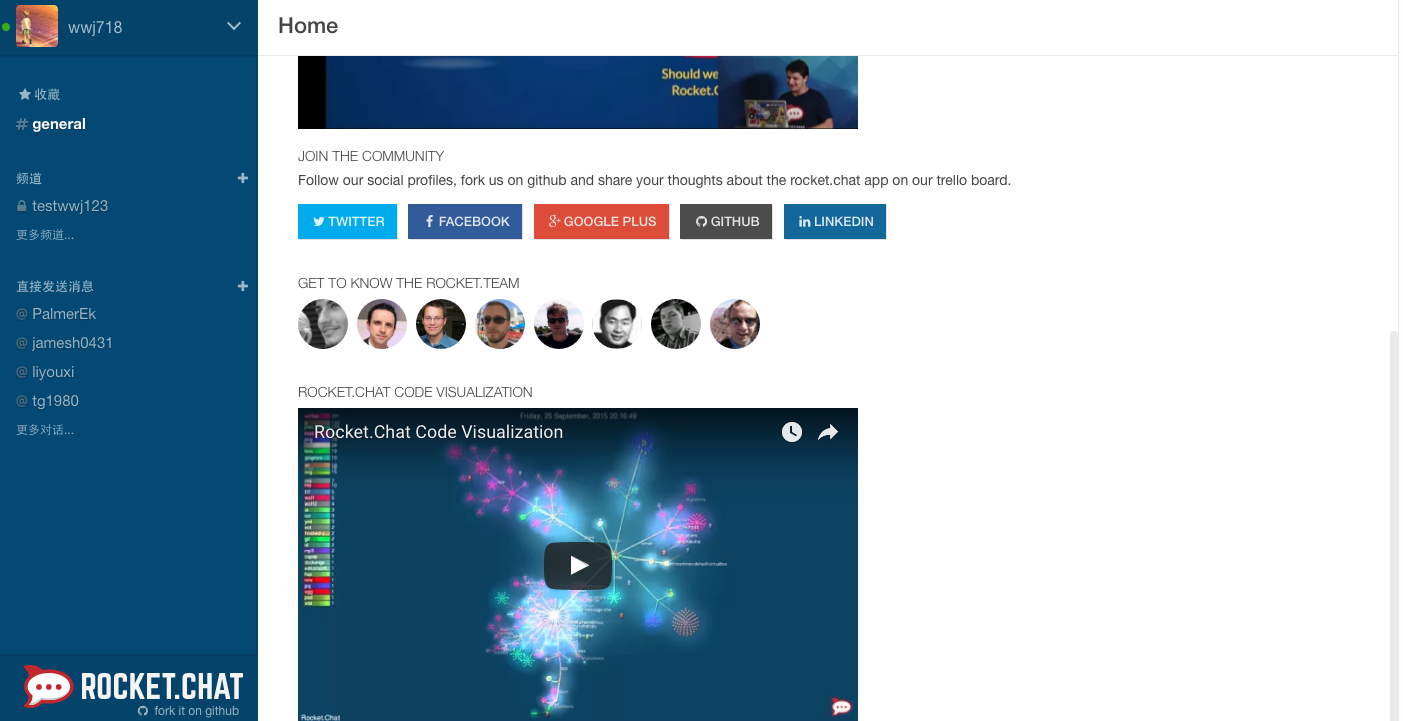
live demo
https://demo.rocket.chat/
安装
为了简化安装过程,我们采用docker(之后可以使用bitnami的发行版),首先保证你装好了docker,关于docker的使用可以参考我的docker使用小结
我们采用docker-compose编排服务来编排容器,你可以采用pip来安装docker-compose:pip install docker-compose
创建文件docker-compose.yml
 1
 2
 3
 4
 5
 6
 7
 8
 9
10
11
12
13
14
15
|
db:
  image: mongo
  volumes:
    - $PWD/data:/data/db
    - $PWD/dump:/dump
  command: mongod --smallfiles
web:
  image: rocketchat/rocket.chat
  environment:
    - MONGO_URL=mongodb://db:27017/meteor
    - ROOT_URL=http://119.254.98.58:8818
  links:
    - db:db
  ports:
    - 8818:3000
|
运行服务:docker-compose up
应用跑在本地8818端口,如果你端口对外打开,你已经可以正常访问了
一般而言我们采用nginx来做反向代理,如果你想用webrtc功能(语音和视频),那么你需要采用https,关于https的配置,可以参考使用Let’s Encrypt(certbot)为你的网站生成免费的 SSL 证书,当然也可以参考官方文档
nginx配置形如
 1
 2
 3
 4
 5
 6
 7
 8
 9
10
11
12
13
14
15
16
17
18
19
20
21
22
23
24
25
26
27
28
29
|
:::text
upstream chat_server {
            server 127.0.0.1:8818  fail_timeout=0;
    }

server {
  listen 19818;
  ssl on;
  ssl_certificate /etc/nginx/conf/server.crt;
  ssl_certificate_key /etc/nginx/conf/server.key;
  server_name chat.example.com;

  location / {
        try_files $uri @proxy_to_app;
  }

  # No basic auth security on the heartbeat url, so that ELB can use it


location @proxy_to_app {
    proxy_set_header X-Forwarded-Proto $http_x_forwarded_proto;
    proxy_set_header Host $http_host;
    proxy_set_header X-Forwarded-For $http_x_forwarded_for;
    proxy_set_header Host $http_host;

    proxy_redirect off;
    proxy_pass http://chat_server;
    }
}
|
tips
- 首位注册用户将成为管理员
- rocket chat中的配置十分便捷合理,贴心极了,绝大多数功能级别的配置都只需要在用户界面做就行,这点很像discourse.
与你的应用整合
下边我们将以Open edX为例,将即时通信和客户系统整合到其中。当然你可以模仿着将它整合到你自己的任何系统里
思路
Rocket.Chat与你的应用的整合主要是用户系统的整合,我们采用oauth2来整合两者。两个系统的其他功能的整合(诸如同步分组)可以通过REST apis来做,这是后话
在我们的案例中,LMS作为oauth2 prividor , 而 RocketChat作为oauth2 consumer,这部分的知识可以参考oauth2文档。如果你做过insights/edxnote和LMS的对接,你大约已经熟悉了其中的流程
oauth2配置
这部分留待meetup上分享~/
update 2018.4.24
oauth 这块坑比较多
比如user info中需要有id字段
否则会报如下错误:
1
2
|
web_1  | Exception while invoking method 'login' Error: Service data for service test must include id
web_1  |     at AccountsServer.Ap.updateOrCreateUserFromExternalService (/app/bundle/programs/server/packages/accounts-base.js:1820:40)
|
https 认证的问题可以在docker通过添加环境变量: NODE_TLS_REJECT_UNAUTHORIZED=0
启用客服功能
使用者在使用的过程中有任何问题,可以即时向课程团队/网站管理人员求助
只要你在rocketchat中开启livechat功能,之后一串js代码集成到你的页面里
 1
 2
 3
 4
 5
 6
 7
 8
 9
10
11
|
:::text
<!-- Start of Rocket.Chat Livechat Script -->
<script type="text/javascript">
(function(w, d, s, u) {
	w.RocketChat = function(c) { w.RocketChat._.push(c) }; w.RocketChat._ = []; w.RocketChat.url = u;
	var h = d.getElementsByTagName(s)[0], j = d.createElement(s);
	j.async = true; j.src = 'https://chat.example.com/packages/rocketchat_livechat/assets/rocket-livechat.js';
	h.parentNode.insertBefore(j, h);
})(window, document, 'script', 'https://chat.example.com/livechat');
</script>
<!-- End of Rocket.Chat Livechat Script -->
|
一些有意思的想法
将RocketChat作为client,利用它的outgoing webhook将其作为一个输入工具来用
这有点像微信公众号对微信的利用
我之前做了一个留言墙,就是这样实现的
你可以猜猜它怎么实现的
如果是早先,我会这样做:跑一个server,等待请求。如果请求合法就使用websocket post到展示页面(墙)上
为了好玩,我采用了无后端的设计,对此有兴趣的同学可以看看我的如何架空经常500的后端程序员
大体的想法就是讲RocketChat作为前端,后端采用kinto(你可以理解为firebase),当有新消息到来时,采用pusher服务,将消息pusher到消息强上,历史消息存留在kinto里,不必担心遗失
这样一来我们既没有写前端,也没有写后端,也没有写客户端,但却做到了可以在任何终端往消息墙里发消息。
这种做法是不是感觉十分unix,所有东西都是管道,我们只要关注input/output就行,组合这些积木就能得到我们想要的东西
其他的想象空间
- 通过REST API深度整合,构建点对点指导,私有群组,收费群组
- 想象一下可能的场景
- 一对一在线辅导,线上家教,线上英语辅导(技术层面是点对点的webRTC,服务器基本没有压力)
- 对接ai,重新打造个微信是不大可能的,而你几乎无法定制微信。而即时通信是个强需求,如何得到定制化的即时通信,诸如与现有系统整合,局域网的通信
- 作为入口,利用incoming webhook,可以接受任何信息的输入。我们想象这样一个场景,当系统检测到异常时,发送讨论到群组,即可展开讨论,insight,这是github对hubot的用法(帮助运维的聊天机器人)
- 用于实时课堂




