


文章目录
Preface
I previously wrote an article discussing the AI assistant in graphical programming environment. The experiment at that time showed some interesting possibilities, but it was not practical. With the release of GPT-4o, especially the improvement of multimodal capabilities (audio stream and video stream APIs will be released soon), the AI assistant (or tutor) in graphical programming environment has become truly attractive: you can communicate with it through conversation, it can see in real time what you are doing, understand your difficulties, and provide advice or guidance.
Snap! (Snap! v10 is coming soon) has great improvements recently. In particular, the release of lisp code functionality (blocks and code are isomorphic), making Snap! can deeply collaborate with AI.
With the JavaScript function of Snap!, we can bring all the capabilities of GPT-4o into Snap! without making any changes to the Snap! source code!
I have packaged the functionality of GPT-4o into a Snap! library:
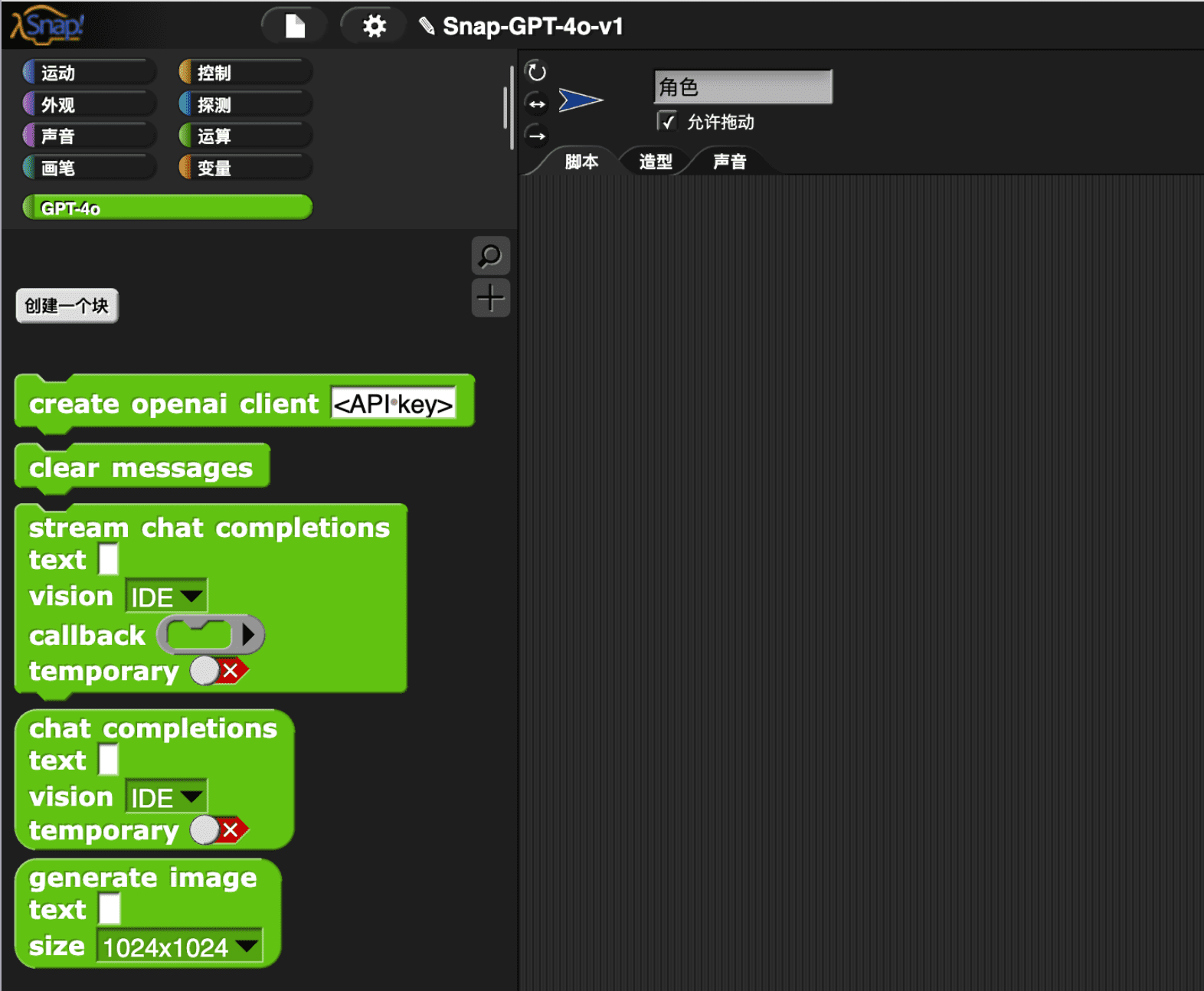
The most commonly used block is stream chat completions, which streams GPT-4o’s response, very similar to your experience using the ChatGPT app.
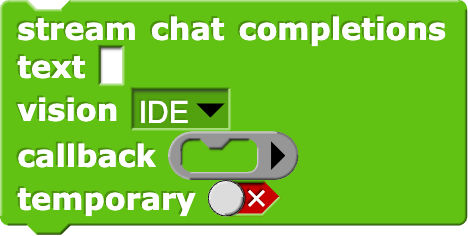
The parameters of this block are as follows:
text: promptvision: Send the snapshot of a area in Snap! to GPT-4o service. You can let GPT-4o see any of the following content:- IDE: The entire page
- Stage
- Camera
- Scripting Area (not yet implemented)
- Palette(not yet implemented)
- None: without image, text conversation only
callback: callback function. Whenever GPT-4o ‘stream’ the completion as it’s being generated, this callback function will be called, usually it issayblock orset variableblocktemporary: a switch to control whether it is a temporary conversation. If it is not a temporary conversation, the content of the conversation will be stored in themessagesvariable. Useclear messagesblocks to clearmessagesvariable.
Demos
Description of the camera’s content
In this simple example (click to run), GPT-4o will describe what it sees from the camera,
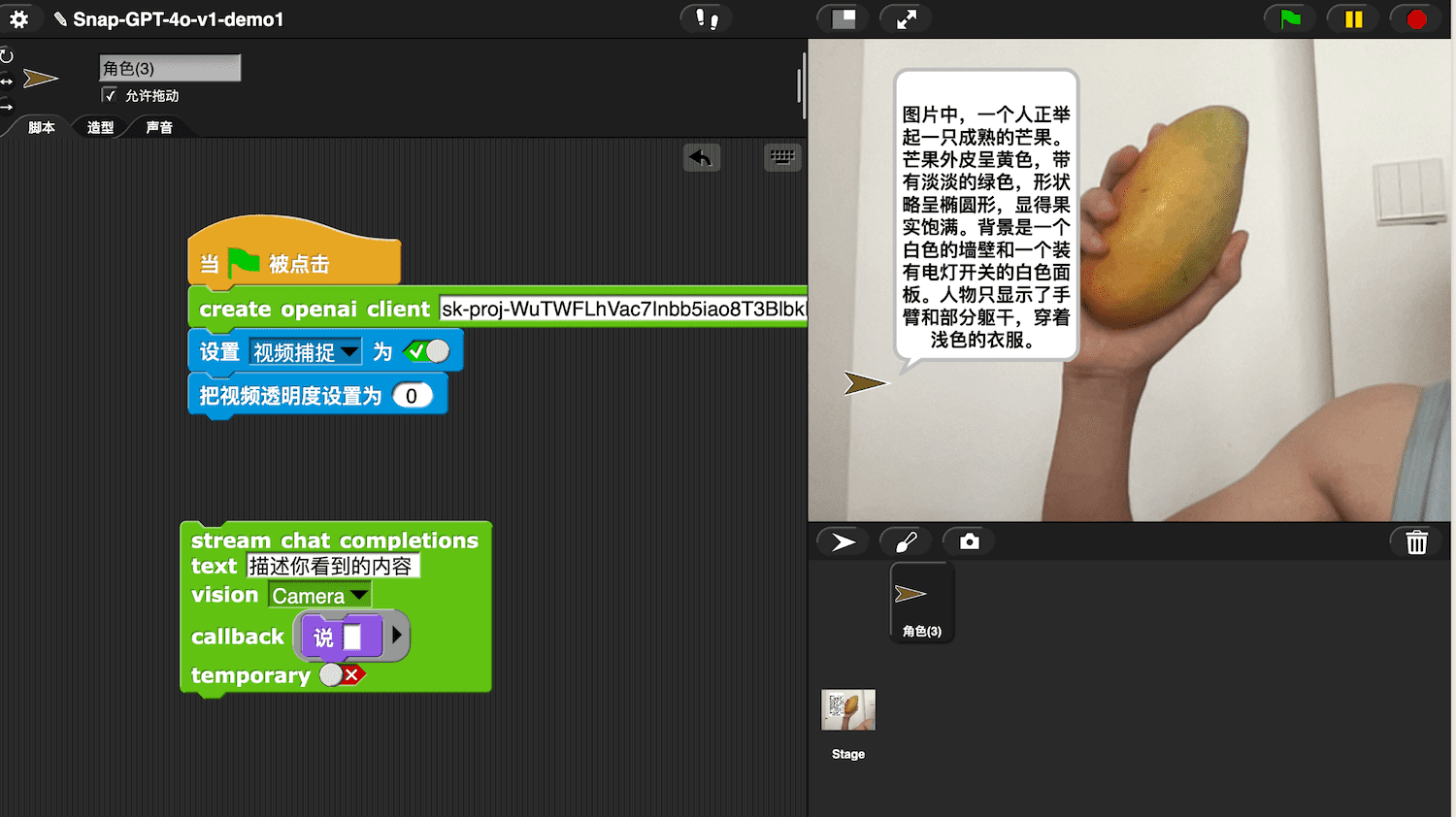
Before running, you need to fill in the API key in the block. To get the API key, you need to have an openai account (currently only PRO users can use the GPT-4o API, this may change in the future), and then apply for the API key through this link.
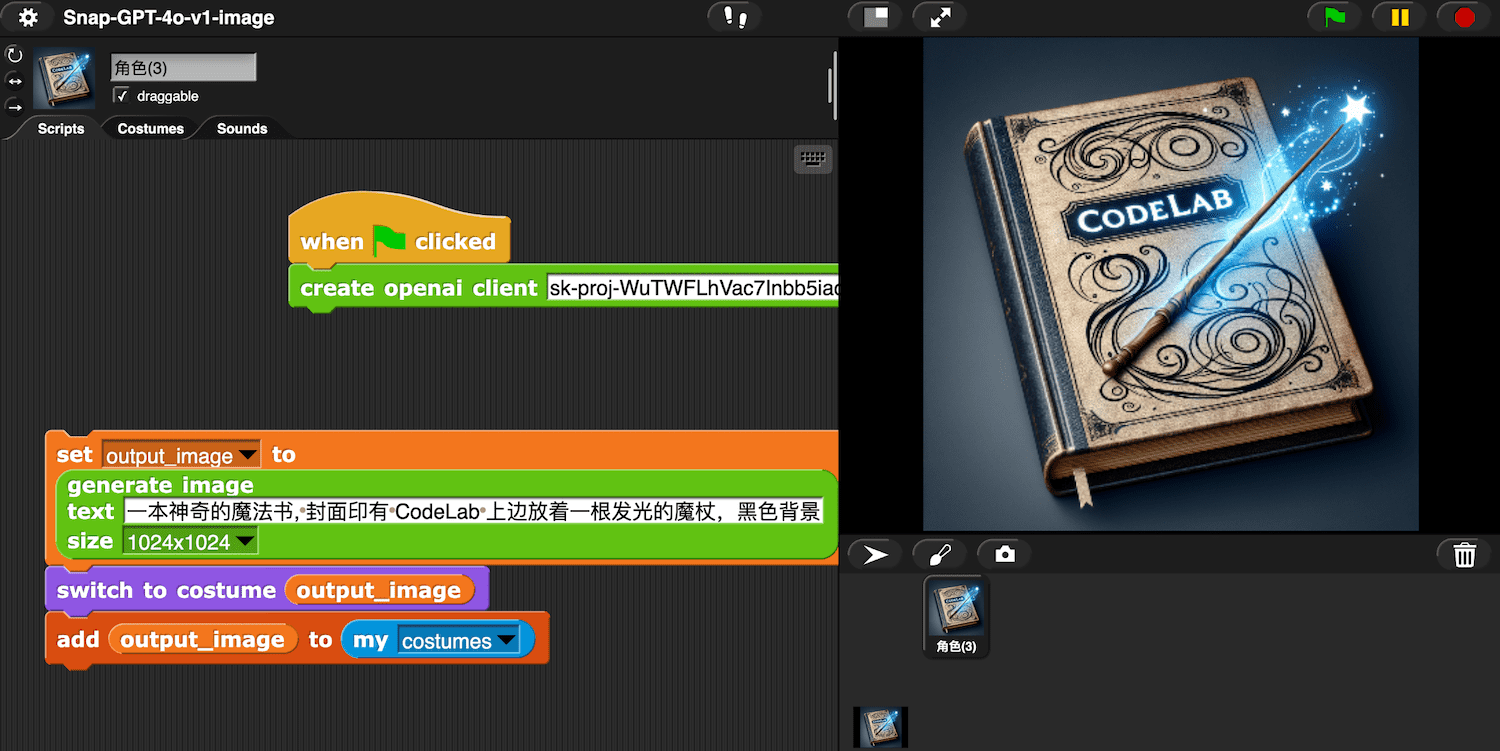
Generate Image
Generate an image from text and use it as the sprite’s costume:
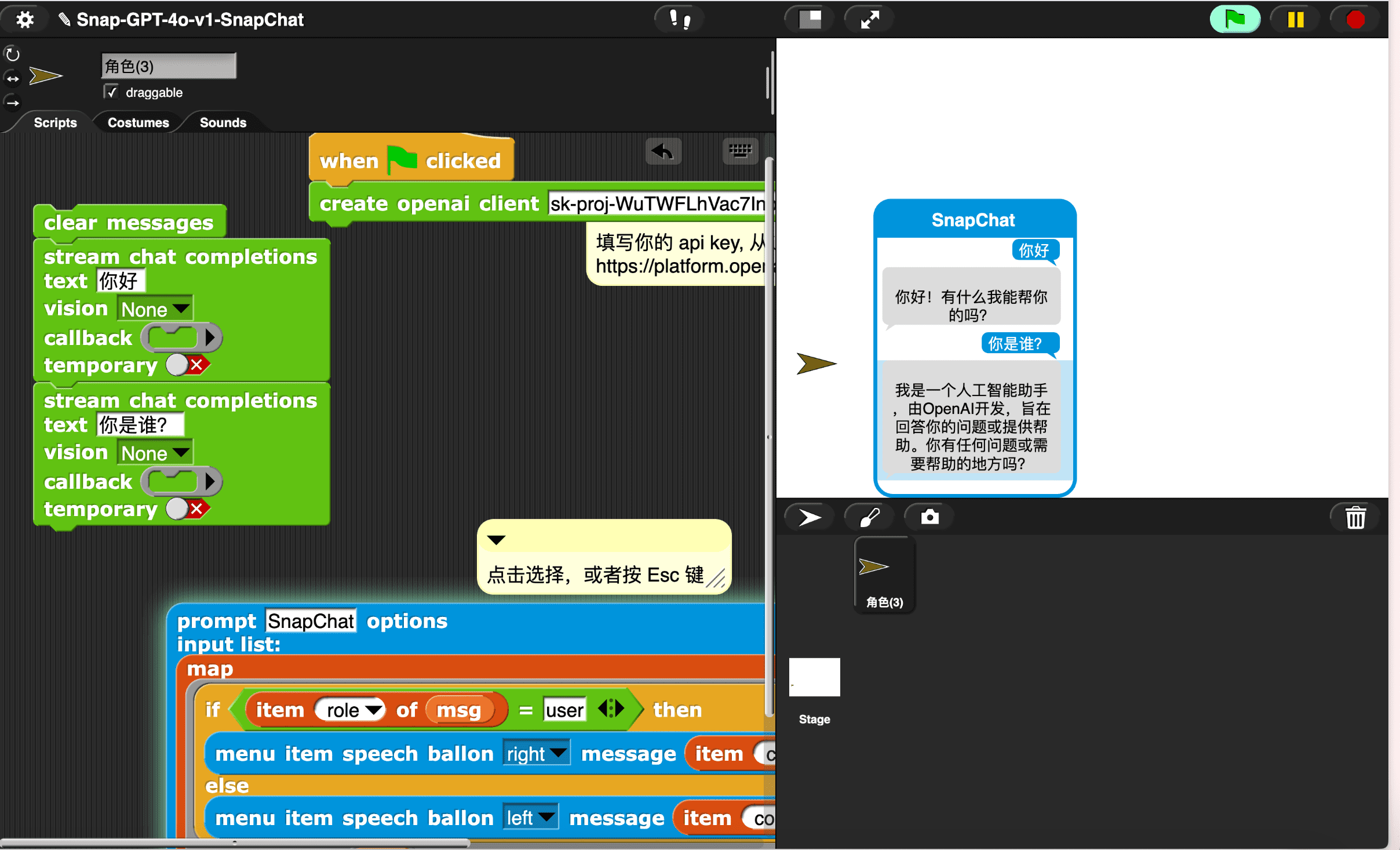
Chat interface
You can use the menu library of Snap! to build a chat interface:
AI Assistant
I have built an AI assistant as a normal Snap! sprite. The AI assistant is just a normal sprite that uses the GPT-40 library. As a user(you may be a student or a teacher), you can freely modify it to implement the prototype in your mind.
I prefer working in the “user environment”(IDE) of Snap! rather than working in the source code. It has better liveness, not only higher efficiency but also more enjoyable.
I would like to share some experiments with this project: AI Assistant (click to run)
Before running the project, you first need to switch to the AI Assistant sprite and fill in the API key.
Video demonstration
This demo video introduces more content. If you are interested in the AI Assistant project, it is recommended to watch the video.
Here are a few short video demonstrations showcasing the capabilities of the AI Assistant:
Explain the task on the page to the user (visually see the current task):
When the user feel confused, see the user’s dilemma (share the same perspective with the user), and give appropriate advice
Explain the answer and provide blocks:
I tried to test the capabilities of GPT-4o in the following examples:
Based on the given blocks and an example demonstrating the syntax of lisp code, GPT-4o completed the task:
GPT-4o’s visual ability helped correct the error in my task description (inner diameter mistakenly written as outer diameter), and the Chain of Thought is very useful for enhancing its mathematical ability. the math task come from Test Driving ChatGPT-4o (Part 2).
Combining the Puzzle function of Snap! with GPT-4o to build a microworld,
Seymour Papert first proposed the idea of microworld in “Mindstorms” and “Lifelong Kindergarten” reiterated this important idea. This is a very promising direction, and I currently believe it may be the best direction for AI assistants in graphical programming environment, as it can significantly reduce illusions.
FAQ
How to improve the lisp code generation capability of GPT-4o?
- Provide a formal description of the syntax
- Provide enough samples for fine-tuning
- Write a crawler to crawl all projects from the Snap! community for fine-tuning
What to do next?
The version of the GPT-4o library is v1, and there is much work worth continuing to do:
- embedding for blocks(help text)
- reference Squeak-SemanticText
- Audio stream (openai has not yet released the API)
- Video stream (openai has not yet released the API)
How did you build the GPT-4o library?
Import the OpenAI JavaScript library using JavaScript function.
Every block in the GPT-4o library can be expanded for reading. By reading these custom blocks, you can understand how they are constructed.
Realtime API
ref: Video Demo
References
- Squeak-SemanticText
- openai: Hello GPT-4o
- How to stream completions
- openai-node
- openai playground: gpt-4o
- openai Models: GPT-4o
- Azure OpenAI client library for JavaScript/Using an API Key from OpenAI
- Test Driving ChatGPT-4o (Part 2)
- Chain of Thought
- Snap! Puzzle
- MicroBlocks 与个人计算分享会 0518 - 图形化编程环境中的 GPT-4o
- 图形化编程中的 AI 助手