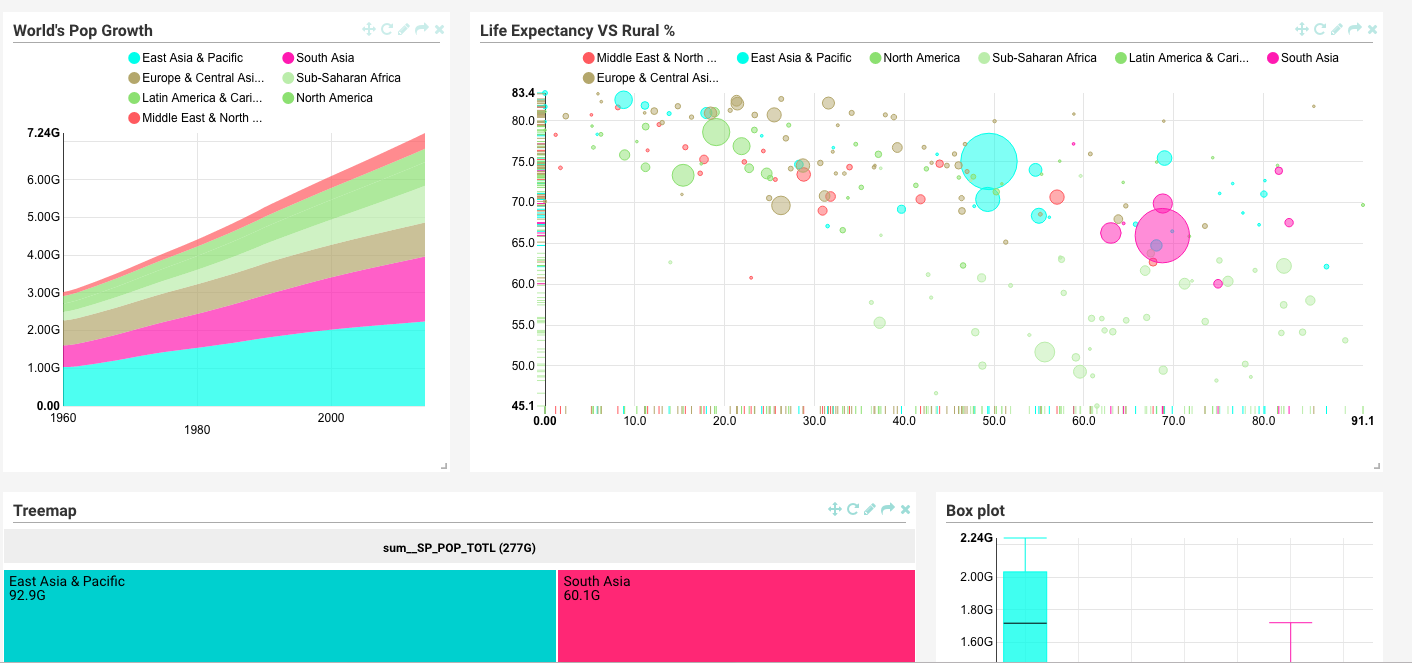
superset马甲比较多,它曾经叫过:Panoramix,Caravel,
关于入门和介绍可以我此前的文章:
最近公司想用新版本中的SQL Lab的功能,于是我将caravel升级到superset。在此做个笔记
除了增加了几个新特性,变化不大,此前写的caveral文章基本可用,如果遇到问题,参考官方文档即可
安装
安装基本没坑,跟着官方教程做就行
我是ubuntu系统,所以安装过程为:
安装依赖
ubuntu
1
|
sudo apt-get install build-essential libssl-dev libffi-dev python-dev python-pip libsasl2-dev libldap2-dev
|
centos
1
2
3
4
|
yum makecache
sudo easy_install -i http://pypi.douban.com/simple/ pip
sudo easy_install pip
sudo yum install gcc libffi-devel python-devel python-pip python-wheel openssl-devel libsasl2-devel openldap-devel
|
docker
参考Docker image (community contributed)
安装与初始化
 1
 2
 3
 4
 5
 6
 7
 8
 9
10
11
12
13
14
15
16
17
18
19
20
|
# Install superset
pip install superset -i http://pypi.douban.com/simple --trusted-host pypi.douban.com #我的版本是superset==0.15.1

# Create an admin user
fabmanager create-admin --app superset

# Initialize the database
superset db upgrade

# Load some data to play with
superset load_examples

# Create default roles and permissions
superset init

# Start the web server on port 8088
superset runserver -p 8088 -a 0.0.0.0 # -a 0.0.0.0使其允许外部访问

# To start a development web server, use the -d switch
# superset runserver -d
|
数据永久化
默认数据库在~/.superset/superset.db,可通过在配置文件里修改SQLALCHEMY_DATABASE_URI来指定sqlite数据库文件路径
更多数据库
默认支持sqlite
如果需要添加其他数据库需要安装依赖:Database dependencies
诸如mssql: pip install pymssql
添加mssql,uri形如: mssql+pymssql://username:pass@192.168.0.6:10025/db_name?charset=utf8
oracle
oracle比较烦人,如果是ubuntu可以参考Oracle-Instant-Client
简单配置
配置方法和caravel系列之简易配置/定制相同,只需要把配置文件名由caravel_config.py改为superset_config.py即可
我的配置是:(superset_config.py) 记得:export PYTHONPATH=/xxx (superset_config.py所在目录)
 1
 2
 3
 4
 5
 6
 7
 8
 9
10
11
12
13
14
15
16
17
18
19
20
21
22
23
24
25
26
27
28
29
30
|
#---------------------------------------------------------
# Caravel specific config
#---------------------------------------------------------
ROW_LIMIT = 5000
CARAVEL_WORKERS = 16

CARAVEL_WEBSERVER_PORT = 8000
#---------------------------------------------------------

#---------------------------------------------------------
# Flask App Builder configuration
#---------------------------------------------------------
# Your App secret key
SECRET_KEY = '\2\1thisismyscretkey\1\2\e\y\y\h'
LANGUAGES = "en"
APP_ICON = "your logo"
APP_NAME = "yout app name"

BABEL_DEFAULT_LOCALE = 'en'
LANGUAGES = {
      'zh': {'flag': 'cn', 'name': 'Chinese'},
      'en': {'flag': 'us', 'name': 'English'},
      'fr': {'flag': 'fr', 'name': 'French'},
      # 'fr': {'flag': 'fr', 'name': 'French'},

}
SQLALCHEMY_DATABASE_URI = 'sqlite:////home/wwj/superset_lab/superset.db' #存储superset的系统信息,改为你自己的数据库路径,默认在~/.superset

# Flask-WTF flag for CSRF
#CSRF_ENABLED = True
|
定制化
认证系统
考虑到数据的隐私和安全,访问superset的内容需要登陆验证,你可以加入公司已有的认证系统,诸如LDAP,database之类的,目前superset支持以下积累验证:database, OpenID, LDAP, OAuth & REMOTE_USER
这部分功能由Flask AppBuiler提供,如果你想做深度定制,可以对此做更深入了解:Authentication Methods
另外如果你想把superset的slice集成到其他系统会遇到用户登陆问题,如果你想无缝衔接,可以考虑OAuth
至于是否可以用CAS,我还没做实验,猜测在Flask AppBuiler的认证部分增加flask cas模块能做到
#坑
汉化
当前版本,打包过程没用把翻译文件放进去,需要手动处理
首先进入安装包目录(我的是:/home/wwj/superset_lab/env/lib/python3.4/site-packages/superset)
然后:mkdir -p translations/zh/LC_MESSAGES
接着获取:wget https://github.com/airbnb/superset/raw/0.15.1/superset/translations/zh/LC_MESSAGES/messages.mo
如果翻译不完整可以手动翻译: 下载: wget https://github.com/airbnb/superset/raw/0.15.1/superset/translations/zh/LC_MESSAGES/messages.po,校验:msgfmt -c messages.po, 然后编译为mo:msgunfmt messages.po -o messages.mo
如果想反向编译,即 mo -> po , 可以使用 :msgfmt xxx.mo -o xxx.po ,可以参考:How to convert gettext .mo file into .po file
如果你想做更多定制,诸如做自己的发行版,参考:Making your own build









