
前言
Smalltalk提供了绝佳的可探索的沉浸式编程环境(live),这是一种"红药丸",一旦尝试就再也回不去了。于是决定将原型构建相关的工作都放到Pharo上。
许多业务相关的代码可能以服务的方式跑在外部,于是进程间通信(IPC)就成了实际需要。本文关注http、websocket与mqtt这几种我常用的通信策略。 (本文只关注在Pharo中运行客户端)
日后有时间可能会加上Socket、ZeroMQ、RPC。
以及是我的使用笔记。
环境
目前我在MacOS 10.13.5下使用Pharo 7.0.3.
关于http的知识在此就不多说了,如果不熟悉可以参考wikipedia http
在Pharo中,我倾向于使用Zinc作为http client。
Zinc文档很齐全。Zinc既可以作为http server,也可以作为http client。
如果你希望构建web server,Seaside可能会更合适。我们接下来关注如何将Zinc用作http client。
我们将httpbin.org用作测试服务器。
安装依赖
Zinc已经内置在Pharo7 (更早的版本不大清楚)。所以无需安装依赖。
实验
让我们向https://httpbin.org/get发送请求。
response
1
2
3
4
|
ZnClient new
   url: 'https://httpbin.org/get';
   get;
   response.
|
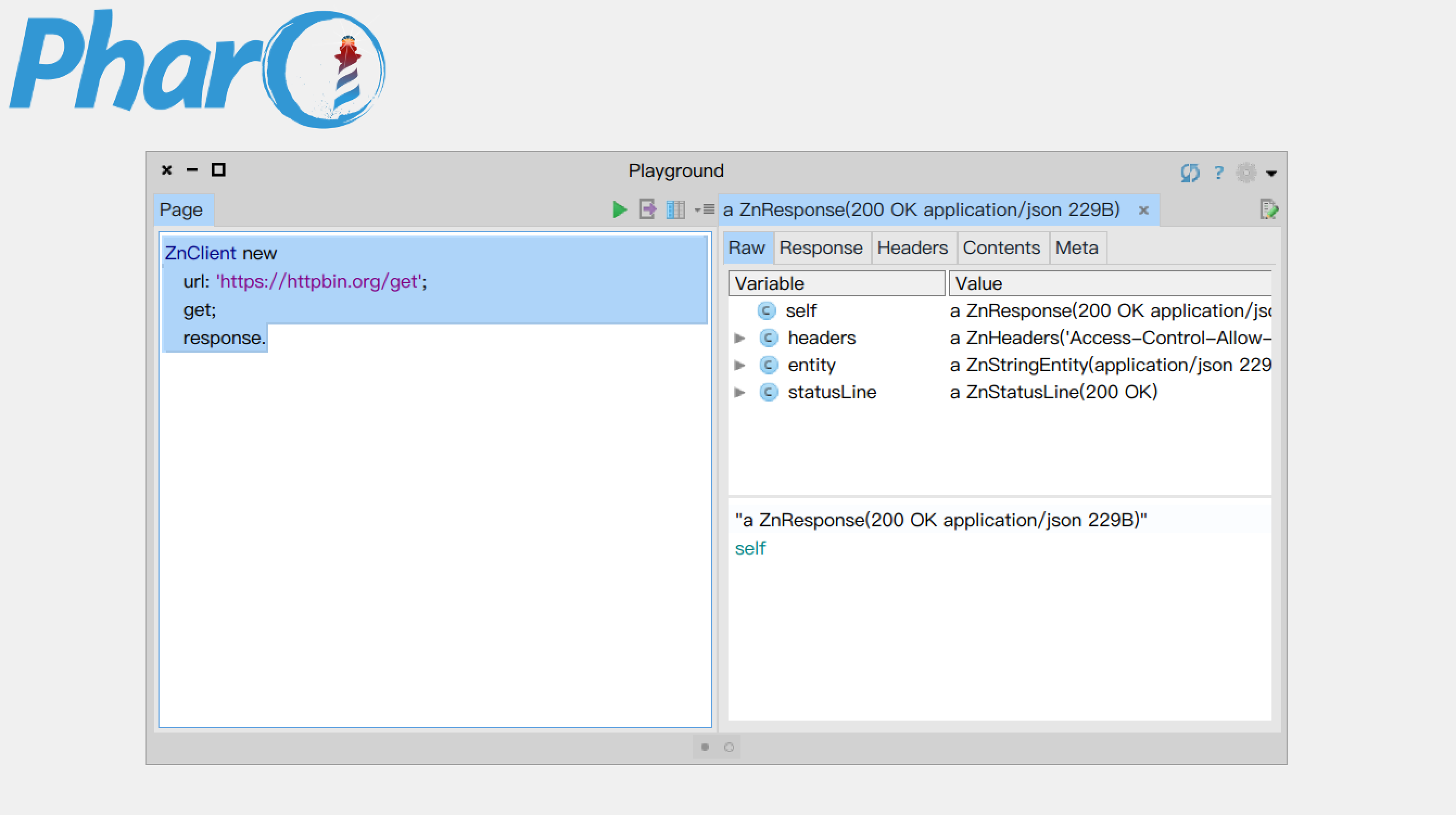
输出response
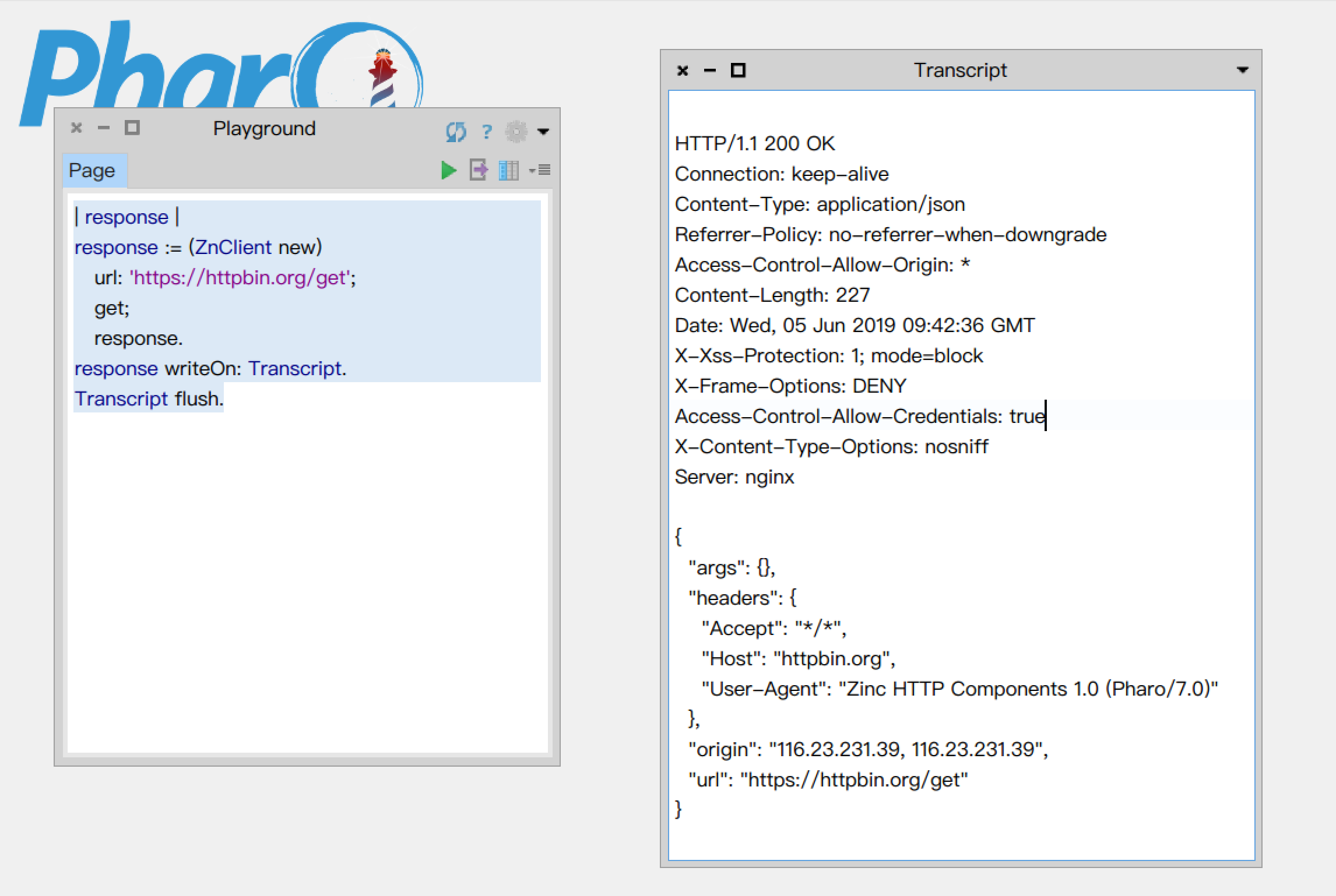
将response输出到Transcript中。
1
2
3
4
5
6
7
|
| response |
response := (ZnClient new)
   url: 'https://httpbin.org/get';
   get;
   response.
response writeOn: Transcript.
Transcript flush.
|
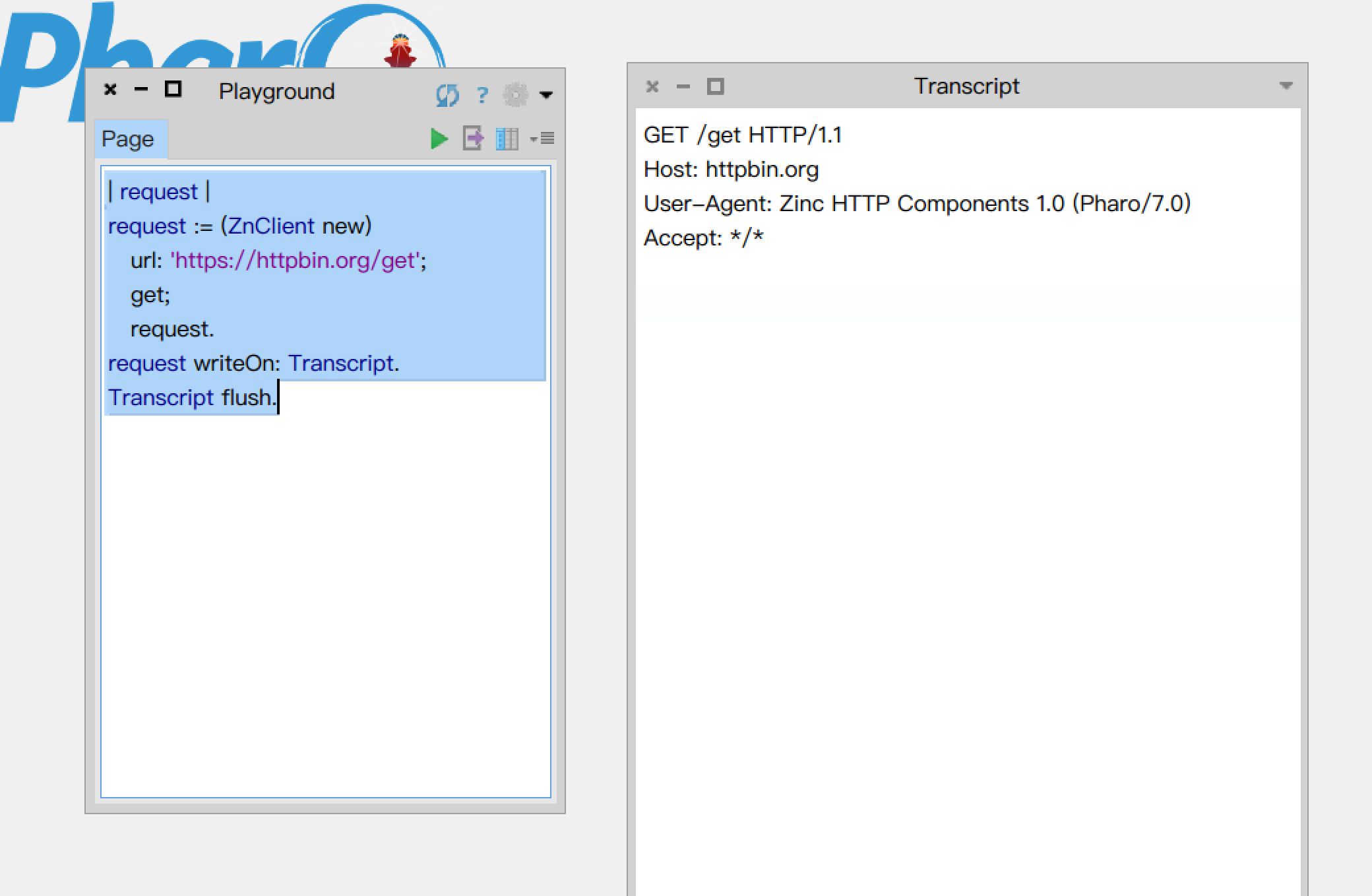
request
1
2
3
4
5
6
7
|
| request |
request := (ZnClient new)
   url: 'https://httpbin.org/get';
   get;
   request.
request writeOn: Transcript.
Transcript flush.
|
超时
1
2
3
|
ZnClient new
   timeout: 1;
   get: 'https://httpbin.org/get'.
|
retry
1
2
3
4
5
|
ZnClient new
   logToTranscript;
   numberOfRetries: 3;
   retryDelay: 2;
   get: 'https://httpbin.org/get'.
|
URL构造
1
2
3
4
5
|
ZnClient new
   https;
   host: 'httpbin.org';
   addPath: 'get';
   get.
|
1
2
3
4
5
6
7
|
ZnUrl new
   scheme: #http;
   host: 'www.google.com';
   port: 80;
   addPathSegment: 'search';
   queryAt: 'q' put: 'Pharo Smalltalk';
   yourself.
|
提交HTML表单
1
2
3
4
|
<form action="search-handler" method="POST" enctype="application/x-www-form-urlencoded">
   Search for: <input type="text" name="search-field"/>
   <input type="submit" value="Go!"/>
</form>
|
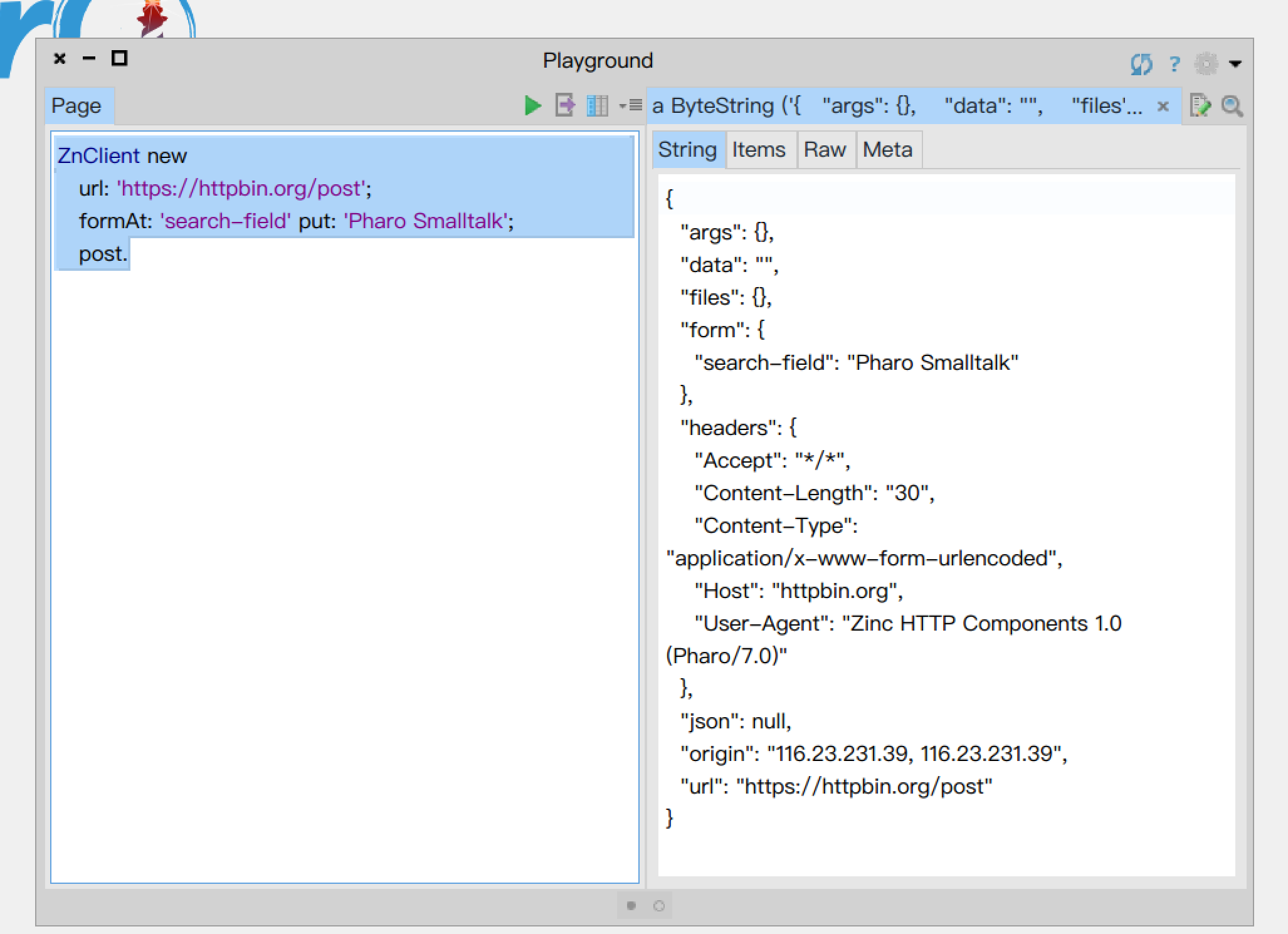
表单使用默认编码application/x-www-form-urlencoded
1
2
3
4
|
ZnClient new
   url: 'https://httpbin.org/post';
   formAt: 'search-field' put: 'Pharo Smalltalk';
   post.
|
上传文件
1
2
3
4
|
<form action="upload-handler" method="POST" enctype="multipart/form-data">
   Photo file: <input type="file" name="photo-file"/>
   <input type="submit" value="Upload!"/>
</form>
|
1
2
3
4
5
6
|
ZnClient new
   url: 'https://httpbin.org/post';
   addPart: (ZnMimePart
                fieldName: 'photo-file'
                fileNamed: '/tmp/test.jpeg'); "todo:有问题?"
   post.
|
ZnClient new request headers at: 'accept' put: 'text/*'.
提交json数据
jwt认证
 1
 2
 3
 4
 5
 6
 7
 8
 9
10
11
12
13
|
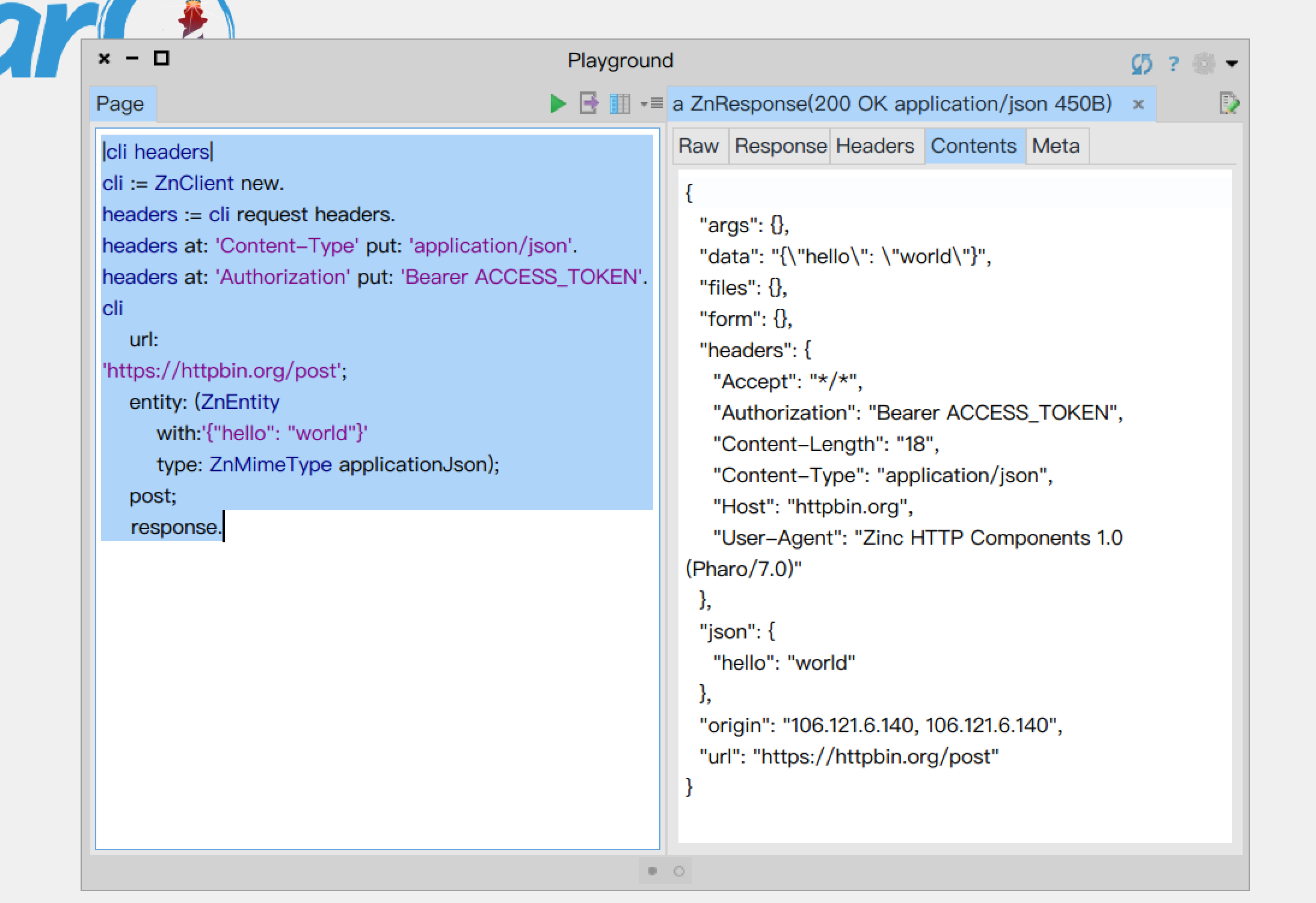
|cli headers|
cli := ZnClient new.
headers := cli request headers.
headers at: 'Content-Type' put: 'application/json'.
headers at: 'Authorization' put: 'Bearer ACCESS_TOKEN'.
cli
    url:
'https://httpbin.org/post';
    entity: (ZnEntity
        with:'{"hello": "world"}'
        type: ZnMimeType applicationJson);
    post;
	response.
|
websocket
1
2
3
4
5
|
Gofer new
   smalltalkhubUser: 'SvenVanCaekenberghe' project: 'ZincHTTPComponents';
   package: 'ConfigurationOfZincHTTPComponents';
   load.
(Smalltalk globals at: #ConfigurationOfZincHTTPComponents) project latestVersion load: 'WebSocket'.
|
实验
选择www.websocket.org作为测试服务器。 也可以使用wssh帮助测试,wssh类似netcat。
让我们向wss://echo.websocket.org发送请求。
1
2
3
4
5
|
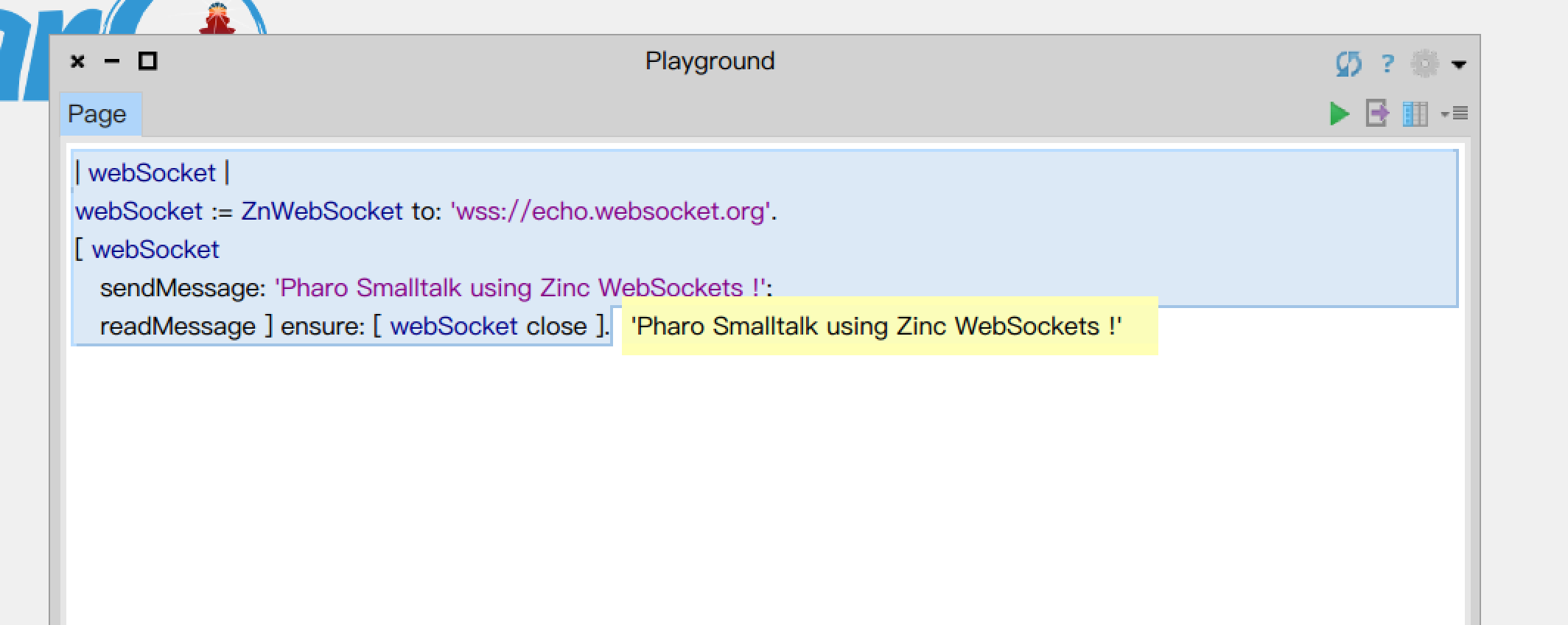
| webSocket |
webSocket := ZnWebSocket to: 'wss://echo.websocket.org'.
[ webSocket
   sendMessage: 'Pharo Smalltalk using Zinc WebSockets !';
   readMessage ] ensure: [ webSocket close ].
|
做实验的时候,可能希望sendMessage和readMessage是分别手动操作的。
对于sendMessage比较简单:
1
2
|
[ webSocket
   sendMessage: 'Pharo Smalltalk using Zinc WebSockets !'; ] value.
|
readMessage时可能会阻塞整个软件。推荐使用taskit来并行执行。
首先安装依赖:
1
2
3
4
|
Metacello new
  baseline: 'TaskIt';
  repository: 'github://sbragagnolo/taskit';
  load.
|
taskit的使用非常简单:[ 1 second wait. 'Waited' logCr ] schedule.,打开Transcript,运行后,可以看到1秒后有一条消息打印在Transcript上。
使用taskit来运行readMessage
1
2
|
[ (webSocket
   readMessage) logCr ]  schedule.
|
webSocket readMessage每次读取一条消息,当没有消息时,会阻塞。
MQTT
测试服务器使用iot.codelab.club,测试账号为guest:test.
###安装依赖
第一个例子里,我们准备使用Pharo的MQTT client发布一个消息:hello from pharo, 使用hbmqtt订阅它。
首先让我们在Pharo中安装MQTT client, 我偏好svenvc/mqtt, svenvc是smalltalk社区的活跃用户,维护了好几个重要的库,代码质量非常高,由于smalltalk社区很小,所以不要在意star数。 使用iceberg安装它,记得load相应的package(全部load即可)。
接着在系统命令行里安装Python库hbmqtt,用于配合测试: pip install hbmqtt
实验
发布消息
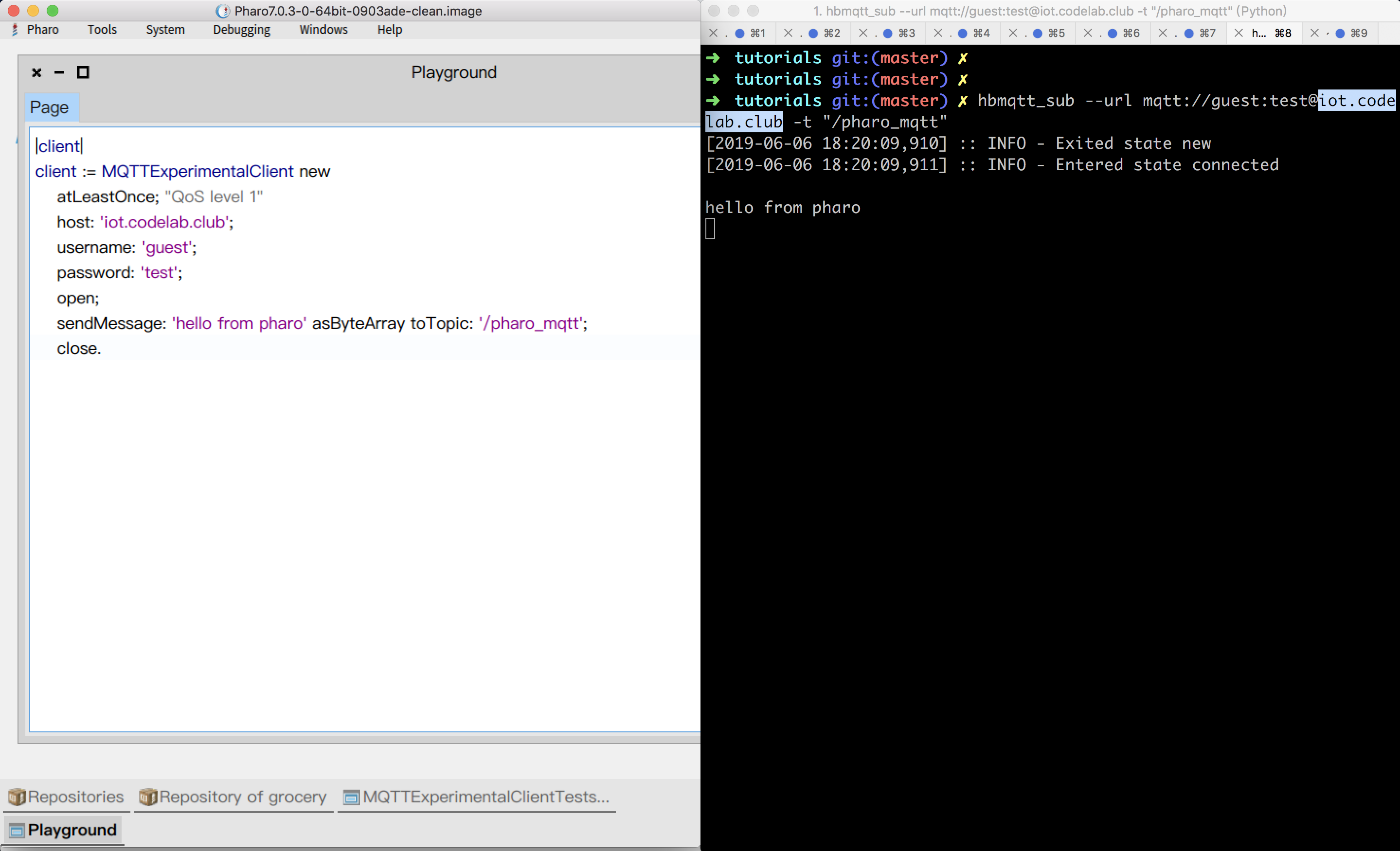
在命令行里运行hbmqtt_sub --url mqtt://guest:test@iot.codelab.club -t "/pharo_mqtt"
接着在Pharo里发布消息,
1
2
3
4
5
6
7
8
9
|
|client|
client := MQTTExperimentalClient new
    atLeastOnce; "QoS level 1"
    host: 'iot.codelab.club';
    username: 'guest';
    password: 'test';
    open;
    sendMessage: 'hello from pharo' asByteArray toTopic: '/pharo_mqtt';
    close.
|
消息发布成功!
订阅消息
1
2
3
4
5
6
7
8
9
|
|client|
client := MQTTExperimentalClient new
    atLeastOnce; "QoS level 1"
    host: 'iot.codelab.club';
    username: 'guest';
    password: 'test';
    open;
    subscribeToTopic: '/hello_pharo';
    readMessage.
|
hbmqtt_pub --url mqtt://guest:test@iot.codelab.club -t "/hello_pharo" -m "hello from hbmqtt"
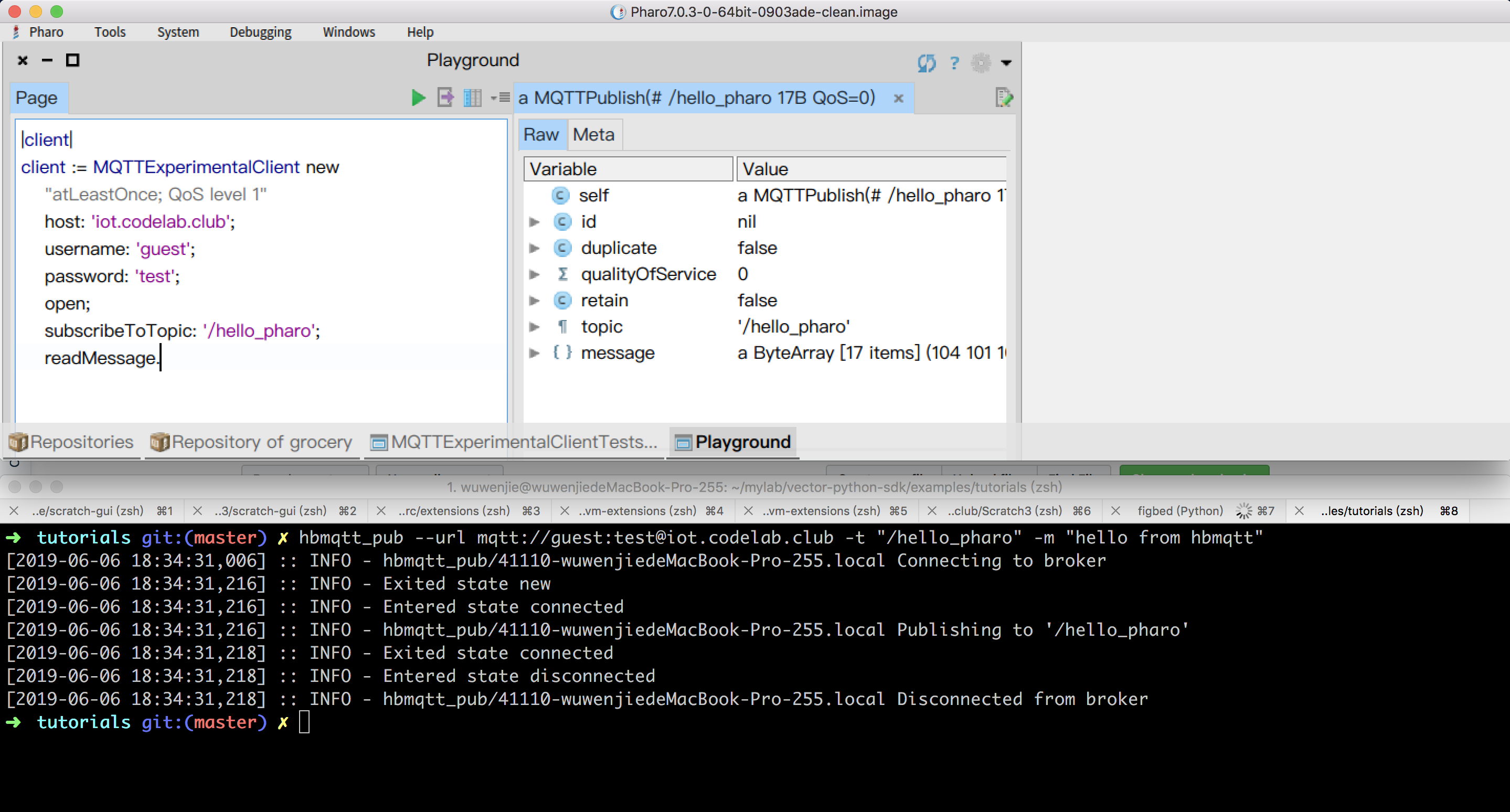
前头的程序接受1条消息就退出(阻塞式的)
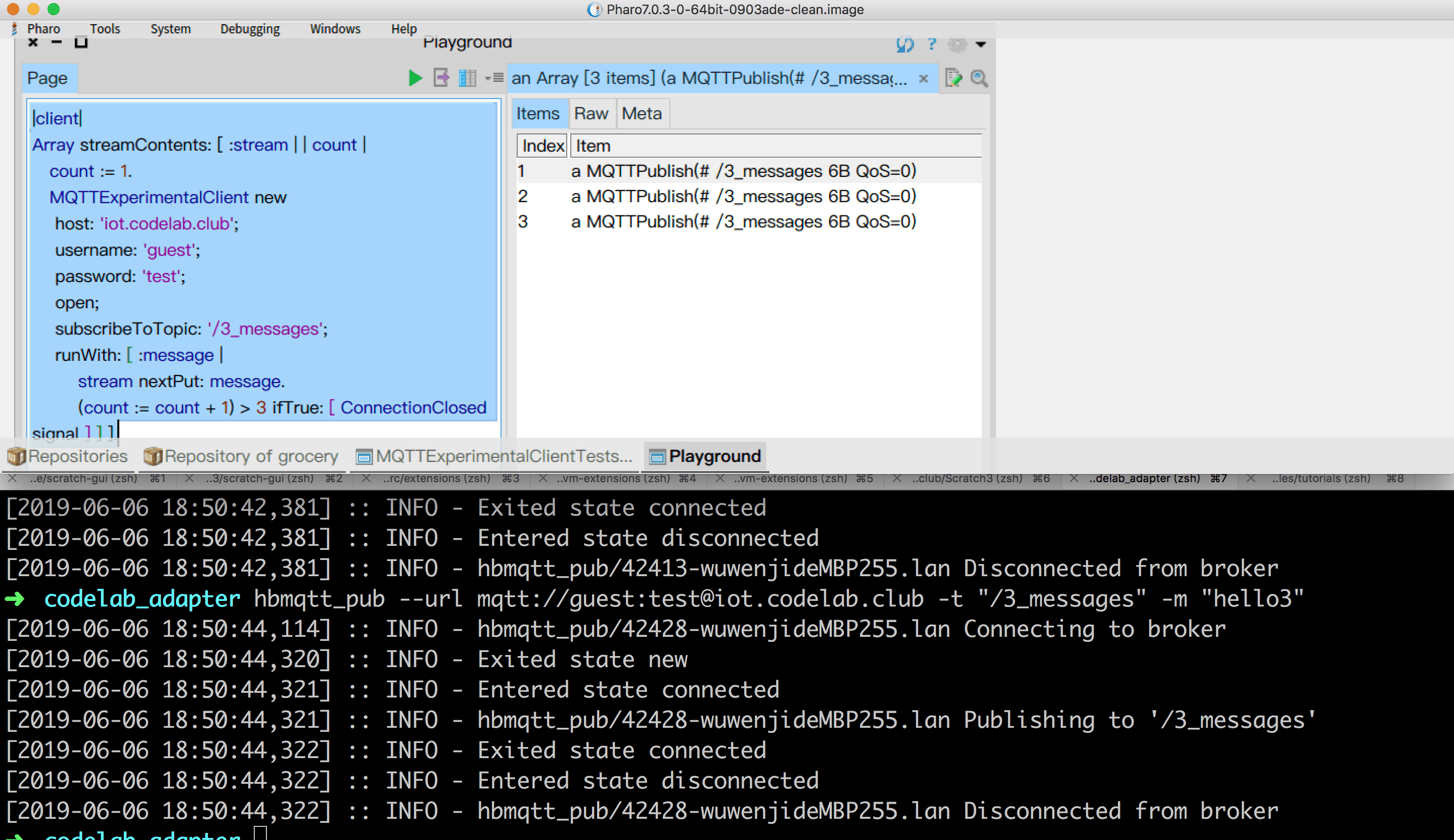
写一个接收3条消息才退出的程序
 1
 2
 3
 4
 5
 6
 7
 8
 9
10
11
12
|
|client|
Array streamContents: [ :stream | | count |
   count := 1.
   MQTTExperimentalClient new
    host: 'iot.codelab.club';
    username: 'guest';
    password: 'test';
    open;
    subscribeToTopic: '/3_messages';
    runWith: [ :message |
        stream nextPut: message.
        (count := count + 1) > 3 ifTrue: [ ConnectionClosed signal ] ] ].
|
连续发三条消息:
1
2
3
|
hbmqtt_pub --url mqtt://guest:test@iot.codelab.club -t "/3_messages" -m "hello1"
hbmqtt_pub --url mqtt://guest:test@iot.codelab.club -t "/3_messages" -m "hello2"
hbmqtt_pub --url mqtt://guest:test@iot.codelab.club -t "/3_messages" -m "hello3"
|
提醒
smalltalk社区习惯在class里加上comment和tests,而不是单独构建文档,所以你在svenvc/mqttreadme里基本读不到文档,在Pharo编程环境里去通过阅读、批注和tests去学习使用方法吧。这种方式充满乐趣,你可以拆开任何黑盒子,一探究竟。



