







Reminder: here is the first paper of CoCube
The previous article mentioned:
Dr. Liang created a desktop-level robot named “CoCube” (Collaborative-Cube). CoCube uses MicroBlocks as its programming environment. CoCube has many similar features to toio, but also some capabilities that toio does not have, such as extensible hardware interfaces and a closer integration with MicroBlocks.
Recently, I make a CoCube library for Snap!
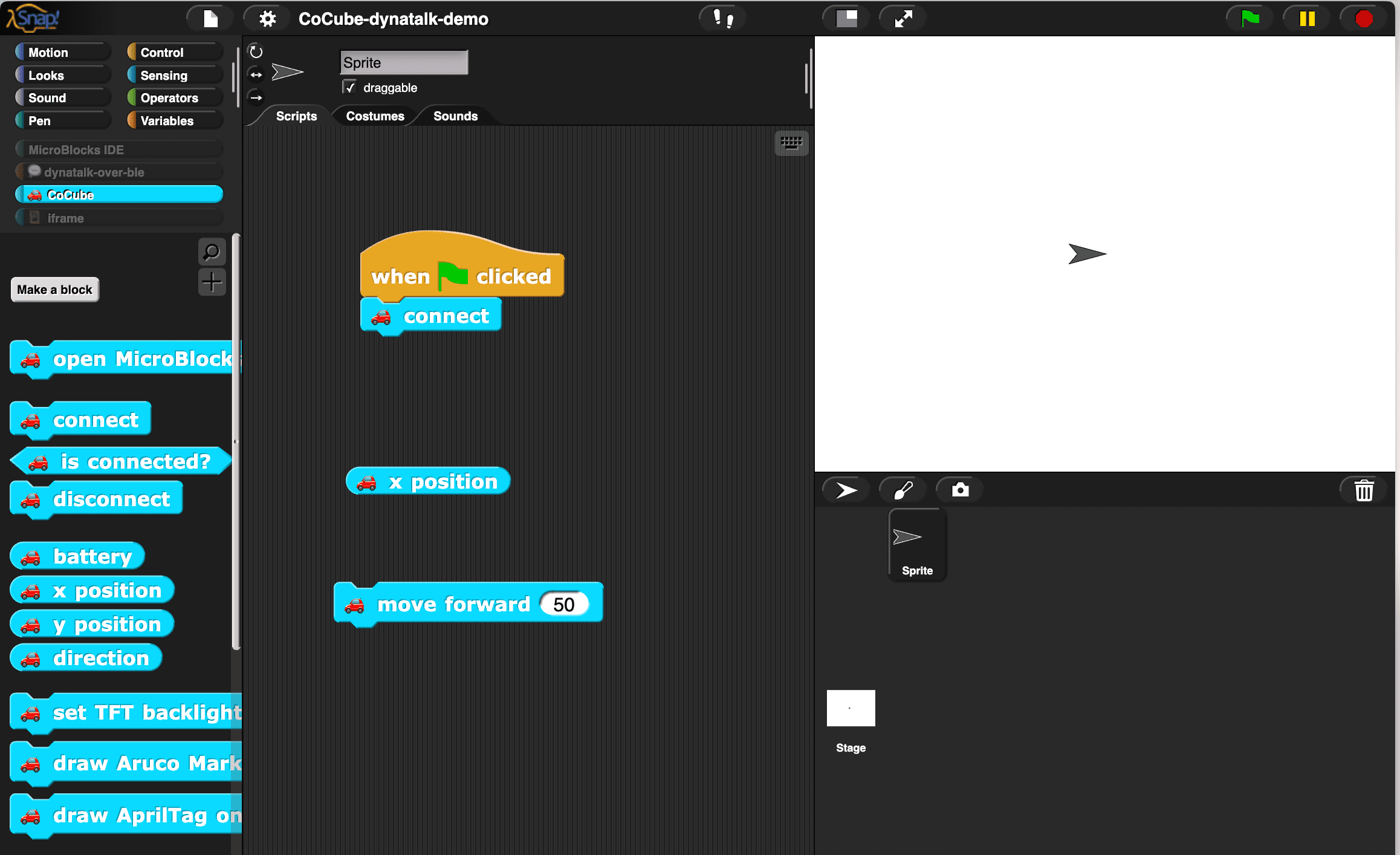
CoCube can already be programmed in MicroBlocks (thanks to Dr. Liang for the excellent work!). There are two motivations for creating the CoCube library for Snap!:
The key in making great and growable systems is much more to design how its modules communicate rather than what their internal properties and behaviors should be. – Alan Kay
Because Snap! and MicroBlocks are both products of the personal computing spirit, both possess exceptional dynamism, I am confident that the goal(programming MicroBlocks devices in Snap!) can be achieved through message passing. In fact, MicroBlocks IDE collaborates with VM through message passing mechanism.
I like to use message passing to design the interoperability mechanism between systems, as this can minimize the coupling between systems.
There is already a library in Snap! for directly passing messages between Snap! and MicroBlocks
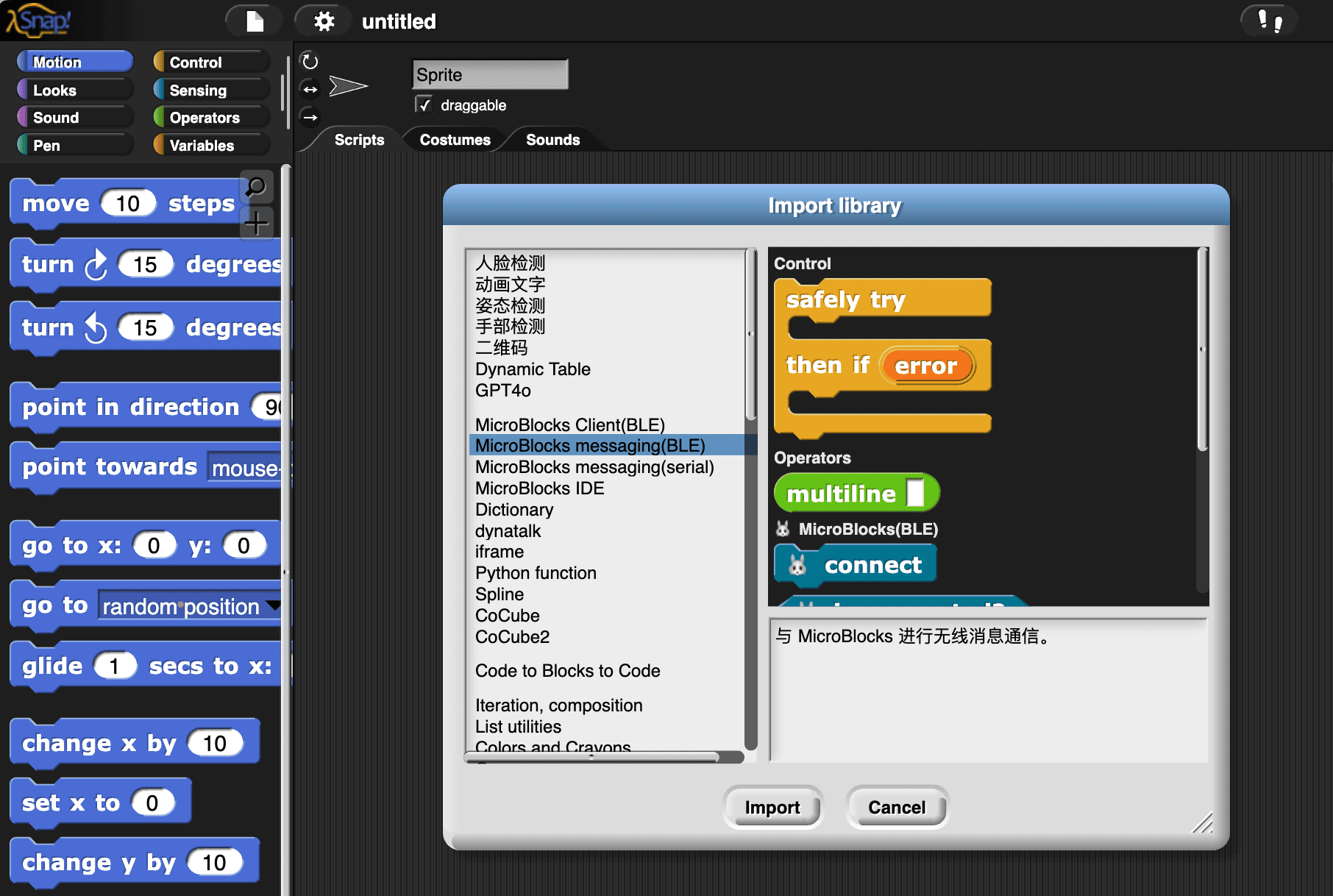
This library provides the basic functionality for message passing. I intend to use this library to create the CoCube library, wanting to achieve:
Regarding point 1: get the status of another system. There are usually two ways to do it:
The MicroBlocks messaging(BLE) library provides a PubSub style message passing mechanism. I intend to build dynatalk-over-ble based on it, and then implement a pull style MicroBlocks Client library based on dynatalk-over-ble (similar to dynatalk-over-postmessage)
In our use case, we only need to implement a unidirectional C/S architecture (Snap! as the client, MicroBlocks as the server). Therefore, the complexity of dynatalk-over-ble is only half that of regular dynatalk. The good news is that the half handled by the computationally weaker MicroBlocks is extremely simple.
As mentioned earlier, we want:
Users only need to program in Snap! without switching back and forth between Snap! and MicroBlocks.
Therefore, I hope the code on the MicroBlocks side is completely universal. Users only need to save this universal program to the device and then no longer need to open the MicroBlocks platform, allowing them to program the device entirely in Snap!
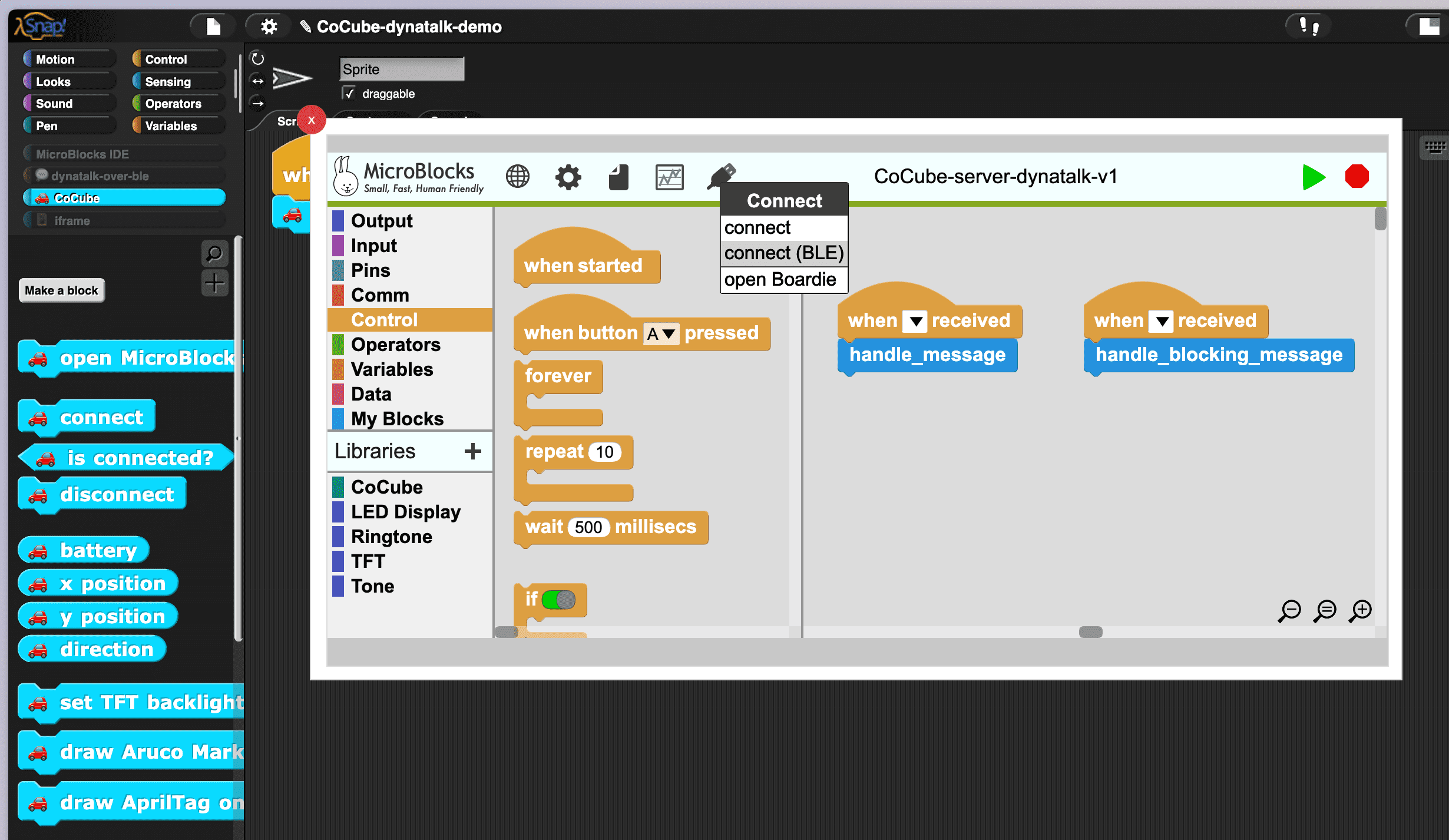
To achieve this, we save this universal program to the device:
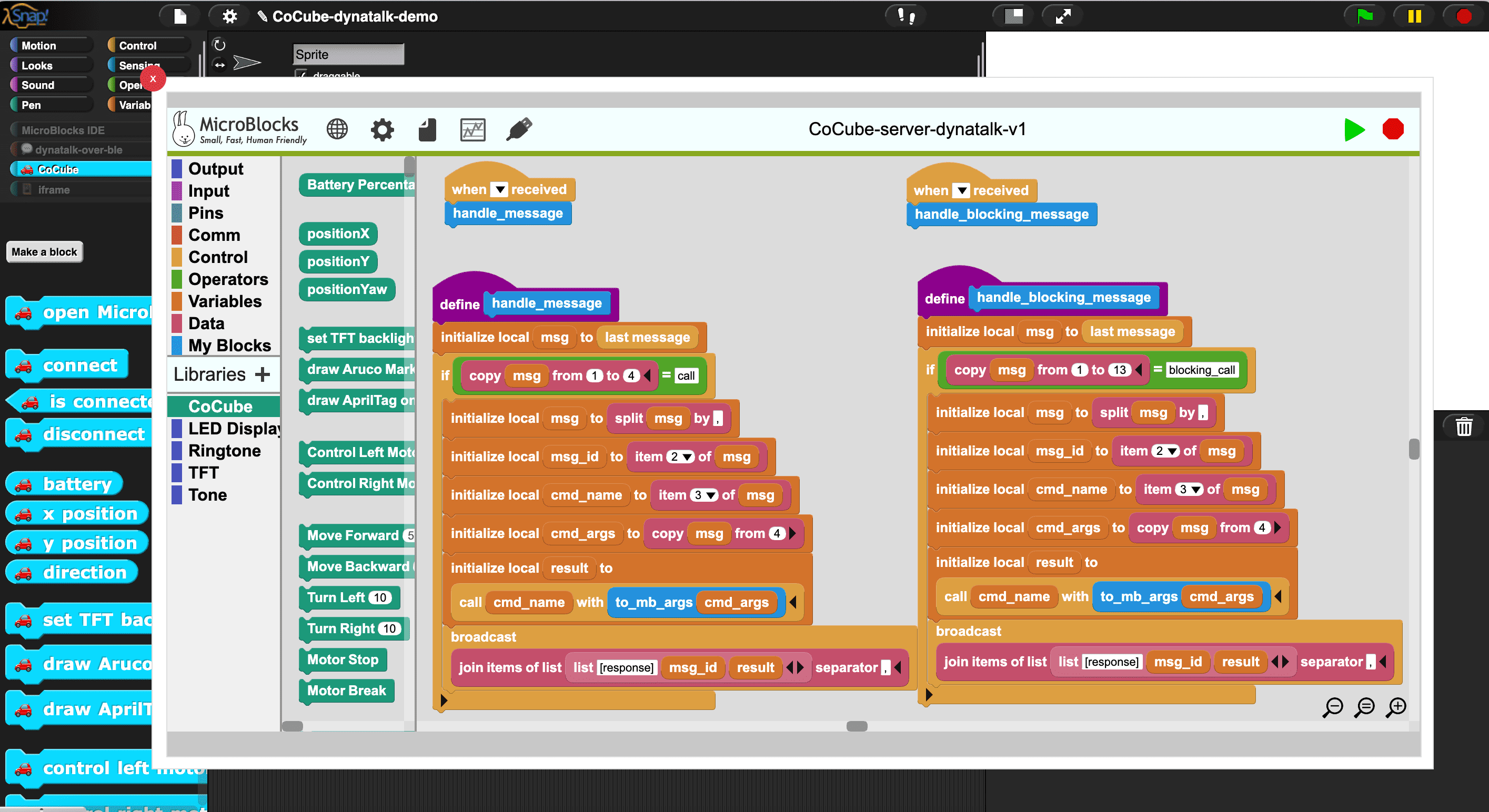
This program is responsible for the following tasks:
call block, which is similar to eval in other programming languages and can dynamically run custom blocks and VM primitives.
handle_message block is used to handle non-blocking messageshandle_blocking_message block is used to handle blocking messagesYou can think of this program as a server running on hardware, and Snap! as its client. We used the C/S architecture.
As mentioned earlier, we want:
- Users can get the status of MicroBlocks devices(CoCube) in Snap! (by reporter blocks)
- Users can send commands (by command blocks) to MicroBlocks devices(CoCube) in Snap!
We show how they are implemented separately.
For point 1, get the status of MicroBlocks devices(CoCube) in Snap! (by reporter blocks):
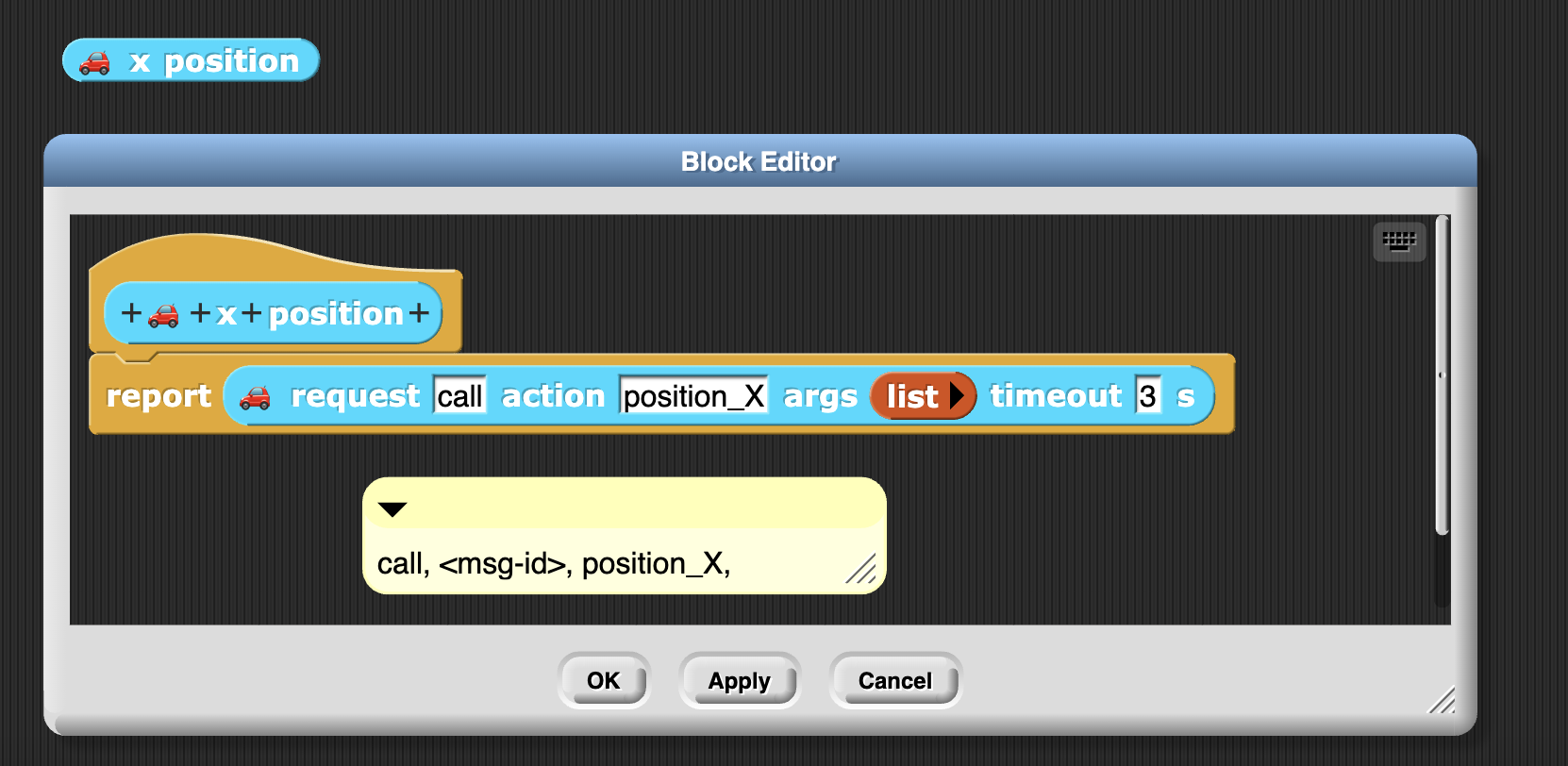
For point 2, send commands (by command blocks) to MicroBlocks devices(CoCube) in Snap!
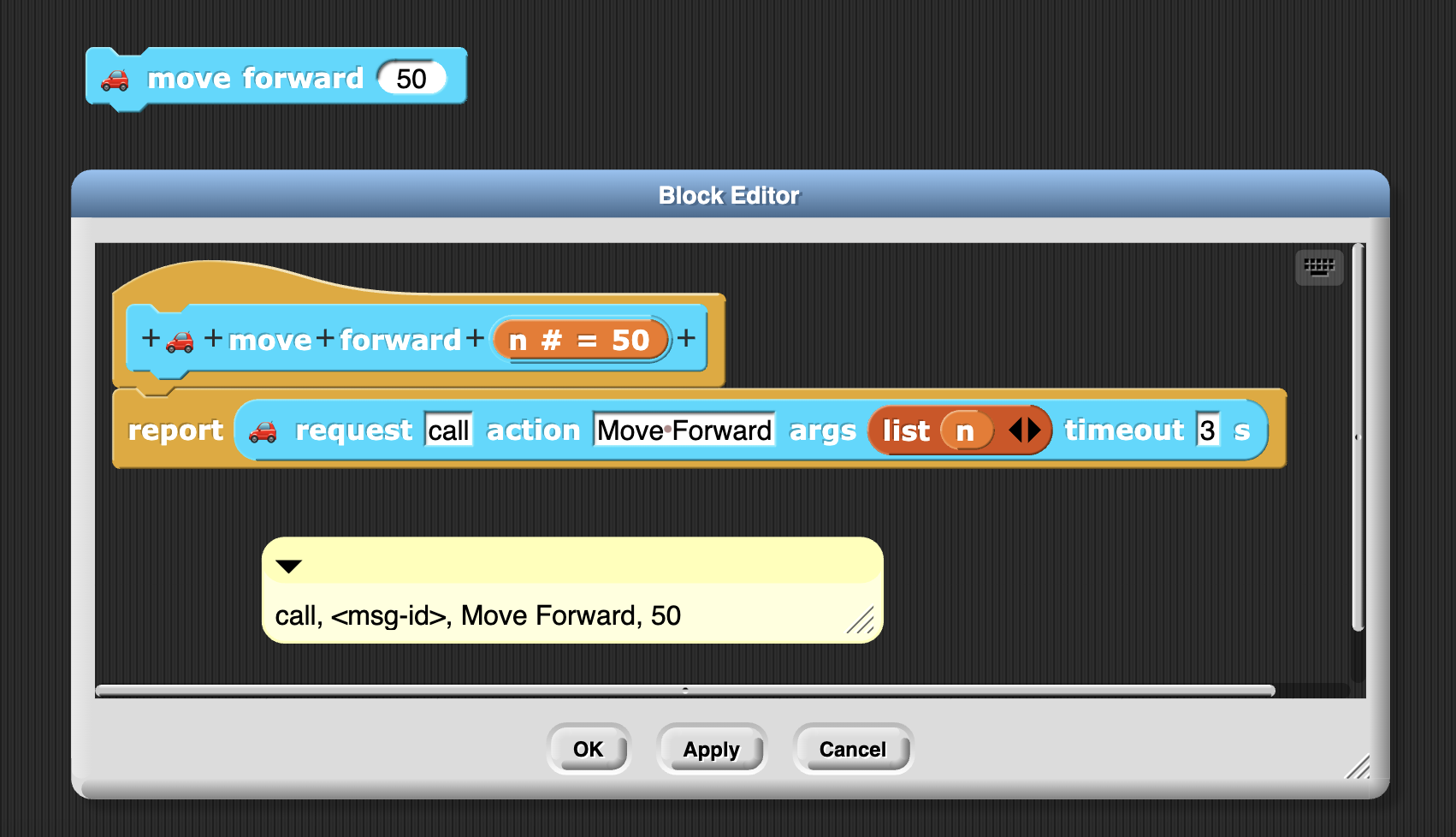
The message is in pure string form, carrying the method name (custom block name or vm primitives) and parameters, separated by ,. Here is an example: call, <msg-id>, Move Forward, 50
To use the CoCube library, simply open the Snap!.
Load the CoCube library,
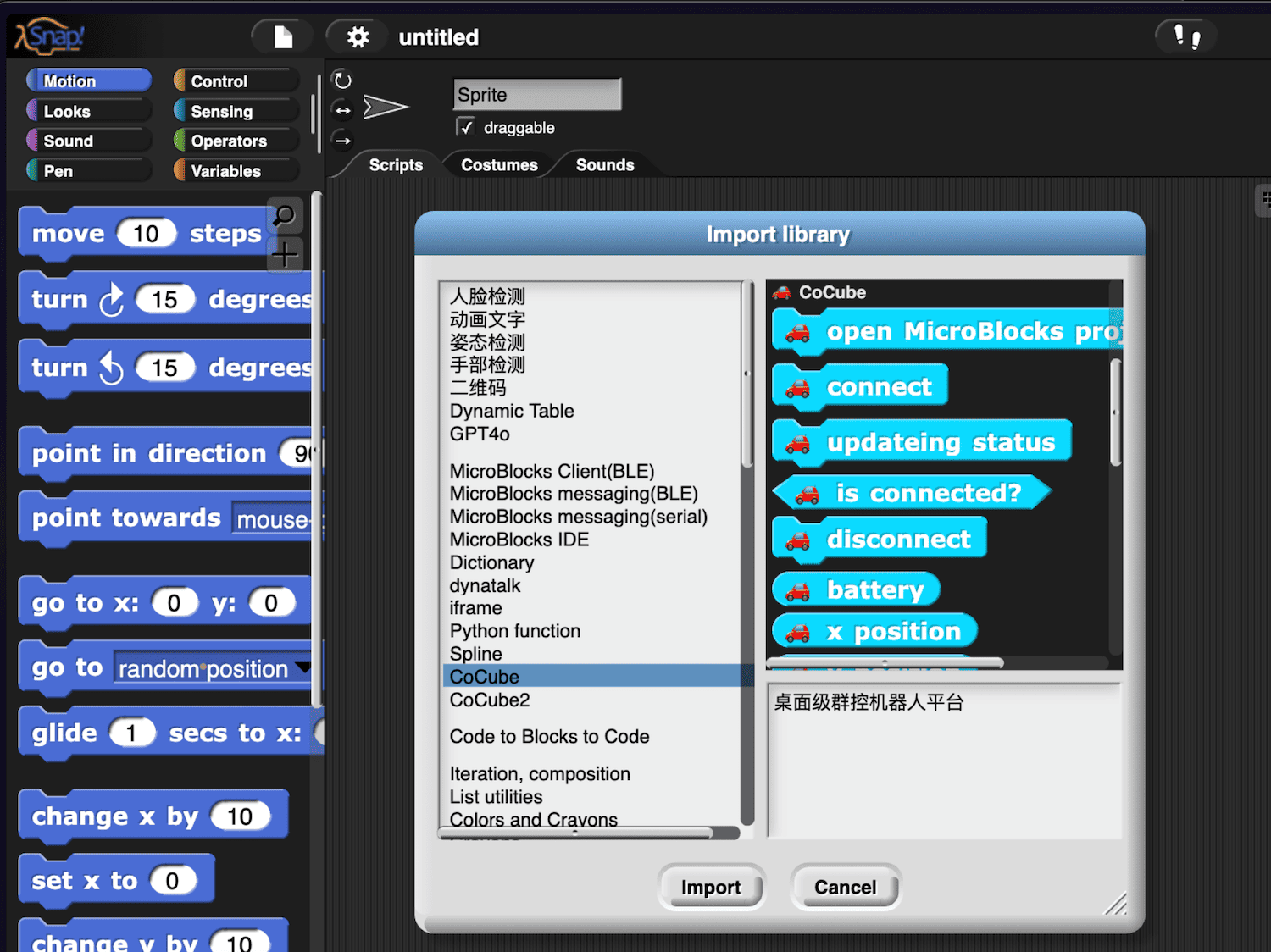
Click open MicroBlocks project block to open the MicroBlocks window. After connecting the device and uploading the program, you can disconnect the device and close the MicroBlocks window.
Then start programming in Snap!.
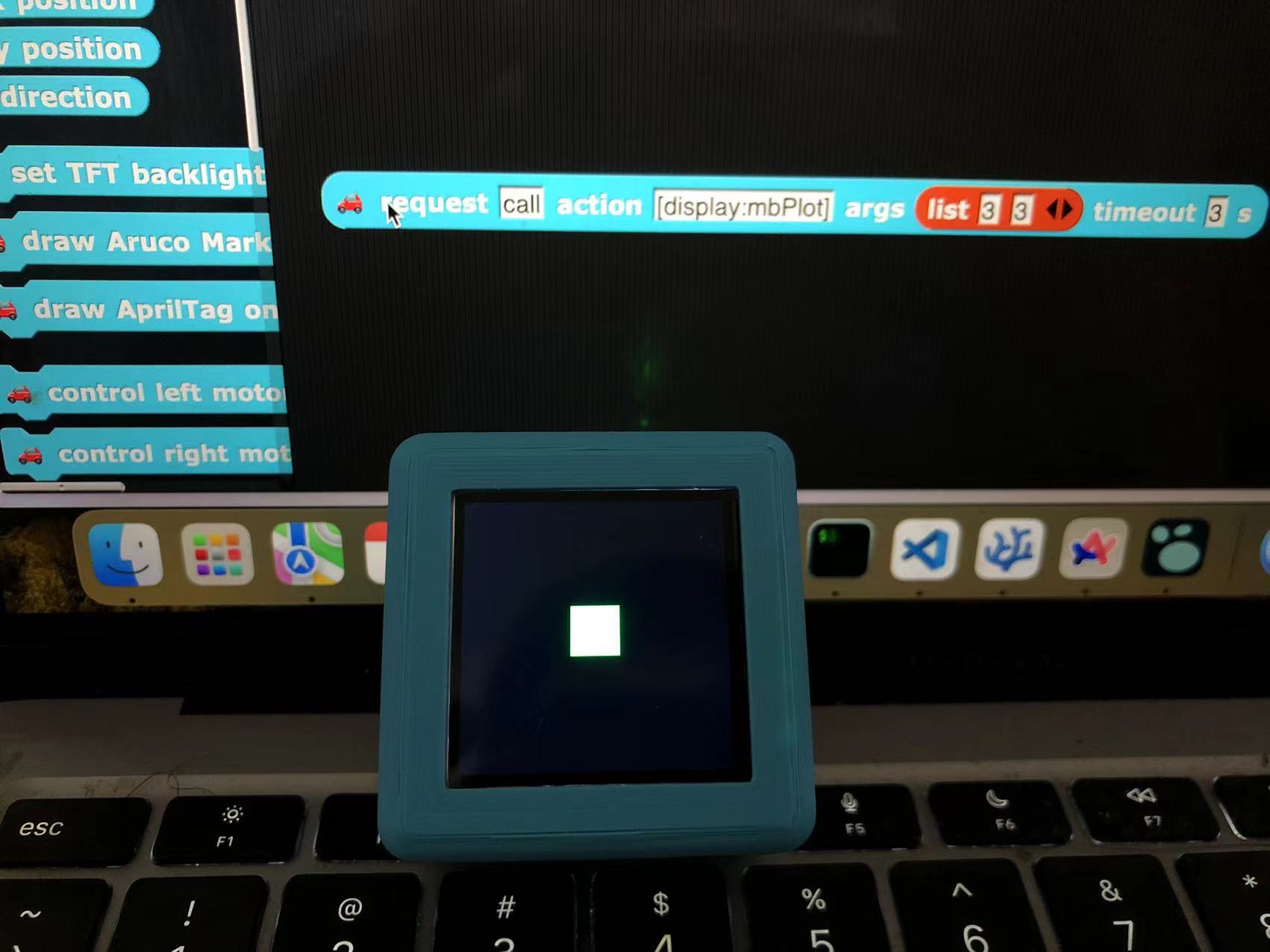
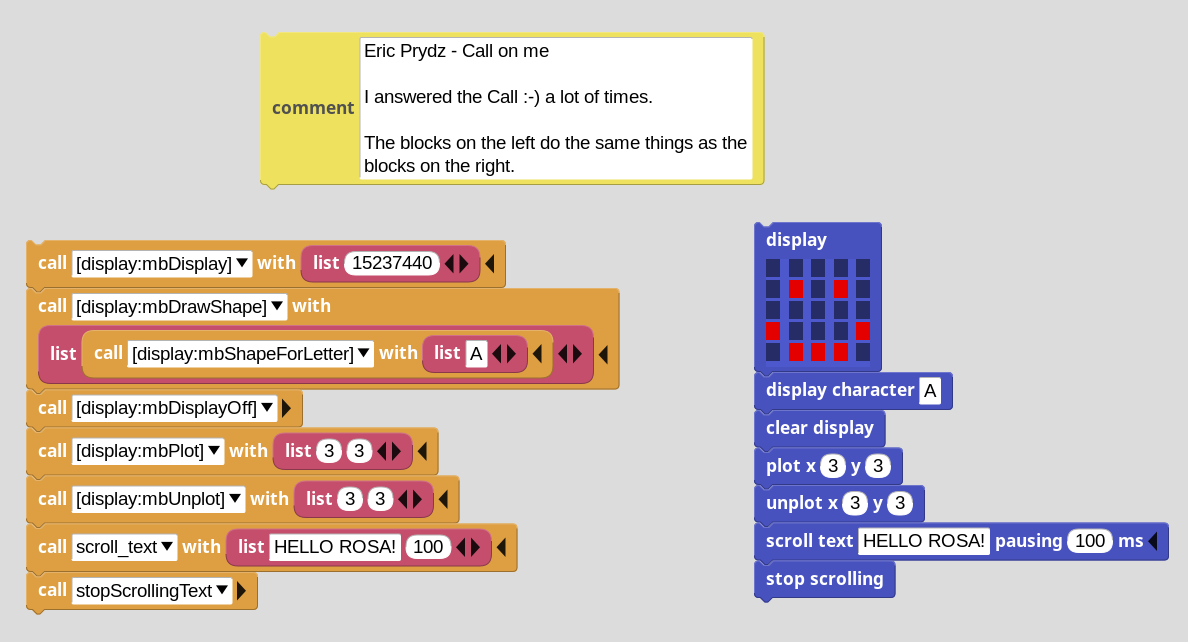
You can even use any vm primitive:
Download https://snap.codelab.club/libraries/CoCube2.xml. (Open in browser, save as local file)
then:
CoCube2.xml to CoCube3.xmlCoCube3.xml:
🚙 to another emoji icon (eg: 🚕) (VSCode has a batch replace function)🚕 CoCube2 with 🚕 CoCube3_CoCube2_ with _CoCube3_CoCube3.xml into Snap!.By analogy, you can add any number of CoCube library!
When there are multiple MicroBlocks devices, Snap! is perfect as a dashboard to control them all.
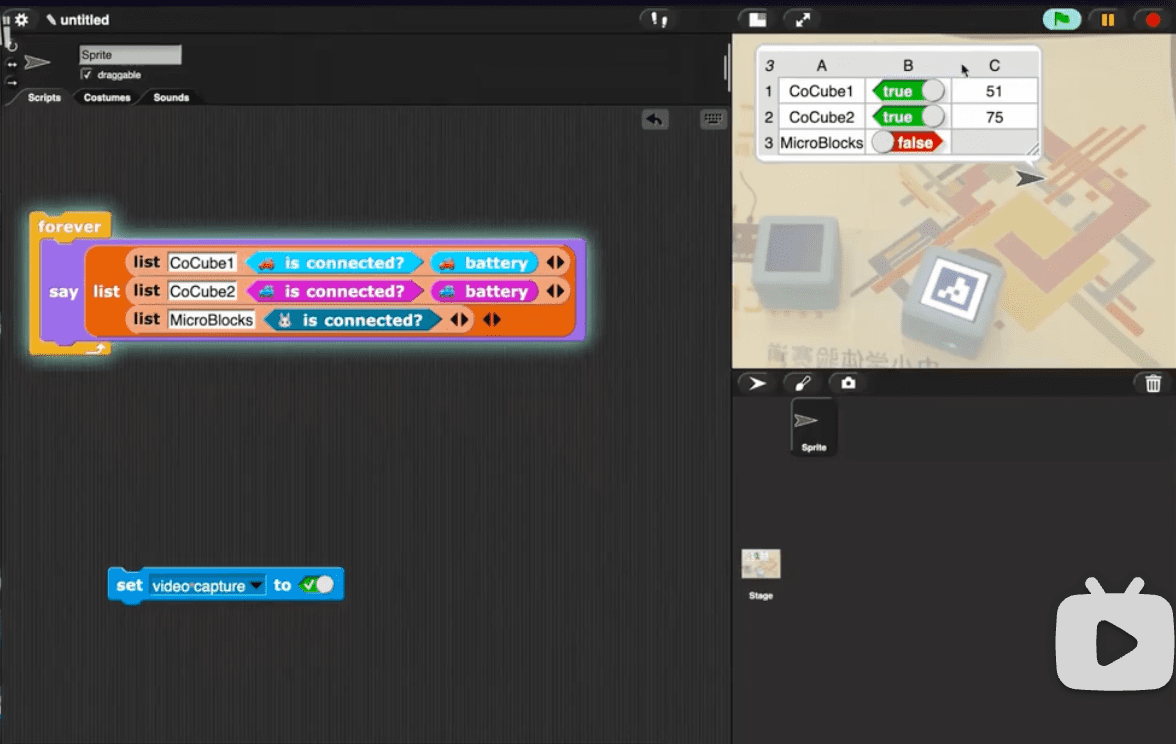
Yes, you can debug both software and hardware side code simultaneously! Everything is liveness!
You can connect the same device simultaneously in Snap! and MicroBlocks , then observe the flow of messages between them:
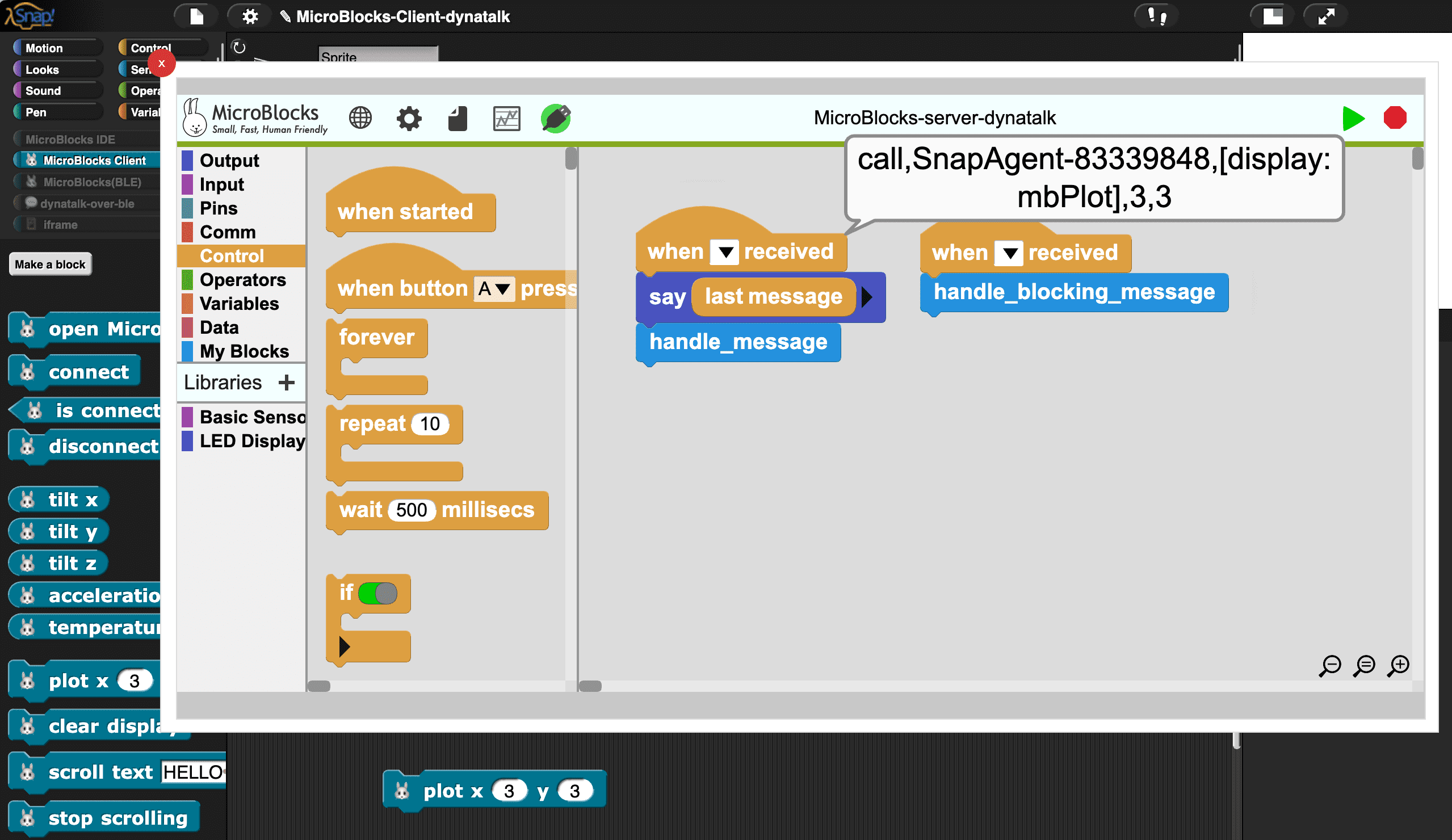
Due to iframe limitations, you cannot use the Save button in the menu to save local files
Alternative solution: click Copy project url to clipboard , then paste it into the browser’s address bar, and then save it.
Due to iframe limitations, you cannot use the Open button in the menu to open local files
Alternative solution: drag the local files directly into the MicroBlocks window.
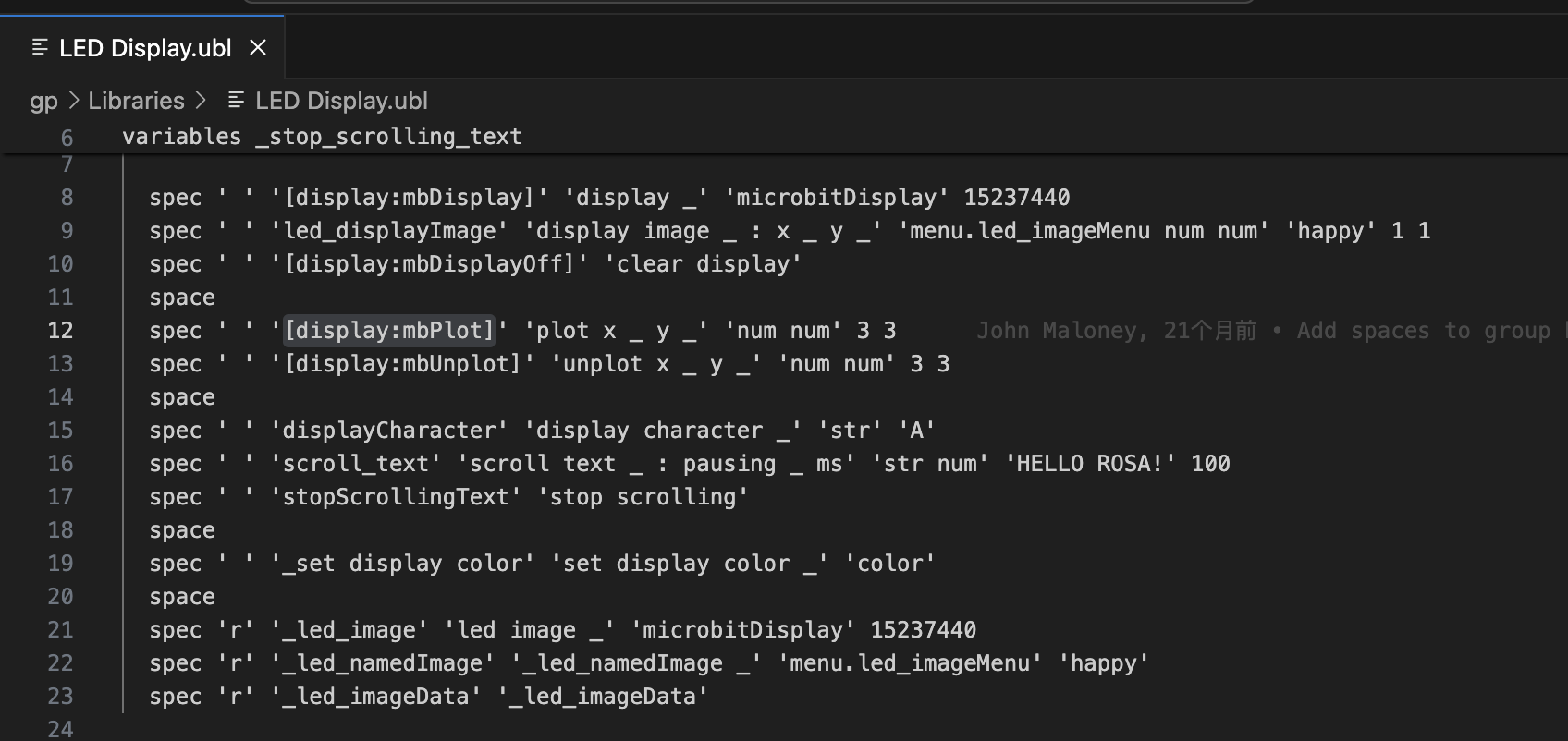
You can find these primitives in the ubl library file, in the form of . [a:b] , such as [display:mbPlot]
Peter shared some examples on Discord:
On MicroBlocks side:
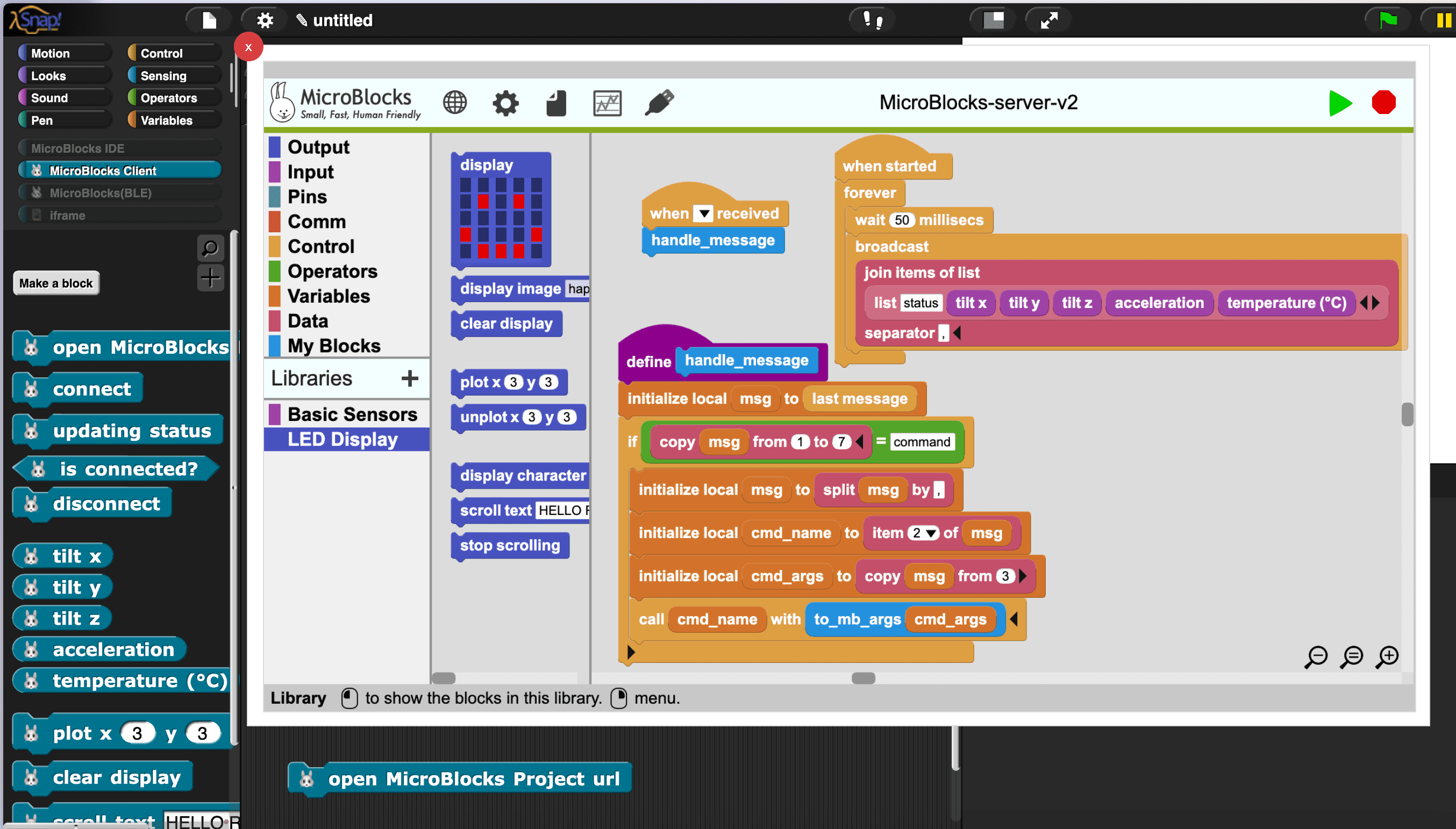
This program is responsible for the following tasks:
when started block), it can be extended. The current update rate is 20/second (customizable).handle_message block), grounding the semantics of the message to the specific functions of the hardware device. The “grounding” work is achieved using the call block, which is similar to eval in other programming languages, allowing for the dynamic execution of custom blocks and VM primitives.It is worth noting that the speed of push is much faster than pull. If necessary, they can be combined.
The design of this article can be easily migrated to Python. By using the microblocks_messaging_library and dynatalk-py libraries, it is easy to achieve the same functionality as the MicroBlocks Client library of Snap!.
|
|
Remember to first load this program into the device (same as Snap!)
For more API examples: notebooks
The source code of the CoCube library
|
|
|
|
此内容由惯性聚合(RSS阅读器)自动聚合整理,仅供阅读参考。 原文来自 — 版权归原作者所有。