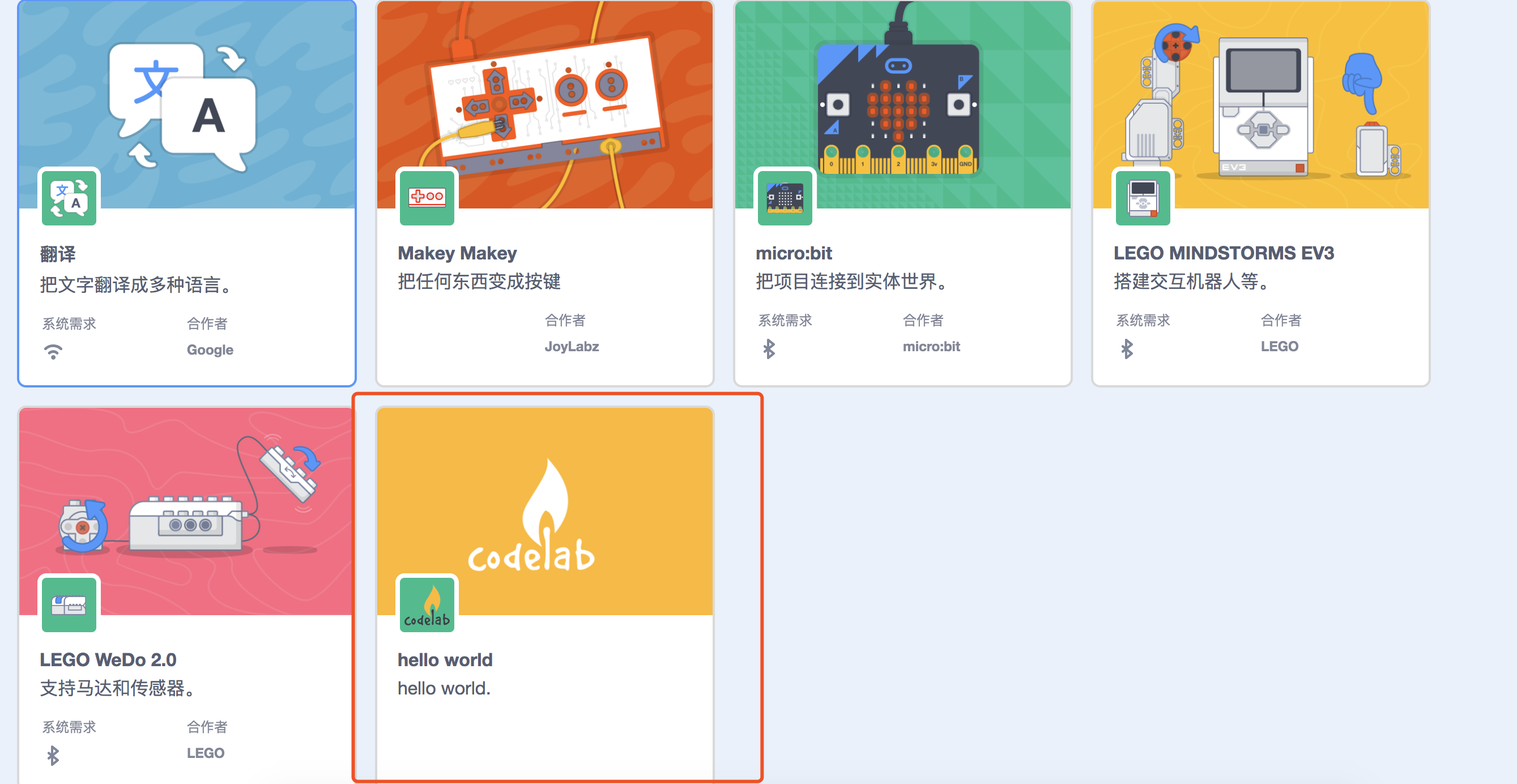
我们近期刚写完Scratch3.0技术分析系列文章,接下来准备围绕Scratch3.0编辑器写一系列文章,这一系列的文章关注如何构建自己的Extension,如何接入codelab-adapter。
此外,我们的EIM的源码已开放。
对于你希望在自己的平台中接入codelab-adapter, 请阅读scratch3-adapter可以支持其他编程平台吗?。
说明
文章更新于: 2019.01.20
官方的源码仓库一直在变化,我们希望即时更新到最新状态。如果你发现有任何部分不能工作,及时通知我:)
项目的源码我们已经放到github: codelabclub/scratch3_hello_world
运行scratch-gui
我的开发环境为MacOS 10.13.5,确保你在本地按照了git和nodejs。
windows用户
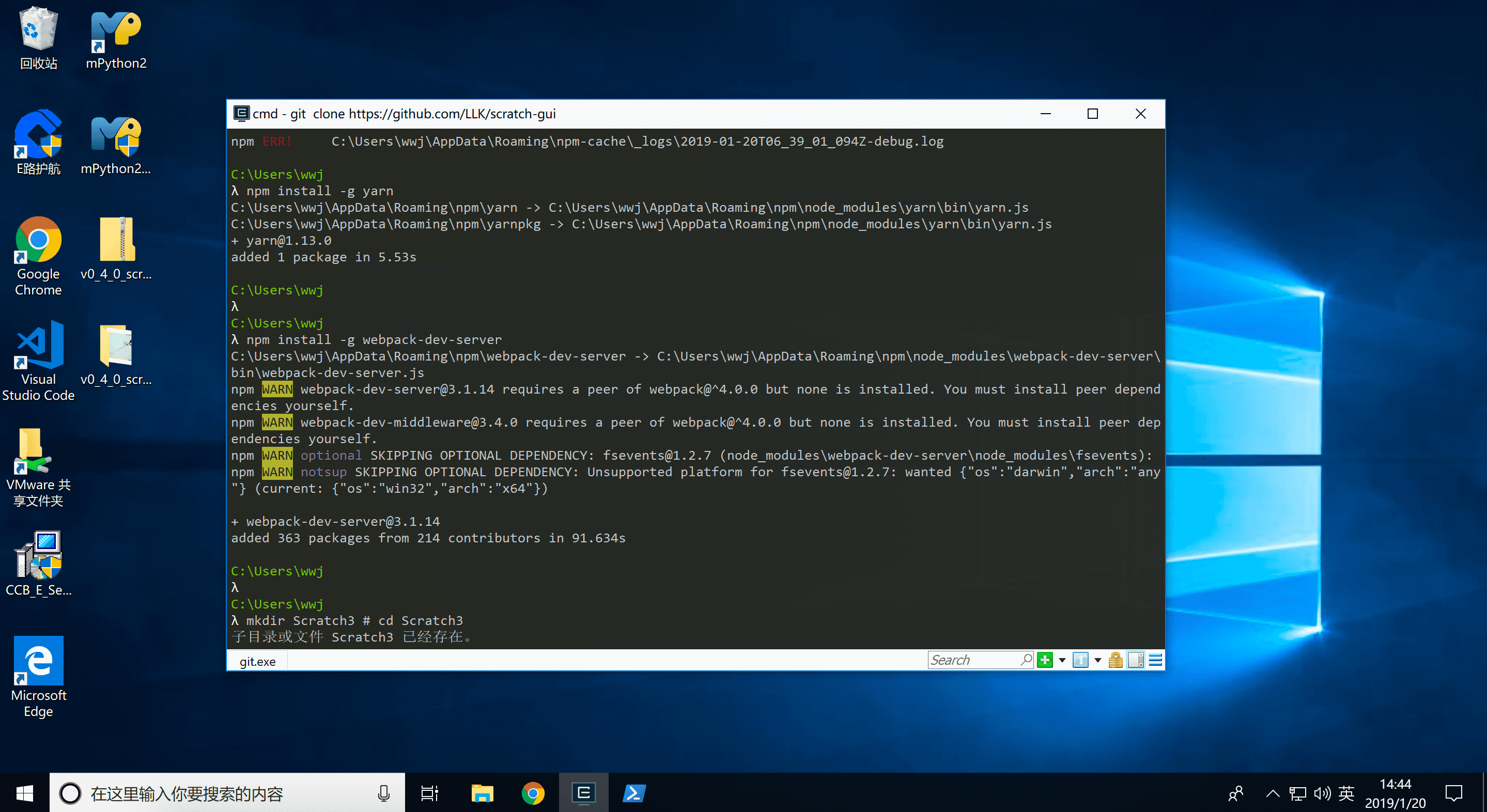
有读者在邮件里反馈说,在Windows下遇到一些问题。我在Windows 10里做了测试,把注意事项补充进来。
安装nodejs(目前测试 v10.15.0 和 v11.7.0 是正常的).
使用cmder,而不是cmd。
开始
1
2
3
4
5
6
7
|
node -v # v10.15.0. v11.7.0也没问题 , 推荐使用n来管理nodejs版本
mkdir Scratch3 #
cd Scratch3
git clone https://github.com/LLK/scratch-gui

cd scratch-gui
npm install --registry https://registry.npm.taobao.org
|
现在你就得到了一个可在本地运行Scratch3.0编辑器。
运行webpack-dev-server --https,打开:https://127.0.0.1:8601/
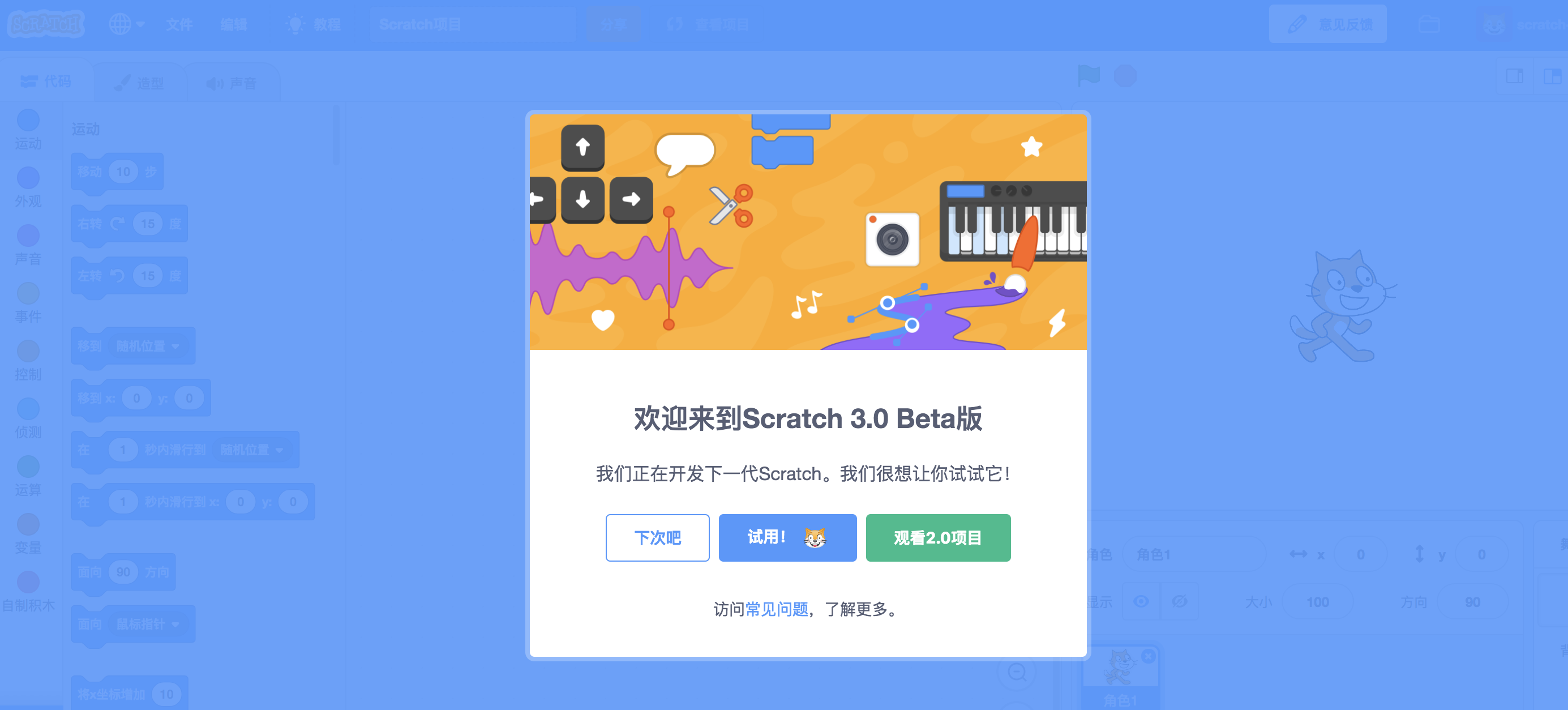
我们统一采用https来运行scratch-gui,因为以后接入codelab-adapter需要使用https。
运行scratch-vm
 1
 2
 3
 4
 5
 6
 7
 8
 9
10
|
cd Scratch3
git clone https://github.com/LLK/scratch-vm
cd scratch-vm
npm install --registry https://registry.npm.taobao.org
npm link
npm run watch

# 新开一个shell
cd scratch-gui
npm link scratch-vm
|
完成yarn link scratch-vm之后,scratch-gui就会采用我们开发环境里的scratch-vm,而不是默认的scratch-vm. 这样一来我们就可以定制scratch-vm了。
scratch-vm是什么呢?
Virtual Machine used to represent, run, and maintain the state of programs for Scratch 3.0.
可见 Scratch 3.0由scratch-vm提供动力支持。你可以把它理解为运行scratch3.0积木代码的引擎/解释器。
Scratch3.0 Extension便是在scratch-vm中写的。
先不解释过多的概念。
Learning by using, 开始创建我们的第一个Scratch3.0 Extension。
插件源码
在scratch-vm/src/extensions目录创建scratch3_hello_world/index.js
直接把hello world插件的代码贴上来,对照插件的实际功能和源码,应该能很快理解每一部分,语义还是非常清晰的。
 1
 2
 3
 4
 5
 6
 7
 8
 9
10
11
12
13
14
15
16
17
18
19
20
21
22
23
24
25
26
27
28
29
30
31
32
33
34
35
36
37
38
39
40
41
42
43
44
45
46
47
48
49
50
51
52
53
54
55
56
57
58
59
60
61
62
63
64
65
66
67
68
69
70
71
72
73
74
75
76
77
78
|
const ArgumentType = require('../../extension-support/argument-type');
const BlockType = require('../../extension-support/block-type');
const formatMessage = require('format-message');
// const MathUtil = require('../../util/math-util');

/**
 * Icon svg to be displayed at the left edge of each extension block, encoded as a data URI.
 * @type {string}
 */
// eslint-disable-next-line max-len
const blockIconURI = 'data:image/svg+xml;base64,PHN2ZyB3aWR0aD0iNDAiIGhlaWdodD0iNDAiIHZpZXdCb3g9IjAgMCA0MCA0MCIgeG1sbnM9Imh0dHA6Ly93d3cudzMub3JnLzIwMDAvc3ZnIj48dGl0bGU+cGVuLWljb248L3RpdGxlPjxnIHN0cm9rZT0iIzU3NUU3NSIgZmlsbD0ibm9uZSIgZmlsbC1ydWxlPSJldmVub2RkIiBzdHJva2UtbGluZWNhcD0icm91bmQiIHN0cm9rZS1saW5lam9pbj0icm91bmQiPjxwYXRoIGQ9Ik04Ljc1MyAzNC42MDJsLTQuMjUgMS43OCAxLjc4My00LjIzN2MxLjIxOC0yLjg5MiAyLjkwNy01LjQyMyA1LjAzLTcuNTM4TDMxLjA2NiA0LjkzYy44NDYtLjg0MiAyLjY1LS40MSA0LjAzMi45NjcgMS4zOCAxLjM3NSAxLjgxNiAzLjE3My45NyA0LjAxNUwxNi4zMTggMjkuNTljLTIuMTIzIDIuMTE2LTQuNjY0IDMuOC03LjU2NSA1LjAxMiIgZmlsbD0iI0ZGRiIvPjxwYXRoIGQ9Ik0yOS40MSA2LjExcy00LjQ1LTIuMzc4LTguMjAyIDUuNzcyYy0xLjczNCAzLjc2Ni00LjM1IDEuNTQ2LTQuMzUgMS41NDYiLz48cGF0aCBkPSJNMzYuNDIgOC44MjVjMCAuNDYzLS4xNC44NzMtLjQzMiAxLjE2NGwtOS4zMzUgOS4zYy4yODItLjI5LjQxLS42NjguNDEtMS4xMiAwLS44NzQtLjUwNy0xLjk2My0xLjQwNi0yLjg2OC0xLjM2Mi0xLjM1OC0zLjE0Ny0xLjgtNC4wMDItLjk5TDMwLjk5IDUuMDFjLjg0NC0uODQgMi42NS0uNDEgNC4wMzUuOTYuODk4LjkwNCAxLjM5NiAxLjk4MiAxLjM5NiAyLjg1NU0xMC41MTUgMzMuNzc0Yy0uNTczLjMwMi0xLjE1Ny41Ny0xLjc2NC44M0w0LjUgMzYuMzgybDEuNzg2LTQuMjM1Yy4yNTgtLjYwNC41My0xLjE4Ni44MzMtMS43NTcuNjkuMTgzIDEuNDQ4LjYyNSAyLjEwOCAxLjI4Mi42Ni42NTggMS4xMDIgMS40MTIgMS4yODcgMi4xMDIiIGZpbGw9IiM0Qzk3RkYiLz48cGF0aCBkPSJNMzYuNDk4IDguNzQ4YzAgLjQ2NC0uMTQuODc0LS40MzMgMS4xNjVsLTE5Ljc0MiAxOS42OGMtMi4xMyAyLjExLTQuNjczIDMuNzkzLTcuNTcyIDUuMDFMNC41IDM2LjM4bC45NzQtMi4zMTYgMS45MjUtLjgwOGMyLjg5OC0xLjIxOCA1LjQ0LTIuOSA3LjU3LTUuMDFsMTkuNzQzLTE5LjY4Yy4yOTItLjI5Mi40MzItLjcwMi40MzItMS4xNjUgMC0uNjQ2LS4yNy0xLjQtLjc4LTIuMTIyLjI1LjE3Mi41LjM3Ny43MzcuNjE0Ljg5OC45MDUgMS4zOTYgMS45ODMgMS4zOTYgMi44NTYiIGZpbGw9IiM1NzVFNzUiIG9wYWNpdHk9Ii4xNSIvPjxwYXRoIGQ9Ik0xOC40NSAxMi44M2MwIC41LS40MDQuOTA1LS45MDQuOTA1cy0uOTA1LS40MDUtLjkwNS0uOTA0YzAtLjUuNDA3LS45MDMuOTA2LS45MDMuNSAwIC45MDQuNDA0LjkwNC45MDR6IiBmaWxsPSIjNTc1RTc1Ii8+PC9nPjwvc3ZnPg==';
const menuIconURI = blockIconURI;

class Scratch3HelloBlocks {
    constructor (runtime) {
        /**
         * The runtime instantiating this block package.
         * @type {Runtime}
         */
        this.runtime = runtime;
    }


    /**
     * The key to load & store a target's pen-related state.
     * @type {string}
     */
    static get STATE_KEY () {
        return 'Scratch.helloWorld';
    }

    /**
     * @returns {object} metadata for this extension and its blocks.
     */
    getInfo () {
        return {
            id: 'helloWorld',
            name: formatMessage({
                id: 'helloWorld.categoryName',
                default: 'hello World',
                description: 'Label for the hello world extension category'
            }),
            // menuIconURI: menuIconURI,
            blockIconURI: blockIconURI,
            // showStatusButton: true,
            blocks: [
                {
                    opcode: 'say',
                    blockType: BlockType.COMMAND,
                    text: formatMessage({
                        id: 'helloWorld.say',
                        default: 'say [TEXT]',
                        description: 'say something'
                    }),
                    arguments: {
                        TEXT: {
                            type: ArgumentType.STRING,
                            defaultValue: formatMessage({
                                id: 'helloWorld.defaultTextToSay',
                                default: 'hello world',
                                description: 'default text to say.'
                            })
                        }
                    }
                }
            ],
            menus: {}
        };
    }

    say (args, util) {
        const message = args.TEXT;
        console.log(message);
        this.runtime.emit('SAY', util.target, 'say', message);
    }
}

module.exports = Scratch3HelloBlocks;
|
配置
为了将插件挂载到scratch-gui的插件区,我们需要做一些配置工作。
编辑scratch-vm/src/extension-support/extension-manager.js
展示一下编辑前后的git diff信息:
 1
 2
 3
 4
 5
 6
 7
 8
 9
10
11
12
13
14
15
16
17
18
19
20
21
22
23
|
let builtinExtensions = {
    // ros: () => require('../extensions/scratch3_ros'),
    // This is an example that isn't loaded with the other core blocks,
    // but serves as a reference for loading core blocks as extensions.
    coreExample: () => require('../blocks/scratch3_core_example'),
    // These are the non-core built-in extensions.
    pen: () => require('../extensions/scratch3_pen'),
    wedo2: () => require('../extensions/scratch3_wedo2'),
    music: () => require('../extensions/scratch3_music'),
    microbit: () => require('../extensions/scratch3_microbit'),
    text2speech: () => require('../extensions/scratch3_text2speech'),
    translate: () => require('../extensions/scratch3_translate'),
    videoSensing: () => require('../extensions/scratch3_video_sensing'),
    ev3: () => require('../extensions/scratch3_ev3'),
    makeymakey: () => require('../extensions/scratch3_makeymakey'),
    boost: () => require('../extensions/scratch3_boost'),
    gdxfor: () => require('../extensions/scratch3_gdx_for'),

    // your extension
    helloWorld: () => require('../extensions/scratch3_hello_world'),
}

 /**
|
接着我们将插件的封面图和小图标放到scratch-gui/src/lib/libraries/extensions/目录里png图片尺寸推荐600x372
编辑scratch-gui/src/lib/libraries/extensions/index.jsx
往 export default里添加:
 1
 2
 3
 4
 5
 6
 7
 8
 9
10
11
12
|
import helloworldImage from './helloworld.png';

export default [
...
{
    name: 'Hello World',
    extensionId: 'helloWorld',
    iconURL: helloworldImage,
    description: 'hello world',
    featured: true
}
 ];
|
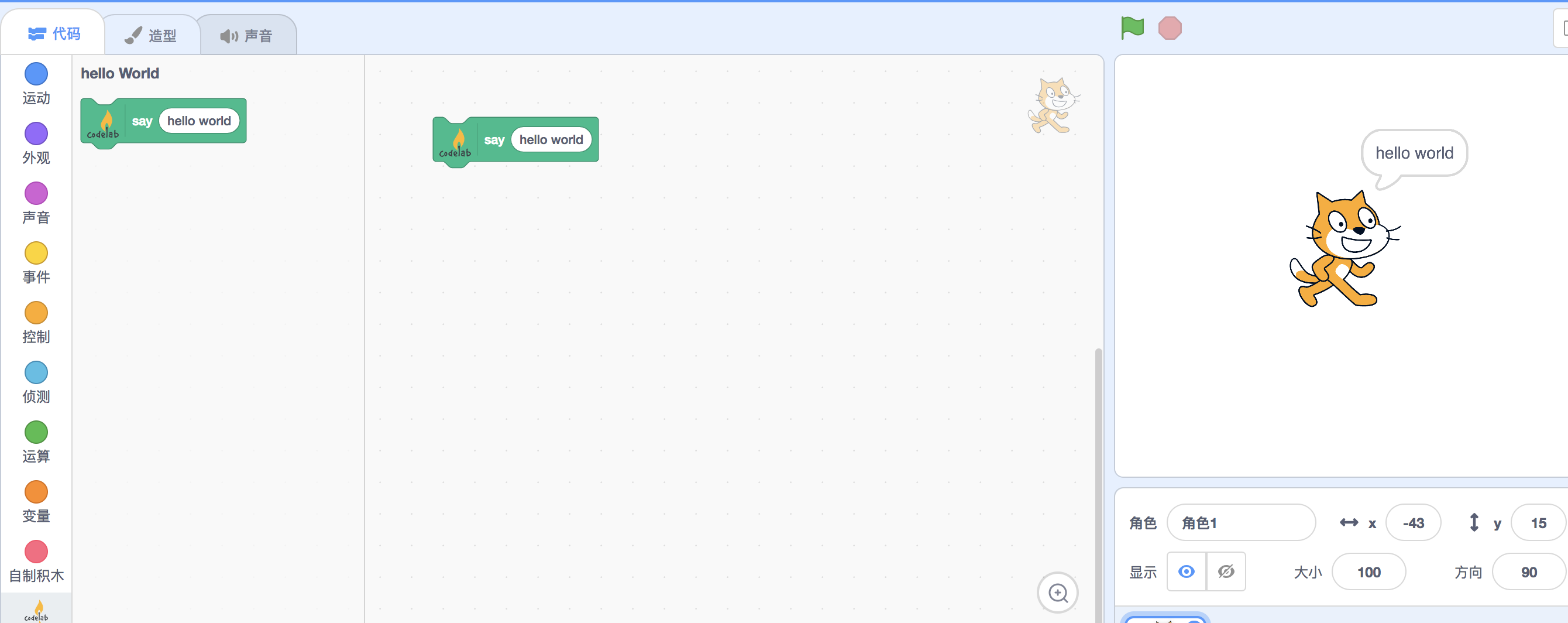
完成
使用插件:
进阶
阅读已有的例子: scratch-vm/src/extensions
参考



