惯性聚合 高效追踪和阅读你感兴趣的博客、新闻、科技资讯
阅读原文 在惯性聚合中打开

推荐订阅源

Vercel News
Vercel News
Recorded Future
Recorded Future
CTFtime.org: upcoming CTF events
The GitHub Blog
The GitHub Blog
Application and Cybersecurity Blog
Google DeepMind News
cs.AI updates on arXiv.org
Microsoft Azure Blog
K
KPMG report finds enterprise disconnect between AI and its ROI | CIO
M
MIT News - Artificial intelligence
云风的 BLOG
云风的 BLOG
Y
Y Combinator Blog
N
News | PayPal Newsroom
freeCodeCamp Programming Tutorials: Python, JavaScript, Git & More
Help Net Security
Help Net Security
博客园 - Franky
SecWiki News
SecWiki News
Recent Announcements
T
Troy Hunt's Blog
The Register - Security
The Last Watchdog
The Last Watchdog
Webroot Blog
Webroot Blog
S
Security Affairs
博客园 - 司徒正美
S
Schneier on Security
I
InfoQ
博客园_首页
www.infosecurity-magazine.com
T
Threat Research - Cisco Blogs
Forbes - Security
Forbes - Security
腾讯CDC
N
Netflix TechBlog - Medium
N
News and Events Feed by Topic
Cloudbric
Cloudbric
T
The Exploit Database - CXSecurity.com
P
Proofpoint News Feed
A
About on SuperTechFans
Engineering at Meta
Engineering at Meta
Recent Commits to openclaw:main
B
Blog
V
Vulnerabilities – Threatpost
C
Check Point Blog
Google DeepMind News
Google Online Security Blog
C
Cyber Attacks, Cyber Crime and Cyber Security
Hacker News - Newest:
Hacker News - Newest: "LLM"
C
Cisco Blogs
Schneier on Security
O
OpenAI News
K
Kaspersky official blog

夜行人

回家路上 第一期的直播演示项目 震动检测器 正能量 在线参观CodeLab Neverland 发布 CodeLab Adapter 3.3.1 DynamicTable 之 纸糊方向盘 CodeLab DynamicTable: 一个可实施的技术方案 CodeLab Insight 发布 Alpha 版 情人节 Home Assistant 周报 && IoT 周报 (02) Joplin: 关注隐私的 Evernote 开源替代软件 浏览器的未来与 Web 传感器 Home Assistant 周报 && IoT 周报 (01) 百宝箱(01) 论自由 介绍 WebThings Home Assistant 周报 && iot 周报 (00) 百宝箱(00) 毛姆读书心得 传世之作 周末徒步 CodeLab Adapter ❤️ Jupyter/Python 航班 躲雨 夏令营途中 [译]思想--作为一种技术 The future of coding 美国之行 三门问题的程序模拟 从Python转向Pharo https://blog.just4fun.site/post/iot/iot-open-source-projects/ Python异步编程笔记 https://blog.just4fun.site/post/iot/iot-open-source-hardware-community/ 万物积木化开发者社区 CodeLab ❤️ Blender Scratch3技术分析之云变量 API(第7篇) [译]对管道(Pipes)的偏爱 [译]提出正确的问题比得到正确答案更重要 蓝牙设备与Scratch3.0 创建你的第一个Scratch3.0 Extension Scratch3技术分析之项目内部数据(第6篇) Scratch3技术分析之社区 API(第5篇) Scratch3技术分析之User API(第4篇) Scratch3技术分析之项目主页API(第3篇) Scratch3技术分析之静态资源API(第2篇) Scratch3.0、micro:bit与Windows7 https://blog.just4fun.site/post/iot/zerynth-vs-micropython/ 核聚变、方所与半宅空间 可视化编程为何是个糟糕的主意 codelab.club周末聚会 关于codelab.club '下一件大事'是一个房间 Hungry Robot - Eat everything 编程作为一种思考方式 今日简史 史蒂夫·乔布斯传 罗素自选文集 https://blog.just4fun.site/post/edx/tianjin-scratch-ai/ https://blog.just4fun.site/post/edx/richie-cms-openedx/ 徒步武功山 WebUSB与micro:bit 积木化编程与3D场景 夜宿武功山顶 scratch3-adapter接入优必选Alpha系列机器人 https://blog.just4fun.site/post/edx/video-migration-note/ scratch3-adapter重构笔记 https://blog.just4fun.site/post/edx/edx-community-members/ 两种硬件编程风格的比较 使用micro:bit自制PPT翻页笔 柏拉图对话集 scratch3.0 + micro:bit 七月电影放映计划 非营利组织的管理 Screenly--用树莓派让任何屏幕变为可编程的数字标牌 以最佳实践开始你的Django项目 micro:bit与事件驱动 为Scratch3.0设计的插件系统(上篇) OCR应用一例 近两年读过的一些好书 blockly开发之使用python驱动浏览器中的turtle(2) 牛顿新传 文学理论入门 逻辑的引擎 人生的意义 blockly开发之生成并运行js代码(1) blockly开发之hello world(0) micro:bit使用笔记 神器之Termux https://blog.just4fun.site/post/iot/micropython-notes/ Cozmo what is this Scratch的前世今生 下段旅程 我行在远方 爆裂 途中杂记 https://blog.just4fun.site/post/edx/open-edx-startup/ cozmo系列之入门 - 有性格且可编程的机器人 PaperWeekly开发笔记 创业二三事
Pharo IoT
种瓜 · 2019-06-07 · via 夜行人

文章目录

前言

IoT

近期写了几篇IoT相关的文章:

因为沉迷于Pharo提供的沉浸式、可探索的编程体验,决定将IoT相关的探索性工作放在Pharo上来做。

空间操作系统

「空间操作系统」是我随口杜撰的一个名词,我最近对这个概念感兴趣,它的背景是这样的:

CodeLab Adapter目前已经用于驱动Neverland整个空间,最近在考虑如何扩展这个逻辑模型,用以驱动一个小区或者一座城市。设备的连接并不是大问题,最坏方式可以硬整合(像目前大多数公司在做的)。但复杂性并不在通信,而在于如何驯服业务增长带来的复杂度,UNIX之前的系统都是被不断增长的复杂度压垮的,如何保证系统的未来可生长,《unix编程艺术》论述了很多设计原则,组件之间的开放和协作是核心机制。最近在学习Smalltalk,隐约觉得Smalltalk的设计十分适合驱动大型复杂系统(一些军事模拟系统和金融系统是Smalltalk 驱动的),于是去Quora上阅读Alan Kay近期的思考。正巧看到他在讨论城市的复杂性问题,以及如何在软件层面驯服它

Alan Kay提到:

The methods used to invent Smalltalk (Pharo is a version of Smalltalk) at Xerox Parc will work well for creating What Is Actually Needed (WIAN). I have outlined some of the first steps above …

我相信Smalltalk提供了绝佳的环境去探索「空间操作系统」。

搜索Pharo和IoT,很容易发现pharo-iot,以及该组织开源的PharoThings

于是我决定从这里起步。 以下是我的学习和使用笔记。

PharoThings

PharoThings是什么东西? 它是基于Pharo的IoT编程环境,拥有Pharo的沉浸式、可探索的编程体验。

PharoThings基于TelePharo构建,TelePharo又是个啥?这是一个用于管理和开发远程Pharo镜像(image)的工具。

PharoThings目前可用于驱动树莓派(由WiringPi library驱动),未来计划支持Arduino(由Firmata驱动)和Beaglebone。

尽管可以按照PharoThings readme来使用它,但我更喜欢这本小册子: A PharoThings Tutorial

我基本遵照A PharoThings Tutorial的引导来开发,以下是使用记录。

树莓派环境搭建

我目前在树莓派3B+上运行Raspbian(Stretch)。

首先安装WiringPi library:

1
2
3
cd /tmp
wget https://unicorn.drogon.net/wiringpi-2.46-1.deb
sudo dpkg -i wiringpi-2.46-1.deb

检查按照是否成功:

接下来下载Pharo和所需image: wget -O - get.pharoiot.org/server | bash

操作很简单,实际上是在下载一个压缩包:server.zip

解压之后运行即可:

1
2
cd pharoiot-server
./pharo-server

成功运行后可以看到:

1
2
pi@raspberrypi:~/mylab/pharo/pharoiot-server $ ./pharo-server
'a TlpRemoteUIManager is registered on port 40423'

本地环境

我的本地环境是MacOS。 但Pharo是跨平台的,所以各个平台下应该都没问题。

首先下载:multi.zip

解压之后可以看到里边的文件:

 1
 2
 3
 4
 5
 6
 7
 8
 9
10
11
12
13
➜  pharoiot-multi ls -l
total 299528
-rw-rw-r--@ 1 wuwenjie  staff  34321732  3 29 00:43 Pharo7.0-32bit-890f474.sources
-rw-rw-r--@ 1 wuwenjie  staff   1535210  6  7 12:46 PharoThings32.changes
-rw-rw-r--@ 1 wuwenjie  staff  49325464  5 12 18:42 PharoThings32.image
-rw-rw-r--@ 1 wuwenjie  staff   1523385  3 29 00:43 PharoThings64.changes
-rw-rw-r--@ 1 wuwenjie  staff  66628472  3 29 00:43 PharoThings64.image
-rwxrwxr-x@ 1 wuwenjie  staff      1933  3 29 00:43 pharo
drwxr-xr-x  4 wuwenjie  staff       128  6  7 12:40 pharo-local
-rwxrwxr-x@ 1 wuwenjie  staff      2049  3 29 00:43 pharo-server
-rwxrwxr-x@ 1 wuwenjie  staff      1853  3 29 00:43 pharo-ui
-rw-rw-r--@ 1 wuwenjie  staff        60  3 29 00:43 pharo.bat
drwxrwxr-x@ 7 wuwenjie  staff       224  6  7 12:39 vm

Linux, Mac用户双击 pharo-ui, Windows用户双击pharo.bat.
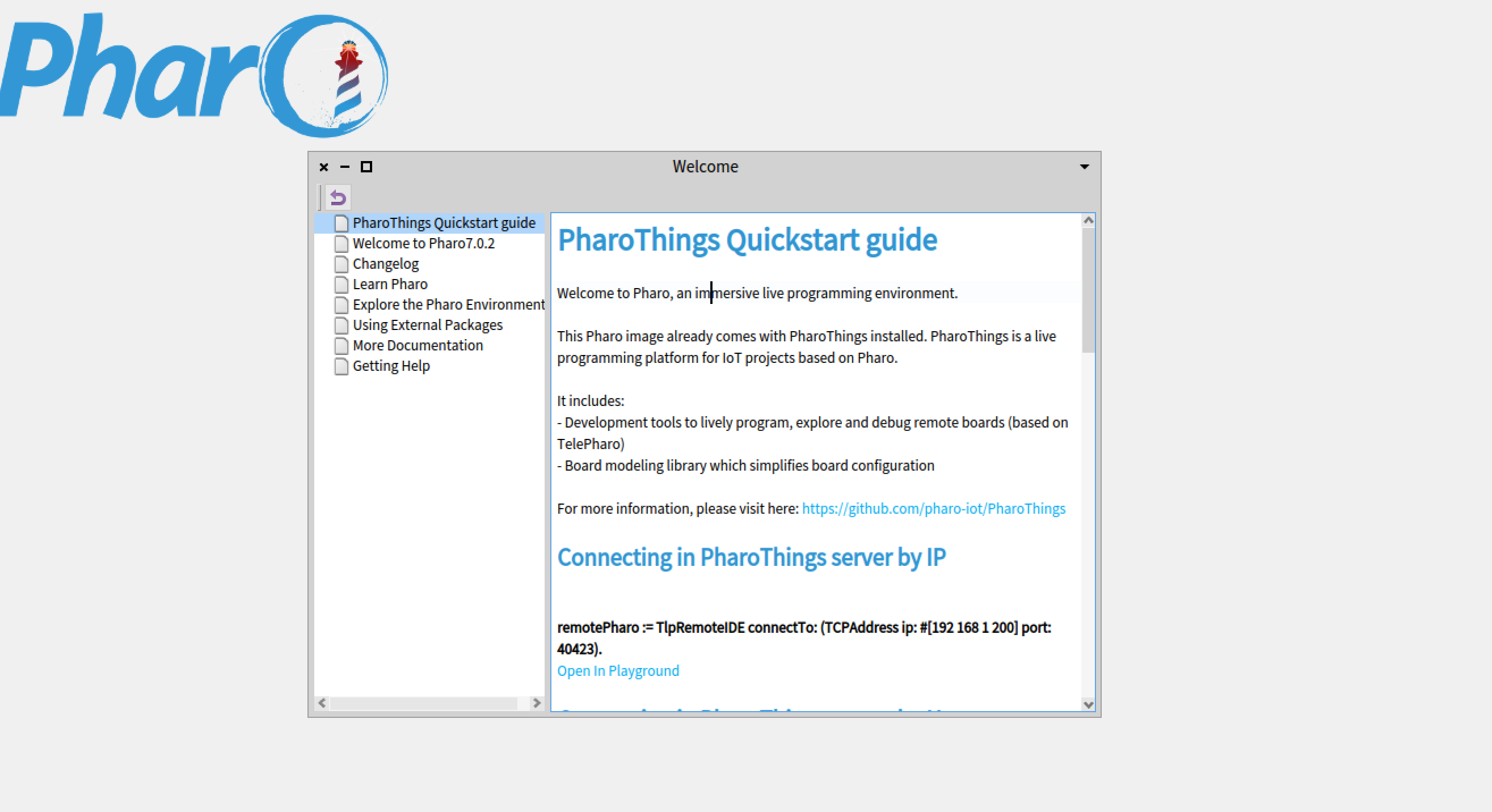
可以看到,image目前使用的Pharo版本为7.0.2,几乎是最新的。

连接到树莓派

既可以使用hostname连接也可以使用IP连接

使用hostname连接

1
2
3
ip := NetNameResolver addressForName: 'rpi.codelab.club'.
remotePharo := TlpRemoteIDE connectTo: (TCPAddress ip: ip port:
40423).

使用IP连接

1
2
remotePharo := TlpRemoteIDE connectTo: (TCPAddress ip: #[192 168 1
    200] port: 40423).

如果没有报错就可以随意使用:

  • Remote Playground
  • Remote System Browser
  • Remote Proxcess Browser
1
2
3
remotePharo openPlayground.
remotePharo openBrowser.
remotePharo openProcessBrowser.

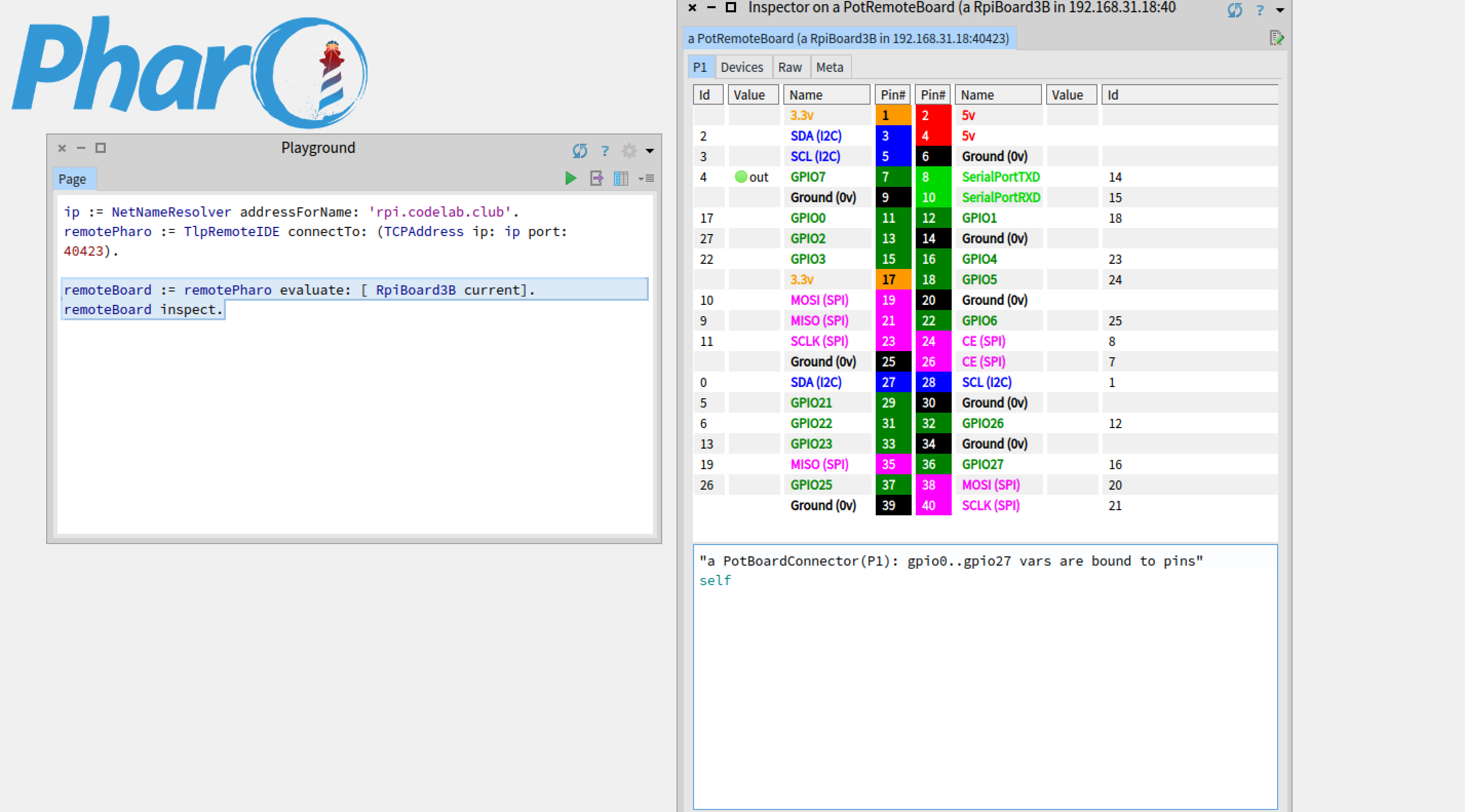
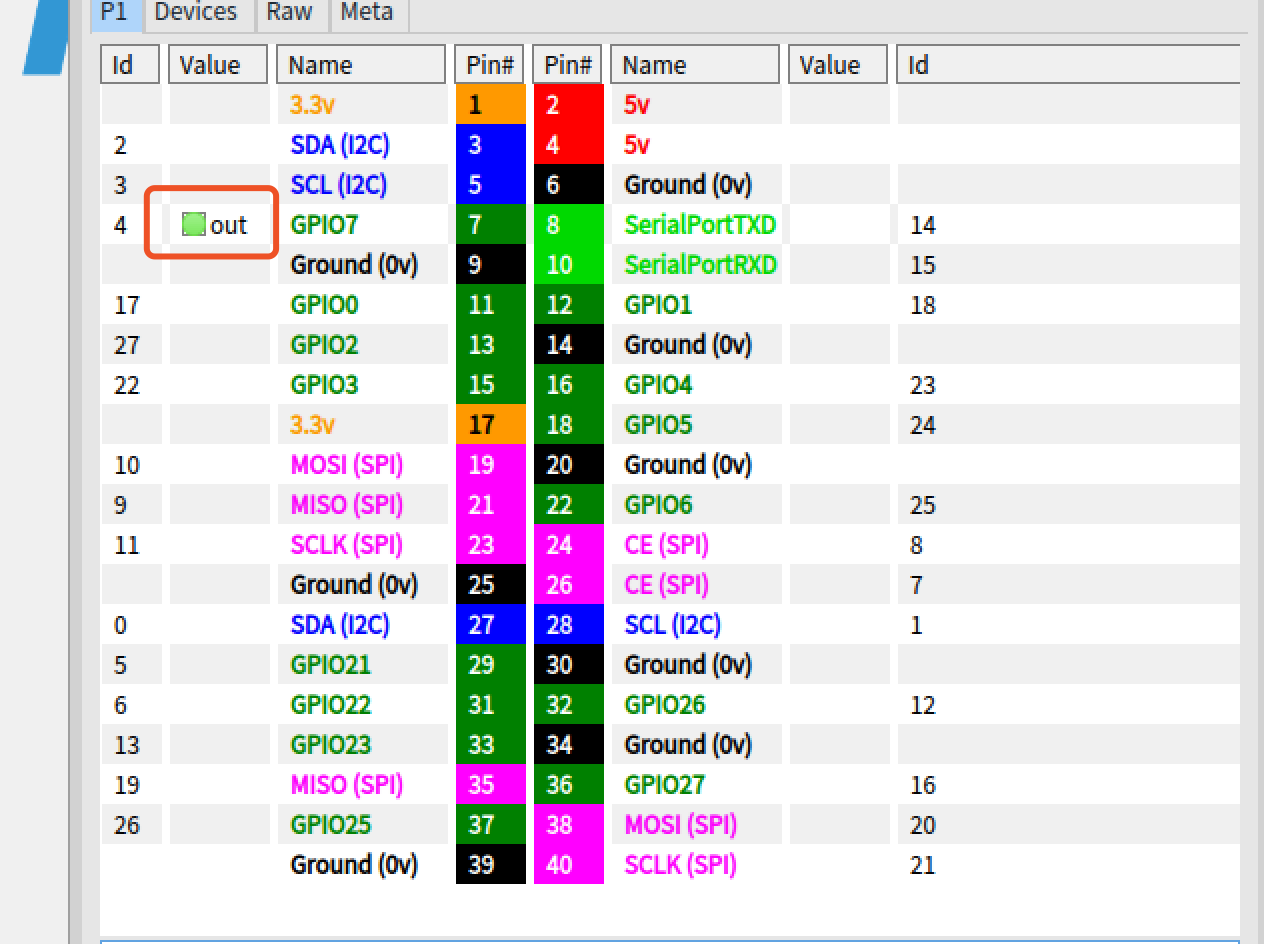
远程树莓派GPIO面板

1
2
remoteBoard := remotePharo evaluate: [ RpiBoard3B current].
remoteBoard inspect.

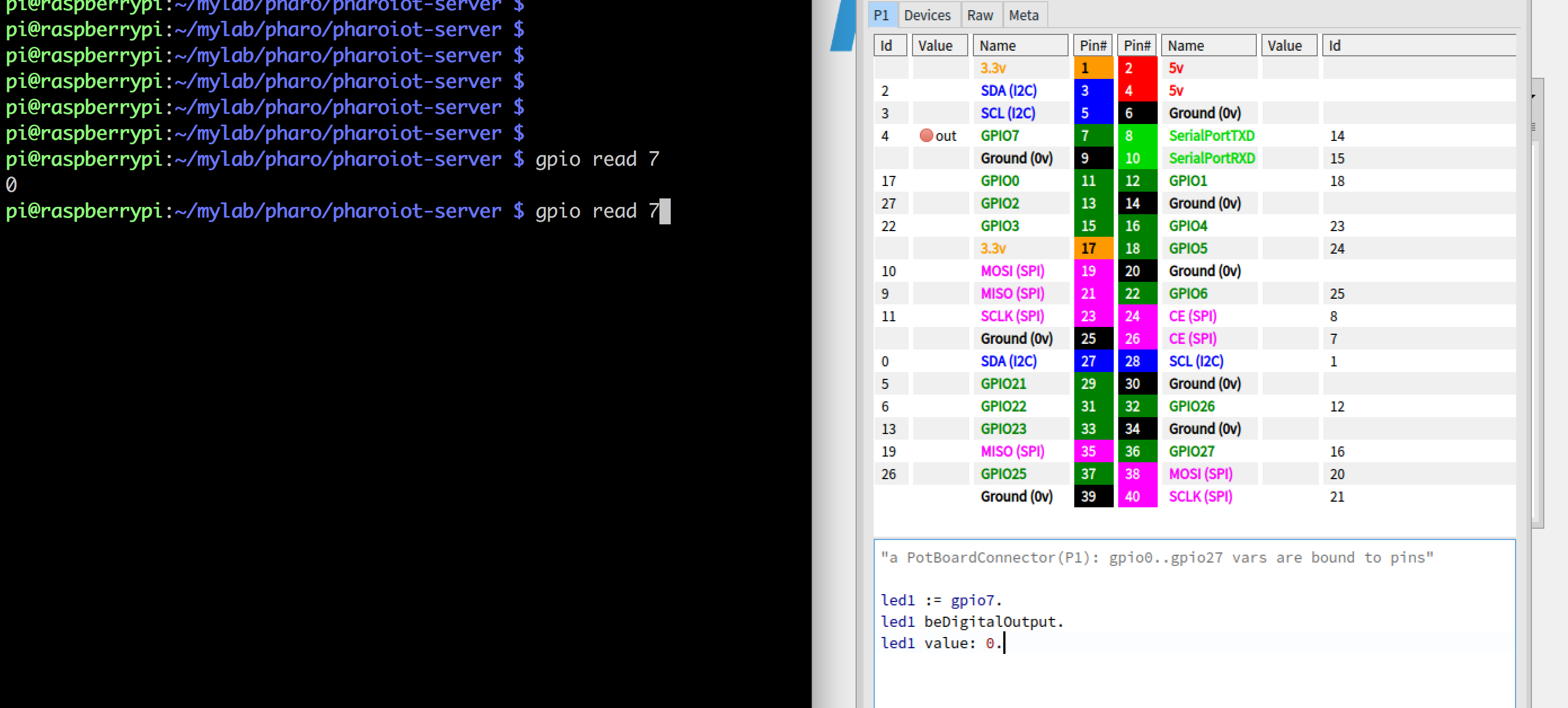
我们在Pharo中将7号引脚设为关闭状态:

1
2
3
led1 := gpio7.
led1 beDigitalOutput.
led1 value: 0.

从shell中可以看到生效了。

在shell中将7号引脚设为开启状态: gpio write 7 1

可以看到Pharo里的远程树莓派GPIO面板发生相应变化。
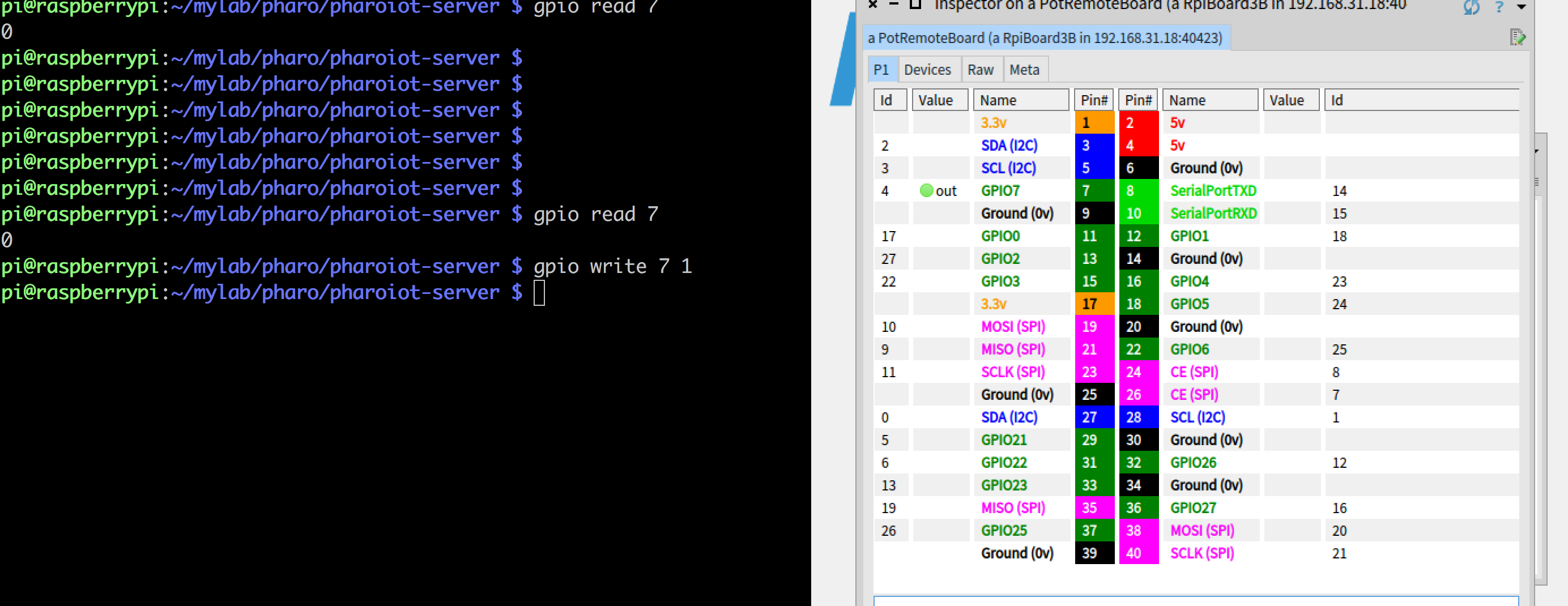
你可以点击指示状态的圆点切换其状态!
更多用法

参考A PharoThings Tutorial

当然也鼓励在Pharo中自由探索。在Pharo中的旅程常有意外收获。

参考