






Controller控制器主要是接收浏览器请求。下面说一说@Controller注解和@RestController的区别:
(1)@Controller类中的方法可以直接通过返回String跳转到jsp、ftl、html等模版页面。在方法上加@ResponseBody注解,也可以返回实体对象。
(2)@RestController类中的所有方法只能返回String、Object、Json等实体对象,不能跳转到模版页面;若要实现跳转到模板页面,需将返回的模板页面名称保持到ModelAndView中返回。
(3)@RestController相当于@ResponseBody + @Controller。
相同点:都是用来表示Spring某个类的是否可以接收HTTP请求
接之前的项目,学习Controller与RestController的区别
一。controller注解的使用
1.注释HelloController类的@RestController注解,给类添加@Controller注解,如下
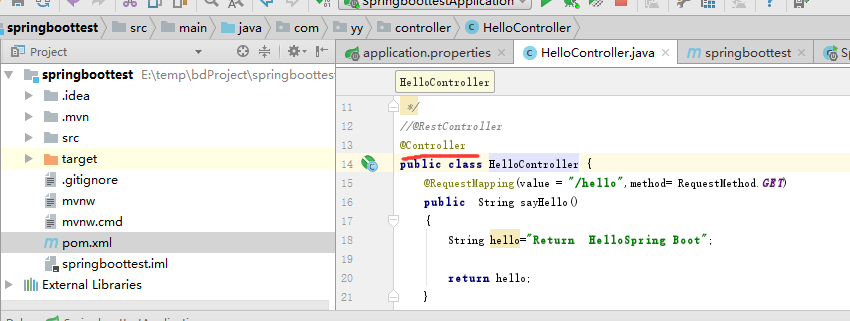
启动项目,并在浏览器中访问http://localhost:8088/sptest/hello
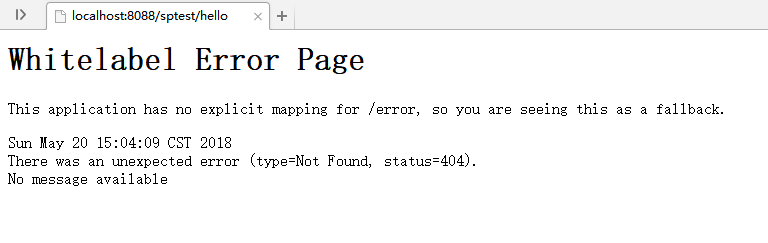
出现404错误
2.在项目resources目录下面创建templates目录,并添加index.html页面
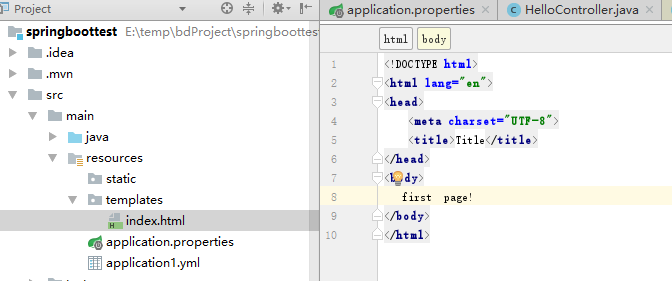
重新启动应用,并按照上述url地址,在浏览器中运行,则出现如下错误
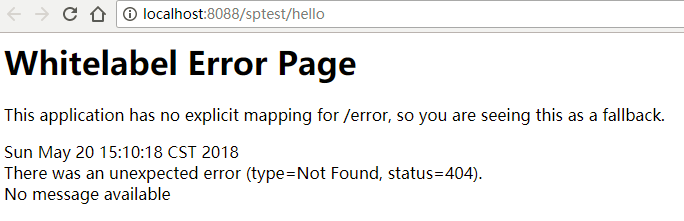
(3).在pom.xml 中引入模板引擎jar包
<dependency>
            <groupId>org.springframework.boot</groupId>
            <artifactId>spring-boot-starter-thymeleaf</artifactId>
        </dependency>
重新启动应用,并在浏览器运行上述url。结果如下
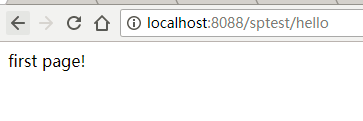
即Controller返回的是字符串,或者是字符串匹配的模板名称。在对应的方法上,视图解析器可以解析return 的jsp,html页面,并且跳转到相应页面;若返回json等内容到页面,则需要加@ResponseBody注解。
(3)继续修改HelloController类如下:
package com.yy.controller;

import org.springframework.beans.factory.annotation.Value;
import org.springframework.stereotype.Controller;
import org.springframework.web.bind.annotation.RequestMapping;
import org.springframework.web.bind.annotation.RequestMethod;
import org.springframework.web.bind.annotation.ResponseBody;
import org.springframework.web.bind.annotation.RestController;

/**
 * Created by Administrator on 2018-05-18.
 */
//@RestController
@Controller
public class HelloController {
    @RequestMapping(value = "/hello1",method= RequestMethod.GET)
    public  String sayHello1()
    {
        String hello="index";
        return hello;
    }
    @ResponseBody
    @RequestMapping(value = "/hello2",method= RequestMethod.GET)
    public  String sayHello()
    {
        String hello="index";

        return hello;
    }
}
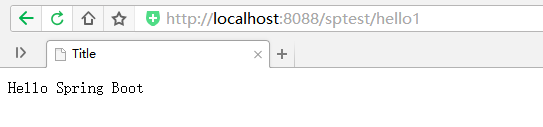
则http://localhost:8088/sptest/hello1,返回index.html,如下:
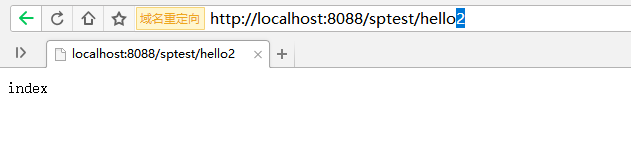
则http://localhost:8088/sptest/hello2,返回index字符串
二.@RestController注解的使用。
将上例中的类的@Controller注解换为@RestController,其他都不变。
则这个Controller的所有方法上面都加了@ResponseBody,不论你在每个方法前加、或不加@ResponseBody,都一样。所以这种Controller不会返回页面。
运行http://localhost:8088/sptest/hello1,http://localhost:8088/sptest/hello2返回的都是index字符串,即


@RestController = @Controller + @ResponseBody,返回字符串。
三.@RestController 返回页面映射
若想在使用@RestController注解的类中实现页面跳转,则需要在方法中用ModelAndView进行封装,如下:
package com.yy.controller;

import org.springframework.beans.factory.annotation.Value;
import org.springframework.stereotype.Controller;
import org.springframework.web.bind.annotation.RequestMapping;
import org.springframework.web.bind.annotation.RequestMethod;
import org.springframework.web.bind.annotation.ResponseBody;
import org.springframework.web.bind.annotation.RestController;
import org.springframework.web.servlet.ModelAndView;

/**
 * Created by Administrator on 2018-05-18.
 */
@RestController
//@Controller
public class HelloController {
    @RequestMapping(value = "/hello1",method= RequestMethod.GET)
    public  String sayHello1()
    {
        String hello="index";
        return hello;
    }
    @ResponseBody
    @RequestMapping(value = "/hello2",method= RequestMethod.GET)
    public  String sayHello2()
    {
        String hello="index";

        return hello;
    }

    @RequestMapping(value = "/hello3",method= RequestMethod.GET)
    public ModelAndView sayHello3()
    {
        ModelAndView mv = new ModelAndView("index");

        return mv;
    }
}
http://localhost:8088/sptest/hello3

四. 配置Url映射集合
在被@Controller和@RestController注解修饰的类中,若要用不同的url访问同一方法,则可以在@RequestMapping注解的value映射中配置成集合的方式。如下:
对于@Controller注解
 @ResponseBody
    @RequestMapping(value = {"/hello2","/index2"},method= RequestMethod.GET)
    public  String sayHello2()
    {
        String hello="index";

        return hello;
    }
对于@RestController注解
@RequestMapping(value = {"/hello2","/index2"},method= RequestMethod.GET)
    public  String sayHello2()
    {
        String hello="index";

        return hello;
    }
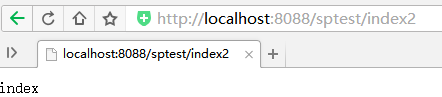
则使用http://localhost:8088/sptest/hello2,和http://localhost:8088/sptest/index2访问,进入syaHello2方法,都会返回index字符串,如下:

此内容由惯性聚合(RSS阅读器)自动聚合整理,仅供阅读参考。 原文来自 — 版权归原作者所有。