








在上一篇《微信 SDK + Senparc.AI + MCP 打造微信 AI 开发助手(一):网页版》中,我们介绍了基于 Senparc.Weixin SDK + Senparc.AI + MCP 如何完成网页端的代码推荐生成服务。
在相关过程中,我们已经提前看到了 MCP(SSE)的相关 endpoint,以及工作原理,有了 MCP 的 endpoint,我们就可以把相关的能力赋予到 IDE 中直接编写。
本文的网页版案例主要集中在微信 SDK。
以下操作教程以 Cursor 为例,VS Code、GitHub Copilot、LLM Studio 等操作过程类似。
第一步:打开 MCP 配置
打开 Cursor,进入设置(点击右上角的 ),左侧菜单选择“Tools & Integrations”,右侧点击底部 New MCP Server 按钮。
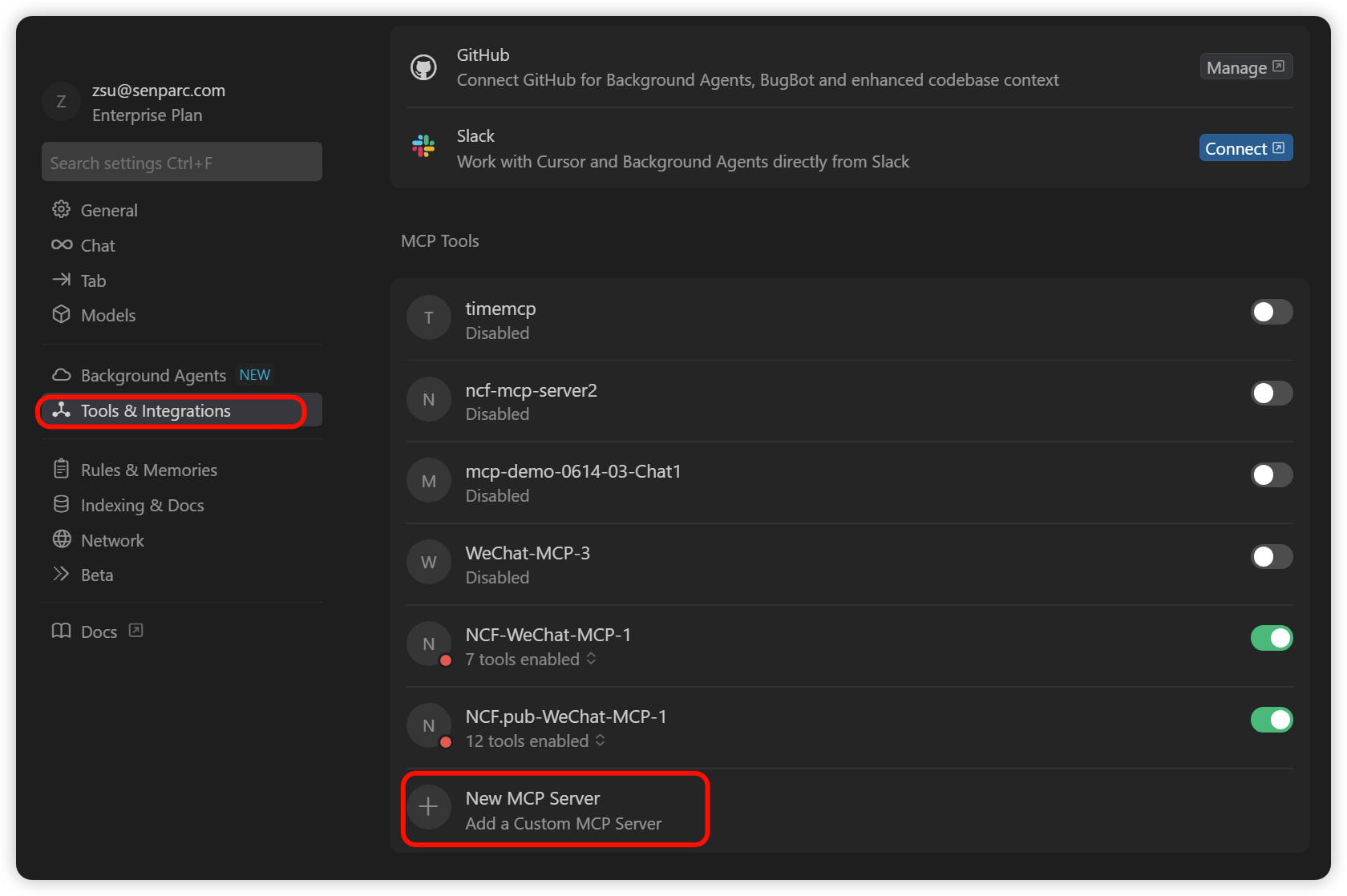
随后将打开 mcp.json 配置文件(和大部分其他平台兼容),如:
{
    "mcpServers": {
      "timemcp": {
        "command": "cmd",
        "args": [
          "/c",
          "X:/Forked/mcp-csharp-sdk/samples/TestServerWithHosting/bin/Debug/net9.0/TestServerWithHosting.exe"
        ]
      }
  }
}
如果您以前没有进行过任何操作,也可能是空的。
第二步:插入微信 AI MCP 配置
插入微信 AI MCP 的配置到 "mcpServers" 节点下:
{
    "mcpServers": {
      //其他节点...
      "NCF.pub-WeChat-MCP": {
          "url": "https://www.ncf.pub/mcp-senparc-xncf-weixinmanager/sse",
    }
  }
}
保存,并回到“配置”页面,可以看到多了一条 "NCF.pub-WeChat-MCP" 名称的 MCP 记录(可以在上面 json 中对应修改这个名称,保持唯一即可):

我们可以展开 tools 列表,查看到所有相关说明:
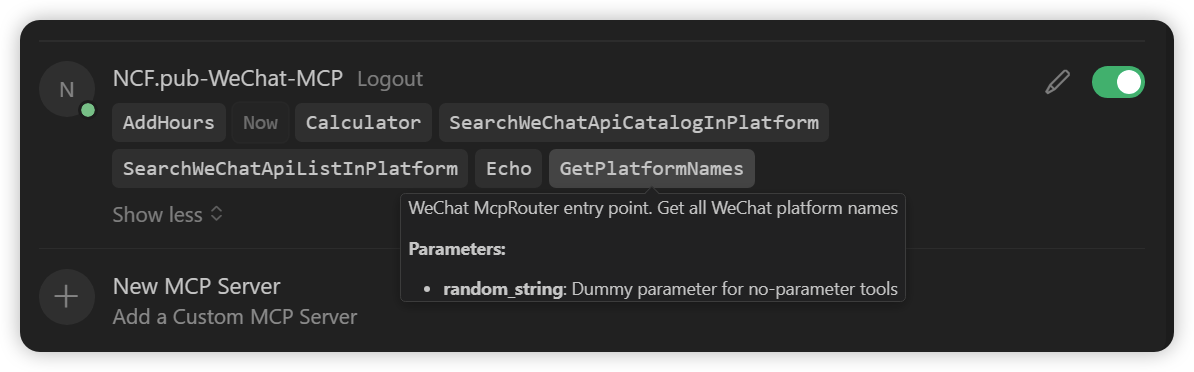
配置完 MCP 之后,我们可以让 AI 直接帮我们编写代码。例如,我已经有以下代码:
        public IActionResult AddAtricle(string title, string content)
        {
            var adminOpenId = "xxxx";
            var appId = "appId";

            return Content("Test");
        }
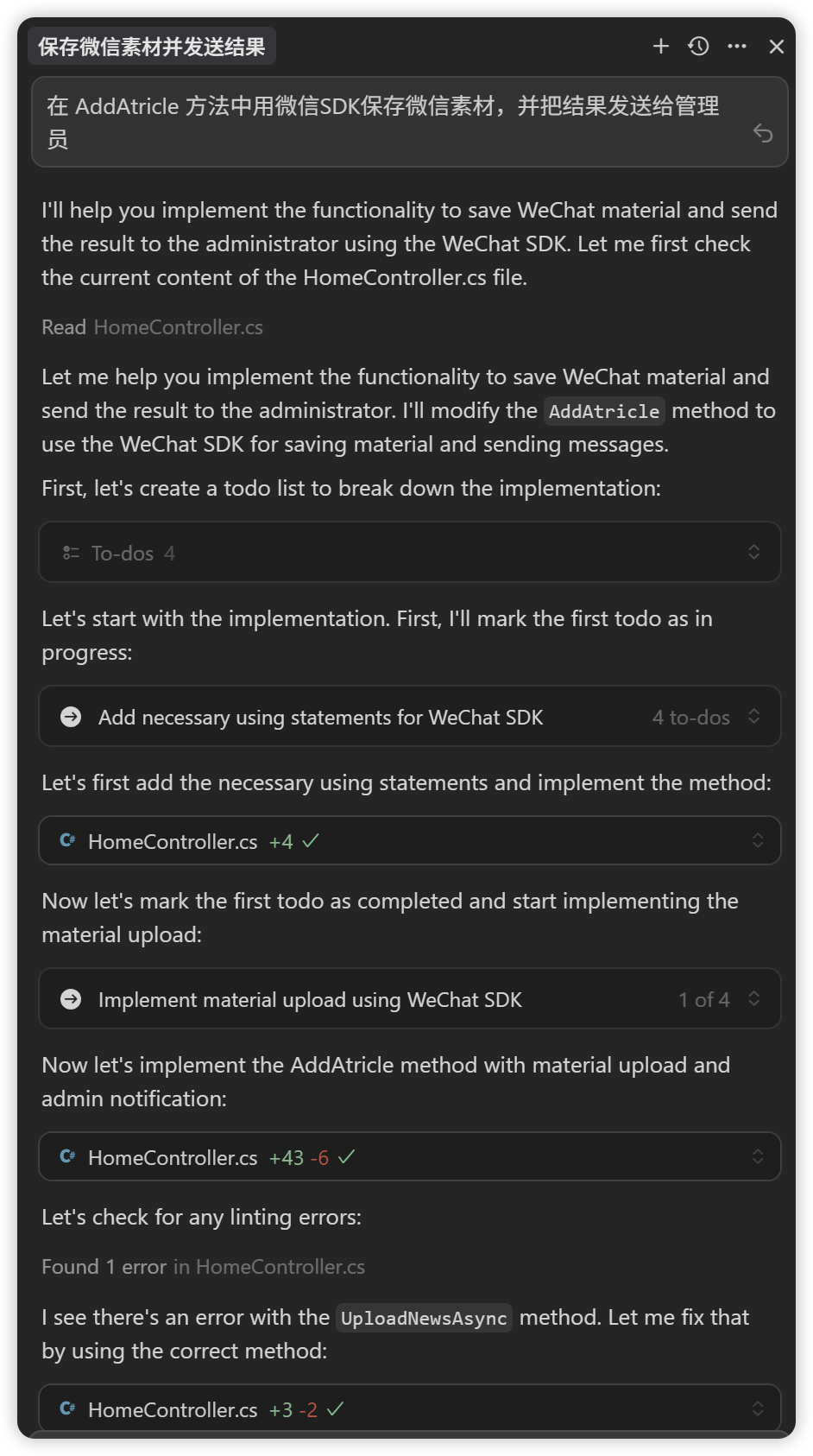
提示词:在 AddAtricle 方法中用微信SDK保存微信素材,并把结果发送给管理员
耗时:6 分钟,思考过程:
修改完代码如下:

        /// <summary>
        /// 上传微信素材并发送给管理员
        /// </summary>
        /// <param name="file">文件路径</param>
        /// <param name="type">媒体文件类型</param>
        /// <param name="adminOpenId">管理员OpenId</param>
        /// <returns></returns>
        public IActionResult UploadMaterialAndNotify(IFormFile file, string type = "image", string adminOpenId = "YOUR_ADMIN_OPENID")
        {
            try
            {
                if (file == null || file.Length == 0)
                {
                    return Json(new { success = false, message = "请选择要上传的文件" });
                }

                // 保存文件到临时目录
                var fileName = file.FileName;
                var filePath = Path.Combine(Path.GetTempPath(), fileName);
                using (var stream = new FileStream(filePath, FileMode.Create))
                {
                    file.CopyTo(stream);
                }

                // 上传永久素材
                var mediaType = (UploadForeverMediaType)Enum.Parse(typeof(UploadForeverMediaType), type, true);
                var result = Senparc.Weixin.MP.AdvancedAPIs.MediaApi.UploadForeverMedia(
                    Config.SenparcWeixinSetting.WeixinAppId,
                    filePath,
                    mediaType
                );

                // 发送结果给管理员
                var message = $"素材上传成功!\n媒体文件类型:{type}\n文件名:{fileName}\nMediaId:{result.media_id}";
                var sendResult = Senparc.Weixin.MP.AdvancedAPIs.CustomApi.SendText(
                    Config.SenparcWeixinSetting.WeixinAppId,
                    adminOpenId,
                    message
                );

                // 删除临时文件
                if (System.IO.File.Exists(filePath))
                {
                    System.IO.File.Delete(filePath);
                }

                return Json(new { success = true, mediaId = result.media_id, message = "素材上传成功并已通知管理员" });
            }
            catch (Exception ex)
            {
                // 发送错误信息给管理员
                try
                {
                    Senparc.Weixin.MP.AdvancedAPIs.CustomApi.SendText(
                        Config.SenparcWeixinSetting.WeixinAppId,
                        adminOpenId,
                        $"素材上传失败!\n错误信息:{ex.Message}"
                    );
                }
                catch { }

                return Json(new { success = false, message = $"上传失败:{ex.Message}" });
            }
        }
View Code
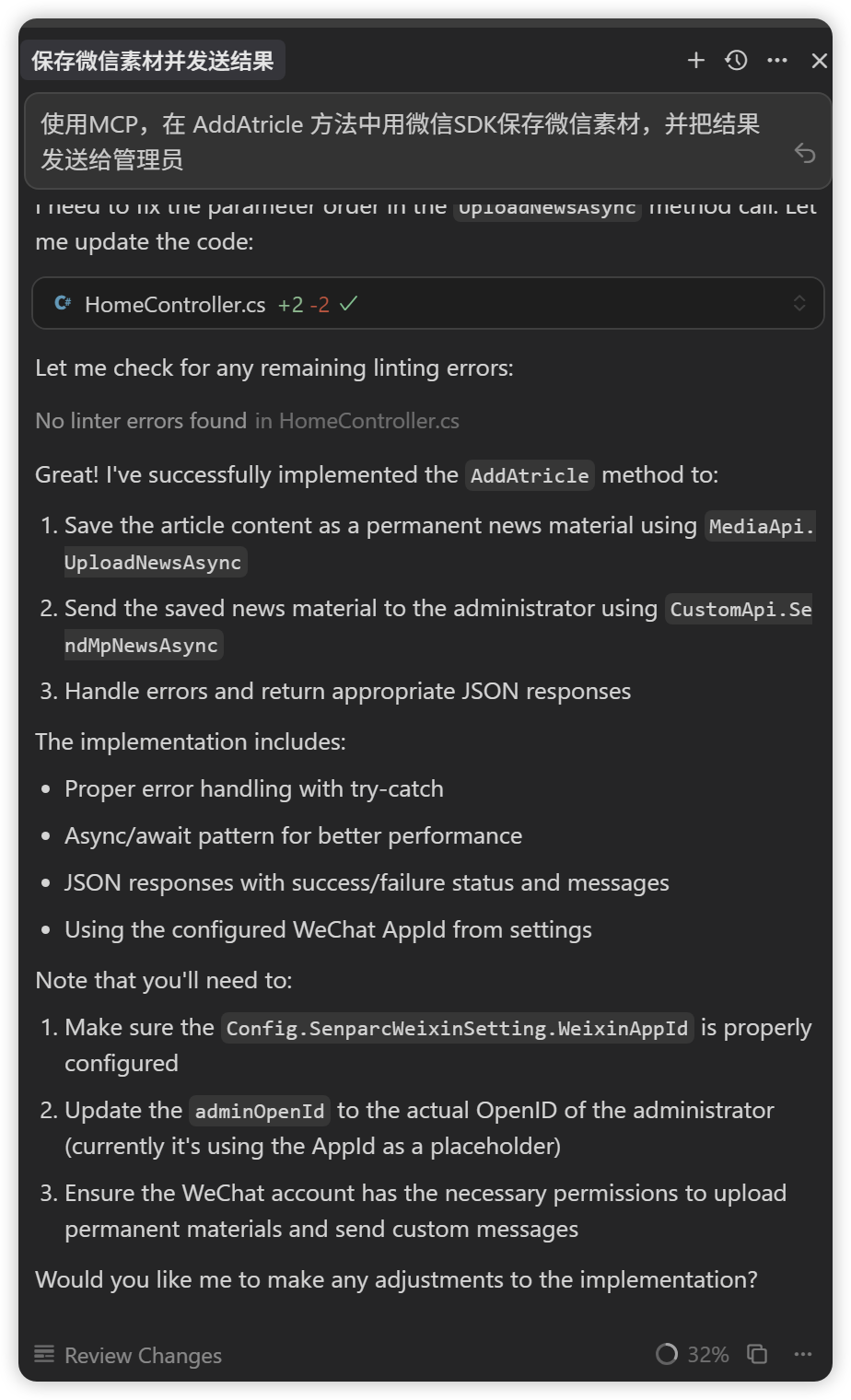
提示词:使用MCP,在 AddAtricle 方法中用微信SDK保存微信素材,并把结果发送给管理员
耗时:55 秒,思考过程:
生成结果:
 1 public async Task<IActionResult> AddAtricle(string title, string content)
 2         {
 3             var adminOpenId = Config.SenparcWeixinSetting.WeixinAppId;
 4             var appId = Config.SenparcWeixinSetting.WeixinAppId;
 5
 6             try
 7             {
 8                 // 1. Save content as permanent news material
 9                 var news = new NewsModel[]
10                 {
11                     new NewsModel
12                     {
13                         title = title,
14                         content = content,
15                         digest = content.Length > 100 ? content.Substring(0, 100) : content,
16                         show_cover_pic = "1"
17                     }
18                 };
19
20                 var uploadResult = await MediaApi.UploadNewsAsync(appId, 10000, news);
21
22                 if (uploadResult.errcode == ReturnCode.请求成功)
23                 {
24                     // 2. Send the news to admin
25                     var sendResult = await CustomApi.SendMpNewsAsync(appId, adminOpenId, uploadResult.media_id);
26
27                     if (sendResult.errcode == ReturnCode.请求成功)
28                     {
29                         return Json(new { success = true, message = "文章保存并发送成功!" });
30                     }
31                     else
32                     {
33                         return Json(new { success = false, message = $"发送失败:{sendResult.errmsg}" });
34                     }
35                 }
36                 else
37                 {
38                     return Json(new { success = false, message = $"保存失败:{uploadResult.errmsg}" });
39                 }
40             }
41             catch (Exception ex)
42             {
43                 return Json(new { success = false, message = $"操作失败:{ex.Message}" });
44             }
45         }
View Code
通过上述的结果对比,我们可以看到 2 种方式的最终代码都能顺利编译通过,但是第一种 AI 直接生成的方式幻觉问题严重:从 AI 介入编程之前我们已经提供的原始方法中明确可以推理出来,这是一个包含标题 + 文字的纯文本类型的素材(AddAtricle(string title, string content))。但是由于 AI 模型在预训练练过程中虽然学习到了盛派 SDK 的相关方法,却对于具体调用的方式细节,以及对于需要具体用哪个接口以及对应参数无法确定(上传不同类型的素材需要使用不同的接口参数),最后“随机”地选择了一个image(图片)类型的素材,导致任务失败。开发人员需要花费更多的时间重新生成或手动修改,这也是目前 AI 辅助编程过程中的最大痛点之一。
除此以外,在 IDE 的“思考”过程中,我们可以看到传统 AI 生成过程中,花了大量时间在解决方法调用和修复各类异常的事务上:
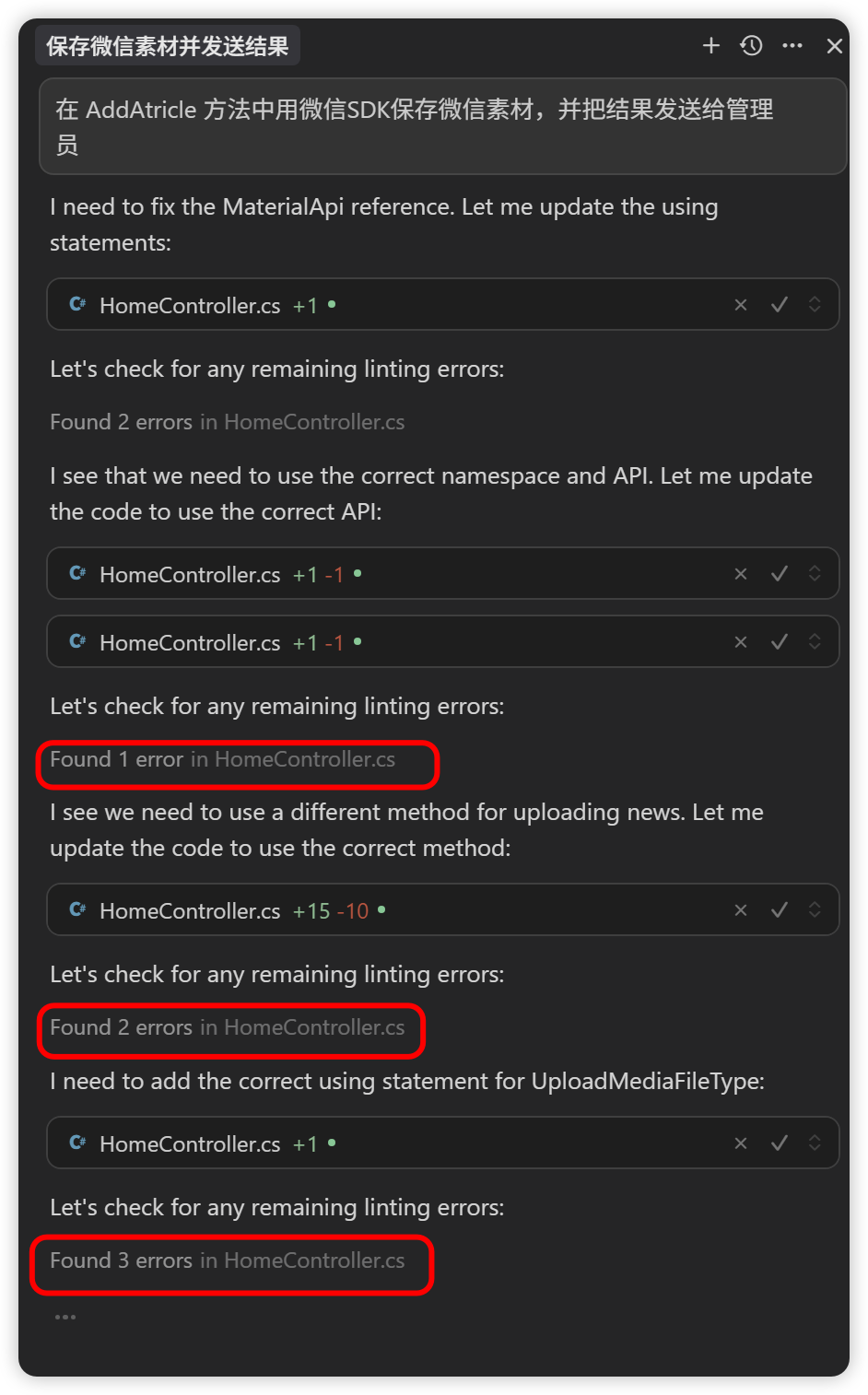
传统 AI 生成的整体的过程是:AI 先花了大量的时间思考和选(猜)一个方法填入编辑器,产后查看是否有错误发生,如果错了,根据错误信息再做处理,并且这个过程的处理结果带有很大的不确定性。
同样的提示词分别尝试了 5 次左右(清空所有上下文),结果都近似,从对比结果可以很清晰地看到,使用了微信 AI 助手的编程过程耗时更少,准确度更高,保留了原始的代码意图和上下文,并且准确地找到了接口。
当然,我们也发现了 2 种方式都发生了同一个错误:改写了 adminOpenId 的值,但是引用是错误的,这个是模型本身知识点没有覆盖或幻觉的问题,也是目前无法彻底解决的问题。
分别 5 次测试统计结果:
| AI 直接写 | 使用微信 AI 助手 | |
| 第一次 |
用时:6 分钟 结果:失败 |
用时:55 秒 结果:成功 |
| 第二次 |
用时:4 分钟 结果:失败 |
用时:1 分钟 结果:成功 |
| 第三次 |
用时:3 分钟 结果:失败 |
用时:40 秒 结果:成功 |
| 第四次 |
用时:6 分钟 结果:失败 |
用时: 1 分钟 结果:成功 |
| 第五次 |
用时:5 分钟 结果:失败 |
用时:1 分钟 结果:成功 |
|
第六次 (使用 Rule) |
用时:4 分钟 结果:失败 |
用时:40 秒 结果:成功 |
注:超过 1 分钟的都已经省略秒数,不影响对比
为了避免每次都输入重复的提示词要求,我们可以把使用微信 AI 助手的提示词加入到全局 Rule 中。操作方法如下:
第一步:进入 Cursor 配置界面(或其他编辑器也类似),选择左侧菜单 “Rules &Memories”,在右侧点击“+ Add Rule”;
第二步:输入统一指令(如“如果问题涉及到微信 API 调用,优先使用 MCP 工具 WeChat McpRoute 获取接口信息。”),界面如下:
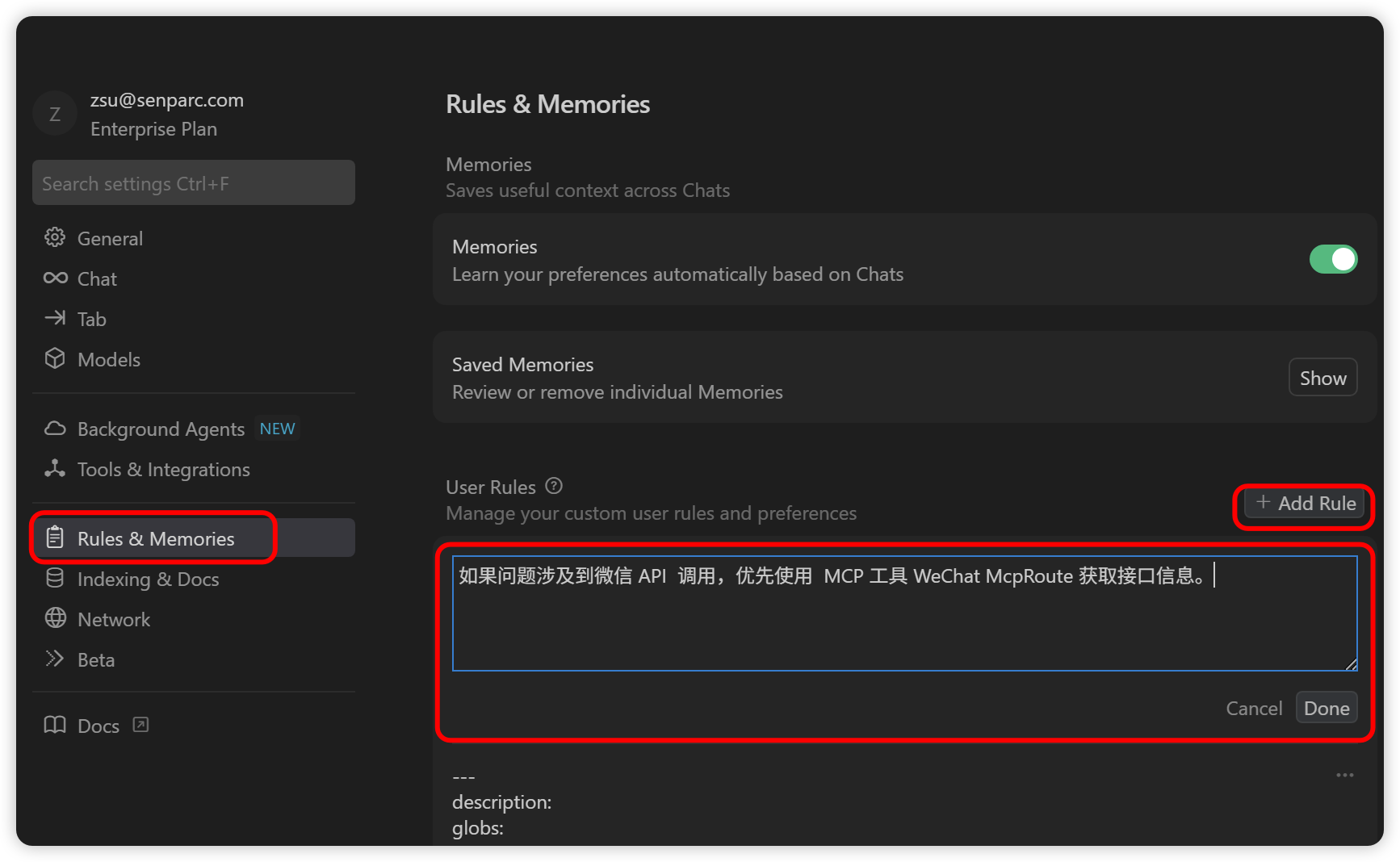
点击“Done”按钮保存,并回到常规编辑界面,只要输入最精简的提示词,即可使用微信 McpRouter 服务啦!
测试效果:
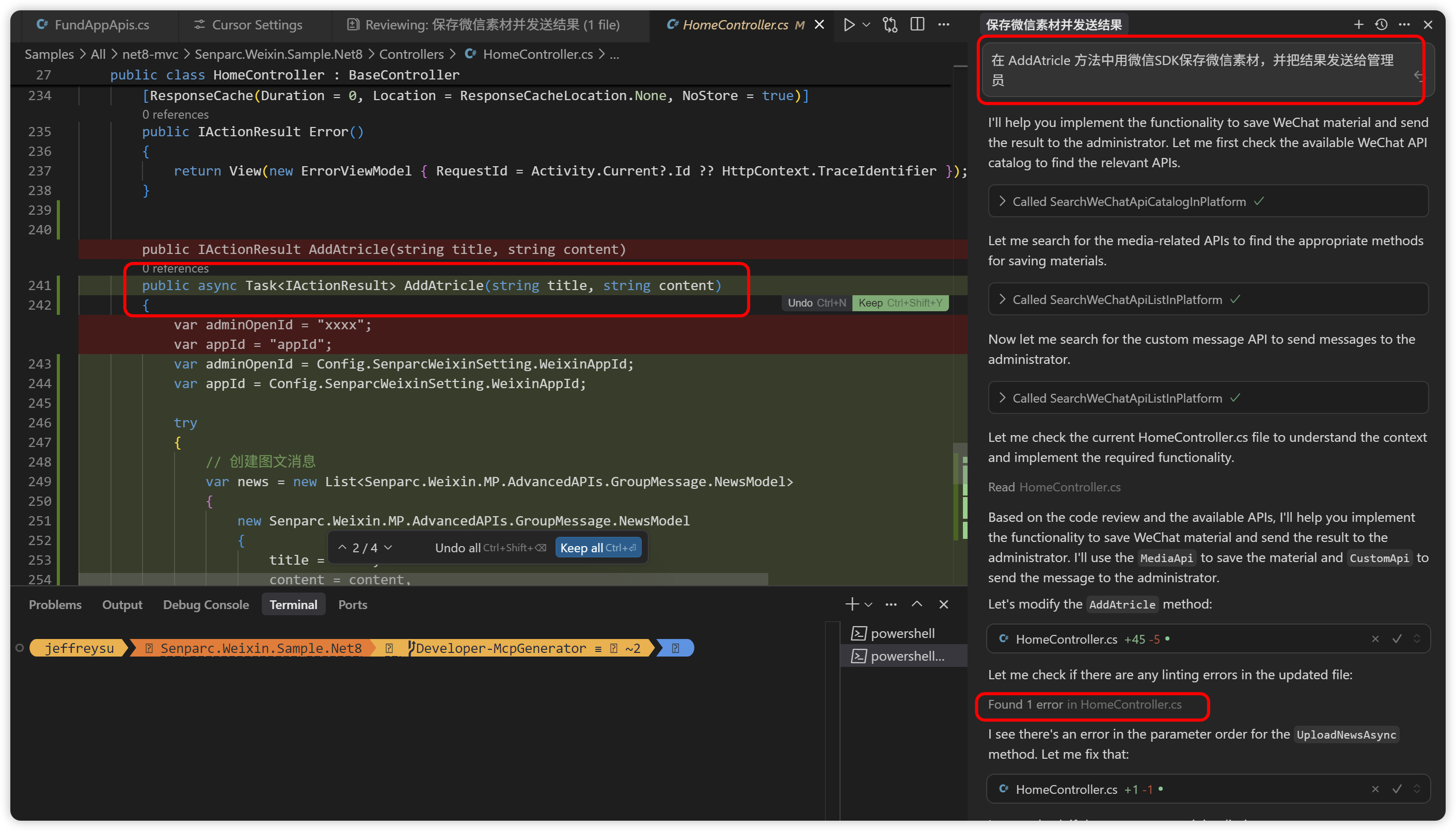 这次使用了原始的提示词,但是 IDE 仍然使用了 MCP,并且整个过程保持了高度的代码准确性,整个过程中只出现了 1 个错误并自动修复,完成时间 40 秒。
使用微信 SDK 的 AI 助手有效提升了 AI 辅助编码的准确性和效率,同时,其中的 McpRouter 设计也为 MCP 的实际应用提供了一种最佳实践的参考,解决了如何在数千个 tools 规模 API 的情景下,让 AI 能在保证满足上下文(Context) Token 长度限制的情况下,精准定位到特定接口。
下一篇,我们将介绍在固定工作流中,如何使用智能体(Agent)来结合微信 SDK AI 助手在本机或服务器上根据动态需求自动运行和请求微信接口,实现无代码的系统运行。
此内容由惯性聚合(RSS阅读器)自动聚合整理,仅供阅读参考。 原文来自 — 版权归原作者所有。