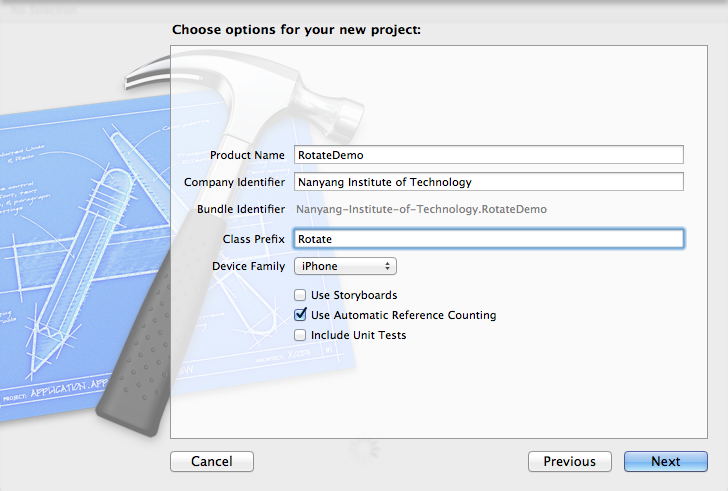
1.新建工程名为RotateDemo , File->New->Project ->single View Application -> next
2.在view视图上添加两个Label,
- #import <UIKit/UIKit.h>
-
- @interface RotateViewController : UIViewController
- {
- UILabel *upLabel;
- UILabel *downLabel;
- CGRect upFrame;
- CGRect dowmFrame;
- }
- @end
- - (void)viewDidLoad
- {
- [super viewDidLoad];
-
- upFrame = CGRectMake(10, 10, 300, 100);
- dowmFrame = CGRectMake(10, 350, 300, 100);
- upLabel = [[UILabel alloc] initWithFrame:upFrame];
- downLabel = [[UILabel alloc] initWithFrame:dowmFrame];
- [upLabel setText:@"在上面"];
- [downLabel setText:@"在下面"];
- upLabel.font = [UIFont systemFontOfSize:48.0];
- downLabel.font = [UIFont systemFontOfSize:48.0];
- upLabel.font = [UIFont boldSystemFontOfSize:48];
- downLabel.font = [UIFont boldSystemFontOfSize:48];
-
-
-
- upLabel.textAlignment=UITextAlignmentCenter;
- downLabel.textAlignment = UITextAlignmentCenter;
- [upLabel setTextColor:[UIColor blackColor]];
- [downLabel setTextColor:[UIColor blueColor]];
-
- upLabel.alpha = 0.9;
- downLabel.alpha = 0.4;
- [self.view addSubview:upLabel];
- [self.view addSubview:downLabel];
- }
⌘「Command 键」+ -> 可以切换视图旋转方向,或者菜单栏点击硬件,在下拉菜单里有旋转方向控制选项,运行结果截图
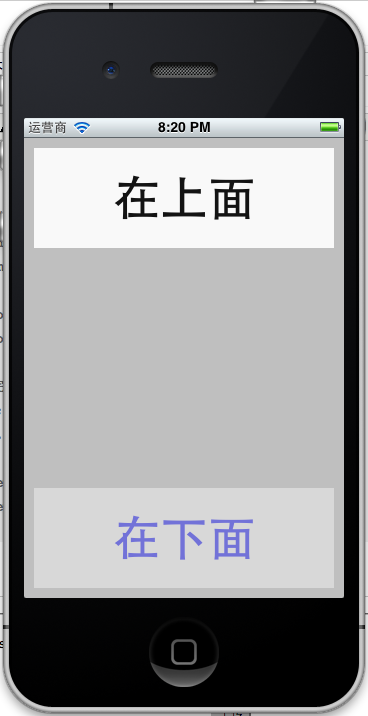
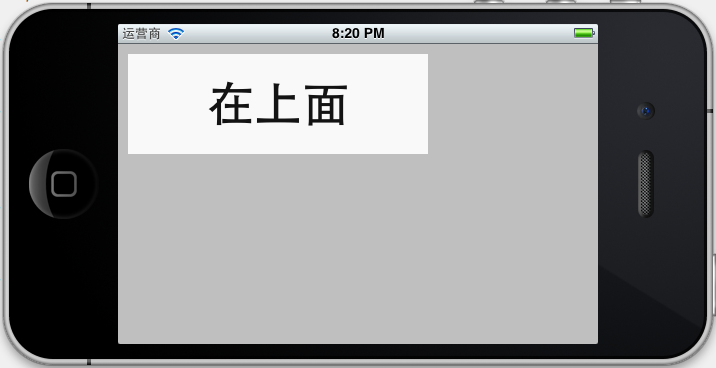
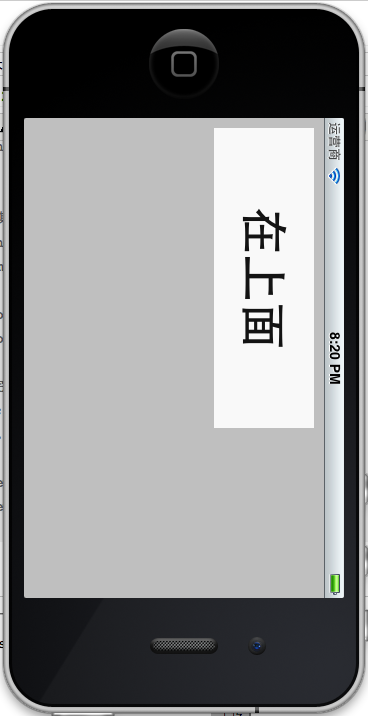
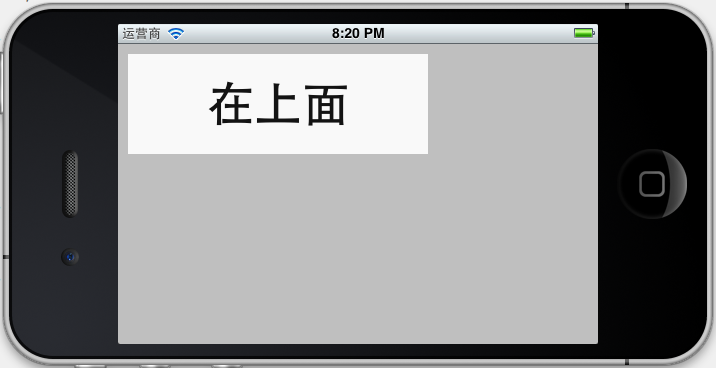
出现这情况是iphone根据重力感应所产生的,view视图发生改变,但是两个label坐标并未改变,所以在下面那个label并未显示出来,还有个 就是当Home方向向上的时候,和第二中情况一样了,label坐标发生变化了,这是针对iphone的特殊情况,当有电话呼入的时候,如果Home键在 上,那么我们的话筒和听筒就反了,主要调用的是这个实例方法
- - (BOOL)shouldAutorotateToInterfaceOrientation:(UIInterfaceOrientation)interfaceOrientation
- {
- return (interfaceOrientation != UIInterfaceOrientationPortraitUpsideDown);
- }
他的意思就是不支持Home键在上方,如果是ipad我们只需return YES;意思支持屏幕任何方向的旋转,
ios设置了四个方向变量
- UIInterfaceOrientationPortrait
- UIInterfaceOrientationPortraitUpsideDown
- UIInterfaceOrientationLandscapeLeft
- UIInterfaceOrientationLandscapeRight
3.重写willAnimateRotationToInterfaceOrientation方法,重新设置控件的大小与位置
- - (void) willAnimateRotationToInterfaceOrientation:(UIInterfaceOrientation)toInterfaceOrientation duration:(NSTimeInterval)duration
- {
- if (UIInterfaceOrientationIsPortrait(toInterfaceOrientation)) {
- upLabel.frame = upFrame;
- downLabel.frame = dowmFrame;
- }
- else {
- upLabel.frame = CGRectMake(90, 10, 300, 100);
- downLabel.frame = CGRectMake(90, 190, 300, 100);
- }
- }
当屏幕出现旋转开始并在动画发生之前自动调用此方法,首先if判断屏幕方向是竖着(UIInterfaceOrientationIsPortrait)的还是横着(UIInterfaceOrientationIsLandscape),toInterfaceOrientation是传入参数,从变量命名意思我们就可以看出是界面方向,此方法是对label进行屏幕不同方向的重新布局,
处理屏幕旋转问题的函数还有几个,他们之间有的放在一起会相互制约,而且在模拟器下只有
- willAnimateRotationToInterfaceOrientation <span style="color: rgb(51, 51, 51); font-family: Arial; line-height: 26px; text-align: left; text-indent: 28px;font-size:16px; ">willRotateToInterfaceOrientation <span style="color: rgb(51, 51, 51); font-family: Arial; line-height: 26px; text-align: left; text-indent: 28px;font-size:16px; ">didRotateFromInterfaceOrientation</span></span>
三个方法可以使用,其他的只能在真机上使用:此处参考的是http://blog.csdn.net/sjzsp/article/details/6364585
//在视图旋转动画前一半发生之前自动调用
-(void)willAnimateFirstHalfOfRotationToInterfaceOrientation:(UIInterfaceOrientation)toInterfaceOrientation duration:(NSTimeInterval)duration
{
}
//在视图旋转动画后一半发生之前自动调用
-(void)willAnimateSecondHalfOfRotationFromInterfaceOrientation:(UIInterfaceOrientation)fromInterfaceOrientation duration:(NSTimeInterval)duration
{
}
//该方法将在视图旋转之前自动调用
-(void)willRotateToInterfaceOrientation:(UIInterfaceOrientation)toInterfaceOrientation duration:(NSTimeInterval)duration
{
}
//该方法在试图旋转完成之后调用
-(void)didRotateFromInterfaceOrientation:(UIInterfaceOrientation)fromInterfaceOrientation
{
}
//在试图旋转动画前一半发生之前自动调用
-(void)didAnimateFirstHalfOfRotationToInterfaceOrientation:(UIInterfaceOrientation)toInterfaceOrientation
{
}
4.若在在视图中添加一张背景图片,图片会不会自动旋转调节大小呢,拖动一张background.png图片到工程中,在ViewDidLoad上添加一下代码,并运行下结果:
- UIImage *image = [UIImage imageNamed:@"background.png"];
-
- UIImageView *backgroundView = [[UIImageView alloc] initWithImage:image];
-
- backgroundView.userInteractionEnabled=YES;
-
-
- [self setView:backgroundView];
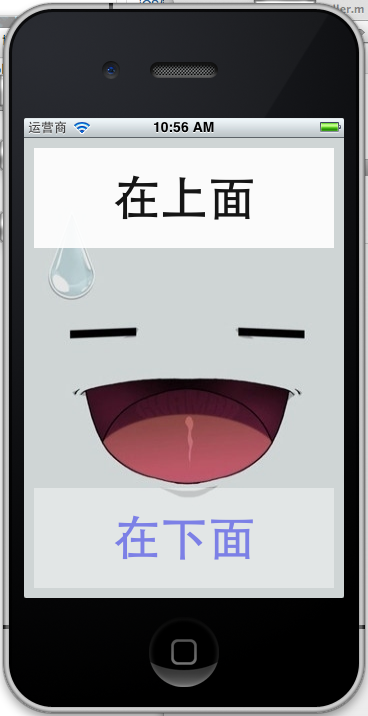
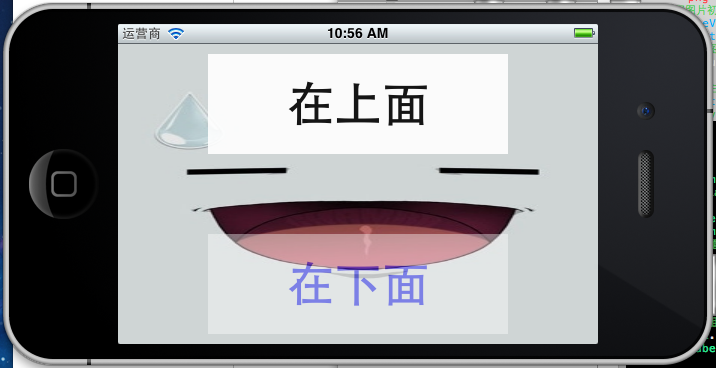
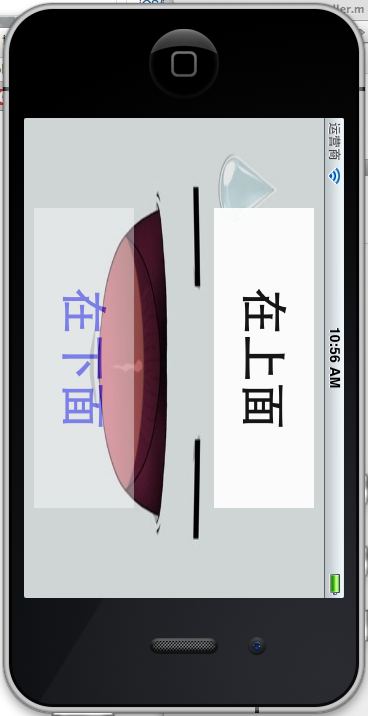
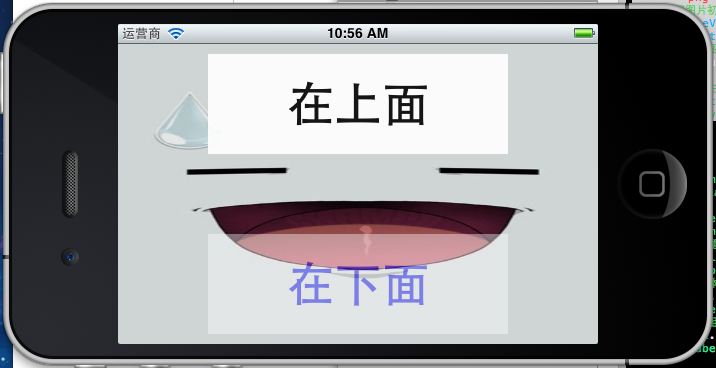
从中我们可以看出,图片是可以根据视图自动调节大小的,但是我想提的一点[self.view addSubview:backgroundView];测试用的是[self setView:backgroundView];他们功能是一样的,不要放在两个[self.View addSubView:upLabel];h和[self.view addSubView:downLabel]后面,否则就会把两个Label给覆盖了,两个label是在backgroundView上没的;
5.对于比较复杂的界面上一种方法就不是那么好控制,如何去实现视图的横向和纵向视图的分离呢,分别设计视图横向模式和纵向模式,然后在实现他们之间的切换操作,代码如下
- #import <UIKit/UIKit.h>
-
- #define degreesToRadians(x) (M_PI * (x) / 180.0)
-
- @interface RotateViewController : UIViewController
- {
- UILabel *upLabel;
- UILabel *downLabel;
- CGRect upFrame;
- CGRect dowmFrame;
-
- UIImageView *backgroundView;
-
- UIView *landscape;
- UIView *portrait;
-
- }
-
-
- @end
viewDidLoad方法
- - (void)viewDidLoad
- {
- [super viewDidLoad];
-
-
- portrait = [[UIView alloc] initWithFrame:self.view.frame];
-
- landscape = [[UIView alloc]initWithFrame:CGRectMake(0, 0,480, 30)];
-
-
-
-
- UIImage *image = [UIImage imageNamed:@"background.png"];
-
- backgroundView = [[UIImageView alloc] initWithImage:image];
-
- backgroundView.userInteractionEnabled=YES;
-
-
-
- upFrame = CGRectMake(10, 10, 300, 100);
- dowmFrame = CGRectMake(10, 350, 300, 100);
-
- upLabel = [[UILabel alloc] initWithFrame:upFrame];
- downLabel = [[UILabel alloc] initWithFrame:dowmFrame];
-
- [upLabel setText:@"在上面"];
- [downLabel setText:@"在下面"];
-
- upLabel.font = [UIFont systemFontOfSize:48.0];
- downLabel.font = [UIFont systemFontOfSize:48.0];
-
- upLabel.font = [UIFont boldSystemFontOfSize:48];
- downLabel.font = [UIFont boldSystemFontOfSize:48];
-
-
-
-
-
-
-
-
- upLabel.textAlignment=UITextAlignmentCenter;
- downLabel.textAlignment = UITextAlignmentCenter;
-
- [upLabel setTextColor:[UIColor blackColor]];
- [downLabel setTextColor:[UIColor blueColor]];
-
-
- upLabel.alpha = 0.9;
- downLabel.alpha = 0.4;
-
-
-
-
- [self.view addSubview:backgroundView];
- [self.view addSubview:upLabel];
- [self.view addSubview:downLabel];
-
-
- }
为了支持任何方向的旋转,shouldAutorotateToInterfaceOrientation,方法的返回值设置成return YES; 然后继续重写willAnimateRotationToInterfaceOrientation方法
- - (void) willAnimateRotationToInterfaceOrientation:(UIInterfaceOrientation)toInterfaceOrientation duration:(NSTimeInterval)duration
- {
-
- if (toInterfaceOrientation == UIInterfaceOrientationPortrait) {
-
-
- self.view = portrait;
-
- upLabel.frame = upFrame;
- downLabel.frame = dowmFrame;
- [self setView:backgroundView];
- [self.view addSubview:upLabel];
- [self.view addSubview:downLabel];
- self.view.transform = CGAffineTransformIdentity;
- self.view.transform = CGAffineTransformMakeRotation(degreesToRadians(0));
- self.view.bounds = CGRectMake(0, 0, 320, 460);
- NSLog(@"----------->down");
- }
- else if (toInterfaceOrientation == UIInterfaceOrientationLandscapeLeft) {
-
- self.view = landscape;
-
- upLabel.frame = CGRectMake(90, 10, 300, 100);
- downLabel.frame = CGRectMake(90, 190, 300, 100);
-
- [self setView:backgroundView];
- [self.view addSubview:upLabel];
- [self.view addSubview:downLabel];
-
- self.view.transform = CGAffineTransformIdentity;
- self.view.transform = CGAffineTransformMakeRotation(degreesToRadians(-90));
- self.view.bounds = CGRectMake(0, 0, 480, 300);
- NSLog(@"----------->Left");
- }
- else if (toInterfaceOrientation == UIInterfaceOrientationPortraitUpsideDown) {
- self.view = portrait;
-
-
- upLabel.frame = upFrame;
- downLabel.frame = dowmFrame;
- [self setView:backgroundView];
- [self.view addSubview:upLabel];
- [self.view addSubview:downLabel];
-
- self.view.transform = CGAffineTransformIdentity;
- self.view.transform = CGAffineTransformMakeRotation(degreesToRadians(180));
- self.view.bounds = CGRectMake(0, 0,320 , 460);
- NSLog(@"----------->up");
- }
- else if (toInterfaceOrientation == UIInterfaceOrientationLandscapeRight) {
-
- self.view = landscape;
-
- upLabel.frame = CGRectMake(90, 10, 300, 100);
- downLabel.frame = CGRectMake(90, 190, 300, 100);
- [self setView:backgroundView];
- [self.view addSubview:upLabel];
- [self.view addSubview:downLabel];
-
- self.view.transform = CGAffineTransformIdentity;
- self.view.transform = CGAffineTransformMakeRotation(degreesToRadians(90));
- self.view.bounds = CGRectMake(0, 0, 480, 300);
-
-
- NSLog(@"----------->right");
- }
- }
self.view.transform = CGAffineTransformIdentity;
self.view.transform = CGAffineTransformMakeRotation(degreesToRadians(-90));
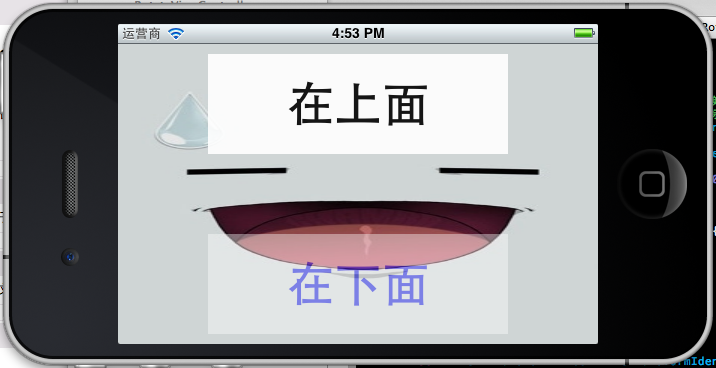
两次修改transform,原因是第一次需要修改transfom属性此处是回复默认状态,每次变换前都要置位,不然你变换用的坐标系统不是屏幕坐标系统(即绝对坐标系统),而是上一次变换后的坐标系统 ,第二次是设置旋转的弧度数,本人再次犯了一个很大低级错误,纠结了两个多小时,和书上一样的代码为什么在Home在上方和Home在下方是屏幕旋转方向不对,这两个方向上视图总是斜着的,郁闷死了,最后才发现是因为CGAffineTransformMakeRotation传参的时候,直接把角度数180和90传进去了,未作弧度装换,你可不要还这样低级错误哦;
最后再把运行截图贴上
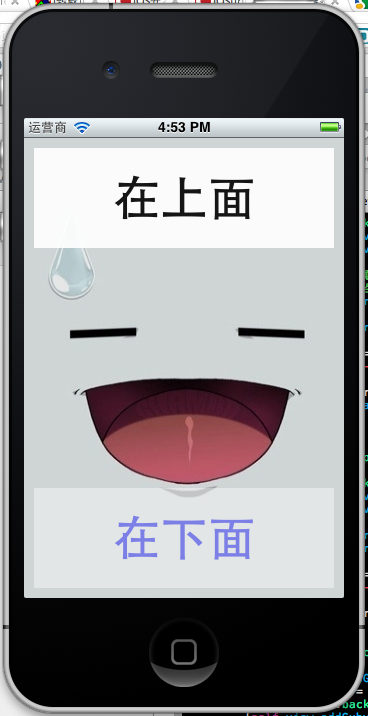
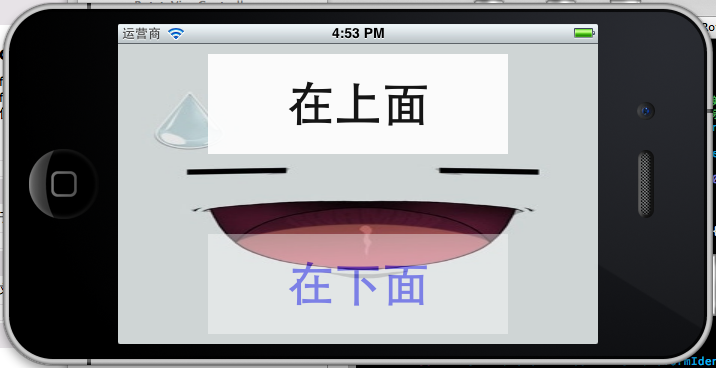
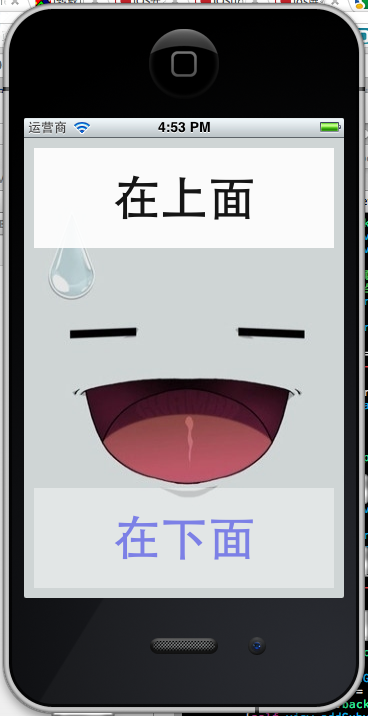
6.还可以使用IB工具,使用Size Inpector实现自动旋转 也可以实现屏幕旋转和大小调节,需要使用控件,在此就不做测试, 附上源代码:http://download.csdn.net/detail/duxinfeng2010/4404812






