


VMware Cloud Foundation (VCF) delivers the compute, storage, and networking services required to power modern cloud environments. In this blog, we focus specifically on the network services available within VCF 9.1 Virtual Private Clouds (VPCs).
Note: For a refresh into the fundamentals of VCF VPCs, check out our previous posts:
Self-service networking with Virtual Private Clouds.
Whether you are deploying simple web apps or complex, multi-tiered architectures, VCF 9.1 equips your VPCs with a complete suite of self-service network tools:
When it comes to connecting your VPCs to the physical data center network, VCF 9.1 offers two distinct architectural modes: Distributed and Centralized.
Choosing the right mode depends on your underlying infrastructure and service requirements.
1. The Distributed Mode
The Distributed mode is built for simplicity and streamlined operations.
While it offers nearly all standard network services (with the exception of VPNs), it drastically reduces architectural overhead.
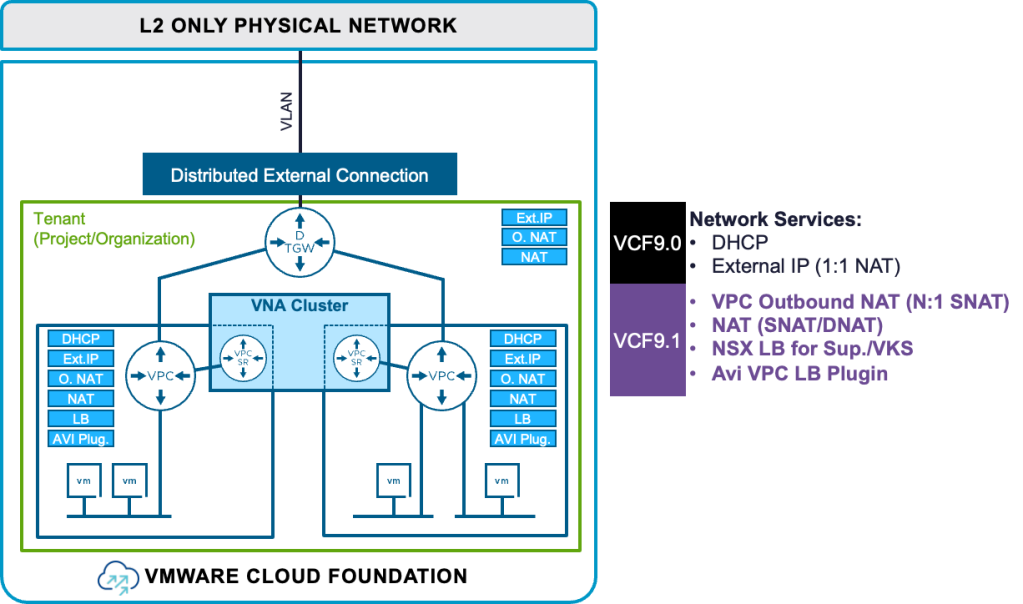
2. The Centralized Mode
The Centralized mode is designed for maximum flexibility and comprehensive feature support, making it adaptable to more complex environments.
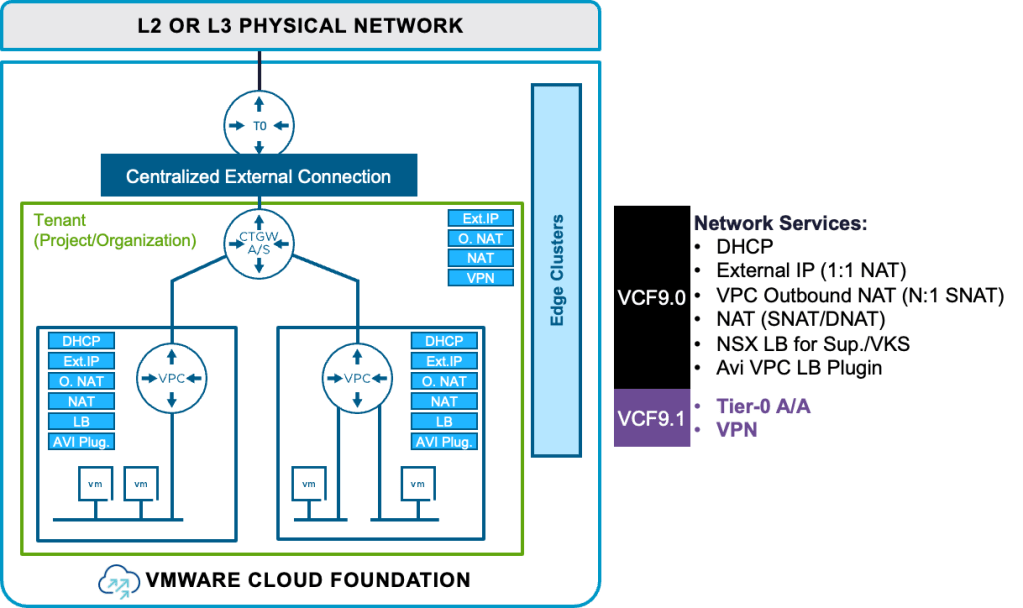
Ready to see these capabilities in action?
Check out our quick demo for a look at provisioning and managing these network services within VCF 9.1.
We will walk you through exactly how easy it is to equip your VPCs with the network services they need to power your applications.
Subscribe to get the latest posts sent to your email.
此内容由惯性聚合(RSS阅读器)自动聚合整理,仅供阅读参考。 原文来自 — 版权归原作者所有。