








When teams discuss building AI products, the conversation usually focuses on GPUs: Should we use NVIDIA H100s or H200s? How many GPUs do we need for our training cluster? Can we get by on A100s with Ampere architecture, or do we need to upgrade to Hopper architecture? Yet while developers fine-tune their GPU clusters and debate compute resources, there’s an under-discussed bottleneck that can render even the most powerful accelerators idle: storage.
Traditional block or object storage wasn’t built for concurrent GPU training, they excel at transactional and bulk I/O, not shared, parallel access. AI training consumes terabytes per hour and needs something different: high throughput, low latency, and dozens of processes accessing the same files simultaneously across different servers. Fortunately, network file storage is evolving to meet these demands through modern protocols and architectures. Read on for an overview of network file storage options—from DigitalOcean to hyperscaler clouds—to consider before your next training run.
Key takeaways:
Network file storage gives you shared file system access across all your compute instances simultaneously, no more copying data between nodes or waiting for GPUs to sit idle during training runs.
The benefits of network file storage include simplified management without babysitting storage clusters, performance that keeps your expensive GPUs actually working, transparent scaling costs, and everyone working from the same dataset.
Network file storage shines for AI/ML training runs, Kubernetes apps that need persistent storage, teams collaborating on the same files, and HPC workloads that can’t wait for data transfers.
Consider DigitalOcean Network File Storage, AWS EFS, Google Cloud Filestore, Azure Files, and IBM Cloud File Storage as network file storage solutions.
Network file storage is a fully managed, scalable solution that provides shared file system access across multiple compute instances over a private network. Think of it as a shared drive that all your compute resources can access simultaneously. Most implementations are POSIX-compliant and deliver high performance and low latency through industry-standard protocols like NFS (Network File System) and SMB/CIFS.
Concurrent access is an advantage for AI and ML workloads. With network file storage, all your GPU nodes can access the same training data at once—no copying files to each machine first.
Think of it this way: you have one dataset mounted in a single location, and 20 GPU nodes all reading from it simultaneously. Without this concurrent access, you’d need to copy that dataset to each node individually, or have nodes wait in line to access it. Either way, your expensive GPUs sit idle while data gets shuffled around. Network file storage eliminates that bottleneck.
💡What is POSIX?
POSIX (Portable Operating System Interface) is a set of IEEE standards that defines how operating systems should behave, originally developed to ensure applications could run across different Unix variants without rewrites.
When a storage system is POSIX-compliant, applications interact with it like a regular file system using standard APIs—you’re not locked into proprietary interfaces or learning new paradigms. This matters for AI/ML because most training frameworks and data processing tools expect POSIX semantics and won’t work properly without them.
Network file storage from cloud providers like DigitalOcean is fully managed—the vendor handles all the infrastructure complexity. You get high-performance, POSIX-compliant shared file access through NFS, without worrying about the underlying systems.
Network-Attached Storage (NAS) is different. With NAS, you’re running the show. Solutions like SoftNAS Cloud NAS deploy as a Linux VM that you manage yourself. You still get enterprise-grade performance and support for standards that include NFS, CIFS/SMB, and iSCSI, but you’re responsible for configuration, updates, and operations. The tradeoff is control versus convenience.
Here’s how network file storage compares to the other major storage options you might be considering: you’ll encounter:
Network file storage provides shared, hierarchical storage accessed through NFS or SMB protocols. It’s POSIX-compliant, so applications interact with it like a standard file system. Multiple compute instances can mount the same file share and read/write simultaneously—critical for AI training when dozens of GPU nodes need access to the same training datasets.
Block storage attaches raw, unformatted volumes directly to a single instance. You format it, partition it, and use it like a local disk. It delivers sub-millisecond latency, which is why it’s used for database storage and VM boot volumes. The limitation? Only one instance can mount a block volume at a time.
Object storage handles unstructured data through API calls rather than file system protocols. You store and retrieve entire objects (files) using HTTP requests. It scales to petabytes easily and costs less than file or block storage, making it good for data lakes, backups, and archives. However, you can’t mount it like a file system or make small edits to parts of files—you read or write entire objects, making it slightly less efficient than other options.
Each storage type serves different purposes depending on your workload requirements. Here’s how they stack up:
| Parameter | Network file storage | Block storage | Object storage |
|---|---|---|---|
| Access protocol | NFS, SMB | iSCSI, Fibre Channel | HTTP/S APIs (S3, etc.) |
| Concurrent access | Yes, multiple instances simultaneously | No, single instance only | Yes, via API calls |
| Latency | Low (milliseconds) | Very low (sub-millisecond) | Higher (varies by implementation) |
| Interface | File system (mount point) | Raw block device (format required) | API calls (GET/PUT objects) |
| POSIX compliant | Yes | Yes (after formatting) | No |
| Best for | Shared datasets, AI/ML training, collaborative workloads | Databases, VM boot disks, single-instance high-performance | Data lakes, backups, archives, long-term storage |
| AI/ML use case | Training data that multiple GPUs access | Local scratch space, checkpoints | Model artifacts, dataset archives |
Network file storage is typically the right choice for AI workloads that need concurrent access across multiple nodes. Block storage works for single-instance scenarios, and object storage serves as a long-term repository once training is complete.
Beyond just solving technical requirements, network file storage changes how teams operate and budget for infrastructure. Here’s what you actually get when you choose a managed solution:
Simplified operations and management. Nobody wants to spend their week patching file system software or troubleshooting mount issues. Managed network file storage handles the infrastructure complexity—provisioning, monitoring, upgrades—so your team can focus on building products instead of babysitting storage clusters.
Performance optimized for AI/ML. High throughput and low latency aren’t just nice-to-have specs—they directly impact your compute costs. When your storage keeps GPUs fed with data instead of waiting on I/O, you’re getting actual work out of hardware that costs anywhere from $2-8 per hour. Minimize idle time, maximize ROI.
Cost-effective and predictable scaling. With providers like DigitalOcean, you can start with 50 GiB and scale up as you need it. There is no massive upfront commitment and no surprise charges for API requests or data access patterns. You provision capacity, and you pay for that capacity—it’s very straightforward.
Concurrent access and data sharing. One dataset, dozens of nodes accessing it simultaneously. No copying files between instances, no syncing across availability zones, no “wait, which version is current?” Network file storage keeps your distributed applications working from a single source of truth.
Network file storage shines when you need multiple systems working on the same data simultaneously. Here are the workloads where shared, concurrent access becomes essential:
AI and machine learning workloads. Training a large language model means feeding terabytes of data to dozens of GPUs simultaneously. Mount one NFS share across your entire cluster, and every node pulls from the same dataset—no copying files to local storage, no stale data, no GPUs sitting idle while waiting for their next batch.
Containerized and Kubernetes applications. Pods restart. They get rescheduled. They scale up and down. Network file storage gives you persistent volumes that multiple pods can mount at once, so your stateful workloads in DOKS or GKE actually maintain their state.
Collaborative workflows and media production. Try coordinating a video editing project when everyone’s working off local copies. Someone’s always working on yesterday’s version, transfers take forever, and nobody’s sure which file is the source of truth. With shared file storage, the entire team edits the live project—no version chaos, no waiting for uploads.
High-performance computing and data analytics. Whether you’re running genomics analysis or financial risk modeling across hundreds of compute nodes, loading datasets to local disk first is a non-starter. Network file storage feeds your HPC cluster directly, keeping nodes busy doing actual computation.
Understanding network file storage is one thing—picking the right provider for your workload is another. Most storage solutions were originally designed for general enterprise use cases, not the unique demands of AI/ML workloads like massive datasets and high-throughput training jobs. Fortunately, the market has matured with distinct options that differ meaningfully in pricing models, performance characteristics, and how they integrate with each cloud’s ecosystem.
| Product | Standout features | Best for | Pricing |
|---|---|---|---|
| DigitalOcean Network File Storage | Start with just 50 GiB and scale in 10 GiB increments; straightforward pricing with no hidden fees; built specifically for AI/ML workloads with 1 GB/s per GPU read throughput | Teams starting with AI/ML who want predictable costs and the flexibility to scale gradually without large upfront commitments | $15/month for 50 GiB ($0.30/GiB-month); no data transfer fees within VPC |
| AWS EFS | Serverless with automatic scaling; multiple storage classes with lifecycle management; cross-AZ replication | AWS-native teams needing petabyte-scale storage with variable access patterns | $0.30/GB-month (Standard storage) plus data transfer costs: $0.03/GB reads, $0.06/GB writes |
| GCP Filestore | Multiple performance tiers; up to 25 GB/s throughput and 920K IOPS at scale; 99.99% SLA (Enterprise tier) | Large-scale HPC and data analytics workloads requiring maximum performance | $0.16–$0.45/GiB-month depending on tier; Custom Performance adds per-IOPS charges |
| Azure Files | SMB and NFS protocol support; Azure File Sync for distributed caching; Active Directory integration | Windows-heavy environments and hybrid cloud deployments needing on-premises integration | $0.06/GB-month (Standard HDD) to $0.20/GB-month (Premium SSD) |
| IBM Cloud File Storage | Flash-backed architecture; graduated IOPS pricing; up to 96,000 IOPS provisioning | IBM Cloud VPC users with specific IOPS requirements | $0.17/GB-month storage plus tiered IOPS charges ($0.000159–$0.000016/IOP-hour) |
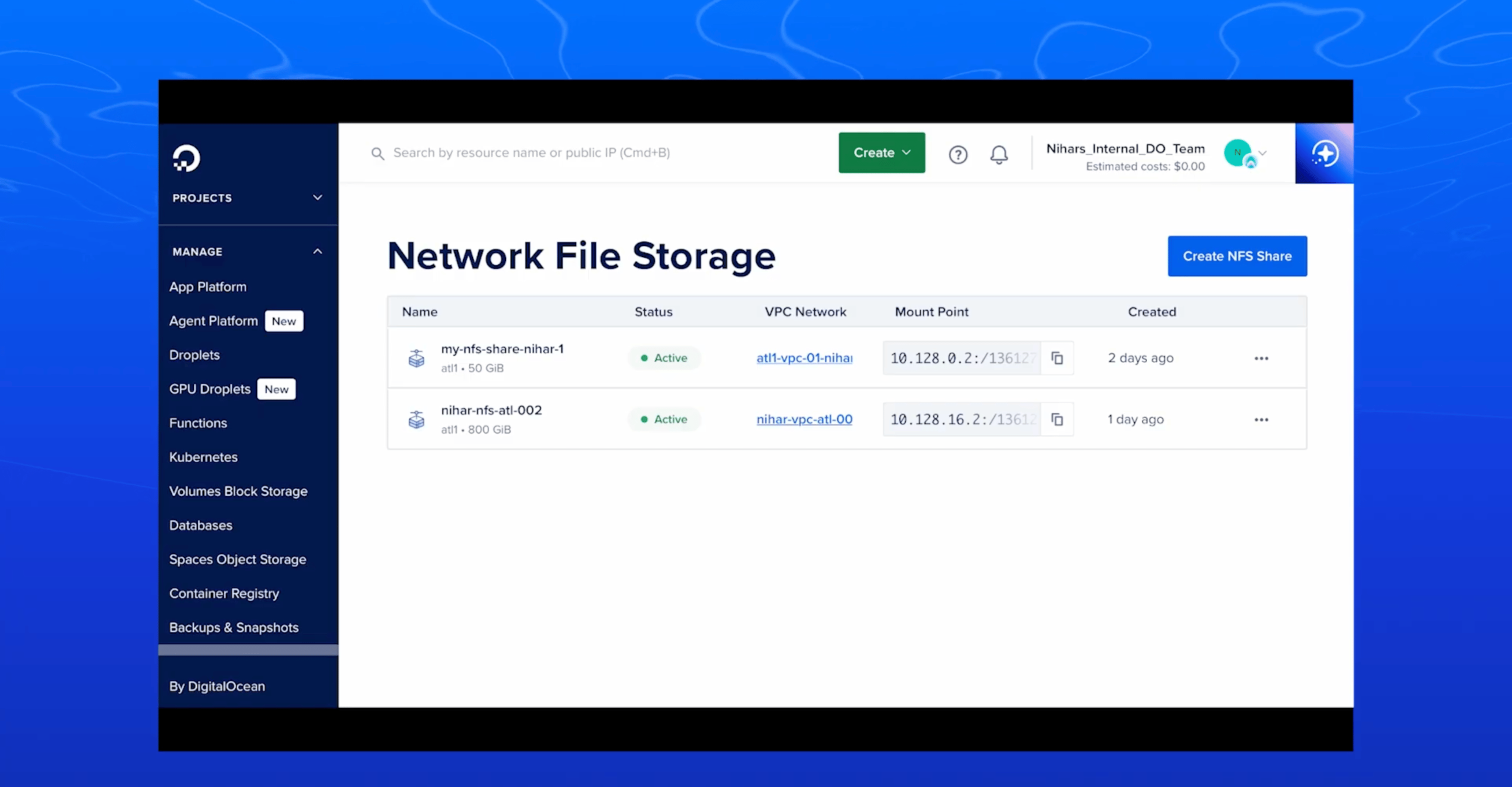
DigitalOcean’s Network File Storage is a fully managed, POSIX-compliant solution designed for AI/ML training, analytics, and other distributed workloads that demand concurrent access and high throughput… Our service supports NFSv4.1 and NFSv4.2 protocols and operates within your Virtual Private Cloud (VPC) for secure, private data transfer. You can mount a single NFS share across multiple GPU Droplets, CPU Droplets, or DigitalOcean Kubernetes (DOKS) clusters, enabling read/write concurrency across nodes in the same VPC.
Performance specs include read throughput up to 1 GB/s, write throughput up to 650 MB/s, and IOPS of 50K reads/30K writes, enough to keep modern GPU clusters fed with training data. The service includes support for snapshots, Snapshots appear in a hidden .snapshot directory for point-in-time recovery, providing read-only access), so you can restore data without disrupting active workloads.
DigitalOcean NFS key features:
Start with just 50 GiB and scale in 10 GiB increments up to 16 TiB, paying only for what you provision with no complex tiering or hidden fees
Flat, transparent pricing with no extra operation or throughput charges
Provision, resize, and snapshot shares programmatically through the DigitalOcean API, enabling infrastructure-as-code workflows
Snapshots stored in a hidden .snapshot directory at the share root provide point-in-time restores without interrupting active workloads or requiring separate backup infrastructure
Native integration with DOKS clusters for persistent volume claims, simplifying stateful application deployment
DigitalOcean NFS delivers predictable multi-Gbps performance without per-operation charges or complex provisioning
Amazon Elastic File System is a serverless, fully elastic file storage solution designed to scale automatically from gigabytes to petabytes without provisioning or managing capacity. The service uses the NFSv4 protocol and operates across multiple Availability Zones within your AWS Region for high durability and availability. You can mount a single EFS file system across thousands of EC2 instances, containers (ECS, EKS, Fargate), or Lambda functions simultaneously, enabling concurrent access where all compute resources work from the same dataset.
The service offers multiple storage classes, including Standard (sub-millisecond latency), Infrequent Access (cost-optimized for quarterly access), and Archive (cost-optimized for annual access), with automatic lifecycle management to optimize costs.
AWS EFS key features:
Elastic Throughput mode delivers performance that automatically scales with workload activity, or optionally provision throughput for predictable high-utilization workloads
Native integration with AWS compute services, including EC2, ECS, EKS, Fargate, Lambda, and SageMaker AI for easy file sharing across your infrastructure
Built-in data protection with EFS Replication for disaster recovery and EFS Backup for point-in-time recovery
Google Cloud Filestore is a fully managed file storage service designed for applications requiring shared file system access. The service uses the NFSv4.1 protocol and offers multiple performance tiers to match workload requirements, from more cost-effective Basic HDD storage to high-performance Zonal configurations. You can mount a single Filestore instance across multiple Compute Engine VMs, GKE clusters, or other compute resources, enabling concurrent access where all workloads share the same file system.
Performance scales from basic workloads up to 100 TB capacity with throughput of 25 GB/s and 920K IOPS for demanding applications like high-performance computing and data analytics. The service includes instantaneous backups and snapshots with recovery in 10 minutes or less.
GCP Filestore key features:
Automatic capacity scaling up or down based on application demand, with Custom Performance options to independently provision IOPS alongside storage capacity
Filestore Enterprise delivers a 99.99% regional availability SLA by replicating data across multiple zones
Native integration with Google Kubernetes Engine through managed CSI driver, supporting stateful and stateless applications with shared persistent volume access across multiple pods
VMware-certified NFS datastores for Google Cloud VMware Engine, enabling independent scaling of storage capacity from vCPUs to right-size compute and storage for VM workloads
Azure Files offers fully managed file shares in the cloud accessible via industry-standard SMB protocol, NFS protocol, and Azure Files REST API. The service enables concurrent mounting across cloud and on-premises deployments, with SMB file shares accessible from Windows, Linux, and macOS clients, while NFS shares are accessible from Linux clients. You can mount a single Azure file share across multiple virtual machines, applications, and containers simultaneously, enabling simple file system sharing without worrying about application compatibility.
SMB Azure file shares can be cached on Windows servers with Azure File Sync for high-performance distributed caching and fast access near where data is being used. The service integrates with on-premise Active Directory Domain Services for identity-based authentication and access control, making it ideal for replacing traditional file servers or lifting and shifting applications to the cloud without re-architecting.
Azure Files key features:
Azure File Sync provides distributed caching by replicating SMB file shares to Windows servers on-premises or in the cloud for performance optimization near data usage locations
Persistent volumes for stateful containers with shared file system access across multiple container instances, regardless of which node they run on
Built-in resiliency and high availability with no local power outages or network issues, plus scripting support via PowerShell cmdlets and Azure CLI for automation
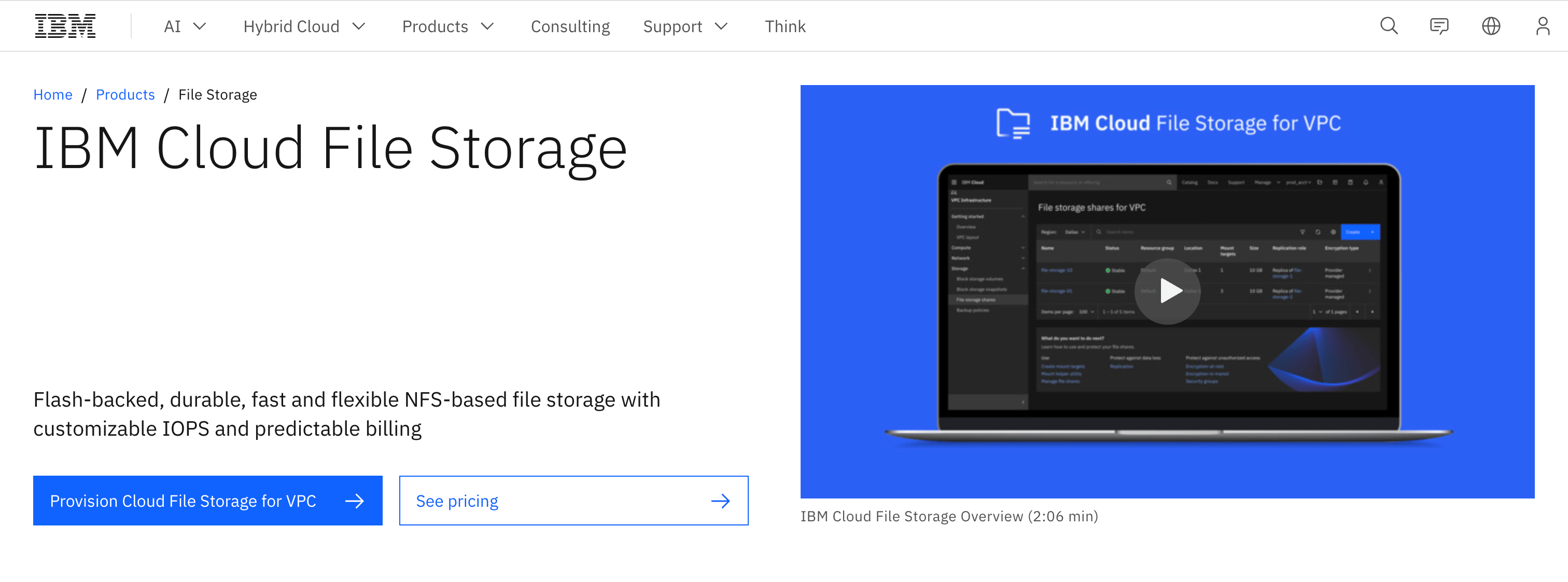
IBM Cloud File Storage provides flash-backed, durable NFS-based file storage with customizable IOPS and predictable billing for applications running on IBM Cloud Virtual Private Cloud infrastructure. The service delivers secure, persistent NFSv4.1 file storage with zonal file shares that can be mounted across multiple IBM Cloud Virtual Servers simultaneously. You can create file shares ranging from 10 GB to 32,000 GB and provision performance from 100 to 96,000 IOPS, all tailored to match your workload requirements. The flash-backed architecture eliminates the need for complex RAID system configuration while providing enterprise-grade resilience through built-in redundancy and multiple network paths for high availability.
Encryption for data at rest and in transit at no additional cost, with options to bring your own keys or use IBM’s key management services for added security.
IBM Cloud File Storage key features:
Flash-backed storage architecture delivering maximum bandwidth of 1024 MB/s with graduated IOPS pricing that decreases as you provision more performance
Native container storage integration providing scalable, shared file shares accessible across Kubernetes runtimes, including IBM Kubernetes Service (IKS) and Red Hat OpenShift on IBM Cloud (ROKS)
Encryption for data at rest and in transit at no additional cost, with options to bring your own keys or use IBM’s key management services
IBM Cloud File Storage pricing:
Note: Pricing and feature information in this article are based on publicly available documentation as of November 2025 and may vary by region and workload. For the most current pricing and availability, please refer to each provider’s official documentation.
What is network file storage?
Network file storage is a fully managed service that gives you shared file system access across multiple compute instances over a private network. Think of it as a shared drive that all your servers, containers, or GPU nodes can mount and access simultaneously using standard protocols like NFS.
Why do AI/ML workloads need network file storage?
AI training runs consume terabytes of data per hour and require dozens of GPU nodes to access the same datasets simultaneously. Network file storage keeps all your accelerators fed data from a single source instead of copying files to each node, reducing expensive GPU idle time.
What’s the smallest amount of network file storage I can provision?
Most providers require you to start with larger capacity commitments, but DigitalOcean Network File Storage lets you start with just 50 GiB at $15/month and scale in 10 GiB increments as your workloads grow. This means you’re not paying for capacity you don’t need while you’re testing or building out your infrastructure.
What protocols does network file storage support?
Most network file storage solutions support NFS, with some also supporting SMB/CIFS for Windows compatibility. DigitalOcean Network File Storage supports both NFSv4.1 and NFSv4.2 protocols within your VPC for secure, private data transfer.
How do I choose between network file storage providers?
Start with your workload requirements—throughput needs, IOPS, concurrent connections, and integration with your existing infrastructure. If you’re already running on DigitalOcean with GPU Droplets and DOKS, DigitalOcean Network File Storage delivers 1 GB/s read throughput with native VPC integration and transparent pricing starting at $15/month.
Stop letting storage bottlenecks hold back your AI training runs. DigitalOcean Network File Storage gives you the concurrent access and throughput your GPU clusters need, with transparent pricing and none of the complexity that comes with managing your own infrastructure. Whether you’re running your first fine-tuning experiment or scaling to production workloads, we make it straightforward.
What you get:
Fully managed NFS storage that mounts across your entire GPU and CPU fleet
Performance that keeps pace with modern accelerators—1 GB/s reads, 650 MB/s writes
Start small at $15/month for 50 GiB and scale to 16 TiB as your datasets grow
Native integration with DOKS for Kubernetes persistent volumes
Point-in-time snapshots for data protection without downtime
此内容由惯性聚合(RSS阅读器)自动聚合整理,仅供阅读参考。 原文来自 — 版权归原作者所有。