










Note: Pricing and product information are correct as of October 3, 2025, and subject to change.
Search is no longer just about typing keywords and scrolling through endless links. In 2025, AI search engines are changing how we discover, analyze, and verify information. They are useful for researchers, students, analysts, and knowledge workers who need credible answers. Instead of guessing about which source is trustworthy, AI search engine tools can now summarize academic papers, trace citations, compare viewpoints, analyze PDFs, and reason across multiple sources in real time. However, like any AI system, they can still be confidently incorrect, so it’s important to verify sources and cross-check information.
But with so many tools, which truly help with research, and which are just repackaged chatbots with a search bar?
In this article, I tested six AI search engines for research in 2025, using the same set of research-style queries in topics like AI workflows, cloud computing, technology, and scientific reasoning. Each tool was evaluated using identical prompts, and I assessed them based on accuracy of citations, response depth, speed, and usability.
My default search engine is Google Chrome with Google search, which serves as the baseline for comparison. I have excluded broader AI assistants like ChatGPT, Claude, and Google Gemini because this review focuses particularly on AI search engines, rather than general-purpose AI chatbots.
Whether you’re doing academic research, building reports, writing content, or are just tired of shallow search results—you’ll find your ideal AI search companion here.
💡Key takeaways:
AI search engines improve research accuracy and speed by delivering cited, contextual answers from academic papers, forums, technical sources, and other web content.
Each tool serves a different research need: For example, Perplexity for general research depth, Consensus for academic evidence, Phind for coding and technical queries, Felo for multilingual and multimedia search, iAsk for source-based answers, and Komo for exploratory learning.
Most platforms follow a freemium model with basic search for free, while advanced features like deeper analysis, model switching, and privacy controls require paid plans.
An AI search engine is an information retrieval system to understand user queries, index content beyond simple keywords, and deliver contextually relevant, ranked results. AI search engines integrate natural language processing (NLP), large language models (LLMs), machine learning–based ranking, and semantic vector search. Unlike the more traditional keyword-matching search engines you’re likely familiar with, AI search engines can better interpret intent, handle complex or conversational queries, generate synthesized answers, and continuously learn from user interactions to improve relevance and accuracy over time.
Each of the AI search engines approaches research differently and has unique strengths for academic, technical, or general knowledge needs. Based on real testing, I have provided a quick overview of how each one works in practice.
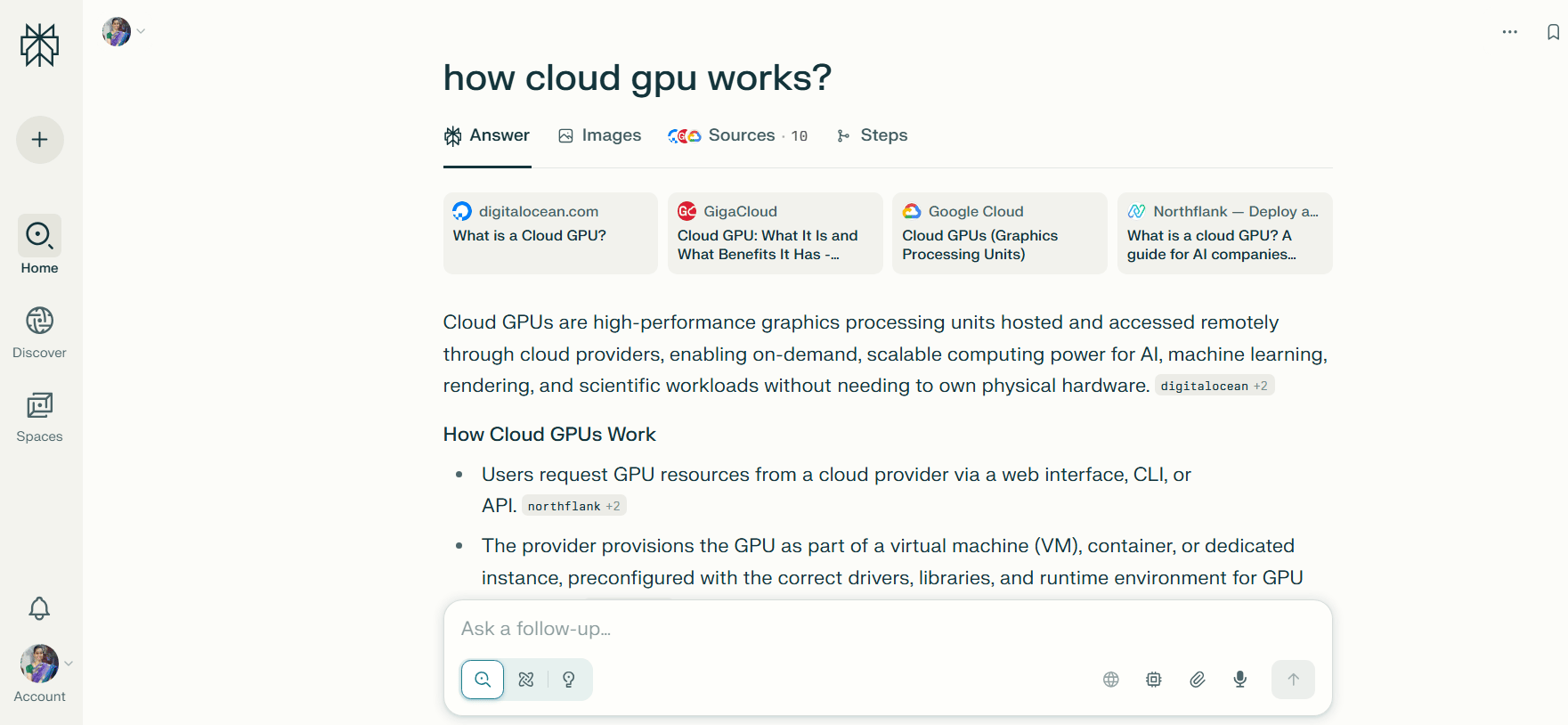
Perplexity is an AI search engine that delivers source-backed answers to questions. Its premium plans offer access to advanced AI models, secure integrations with internal data, sources like Google Drive and Dropbox, and collaboration features such as shared workspaces called Spaces. You can choose between Quick Search for fast answers or Pro Search for deeper, conversational exploration.
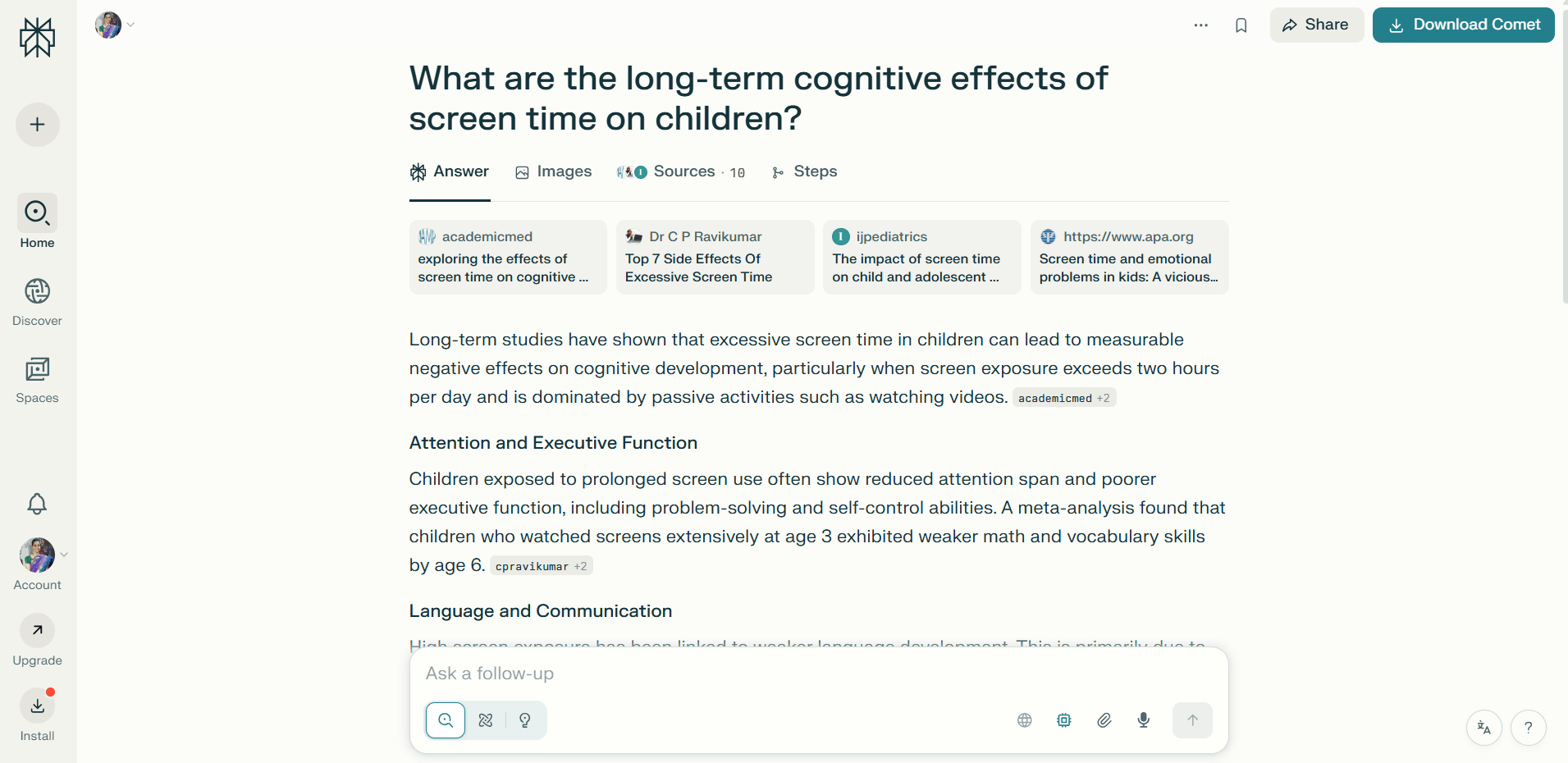
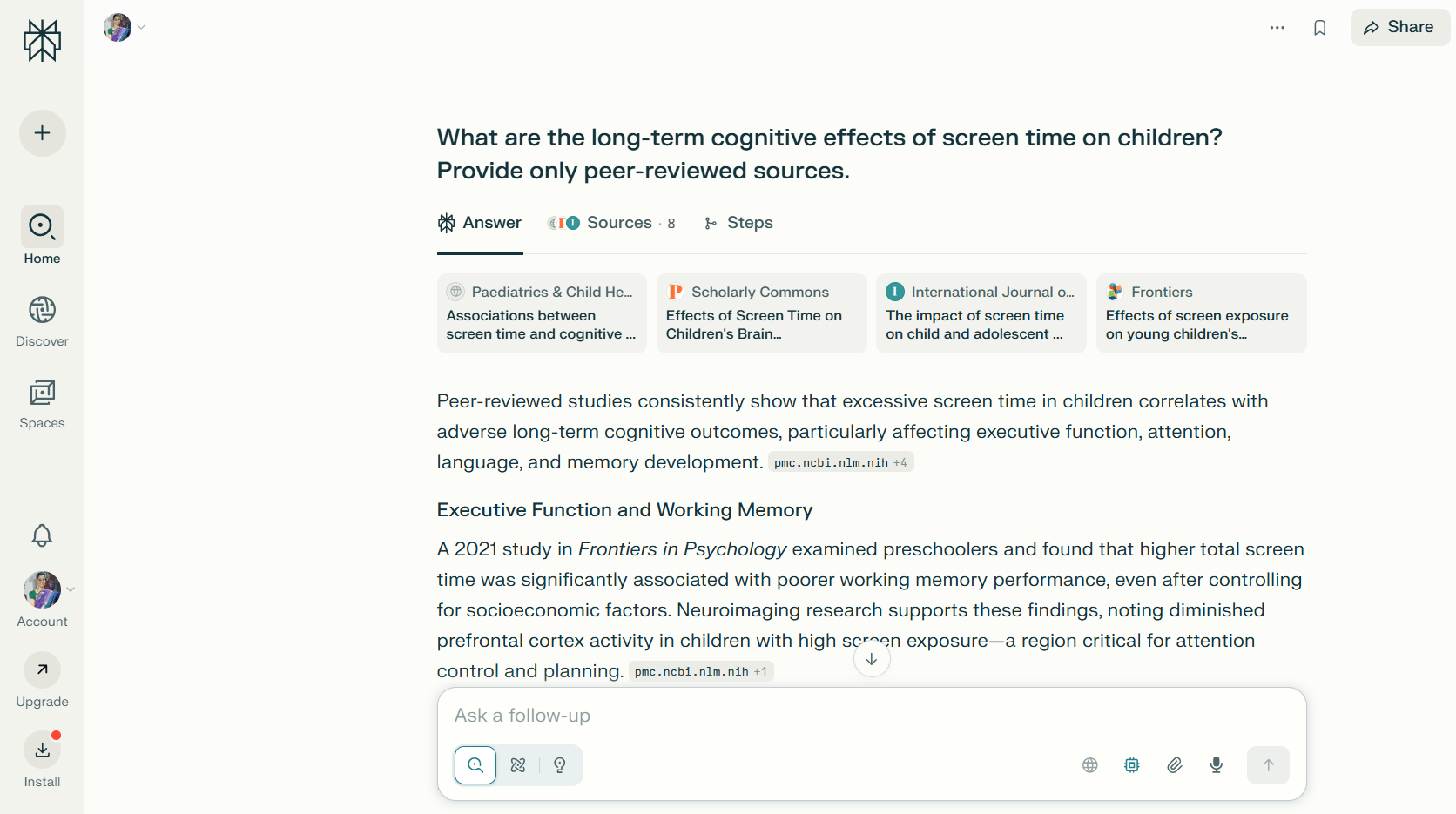
I tried Perplexity, and it’s ideal for speed and citation quality and provides useful depth in follow-up reasoning. Its ability to synthesize information from multiple sources, while transparently showcasing citations referenced, makes it reliable for research-style queries. However, it occasionally misses academic sources unless prompted specifically, and file uploads don’t always retain deep context for long documents. For example, when I ran a prompt on ‘‘effects of screen time on children’’, Perplexity first returned articles from blogs, and fewer from journals. I had to follow up with an additional prompt like ‘’Provide only peer-reviewed sources’’ to limit results to academic sources.
Key features:
Choose which AI models to use (e.g., OpenAI, Claude) and opt for a deeper “Pro Search,” which performs intensive, multi-source synthesis for more thorough responses, ideal for general research, fact-checking, and report writing.
Generate or edit images via prompts, and set up recurring alerts or tasks.
Comet is an agentic browser from Perplexity. It can click, type, autofill, navigate workflows, schedule meetings, and interact across web apps via AI prompts.
Free plan with unlimited quick searches, 5 Pro searches per day, 3 file uploads, and access to the fast AI free model.
The Perplexity Pro plan is priced at $20/month for unlimited free searches and file uploads; 300+ Pro searches per day, and includes $5 worth of API credits.
Perplexity Enterprise Pro with admin controls, team and space collaboration, file repository access, and data privacy safeguards costs $40/month/seat and $400/year/seat. Perplexity Enterprise Max costs $325 per seat/month or $3,250 per seat/year and comes with elevated usage and feature limits, like unlimited Labs and research queries, and video generation (15 videos/month).
💡Want to dive deeper into how Perplexity works? Check out the Perplexity blog post
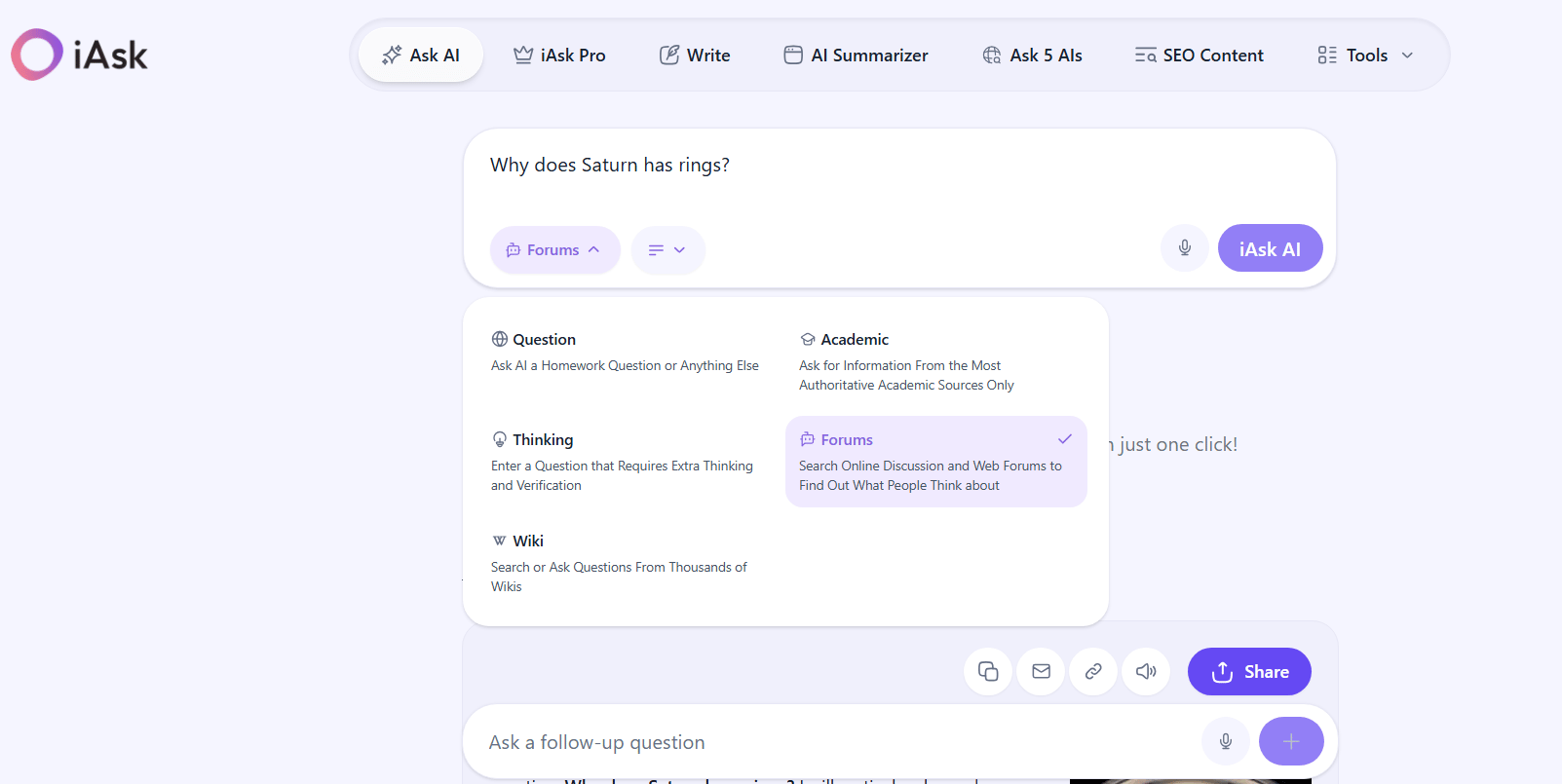
iAsk is a conversational search engine that accepts user queries in natural language and returns factual answers—not just a list of links. It combines language models with NLP to interpret intent, aggregate relevant information in real time, and present a coherent response.
When I tested iAsk, I found the ability to choose the answer source type useful, which includes academic papers, online forums, and wiki-style pages. The result? A clean citation experience, with results included as easy-to-scan footnotes.
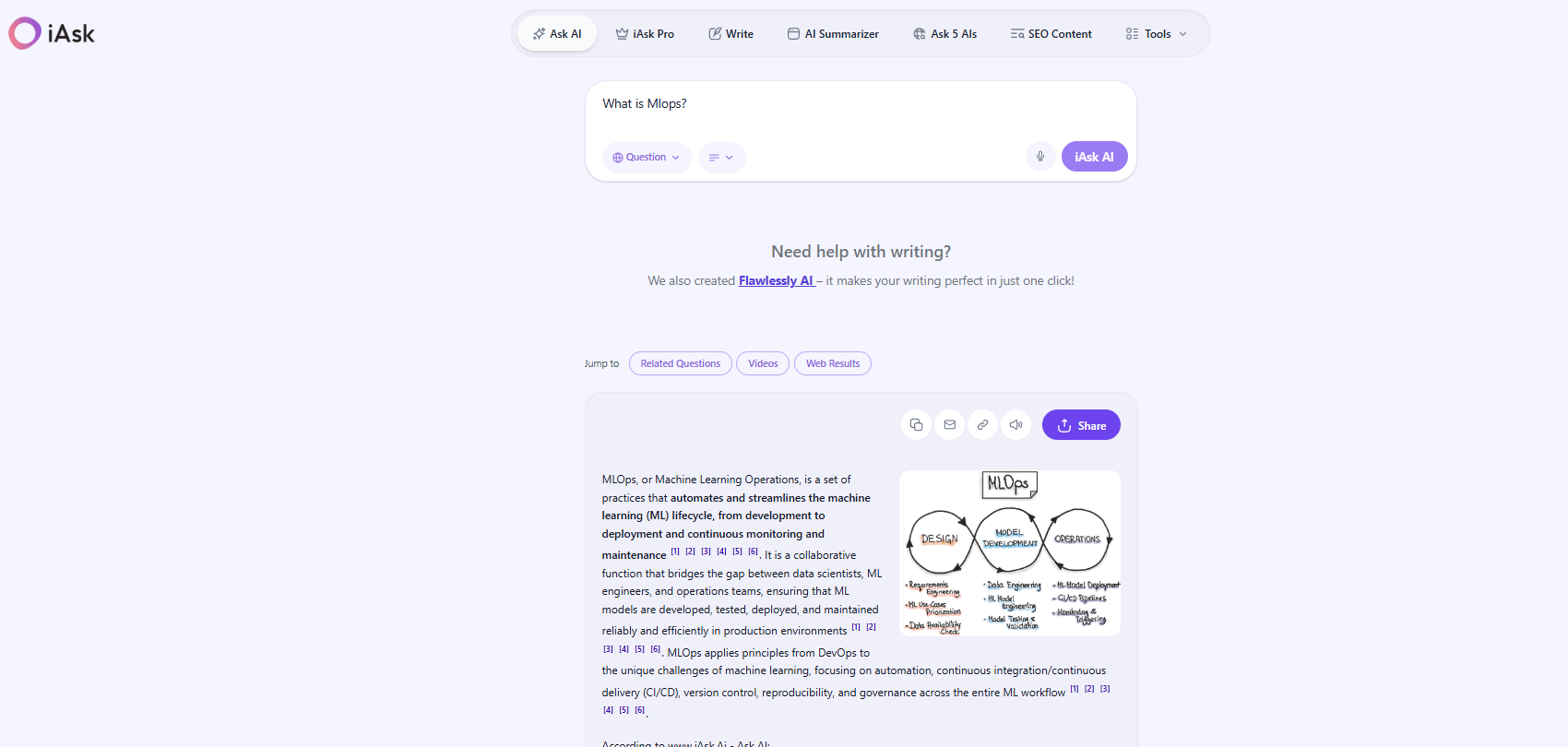
iAsk notably offers three response depth settings for each question: Concise, Average, and Detailed. One limitation I noticed during testing is that response generation can be slow (in my experiments, compared to other AI search engines), which may interrupt research flow.
Key features:
Outputs concise, bullet-point summaries.
Upload files up to 25 MB (PDF, DOCX, TXT, and MD).
Built-in SEO content generator and writing assistant (e.g., “Write” and “SEO Content”) to help draft content optimized for search.
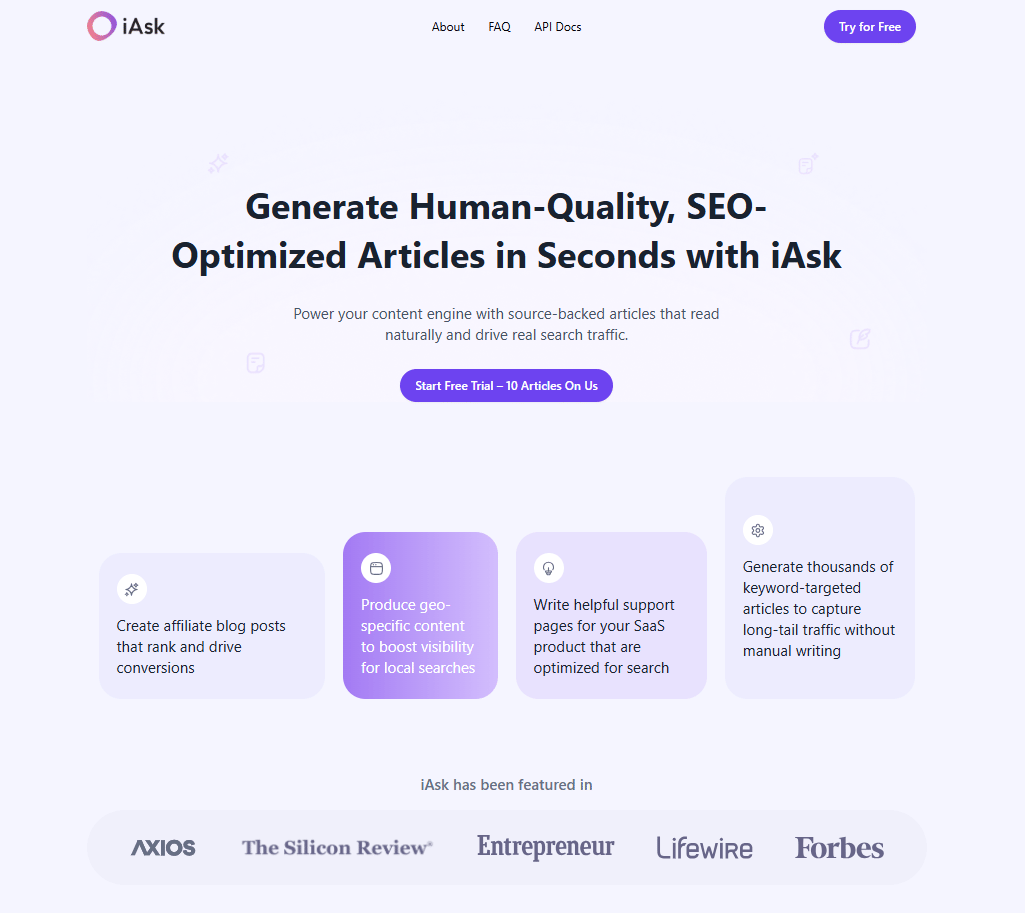
Offers an API for developers and businesses to embed its AI search capabilities into bespoke applications, internal knowledge bases, and domain-specific engines.
Using Ask5, query five major AI models—like Claude, Gemini, OpenAI, Grok, and DeepSeek—and get aggregated responses. The algorithm then reconciles differences, highlights agreement, and presents a more reliable answer.
The iAsk free plan provides basic AI search capabilities with limited advertisements, access to features like writing support (iAsk Writer), summarization tools, and a searchable history.
iAsk Pro costs $9.95/month. In addition to all Free features, the Pro tier provides access to their top-ranked AI model, an ad-free experience, and expanded tools that include a live AI video tutor, a personal AI assistant, document analyzer, image generator (up to 100 images/day), and up to 300 searches per day using the Pro model.
Students with a valid .edu email can access iAsk Pro free for a year.
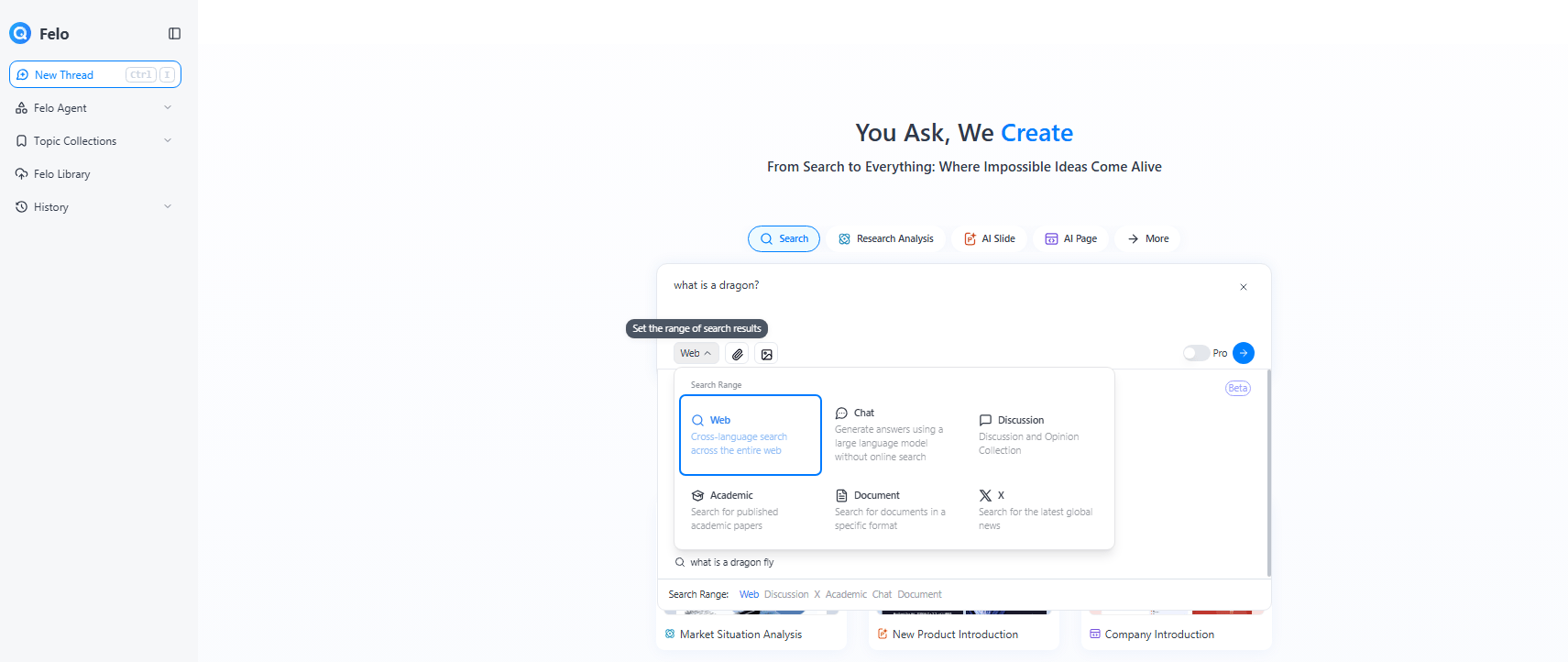
Felo AI is an AI search engine where users post queries in natural language and receive synthesized, source-attributed responses. It bridges language barriers by facilitating searches across multiple languages and delivering results translated into the user’s preferred tongue. The engine integrates AI agents to extend the core search capabilities.
When I explored Felo, I noticed that its responses are organized as bullet points with hyperlinked citations for verification. One unique aspect of using this AI search engine is that it pulls insights from social media platforms like X (Twitter)—though note that this requires using their browser extension. It goes beyond text-based output, with the option to convert answers into a mind map, AI page, or slide deck (slide deck requires subscription), which research organizations may find helpful. I liked that their multi-format responses give options to view answers in text, images, or videos. There’s a smooth toggle between formats and related YouTube video links.
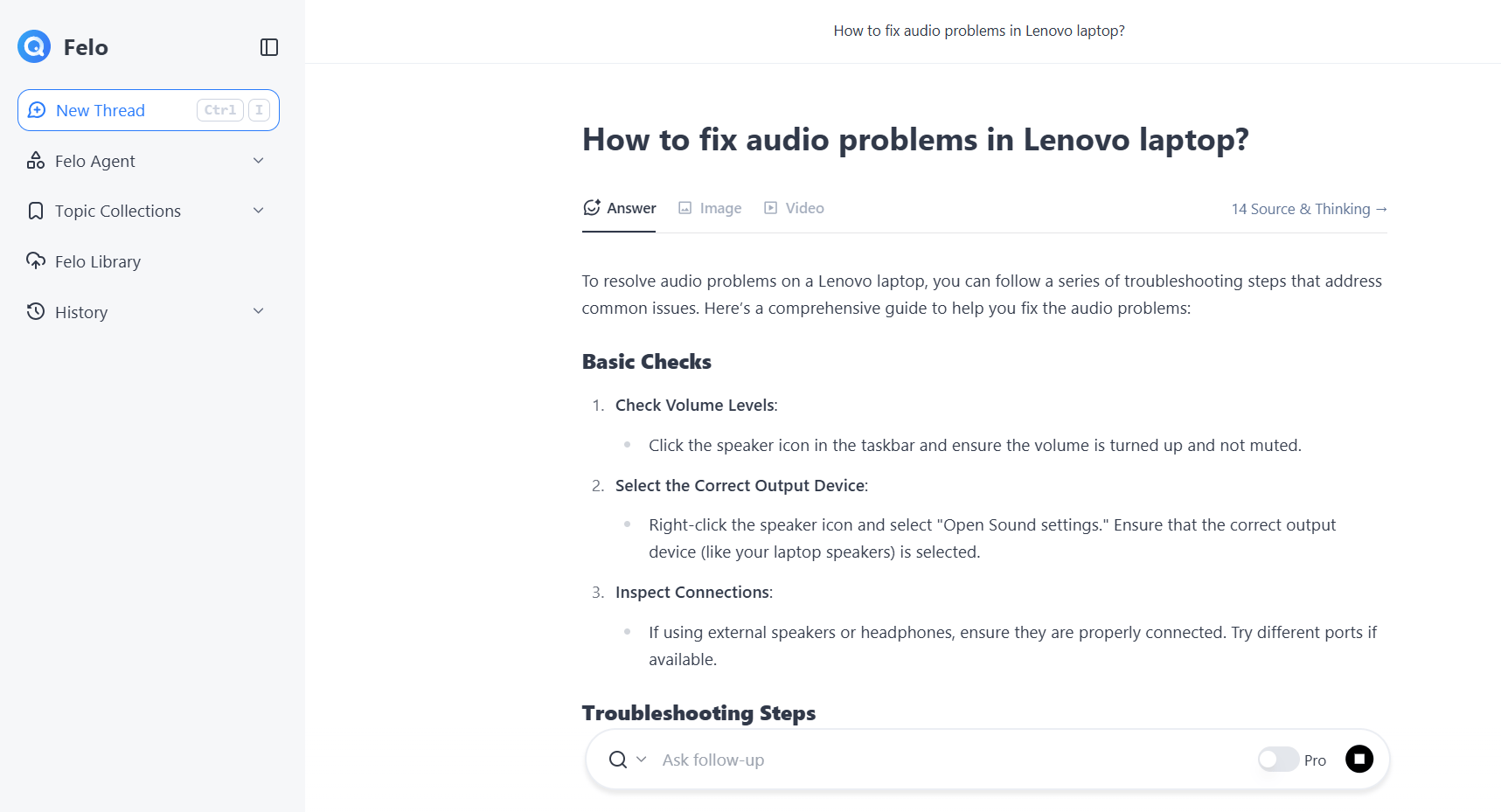
However, as with iAsk, I found it to be slow for simple queries when you’re just looking for quick answers.
Key features:
Submit queries in one language, and Felo translates relevant content crawled into your language.
Build or use prebuilt specialized agents that carry out multi-step operations for tasks like summarization, translation, and research automation.
Convert results into mind maps, generate slide decks (PPT), or produce interactive pages to present complex content in a more digestible format.
Includes a fact-check agent that cross-verifies claims against reliable sources. Adds timeliness via relevant, trending content from social media.
Using the free plan, access high-speed searches, with a 5/day limits for professional searches that use more advanced models.
The Pro plan costs $14.99/month and raises the limit of professional searches to 300/day, and grants access to advanced AI models, including OpenAI O1 and Claude 3.5.
💡Manage Kubernetes smarter with Claude AI. Explore the Claude AI integration with your Kubernetes clusters using the K8sGPT MCP server. Analyze issues and receive detailed, privacy-safe remediation steps in natural language ⬇️
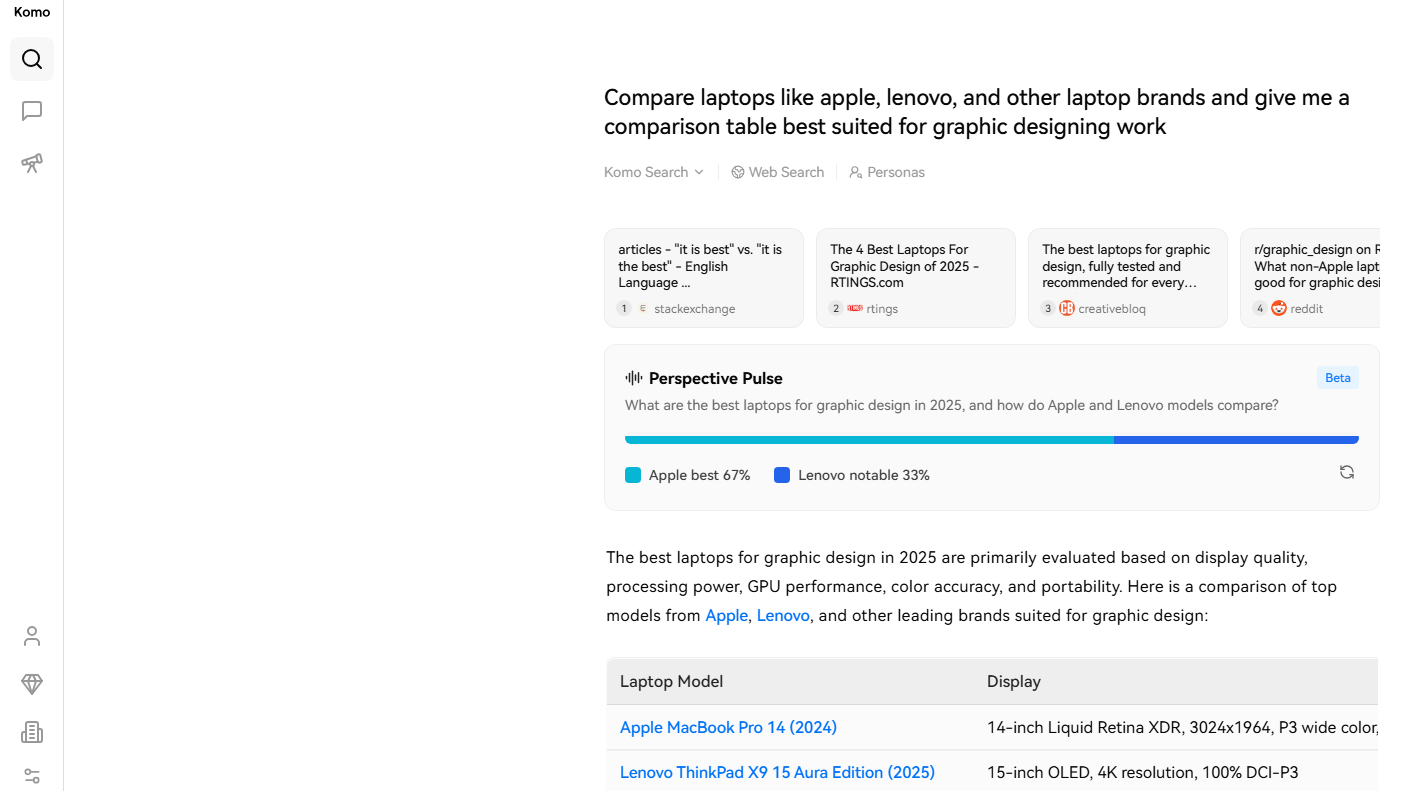
Komo AI blends the features of traditional web search with conversational intelligence. Its chat interface lets users dig into topics, ask follow-ups, and explore related ideas. The Explore feature surfaces what others in the Komo community are discussing, with a Search mode available for more direct queries.
When I tried Komo, I was intrigued by the Perspective Plus (Beta version) feature. It provides a percentage-based overview of how strongly sources support or oppose a query, which adds useful context beyond simple answers. The citation previews also include short explanatory blurbs, making it easier to evaluate source relevance. The Persona options help select responses based on intent, and include a TL;DR summarizer, planner, profile researcher, and quote Collector.
A major caveat to consider: in some cases, the first citation was not relevant to the question I asked. It seemed to pull links based on a few keywords rather than actual context, which might affect reliability for research-focused queries. For example, when I prompted for a comparison of laptop brands for graphic design, the first citation was from StackExchange about English grammar (“it is best” vs. “it’s the best”), which is completely unrelated to the query (refer to the image at the beginning of this section).
Key features:
Pose complex or multi-step questions and receive synthesized, context-aware answers, dialogue style.
Showcases trending topics and discussion threads from within its community, helping users understand current relevance.
Higher tiers grant access to advanced models (e.g., OpenAI, Claude) and mechanisms for Research Mode, which allows deeper, more detailed exploration.
The free plan comes with limited AI search capabilities and daily usage caps.
At $15/month, the Basic plan provides search and access to multiple AI models.
At $30/month, the Premium plan increases query limits and adds advanced tools, such as deeper research mode and fact-checking features.
For teams, a Business plan costs $200/month and offers higher usage limits and collaboration features.
Enterprise pricing is available for organizations requiring custom integrations, security controls, and scalable access.
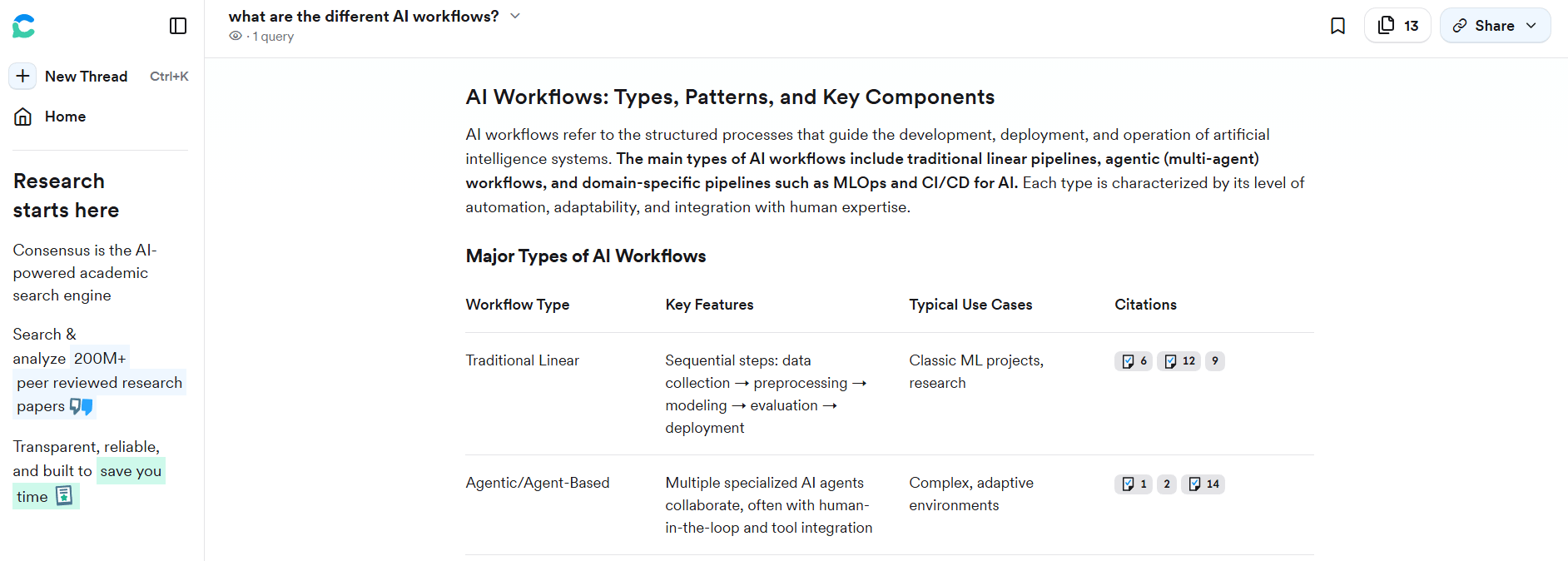
Consensus retrieves answers directly from peer-reviewed academic literature rather than general web content. It provides evidence-based results by searching across a large database of research papers, synthesizing findings into concise summaries. Users can query research questions and filter results by domain—including general research or specific fields like medical science.
Consensus is well-suited for academic research-focused users, like those pursuing a PhD, academic studies, or scientific work. It pulls answers primarily from peer-reviewed journals and scholarly articles, making it especially reliable for evidence-based research. Note that it doesn’t provide general web citations or mainstream sources, which limits its usefulness for everyday queries outside academic contexts.
Key features:
Searches over 200 million academic papers across scientific domains, returning results grounded in published research instead of web articles or opinion content.
Generates AI summaries that link directly to cited studies for users to understand what the research says about a topic.
Built-in tools for table creation, research outlines, and filtering options to search by topic, methodology, or field.
The free tier gives users baseline access to the platform.
The Pro subscription costs $10/month or $120/year and provides unlimited analyses, snapshots, and messages, along with full access to the platform’s research database.
The Deep plan, at $45/month (or $540/year), offers 200 Deep Searches each month.
For organizations, Teams and Enterprise plans are available with custom pricing specific to group sizes, role-based access, billing management, and advanced support.
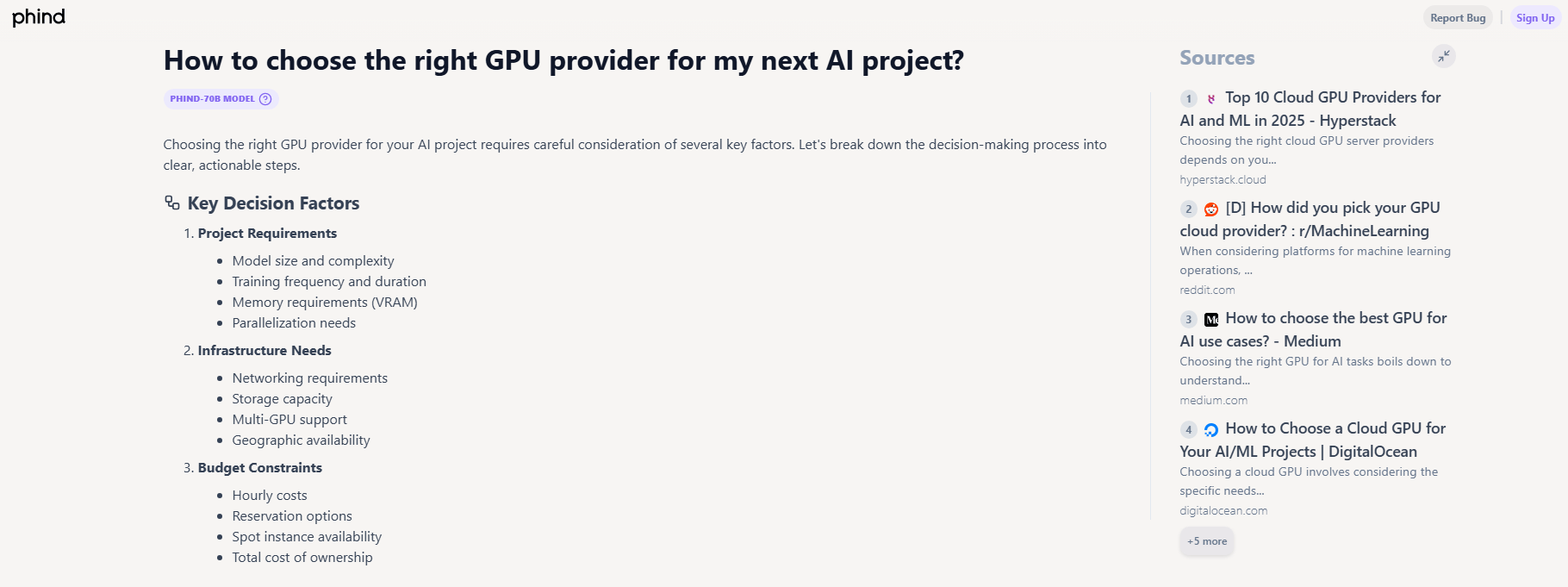
Phind is an AI search engine built for technical research and software development queries. It combines web search with LLMs to generate answers that include code, explanations, and relevant references. Phind is optimized for developers and engineers, helping with tasks like debugging, code generation, algorithm exploration, and documentation lookup.
I found Phind’s interface clean and minimal, making it easy to focus on the results without distractions. Answers are presented in clear, structured bullet points with source links organized in a right-side panel for verification. Note that Phind displays a list of AI models to choose from the dropdown while inputting the query, and this may be confusing for new users who aren’t sure which model best fits their query.
Key features:
Offers multiple AI model choices for users to customize response quality and performance based on their needs, including Phind-70B, Phind-405B, GPT-5, Claude 4 Sonnet, and OpenAI o3.
Retrieves information from developer forums, documentation, and technical blogs, resulting in more accurate responses for programming and engineering queries.
Performs multiple web searches in a single query to refine results and improve factual accuracy in complex problem-solving.
Provides structured responses that make it useful for real-world implementation, including formatted code snippets, terminal commands, and explanations.
The free plan offers basic access to Phind’s core capabilities, including answers powered by its default Phind-70B model.
Priced at $20/month (billed yearly), the Pro plan offers unlimited access to the Phind-405B and Phind-70B models, along with daily usage limits for models like GPT-5 and Claude— in addition to multi-query search, and analysis of images, PDFs, and CSVs,.
At $40/month/user, the Business plan builds on Pro features with a default setting that excludes data from model training, zero data retention for OpenAI/Anthropic integrations, and team management capabilities like centralized billing.
What is the best AI search engine for academic research in 2025? For academic research, Consensus is a good choice because it retrieves answers directly from peer-reviewed journals and academic papers rather than general web pages. It’s designed specifically for researchers, students, and PhD scholars looking for evidence-backed insights.
Do AI search engines provide reliable citations? Yes, but reliability depends on the tool. Perplexity and iAsk provide source-backed answers with citations, while Consensus links directly to academic studies for verification. Some platforms like Komo and Felo also include citations, but relevance and source quality can vary depending on the question. That said, even the most grounded AI tools are not immune to errors or hallucinations, so you should always verify citations before trusting or reusing information.
Are AI search engines better than Google for research? For deep research, AI search engines tend to perform better than Google because they summarize findings, analyze sources, and reduce manual reading time. The conversational search experience and the ability to dig deeper with follow-up questions that these tools offer will help you refine results step by step, close to how you would interact with a human research assistant. Google is suitable for broad web coverage and recency, especially for news and general information.
Can AI search engines replace traditional research databases? No, not entirely. Tools like Consensus are useful for finding academic insights quickly, but they don’t replace full research databases like PubMed, JSTOR, or IEEE Xplore. This is because AI search engines speed up discovery but may miss niche papers or detailed methodologies available in academic repositories.
How do AI search engines ensure accuracy and trustworthiness? Most tools rely on citations and source transparency to build trust. Perplexity cites sources for every response, Consensus uses peer-reviewed studies, and Felo includes hyperlinked evidence and incorporates fact-checking agents. However, you should still verify sources manually for critical research or academic work.
Unlock the power of NVIDIA H100 GPUs for your AI and machine learning projects. DigitalOcean GPU Droplets offer on-demand access to high-performance computing resources, enabling developers, startups, and innovators to train models, process large datasets, and scale AI projects without complexity or significant upfront investments.
Key features:
Powered by NVIDIA H100 GPUs with 640 Tensor Cores and 128 Ray Tracing Cores
Flexible configurations from single-GPU to 8-GPU setups
Pre-installed Python and Deep Learning software packages
High-performance local boot and scratch disks included
Sign up today and unlock the possibilities of GPU Droplets. For custom solutions, larger GPU allocations, or reserved instances, contact our sales team to learn how DigitalOcean can power your most demanding AI/ML workloads.
此内容由惯性聚合(RSS阅读器)自动聚合整理,仅供阅读参考。 原文来自 — 版权归原作者所有。