











String concatenation is a fundamental operation in Python used to combine two or more strings into a single string. There are multiple ways to concatenate strings, each with different performance implications and use cases. This guide explores various techniques, their efficiency, and best practices to optimize string operations in Python.
This tutorial is aimed to explore different ways to concatenate strings in Python.
We can perform string concatenation in the following ways:
+ operatorjoin() method% operatorformat() function+ operator is the simplest way to concatenate strings but cannot add separators without explicitly including them, and it is inefficient for large-scale operations.join() is the most memory-efficient method for combining a list or sequence of strings, especially in loops or when working with large datasets.% operator works for simple concatenation with formatting but is considered legacy syntax. Prefer format() or f-strings for new code.format() is useful for dynamic string building with named placeholders and supports more complex formatting patterns than + or %.+= inside loops for string building. Use a list and join() instead to avoid creating a new string object on every iteration.+ OperatorThis is the most simple way of string concatenation. Let’s look at a simple example.
s1 = 'Apple'
s2 = 'Pie'
s3 = 'Sauce'

s4 = s1 + s2 + s3

print(s4)
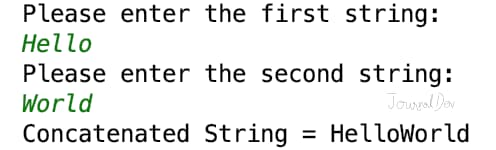
Output: ApplePieSauce Let’s look at another example where we will get two strings from user input and concatenate them.
s1 = input('Please enter the first string:\n')
s2 = input('Please enter the second string:\n')

print('Concatenated String =', s1 + s2)
Output:
Please enter the first string:
Hello
Please enter the second string:
World
Concatenated String = HelloWorld
 It’s very easy to use + operator for string concatenation. However, the arguments must be a string.
>>>'Hello' + 4
Traceback (most recent call last):
  File "<input>", line 1, in
TypeError: can only concatenate str (not "int") to str
We can use str() function to get the string representation of an object. Let’s see how to concatenate a string to integer or another object.
print('Hello' + str(4))


class Data:
    id = 0

    def __init__(self, i):
        self.id = i

    def __str__(self):
        return 'Data[' + str(self.id) + ']'


print('Hello ' + str(Data(10)))
Output:
Hello4
Hello Data[10]
The biggest issue with + operator is that we can’t add any separator or delimiter between strings. For example, if we have to concatenate “Hello” and “World” with a whitespace separator, we will have to write it as "Hello" + " " + "World".
join() functionWe can use join() function to concatenate string with a separator. It’s useful when we have a sequence of strings, for example list or tuple of strings. If you don’t want a separator, then use join() function with an empty string.
s1 = 'Hello'
s2 = 'World'

print('Concatenated String using join() =', "".join([s1, s2]))

print('Concatenated String using join() and whitespaces =', " ".join([s1, s2]))
Output:
Concatenated String using join() = HelloWorld
Concatenated String using join() and spaces = Hello World
% OperatorWe can use % operator for string formatting, it can be used for string concatenation too. It’s useful when we want to concatenate strings and perform simple formatting.
s1 = 'Hello'
s2 = 'World'

s3 = "%s %s" % (s1, s2)
print('String Concatenation using % Operator =', s3)

s3 = "%s %s - version %d" % (s1, s2, 3)
print('String Concatenation using % Operator with Formatting =', s3)
Output:
String Concatenation using % Operator = Hello World
String Concatenation using % Operator with Formatting = Hello World - version 3
format() functionWe can use string format() function for string concatenation and formatting too.
s1 = 'Hello'
s2 = 'World'

s3 = "{}-{}".format(s1, s2)
print('String Concatenation using format() =', s3)

s3 = "{in1} {in2}".format(in1=s1, in2=s2)
print('String Concatenation using format() =', s3)
Output:
String Concatenation using format() = Hello-World
String Concatenation using format() = Hello World
Python String format() function is very powerful and useful when working with dynamic strings and variables.
If you are using Python 3.6+, you can use f-string for string concatenation too. It’s a new way to format strings and introduced in PEP 498 - Literal String Interpolation.
s1 = 'Hello'
s2 = 'World'

s3 = f'{s1} {s2}'
print('String Concatenation using f-string =', s3)

name = 'Alex'
age = 28
d = Data(10)

print(f'{name} age is {age} and d={d}')
Output:
String Concatenation using f-string = Hello World
Alex age is 28 and d=Data[10]
Note: The Data class used in this example is defined in the + operator section earlier in this tutorial. If you are running this snippet independently, define the class before using it.
Python f-string is cleaner and easier to write when compared to format() function. It also calls str() function when an object argument is used as field replacement.
+= OperatorThe += operator appends a string to an existing string.
text = "Hello"
text += " World"
print(text)  # Output: Hello World
This method creates a new string in memory each time, making it inefficient for large-scale concatenation in loops.
| Method | Performance | Best Use Case |
|---|---|---|
| + | Moderate | Small-scale operations |
| join() | High | Concatenating lists or large strings |
| format() | Moderate | Formatting dynamic strings |
| f-strings | High | Readability and performance |
| += | Low | Not recommended for large-scale concatenation |
When working with user input, it’s common to need to concatenate strings to form a complete piece of information. In this example, we’re asking the user to input their first and last names, and then combining them into a single string to display their full name.
first_name = input("Enter first name: ")
last_name = input("Enter last name: ")
full_name = first_name + " " + last_name
print("Full Name:", full_name)
When working with file paths, it’s essential to ensure that the path is correctly formatted for the operating system being used. The os.path.join() function helps in dynamically building file paths by correctly inserting the appropriate directory separator for the current operating system. This approach ensures that the code is portable across different platforms.
import os
folder = "documents"
filename = "report.txt"
filepath = os.path.join(folder, filename)
print(filepath)  # Output: documents/report.txt
When dealing with lists or sequences of strings, it’s often necessary to concatenate them into a single string. The join() method is an efficient way to do this, especially when working with large lists. It allows you to specify a delimiter to separate the elements in the list, making it easy to format the output string as needed.
words = ["Python", "is", "efficient"]
result = " ".join(words)
print(result)  # Output: Python is efficient
| Method | Memory Efficiency |
|---|---|
+ and += |
Low (Creates new string objects) |
join() |
High (Constructs final string in one go) |
f-strings and format() |
Moderate (Creates intermediate objects, optimized in modern Python) |
You can use the + operator, join(), format(), or f-strings.
+= to concatenate strings in Python?Yes, but it’s inefficient for large-scale operations due to memory overhead.
Use +, join(), f-strings, or format().
Example:
string1 = "Hello"
string2 = "World"
result = string1 + " " + string2
print(result)  # Output: Hello World
Using join() for multiple strings, and f-strings for formatted text.
Example:
words = ["Python", "is", "efficient"]
result = " ".join(words)
print(result)  # Output: Python is efficient
Use join():
words = ["Python", "is", "powerful"]
result = " - ".join(words)
print(result)  # Output: Python - is - powerful
+ is simple but inefficient for multiple strings.
join() is optimized for concatenating lists of strings.
F-strings are faster and more readable for formatted strings, especially compared to format().
join() is the most efficient when dealing with multiple strings, followed by f-strings for dynamic formatting.
In this tutorial, you covered five methods for string concatenation in Python: the + operator for simple joins, join() for sequences and lists, % for legacy-style formatting, format() for dynamic placeholders, and f-strings for readable, performant formatting in Python 3.6 and later. You also saw how += works and why it should be avoided in loops.
For most new code, f-strings are the recommended default. Use join() when building strings from a list or iterating over a large dataset.
To continue working with Python strings:
 This work is licensed under a Creative Commons Attribution-NonCommercial- ShareAlike 4.0 International License.
此内容由惯性聚合(RSS阅读器)自动聚合整理,仅供阅读参考。 原文来自 — 版权归原作者所有。