









Vision Language models are one of the most powerful and highest potential applications of deep learning technologies. The reasoning behind such a strong assertion lies in the versatility of VL modeling: from document understanding to object tracking to image captioning, vision language models are likely going to be the building blocks of the incipient, physical AI future. This is because everything that we can interact with that will be powered by AI - from robots to driverless vehicles to medical assistants - will likely have a VL model in its pipeline.
This is why the power of open-source development is so important to all of these disciplines and applications of AI, and why we are so excited about the release of Qwen3.5 from Qwen Team. This suite of completely open source VL models, ranging in size from .8B to 397B (with activated 17B) parameters, is the clear next step forward for VL modeling. They excel at bench marks for everything from agentic coding to computer use to document understanding, and nearly match closed source rivals in terms of capabilities.
In this tutorial, we will examine and show how to make the best use of Qwen3.5 using a DigitalOcean GPU Droplet. Follow along for explicit instructions on how to setup and run your GPU Droplet to power Qwen3.5 to power applications like Claude Code and Codex using your own resources.
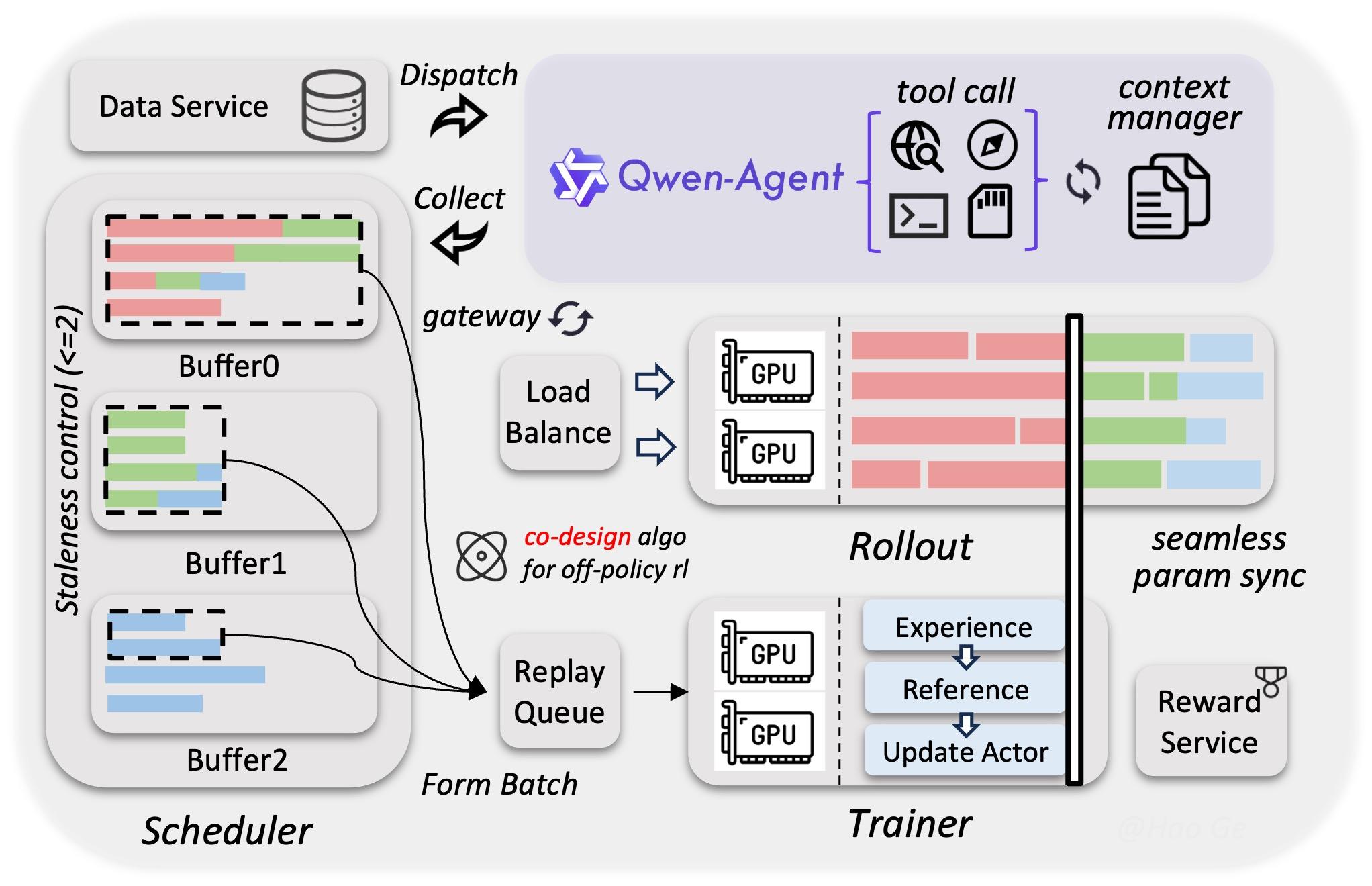
Qwen3.5 is a fascinating model suite with a unique architecture. It “enables efficient native multimodal training via a heterogeneous infrastructure that decouples parallelism strategies across vision and language components” (Source). This helps to make it avoid uniform approaches’ inefficiencies, such as over-allocating compute to lighter modalities, synchronization bottlenecks between vision and language towers, memory imbalance across devices, and reduced scaling efficiency when both modalities are forced into the same parallelism strategy.
By leveraging sparse activations to enable overlapping computation across model components, the system reaches nearly the same training throughput as pure text-only baselines even when trained on mixed text, image, and video datasets. Alongside this, a native FP8 training pipeline applies low-precision computation to activations, Mixture-of-Experts (MoE) routing, and GEMM operations. Runtime monitoring dynamically preserves BF16 precision in numerically sensitive layers, reducing activation memory usage by roughly 50% and delivering more than a 10% training speed improvement while maintaining stable scaling to tens of trillions of tokens.
To further leverage reinforcement learning at scale, the team developed an asynchronous RL framework capable of training Qwen3.5 models across all sizes, supporting text-only, multimodal, and multi-turn interaction settings. The system uses a fully disaggregated training–inference architecture, allowing training and rollout generation to run independently while improving hardware utilization, enabling dynamic load balancing, and supporting fine-grained fault recovery. Through techniques such as end-to-end FP8 training, rollout router replay, speculative decoding, and multi-turn rollout locking, the framework increases throughput while maintaining strong consistency between training and inference behavior.
This system–algorithm co-design also constrains gradient staleness and reduces data skew during asynchronous updates, preserving both training stability and model performance. In addition, the framework is built to support agentic workflows natively, enabling uninterrupted multi-turn interactions within complex environments. Its decoupled architecture can scale to millions of concurrent agent scaffolds and environments, which helps improve generalization during training. Together, these optimizations produce a 3×–5× improvement in end-to-end training speed while maintaining strong stability, efficiency, and scalability (Source).
Getting started with Qwen3.5 is very simple. Thanks to the foresight of Qwen Team & their collaborators, their are numerous ways to access and run the Qwen3.5 model suite’s models from your own machine. Of course, running the larger models will require significantly more computational resources. We recommend at least an 8x NVIDIA H200 setup for the larger models in particular, though a single H200 is sufficient for this tutorial. We are going to use Ollama to power Qwen3.5-122B-A10B.
To get started, simply start up a GPU Droplet with an NVIDIA H200 with your SSH key attached, and SSH in using the terminal on your local machine. From there, navigate to the base directory of your choice. Create a new directory with mkdir to represent your new workspace, and change into the directory.
For this demo, we are going to do something simple: create a Python based video game for one of the most popular Winter Olympics sports: curling. To get started, paste the following code into the remote terminal:
curl -fsSL https://ollama.com/install.sh | sh
ollama launch claude --model qwen3.5:122b
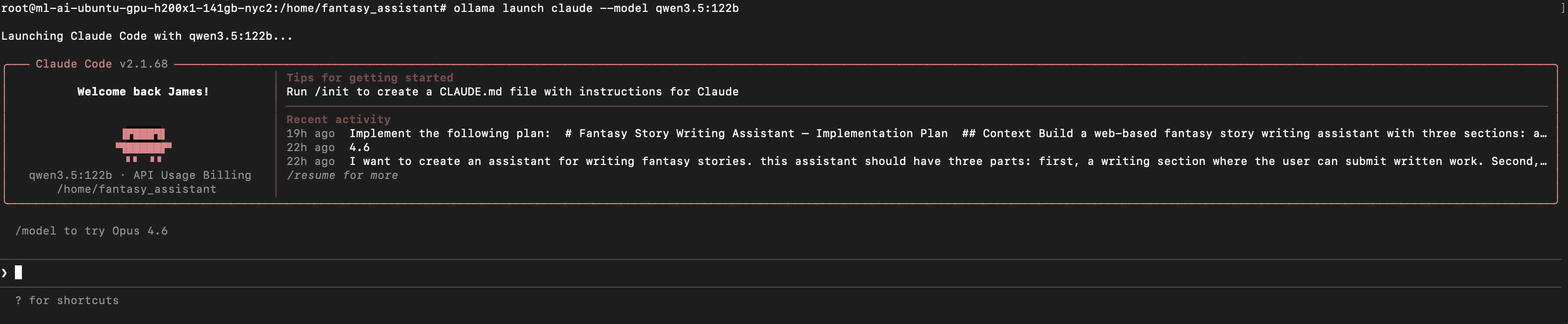
This will launch Claude Code. If everything worked, it should look like above. From here, we can begin giving instructions to our model to begin generating code!
For this demo, provide it with a base set of instructions. Try customizing the following input:
“I want to create a simple game of curling in python code. i want it to be playable on my computer. Please create a sample Python program.
Packages: pygame”
This will give you, if your model ran predictably, a python file named something like “curling_game.py” with a full game’s code inside. Simply download this file onto your local computer, open the terminal and run it with python3.11 curling_game.py. Our game looks like this:
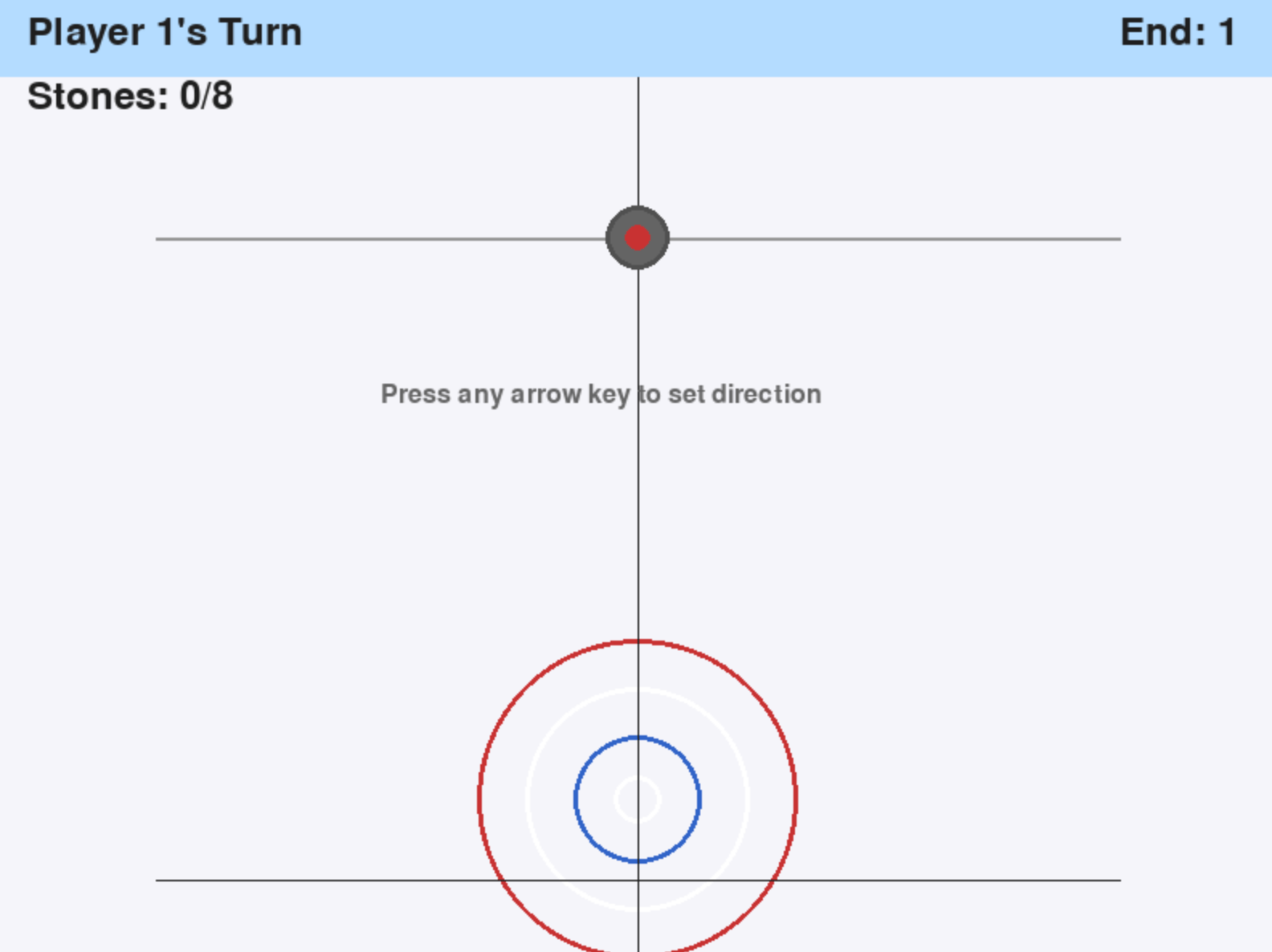
But looks are deceiving: this game is far from playable in the one-shot state. It requires serious work to amend the code to make the game playable, especially for two players. We can either use Claude Code with Qwen3.5 to make those adjustments, switch to an Anthropic Model like Sonnet 4.6 or Opus 4.6, or make the changes manually. From this base state, it took Qwen3.5 over an hour and at least 10 requests to make the game playable. Time was notably constrained by the single H200 GPU deployment we used for this demo, but the code output leaves significant room for improvement nonetheless. We expect that Opus 4.6 could accomplish the same task in a much quicker time frame, given its optimization for Claude Code, relatively superior benchmark scores, and more optimized infrastructure for inference.

We can see a video of the game being played above. As we can see, it still is in a very rough state, but it is for the most part playable. If you want to try it out, this file can be found on Github Gist.
Qwen3.5 VL represents an important step forward for open-source multimodal AI, demonstrating that publicly available models can increasingly rival proprietary systems in capability while offering far greater flexibility for developers. With its scalable architecture, efficient training infrastructure, and strong performance across tasks like coding, document understanding, and computer use, the Qwen3.5 suite highlights the growing maturity of the open AI ecosystem. As tools like GPU Droplets and frameworks such as Ollama make deploying large models easier than ever, vision-language systems like Qwen3.5 are poised to become foundational components in the next generation of AI-powered applications and physical AI systems.
 This work is licensed under a Creative Commons Attribution-NonCommercial- ShareAlike 4.0 International License.
此内容由惯性聚合(RSS阅读器)自动聚合整理,仅供阅读参考。 原文来自 — 版权归原作者所有。