




【更改】,之前上传的下载链接有误,这是新的链接:all-silverlight-vedios-new.rar
Silverlight官网提供了许多的视频,也提供了下载地址,然而一个一个打开网页下载,470多个视频需要多长时间?
既然我们都是程序员,当然要找个办法批量下载。
这是我找出的地址:
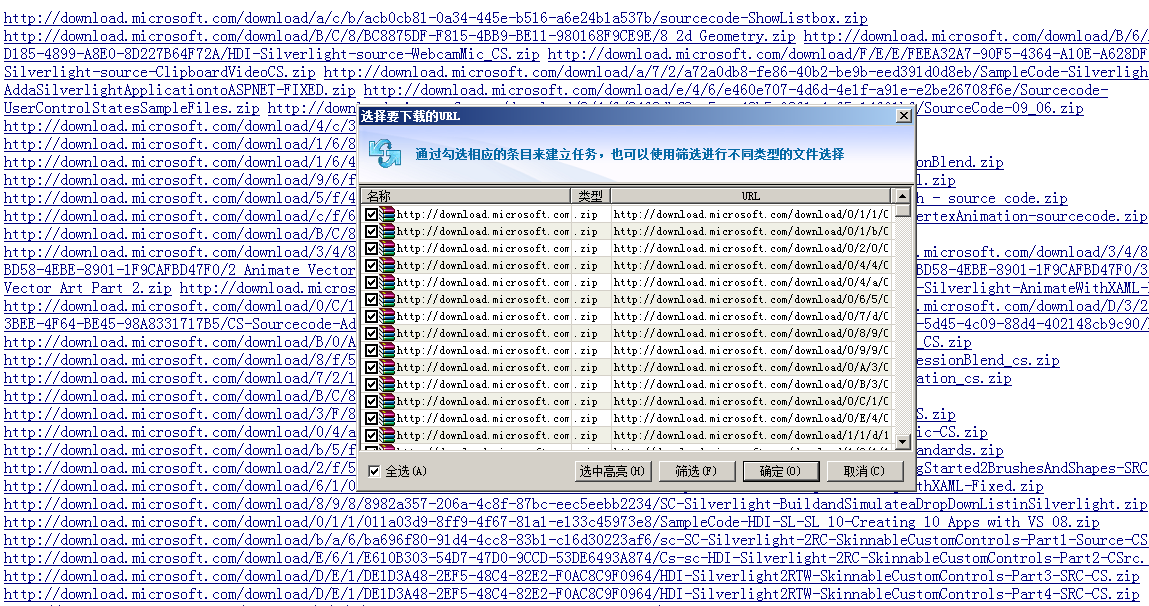
[文件下载] sl批量下载URL.rar
现在来说说如何下载,以下2种方法解决问题
最开始的想法:
1、“爬”网页
既然网页提供下载,那只要“爬”每个SL视频网页,然后用正则解析,自然就OK了。
首先打开SL视频的网页:http://silverlight.net/learn/videos/all/
这里显示了所有SL视频,右键点击,查看网页源代码,看到所有视频的地址都是这样的
<a href="/learn/videos/all/http-request-with-httpwebrequest">....
现在就该上程序,找出所有的地址了
Regex reg = new Regex("<a href=\"(/learn/videos/all/\\S+)\">");
var match = reg.Match(html);
while (match.Success)
{
//anchors.Add(match.Value);
anchors.Add("http://silverlight.net" + match.Groups[1].Value);
match = match.NextMatch();
}
这是我找出的所有连接地址
http://silverlight.net/learn/videos/all/Basic-Animation-Silverlight-3
http://silverlight.net/learn/videos/all/RichTextArea-Part-2
http://silverlight.net/learn/videos/all/Duplex-Services-in-Silverlight-3
http://silverlight.net/learn/videos/all/Change-Styles-Runtime-Silverlight-3
http://silverlight.net/learn/videos/all/Use-Isolated-Storage-SL3-Out-of-Browser
http://silverlight.net/learn/videos/all/Out-Of-Stream-Data-Access
http://silverlight.net/learn/videos/all/Access-Web-Camera-Microphone
http://silverlight.net/learn/videos/all/BiDi-Right-to-Left
http://silverlight.net/learn/videos/all/Right-Click-Mouse-Events
http://silverlight.net/learn/videos/all/Building-Custom-Bitrate-Meter
http://silverlight.net/learn/videos/all/Creating-Custom-Timeline-Markers
http://silverlight.net/learn/videos/all/Hosting-HTML-Content
http://silverlight.net/learn/videos/all/Using-the-ViewBox-Control
http://silverlight.net/learn/videos/all/Accessing-Global-Clipboard
http://silverlight.net/learn/videos/all/Notification-API
http://silverlight.net/learn/videos/all/MouseWheel-API
....
既然找出了SL视频的详细页地址,然后就是对每个页面“爬网”了,这里我们采用异步方法,提高效率
public static ManualResetEvent _allDone = new ManualResetEvent(false);public static void Download()
{
var url = "";
using (StreamReader reader = new StreamReader("all-silverlight-vedio-detail-url"))
{
url = reader.ReadToEnd();
}
var urlArray
= url.Split(new string[] { Environment.NewLine }, StringSplitOptions.RemoveEmptyEntries); _allDone.WaitOne();
}
_filesFlag
++;下载完所有视频网页之后,就要开始对网页进行分析,提取所有WMV视频,代码略
以上方法看似很完美了,可是我们仍然要采用第二种方法,
如果大家试过之后就会知道,微软给出的下载视频网址,很多是失效的链接
视频470多个,而找出的视频下载地址只有380多个
2、从微软提供的web service下载
思路:SL播放器肯定是通用的,想想微软也不可能为每个视频做个播放器
既然播放器通用,那肯定有地方获取要播放的视频地址
思路有了,那我们就要从SL播放器下手。
打开任意一个SL视频网页,然后查看源代码,我们可以看到这么一段
<object id="slMediaPlayer" style="width:400px;height:338px" autoupdate="true" data="data:application/x-silverlight-2," type="application/x-silverlight-2">
<param name="MinRuntimeVersion" value="3.0.40624.0" />
<param name="source" value="/ClientBin/mediaplayer/MSCommunities.MediaPlayer.xap" />
<param name="InitParams" value="videoid=34056,username=Anonymous" />
<a href="http://go.microsoft.com/fwlink/?LinkId=149156" style="text-decoration:none">
<img src="http://i1.silverlight.net/resources/images/content/misc/Install-Silverlight-400x338-VideoSize.png?cdn_id=20091118_3" alt="Please install Silverlight or click download to watch video locally." />
</a>
</object>
上面我着色的地方,就是SL的地址,前面加上网址:http://silverlight.net//ClientBin/mediaplayer/MSCommunities.MediaPlayer.xap
下载之后,将XAP的后缀改为ZIP,然后打开,可以看到以下文件
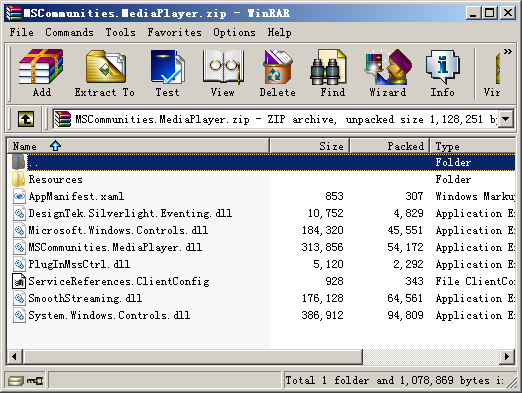
写过SL程序的人,一看到这些文件应该立刻就明白了,他引用的是WCF服务!!
2个重要的文件,需要我们去看看
1、WCF配置文件:ServiceReferences.ClientConfig
2、播放器DLL文件:MSCommunities.MediaPlayer.dll
打开ServiceReferences.ClientConfig,我们可以一眼看到引用的service地址
<configuration>
<system.serviceModel>
<bindings>
<basicHttpBinding>
<binding name="BasicHttpBinding_MediaPlayer" maxBufferSize="2147483647"
maxReceivedMessageSize="2147483647">
<security mode="None">
<transport>
<extendedProtectionPolicy policyEnforcement="Never" />
</transport>
</security>
</binding>
</basicHttpBinding>
</bindings>
<client>
<endpoint address="http://www.silverlight.net/services/mediaplayer.svc"
binding="basicHttpBinding" bindingConfiguration="BasicHttpBinding_MediaPlayer"
contract="Services.Silverlight.MediaPlayer" name="BasicHttpBinding_MediaPlayer" />
</client>
</system.serviceModel>
</configuration>
WCF地址:http://www.silverlight.net/services/mediaplayer.svc
我们将这段地址COPY,然后在浏览器中打开,没有加密,能打开,GREAT!
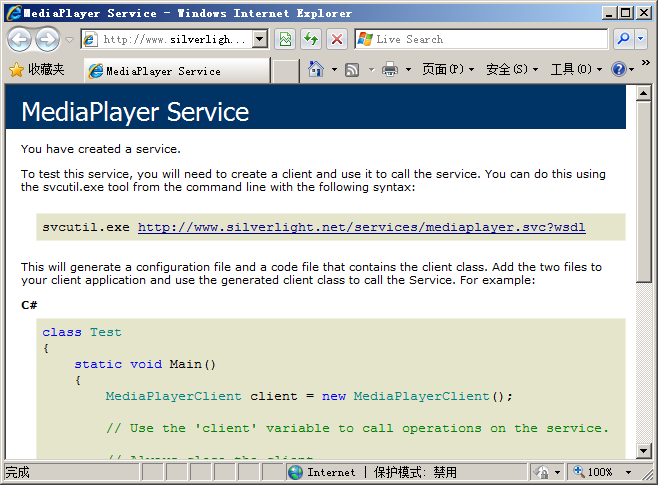
然后我们建立一个工程,将这段地址以Service Reference的方式引入,工程类型不限
引入Service之后,我们可以看到几个非常有用的类,其中我们会用到的2个:
MediaPlayerClient (获取VEDIO就靠他了)
VedioInfo (视频对象类,我们会用到它的VideoSourceUri属性)
现在开始分析MediaPlayerClient,打开来看到里面有个方法GetVideo,参数是ID和USERNAME,返回值是VedioInfo太好了,方法现成的!
可是ID,和USERNAME,我们到哪儿去找呢?
其实对SL程序熟悉的人应该已经知道如何操作了,直接看网页,下面的文章是对不熟悉SL的人讲的。
还记得我上面提到的这个MSCommunities.MediaPlayer.dll 吗
微软的播放器就用它来获取地址的,那这个DLL里面肯定有获取地址的方法,如何找出来呢,上Reflector!
用Reflector打开这个DLL

解释下:
MSCommunities.MediaPlayer:播放器的相关类
MSCommunities.MediaPlayer.Services.Silverlight:SL播放器引用上面的WCF地址的代理类
自然,SL播放器也会用到MediaPlayerClient这个类,打开这个类,看到这个方法
public void GetVideoAsync(string id, string userName);
因为SL引用WCF只能用异步方法
好了,现在我们只要找到SL播放器如何使用这个方法,就知道如何调用了
最简单的方法,导出整个DLL,然后搜索GetVideoAsync这个方法,相信聪明的你肯定能找到这个方法在哪里调用的
最后,我们找到这个方法的调用地方,在MSCommunities.MediaPlayer命名空间下的Page类中
private void InitGetVideoAsync()
{
this.m_service.GetVideoAsync(Application.Current.Resources["VideoID"].ToString(), Application.Current.Resources["UserName"].ToString());
}
找到了!
它是从这2个地方获取ID和USERNAME的
Application.Current.Resources["VideoID"] //获取ID
Application.Current.Resources["UserName"] //获取USERNAME
最后,我们只要知道程序在哪里加载这2个信息的就行了
熟悉SL的人肯定一下就能想到是在APP里面加载的
不熟悉的人可以搜索,Application.Current.Resources是ResourceDictionary类型,加载自然会用到Add方法
好了,来看看APP类的Application_Startup方法做了什么
private void Application_Startup(object sender, StartupEventArgs e)
{
Application.Current.Resources.Add("VideoID", e.InitParams["videoid"]);
....
}
注释:InitParams,获取作为 Silverlight 插件的 HTML 初始化的一部分传递的初始化参数。
即,从网页的<param name="InitParams"获取参数
好了,我们再回过头看看最开始的,嵌入SL的部分
<object id="slMediaPlayer" style="width:400px;height:338px" autoupdate="true" data="data:application/x-silverlight-2," type="application/x-silverlight-2">
<param name="MinRuntimeVersion" value="3.0.40624.0" />
<param name="source" value="/ClientBin/mediaplayer/MSCommunities.MediaPlayer.xap" />
<param name="InitParams" value="videoid=34056,username=Anonymous" />
<a href="http://go.microsoft.com/fwlink/?LinkId=149156" style="text-decoration:none">
<img src="http://i1.silverlight.net/resources/images/content/misc/Install-Silverlight-400x338-VideoSize.png?cdn_id=20091118_3" alt="Please install Silverlight or click download to watch video locally." />
</a>
</object>
现在看看<param name="InitParams" value="videoid=34056,username=Anonymous" />
看到了吧,vedioid 和 username都在这里了
剩下的事情就是利用我们下载的每个视频网页,找出每个视频的ID,然后用MediaPlayerClient下载即可
好了,写的有些乱,有什么问题我会及时回复
此内容由惯性聚合(RSS阅读器)自动聚合整理,仅供阅读参考。 原文来自 — 版权归原作者所有。