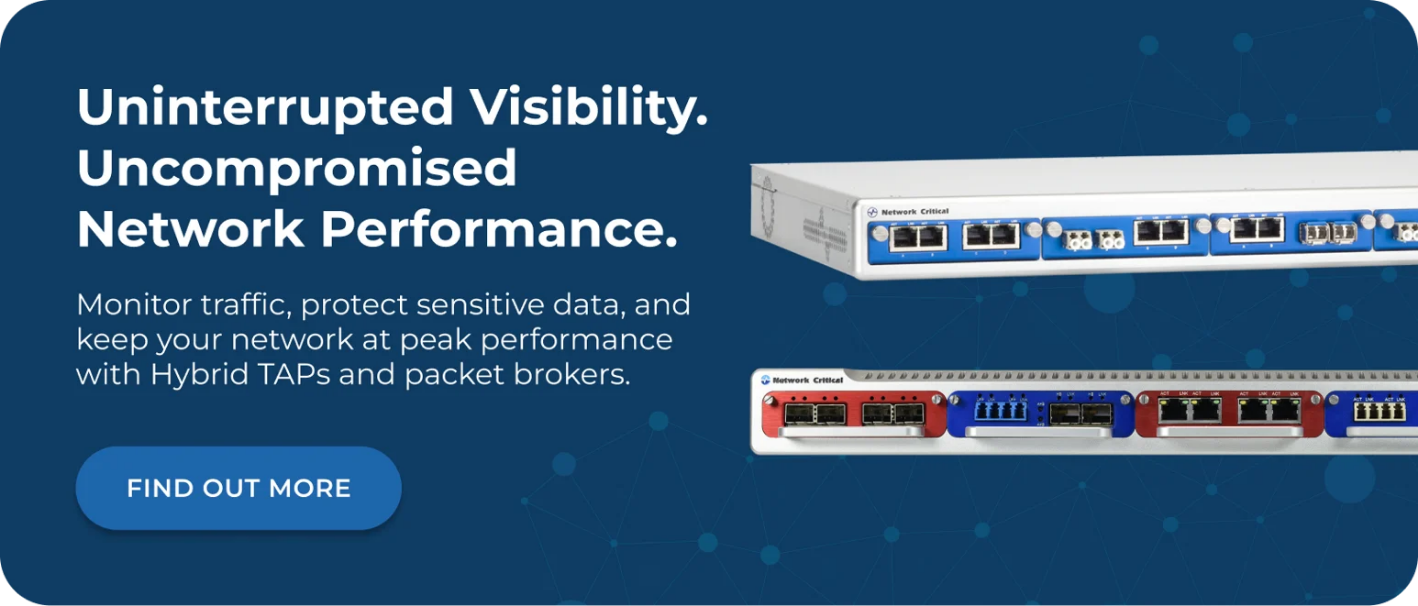
Modern networks carry more traffic, more threats, and more complexity than ever before. Security teams are expected to detect intrusions, investigate incidents, enforce compliance, and optimize performance across distributed infrastructure that spans data centers, branch offices, and cloud environments. That's a tall order, and no single tool can do it alone. The best network security monitoring programs combine multiple specialized tools, each designed to do one job exceptionally well. But every one of those tools has the same fundamental dependency: it needs access to the right traffic, at the right time, with zero gaps. A network packet broker and network TAPs form the visibility foundation that makes every other tool on this list actually work. This guide explains the core categories of network security monitoring tools, what each one does, and how they fit together in a complete monitoring architecture. Before covering individual tool categories, it's worth addressing the issue that undermines most monitoring deployments. Security tools can only analyze traffic they can see. If they're connected to Switch Port Analyzer (SPAN) ports, they're working with an incomplete picture. SPAN ports drop packets under load, don't capture full-duplex traffic reliably, and can be configured incorrectly without generating any alerts. Network TAPs solve this at the hardware level. They connect directly to the physical link and copy 100% of traffic, including errors, without introducing latency or a point of failure. Every tool discussed in this article performs better when it receives a complete, unaltered traffic stream. Most organizations don't run a single monitoring tool. They run several. Connecting every tool directly to every link creates a tangle of cables, port conflicts, and tool overload. A network packet broker acts as an intelligent intermediary, aggregating traffic from multiple TAPs and SPAN ports, filtering it based on configurable rules, and distributing the right traffic to the right tools. This architecture solves the tool overload problem while making sure nothing slips through. Security tools receive targeted traffic rather than undifferentiated floods, which improves detection accuracy and reduces false positives. Intrusion Detection Systems (IDS) and Intrusion Prevention Systems (IPS) are among the most widely deployed security monitoring tools. They inspect traffic in real time, matching packets against known threat signatures and behavioral patterns to identify malicious activity. The distinction between these tool types is meaningful: When an IPS fails or goes offline for maintenance, it can take down the network link with it. Bypass TAPs eliminate this risk by using heartbeat monitoring to detect when an inline appliance stops responding, then automatically rerouting traffic around the failed device. Network Critical's bypass TAPs support 1G, 10G, and 40G links, with dual hot-swappable power supplies to ensure continuous protection. Feeding both IDS and IPS tools through a packet broker also allows you to filter out irrelevant traffic before it reaches the tool, reducing the inspection burden and improving detection accuracy across high-volume links. Security Information and Event Management (SIEM) platforms aggregate log and event data from across the environment, providing centralized visibility, correlation, and alerting. Rather than inspecting packets directly, SIEM platforms collect structured data from other security tools, network devices, servers, and endpoints, then correlate events to identify attack patterns that no single source would reveal on its own. SIEM is particularly effective at: A SIEM is only as good as the data it receives. If network monitoring tools connected via SPAN ports are dropping packets or missing traffic segments, those gaps appear as silences in the SIEM's data. Analysts may interpret missing data as clean network behavior when it's actually a visibility gap. Ensuring monitoring tools receive complete traffic via TAPs rather than SPAN ports directly improves SIEM data quality. Network Detection and Response (NDR) tools represent a more recent evolution in network security monitoring. Unlike signature-based IDS tools, NDR platforms use machine learning and behavioral analysis to establish a baseline of normal network activity, then flag deviations from that baseline as potential threats. Signature-based tools are effective against known threats but struggle with zero-day attacks, insider threats, and slow-moving lateral movement that doesn't match any existing signature. NDR tools address this by learning what normal looks like for your specific environment, and then detecting anomalies that might indicate: NDR platforms typically analyze high volumes of traffic to build accurate behavioral models. Feeding them deduplicated, filtered traffic via a packet broker prevents tool overload while ensuring completeness. Network Critical's SmartNA platform includes packet deduplication functionality, which can reduce traffic volume significantly since duplicate packets can account for a large portion of total traffic on networks with multiple overlapping TAP sources. Packet capture tools record raw network traffic for later analysis. While IDS and NDR tools provide real-time detection, packet capture provides the forensic record needed to investigate incidents, reconstruct attack timelines, and support legal proceedings. Packet capture supports several critical security functions: Full packet capture at 10Gbps or above generates enormous data volumes quickly. Most deployments use packet broker filtering to limit capture to specific traffic types, IP ranges, or time windows rather than recording everything. Network Critical's PacketPro™ technology, available in the SmartNA-XL platform, supports packet slicing, header stripping, and payload masking. These features reduce storage requirements while ensuring sensitive payload data is masked before being stored. Network performance monitoring tools aren't purely security tools, but they belong in any comprehensive monitoring architecture. Application Performance Monitoring (APM) and network performance monitors track latency, packet loss, jitter, bandwidth utilization, and application response times across the network. Performance monitoring contributes to security in ways that are often underestimated: Both security and performance monitoring tools need access to the same traffic. A packet broker with load balancing capability can serve the same traffic stream to multiple tools simultaneously, eliminating the need to choose between security and performance visibility. The SmartNA-PortPlus supports any-to-many traffic mapping, so a single TAP feed can reach multiple downstream tools without duplication of hardware or complexity. Protocol analyzers capture and decode network traffic at the packet level, presenting it in human-readable form. While automated tools handle detection at scale, protocol analyzers are invaluable when engineers need to understand exactly what's happening on a specific link or with a specific application. Protocol analyzers are most commonly used in these scenarios: Protocol analyzers need clean, complete traffic to function accurately. Because they rely on human interpretation, even occasional packet loss can make analysis unreliable. Passive fiber TAPs connected directly to the links under investigation provide the most accurate input for manual analysis. Zero Trust Network Access (ZTNA) tools enforce the principle of "trust no-one," requiring continuous validation of every user, device, and application attempting to access network resources, regardless of whether they're inside or outside the network perimeter. Rather than assuming that traffic inside the network perimeter is safe, zero trust tools: Network Critical's INVIKTUS system takes zero trust to the hardware level. It operates with no IP or MAC address, making it completely invisible to the network and impossible to target directly. Policy-based configuration controls access to all points of the network, and once deployed it requires minimal ongoing maintenance. This makes it particularly effective for healthcare, education, and government environments where protecting sensitive data is critical. Data Loss Prevention (DLP) tools monitor outbound traffic for sensitive data leaving the network without authorization. Where IDS tools focus on what's coming in, DLP tools focus on what's going out. DLP tools inspect traffic for: DLP tools require broad visibility across outbound traffic to be effective. Missing even a portion of outbound flows creates gaps that can be exploited. Connecting DLP tools via a packet broker fed by TAPs, rather than relying on SPAN port configurations, ensures they receive complete outbound traffic across every monitored link. No single tool provides complete security. The strongest monitoring architectures layer these tools so that each one covers the weaknesses of the others. Consider how the tools above work together in a typical enterprise deployment: One practical challenge in building this architecture is tool overload. Each monitoring tool has processing limits, and sending too much undifferentiated traffic causes packet drops inside the tool itself, creating invisible blind spots. Packet broker filtering ensures each tool receives only the traffic relevant to its function. An IDS focused on suspicious external traffic doesn't need to see routine internal file transfers. A DLP tool focused on outbound data doesn't need to see east-west internal traffic. An Intrusion Detection System uses predefined signatures to identify known attack patterns. Network Detection and Response uses machine learning to detect behavioral anomalies, making it effective against novel threats that don't match any existing signature. Most mature security programs run both, with NDR covering the gaps that signature-based detection misses. Monitoring encrypted traffic requires either decryption capability within the monitoring architecture or analysis of traffic metadata rather than payload content. Many NDR and performance monitoring tools can extract meaningful signals from metadata even without full decryption. For environments requiring deeper inspection, SSL/TLS decryption can be performed within the packet broker layer before traffic is forwarded to inspection tools. SPAN ports are software-configured on switches and are subject to the switch's processing capacity. Under load, SPAN ports drop packets, fail to capture full-duplex traffic reliably, and can be reconfigured or disabled accidentally. Network TAPs operate at the hardware level, are invisible to the network, and capture 100% of traffic including errors. For security and compliance applications where a complete traffic record is required, TAPs are the only reliable option. A packet broker aggregates traffic from multiple TAPs and SPAN ports, applies filtering, deduplication, and load balancing, and distributes the right traffic to each monitoring tool. Without a packet broker, connecting multiple tools to multiple links quickly becomes unmanageable. A packet broker also allows you to replace or upgrade individual monitoring tools without recabling the access layer. Building an effective network security monitoring architecture requires more than choosing the right tools. It requires ensuring those tools have access to complete, accurate traffic data. Network Critical has delivered network visibility infrastructure to enterprises across finance, healthcare, government, and telecommunications since 1997. Our TAP and packet broker platforms provide the visibility foundation every tool in this guide depends on. From passive fiber TAPs that require no power and capture 100% of optical traffic, to the SmartNA-PortPlus and SmartNA-PortPlus HyperCore platforms that support speeds up to 400G, we offer hardware for every network size and speed requirement. Our Drag-n-Vu management interface makes traffic configuration fast and error-free, so your security tools receive the right data without requiring specialist engineering input for every change. Whether you're building a new monitoring architecture from scratch or filling gaps in an existing deployment, our team can help you design a visibility layer that makes every tool in your security stack work harder.
Why Tool Selection Starts with Visibility
The Role of Traffic Management in a Multi-Tool Environment
Intrusion Detection and Prevention Systems
How IDS and IPS Differ
Keeping Inline Tools Safe
Security Information and Event Management Platforms
What SIEM Platforms Do Well
The Dependency on Complete Data
Network Detection and Response Tools
Why Behavioral Detection Matters
Traffic Volume Requirements for NDR
Packet Capture and Forensic Analysis Tools
Use Cases for Full Packet Capture
Storage and Filtering Considerations
Network Performance Monitoring Tools
The Security Value of Performance Data
Sharing Traffic Efficiently Between Tools
Protocol Analyzers and Diagnostic Tools
When Protocol Analysis Is Needed
Zero Trust Network Access and Microsegmentation Tools
What Zero Trust Tools Do
Data Loss Prevention Tools
How DLP Fits into the Monitoring Stack
How These Tools Work Together
A Practical Architecture
Avoiding Tool Overload
Frequently Asked Questions
What Is the Difference Between IDS and NDR?
Do Network Security Monitoring Tools Work in Encrypted Traffic Environments?
Why Are Network TAPs Preferred Over SPAN Ports for Security Monitoring?
What Does a Packet Broker Add to a Monitoring Architecture?
How Network Critical Can Help